cruise control CHEVROLET CORVETTE C7 2018 User Guide
[x] Cancel search | Manufacturer: CHEVROLET, Model Year: 2018, Model line: CORVETTE C7, Model: CHEVROLET CORVETTE C7 2018Pages: 353, PDF Size: 6.48 MB
Page 168 of 353
Chevrolet Corvette Owner Manual (GMNA-Localizing-U.S./Canada/Mexico-
11374030) - 2018 - crc - 4/4/17
Driving and Operating 167
9. Install the caliper (1) with thetwo fasteners (2). Torque to
220 Y (162 lb ft).
10. Repeat the procedure for the opposite side of the vehicle.
11. Reinstall the wheels using the specified lug nut torque. Refer
to the procedure in the vehicle
service manual.
12. After a track event, repeat the steps to reinstall the original
splash shield.
Driving on Wet Roads
Rain and wet roads can reduce
vehicle traction and affect your
ability to stop and accelerate.
Always drive slower in these types
of driving conditions and avoid
driving through large puddles and
deep-standing or flowing water.
{Warning
Wet brakes can cause crashes.
They might not work as well in a
quick stop and could cause
pulling to one side. You could
lose control of the vehicle.
After driving through a large
puddle of water or a car/vehicle
wash, lightly apply the brake
pedal until the brakes work
normally.
Flowing or rushing water creates
strong forces. Driving through
flowing water could cause the
vehicle to be carried away. If this
happens, you and other vehicle
occupants could drown. Do not
ignore police warnings and be
very cautious about trying to drive
through flowing water.
Hydroplaning
Hydroplaning is dangerous. Water
can build up under the vehicle's
tires so they actually ride on the
water. This can happen if the road is wet enough and you are going fast
enough. When the vehicle is
hydroplaning, it has little or no
contact with the road.
There is no hard and fast rule about
hydroplaning. The best advice is to
slow down when the road is wet.
Other Rainy Weather Tips
Besides slowing down, other wet
weather driving tips include:
.
Allow extra following distance.
. Pass with caution.
. Keep windshield wiping
equipment in good shape.
. Keep the windshield washer fluid
reservoir filled.
. Have good tires with proper
tread depth. See Tires0254.
. Turn off cruise control.
Page 170 of 353
Chevrolet Corvette Owner Manual (GMNA-Localizing-U.S./Canada/Mexico-
11374030) - 2018 - crc - 4/4/17
Driving and Operating 169
clear roads in shaded areas.
The surface of a curve or an
overpass can remain icy when
the surrounding roads are clear.
Avoid sudden steering
maneuvers and braking while
on ice.
. Turn off cruise control.
Blizzard Conditions
Stop the vehicle in a safe place and
signal for help. Stay with the vehicle
unless there is help nearby.
If possible, use Roadside
Assistance. See Roadside
Assistance Program 0320. To get
help and keep everyone in the
vehicle safe:
. Turn on the hazard warning
flashers.
. Tie a red cloth to an outside
mirror.
{Warning
Snow can trap engine exhaust
under the vehicle. This may
cause exhaust gases to get
inside. Engine exhaust contains
carbon monoxide (CO), which
cannot be seen or smelled. It can
cause unconsciousness and even
death.
If the vehicle is stuck in snow:
. Clear snow from the base of
the vehicle, especially any
blocking the exhaust pipe.
. Open a window about 5 cm
(2 in) on the vehicle side
that is away from the wind,
to bring in fresh air.
. Fully open the air outlets on
or under the instrument
panel.
. Adjust the climate control
system to circulate the air
inside the vehicle and set
(Continued)
Warning (Continued)
the fan speed to the highest
setting. See“Climate
Control Systems.”
For more information about CO,
see Engine Exhaust 0181.
To save fuel, run the engine for
short periods to warm the vehicle
and then shut the engine off and
partially close the window. Moving
about to keep warm also helps.
If it takes time for help to arrive,
when running the engine, push the
accelerator pedal slightly so the
engine runs faster than the idle
speed. This keeps the battery
charged to restart the vehicle and to
signal for help with the headlamps.
Do this as little as possible, to
save fuel.
Page 175 of 353
Chevrolet Corvette Owner Manual (GMNA-Localizing-U.S./Canada/Mexico-
11374030) - 2018 - crc - 4/4/17
174 Driving and Operating
Starting and
Operating
New Vehicle Break-In
Follow these recommended
guidelines during the first 2 414 km
(1,500 mi) of driving this vehicle.
Parts have a break-in period and
performance will be better in the
long run.
For the first 322 km (200 mi):
.To break in new tires, drive at
moderate speeds and avoid hard
cornering.
. New brake linings also need a
break-in period. Avoid making
hard stops. This is
recommended every time brake
linings are replaced.
For the first 800 km (500 mi):
. Avoid full throttle starts and
abrupt stops.
. Do not exceed 4000 rpm. .
Avoid driving at any one
constant speed, fast or slow,
including the use of cruise
control.
. Avoid downshifting to brake or
slow the vehicle when the
engine speed will exceed
4000 rpm.
. Do not let the engine labor.
Never lug the engine. With a
manual transmission, shift to the
next lower gear. This rule
applies at all times, not just
during the break-in period.
. If equipped with a dry sump
engine (Stingray with Z51,
Grand Sport, and Z06), the initial
oil and filter change must be
performed at 800 km (500 mi).
For the first 2 414 km (1,500 mi):
. Do not participate in track
events, sport driving schools,
or similar activities.
. Check engine oil with every
refueling and add if necessary.
Oil and fuel consumption may be
higher than normal.
Front Air Dam
If equipped, the front air dam has
minimal ground clearance.
Under normal operation, the
components will occasionally
contact some road surfaces (speed
bumps, driveway ramps, etc.). This
can be heard inside the vehicle as a
scraping noise. This is normal and
does not indicate a problem.
Use care when approaching bumps
or objects on road surfaces and
avoid them when possible.
Composite Materials
This vehicle may be equipped with
parts containing carbon fiber,
sheet-molding compound or other
composite materials.
Dealer-installed accessories may
also contain composite materials.
These parts and accessories may
include the splitter or rocker
extensions.
Page 186 of 353
Chevrolet Corvette Owner Manual (GMNA-Localizing-U.S./Canada/Mexico-
11374030) - 2018 - crc - 4/4/17
Driving and Operating 185
When a requested shift is denied
due to the speed restrictions shown,
a DIC message will be displayed,
and the current gear remains
displayed in the instrument cluster
and HUD.
Manual Paddle Shift operation is
available for use with cruise control.
SeeCruise Control 0201.
The vehicle speeds required for
Manual Paddle Shift upshifts
depend on several vehicle inputs,
which will vary the allowed upshift
speed by a few km/h (mph).
For Vehicles with a 2.41:1 Axle
Ratio (RPO GXB)
. Upshifts to 3 (Third) gear require
approximately 25 km/h (16 mph).
. Upshifts to 4 (Fourth) gear
require approximately 37 km/h
(23 mph).
. Upshifts to 5 (Fifth) gear require
approximately 48 km/h (30 mph).
. Upshifts to 6 (Sixth) gear require
approximately 60 km/h (37 mph). .
Upshifts to 7 (Seventh) gear
require approximately 74 km/h
(46 mph).
. Upshifts to 8 (Eighth) gear
require approximately 95 km/h
(59 mph).
To prevent damage to the
powertrain, Manual Paddle
downshifts to a lower gear cannot
be done above certain speeds. The
maximum speed allowed for
downshifting of gears 1 (First)
through 7 (Seventh) are:
. Into 7 (Seventh) gear over
365 km/h (227 mph).
. Into 6 (Sixth) gear over 309 km/h
(192 mph).
. Into 5 (Fifth) gear over 243 km/h
(151 mph).
. Into 4 (Fourth) gear over
183 km/h (114 mph).
. Into 3 (Third) gear over 149 km/h
(93 mph).
. Into 2 (Second) gear over
100 km/h (62 mph).
. Into 1 (First) gear over 62 km/h
(39 mph). For Vehicles with a 2.73:1 Axle
Ratio (RPO GU2)
.
Upshifts to 3 (Third) gear require
approximately 24 km/h (15 mph).
. Upshifts to 4 (Fourth) gear
require approximately 34 km/h
(21 mph).
. Upshifts to 5 (Fifth) gear require
approximately 43 km/h (27 mph).
. Upshifts to 6 (Sixth) gear require
approximately 55 km/h (34 mph).
. Upshifts to 7 (Seventh) gear
require approximately 64 km/h
(40 mph).
. Upshifts to 8 (Eighth) gear
require approximately 82 km/h
(51 mph).
To prevent damage to the
powertrain, Manual Paddle
downshifts to a lower gear cannot
be done above certain speeds. The
maximum speed allowed for
downshifting of gears 1 (First)
through 7 (Seventh) are:
. Into 7 (Seventh) gear over
321 km/h (199 mph).
Page 193 of 353
Chevrolet Corvette Owner Manual (GMNA-Localizing-U.S./Canada/Mexico-
11374030) - 2018 - crc - 4/4/17
192 Driving and Operating
Hill Start Assist (HSA)
If equipped, Hill Start Assist (HSA)
may automatically activate when the
vehicle is stopped on a grade. This
feature is designed to prevent the
vehicle from rolling, either forward or
rearward, during vehicle drive off.
During the transition from releasing
the brake pedal to accelerating to
drive off on a grade, HSA holds the
braking pressure to prevent rolling.
HSA will not activate if the vehicle is
in a drive gear and facing downhill
or if the vehicle is facing uphill and
in R (Reverse).
Ride Control Systems
Traction Control/
Electronic Stability
Control
The vehicle has a Traction Control
System (TCS) and a StabiliTrak
system. These systems help limit
wheel spin and assist the driver in
maintaining control, especially on
slippery road conditions.
TCS activates if it senses that the
rear wheels are spinning too much
or are beginning to lose traction.
When this happens, TCS applies
the brakes to the spinning wheel
and reduces engine power (by
closing the throttle and managing
engine spark) to limit wheel spin.
StabiliTrak activates when the
vehicle senses a difference between
the intended path and the direction
the vehicle is actually traveling.
StabiliTrak selectively applies
braking pressure to any one of the
vehicle wheel brakes to assist the
driver in keeping the vehicle on the
intended path.If cruise control is being used when
TCS begins to limit wheel spin, the
cruise control will automatically
disengage. Cruise control may be
reengaged when road conditions
allow. See
Cruise Control 0201.
Both systems come on
automatically when the vehicle is
started and begins to move. The
systems may be heard or felt while
they are operating or while
performing diagnostic checks. This
is normal and does not mean there
is a problem with the vehicle.
It is recommended to leave both
systems on for normal driving
conditions, but it may be necessary
to turn TCS off if the vehicle gets
stuck in sand, mud, ice, or snow.
See If the Vehicle Is Stuck 0170
and “Turning the Systems Off and
On” later in this section.
Page 202 of 353
Chevrolet Corvette Owner Manual (GMNA-Localizing-U.S./Canada/Mexico-
11374030) - 2018 - crc - 4/4/17
Driving and Operating 201
amount of change for the
conditions. With eLSD, the
vehicle has:
.Enhanced high-speed control
. Improved traction through
corners, allowing more
acceleration
. More precise steering
. Increased vehicle agility
. Integration with StabiliTrak
For vehicles with eLSD, driven
under severe conditions, the rear
axle fluid should be changed.
See Competitive Driving Mode
0 197 andMaintenance Schedule
0 299.Cruise Control
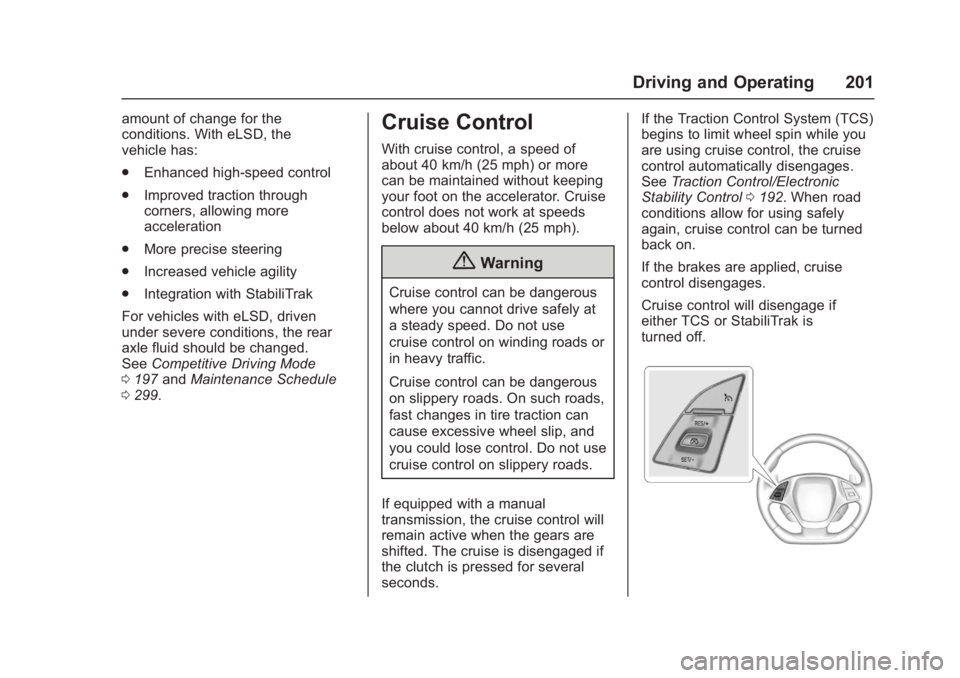
With cruise control, a speed of
about 40 km/h (25 mph) or more
can be maintained without keeping
your foot on the accelerator. Cruise
control does not work at speeds
below about 40 km/h (25 mph).
{Warning
Cruise control can be dangerous
where you cannot drive safely at
a steady speed. Do not use
cruise control on winding roads or
in heavy traffic.
Cruise control can be dangerous
on slippery roads. On such roads,
fast changes in tire traction can
cause excessive wheel slip, and
you could lose control. Do not use
cruise control on slippery roads.
If equipped with a manual
transmission, the cruise control will
remain active when the gears are
shifted. The cruise is disengaged if
the clutch is pressed for several
seconds. If the Traction Control System (TCS)
begins to limit wheel spin while you
are using cruise control, the cruise
control automatically disengages.
See
Traction Control/Electronic
Stability Control 0192. When road
conditions allow for using safely
again, cruise control can be turned
back on.
If the brakes are applied, cruise
control disengages.
Cruise control will disengage if
either TCS or StabiliTrak is
turned off.
Page 203 of 353
Chevrolet Corvette Owner Manual (GMNA-Localizing-U.S./Canada/Mexico-
11374030) - 2018 - crc - 4/4/17
202 Driving and Operating
1:Press to turn cruise control on
or off. A white indicator comes on in
the instrument cluster when cruise
is turned on.
RES/+ : If there is a set speed in
memory, press briefly to resume to
that speed or press and hold to
accelerate. If cruise control is
already engaged, use to increase
vehicle speed.
SET/– :Press briefly to set the
speed and activate cruise control.
If cruise control is already engaged,
use to decrease vehicle speed.
*: Press to disengage cruise
control without erasing the set
speed from memory.
The speedometer reading can be
displayed in either English or metric
units. See Instrument Cluster 099.
The increment value used depends
on the units displayed. Setting Cruise Control
If
1is on when not in use, SET/–
or
RES/+ could get pressed and go
into cruise when not desired. Keep
1off when cruise is not
being used.
1. Press
1to turn the cruise
system on.
2. Get up to the desired speed.
3. Press and release SET/– on
the steering wheel.
4. Remove foot from the accelerator.
The cruise control indicator on the
instrument cluster turns green after
cruise control has been set to the
desired speed. See Instrument
Cluster 099.
Resuming a Set Speed
If the cruise control is set at a
desired speed and then the brakes
are applied or
*is pressed, the
cruise control is disengaged without
erasing the set speed from memory. Once the vehicle reaches about
40 km/h (25 mph) or more, briefly
press RES/+. The vehicle returns to
the previous set speed.
Increasing Speed While Using
Cruise Control
Do one of the following:
.
Press and hold RES/+ until the
desired speed is reached, then
release it.
. To increase vehicle speed in
small increments, briefly press
RES/+. For each press, the
vehicle goes about 1.6 km/h
(1 mph) faster.
Reducing Speed While Using
Cruise Control
Do one of the following:
. Press and hold SET/– until the
desired lower speed is reached,
then release it.
. To decrease the vehicle speed in
small increments, briefly press
SET/–. For each press, the
vehicle goes about 1.6 km/h
(1 mph) slower.
Page 204 of 353
Chevrolet Corvette Owner Manual (GMNA-Localizing-U.S./Canada/Mexico-
11374030) - 2018 - crc - 4/4/17
Driving and Operating 203
Passing Another Vehicle While
Using Cruise Control
Use the accelerator pedal to
increase the vehicle speed. When
you take your foot off the pedal, the
vehicle will slow down to the
previously set cruise speed.
While pressing the accelerator pedal
or shortly following the release to
override cruise control, briefly
pressing SET/–will result in cruise
set to the current vehicle speed.
Using Cruise Control on Hills
How well the cruise control works
on hills depends upon the vehicle
speed, load, and the steepness of
the hills. When going up steep hills,
you might have to step on the
accelerator pedal to maintain your
speed. When going downhill, you
might have to brake or shift to a
lower gear to keep your speed
down. If the brake pedal is applied,
cruise control will disengage. Cruise Control in Manual Paddle
Shift Gear Selection
When the vehicle is in M (Manual
Mode) and the manual paddle shift
controls are not being used, cruise
control operates in the same
manner as D (Drive).
When the vehicle is in M (Manual
Mode) and the manual paddle shift
controls are being used, cruise
control operates as follows:
.
If cruise control is active and a
gear is selected with the manual
paddle shift controls, the vehicle
speed is maintained in the driver
selected gear and will not
automatically upshift or
downshift the transmission while
the driver ’s gear selection is
active.
. If driving in hilly terrain, cruise
control may not be able to
maintain vehicle speed if an
upshift or downshift is not
selected by the driver. While
driving on hilly terrain and cruise
control is active with a manual
paddle shift gear selection, the
driver must select the proper gear for the terrain or select D
(Drive) on the shift lever for full
automatic transmission
operation.
Ending Cruise Control
. Step lightly on the brake pedal.
. Press the clutch pedal for
several seconds or shift to
Neutral (manual transmissions).
. Shift the transmission to
N (Neutral) (automatic
transmissions).
. Press
*.
. To turn off cruise control,
press
1.
Erasing Speed Memory
The cruise control set speed is
erased from memory if
1is pressed
or if the ignition is turned off.
Page 345 of 353
Chevrolet Corvette Owner Manual (GMNA-Localizing-U.S./Canada/Mexico-
11374030) - 2018 - crc - 4/5/17
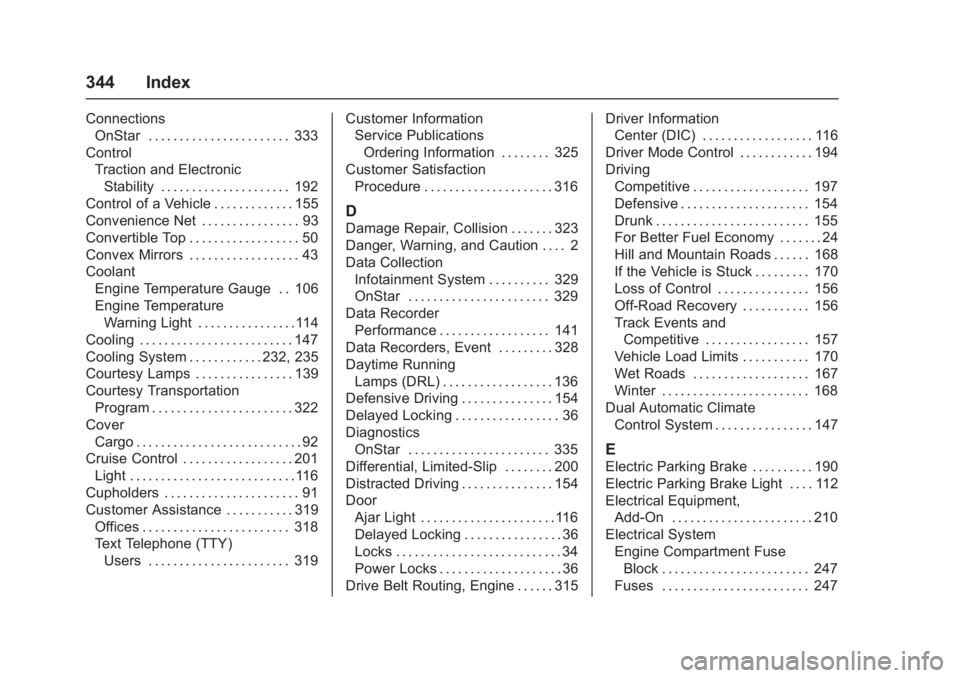
344 Index
ConnectionsOnStar . . . . . . . . . . . . . . . . . . . . . . . 333
Control Traction and ElectronicStability . . . . . . . . . . . . . . . . . . . . . 192
Control of a Vehicle . . . . . . . . . . . . . 155
Convenience Net . . . . . . . . . . . . . . . . 93
Convertible Top . . . . . . . . . . . . . . . . . . 50
Convex Mirrors . . . . . . . . . . . . . . . . . . 43
Coolant Engine Temperature Gauge . . 106
Engine Temperature
Warning Light . . . . . . . . . . . . . . . .114
Cooling . . . . . . . . . . . . . . . . . . . . . . . . . 147
Cooling System . . . . . . . . . . . . 232, 235
Courtesy Lamps . . . . . . . . . . . . . . . . 139
Courtesy Transportation Program . . . . . . . . . . . . . . . . . . . . . . . 322
Cover Cargo . . . . . . . . . . . . . . . . . . . . . . . . . . . 92
Cruise Control . . . . . . . . . . . . . . . . . . 201
Light . . . . . . . . . . . . . . . . . . . . . . . . . . .116
Cupholders . . . . . . . . . . . . . . . . . . . . . . 91
Customer Assistance . . . . . . . . . . . 319 Offices . . . . . . . . . . . . . . . . . . . . . . . . 318
Text Telephone (TTY)
Users . . . . . . . . . . . . . . . . . . . . . . . 319 Customer Information
Service Publications
Ordering Information . . . . . . . . 325
Customer Satisfaction Procedure . . . . . . . . . . . . . . . . . . . . . 316
D
Damage Repair, Collision . . . . . . . 323
Danger, Warning, and Caution . . . . 2
Data CollectionInfotainment System . . . . . . . . . . 329
OnStar . . . . . . . . . . . . . . . . . . . . . . . 329
Data Recorder Performance . . . . . . . . . . . . . . . . . . 141
Data Recorders, Event . . . . . . . . . 328
Daytime Running Lamps (DRL) . . . . . . . . . . . . . . . . . . 136
Defensive Driving . . . . . . . . . . . . . . . 154
Delayed Locking . . . . . . . . . . . . . . . . . 36
Diagnostics OnStar . . . . . . . . . . . . . . . . . . . . . . . 335
Differential, Limited-Slip . . . . . . . . 200
Distracted Driving . . . . . . . . . . . . . . . 154
Door Ajar Light . . . . . . . . . . . . . . . . . . . . . .116
Delayed Locking . . . . . . . . . . . . . . . . 36
Locks . . . . . . . . . . . . . . . . . . . . . . . . . . . 34
Power Locks . . . . . . . . . . . . . . . . . . . . 36
Drive Belt Routing, Engine . . . . . . 315 Driver Information
Center (DIC) . . . . . . . . . . . . . . . . . . 116
Driver Mode Control . . . . . . . . . . . . 194
Driving Competitive . . . . . . . . . . . . . . . . . . . 197
Defensive . . . . . . . . . . . . . . . . . . . . . 154
Drunk . . . . . . . . . . . . . . . . . . . . . . . . . 155
For Better Fuel Economy . . . . . . . 24
Hill and Mountain Roads . . . . . . 168
If the Vehicle is Stuck . . . . . . . . . 170
Loss of Control . . . . . . . . . . . . . . . 156
Off-Road Recovery . . . . . . . . . . . 156
Track Events andCompetitive . . . . . . . . . . . . . . . . . 157
Vehicle Load Limits . . . . . . . . . . . 170
Wet Roads . . . . . . . . . . . . . . . . . . . 167
Winter . . . . . . . . . . . . . . . . . . . . . . . . 168
Dual Automatic Climate Control System . . . . . . . . . . . . . . . . 147
E
Electric Parking Brake . . . . . . . . . . 190
Electric Parking Brake Light . . . . 112
Electrical Equipment,Add-On . . . . . . . . . . . . . . . . . . . . . . . 210
Electrical System
Engine Compartment FuseBlock . . . . . . . . . . . . . . . . . . . . . . . . 247
Fuses . . . . . . . . . . . . . . . . . . . . . . . . 247
Page 348 of 353
Chevrolet Corvette Owner Manual (GMNA-Localizing-U.S./Canada/Mexico-
11374030) - 2018 - crc - 4/5/17
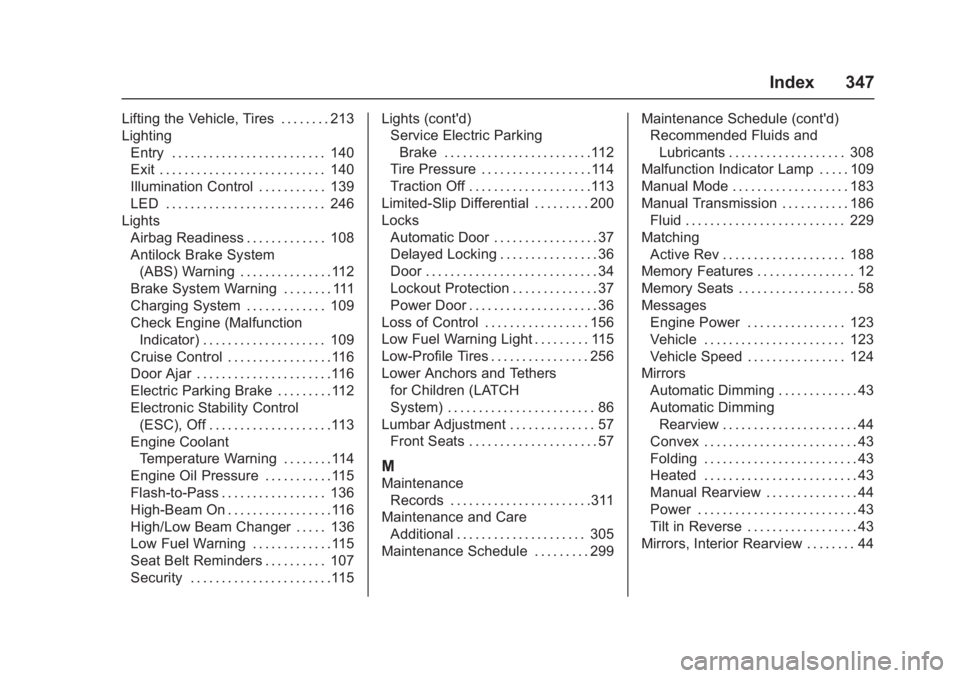
Index 347
Lifting the Vehicle, Tires . . . . . . . . 213
LightingEntry . . . . . . . . . . . . . . . . . . . . . . . . . 140
Exit . . . . . . . . . . . . . . . . . . . . . . . . . . . 140
Illumination Control . . . . . . . . . . . 139
LED . . . . . . . . . . . . . . . . . . . . . . . . . . 246
Lights
Airbag Readiness . . . . . . . . . . . . . 108
Antilock Brake System(ABS) Warning . . . . . . . . . . . . . . .112
Brake System Warning . . . . . . . . 111
Charging System . . . . . . . . . . . . . 109
Check Engine (Malfunction
Indicator) . . . . . . . . . . . . . . . . . . . . 109
Cruise Control . . . . . . . . . . . . . . . . .116
Door Ajar . . . . . . . . . . . . . . . . . . . . . .116
Electric Parking Brake . . . . . . . . .112
Electronic Stability Control (ESC), Off . . . . . . . . . . . . . . . . . . . .113
Engine Coolant Temperature Warning . . . . . . . .114
Engine Oil Pressure . . . . . . . . . . .115
Flash-to-Pass . . . . . . . . . . . . . . . . . 136
High-Beam On . . . . . . . . . . . . . . . . .116
High/Low Beam Changer . . . . . 136
Low Fuel Warning . . . . . . . . . . . . .115
Seat Belt Reminders . . . . . . . . . . 107
Security . . . . . . . . . . . . . . . . . . . . . . .115 Lights (cont'd)
Service Electric Parking
Brake . . . . . . . . . . . . . . . . . . . . . . . .112
Tire Pressure . . . . . . . . . . . . . . . . . .114
Traction Off . . . . . . . . . . . . . . . . . . . .113
Limited-Slip Differential . . . . . . . . . 200
Locks Automatic Door . . . . . . . . . . . . . . . . . 37
Delayed Locking . . . . . . . . . . . . . . . . 36
Door . . . . . . . . . . . . . . . . . . . . . . . . . . . . 34
Lockout Protection . . . . . . . . . . . . . . 37
Power Door . . . . . . . . . . . . . . . . . . . . . 36
Loss of Control . . . . . . . . . . . . . . . . . 156
Low Fuel Warning Light . . . . . . . . . 115
Low-Profile Tires . . . . . . . . . . . . . . . . 256
Lower Anchors and Tethers for Children (LATCH
System) . . . . . . . . . . . . . . . . . . . . . . . . 86
Lumbar Adjustment . . . . . . . . . . . . . . 57 Front Seats . . . . . . . . . . . . . . . . . . . . . 57
M
MaintenanceRecords . . . . . . . . . . . . . . . . . . . . . . .311
Maintenance and Care Additional . . . . . . . . . . . . . . . . . . . . . 305
Maintenance Schedule . . . . . . . . . 299 Maintenance Schedule (cont'd)
Recommended Fluids and
Lubricants . . . . . . . . . . . . . . . . . . . 308
Malfunction Indicator Lamp . . . . . 109
Manual Mode . . . . . . . . . . . . . . . . . . . 183
Manual Transmission . . . . . . . . . . . 186
Fluid . . . . . . . . . . . . . . . . . . . . . . . . . . 229
Matching Active Rev . . . . . . . . . . . . . . . . . . . . 188
Memory Features . . . . . . . . . . . . . . . . 12
Memory Seats . . . . . . . . . . . . . . . . . . . 58
Messages Engine Power . . . . . . . . . . . . . . . . 123
Vehicle . . . . . . . . . . . . . . . . . . . . . . . 123
Vehicle Speed . . . . . . . . . . . . . . . . 124
Mirrors Automatic Dimming . . . . . . . . . . . . . 43
Automatic DimmingRearview . . . . . . . . . . . . . . . . . . . . . . 44
Convex . . . . . . . . . . . . . . . . . . . . . . . . . 43
Folding . . . . . . . . . . . . . . . . . . . . . . . . . 43
Heated . . . . . . . . . . . . . . . . . . . . . . . . . 43
Manual Rearview . . . . . . . . . . . . . . . 44
Power . . . . . . . . . . . . . . . . . . . . . . . . . . 43
Tilt in Reverse . . . . . . . . . . . . . . . . . . 43
Mirrors, Interior Rearview . . . . . . . . 44