automatic transmission CHEVROLET CRUZE 2015 1.G Owners Manual
[x] Cancel search | Manufacturer: CHEVROLET, Model Year: 2015, Model line: CRUZE, Model: CHEVROLET CRUZE 2015 1.GPages: 417, PDF Size: 5.89 MB
Page 2 of 417

Black plate (1,1)Chevrolet Cruze Owner Manual (GMNA-Localizing-U.S./Canada-7707493) -
2015 - crc - 11/24/14
2015 Chevrolet Cruze Owner ManualM
In Brief. . . . . . . . . . . . . . . . . . . . . . . . 1-1
Instrument Panel . . . . . . . . . . . . . . 1-2
Initial Drive Information . . . . . . . . 1-4
Vehicle Features . . . . . . . . . . . . . 1-14
Performance and Maintenance . . . . . . . . . . . . . . . . 1-19
Keys, Doors, and Windows . . . . . . . . . . . . . . . . . . . . 2-1
Keys and Locks . . . . . . . . . . . . . . . 2-1
Doors . . . . . . . . . . . . . . . . . . . . . . . . 2-14
Vehicle Security . . . . . . . . . . . . . . 2-16
Exterior Mirrors . . . . . . . . . . . . . . . 2-18
Interior Mirrors . . . . . . . . . . . . . . . . 2-20
Windows . . . . . . . . . . . . . . . . . . . . . 2-20
Roof . . . . . . . . . . . . . . . . . . . . . . . . . . 2-23
Seats and Restraints . . . . . . . . . 3-1
Head Restraints . . . . . . . . . . . . . . . 3-2
Front Seats . . . . . . . . . . . . . . . . . . . . 3-3
Rear Seats . . . . . . . . . . . . . . . . . . . . 3-6
Safety Belts . . . . . . . . . . . . . . . . . . . . 3-8
Airbag System . . . . . . . . . . . . . . . . 3-15
Child Restraints . . . . . . . . . . . . . . 3-28 Storage
. . . . . . . . . . . . . . . . . . . . . . . 4-1
Storage Compartments . . . . . . . . 4-1
Instruments and Controls . . . . 5-1
Controls . . . . . . . . . . . . . . . . . . . . . . . 5-2
Warning Lights, Gauges, and Indicators . . . . . . . . . . . . . . . . . . . . 5-7
Information Displays . . . . . . . . . . 5-23
Vehicle Messages . . . . . . . . . . . . 5-27
Vehicle Personalization . . . . . . . 5-36
Lighting . . . . . . . . . . . . . . . . . . . . . . . 6-1
Exterior Lighting . . . . . . . . . . . . . . . 6-1
Interior Lighting . . . . . . . . . . . . . . . . 6-5
Lighting Features . . . . . . . . . . . . . . 6-6
Infotainment System . . . . . . . . . 7-1
Introduction . . . . . . . . . . . . . . . . . . . . 7-1
Radio . . . . . . . . . . . . . . . . . . . . . . . . . . 7-7
Audio Players . . . . . . . . . . . . . . . . 7-13
Phone . . . . . . . . . . . . . . . . . . . . . . . . 7-17
Trademarks and License
Agreements . . . . . . . . . . . . . . . . . 7-28 Climate Controls
. . . . . . . . . . . . . 8-1
Climate Control Systems . . . . . . 8-1
Air Vents . . . . . . . . . . . . . . . . . . . . . . . 8-6
Maintenance . . . . . . . . . . . . . . . . . . . 8-7
Driving and Operating . . . . . . . . 9-1
Driving Information . . . . . . . . . . . . . 9-2
Starting and Operating . . . . . . . 9-14
Engine Exhaust . . . . . . . . . . . . . . 9-26
Automatic Transmission . . . . . . 9-33
Manual Transmission . . . . . . . . . 9-37
Brakes . . . . . . . . . . . . . . . . . . . . . . . 9-38
Ride Control Systems . . . . . . . . 9-41
Cruise Control . . . . . . . . . . . . . . . . 9-43
Driver Assistance Systems . . . 9-45
Fuel . . . . . . . . . . . . . . . . . . . . . . . . . . 9-51
Trailer Towing . . . . . . . . . . . . . . . . 9-62
Conversions and Add-Ons . . . 9-68
Vehicle Care . . . . . . . . . . . . . . . . . 10-1
General Information . . . . . . . . . . 10-2
Vehicle Checks . . . . . . . . . . . . . . . 10-4
Headlamp Aiming . . . . . . . . . . . 10-32
Bulb Replacement . . . . . . . . . . 10-32
Electrical System . . . . . . . . . . . . 10-37
Wheels and Tires . . . . . . . . . . . 10-43
Page 10 of 417

Black plate (3,1)Chevrolet Cruze Owner Manual (GMNA-Localizing-U.S./Canada-7707493) -
2015 - crc - 11/24/14
In Brief 1-3
1.Exterior Lamp Controls on
page 6-1.
Front Fog Lamps on page 6-4 (If
Equipped).
Instrument Panel Illumination
Control on page 6-5.
2. Air Vents on page 8-6.
3. Headlamp High/Low-Beam
Changer on page 6-2.
Turn Signal Lever. See Turn and
Lane-Change Signals on
page 6-4.
Driver Information Center (DIC)
Buttons. See Driver Information
Center (DIC) on page 5-23.
4. Instrument Cluster on page 5-8.
5. Driver Information Center (DIC)
on page 5-23.
6. Steering Wheel Controls on
page 5-2.
7. Windshield Wiper/Washer on
page 5-3.
8. Infotainment on page 7-1. 9. Light Sensor. See
Automatic
Headlamp System on page 6-3.
10. Hood Release. See Hood on
page 10-4.
11. Data Link Connector (DLC) (Out of View). See Malfunction
Indicator Lamp on page 5-14.
12. Instrument Panel Fuse Block
on page 10-41.
13. Cruise Control on page 9-43.
14. Steering Wheel Adjustment on
page 5-2.
15. Horn on page 5-3.
16. Ignition Switch or Keyless Ignition Button (If Equipped).
SeeIgnition Positions (Keyless
Access) on page 9-14 or
Ignition Positions (Key Access)
on page 9-16.
17. Trunk Release Button. See Trunk on page 2-14.
18. Hazard Warning Flashers on
page 6-3.
19. Power Outlets on page 5-6. 20.
Parking Brake on page 9-39.
21. Shift Lever. See Automatic
Transmission on page 9-33 or
Manual Transmission on
page 9-37.
22. Traction Control/Electronic
Stability Control on page 9-41.
23. Climate Control Systems on
page 8-1 (If Equipped).
Automatic Climate Control
System on page 8-3 (If
Equipped).
Heated Front Seats on
page 3-5 (If Equipped).
24. Passenger Airbag Status
Indicator on page 5-13.
Page 21 of 417
Black plate (14,1)Chevrolet Cruze Owner Manual (GMNA-Localizing-U.S./Canada-7707493) -
2015 - crc - 11/24/14
1-14 In Brief
8. Recirculation
9. MODE (Air Delivery Mode)
10. Air Conditioning
SeeClimate Control Systems on
page 8-1 orAutomatic Climate
Control System on page 8-3 (If
Equipped).
Transmission
Manual Mode
Driver Shift Control (DSC) allows
the automatic transmission to be
shifted similar to a manual
transmission.
Electronic Range Select (ERS)
allows for the selection of a range of
gears.
See Manual Mode on page 9-35.
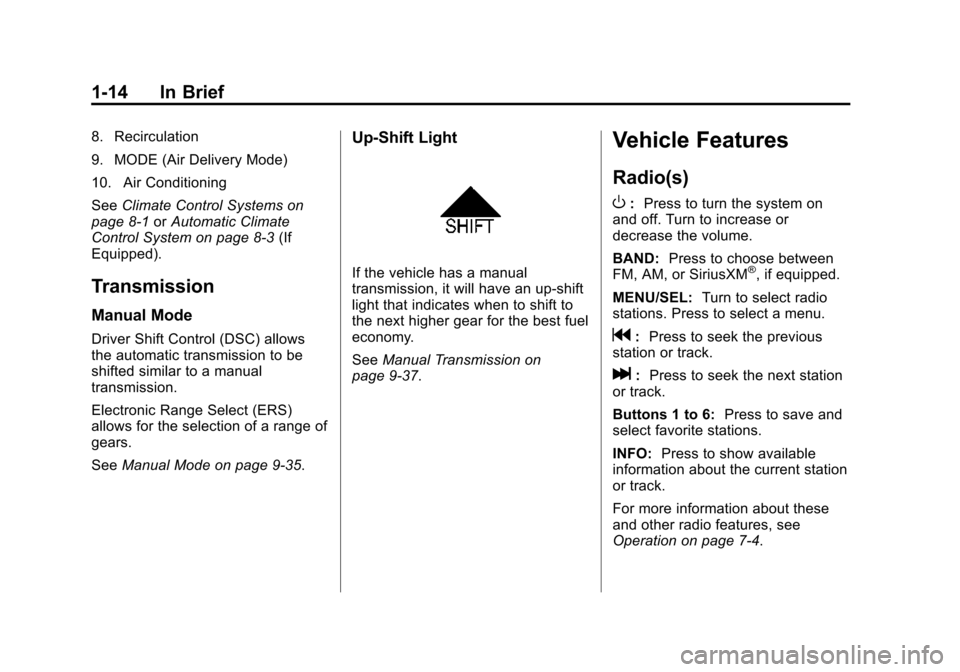
Up‐Shift Light
If the vehicle has a manual
transmission, it will have an up-shift
light that indicates when to shift to
the next higher gear for the best fuel
economy.
SeeManual Transmission on
page 9-37.
Vehicle Features
Radio(s)
O
: Press to turn the system on
and off. Turn to increase or
decrease the volume.
BAND: Press to choose between
FM, AM, or SiriusXM
®, if equipped.
MENU/SEL: Turn to select radio
stations. Press to select a menu.
g: Press to seek the previous
station or track.
l: Press to seek the next station
or track.
Buttons 1 to 6: Press to save and
select favorite stations.
INFO: Press to show available
information about the current station
or track.
For more information about these
and other radio features, see
Operation on page 7-4.
Page 42 of 417
Black plate (13,1)Chevrolet Cruze Owner Manual (GMNA-Localizing-U.S./Canada-7707493) -
2015 - crc - 11/24/14
Keys, Doors, and Windows 2-13
Automatic Door Locks
When the doors are closed, the
ignition is on, and the shift lever is
moved out of P (Park) for an
automatic transmission, or the
vehicle speed is above 13 km/h
(8 mph) for a manual transmission,
the doors will lock.
To unlock the doors:
.PressK.
.For automatic transmissions,
shift the vehicle into P (Park).
.For manual transmissions and a
keyed ignition system, remove
the key from the ignition when
parked.
.For manual transmissions and a
pushbutton start system, turn the
vehicle off when parked.
The automatic door lock feature
cannot be disabled.
See Vehicle Personalization on
page 5-36.
Lockout Protection
Keyed Ignition: When locking is
requested with the driver door open
and the key in the ignition, all the
doors will lock and then the driver
door will unlock.
This can be manually overridden by
pressing and holding
Qon the
power door lock switch.
Pushbutton Start: When locking
is requested with the driver door
open and the vehicle is in ACC/
ACCESSORY or ON/RUN/START,
all the doors will lock and then the
driver door will unlock. If the vehicle
is off and locking is requested while
a door is open, when all doors are
closed the vehicle will check for
RKE transmitters inside. If an RKE
transmitter is detected and the
number of RKE transmitters inside
has not reduced, the driver door will
unlock.
This can be manually overridden by
pressing and holding
Qon the
power door lock switch. Open/Unlocked Door Anti Lockout,
when ON, will unlock the driver door
if locking is requested while the
driver door is open. This feature can
be turned on or off using the vehicle
personalization menus. See
Vehicle
Personalization on page 5-36.
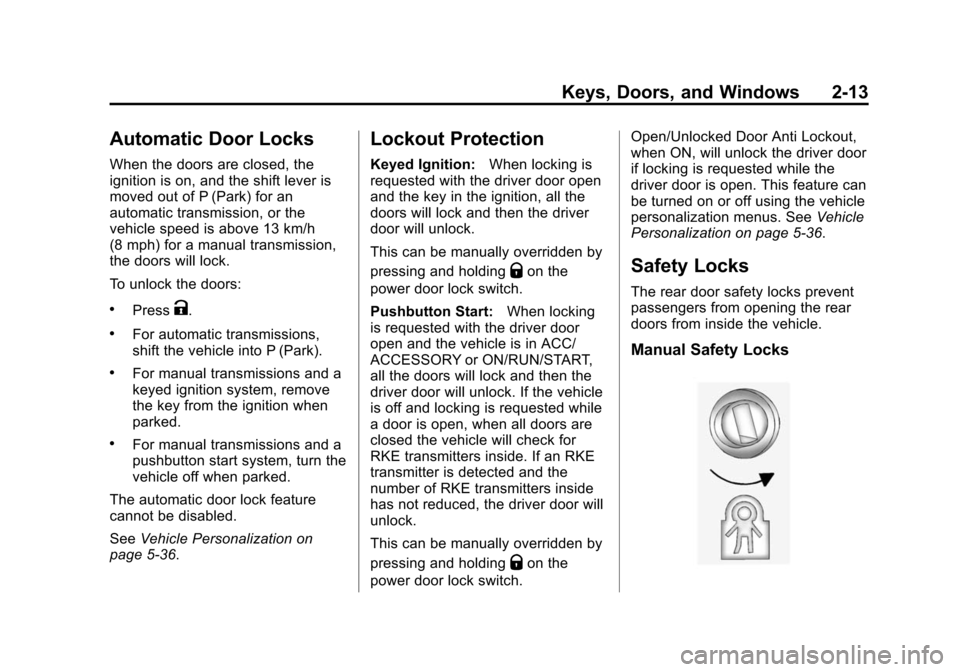
Safety Locks
The rear door safety locks prevent
passengers from opening the rear
doors from inside the vehicle.
Manual Safety Locks
Page 44 of 417
Black plate (15,1)Chevrolet Cruze Owner Manual (GMNA-Localizing-U.S./Canada-7707493) -
2015 - crc - 11/24/14
Keys, Doors, and Windows 2-15
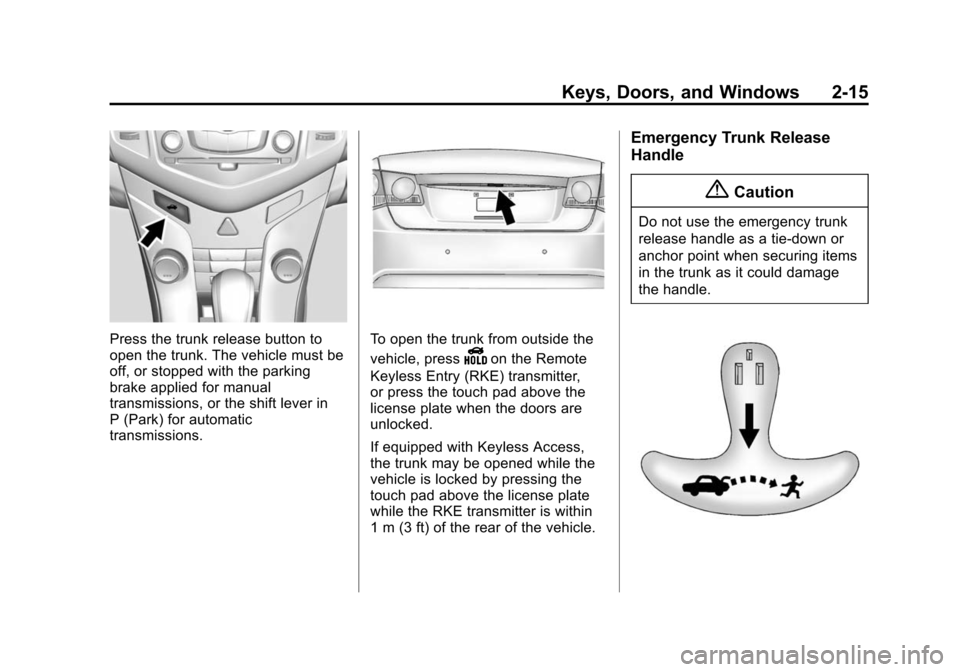
Press the trunk release button to
open the trunk. The vehicle must be
off, or stopped with the parking
brake applied for manual
transmissions, or the shift lever in
P (Park) for automatic
transmissions.To open the trunk from outside the
vehicle, press
Yon the Remote
Keyless Entry (RKE) transmitter,
or press the touch pad above the
license plate when the doors are
unlocked.
If equipped with Keyless Access,
the trunk may be opened while the
vehicle is locked by pressing the
touch pad above the license plate
while the RKE transmitter is within
1 m (3 ft) of the rear of the vehicle.
Emergency Trunk Release
Handle
{Caution
Do not use the emergency trunk
release handle as a tie-down or
anchor point when securing items
in the trunk as it could damage
the handle.
Page 111 of 417
Black plate (8,1)Chevrolet Cruze Owner Manual (GMNA-Localizing-U.S./Canada-7707493) -
2015 - crc - 12/2/14
5-8 Instruments and Controls
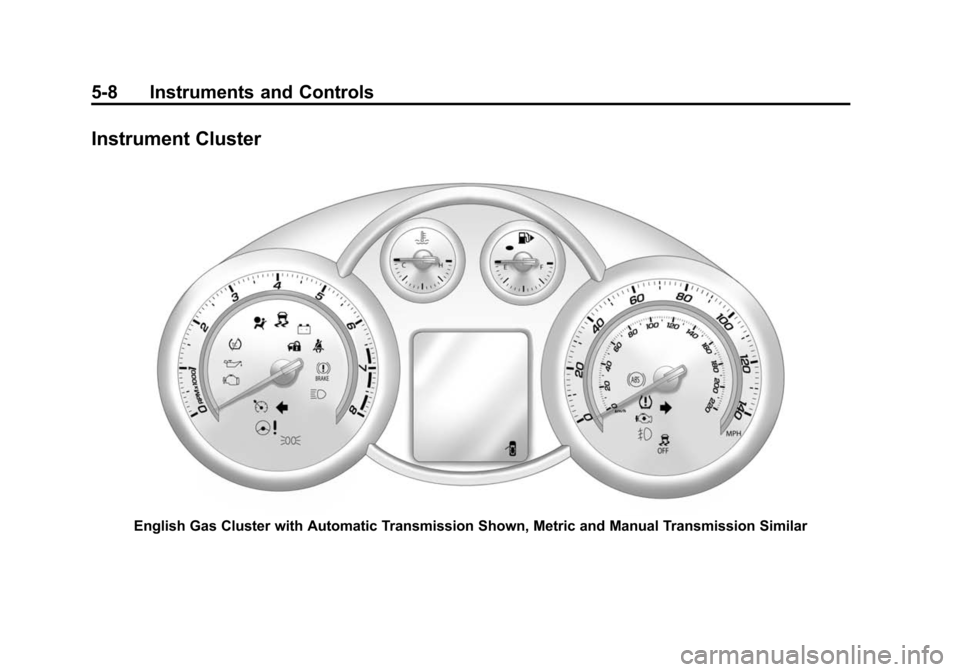
Instrument Cluster
English Gas Cluster with Automatic Transmission Shown, Metric and Manual Transmission Similar
Page 144 of 417
Black plate (41,1)Chevrolet Cruze Owner Manual (GMNA-Localizing-U.S./Canada-7707493) -
2015 - crc - 12/2/14
Instruments and Controls 5-41
Open Door Anti Lock Out or
Unlocked Door Anti Lock Out
When on, this feature will keep the
driver door from locking until the
door is closed. If this feature is
turned on, the Delayed Door Lock
menu will not be available.
Select to enable or disable.
Auto Door Unlock
This allows selection of which doors
will automatically unlock when the
vehicle is shifted into P (Park) with
an automatic transmission or when
the key is removed from the ignition
with a manual transmission with
keyed ignition or when the vehicle is
turned off with a manual
transmission with pushbutton start.
Select All Doors, Driver Door,
or OFF.
Delayed Door Lock
When on, this feature will delay the
locking of the doors. SeeDelayed
Locking on page 2-12.
Select to enable or disable.Remote Lock/Unlock/Start
Select and depending on the radio
the following may display:
.Remote Unlock Feedback
.Remote Unlock Light Feedback
.Remote Lock Feedback
.Remote Door Unlock
.Passive Door Unlock
.Passive Door Lock
Remote Unlock Feedback or
Remote Unlock Light Feedback
When on, the exterior lamps will
flash when unlocking the vehicle
with the RKE transmitter.
Depending on the radio select Flash
Lights or OFF, or select to enable or
disable.
Remote Lock Feedback
This allows selection of what
feedback is provided when
unlocking the vehicle with the RKE
transmitter. Select Lights and Horn, Lights Only,
Horn Only, or Off.
Remote Door Unlock
This allows selection of which doors
will unlock on the first press of
Kon
the RKE transmitter.
Select Driver Door or All Doors.
If Driver Door is selected, all doors
will unlock on the second press
of
Kwithin five seconds of the prior
press.
Passive Door Unlock
This allows selection of which doors
are unlocked by pressing the button
on the outside door handle.
Select All Doors or Driver Door.
Passive Door Lock
This allows passive locking to be
turned on or off and selection of the
type of feedback.
Select Off, On, or On with Horn
Chirp.
Page 192 of 417
Black plate (1,1)Chevrolet Cruze Owner Manual (GMNA-Localizing-U.S./Canada-7707493) -
2015 - crc - 11/24/14
Driving and Operating 9-1
Driving and
Operating
Driving Information
Distracted Driving . . . . . . . . . . . . . 9-2
Defensive Driving . . . . . . . . . . . . . 9-3
Drunk Driving . . . . . . . . . . . . . . . . . 9-3
Control of a Vehicle . . . . . . . . . . . 9-3
Braking . . . . . . . . . . . . . . . . . . . . . . . 9-3
Steering . . . . . . . . . . . . . . . . . . . . . . . 9-4
Off-Road Recovery . . . . . . . . . . . . 9-4
Loss of Control . . . . . . . . . . . . . . . . 9-5
Driving on Wet Roads . . . . . . . . . 9-5
Hill and Mountain Roads . . . . . . 9-6
Winter Driving . . . . . . . . . . . . . . . . . 9-7
If the Vehicle Is Stuck . . . . . . . . . 9-8
Vehicle Load Limits . . . . . . . . . . . 9-9
Starting and Operating
New Vehicle Break-In . . . . . . . . 9-14
Ignition Positions (KeylessAccess) . . . . . . . . . . . . . . . . . . . . 9-14
Ignition Positions (Key Access) . . . . . . . . . . . . . . . . . . . . 9-16
Starting the Engine . . . . . . . . . . 9-18
Engine Heater . . . . . . . . . . . . . . . 9-21 Retained Accessory
Power (RAP) . . . . . . . . . . . . . . . 9-23
Shifting Into Park . . . . . . . . . . . . 9-23
Shifting out of Park . . . . . . . . . . 9-24
Parking . . . . . . . . . . . . . . . . . . . . . . 9-25
Parking over Things That Burn . . . . . . . . . . . . . . . . . . 9-25
Engine Exhaust
Engine Exhaust . . . . . . . . . . . . . . 9-26
Diesel Particulate Filter . . . . . . 9-26
Diesel Exhaust Fluid . . . . . . . . . 9-27
Running the Vehicle WhileParked . . . . . . . . . . . . . . . . . . . . . 9-32
Automatic Transmission
Automatic Transmission . . . . . 9-33
Manual Mode . . . . . . . . . . . . . . . . 9-35
Manual Transmission
Manual Transmission . . . . . . . . 9-37
Brakes
Antilock BrakeSystem (ABS) . . . . . . . . . . . . . . 9-38
Parking Brake . . . . . . . . . . . . . . . 9-39
Brake Assist . . . . . . . . . . . . . . . . . 9-40
Ride Control Systems
Traction Control/Electronic Stability Control . . . . . . . . . . . . 9-41
Cruise Control
Cruise Control . . . . . . . . . . . . . . . 9-43
Driver Assistance Systems
Parking Assist . . . . . . . . . . . . . . . 9-45
Side Blind ZoneAlert (SBZA) . . . . . . . . . . . . . . . 9-47
Rear Vision Camera (RVC) . . . . . . . . . . . . . 9-48
Fuel
Fuel (Gasoline) . . . . . . . . . . . . . . 9-51
California FuelRequirements . . . . . . . . . . . . . . 9-52
Fuels in Foreign Countries . . . 9-52
Fuel Additives (Gasoline) . . . . 9-52
Fuel for Diesel Engines . . . . . . 9-53
What Fuel to Use in Canada (Diesel) . . . . . . . . . . . . . . . . . . . . . 9-58
Cold Weather Operation (Diesel) . . . . . . . . . . . . . . . . . . . . . 9-59
Water in Fuel (Diesel) . . . . . . . . 9-60
Page 206 of 417
Black plate (15,1)Chevrolet Cruze Owner Manual (GMNA-Localizing-U.S./Canada-7707493) -
2015 - crc - 11/24/14
Driving and Operating 9-15
the message SHIFT TO PARK in
the Driver Information Center (DIC).
SeeTransmission Messages on
page 5-34. When the vehicle is
shifted into P (Park), the ignition
system will switch to OFF.
Do not turn the engine off when the
vehicle is moving. This will cause a
loss of power assist in the brake
and steering systems and disable
the airbags.
If the vehicle must be shut off in an
emergency:
1. Brake using a firm and steady pressure. Do not pump the
brakes repeatedly. This may
deplete power assist, requiring
increased brake pedal force.
2. Shift the vehicle to N (Neutral). This can be done while the
vehicle is moving. After shifting
to N (Neutral), firmly apply the
brakes and steer the vehicle to a
safe location. 3. Come to a complete stop. Shift
to P (Park) with an automatic
transmission, or Neutral with a
manual transmission. Turn the
ignition to LOCK/OFF.
4. Set the parking brake. See Parking Brake on page 9-39.
{Warning
Turning off the vehicle while
moving may cause loss of power
assist in the brake and steering
systems and disable the airbags.
While driving, only shut the
vehicle off in an emergency.
If the vehicle cannot be pulled over,
and must be shut off while driving,
press and hold the ENGINE START/
STOP button for longer than
two seconds, or press twice in
five seconds.
ACC/ACCESSORY (Amber
Indicator Light): This mode allows
you to use some electrical
accessories when the engine is off. With the ignition off, pressing the
button one time without the brake
pedal applied will place the ignition
system in ACC/ACCESSORY.
The ignition will switch from ACC/
ACCESSORY to OFF after
five minutes to prevent battery
rundown.
ON/RUN/START (Green Indicator
Light):
This mode is for driving and
starting. With the ignition off, and
the brake pedal applied, pressing
the button once will place the
ignition system in ON/RUN/START.
Once engine cranking begins,
release the button. Engine cranking
will continue until the engine starts.
See Starting the Engine on
page 9-18. The ignition will then
remain in ON/RUN.
Service Only Mode
This power mode is available for
service and diagnostics, and to
verify the proper operation of the
malfunction indicator lamp as may
be required for emission inspection
purposes. With the vehicle off, and
Page 207 of 417
Black plate (16,1)Chevrolet Cruze Owner Manual (GMNA-Localizing-U.S./Canada-7707493) -
2015 - crc - 11/24/14
9-16 Driving and Operating
the brake pedal not applied,
pressing and holding the button for
more than five seconds will place
the vehicle in Service Only Mode.
The instruments and audio systems
will operate as they do in ON/RUN,
but the vehicle will not be able to be
driven. The engine will not start in
Service Only Mode. Press the
button again to turn the vehicle off.
Ignition Positions (Key
Access)
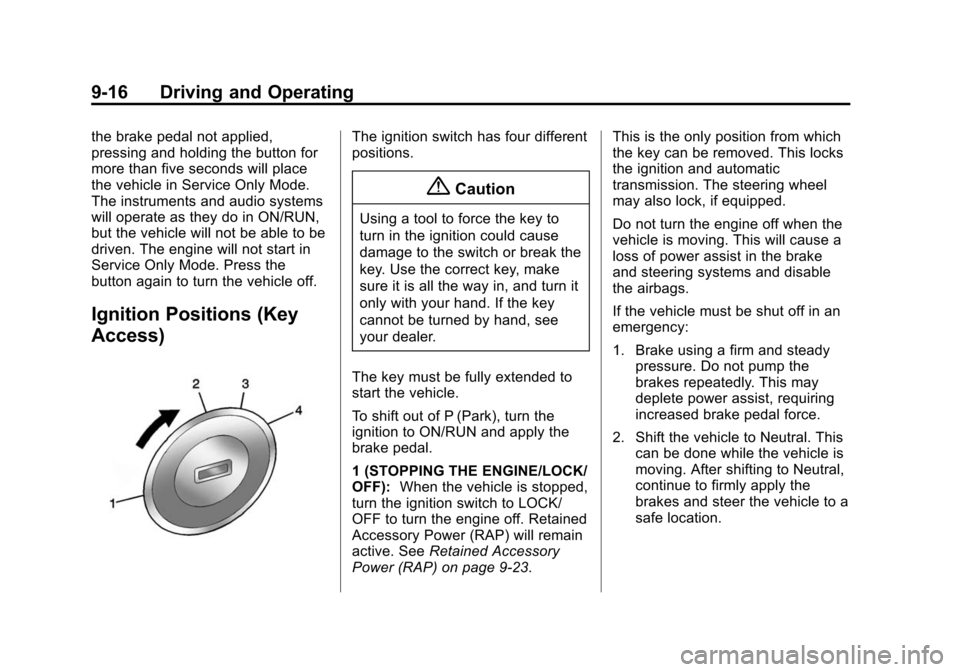
The ignition switch has four different
positions.
{Caution
Using a tool to force the key to
turn in the ignition could cause
damage to the switch or break the
key. Use the correct key, make
sure it is all the way in, and turn it
only with your hand. If the key
cannot be turned by hand, see
your dealer.
The key must be fully extended to
start the vehicle.
To shift out of P (Park), turn the
ignition to ON/RUN and apply the
brake pedal.
1 (STOPPING THE ENGINE/LOCK/
OFF): When the vehicle is stopped,
turn the ignition switch to LOCK/
OFF to turn the engine off. Retained
Accessory Power (RAP) will remain
active. See Retained Accessory
Power (RAP) on page 9-23. This is the only position from which
the key can be removed. This locks
the ignition and automatic
transmission. The steering wheel
may also lock, if equipped.
Do not turn the engine off when the
vehicle is moving. This will cause a
loss of power assist in the brake
and steering systems and disable
the airbags.
If the vehicle must be shut off in an
emergency:
1. Brake using a firm and steady
pressure. Do not pump the
brakes repeatedly. This may
deplete power assist, requiring
increased brake pedal force.
2. Shift the vehicle to Neutral. This can be done while the vehicle is
moving. After shifting to Neutral,
continue to firmly apply the
brakes and steer the vehicle to a
safe location.