transmission CHEVROLET CRUZE 2018 Owner's Guide
[x] Cancel search | Manufacturer: CHEVROLET, Model Year: 2018, Model line: CRUZE, Model: CHEVROLET CRUZE 2018Pages: 404, PDF Size: 4.64 MB
Page 225 of 404
Chevrolet Cruze Owner Manual (GMNA-Localizing-U.S./Canada/Mexico-
11348462) - 2018 - crc - 5/15/17
224 Driving and Operating
When the mileage countdown is
zero, the DIC message SERVICE
EMISSION SYSTEM - SEE
OWNERS MANUAL NOW -
TRANSITIONING TO 89 KM/H
(55 MPH) MAX SPEED displays.
A chime also comes on. Vehicle
speed will be reduced to a
maximum speed limit of 89 km/h
(55 mph).
After the transition to 89 km/h
(55 mph) is complete, the DIC
message SERVICE EMISSION
SYSTEM - SEE OWNERS
MANUAL NOW - SPEED LIMITED
TO 89 KM/H (55 MPH) displays.
A chime also comes on.Automatic
Transmission
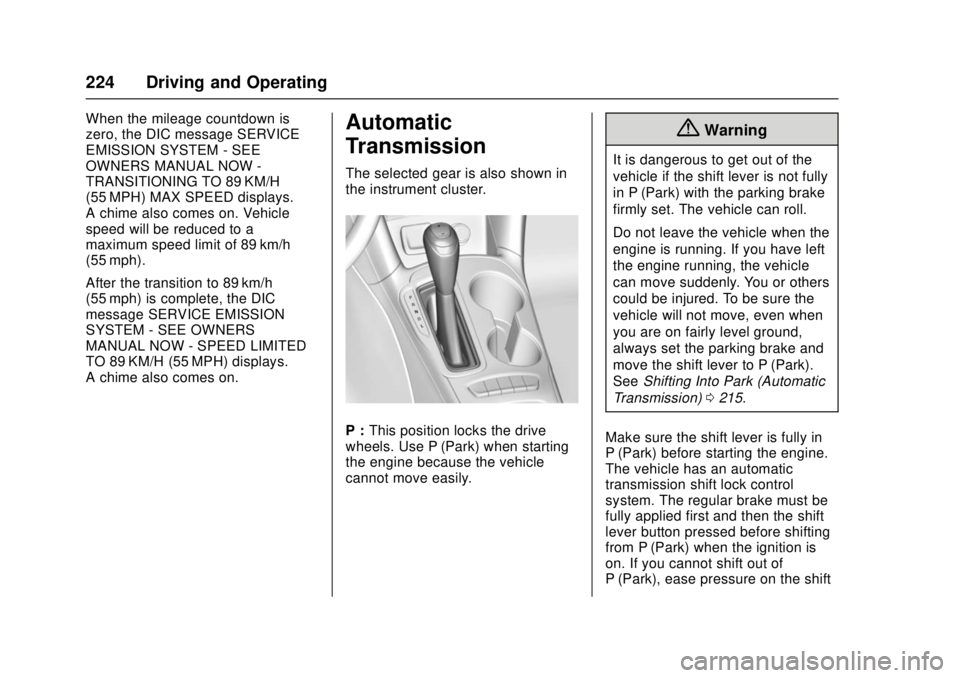
The selected gear is also shown in
the instrument cluster.
P :This position locks the drive
wheels. Use P (Park) when starting
the engine because the vehicle
cannot move easily.
{Warning
It is dangerous to get out of the
vehicle if the shift lever is not fully
in P (Park) with the parking brake
firmly set. The vehicle can roll.
Do not leave the vehicle when the
engine is running. If you have left
the engine running, the vehicle
can move suddenly. You or others
could be injured. To be sure the
vehicle will not move, even when
you are on fairly level ground,
always set the parking brake and
move the shift lever to P (Park).
See Shifting Into Park (Automatic
Transmission) 0215.
Make sure the shift lever is fully in
P (Park) before starting the engine.
The vehicle has an automatic
transmission shift lock control
system. The regular brake must be
fully applied first and then the shift
lever button pressed before shifting
from P (Park) when the ignition is
on. If you cannot shift out of
P (Park), ease pressure on the shift
Page 226 of 404
Chevrolet Cruze Owner Manual (GMNA-Localizing-U.S./Canada/Mexico-
11348462) - 2018 - crc - 5/15/17
Driving and Operating 225
lever, then push the shift lever all
the way into P (Park) as you
maintain brake application. Then
press the shift lever button and
move the shift lever into another
gear. SeeShifting out of Park
(Automatic Transmission) 0215.
R : Use this gear to back up.
Caution
Shifting to R (Reverse) while the
vehicle is moving forward could
damage the transmission. The
repairs would not be covered by
the vehicle warranty. Shift to
R (Reverse) only after the vehicle
is stopped.
To rock the vehicle back and forth to
get out of snow, ice, or sand without
damaging the transmission, see If
the Vehicle Is Stuck 0202.
N : In this position, the engine does
not connect with the wheels. To
restart the engine when the vehicle
is already moving, use
N (Neutral) only.
{Warning
Shifting into a drive gear while the
engine is running at high speed is
dangerous. Unless your foot is
firmly on the brake pedal, the
vehicle could move very rapidly.
You could lose control and hit
people or objects. Do not shift
into a drive gear while the engine
is running at high speed.
Caution
Shifting out of P (Park) or
N (Neutral) with the engine
running at high speed may
damage the transmission. The
repairs would not be covered by
the vehicle warranty. Be sure the
engine is not running at high
speed when shifting the vehicle. D :
This position is for normal
driving. It provides the best fuel
economy. If more power is needed
for passing, and the vehicle is:
. Going less than 56 km/h
(35 mph), push the accelerator
pedal about halfway down.
. Going about 56 km/h (35 mph) or
more, push the accelerator all
the way down.
Caution
If the vehicle does not shift gears,
the transmission could be
damaged. Have the vehicle
serviced right away.
Caution
A transmission hot message may
display if the automatic
transmission fluid is too hot.
Driving under this condition can
damage the vehicle. Stop and idle
the engine to cool the automatic
(Continued)
Page 227 of 404
Chevrolet Cruze Owner Manual (GMNA-Localizing-U.S./Canada/Mexico-
11348462) - 2018 - crc - 5/15/17
226 Driving and Operating
Caution (Continued)
transmission fluid. This message
clears when the transmission fluid
has cooled sufficiently.
L : Electronic Range Select (ERS)
or Manual Mode allows for the
selection of the range of gear
positions. See Manual Mode0226.
Operating Modes
The transmission may operate in a
lower gear. The engine speed may
be higher and there may be an
increase in noise during the
following conditions:
. When climbing a grade.
. When driving downhill.
. When driving in hot
temperatures or at high altitude.
Manual Mode
Driver Shift Control (DSC)
Driver Shift Control (DSC) allows the
automatic transmission to be shifted
similar to a manual transmission. Electronic Range Select (ERS) or
Manual Mode allows the range of
gear positions to be selected. Use
this mode when driving downhill or
to limit the top gear and vehicle
speed. The shift position indicator in
the Driver Information Center (DIC)
will display a number next to the L.
This indicates the highest available
gear under Manual Mode.
To use:
1. Move the shift lever to L (Low).
2. Press + (plus) or −(minus) on
the shift lever to increase or
decrease the available gear
range.
When shifting to L (Low), the
transmission will shift to a preset
lower gear range. For this preset
range, the highest gear available is
displayed next to the L in the DIC.
See Driver Information Center (DIC)
(Base) 0138 orDriver Information
Center (DIC) (Uplevel) 0141.
All gears below that number are
available to use.
While using ERS, cruise control can
be used. The transmission will not allow
shifting to the next lower gear if the
vehicle speed or engine rpm is
too high.
If vehicle speed is not reduced
within the time allowed, the lower
gear range shift will not be
completed. Slow the vehicle, then
press
−(minus) to the desired lower
gear range.
Second Gear Start Feature
When accelerating the vehicle from
a stop in snowy and icy conditions,
you may want to shift into
2 (Second) gear. A higher gear
allows you to gain more traction on
slippery surfaces.
With the DSC feature, the vehicle
can be set to pull away in
2 (Second) gear.
1. Move the shift lever from D (Drive) to L (Low).
2. With the vehicle stopped, press the + (plus) end of the button to
select 2 (Second) gear. The
vehicle will start from a stop
position in 2 (Second) gear.
3. Once moving, select the desired drive gear.
Page 228 of 404
Chevrolet Cruze Owner Manual (GMNA-Localizing-U.S./Canada/Mexico-
11348462) - 2018 - crc - 5/15/17
Driving and Operating 227
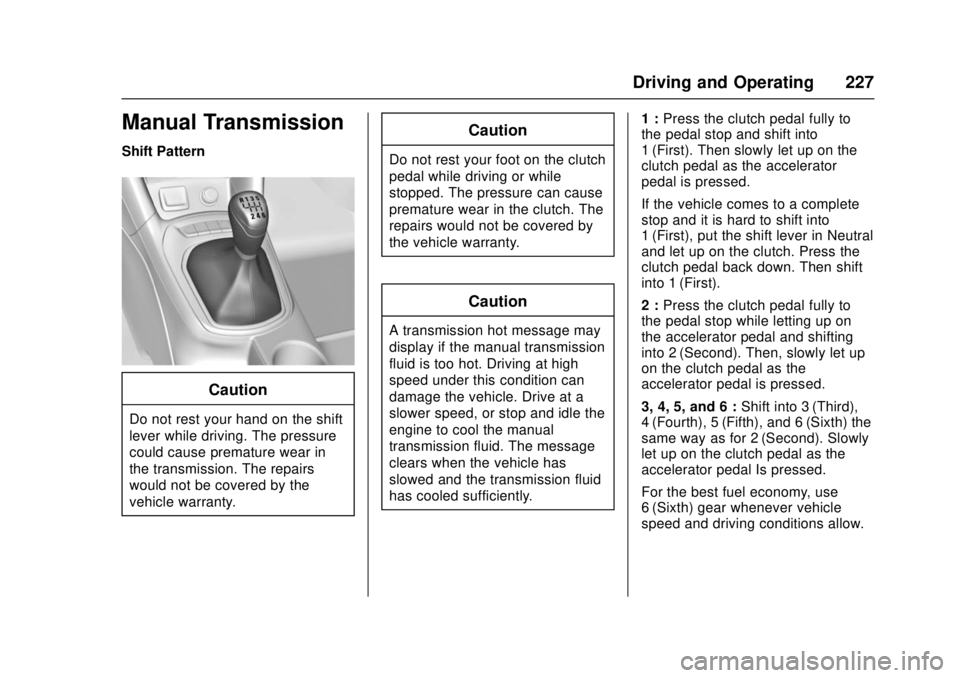
Manual Transmission
Shift Pattern
Caution
Do not rest your hand on the shift
lever while driving. The pressure
could cause premature wear in
the transmission. The repairs
would not be covered by the
vehicle warranty.
Caution
Do not rest your foot on the clutch
pedal while driving or while
stopped. The pressure can cause
premature wear in the clutch. The
repairs would not be covered by
the vehicle warranty.
Caution
A transmission hot message may
display if the manual transmission
fluid is too hot. Driving at high
speed under this condition can
damage the vehicle. Drive at a
slower speed, or stop and idle the
engine to cool the manual
transmission fluid. The message
clears when the vehicle has
slowed and the transmission fluid
has cooled sufficiently.1 :
Press the clutch pedal fully to
the pedal stop and shift into
1 (First). Then slowly let up on the
clutch pedal as the accelerator
pedal is pressed.
If the vehicle comes to a complete
stop and it is hard to shift into
1 (First), put the shift lever in Neutral
and let up on the clutch. Press the
clutch pedal back down. Then shift
into 1 (First).
2 : Press the clutch pedal fully to
the pedal stop while letting up on
the accelerator pedal and shifting
into 2 (Second). Then, slowly let up
on the clutch pedal as the
accelerator pedal is pressed.
3, 4, 5, and 6 : Shift into 3 (Third),
4 (Fourth), 5 (Fifth), and 6 (Sixth) the
same way as for 2 (Second). Slowly
let up on the clutch pedal as the
accelerator pedal Is pressed.
For the best fuel economy, use
6 (Sixth) gear whenever vehicle
speed and driving conditions allow.
Page 229 of 404
Chevrolet Cruze Owner Manual (GMNA-Localizing-U.S./Canada/Mexico-
11348462) - 2018 - crc - 5/15/17
228 Driving and Operating
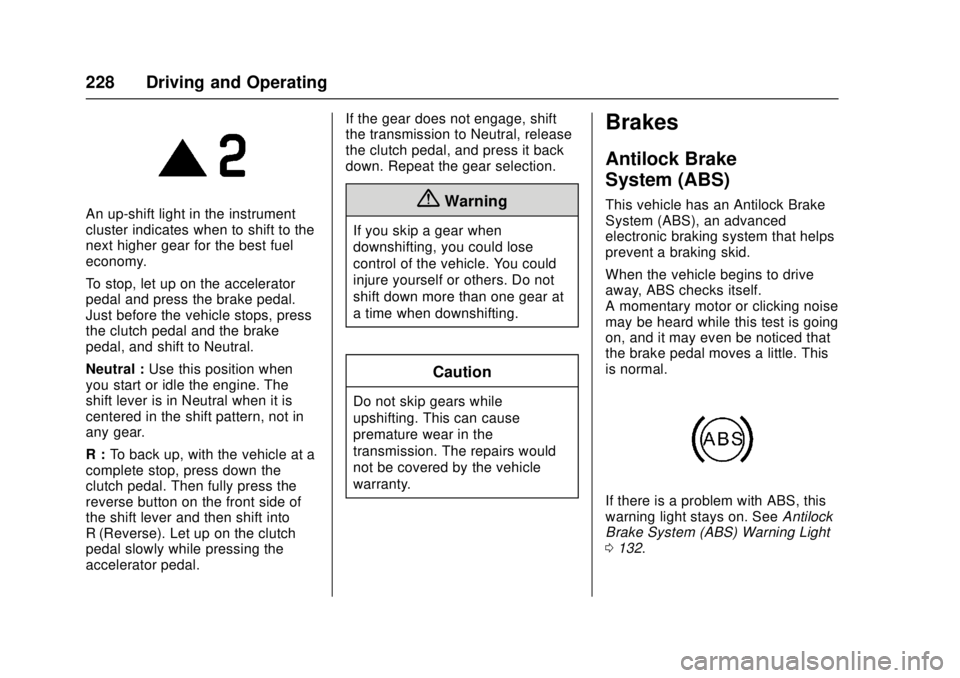
An up-shift light in the instrument
cluster indicates when to shift to the
next higher gear for the best fuel
economy.
To stop, let up on the accelerator
pedal and press the brake pedal.
Just before the vehicle stops, press
the clutch pedal and the brake
pedal, and shift to Neutral.
Neutral :Use this position when
you start or idle the engine. The
shift lever is in Neutral when it is
centered in the shift pattern, not in
any gear.
R : To back up, with the vehicle at a
complete stop, press down the
clutch pedal. Then fully press the
reverse button on the front side of
the shift lever and then shift into
R (Reverse). Let up on the clutch
pedal slowly while pressing the
accelerator pedal. If the gear does not engage, shift
the transmission to Neutral, release
the clutch pedal, and press it back
down. Repeat the gear selection.{Warning
If you skip a gear when
downshifting, you could lose
control of the vehicle. You could
injure yourself or others. Do not
shift down more than one gear at
a time when downshifting.
Caution
Do not skip gears while
upshifting. This can cause
premature wear in the
transmission. The repairs would
not be covered by the vehicle
warranty.
Brakes
Antilock Brake
System (ABS)
This vehicle has an Antilock Brake
System (ABS), an advanced
electronic braking system that helps
prevent a braking skid.
When the vehicle begins to drive
away, ABS checks itself.
A momentary motor or clicking noise
may be heard while this test is going
on, and it may even be noticed that
the brake pedal moves a little. This
is normal.
If there is a problem with ABS, this
warning light stays on. See
Antilock
Brake System (ABS) Warning Light
0 132.
Page 230 of 404
Chevrolet Cruze Owner Manual (GMNA-Localizing-U.S./Canada/Mexico-
11348462) - 2018 - crc - 5/15/17
Driving and Operating 229
If driving safely on a wet road and it
becomes necessary to slam on the
brakes and continue braking to
avoid a sudden obstacle, a
computer senses the wheels are
slowing down. If one of the wheels
is about to stop rolling, the computer
will separately work the brakes at
each wheel.
ABS can change the brake pressure
to each wheel, as required, faster
than any driver could. This can help
you steer around the obstacle while
braking hard.
As the brakes are applied, the
computer keeps receiving updates
on wheel speed and controls
braking pressure accordingly.
Remember: ABS does not change
the time needed to get a foot up to
the brake pedal or always decrease
stopping distance. If you get too
close to the vehicle in front of you,
there will not be enough time to
apply the brakes if that vehicle
suddenly slows or stops. Always
leave enough room up ahead to
stop, even with ABS.Using ABS
Do not pump the brakes. Just hold
the brake pedal down firmly and let
ABS work. You may hear the ABS
pump or motor operating and feel
the brake pedal pulsate. This is
normal.
Braking in Emergencies
ABS allows you to steer and brake
at the same time. In many
emergencies, steering can help
more than even the very best
braking.
Parking Brake
The vehicle is equipped with a
parking brake lever or a parking
brake pedal.
Lever Apply
With the brake pedal applied, pull
up firmly on the parking brake lever
without pressing the release button.
SeeShifting Into Park (Automatic
Transmission) 0215 orParking
(Manual Transmission) 0216. If the
ignition is on, the brake system
warning light will come on. See
Brake System Warning Light 0132.
To release the parking brake: 1. Hold the brake pedal down.
2. Pull the parking brake lever up until you can press the release
button.
Page 231 of 404
Chevrolet Cruze Owner Manual (GMNA-Localizing-U.S./Canada/Mexico-
11348462) - 2018 - crc - 5/15/17
230 Driving and Operating
3. Hold the release button in asyou move the brake lever all
the way down.
Caution
Driving with the parking brake on
can overheat the brake system
and cause premature wear or
damage to brake system parts.
Make sure that the parking brake
is fully released and the brake
warning light is off before driving.
Driving with the parking brake
applied will cause a warning chime
to sound and a DIC (Driver
Information Center) message to
display. The message will remain on
until the parking brake is released or
the vehicle is stopped. Release the
parking brake or stop the vehicle.
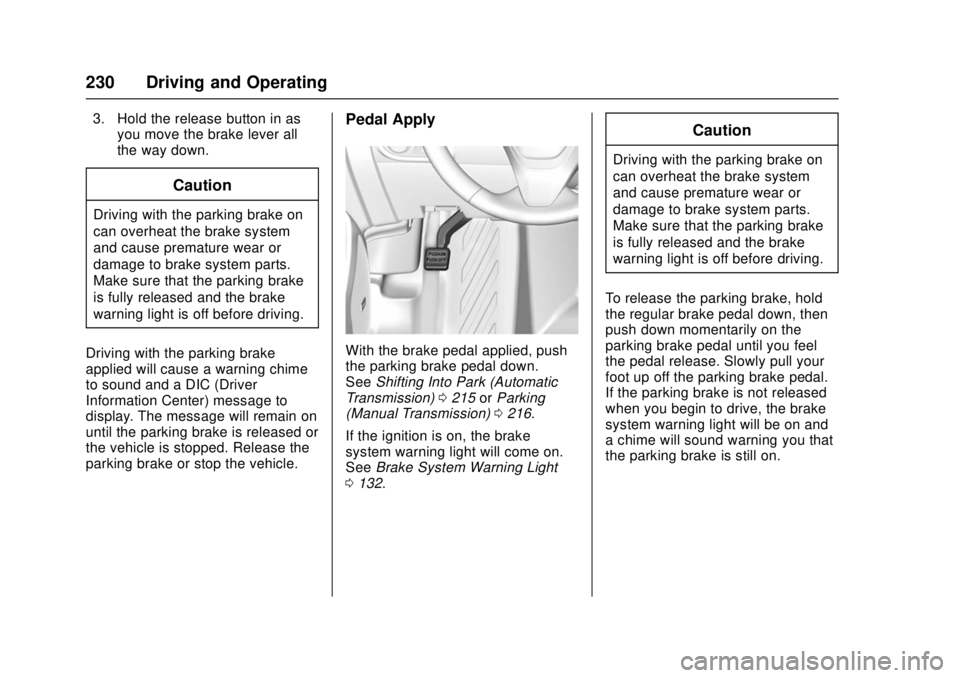
Pedal Apply
With the brake pedal applied, push
the parking brake pedal down.
See Shifting Into Park (Automatic
Transmission) 0215 orParking
(Manual Transmission) 0216.
If the ignition is on, the brake
system warning light will come on.
See Brake System Warning Light
0 132.
Caution
Driving with the parking brake on
can overheat the brake system
and cause premature wear or
damage to brake system parts.
Make sure that the parking brake
is fully released and the brake
warning light is off before driving.
To release the parking brake, hold
the regular brake pedal down, then
push down momentarily on the
parking brake pedal until you feel
the pedal release. Slowly pull your
foot up off the parking brake pedal.
If the parking brake is not released
when you begin to drive, the brake
system warning light will be on and
a chime will sound warning you that
the parking brake is still on.
Page 234 of 404
Chevrolet Cruze Owner Manual (GMNA-Localizing-U.S./Canada/Mexico-
11348462) - 2018 - crc - 5/15/17
Driving and Operating 233
Cruise Control
The cruise control lets the vehicle
maintain a speed of about 40 km/h
(25 mph) or more without keeping
your foot on the accelerator. Cruise
control does not work at speeds
below 40 km/h (25 mph).
{Warning
Cruise control can be dangerous
where you cannot drive safely at
a steady speed. Do not use
cruise control on winding roads or
in heavy traffic.
Cruise control can be dangerous
on slippery roads. On such roads,
fast changes in tire traction can
cause excessive wheel slip, and
you could lose control. Do not use
cruise control on slippery roads.
If equipped with a manual
transmission, the cruise control will
remain active when the gears are
shifted. The cruise is deactivated if
the clutch is pressed for several
seconds. With the Traction Control System
(TCS) or Electronic Stability Control
(ESC), the system may begin to
limit wheel spin while you are using
cruise control. If this happens, the
cruise control will automatically
disengage. See
Traction Control/
Electronic Stability Control 0231.
If a collision alert occurs when
cruise control is activated, cruise
control is disengaged. See Forward
Collision Alert (FCA) System 0238.
When road conditions allow you to
safely use it again, cruise control
can be turned back on.
If the brakes are applied, cruise
control disengages.
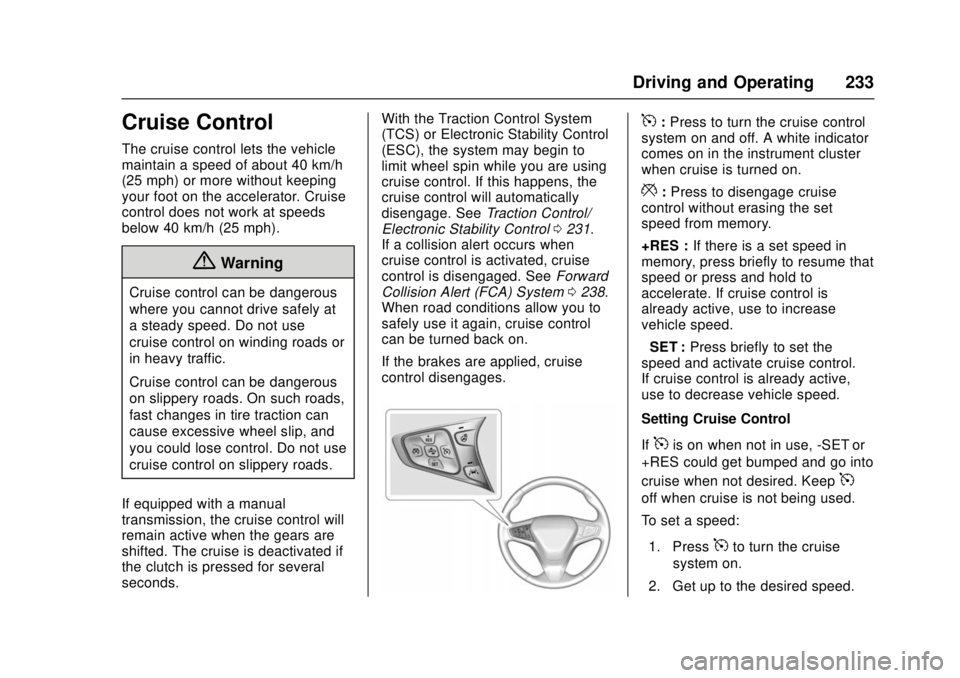
5: Press to turn the cruise control
system on and off. A white indicator
comes on in the instrument cluster
when cruise is turned on.
*: Press to disengage cruise
control without erasing the set
speed from memory.
+RES : If there is a set speed in
memory, press briefly to resume that
speed or press and hold to
accelerate. If cruise control is
already active, use to increase
vehicle speed.
−SET : Press briefly to set the
speed and activate cruise control.
If cruise control is already active,
use to decrease vehicle speed.
Setting Cruise Control
If
5is on when not in use, -SET or
+RES could get bumped and go into
cruise when not desired. Keep
5
off when cruise is not being used.
To set a speed:
1. Press
5to turn the cruise
system on.
2. Get up to the desired speed.
Page 236 of 404
Chevrolet Cruze Owner Manual (GMNA-Localizing-U.S./Canada/Mexico-
11348462) - 2018 - crc - 5/15/17
Driving and Operating 235
accelerator pedal to maintain the
vehicle speed. When going
downhill, you might have to brake or
shift to a lower gear to keep your
speed down. If the brake pedal is
applied, cruise control will
disengage.
Ending Cruise Control
There are five ways to end cruise
control:
.Step lightly on the brake pedal.
. Press the clutch pedal for
several seconds or shift to
Neutral (manual transmissions).
. Shift the transmission to
N (Neutral).
. Press
*.
. Press
5.
Erasing Speed Memory
The cruise control set speed is
erased from memory if
5is pressed
or if the vehicle is turned off.
Driver Assistance
Systems
This vehicle may have features that
work together to help avoid crashes
or reduce crash damage while
driving, backing, and parking. Read
this entire section before using
these systems.
{Warning
Do not rely on the Driver
Assistance Systems. These
systems do not replace the need
for paying attention and driving
safely. You may not hear or see
alerts or warnings provided by
these systems. Failure to use
proper care when driving may
result in injury, death, or vehicle
damage. See Defensive Driving
0 197.
Under many conditions, these
systems will not: (Continued)
Warning (Continued)
.Detect children,
pedestrians, bicyclists,
or animals.
. Detect vehicles or objects
outside the area monitored
by the system.
. Work at all driving speeds.
. Warn you or provide you
with enough time to avoid a
crash.
. Work under poor visibility or
bad weather conditions.
. Work if the detection sensor
is not cleaned or is covered
by ice, snow, mud, or dirt.
. Work if the detection sensor
is covered up, such as with
a sticker, magnet, or metal
plate.
. Work if the area surrounding
the detection sensor is
damaged or not properly
repaired.
(Continued)
Page 247 of 404
Chevrolet Cruze Owner Manual (GMNA-Localizing-U.S./Canada/Mexico-
11348462) - 2018 - crc - 5/15/17
246 Driving and Operating
the fuel tank at every engine oil
change, can help. GM Fuel System
Treatment Cleaner is the only
gasoline additive recommended by
General Motors. It is available at
your dealer.
Fuel for Diesel Engines
The selection of a high quality fuel
is important for maintaining optimum
performance. Do not use diesel fuel
with more than 15 ppm sulfur
content. Do not use a diesel blend
containing more than 20% biodiesel
by volume. Both diesel and
biodiesel blends must meet all the
requirements as defined in the most
current versions of the local fuel
standards. See the recommended
fuels underWhat Fuel to Use in the
U.S. (Diesel) 0246 andWhat Fuel
to Use in Canada (Diesel) 0248.
Caution
Engine damage may occur if
recommended fuels are not used,
which may void the vehicle
warranty. Some improper
fuels are:
. Diesel fuel with the addition
of gasoline.
. Diesel fuel mixed with
engine oil or automatic
transmission fluid.
. Triglyceride fuels, such as
raw vegetable oil or animal
fat, in any form, including
with blends of diesel or
biodiesel.
. Marine diesel fuel and
fuel oils.
. Diesel-water emulsions,
such as Aquazole.
. Aftermarket diesel fuel
additives, which contain
alcohols, organo-metallic
additives, or water
emulsifiers.
(Continued)
Caution (Continued)
.Diesel fuel with sulfur
greater than 15 ppm.
. Diesel-biodiesel blends not
within the required
specification.
Some conditions, such as dirty fuel,
may decrease fuel filter life and a
CHANGE FUEL FILTER message
may come on in the Driver
Information Center (DIC).
What Fuel to Use in the
U.S. (Diesel)
Use of diesel fuel with ultra low
sulfur content (15 ppm, maximum) is
required. Look for service station
fuel dispensers with this label in
green: