headlamp CHEVROLET CRUZE 2018 Owner's Manual
[x] Cancel search | Manufacturer: CHEVROLET, Model Year: 2018, Model line: CRUZE, Model: CHEVROLET CRUZE 2018Pages: 404, PDF Size: 4.64 MB
Page 4 of 404
Chevrolet Cruze Owner Manual (GMNA-Localizing-U.S./Canada/Mexico-
11348462) - 2018 - crc - 5/15/17
Introduction 3
Danger, Warning, and
Caution
Warning messages found on vehicle
labels and in this manual describe
hazards and what to do to avoid or
reduce them.
{Danger
Danger indicates a hazard with a
high level of risk which will result
in serious injury or death.
{Warning
Warning indicates a hazard that
could result in injury or death.
Caution
Caution indicates a hazard that
could result in property or vehicle
damage.
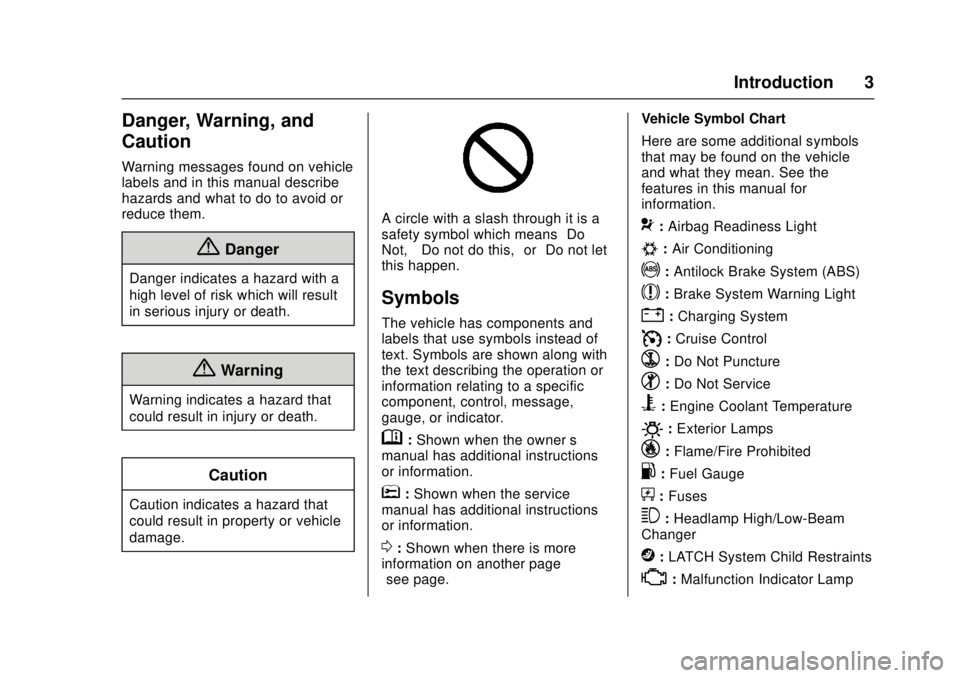
A circle with a slash through it is a
safety symbol which means“Do
Not,” “Do not do this,” or“Do not let
this happen.”
Symbols
The vehicle has components and
labels that use symbols instead of
text. Symbols are shown along with
the text describing the operation or
information relating to a specific
component, control, message,
gauge, or indicator.
M: Shown when the owner ’s
manual has additional instructions
or information.
*: Shown when the service
manual has additional instructions
or information.
0: Shown when there is more
information on another page —
“see page.” Vehicle Symbol Chart
Here are some additional symbols
that may be found on the vehicle
and what they mean. See the
features in this manual for
information.
9:
Airbag Readiness Light
#:Air Conditioning
!:Antilock Brake System (ABS)
$:Brake System Warning Light
":Charging System
I: Cruise Control
`:Do Not Puncture
^:Do Not Service
B:Engine Coolant Temperature
O:Exterior Lamps
_: Flame/Fire Prohibited
.:Fuel Gauge
+: Fuses
3:Headlamp High/Low-Beam
Changer
j: LATCH System Child Restraints
*:Malfunction Indicator Lamp
Page 8 of 404

Chevrolet Cruze Owner Manual (GMNA-Localizing-U.S./Canada/Mexico-
11348462) - 2018 - crc - 5/15/17
In Brief 7
1.Air Vents 0193.
2. Headlamp High/Low-Beam
Changer 0155.
Turn Signal Lever. See Turn
and Lane-Change Signals
0 157.
Driver Information Center (DIC)
Buttons (If Equipped).
See Driver Information Center
(DIC) (Base) 0138 orDriver
Information Center (DIC)
(Uplevel) 0141.
3. Instrument Cluster 0120.
4. Windshield Wiper/Washer
0111.
5. Infotainment 0161.
6. Light Sensor. See Automatic
Headlamp System 0155.
7. Hazard Warning Flashers
0156.
8. Heated Front Seats 064 (If
Equipped).
9. Instrument Panel Fuse Block
0295. 10.
Climate Control Systems (With
Heater Only) 0188 orClimate
Control Systems (With Air
Conditioning) 0186.
Automatic Climate Control
System 0190 (If Equipped).
11. Power Outlets 0115.
USB Port 0169.
12. Wireless Charging Pocket (If Equipped). See Wireless
Charging 0117.
13. Traction Control/Electronic
Stability Control 0231.
Assistance Systems for
Parking or Backing 0236.
14. Shift Lever. SeeAutomatic Transmission
0 224 orManual Transmission
0 227.
15. Steering Wheel Controls 0110.
Driver Information Center (DIC)
Controls (If Equipped).
See Driver Information Center
(DIC) (Base) 0138 orDriver
Information Center (DIC)
(Uplevel) 0141. 16.
Horn 0111.
17. Steering Wheel Adjustment
0110.
18. Cruise Control 0233.
Heated Steering Wheel 0111
(If Equipped).
Forward Collision Alert (FCA)
System 0238 (If Equipped).
Lane Keep Assist (LKA) 0242
(If Equipped).
19. Hood Release. See Hood
0 261.
20. Data Link Connector (DLC) (Out of View). See Malfunction
Indicator Lamp (Check Engine
Light) 0130.
21. Exterior Lamp Controls 0153.
Fog Lamps 0157 (If
Equipped).
Instrument Panel Illumination
Control 0158.
Page 15 of 404
Chevrolet Cruze Owner Manual (GMNA-Localizing-U.S./Canada/Mexico-
11348462) - 2018 - crc - 5/15/17
14 In Brief
Canada
The passenger sensing system
turns off the front outboard
passenger frontal airbag and knee
airbag under certain conditions. No
other airbag is affected by the
passenger sensing system. See
Passenger Sensing System 081 for
important information.
The passenger airbag status
indicator will be visible on the
overhead console when the vehicle
is started. See Passenger Airbag
Status Indicator 0129.
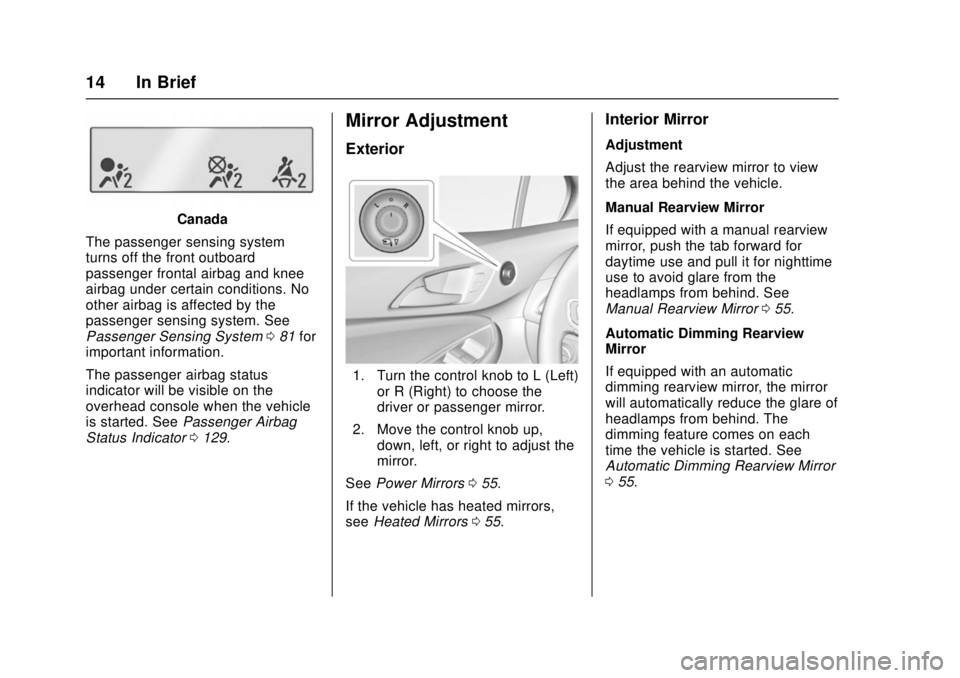
Mirror Adjustment
Exterior
1. Turn the control knob to L (Left)
or R (Right) to choose the
driver or passenger mirror.
2. Move the control knob up, down, left, or right to adjust the
mirror.
See Power Mirrors 055.
If the vehicle has heated mirrors,
see Heated Mirrors 055.
Interior Mirror
Adjustment
Adjust the rearview mirror to view
the area behind the vehicle.
Manual Rearview Mirror
If equipped with a manual rearview
mirror, push the tab forward for
daytime use and pull it for nighttime
use to avoid glare from the
headlamps from behind. See
Manual Rearview Mirror 055.
Automatic Dimming Rearview
Mirror
If equipped with an automatic
dimming rearview mirror, the mirror
will automatically reduce the glare of
headlamps from behind. The
dimming feature comes on each
time the vehicle is started. See
Automatic Dimming Rearview Mirror
0 55.
Page 17 of 404
Chevrolet Cruze Owner Manual (GMNA-Localizing-U.S./Canada/Mexico-
11348462) - 2018 - crc - 5/15/17
16 In Brief
#or$:Press the button near
each lamp to turn it on or off.
Instrument Panel Illumination
Control
This feature controls the brightness
of the instrument panel controls and
the infotainment display. The
thumbwheel is to the left of the
steering column on the instrument
panel.
D: Move the thumbwheel up or
down and hold, to brighten or dim
the instrument panel controls and
infotainment display.
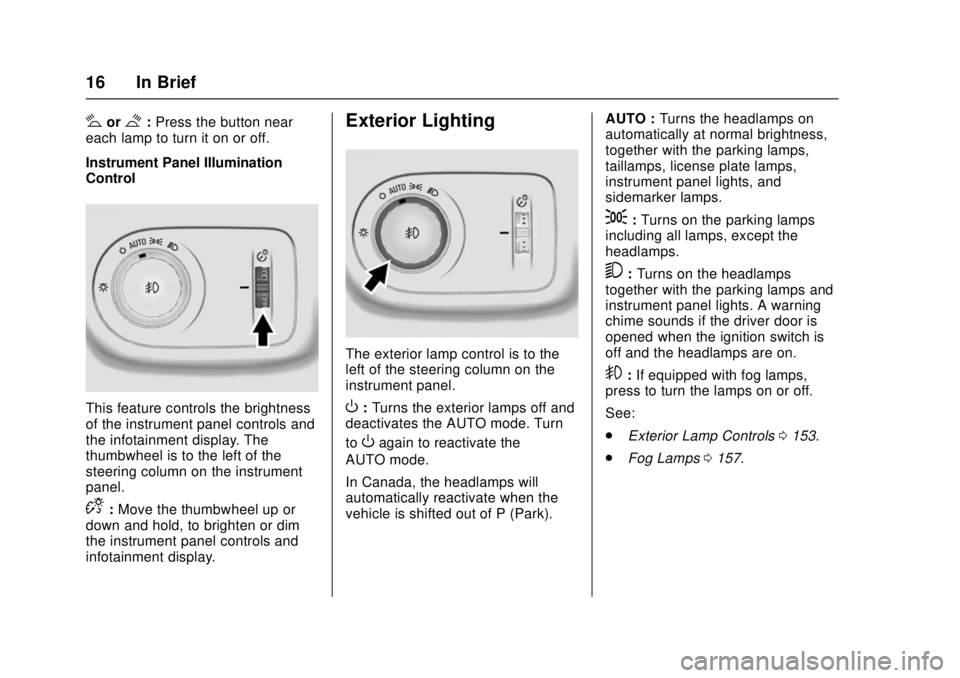
Exterior Lighting
The exterior lamp control is to the
left of the steering column on the
instrument panel.
O: Turns the exterior lamps off and
deactivates the AUTO mode. Turn
to
Oagain to reactivate the
AUTO mode.
In Canada, the headlamps will
automatically reactivate when the
vehicle is shifted out of P (Park). AUTO :
Turns the headlamps on
automatically at normal brightness,
together with the parking lamps,
taillamps, license plate lamps,
instrument panel lights, and
sidemarker lamps.
;: Turns on the parking lamps
including all lamps, except the
headlamps.
5: Turns on the headlamps
together with the parking lamps and
instrument panel lights. A warning
chime sounds if the driver door is
opened when the ignition switch is
off and the headlamps are on.
9: If equipped with fog lamps,
press to turn the lamps on or off.
See:
. Exterior Lamp Controls 0153.
. Fog Lamps 0157.
Page 56 of 404
Chevrolet Cruze Owner Manual (GMNA-Localizing-U.S./Canada/Mexico-
11348462) - 2018 - crc - 5/15/17
Keys, Doors, and Windows 55
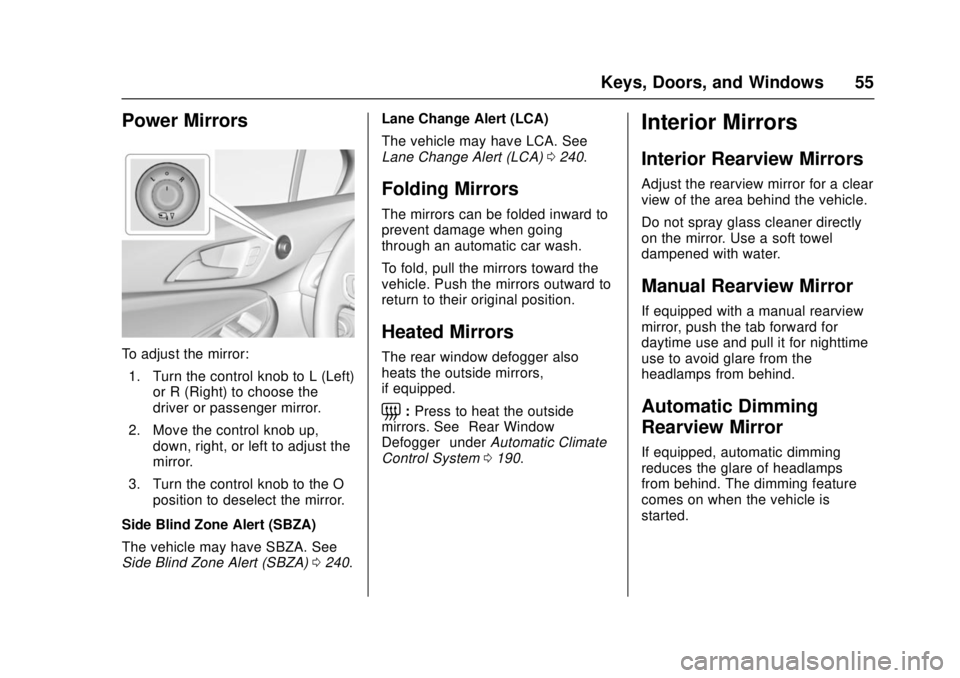
Power Mirrors
To adjust the mirror:1. Turn the control knob to L (Left) or R (Right) to choose the
driver or passenger mirror.
2. Move the control knob up, down, right, or left to adjust the
mirror.
3. Turn the control knob to the O position to deselect the mirror.
Side Blind Zone Alert (SBZA)
The vehicle may have SBZA. See
Side Blind Zone Alert (SBZA) 0240. Lane Change Alert (LCA)
The vehicle may have LCA. See
Lane Change Alert (LCA)
0240.
Folding Mirrors
The mirrors can be folded inward to
prevent damage when going
through an automatic car wash.
To fold, pull the mirrors toward the
vehicle. Push the mirrors outward to
return to their original position.
Heated Mirrors
The rear window defogger also
heats the outside mirrors,
if equipped.
=:Press to heat the outside
mirrors. See “Rear Window
Defogger” underAutomatic Climate
Control System 0190.
Interior Mirrors
Interior Rearview Mirrors
Adjust the rearview mirror for a clear
view of the area behind the vehicle.
Do not spray glass cleaner directly
on the mirror. Use a soft towel
dampened with water.
Manual Rearview Mirror
If equipped with a manual rearview
mirror, push the tab forward for
daytime use and pull it for nighttime
use to avoid glare from the
headlamps from behind.
Automatic Dimming
Rearview Mirror
If equipped, automatic dimming
reduces the glare of headlamps
from behind. The dimming feature
comes on when the vehicle is
started.
Page 138 of 404
Chevrolet Cruze Owner Manual (GMNA-Localizing-U.S./Canada/Mexico-
11348462) - 2018 - crc - 5/15/17
Instruments and Controls 137
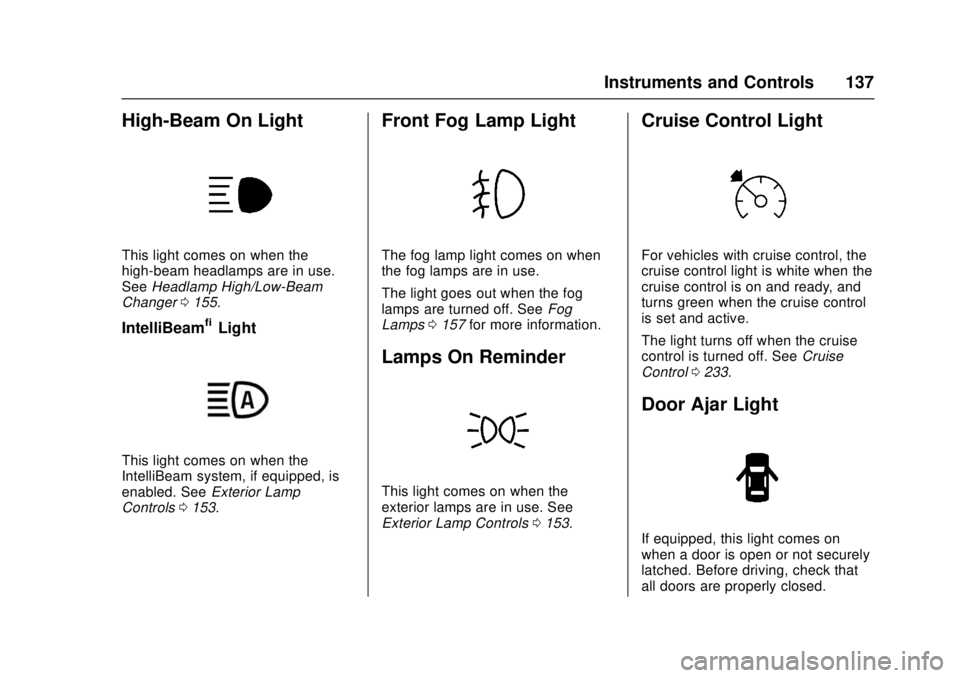
High-Beam On Light
This light comes on when the
high-beam headlamps are in use.
SeeHeadlamp High/Low-Beam
Changer 0155.
IntelliBeam®Light
This light comes on when the
IntelliBeam system, if equipped, is
enabled. See Exterior Lamp
Controls 0153.
Front Fog Lamp Light
The fog lamp light comes on when
the fog lamps are in use.
The light goes out when the fog
lamps are turned off. See Fog
Lamps 0157 for more information.
Lamps On Reminder
This light comes on when the
exterior lamps are in use. See
Exterior Lamp Controls 0153.
Cruise Control Light
For vehicles with cruise control, the
cruise control light is white when the
cruise control is on and ready, and
turns green when the cruise control
is set and active.
The light turns off when the cruise
control is turned off. See Cruise
Control 0233.
Door Ajar Light
If equipped, this light comes on
when a door is open or not securely
latched. Before driving, check that
all doors are properly closed.
Page 154 of 404
Chevrolet Cruze Owner Manual (GMNA-Localizing-U.S./Canada/Mexico-
11348462) - 2018 - crc - 5/15/17
Lighting 153
Lighting
Exterior Lighting
Exterior Lamp Controls . . . . . . . 153
Headlamp High/Low-BeamChanger . . . . . . . . . . . . . . . . . . . . 155
Flash-to-Pass . . . . . . . . . . . . . . . . 155
Daytime Running Lamps (DRL) . . . . . . . . . . . . . . . 155
Automatic Headlamp System . . . . . . . . . . . . . . . . . . . . . . 155
Hazard Warning Flashers . . . . . 156
Turn and Lane-Change Signals . . . . . . . . . . . . . . . . . . . . . . 157
Fog Lamps . . . . . . . . . . . . . . . . . . . 157
Interior Lighting
Instrument Panel Illumination Control . . . . . . . . . . . . . . . . . . . . . . 158
Courtesy Lamps . . . . . . . . . . . . . . 158
Dome Lamps . . . . . . . . . . . . . . . . . 158
Reading Lamps . . . . . . . . . . . . . . 158
Lighting Features
Entry Lighting . . . . . . . . . . . . . . . . 159
Exit Lighting . . . . . . . . . . . . . . . . . . 159
Battery Power Protection . . . . . 160
Exterior Lighting Battery Saver . . . . . . . . . . . . . . . . . . . . . . . 160
Exterior Lighting
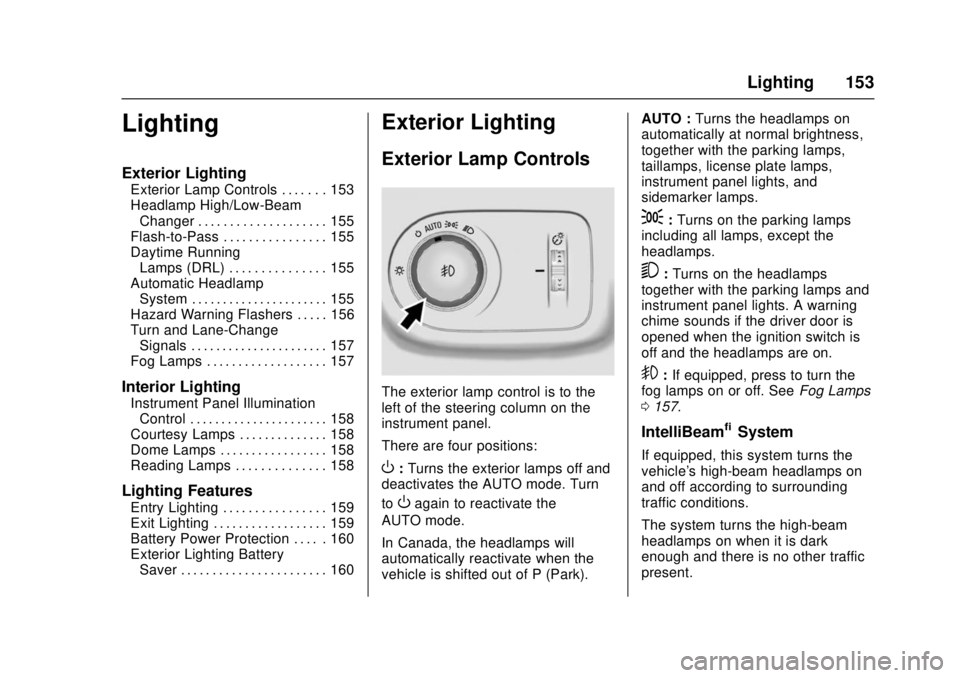
Exterior Lamp Controls
The exterior lamp control is to the
left of the steering column on the
instrument panel.
There are four positions:
O: Turns the exterior lamps off and
deactivates the AUTO mode. Turn
to
Oagain to reactivate the
AUTO mode.
In Canada, the headlamps will
automatically reactivate when the
vehicle is shifted out of P (Park). AUTO :
Turns the headlamps on
automatically at normal brightness,
together with the parking lamps,
taillamps, license plate lamps,
instrument panel lights, and
sidemarker lamps.
;: Turns on the parking lamps
including all lamps, except the
headlamps.
5: Turns on the headlamps
together with the parking lamps and
instrument panel lights. A warning
chime sounds if the driver door is
opened when the ignition switch is
off and the headlamps are on.
9: If equipped, press to turn the
fog lamps on or off. See Fog Lamps
0 157.
IntelliBeam®System
If equipped, this system turns the
vehicle's high-beam headlamps on
and off according to surrounding
traffic conditions.
The system turns the high-beam
headlamps on when it is dark
enough and there is no other traffic
present.
Page 155 of 404
Chevrolet Cruze Owner Manual (GMNA-Localizing-U.S./Canada/Mexico-
11348462) - 2018 - crc - 5/15/17
154 Lighting
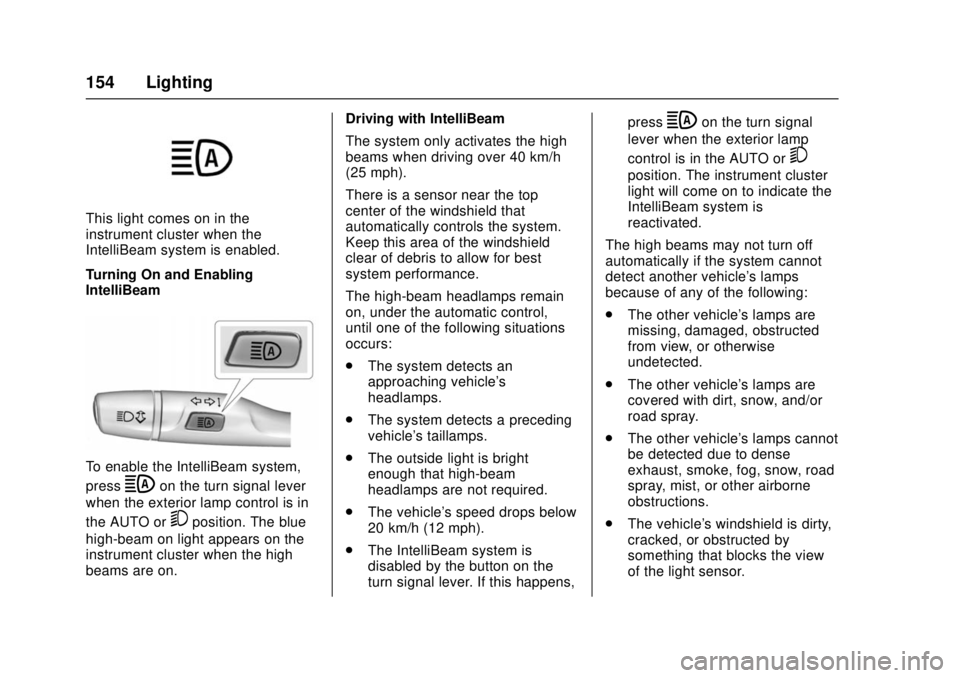
This light comes on in the
instrument cluster when the
IntelliBeam system is enabled.
Turning On and Enabling
IntelliBeam
To enable the IntelliBeam system,
press
bon the turn signal lever
when the exterior lamp control is in
the AUTO or
5position. The blue
high-beam on light appears on the
instrument cluster when the high
beams are on. Driving with IntelliBeam
The system only activates the high
beams when driving over 40 km/h
(25 mph).
There is a sensor near the top
center of the windshield that
automatically controls the system.
Keep this area of the windshield
clear of debris to allow for best
system performance.
The high-beam headlamps remain
on, under the automatic control,
until one of the following situations
occurs:
.
The system detects an
approaching vehicle's
headlamps.
. The system detects a preceding
vehicle's taillamps.
. The outside light is bright
enough that high-beam
headlamps are not required.
. The vehicle's speed drops below
20 km/h (12 mph).
. The IntelliBeam system is
disabled by the button on the
turn signal lever. If this happens, press
bon the turn signal
lever when the exterior lamp
control is in the AUTO or
5
position. The instrument cluster
light will come on to indicate the
IntelliBeam system is
reactivated.
The high beams may not turn off
automatically if the system cannot
detect another vehicle's lamps
because of any of the following:
. The other vehicle's lamps are
missing, damaged, obstructed
from view, or otherwise
undetected.
. The other vehicle's lamps are
covered with dirt, snow, and/or
road spray.
. The other vehicle's lamps cannot
be detected due to dense
exhaust, smoke, fog, snow, road
spray, mist, or other airborne
obstructions.
. The vehicle's windshield is dirty,
cracked, or obstructed by
something that blocks the view
of the light sensor.
Page 156 of 404
Chevrolet Cruze Owner Manual (GMNA-Localizing-U.S./Canada/Mexico-
11348462) - 2018 - crc - 5/15/17
Lighting 155
.The vehicle is loaded such that
the front end points upward,
causing the light sensor to aim
high and not detect headlamps
and taillamps.
. The vehicle is being driven on
winding or hilly roads.
The automatic high-beam
headlamps may need to be disabled
if any of the above conditions exist.
Headlamp High/
Low-Beam Changer
3
: Push the turn signal lever
toward the instrument panel to
change the headlamps from low to
high beam.
Pull the turn signal lever toward you
and release it to return to low-beam
headlamps.
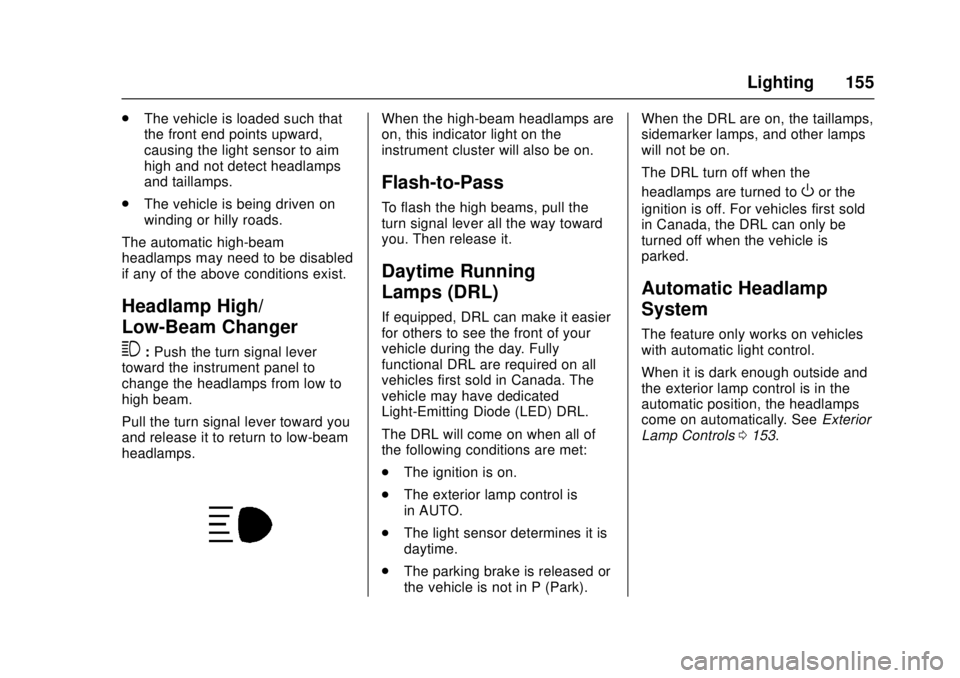
When the high-beam headlamps are
on, this indicator light on the
instrument cluster will also be on.
Flash-to-Pass
To flash the high beams, pull the
turn signal lever all the way toward
you. Then release it.
Daytime Running
Lamps (DRL)
If equipped, DRL can make it easier
for others to see the front of your
vehicle during the day. Fully
functional DRL are required on all
vehicles first sold in Canada. The
vehicle may have dedicated
Light-Emitting Diode (LED) DRL.
The DRL will come on when all of
the following conditions are met:
. The ignition is on.
. The exterior lamp control is
in AUTO.
. The light sensor determines it is
daytime.
. The parking brake is released or
the vehicle is not in P (Park). When the DRL are on, the taillamps,
sidemarker lamps, and other lamps
will not be on.
The DRL turn off when the
headlamps are turned to
Oor the
ignition is off. For vehicles first sold
in Canada, the DRL can only be
turned off when the vehicle is
parked.
Automatic Headlamp
System
The feature only works on vehicles
with automatic light control.
When it is dark enough outside and
the exterior lamp control is in the
automatic position, the headlamps
come on automatically. See Exterior
Lamp Controls 0153.
Page 157 of 404
Chevrolet Cruze Owner Manual (GMNA-Localizing-U.S./Canada/Mexico-
11348462) - 2018 - crc - 5/15/17
156 Lighting
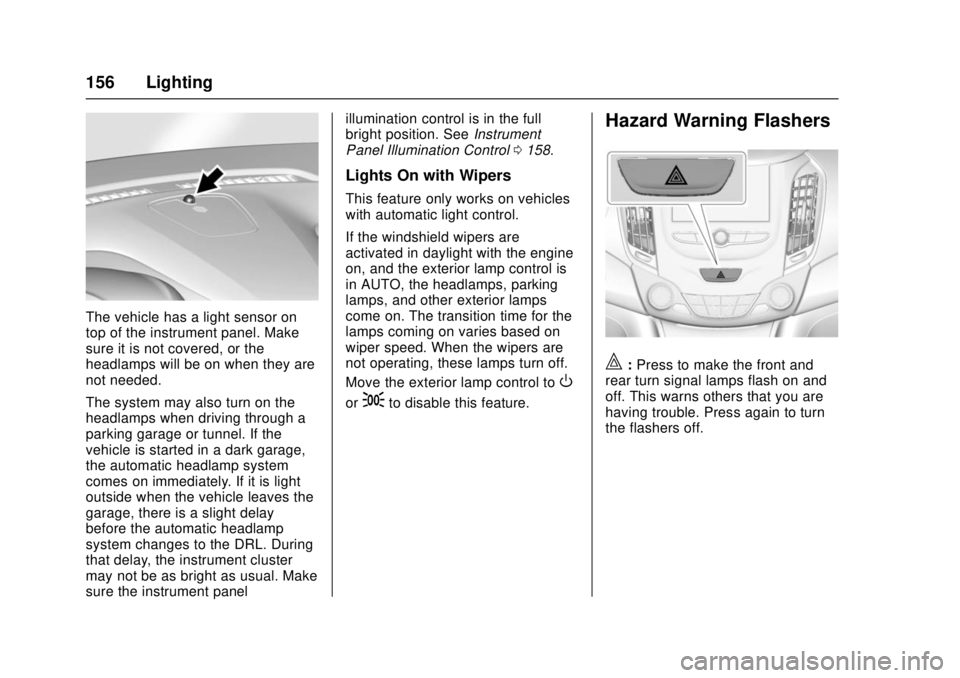
The vehicle has a light sensor on
top of the instrument panel. Make
sure it is not covered, or the
headlamps will be on when they are
not needed.
The system may also turn on the
headlamps when driving through a
parking garage or tunnel. If the
vehicle is started in a dark garage,
the automatic headlamp system
comes on immediately. If it is light
outside when the vehicle leaves the
garage, there is a slight delay
before the automatic headlamp
system changes to the DRL. During
that delay, the instrument cluster
may not be as bright as usual. Make
sure the instrument panelillumination control is in the full
bright position. See
Instrument
Panel Illumination Control 0158.
Lights On with Wipers
This feature only works on vehicles
with automatic light control.
If the windshield wipers are
activated in daylight with the engine
on, and the exterior lamp control is
in AUTO, the headlamps, parking
lamps, and other exterior lamps
come on. The transition time for the
lamps coming on varies based on
wiper speed. When the wipers are
not operating, these lamps turn off.
Move the exterior lamp control to
O
or;to disable this feature.
Hazard Warning Flashers
|:Press to make the front and
rear turn signal lamps flash on and
off. This warns others that you are
having trouble. Press again to turn
the flashers off.