radio CHEVROLET CRUZE 2019 Owner's Manual
[x] Cancel search | Manufacturer: CHEVROLET, Model Year: 2019, Model line: CRUZE, Model: CHEVROLET CRUZE 2019Pages: 20, PDF Size: 2.8 MB
Page 8 of 20
8
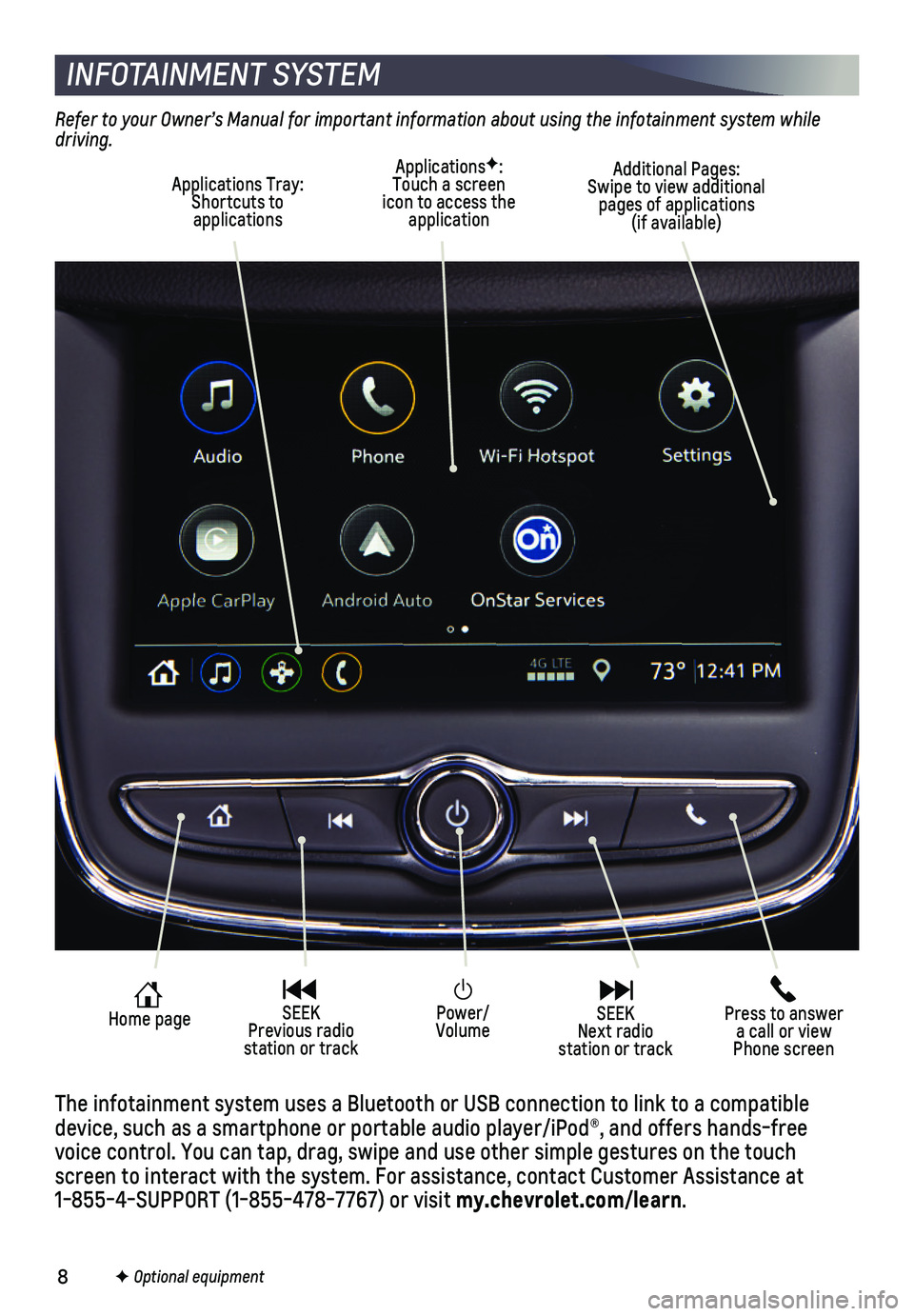
Power/Volume
Press to answer a call or view Phone screen
Home page SEEK Previous radio station or track
SEEK Next radio station or track
INFOTAINMENT SYSTEM
Refer to your Owner’s Manual for important information about using the infotainment system while driving.
F Optional equipment
The infotainment system uses a Bluetooth or USB connection to link to a \
compatible device, such as a smartphone or portable audio player/iPod®, and offe\
rs hands-free voice control. You can tap, drag, swipe and use other simple gestures on\
the touch screen to interact with the system. For assistance, contact Customer Ass\
istance at 1-855-4-SUPPORT (1-855-478-7767) or visit my.chevrolet.com/learn.
ApplicationsF: Touch a screen icon to access the application
Applications Tray: Shortcuts to applications
Additional Pages: Swipe to view additional pages of applications (if available)
Page 9 of 20
9
INFOTAINMENT SYSTEM
MANAGING HOME PAGE ICONS
The Home page icons can be arranged in any order.
1. To enter edit mode, touch and hold the Home page icon to move.
2. Drag the icon to the desired position and release. Drag the icon to the \
edge of the screen to move to another page.
SETTING THE TIME
1. Select Settings on the Home page.
2. Select System > Time/Date.
3. Select Set Time.
4. Touch the arrows to adjust the time.
5. Touch to exit the menu.
Turn on Automatic Time and Date to have the time updated automatically.
STORING FAVORITES
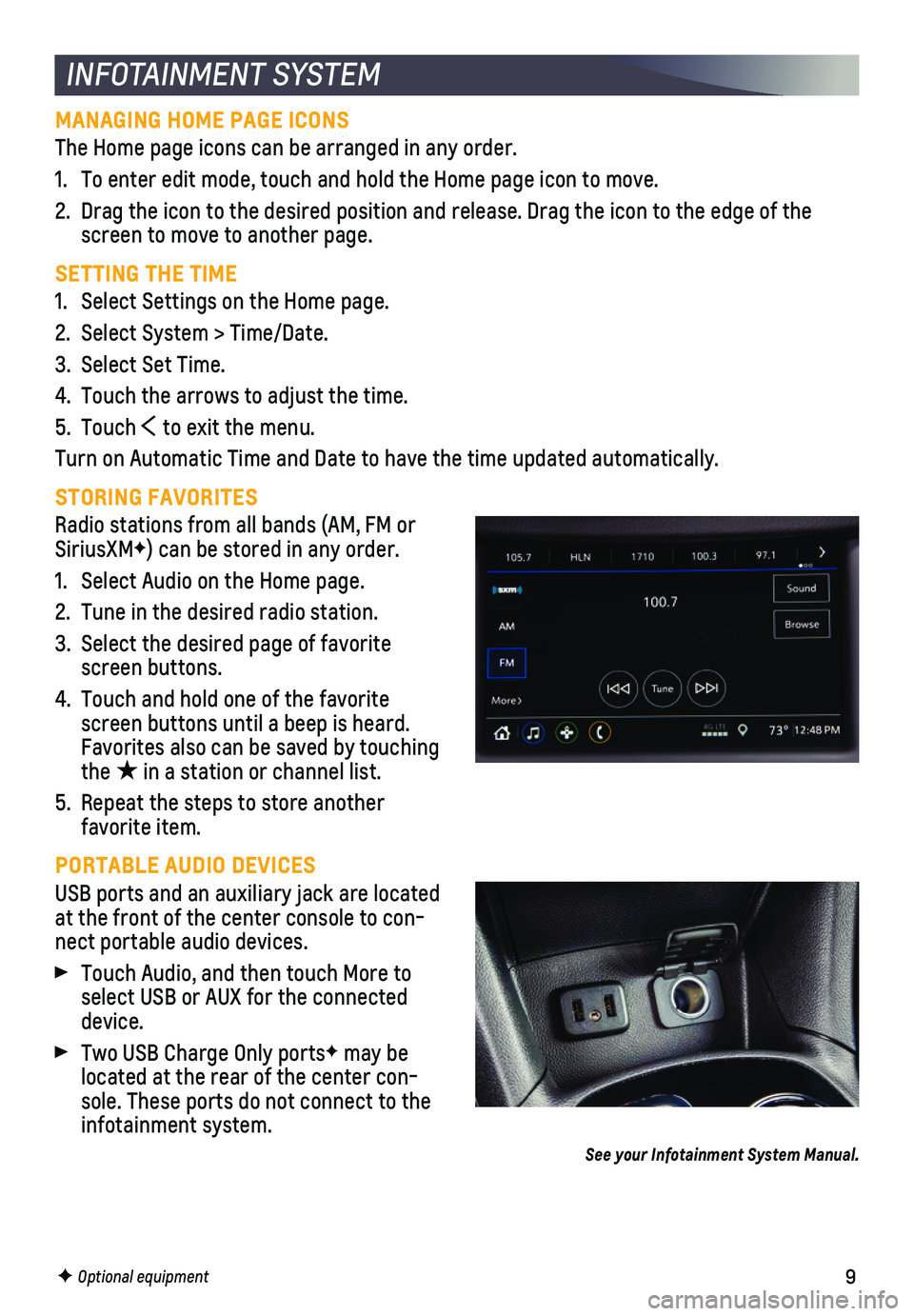
Radio stations from all bands (AM, FM or SiriusXMF) can be stored in any order.
1. Select Audio on the Home page.
2. Tune in the desired radio station.
3. Select the desired page of favorite screen buttons.
4. Touch and hold one of the favorite screen buttons until a beep is heard. Favorites also can be saved by touching the ★ in a station or channel list.
5. Repeat the steps to store another favorite item.
PORTABLE AUDIO DEVICES
USB ports and an auxiliary jack are located at the front of the center console to con-nect portable audio devices.
Touch Audio, and then touch More to select USB or AUX for the connected device.
Two USB Charge Only portsF may be located at the rear of the center con-sole. These ports do not connect to the infotainment system.
See your Infotainment System Manual.
F Optional equipment
Page 12 of 20
12
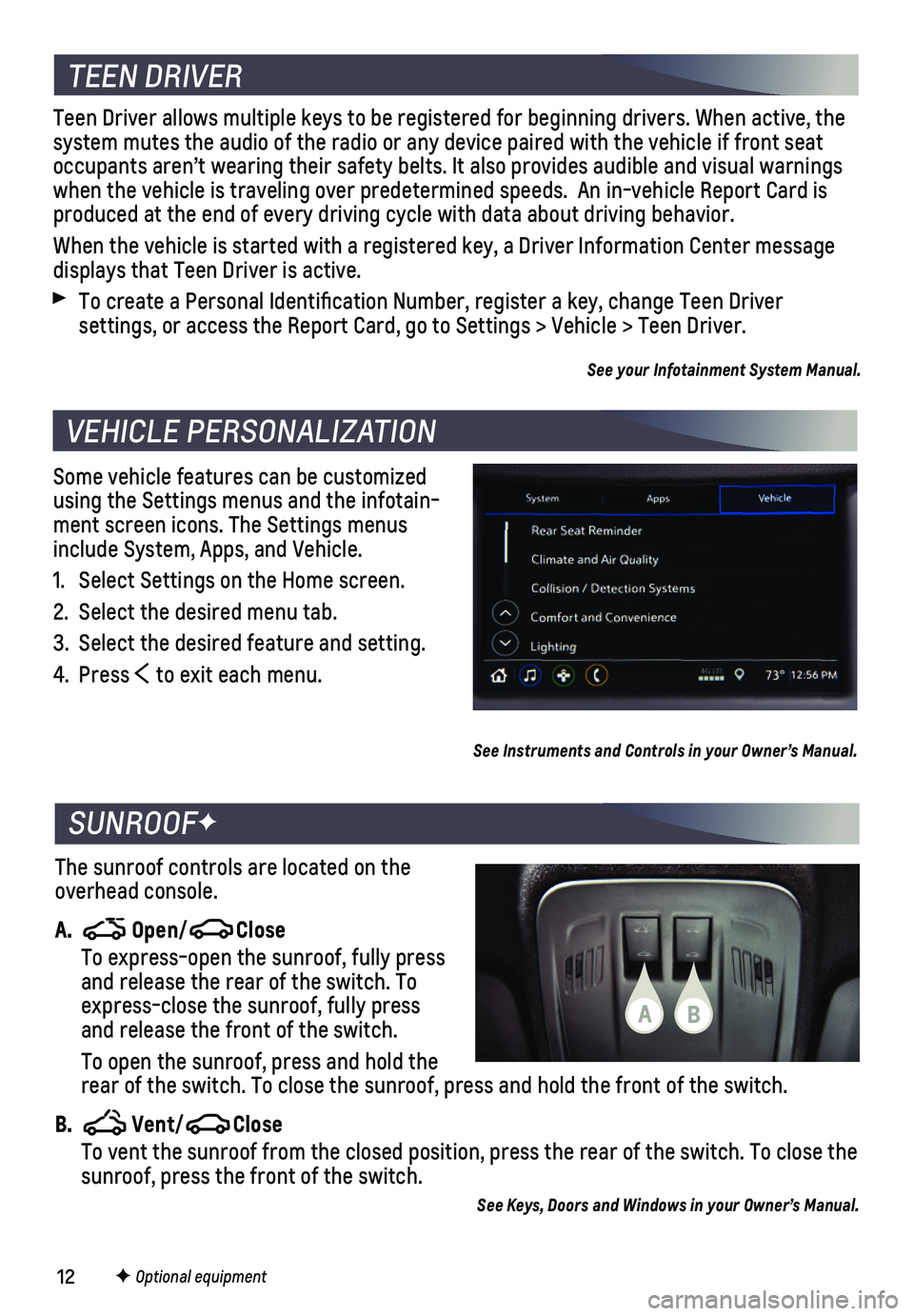
Some vehicle features can be customized using the Settings menus and the infotain-ment screen icons. The Settings menus include System, Apps, and Vehicle.
1. Select Settings on the Home screen.
2. Select the desired menu tab.
3. Select the desired feature and setting.
4. Press to exit each menu.
VEHICLE PERSONALIZATION
F Optional equipment
See Instruments and Controls in your Owner’s Manual.
TEEN DRIVER
Teen Driver allows multiple keys to be registered for beginning drivers.\
When active, the system mutes the audio of the radio or any device paired with the vehicl\
e if front seat occupants aren’t wearing their safety belts. It also provides audible\
and visual warnings when the vehicle is traveling over predetermined speeds. An in-vehicle \
Report Card is produced at the end of every driving cycle with data about driving behav\
ior.
When the vehicle is started with a registered key, a Driver Information \
Center message displays that Teen Driver is active.
To create a Personal Identification Number, register a key, change Tee\
n Driver
settings, or access the Report Card, go to Settings > Vehicle > Teen Dri\
ver.
See your Infotainment System Manual.
The sunroof controls are located on the overhead console.
A. Open/Close
To express-open the sunroof, fully press and release the rear of the switch. To express-close the sunroof, fully press and release the front of the switch.
To open the sunroof, press and hold the rear of the switch. To close the sunroof, press and hold the front of th\
e switch.
B. Vent/Close To vent the sunroof from the closed position, press the rear of the swit\
ch. To close the sunroof, press the front of the switch.
See Keys, Doors and Windows in your Owner’s Manual.
SUNROOFF
BA