ABS CHEVROLET CRUZE 2019 Track Prep Guide
[x] Cancel search | Manufacturer: CHEVROLET, Model Year: 2019, Model line: CRUZE, Model: CHEVROLET CRUZE 2019Pages: 379, PDF Size: 5.91 MB
Page 4 of 379
Chevrolet Cruze Owner Manual (GMNA-Localizing-U.S./Canada/Mexico-
12146336) - 2019 - crc - 10/22/18
Introduction 3
{Danger
Danger indicates a hazard with a
high level of risk which will result
in serious injury or death.
{Warning
Warning indicates a hazard that
could result in injury or death.
Caution
Caution indicates a hazard that
could result in property or vehicle
damage.
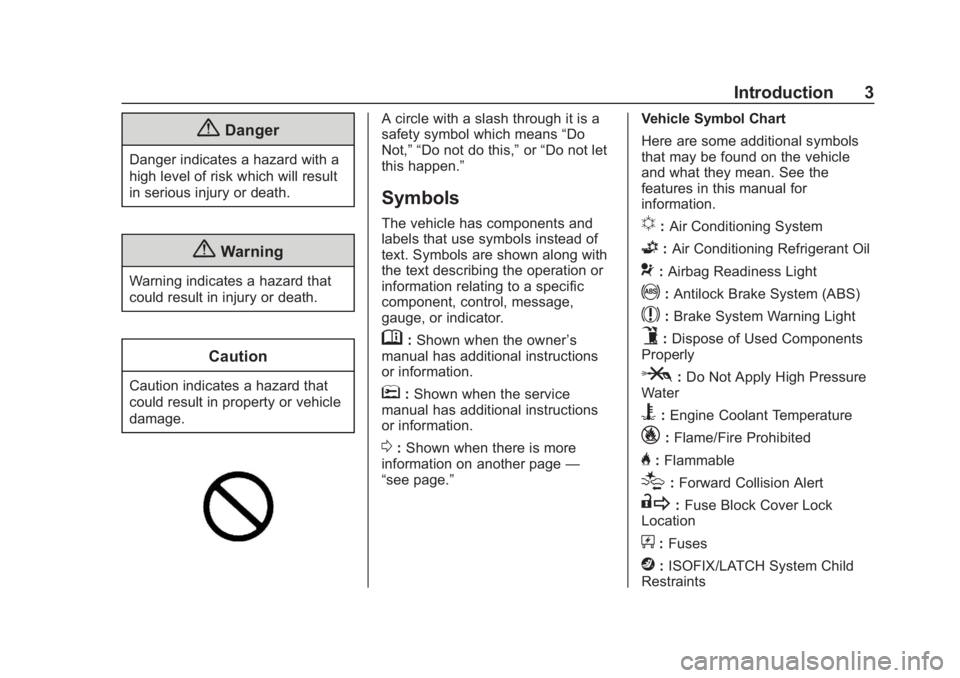
A circle with a slash through it is a
safety symbol which means“Do
Not,” “Do not do this,” or“Do not let
this happen.”
Symbols
The vehicle has components and
labels that use symbols instead of
text. Symbols are shown along with
the text describing the operation or
information relating to a specific
component, control, message,
gauge, or indicator.
M: Shown when the owner ’s
manual has additional instructions
or information.
*: Shown when the service
manual has additional instructions
or information.
0: Shown when there is more
information on another page —
“see page.” Vehicle Symbol Chart
Here are some additional symbols
that may be found on the vehicle
and what they mean. See the
features in this manual for
information.
u:
Air Conditioning System
G:Air Conditioning Refrigerant Oil
9:Airbag Readiness Light
!:Antilock Brake System (ABS)
$:Brake System Warning Light
9:Dispose of Used Components
Properly
P: Do Not Apply High Pressure
Water
B: Engine Coolant Temperature
_: Flame/Fire Prohibited
H:Flammable
[:Forward Collision Alert
R: Fuse Block Cover Lock
Location
+: Fuses
j:ISOFIX/LATCH System Child
Restraints
Page 44 of 379
Chevrolet Cruze Owner Manual (GMNA-Localizing-U.S./Canada/Mexico-
12146336) - 2019 - crc - 10/22/18
Keys, Doors, and Windows 43
Press the button on the door handle
to open. See“Keyless Access
Operation” inRemote Keyless Entry
(RKE) System Operation (Keyless
Access) 031 orRemote Keyless
Entry (RKE) System Operation (Key
Access) 038.
Driver Door Key Lock Cylinder
Access (In Case of Dead
Battery)
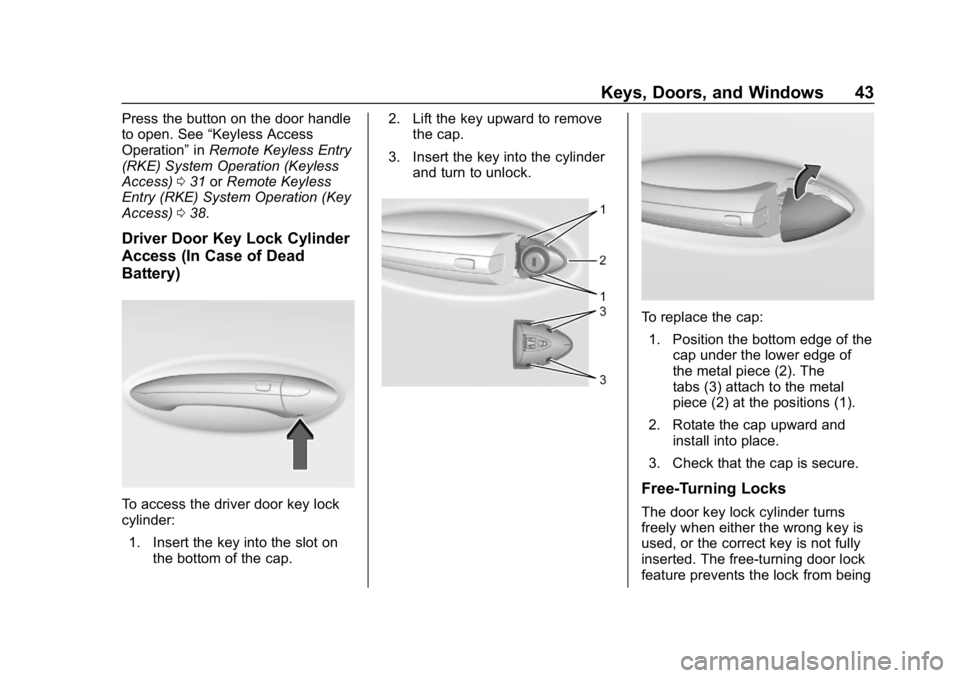
To access the driver door key lock
cylinder:
1. Insert the key into the slot on the bottom of the cap. 2. Lift the key upward to remove
the cap.
3. Insert the key into the cylinder and turn to unlock.
To replace the cap:
1. Position the bottom edge of the cap under the lower edge of
the metal piece (2). The
tabs (3) attach to the metal
piece (2) at the positions (1).
2. Rotate the cap upward and install into place.
3. Check that the cap is secure.
Free-Turning Locks
The door key lock cylinder turns
freely when either the wrong key is
used, or the correct key is not fully
inserted. The free-turning door lock
feature prevents the lock from being
Page 66 of 379
Chevrolet Cruze Owner Manual (GMNA-Localizing-U.S./Canada/Mexico-
12146336) - 2019 - crc - 10/22/18
Seats and Restraints 65
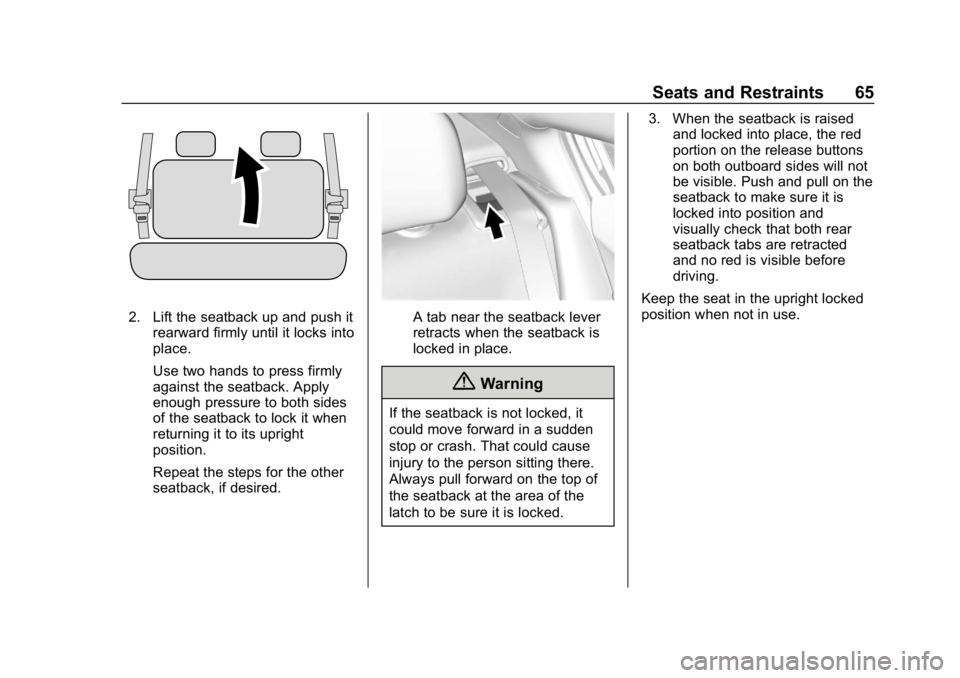
2. Lift the seatback up and push itrearward firmly until it locks into
place.
Use two hands to press firmly
against the seatback. Apply
enough pressure to both sides
of the seatback to lock it when
returning it to its upright
position.
Repeat the steps for the other
seatback, if desired.A tab near the seatback lever
retracts when the seatback is
locked in place.
{Warning
If the seatback is not locked, it
could move forward in a sudden
stop or crash. That could cause
injury to the person sitting there.
Always pull forward on the top of
the seatback at the area of the
latch to be sure it is locked. 3. When the seatback is raised
and locked into place, the red
portion on the release buttons
on both outboard sides will not
be visible. Push and pull on the
seatback to make sure it is
locked into position and
visually check that both rear
seatback tabs are retracted
and no red is visible before
driving.
Keep the seat in the upright locked
position when not in use.
Page 110 of 379
Chevrolet Cruze Owner Manual (GMNA-Localizing-U.S./Canada/Mexico-
12146336) - 2019 - crc - 10/22/18
Instruments and Controls 109
Instruments and
Controls
Controls
Steering Wheel Adjustment . . . 110
Steering Wheel Controls . . . . . . 110
Heated Steering Wheel . . . . . . . 110
Horn . . . . . . . . . . . . . . . . . . . . . . . . . . 110
Windshield Wiper/Washer . . . . . 111
Rear Window Wiper/Washer . . . . . . . . . . . . . . . . . . . . . . 112
Compass . . . . . . . . . . . . . . . . . . . . . 113
Clock . . . . . . . . . . . . . . . . . . . . . . . . . 113
Power Outlets . . . . . . . . . . . . . . . . 113
Warning Lights, Gauges, and
Indicators
Warning Lights, Gauges, and Indicators . . . . . . . . . . . . . . . . . . . 114
Instrument Cluster . . . . . . . . . . . . 115
Speedometer . . . . . . . . . . . . . . . . . 119
Odometer . . . . . . . . . . . . . . . . . . . . . 119
Trip Odometer . . . . . . . . . . . . . . . . 119
Tachometer . . . . . . . . . . . . . . . . . . . 119
Fuel Gauge . . . . . . . . . . . . . . . . . . . 120
Engine Coolant Temperature Gauge . . . . . . . . . . . . . . . . . . . . . . 121
Seat Belt Reminders . . . . . . . . . 121 Airbag Readiness Light . . . . . . . 122
Passenger Airbag Status
Indicator . . . . . . . . . . . . . . . . . . . . 123
Charging System Light . . . . . . . 123
Malfunction Indicator Lamp (Check Engine Light) . . . . . . . . 124
Brake System Warning Light . . . . . . . . . . . . . . . . . . . . . . . . 126
Antilock Brake System (ABS) Warning Light . . . . . . . . . . . . . . . 126
Up-Shift Light . . . . . . . . . . . . . . . . . 127
Lane Keep Assist (LKA) Light . . . . . . . . . . . . . . . . . . . . . . . . 127
Vehicle Ahead Indicator . . . . . . 127
Pedestrian Ahead Indicator . . . 127
Traction Off Light . . . . . . . . . . . . . 128
StabiliTrak OFF Light . . . . . . . . . 128
Traction Control System (TCS)/ StabiliTrak Light . . . . . . . . . . . . . 128
Wait-to-Start Light . . . . . . . . . . . . 129
Tire Pressure Light . . . . . . . . . . . 129
Engine Oil Pressure Light . . . . 129
Low Fuel Warning Light . . . . . . 130
Diesel Exhaust Fluid (DEF) Warning Light . . . . . . . . . . . . . . . 130
Security Light . . . . . . . . . . . . . . . . . 130
High-Beam On Light . . . . . . . . . . 131
Front Fog Lamp Light . . . . . . . . . 131
Lamps On Reminder . . . . . . . . . 131
Cruise Control Light . . . . . . . . . . 131 Door Ajar Light . . . . . . . . . . . . . . . 131
Information Displays
Driver Information Center (DIC)
(Base Level) . . . . . . . . . . . . . . . . 132
Driver Information Center (DIC) (Uplevel) . . . . . . . . . . . . . . . . . . . . 135
Vehicle Messages
Vehicle Messages . . . . . . . . . . . . 138
Engine Power Messages . . . . . 138
Vehicle Speed Messages . . . . . 138
Vehicle Personalization
Vehicle Personalization . . . . . . . 139
Page 127 of 379
Chevrolet Cruze Owner Manual (GMNA-Localizing-U.S./Canada/Mexico-
12146336) - 2019 - crc - 10/22/18
126 Instruments and Controls
See your dealer if the vehicle will
not pass or cannot be made ready
for the test.
Brake System Warning
Light
The vehicle brake system consists
of two hydraulic circuits. If one
circuit is not working, the remaining
circuit can still work to stop the
vehicle. For normal braking
performance, both circuits need to
be working.
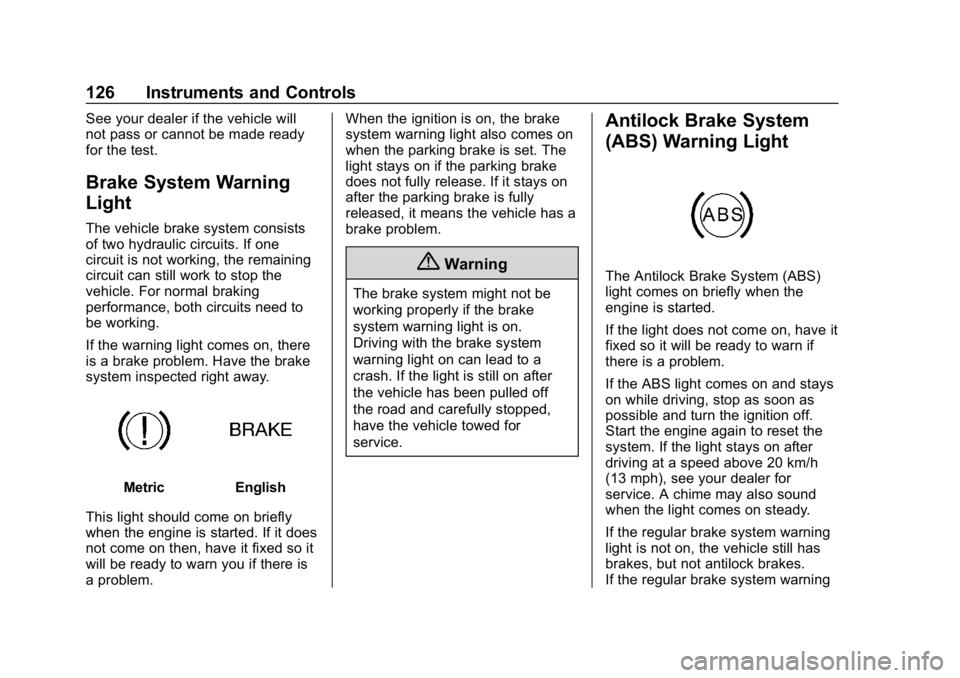
If the warning light comes on, there
is a brake problem. Have the brake
system inspected right away.
MetricEnglish
This light should come on briefly
when the engine is started. If it does
not come on then, have it fixed so it
will be ready to warn you if there is
a problem. When the ignition is on, the brake
system warning light also comes on
when the parking brake is set. The
light stays on if the parking brake
does not fully release. If it stays on
after the parking brake is fully
released, it means the vehicle has a
brake problem.
{Warning
The brake system might not be
working properly if the brake
system warning light is on.
Driving with the brake system
warning light on can lead to a
crash. If the light is still on after
the vehicle has been pulled off
the road and carefully stopped,
have the vehicle towed for
service.
Antilock Brake System
(ABS) Warning Light
The Antilock Brake System (ABS)
light comes on briefly when the
engine is started.
If the light does not come on, have it
fixed so it will be ready to warn if
there is a problem.
If the ABS light comes on and stays
on while driving, stop as soon as
possible and turn the ignition off.
Start the engine again to reset the
system. If the light stays on after
driving at a speed above 20 km/h
(13 mph), see your dealer for
service. A chime may also sound
when the light comes on steady.
If the regular brake system warning
light is not on, the vehicle still has
brakes, but not antilock brakes.
If the regular brake system warning
Page 159 of 379
Chevrolet Cruze Owner Manual (GMNA-Localizing-U.S./Canada/Mexico-
12146336) - 2019 - crc - 10/22/18
158 Driving and Operating
Driving and
Operating
Driving Information
Distracted Driving . . . . . . . . . . . . 159
Defensive Driving . . . . . . . . . . . . . 160
Drunk Driving . . . . . . . . . . . . . . . . . 160
Control of a Vehicle . . . . . . . . . . . 160
Braking . . . . . . . . . . . . . . . . . . . . . . . 160
Steering . . . . . . . . . . . . . . . . . . . . . . 161
Off-Road Recovery . . . . . . . . . . . 161
Loss of Control . . . . . . . . . . . . . . . 162
Driving on Wet Roads . . . . . . . . 162
Hill and Mountain Roads . . . . . 163
Winter Driving . . . . . . . . . . . . . . . . 164
If the Vehicle Is Stuck . . . . . . . . 165
Vehicle Load Limits . . . . . . . . . . . 165
Starting and Operating
New Vehicle Break-In . . . . . . . . . 169
Ignition Positions (KeylessAccess) . . . . . . . . . . . . . . . . . . . . . 169
Ignition Positions (Key Access) . . . . . . . . . . . . . . . . . . . . . 171
Starting the Engine . . . . . . . . . . . 173
Stop/Start System . . . . . . . . . . . . 176
Engine Heater . . . . . . . . . . . . . . . . 177 Retained Accessory
Power (RAP) . . . . . . . . . . . . . . . . 179
Shifting Into Park . . . . . . . . . . . . . 179
Shifting out of Park . . . . . . . . . . . 180
Parking over Things That Burn . . . . . . . . . . . . . . . . . . . 180
Extended Parking . . . . . . . . . . . . 180
Engine Exhaust
Engine Exhaust . . . . . . . . . . . . . . 181
Running the Vehicle While Parked . . . . . . . . . . . . . . . . . . . . . . 181
Diesel Particulate Filter
Diesel Particulate Filter . . . . . . . 182
Diesel Exhaust Fluid
Diesel Exhaust Fluid . . . . . . . . . . 183
Automatic Transmission
Automatic Transmission . . . . . . 189
Manual Mode . . . . . . . . . . . . . . . . . 192
Brakes
Antilock BrakeSystem (ABS) . . . . . . . . . . . . . . . 193
Parking Brake . . . . . . . . . . . . . . . . 194
Brake Assist . . . . . . . . . . . . . . . . . . 195
Hill Start Assist (HSA) . . . . . . . . 195
Ride Control Systems
Traction Control/Electronic Stability Control . . . . . . . . . . . . . 196
Cruise Control
Cruise Control . . . . . . . . . . . . . . . . 197
Driver Assistance Systems
Driver Assistance Systems . . . 200
Assistance Systems forParking or Backing . . . . . . . . . . 201
Assistance Systems for Driving . . . . . . . . . . . . . . . . . . . . . . 203
Forward Collision Alert (FCA) System . . . . . . . . . . . . . . . . . . . . . . 203
Forward Automatic Braking (FAB) . . . . . . . . . . . . . . . 205
Front Pedestrian Braking (FPB) System . . . . . . . . . . . . . . . 207
Side Blind Zone Alert (SBZA) . . . . . . . . . . . . . . . . 209
Lane Change Alert (LCA) . . . . . 209
Lane Departure Warning (LDW) . . . . . . . . . . . . . . 211
Lane Keep Assist (LKA) . . . . . . 211
Fuel
Top Tier Fuel (Gasoline) . . . . . . 213
Top Tier Fuel (Diesel) . . . . . . . . . 214
Recommended Fuel (Gasoline) . . . . . . . . . . . . . . . . . . . 214
Page 162 of 379
Chevrolet Cruze Owner Manual (GMNA-Localizing-U.S./Canada/Mexico-
12146336) - 2019 - crc - 10/22/18
Driving and Operating 161
Once the power assist is used up, it
can take longer to stop and the
brake pedal will be harder to push.
Steering
Electric Power Steering
The vehicle has electric power
steering. It does not have power
steering fluid. Regular maintenance
is not required.
If power steering assist is lost due
to a system malfunction, the vehicle
can be steered, but may require
increased effort.
If the steering assist is used for an
extended period of time while the
vehicle is not moving, power assist
may be reduced.
If the steering wheel is turned until it
reaches the end of its travel and is
held against that position for an
extended period of time, power
steering assist may be reduced.
Normal use of the power steering
assist should return when the
system cools down.See your dealer if there is a
problem.
Curve Tips
.
Take curves at a reasonable
speed.
. Reduce speed before entering a
curve.
. Maintain a reasonable steady
speed through the curve.
. Wait until the vehicle is out of
the curve before accelerating
gently into the straightaway.
Steering in Emergencies
.There are some situations when
steering around a problem may
be more effective than braking.
. Holding both sides of the
steering wheel allows you to turn
180 degrees without removing
a hand.
. The Antilock Brake System
(ABS) allows steering while
braking.
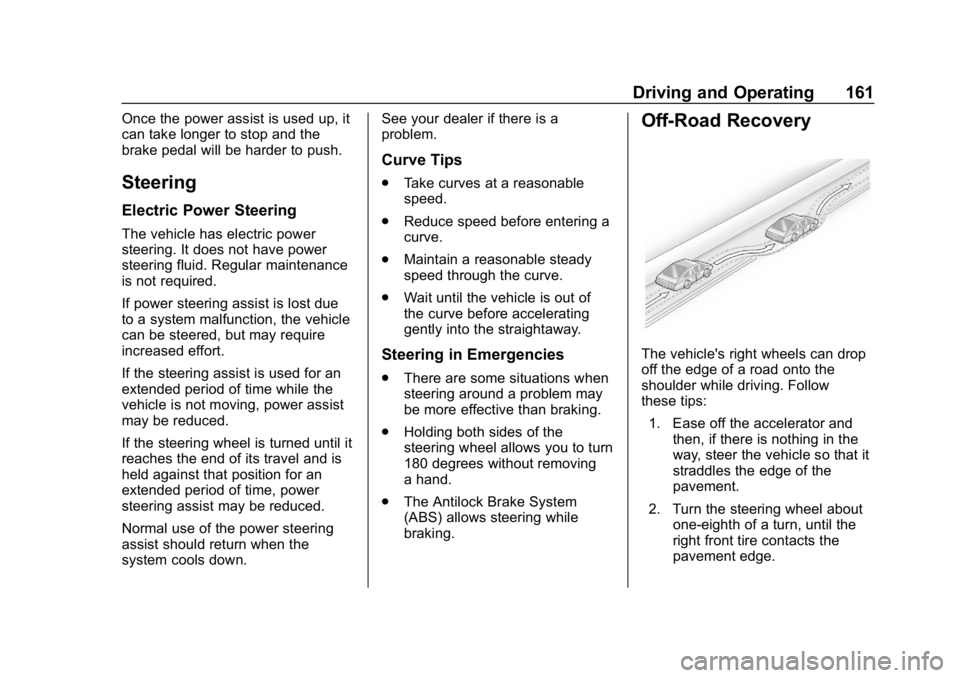
Off-Road Recovery
The vehicle's right wheels can drop
off the edge of a road onto the
shoulder while driving. Follow
these tips:
1. Ease off the accelerator and then, if there is nothing in the
way, steer the vehicle so that it
straddles the edge of the
pavement.
2. Turn the steering wheel about one-eighth of a turn, until the
right front tire contacts the
pavement edge.
Page 165 of 379
Chevrolet Cruze Owner Manual (GMNA-Localizing-U.S./Canada/Mexico-
12146336) - 2019 - crc - 10/22/18
164 Driving and Operating
.Pay attention to special road
signs (e.g., falling rocks area,
winding roads, long grades,
passing or no-passing zones)
and take appropriate action.
Winter Driving
Driving on Snow or Ice
Snow or ice between the tires and
the road creates less traction or
grip, so drive carefully. Wet ice can
occur at about 0 °C (32 °F) when
freezing rain begins to fall. Avoid
driving on wet ice or in freezing rain
until roads can be treated.
For Slippery Road Driving:
.Accelerate gently. Accelerating
too quickly causes the wheels to
spin and makes the surface
under the tires slick.
. Turn on Traction Control. See
Traction Control/Electronic
Stability Control 0196.
. The Antilock Brake System
(ABS) improves vehicle stability
during hard stops, but the
brakes should be applied sooner than when on dry pavement.
See
Antilock Brake System
(ABS) 0193.
. Allow greater following distance
and watch for slippery spots. Icy
patches can occur on otherwise
clear roads in shaded areas.
The surface of a curve or an
overpass can remain icy when
the surrounding roads are clear.
Avoid sudden steering
maneuvers and braking while
on ice.
. Turn off cruise control.
Blizzard Conditions
Stop the vehicle in a safe place and
signal for help. Stay with the vehicle
unless there is help nearby.
If possible, use Roadside
Assistance. See Roadside
Assistance Program 0345. To get
help and keep everyone in the
vehicle safe:
. Turn on the hazard warning
flashers.
. Tie a red cloth to an outside
mirror.
{Warning
Snow can trap engine exhaust
under the vehicle. This may
cause exhaust gases to get
inside. Engine exhaust contains
carbon monoxide (CO), which
cannot be seen or smelled. It can
cause unconsciousness and even
death.
If the vehicle is stuck in snow:
. Clear snow from the base of
the vehicle, especially any
blocking the exhaust pipe.
. Open a window about 5 cm
(2 in) on the vehicle side
that is away from the wind,
to bring in fresh air.
. Fully open the air outlets on
or under the instrument
panel.
. Adjust the climate control
system to circulate the air
inside the vehicle and set
(Continued)
Page 194 of 379
Chevrolet Cruze Owner Manual (GMNA-Localizing-U.S./Canada/Mexico-
12146336) - 2019 - crc - 10/22/18
Driving and Operating 193
When shifting to L (Low), the
transmission will shift to a preset
lower gear range. For this preset
range, the highest gear available is
displayed next to the L in the DIC.
SeeDriver Information Center (DIC)
(Base Level) 0132 orDriver
Information Center (DIC) (Uplevel)
0 135.
All gears below that number are
available to use.
While using ERS, cruise control can
be used.
The transmission will not allow
shifting to the next lower gear if the
vehicle speed or engine rpm is
too high.
If vehicle speed is not reduced
within the time allowed, the lower
gear range shift will not be
completed. Slow the vehicle, then
press −(minus) to the desired lower
gear range. Second Gear Start Feature
When accelerating the vehicle from
a stop in snowy and icy conditions,
you may want to shift into
2 (Second) gear. A higher gear
allows you to gain more traction on
slippery surfaces.
With the DSC feature, the vehicle
can be set to pull away in
2 (Second) gear.
1. Move the shift lever from D (Drive) to L (Low).
2. With the vehicle stopped, press the + (plus) end of the button to
select 2 (Second) gear. The
vehicle will start from a stop
position in 2 (Second) gear.
3. Once moving, select the desired drive gear.Brakes
Antilock Brake
System (ABS)
This vehicle has an Antilock Brake
System (ABS), an advanced
electronic braking system that helps
prevent a braking skid.
When the vehicle begins to drive
away, ABS checks itself.
A momentary motor or clicking noise
may be heard while this test is going
on, and it may even be noticed that
the brake pedal moves a little. This
is normal.
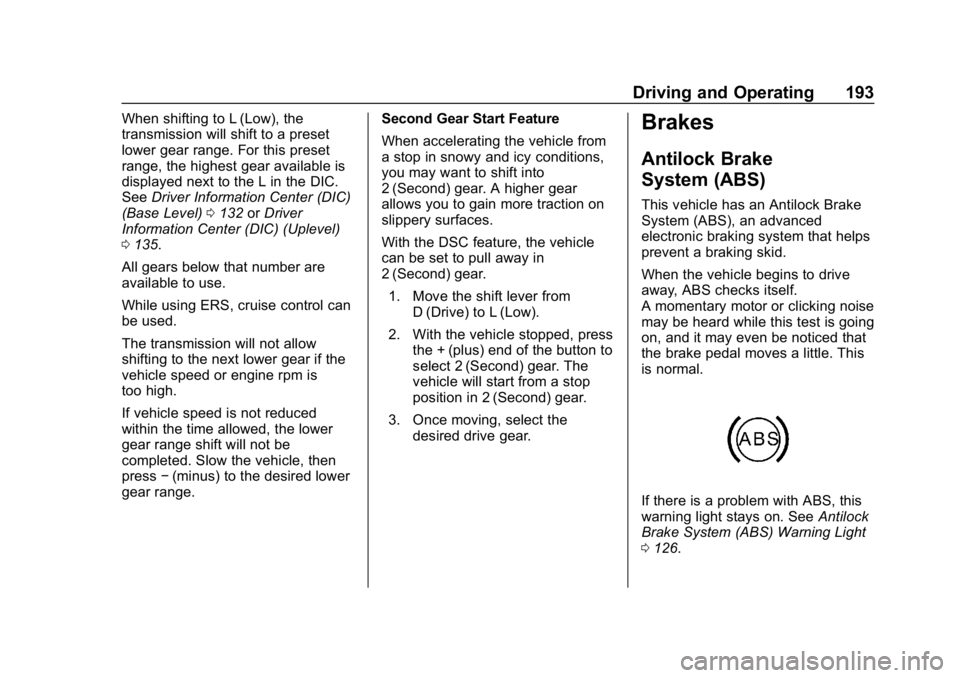
If there is a problem with ABS, this
warning light stays on. See Antilock
Brake System (ABS) Warning Light
0 126.
Page 195 of 379
Chevrolet Cruze Owner Manual (GMNA-Localizing-U.S./Canada/Mexico-
12146336) - 2019 - crc - 10/22/18
194 Driving and Operating
If driving safely on a wet road and it
becomes necessary to slam on the
brakes and continue braking to
avoid a sudden obstacle, a
computer senses the wheels are
slowing down. If one of the wheels
is about to stop rolling, the computer
will separately work the brakes at
each wheel.
ABS can change the brake pressure
to each wheel, as required, faster
than any driver could. This can help
you steer around the obstacle while
braking hard.
As the brakes are applied, the
computer keeps receiving updates
on wheel speed and controls
braking pressure accordingly.
Remember: ABS does not change
the time needed to get a foot up to
the brake pedal or always decrease
stopping distance. If you get too
close to the vehicle in front of you,
there will not be enough time to
apply the brakes if that vehicle
suddenly slows or stops. Always
leave enough room up ahead to
stop, even with ABS.Using ABS
Do not pump the brakes. Just hold
the brake pedal down firmly and let
ABS work. You may hear the ABS
pump or motor operating and feel
the brake pedal pulsate. This is
normal.
Braking in Emergencies
ABS allows you to steer and brake
at the same time. In many
emergencies, steering can help
more than even the very best
braking.
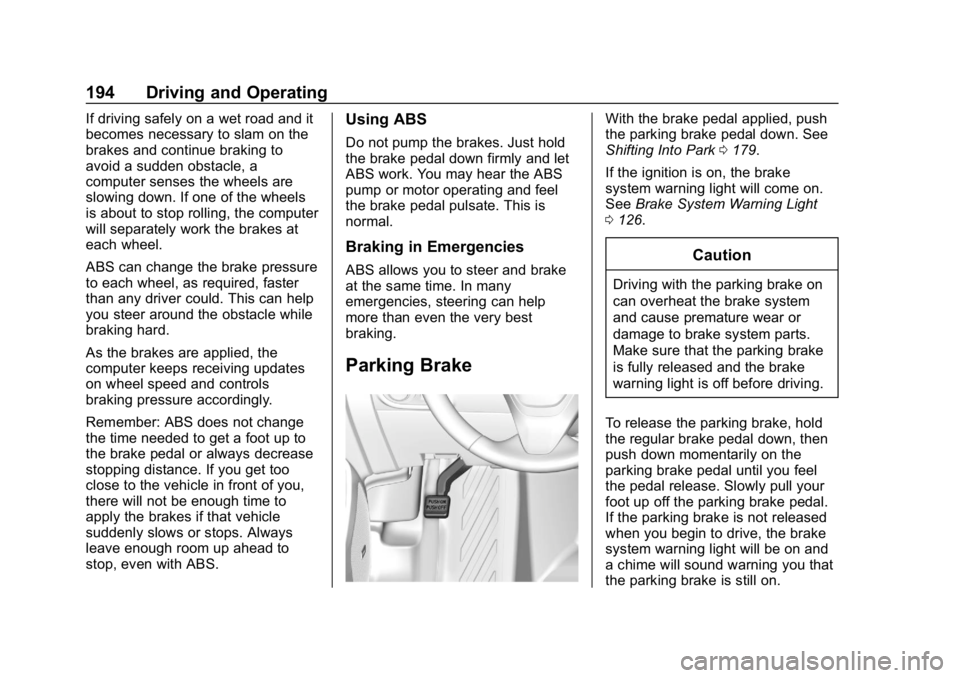
Parking Brake
With the brake pedal applied, push
the parking brake pedal down. See
Shifting Into Park0179.
If the ignition is on, the brake
system warning light will come on.
See Brake System Warning Light
0 126.
Caution
Driving with the parking brake on
can overheat the brake system
and cause premature wear or
damage to brake system parts.
Make sure that the parking brake
is fully released and the brake
warning light is off before driving.
To release the parking brake, hold
the regular brake pedal down, then
push down momentarily on the
parking brake pedal until you feel
the pedal release. Slowly pull your
foot up off the parking brake pedal.
If the parking brake is not released
when you begin to drive, the brake
system warning light will be on and
a chime will sound warning you that
the parking brake is still on.