keyless CHEVROLET CRUZE HATCHBACK 2017 Owner's Guide
[x] Cancel search | Manufacturer: CHEVROLET, Model Year: 2017, Model line: CRUZE HATCHBACK, Model: CHEVROLET CRUZE HATCHBACK 2017Pages: 405, PDF Size: 6.76 MB
Page 148 of 405
Chevrolet Cruze Owner Manual (GMNA-Localizing-U.S./Canada/Mexico-
9803785) - 2017 - CRC - 4/13/16
Instruments and Controls 147
Service Vehicle Messages
SERVICE KEYLESS START
SYSTEM
This message is displayed if there is
a problem with the pushbutton start
system. Take the vehicle to your
dealer for service.
SERVICE POWER STEERING
This message displays and a chime
may sound when there may be a
problem with the power steering
system. If this message displays
and a reduction in steering
performance or loss of power
steering assistance is noticed, see
your dealer.
SERVICE STEERING
COLUMN LOCK
This message displays if there is a
problem with the steering column
lock. Take the vehicle to your dealer
for service.
SERVICE VEHICLE SOON
This message displays if there is a
problem with the vehicle. Take the
vehicle to your dealer for service.
Starting the Vehicle
Messages
PRESS BRAKE TO START or
PRESS CLUTCH TO START
This message displays when
attempting to start the vehicle
without first pressing the brake or
clutch pedal.
TURN STEERING WHEEL
START VEHICLE AGAIN
This message displays when you try
to start the vehicle, but the column
remains locked. Try turning the
steering wheel while starting the
vehicle to unlock the steering
column. If the vehicle still does not
start, turn the steering wheel the
other way, and try starting the
vehicle again.
Tire Messages
SERVICE TIRE MONITOR
SYSTEM
This message displays if there is a
problem with the Tire Pressure
Monitor System (TPMS). SeeTire
Pressure Monitor Operation 0311.
TIRE LEARNING ACTIVE
This message displays when the
system is learning new tires. See
Tire Pressure Monitor
Operation 0311.
TIRE PRESSURE LOW ADD
AIR TO TIRE
On vehicles with the Tire Pressure
Monitor System (TPMS), this
message displays when the
pressure in one or more of the
vehicle's tires is low.
The low tire pressure warning light
will also come on. See Tire
Pressure Light 0131.
Page 154 of 405
Chevrolet Cruze Owner Manual (GMNA-Localizing-U.S./Canada/Mexico-
9803785) - 2017 - CRC - 4/13/16
Instruments and Controls 153
Auto Rear Defog
When on, this feature turns on the
rear defogger at vehicle start when
the interior temperature is cold and
fog is likely. The auto rear defog
function can be canceled by
pressing
1. See“Rear Window
Defogger” underClimate Control
Systems (With Air Conditioning)
0 190 orClimate Control Systems
(With Heater Only) 0192 or
Automatic Climate Control
System 0193.
Select Off or On.
Collision/Detection Systems
Select and the following may
display:
. Park Assist
. Rear Cross Traffic Alert
Park Assist
If equipped, this feature can assist
in backing up and parking the
vehicle. See Assistance Systems for
Parking or Backing 0240.
Select On or Off. Rear Cross Traffic Alert
This allows the Rear Cross Traffic
Alert feature to be turned on or off.
Select On or Off. See
“Rear Cross
Traffic Alert (RCTA)” inAssistance
Systems for Parking or
Backing 0240.
Comfort and Convenience
Select and the following may
display:
.
Chime Volume
Chime Volume
This allows the selection of the
chime volume level.
Turn the MENU knob, touch + or −
to adjust the volume, or select
Normal or High.
Lighting
Select and the following may
display:
. Vehicle Locator Lights
. Exit Lighting Vehicle Locator Lights
This feature will flash the exterior
lamps and allows some of the
exterior lamps and most of the
interior lamps to turn on briefly
when
Kon the Remote Keyless
Entry (RKE) transmitter is pressed
to locate the vehicle.
Select Off or On.
Exit Lighting
This allows the selection of how
long the exterior lamps stay on
when leaving the vehicle when it is
dark outside.
Select Off, 30 Seconds, 60
Seconds, or 120 Seconds.
Power Door Locks
Select and the following may
display:
. Unlocked Door Anti Lock Out
. Auto Door Unlock
. Delayed Door Lock
Page 155 of 405

Chevrolet Cruze Owner Manual (GMNA-Localizing-U.S./Canada/Mexico-
9803785) - 2017 - CRC - 4/13/16
154 Instruments and Controls
Unlocked Door Anti Lock Out
When on, this feature will keep the
driver door from locking until the
door is closed. If this feature is
turned on, the Delayed Door Lock
menu will not be available.
Select Off or On.
Auto Door Unlock
This allows selection of which of the
doors will automatically unlock when
the vehicle is shifted into P (Park)
with an automatic transmission or
when the vehicle is turned off with a
manual transmission.
Select Off, All Doors, or Driver Door.
Delayed Door Lock
When on, this feature will delay the
locking of the doors. To override the
delay, press the power door lock
switch on the door.
Select Off or On.
Remote Lock, Unlock, Start
Select and the following may
display:
.Remote Unlock Light Feedback .
Remote Lock Feedback
. Remote Door Unlock
. Remote Start Auto Heat Seats
. Passive Door Unlock
. Passive Door Lock
. Remote Left in Vehicle Alert
Remote Unlock Light Feedback
When on, the exterior lamps will
flash when unlocking the vehicle
with the RKE transmitter.
Select Off or Flash Lights.
Remote Lock Feedback
This allows selection of what type of
feedback is given when locking the
vehicle with the RKE transmitter.
Select Off, Lights and Horn, Lights
Only, or Horn Only.
Remote Door Unlock
This allows selection of which doors
will unlock when pressing
Kon the
RKE transmitter.
Select All Doors or Driver Door. Remote Start Auto Heat Seats
If equipped and turned on, this
feature will turn the heated seats on
when using remote start on
cold days.
Select Off or On.
Passive Door Unlock
This allows the selection of what
doors will unlock when using the
button on the driver door to unlock
the vehicle.
Select All Doors or Driver Door.
Passive Door Lock
This feature can be turned on, off,
or on with feedback. See
Remote
Keyless Entry (RKE) System
Operation (Key Access) 034 or
Remote Keyless Entry (RKE)
System Operation (Keyless
Access) 036.
Select Off, On with Horn
Chirp, or On.
Remote Left in Vehicle Alert
This feature sounds an alert when
the RKE transmitter is left in the
vehicle.
Page 165 of 405
Chevrolet Cruze Owner Manual (GMNA-Localizing-U.S./Canada/Mexico-
9803785) - 2017 - CRC - 4/13/16
164 Lighting
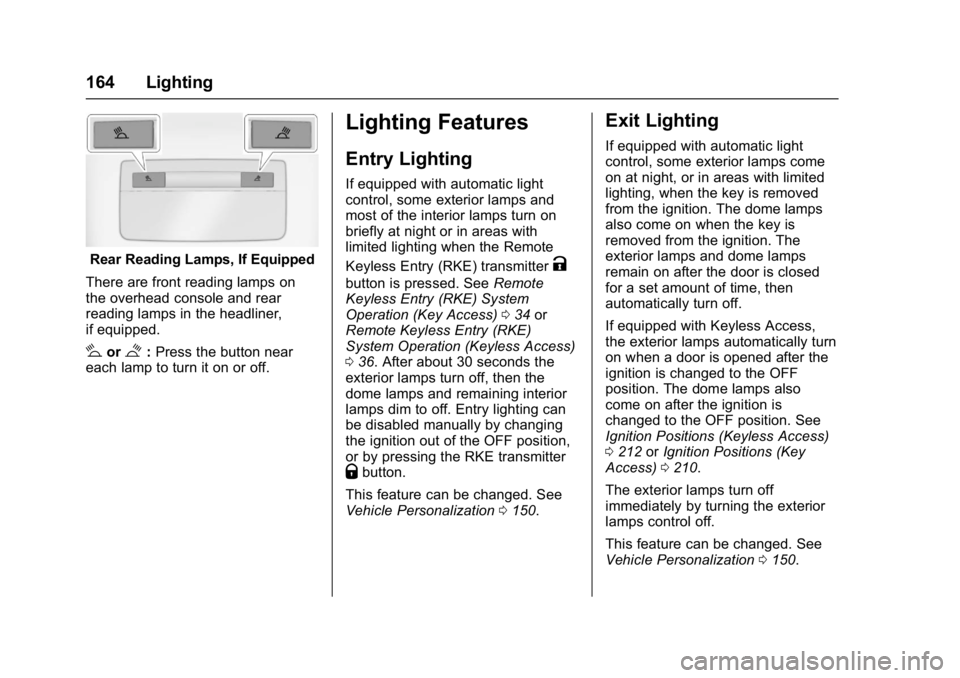
Rear Reading Lamps, If Equipped
There are front reading lamps on
the overhead console and rear
reading lamps in the headliner,
if equipped.
#or$: Press the button near
each lamp to turn it on or off.
Lighting Features
Entry Lighting
If equipped with automatic light
control, some exterior lamps and
most of the interior lamps turn on
briefly at night or in areas with
limited lighting when the Remote
Keyless Entry (RKE) transmitter
K
button is pressed. See Remote
Keyless Entry (RKE) System
Operation (Key Access) 034 or
Remote Keyless Entry (RKE)
System Operation (Keyless Access)
0 36. After about 30 seconds the
exterior lamps turn off, then the
dome lamps and remaining interior
lamps dim to off. Entry lighting can
be disabled manually by changing
the ignition out of the OFF position,
or by pressing the RKE transmitter
Qbutton.
This feature can be changed. See
Vehicle Personalization 0150.
Exit Lighting
If equipped with automatic light
control, some exterior lamps come
on at night, or in areas with limited
lighting, when the key is removed
from the ignition. The dome lamps
also come on when the key is
removed from the ignition. The
exterior lamps and dome lamps
remain on after the door is closed
for a set amount of time, then
automatically turn off.
If equipped with Keyless Access,
the exterior lamps automatically turn
on when a door is opened after the
ignition is changed to the OFF
position. The dome lamps also
come on after the ignition is
changed to the OFF position. See
Ignition Positions (Keyless Access)
0212 orIgnition Positions (Key
Access) 0210.
The exterior lamps turn off
immediately by turning the exterior
lamps control off.
This feature can be changed. See
Vehicle Personalization 0150.
Page 175 of 405
Chevrolet Cruze Owner Manual (GMNA-Localizing-U.S./Canada/Mexico-
9803785) - 2017 - CRC - 4/13/16
174 Infotainment System
Audio Players
Avoiding Untrusted Media
Devices
When using media devices such as
CDs, DVDs, Blu-Ray Discs®, SD
cards, USB drives, and mobile
devices, consider the source.
Untrusted media devices could
contain files that affect system
operation or performance. Avoid use
if the content or origin cannot be
trusted.
USB Port
Using the USB Port
The infotainment system can play
music by connecting an auxiliary
device to the USB port.
USB Support
This vehicle may have two USB
ports. One port in the center
console for data and charging and
one in the rear of the center console
for charging only. External devices
such as iPhones/iPods
®and USB
storage devices may be connected. USB Supported Devices
.
USB Flash Drives
. Portable USB Hard Drives
Not all iPods and USB drives are
compatible with the USB port.
Make sure the iPod has the latest
firmware from Apple
®for proper
operation. iPod firmware can be
updated using the latest iTunes
®
application. See www.apple.com/
itunes.
For help with identifying your iPod,
go to www.apple.com/support.
The USB port can play both lower
and upper case .mp3, .wma, .ogg,
and .wav files stored on a USB
storage device.
Supported Apple
®Devices
To view supported devices in the
U.S., see www.my.chevrolet.com
\learned.
To view supported devices in
Canada, see
www.chevroletowner.ca.
To view supported devices in
Mexico, see your dealer. USB Supported File and Folder
Structure
The infotainment system supports:
.
FAT16
. FAT32
. exFAT
Connecting a USB Storage
Device or iPod/iPhone
To connect a USB storage device,
connect the device to the USB port.
To connect an iPod/iPhone, connect
one end of the device’ s cable to the
iPod/iPhone and the other end to
the USB port.
The iPod/iPhone charges while it is
connected to the vehicle if the
vehicle is in ACC/ACCESSORY or
ON/RUN. See Ignition Positions
(Keyless Access) 0212 orIgnition
Positions (Key Access) 0210.
When the vehicle is turned off, the
iPod/iPhone automatically powers
off and will not charge or draw
power from the vehicle's battery.
Page 181 of 405
Chevrolet Cruze Owner Manual (GMNA-Localizing-U.S./Canada/Mexico-
9803785) - 2017 - CRC - 4/13/16
180 Infotainment System
Phone
Bluetooth (Overview)
If equipped with Bluetooth®
capability, the system can interact
with many Bluetooth phones, PDAs,
or other devices to:
.Place and receive hands-free
calls.
. Transmit hands-free data.
. Play audio streaming files.
The device must be paired first. See
“Pairing” later in this section.
To minimize driver distraction,
before driving, and with the vehicle
parked:
. Become familiar with the
features of the cell phone.
Organize the phone book and
contact lists clearly and delete
duplicate or rarely used entries.
If possible, program speed dial
or other shortcuts.
. Review the controls and
operation of the infotainment
system. .
Pair cell phone(s) to the vehicle.
The system may not work with
all cell phones. See “Pairing”
later in this section.{Warning
When using a cell phone, it can
be distracting to look too long or
too often at the screen of the
phone or the infotainment system.
Taking your eyes off the road too
long or too often could cause a
crash resulting in injury or death.
Focus your attention on driving.
Vehicles with a Bluetooth system
can use a Bluetooth-capable cell
phone with a Hands-Free Profile to
make and receive phone calls. The
infotainment system is used to
control the system. The system can
be used while in ACC/ACCESSORY
or ON/RUN. See Ignition Positions
(Keyless Access) 0212 orIgnition
Positions (Key Access) 0210. Not
all phones support all functions and
not all phones work with the
Bluetooth system. See
www.gm.com/bluetooth for more information about compatible
phones in the U.S. and
Canada only.
There may be restrictions on using
Bluetooth wireless technology in
some locations.
Due to the variety of Bluetooth
devices and their firmware versions,
the device may respond differently
when performing over Bluetooth.
Refer to the cell phone
manufacturer
’s user guide for
questions about the phone's
Bluetooth functionality.
Bluetooth Controls
For vehicles equipped with
Bluetooth capability, use the buttons
on the infotainment system and the
steering wheel to operate the
system.
Page 200 of 405
Chevrolet Cruze Owner Manual (GMNA-Localizing-U.S./Canada/Mexico-
9803785) - 2017 - CRC - 4/13/16
Driving and Operating 199
Driving and
Operating
Driving Information
Distracted Driving . . . . . . . . . . . . 200
Defensive Driving . . . . . . . . . . . . . 201
Drunk Driving . . . . . . . . . . . . . . . . . 201
Control of a Vehicle . . . . . . . . . . . 201
Braking . . . . . . . . . . . . . . . . . . . . . . . 201
Steering . . . . . . . . . . . . . . . . . . . . . . 202
Off-Road Recovery . . . . . . . . . . . 202
Loss of Control . . . . . . . . . . . . . . . 203
Driving on Wet Roads . . . . . . . . 203
Hill and Mountain Roads . . . . . 204
Winter Driving . . . . . . . . . . . . . . . . 205
If the Vehicle Is Stuck . . . . . . . . 206
Vehicle Load Limits . . . . . . . . . . . 206
Starting and Operating
New Vehicle Break-In . . . . . . . . . 210
Ignition Positions (KeyAccess) . . . . . . . . . . . . . . . . . . . . . 210
Ignition Positions (Keyless Access) . . . . . . . . . . . . . . . . . . . . . 212
Starting the Engine . . . . . . . . . . . 214
Engine Heater . . . . . . . . . . . . . . . . 218
Retained Accessory Power (RAP) . . . . . . . . . . . . . . . . 219
Shifting Into Park . . . . . . . . . . . . . 219 Shifting out of Park . . . . . . . . . . . 220
Parking . . . . . . . . . . . . . . . . . . . . . . . 221
Parking over Things
That Burn . . . . . . . . . . . . . . . . . . . 221
Extended Parking . . . . . . . . . . . . 221
Engine Exhaust
Engine Exhaust . . . . . . . . . . . . . . 221
Running the Vehicle While
Parked . . . . . . . . . . . . . . . . . . . . . . 222
Diesel Particulate Filter
Diesel Particulate Filter . . . . . . . 222
Diesel Exhaust Fluid
Diesel Exhaust Fluid . . . . . . . . . . 223
Automatic Transmission
Automatic Transmission . . . . . . 228
Manual Mode . . . . . . . . . . . . . . . . . 230
Manual Transmission
Manual Transmission . . . . . . . . . 231
Brakes
Antilock BrakeSystem (ABS) . . . . . . . . . . . . . . . 233
Parking Brake . . . . . . . . . . . . . . . . 234
Brake Assist . . . . . . . . . . . . . . . . . . 235
Ride Control Systems
Traction Control/Electronic Stability Control . . . . . . . . . . . . . 235
Cruise Control
Cruise Control . . . . . . . . . . . . . . . . 237
Driver Assistance Systems
Driver Assistance Systems . . . 239
Assistance Systems forParking or Backing . . . . . . . . . . 240
Assistance Systems for Driving . . . . . . . . . . . . . . . . . . . . . . 242
Forward Collision Alert (FCA) System . . . . . . . . . . . . . . . . . . . . . . 243
Side Blind Zone Alert (SBZA) . . . . . . . . . . . . . . . . 245
Lane Change Alert (LCA) . . . . . 245
Lane Departure Warning (LDW) . . . . . . . . . . . . . 247
Lane Keep Assist (LKA) . . . . . . 247
Fuel
Fuel (Gasoline) . . . . . . . . . . . . . . . 249
California Fuel Requirements (Gasoline) . . . . . . . . . . . . . . . . . . . 249
Fuels in Foreign Countries (Gasoline) . . . . . . . . . . . . . . . . . . . 250
Fuel Additives (Gasoline) . . . . . 250
Fuel for Diesel Engines . . . . . . . 250
What Fuel to Use in the U.S. (Diesel) . . . . . . . . . . . . . . . . . . . . . 251
What Fuel to Use in Canada (Diesel) . . . . . . . . . . . . . . . . . . . . . 252
Biodiesel . . . . . . . . . . . . . . . . . . . . . 253
Page 213 of 405
Chevrolet Cruze Owner Manual (GMNA-Localizing-U.S./Canada/Mexico-
9803785) - 2017 - CRC - 4/13/16
212 Driving and Operating
warning and indicator lights. This
position can also be used for
service and diagnostics, and to
verify the proper operation of the
malfunction indicator lamp as may
be required for emission inspection
purposes. The transmission is also
unlocked in this position on
automatic transmission vehicles.
The battery could be drained if the
key is left in the ACC/ACCESSORY
or ON/RUN position with the engine
off. The vehicle might not start if the
battery is allowed to drain for an
extended period of time.
3 :START: This position starts the
engine. When the engine starts,
release the key. The ignition switch
will return to ON/RUN for normal
driving.
A warning tone sounds when the
driver door is opened if the ignition
is still in ACC/ACCESSORY and the
key is in the ignition.
If the ignition becomes difficult to
turn, see Keys031.Ignition Positions
(Keyless Access)
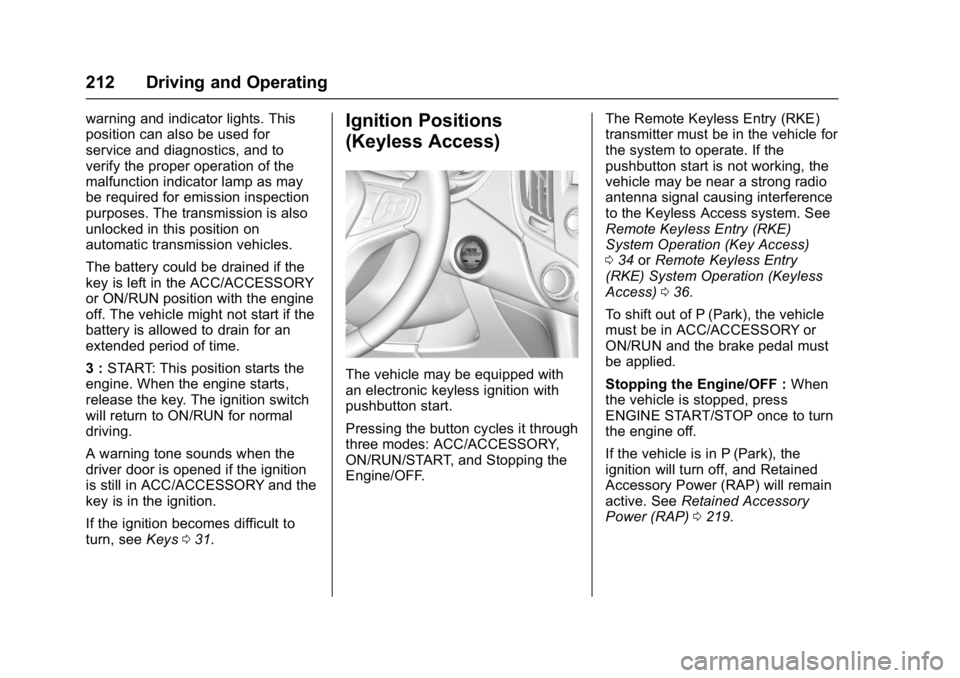
The vehicle may be equipped with
an electronic keyless ignition with
pushbutton start.
Pressing the button cycles it through
three modes: ACC/ACCESSORY,
ON/RUN/START, and Stopping the
Engine/OFF. The Remote Keyless Entry (RKE)
transmitter must be in the vehicle for
the system to operate. If the
pushbutton start is not working, the
vehicle may be near a strong radio
antenna signal causing interference
to the Keyless Access system. See
Remote Keyless Entry (RKE)
System Operation (Key Access)
0
34 orRemote Keyless Entry
(RKE) System Operation (Keyless
Access) 036.
To shift out of P (Park), the vehicle
must be in ACC/ACCESSORY or
ON/RUN and the brake pedal must
be applied.
Stopping the Engine/OFF : When
the vehicle is stopped, press
ENGINE START/STOP once to turn
the engine off.
If the vehicle is in P (Park), the
ignition will turn off, and Retained
Accessory Power (RAP) will remain
active. See Retained Accessory
Power (RAP) 0219.
Page 216 of 405
Chevrolet Cruze Owner Manual (GMNA-Localizing-U.S./Canada/Mexico-
9803785) - 2017 - CRC - 4/13/16
Driving and Operating 215
clears the extra gasoline from
the engine. Do not race the
engine immediately after
starting it. Operate the engine
and transmission gently until
the oil warms up and lubricates
all moving parts.
Gasoline Engine Starting
Procedure (Keyless Access) 1. With the Keyless Access system, the RKE transmitter
must be in the vehicle. Press
ENGINE START/STOP with the
brake pedal applied. When the
engine begins cranking, let go
of the button.
The idle speed will go down as
the engine gets warm. Do not
race the engine immediately
after starting it. Operate the
engine and transmission gently
until the oil warms up and
lubricates all moving parts. If the RKE transmitter is not in
the vehicle, if there is
interference, or if the RKE
battery is low, a Driver
Information Center (DIC)
message will display. See
Driver Information Center (DIC)
(Uplevel)
0137 orDriver
Information Center (DIC) (Base
Level) 0134 andRemote
Keyless Entry (RKE) System
Operation (Key Access) 034 or
Remote Keyless Entry (RKE)
System Operation (Keyless
Access) 036.
Caution
Cranking the engine for long
periods of time, by returning the
ignition to the START position
immediately after cranking has
ended, can overheat and damage
the cranking motor, and drain the
battery. Wait at least 15 seconds
between each try, to let the
cranking motor cool down. 2. If the engine does not start
after five to 10 seconds,
especially in very cold weather
(below −18 °C or 0 °F), it could
be flooded with too much
gasoline. Try pushing the
accelerator pedal all the way to
the floor and holding it there as
you press ENGINE START/
STOP, for up to a maximum of
15 seconds. Wait at least
15 seconds between each try,
to allow the cranking motor to
cool down. When the engine
starts, let go of the button and
the accelerator. If the vehicle
starts briefly but then stops
again, do the same thing. This
clears the extra gasoline from
the engine. Do not race the
engine immediately after
starting it. Operate the engine
and transmission gently until
the oil warms up and lubricates
all moving parts.
Page 217 of 405
Chevrolet Cruze Owner Manual (GMNA-Localizing-U.S./Canada/Mexico-
9803785) - 2017 - CRC - 4/13/16
216 Driving and Operating
Stop/Start System
{Warning
Exiting the vehicle without first
shifting into P (Park) may cause
the vehicle to move. You or others
may be injured. Because the
vehicle has the auto engine stop/
start feature, the vehicle's engine
might seem to be shut off;
however, once the brake pedal is
released, the engine will start up
again.
Shift to P (Park) and turn the
ignition to LOCK/OFF, before
exiting the vehicle.
The vehicle may have a fuel saving
stop/start system to shut off the
engine to help conserve fuel. Auto Engine Stop/Start
When the brakes are applied and
the vehicle is at a complete stop,
the engine may turn off. When
stopped, the tachometer displays
AUTO STOP. See
Tachometer
0 121. When the brake pedal is
released or the accelerator pedal is
pushed, the engine will restart.
Auto Stop may be deactivated if:
. A minimum vehicle speed is not
reached.
. The engine or transmission is
not at the required operating
temperature.
. The outside temperature is not
in the required operating range,
typically below 5 °C (41 °F) or
above 50 °C (122 °F).
. The shift lever is in any gear
other than D (Drive).
. The battery has been recently
disconnected.
. The battery charge is low. .
The interior comfort level has not
reached the required level for
the climate control system or
defog settings. Use the eco
(green indicator on) air
conditioning mode for better
efficiency. See Automatic
Climate Control System 0193.
. The Auto Stop time is greater
than two minutes.
Diesel Engine Starting Procedure
The diesel engine starts differently
than a gasoline engine. 1. With the Keyless Access system, the RKE transmitter
must be in the vehicle.
Observe the wait-to-start light.
See Wait-to-Start Light 0131.
This light may not come on if
the engine is warm.
2. Press the ENGINE START/ STOP button with the brake
pedal or clutch pedal applied to
START. The start will be
delayed if the wait-to-start lamp
is illuminated.