Remove control CHEVROLET EPICA 2005 1.G Owners Manual
[x] Cancel search | Manufacturer: CHEVROLET, Model Year: 2005, Model line: EPICA, Model: CHEVROLET EPICA 2005 1.GPages: 340, PDF Size: 2.19 MB
Page 83 of 340
Power Windows
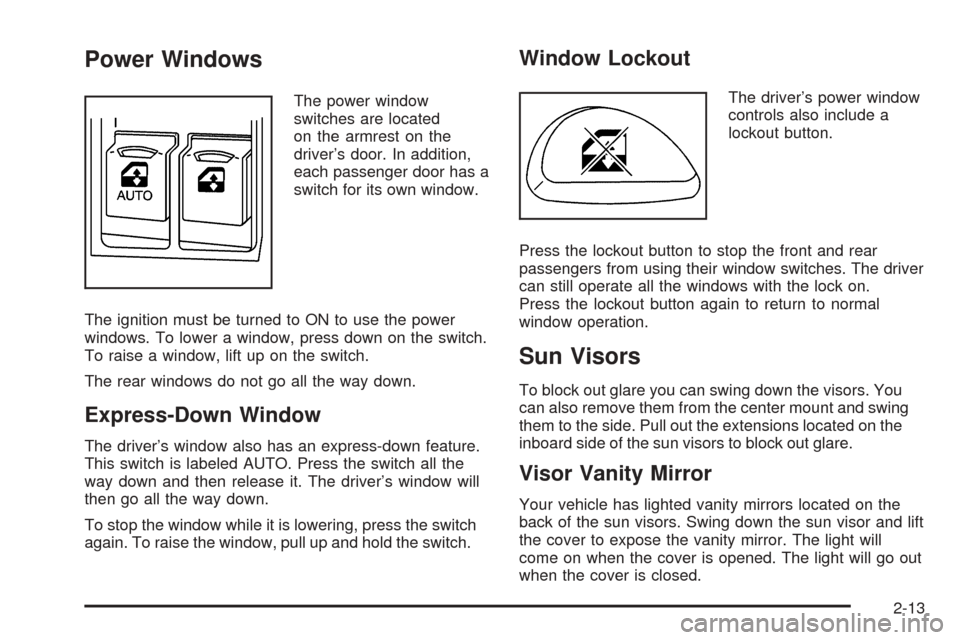
The power window
switches are located
on the armrest on the
driver’s door. In addition,
each passenger door has a
switch for its own window.
The ignition must be turned to ON to use the power
windows. To lower a window, press down on the switch.
To raise a window, lift up on the switch.
The rear windows do not go all the way down.
Express-Down Window
The driver’s window also has an express-down feature.
This switch is labeled AUTO. Press the switch all the
way down and then release it. The driver’s window will
then go all the way down.
To stop the window while it is lowering, press the switch
again. To raise the window, pull up and hold the switch.
Window Lockout
The driver’s power window
controls also include a
lockout button.
Press the lockout button to stop the front and rear
passengers from using their window switches. The driver
can still operate all the windows with the lock on.
Press the lockout button again to return to normal
window operation.
Sun Visors
To block out glare you can swing down the visors. You
can also remove them from the center mount and swing
them to the side. Pull out the extensions located on the
inboard side of the sun visors to block out glare.
Visor Vanity Mirror
Your vehicle has lighted vanity mirrors located on the
back of the sun visors. Swing down the sun visor and lift
the cover to expose the vanity mirror. The light will
come on when the cover is opened. The light will go out
when the cover is closed.
2-13
Page 96 of 340
Torque Lock
If you are parking on a hill and you do not shift your
transaxle into PARK (P) properly, the weight of the
vehicle may put too much force on the parking pawl in
the transaxle. You may find it difficult to pull the shift
lever out of PARK (P). This is called “torque lock.”
To prevent torque lock, set the parking brake and then
shift into PARK (P) properly before you leave the
driver’s seat. To find out how, seeShifting Into Park (P)
on page 2-25.
When you are ready to drive, move the shift lever out of
PARK (P) before you release the parking brake.
If torque lock does occur, you may need to have another
vehicle push yours a little uphill to take some of the
pressure from the parking pawl in the transaxle, so you
can pull the shift lever out of PARK (P).
Shifting Out of Park (P)
Your vehicle has an automatic transaxle shift-lock
control system. You have to fully apply your regular
brakes before you can shift from PARK (P) when
the ignition is turned to ON. SeeAutomatic Transaxle
Operation on page 2-20.If you cannot shift out of PARK (P) while holding the
brake pedal down, try this:
1. Set the parking brake.
2. Turn the ignition off and remove the key.
3. Remove the cover over the shift-lock release slot by
prying it off using a small, flat object. The shift-lock
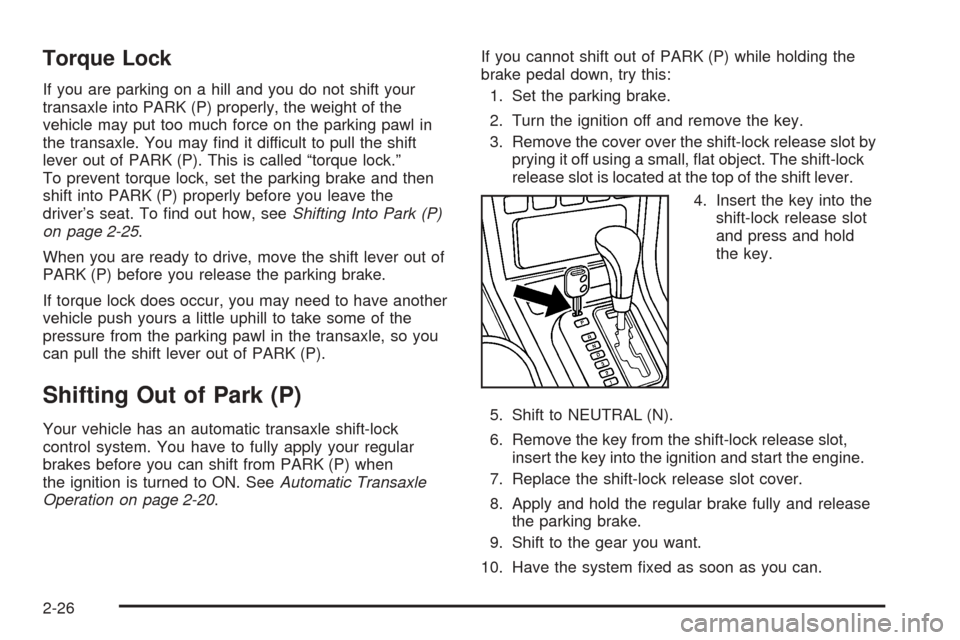
release slot is located at the top of the shift lever.
4. Insert the key into the
shift-lock release slot
and press and hold
the key.
5. Shift to NEUTRAL (N).
6. Remove the key from the shift-lock release slot,
insert the key into the ignition and start the engine.
7. Replace the shift-lock release slot cover.
8. Apply and hold the regular brake fully and release
the parking brake.
9. Shift to the gear you want.
10. Have the system fixed as soon as you can.
2-26
Page 119 of 340
Fog Lamps
If your vehicle has this feature, use your fog lamps for
better visibility in foggy or misty conditions.
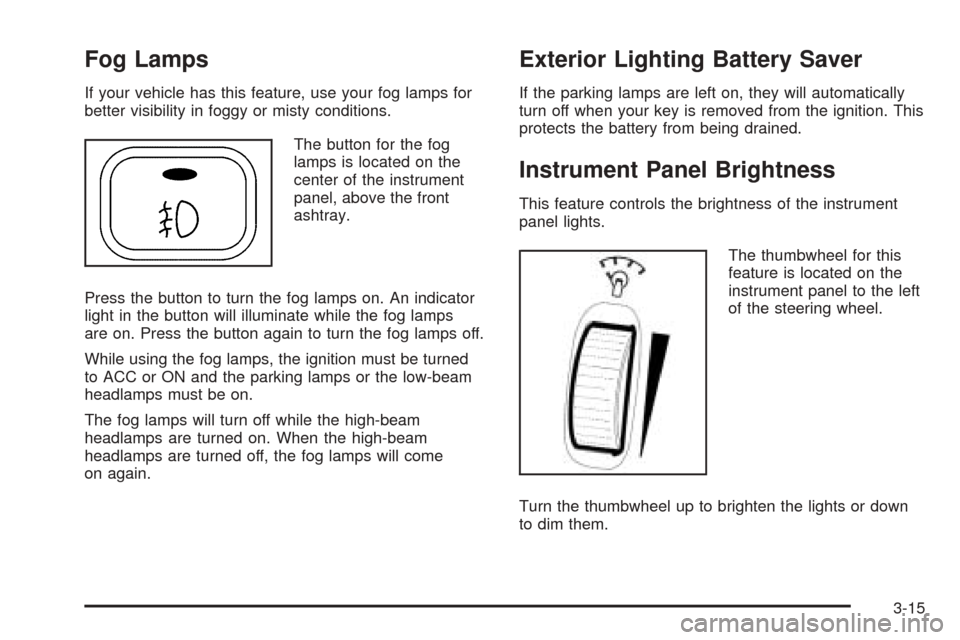
The button for the fog
lamps is located on the
center of the instrument
panel, above the front
ashtray.
Press the button to turn the fog lamps on. An indicator
light in the button will illuminate while the fog lamps
are on. Press the button again to turn the fog lamps off.
While using the fog lamps, the ignition must be turned
to ACC or ON and the parking lamps or the low-beam
headlamps must be on.
The fog lamps will turn off while the high-beam
headlamps are turned on. When the high-beam
headlamps are turned off, the fog lamps will come
on again.
Exterior Lighting Battery Saver
If the parking lamps are left on, they will automatically
turn off when your key is removed from the ignition. This
protects the battery from being drained.
Instrument Panel Brightness
This feature controls the brightness of the instrument
panel lights.
The thumbwheel for this
feature is located on the
instrument panel to the left
of the steering wheel.
Turn the thumbwheel up to brighten the lights or down
to dim them.
3-15
Page 125 of 340
Using these settings together for long periods of time
may cause the air inside of your vehicle to become too
dry. To prevent this from happening, after the air in
your vehicle has cooled, turn the recirculation mode off.
The air conditioning system removes moisture from
the air, so you may sometimes notice a small amount of
water dripping underneath your vehicle while idling or
after turning off the engine. This is normal.
Defogging and Defrosting
Fog on the inside of windows is a result of high humidity
or moisture condensing on the cool window glass.
This can be minimized if the climate control system is
used properly. There are two modes to clear fog or frost
from your windshield. Use the defog mode to clear
the windows of fog or moisture and warm the
passengers. Use the defrost mode to remove fog or
frost from the windshield more quickly.Select one of these available modes from the
right knob.
É(Defog):This mode directs most of the air to the
windshield and the floor outlets. A small amount of air is
also directed to the outboard outlets for the side
windows.
To help clear the side windows quickly, do the following:
1. Select the bi-level mode.
2. Select the highest fan speed.
3. Select A/C.
4. Select the temperature.
0(Defrost):This mode directs the air to the
windshield and the outboard outlets for the side
windows.
To help clear the windshield quickly, do the following:
1. Select the defrost mode.
2. Select the highest temperature.
3. Select the highest fan speed.
Do not drive the vehicle until all windows are clear.
3-21
Page 126 of 340
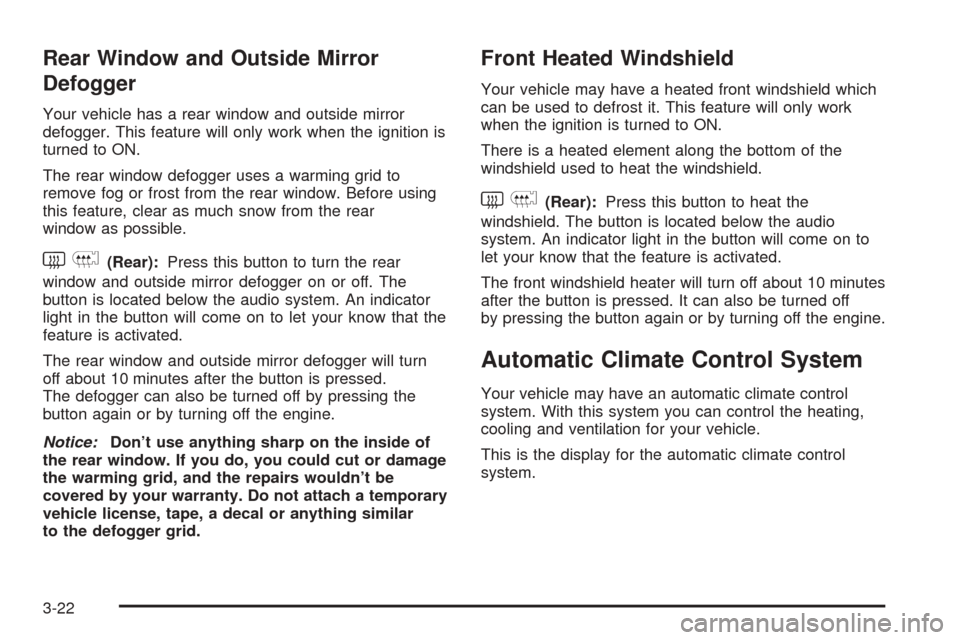
Rear Window and Outside Mirror
Defogger
Your vehicle has a rear window and outside mirror
defogger. This feature will only work when the ignition is
turned to ON.
The rear window defogger uses a warming grid to
remove fog or frost from the rear window. Before using
this feature, clear as much snow from the rear
window as possible.
button is located below the audio system. An indicator
light in the button will come on to let your know that the
feature is activated.
The rear window and outside mirror defogger will turn
off about 10 minutes after the button is pressed.
The defogger can also be turned off by pressing the
button again or by turning off the engine.
Notice:Don’t use anything sharp on the inside of
the rear window. If you do, you could cut or damage
the warming grid, and the repairs wouldn’t be
covered by your warranty. Do not attach a temporary
vehicle license, tape, a decal or anything similar
to the defogger grid.
Front Heated Windshield
Your vehicle may have a heated front windshield which
can be used to defrost it. This feature will only work
when the ignition is turned to ON.
There is a heated element along the bottom of the
windshield used to heat the windshield.
system. An indicator light in the button will come on to
let your know that the feature is activated.
The front windshield heater will turn off about 10 minutes
after the button is pressed. It can also be turned off
by pressing the button again or by turning off the engine.
Automatic Climate Control System
Your vehicle may have an automatic climate control
system. With this system you can control the heating,
cooling and ventilation for your vehicle.
This is the display for the automatic climate control
system.
3-22
Page 129 of 340
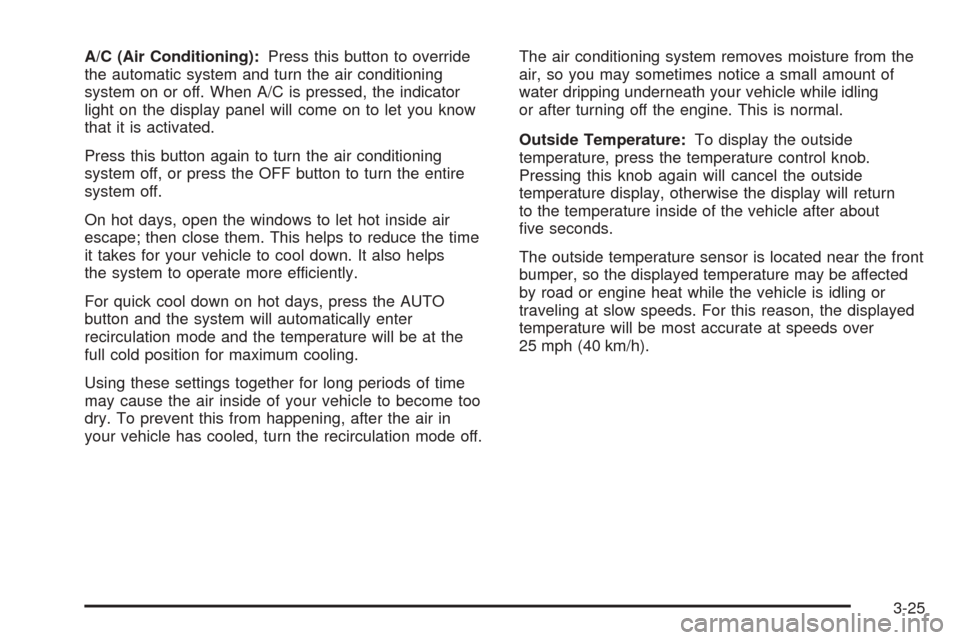
A/C (Air Conditioning):Press this button to override
the automatic system and turn the air conditioning
system on or off. When A/C is pressed, the indicator
light on the display panel will come on to let you know
that it is activated.
Press this button again to turn the air conditioning
system off, or press the OFF button to turn the entire
system off.
On hot days, open the windows to let hot inside air
escape; then close them. This helps to reduce the time
it takes for your vehicle to cool down. It also helps
the system to operate more efficiently.
For quick cool down on hot days, press the AUTO
button and the system will automatically enter
recirculation mode and the temperature will be at the
full cold position for maximum cooling.
Using these settings together for long periods of time
may cause the air inside of your vehicle to become too
dry. To prevent this from happening, after the air in
your vehicle has cooled, turn the recirculation mode off.The air conditioning system removes moisture from the
air, so you may sometimes notice a small amount of
water dripping underneath your vehicle while idling
or after turning off the engine. This is normal.
Outside Temperature:To display the outside
temperature, press the temperature control knob.
Pressing this knob again will cancel the outside
temperature display, otherwise the display will return
to the temperature inside of the vehicle after about
five seconds.
The outside temperature sensor is located near the front
bumper, so the displayed temperature may be affected
by road or engine heat while the vehicle is idling or
traveling at slow speeds. For this reason, the displayed
temperature will be most accurate at speeds over
25 mph (40 km/h).
3-25
Page 131 of 340
Defogging and Defrosting
Fog on the inside of windows is a result of high humidity
or moisture condensing on the cool window glass.
This can be minimized if the climate control system is
used properly. There are two modes to clear fog or frost
from your windshield. Use the defog mode to clear
the windows of fog or moisture and warm the
passengers. Use the defrost mode to remove fog or
frost from the windshield more quickly.
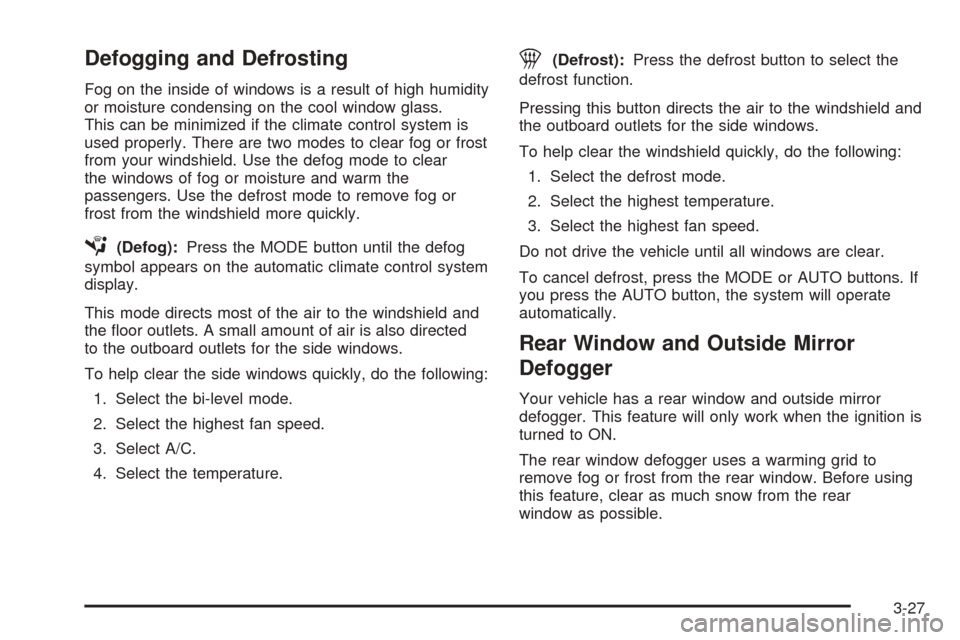
É(Defog):Press the MODE button until the defog
symbol appears on the automatic climate control system
display.
This mode directs most of the air to the windshield and
the floor outlets. A small amount of air is also directed
to the outboard outlets for the side windows.
To help clear the side windows quickly, do the following:
1. Select the bi-level mode.
2. Select the highest fan speed.
3. Select A/C.
4. Select the temperature.
1(Defrost):Press the defrost button to select the
defrost function.
Pressing this button directs the air to the windshield and
the outboard outlets for the side windows.
To help clear the windshield quickly, do the following:
1. Select the defrost mode.
2. Select the highest temperature.
3. Select the highest fan speed.
Do not drive the vehicle until all windows are clear.
To cancel defrost, press the MODE or AUTO buttons. If
you press the AUTO button, the system will operate
automatically.
Rear Window and Outside Mirror
Defogger
Your vehicle has a rear window and outside mirror
defogger. This feature will only work when the ignition is
turned to ON.
The rear window defogger uses a warming grid to
remove fog or frost from the rear window. Before using
this feature, clear as much snow from the rear
window as possible.
3-27
Page 163 of 340
Remember to keep the door closed whenever possible
to keep dirt and dust from getting inside the changer.
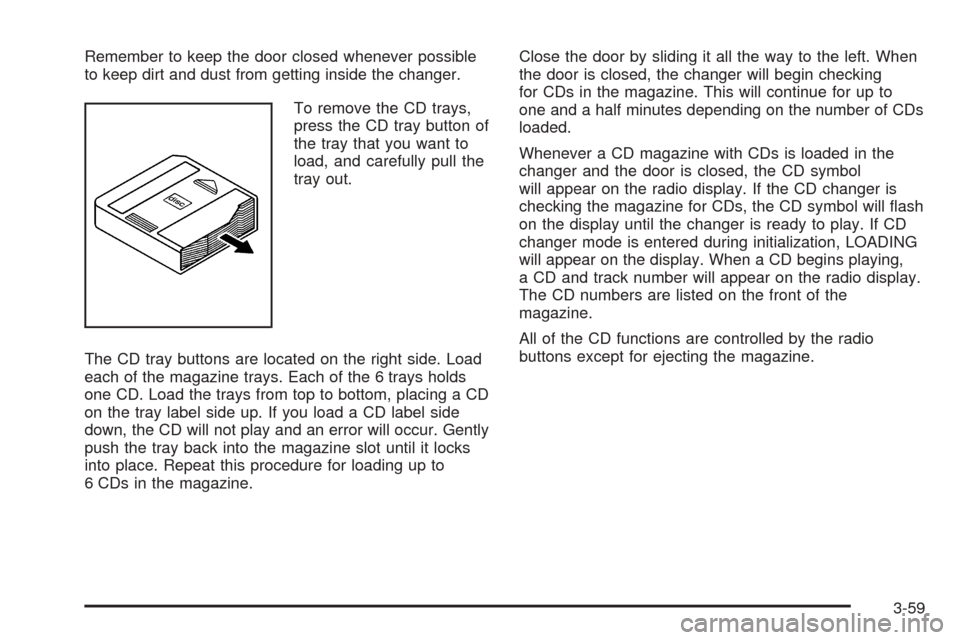
To remove the CD trays,
press the CD tray button of
the tray that you want to
load, and carefully pull the
tray out.
The CD tray buttons are located on the right side. Load
each of the magazine trays. Each of the 6 trays holds
one CD. Load the trays from top to bottom, placing a CD
on the tray label side up. If you load a CD label side
down, the CD will not play and an error will occur. Gently
push the tray back into the magazine slot until it locks
into place. Repeat this procedure for loading up to
6 CDs in the magazine.Close the door by sliding it all the way to the left. When
the door is closed, the changer will begin checking
for CDs in the magazine. This will continue for up to
one and a half minutes depending on the number of CDs
loaded.
Whenever a CD magazine with CDs is loaded in the
changer and the door is closed, the CD symbol
will appear on the radio display. If the CD changer is
checking the magazine for CDs, the CD symbol will flash
on the display until the changer is ready to play. If CD
changer mode is entered during initialization, LOADING
will appear on the display. When a CD begins playing,
a CD and track number will appear on the radio display.
The CD numbers are listed on the front of the
magazine.
All of the CD functions are controlled by the radio
buttons except for ejecting the magazine.
3-59
Page 262 of 340
If a Tire Goes Flat
It is unusual for a tire to blowout while you’re driving,
especially if you maintain your tires properly. If air goes
out of a tire, it is much more likely to leak out slowly.
But if you should ever have a blowout, here are a
few tips about what to expect and what to do:
If a front tire fails, the flat tire will create a drag that
pulls the vehicle toward that side. Take your foot off the
accelerator pedal and grip the steering wheel firmly.
Steer to maintain lane position, and then gently brake to
a stop well out of the traffic lane.
A rear blowout, particularly on a curve, acts much like a
skid and may require the same correction you would;
use in a skid. In any rear blowout, remove your foot from
the accelerator pedal. Get the vehicle under control
by steering the way you want the vehicle to go. It may
be very bumpy and noisy, but you can still steer. Gently
brake to a stop, well off the road if possible.{CAUTION:
Lifting a vehicle and getting under it to do
maintenance or repairs is dangerous without
the appropriate safety equipment and training.
The jack provided with your vehicle is
designed only for changing a at tire. If it is
used for anything else, you or others could be
badly injured or killed if the vehicle slips off
the jack. Use the jack provided with your
vehicle only for changing a at tire.
If a tire goes flat, the next part shows how to use your
jacking equipment to change a flat tire safely.
5-60
Page 275 of 340
Notice:If you drive your vehicle through an
automatic car wash that has silicone carbide tire
cleaning brushes, you could damage the aluminum
or chrome-plated wheels. The repairs would not
be covered by your warranty. Never drive a vehicle
equipped with aluminum or chrome-plated wheels
through an automatic car wash that uses silicone
carbide tire cleaning brushes.
Do not take the vehicle through an automatic car wash
that has silicone carbide tire cleaning brushes. These
brushes can also damage the surface of these wheels.
Tires
To clean the tires, use a stiff brush with tire cleaner.
Notice:Using petroleum-based tire dressing
products on your vehicle may damage the paint
nish and/or tires. When applying a tire dressing,
always wipe off any overspray from all painted
surfaces on your vehicle.
Sheet Metal Damage
If the vehicle is damaged and requires sheet metal
repair or replacement, make sure the body repair shop
applies anti-corrosion material to parts repaired or
replaced to restore corrosion protection.
Original manufacturer replacement parts will provide the
corrosion protection while maintaining the warranty.
Finish Damage
Any stone chips, fractures or deep scratches in the
finish should be repaired right away. Bare metal
will corrode quickly and may develop into major repair
expense.
Minor chips and scratches can be repaired with touch-up
materials available from your GM dealer. Larger areas
of finish damage can be corrected in your GM
dealer’s body and paint shop.
Underbody Maintenance
Chemicals used for ice and snow removal and dust
control can collect on the underbody. If these are not
removed, corrosion and rust can develop on the
underbody parts such as fuel lines, frame, floor pan,
and exhaust system even though they have corrosion
protection.
At least every spring, flush these materials from the
underbody with plain water. Clean any areas where mud
and debris can collect. Dirt packed in close areas of
the frame should be loosened before being flushed.
Your GM dealer or an underbody car washing system
can do this for you.
5-73