brakes CHEVROLET EPICA 2006 1.G Owners Manual
[x] Cancel search | Manufacturer: CHEVROLET, Model Year: 2006, Model line: EPICA, Model: CHEVROLET EPICA 2006 1.GPages: 368, PDF Size: 2.24 MB
Page 93 of 368
SECOND (2):This position gives you more power but
lower fuel economy. You can use SECOND (2) on
hills. It can help control your speed as you go down
steep mountain roads, but then you would also want
to use your brakes off and on.
Notice:Do not drive in SECOND (2) at speeds
over 65 mph (105 km/h), or you can damage
the transaxle. Use THIRD (3) or AUTOMATIC
OVERDRIVE (D) as much as possible. Do not shift
into SECOND (2) unless you are going slower
than 65 mph (105 km/h) or you can damage your
engine.
FIRST (1):This position gives you even more power
but lower fuel economy than SECOND (2). You can use
it on very steep hills, or in deep snow or mud. If the
shift lever is put in FIRST (1), the transaxle will not shift
into first gear until the vehicle is going slowly enough.
Notice:Spinning the tires or holding the vehicle
in one place on a hill using only the accelerator
pedal may damage the transaxle. If you are stuck,
do not spin the tires. When stopping on a hill,
use the brakes, or parking brake to hold the
vehicle in place.Adaptive Shift Logic
Your automatic transaxle will automatically select from
three adaptive shift patterns based upon driver behavior:
•Economy mode provides a softer shift feel and
optimizes fuel economy.
•Normal mode provides a solid shift feel and is used
for normal driving conditions.
•Sport mode provides a firm shift feel and optimizes
performance.
The driver cannot manually select the shift pattern. The
adaptive shift logic tries to operate in economy mode
as much as possible. Normal and sport modes are used
as little as possible in order to maximize fuel economy.
The first few shifts of every drive cycle may be
somewhat rough until the adaptive shift logic has
learned the driver’s behavior. This is normal.
The transaxle also has the ability to adapt to changing
road grade conditions. It will shift between three
different load settings:
•Load 1 is designed for driving on moderate road
grades.
•Load 2 is designed for driving on steep road grades.
•Load 3 is designed for driving downhill and allows
for better engine braking.
2-23
Page 98 of 368
Shifting Out of Park (P)
Your vehicle has an automatic transaxle shift-lock
control system. You have to fully apply your regular
brakes before you can shift from PARK (P) when
the ignition is turned to ON. SeeAutomatic Transaxle
Operation on page 2-21.
If you cannot shift out of PARK (P) while holding
the brake pedal down, try this:
1. Set the parking brake.
2. Turn the ignition off and remove the key.
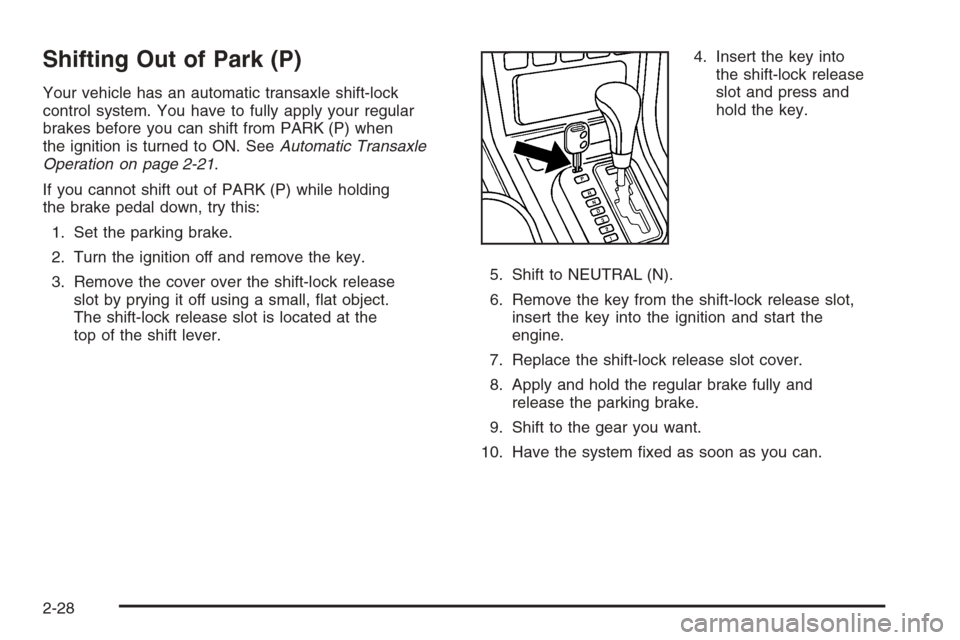
3. Remove the cover over the shift-lock release
slot by prying it off using a small, flat object.
The shift-lock release slot is located at the
top of the shift lever.4. Insert the key into
the shift-lock release
slot and press and
hold the key.
5. Shift to NEUTRAL (N).
6. Remove the key from the shift-lock release slot,
insert the key into the ignition and start the
engine.
7. Replace the shift-lock release slot cover.
8. Apply and hold the regular brake fully and
release the parking brake.
9. Shift to the gear you want.
10. Have the system fixed as soon as you can.
2-28
Page 116 of 368
Cruise Control
If your vehicle has cruise control, you can maintain a
speed of about 24 mph (39 km/h) or more without
keeping your foot on the accelerator. This can really
help on long trips. Cruise control does not work at
speeds below 24 mph (39 km/h).
When you apply your brakes, the cruise control turns off.
{CAUTION:
Cruise control can be dangerous where you
cannot drive safely at a steady speed. So, do
not use your cruise control on winding roads
or in heavy traffic.
Cruise control can be dangerous on slippery
roads. On such roads, fast changes in tire
traction can cause excessive wheel slip, and
you could lose control. Do not use cruise
control on slippery roads.
If your vehicle is in cruise control when the optional
traction control system begins to limit wheel spin,
the cruise control will automatically disengage.SeeTraction Control System (TCS) on page 4-9.
When road conditions allow you to safely use it again,
you may turn the cruise control back on.
Setting Cruise Control
{CAUTION:
If you leave your cruise control on when you
are not using cruise, you might hit a button
and go into cruise when you do not want to.
You could be startled and even lose control.
Keep the cruise control switch off until you
want to use cruise control.
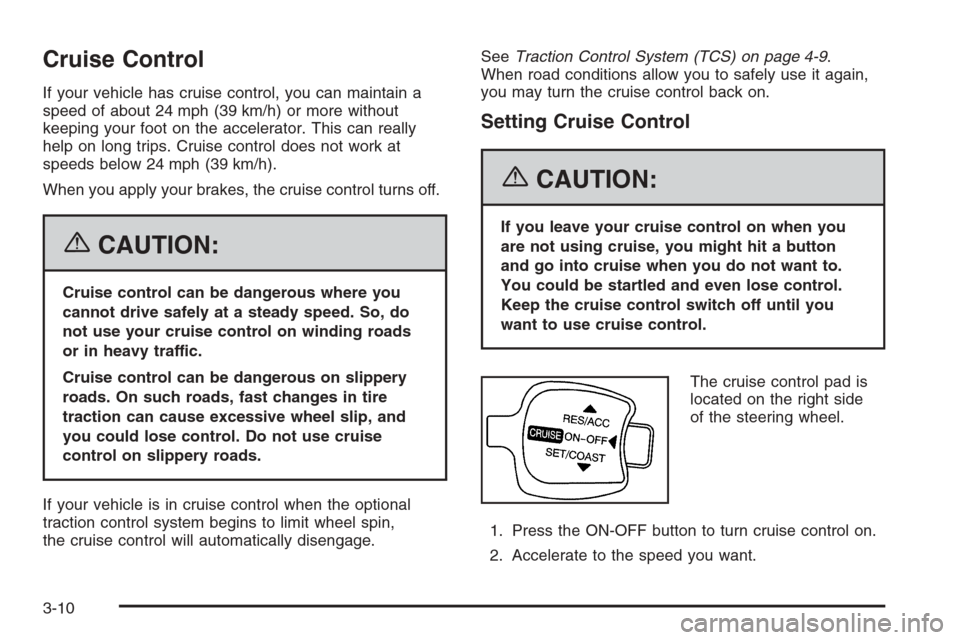
The cruise control pad is
located on the right side
of the steering wheel.
1. Press the ON-OFF button to turn cruise control on.
2. Accelerate to the speed you want.
3-10
Page 120 of 368
An indicator light on the instrument panel cluster will
come on when the DRL are on. SeeDaytime Running
Lamps (DRL) Indicator Light on page 3-44.
The DRL system will turn off when one of the following
conditions are met:
•The ignition is off.
•The parking brakes are on.
•The high-beam headlamps are on.
•The low-beam headlamps are on.
As with any vehicle, you should turn on the regular
headlamp system when you need it.
Fog Lamps
If your vehicle has this feature, use your fog lamps for
better visibility in foggy or misty conditions.
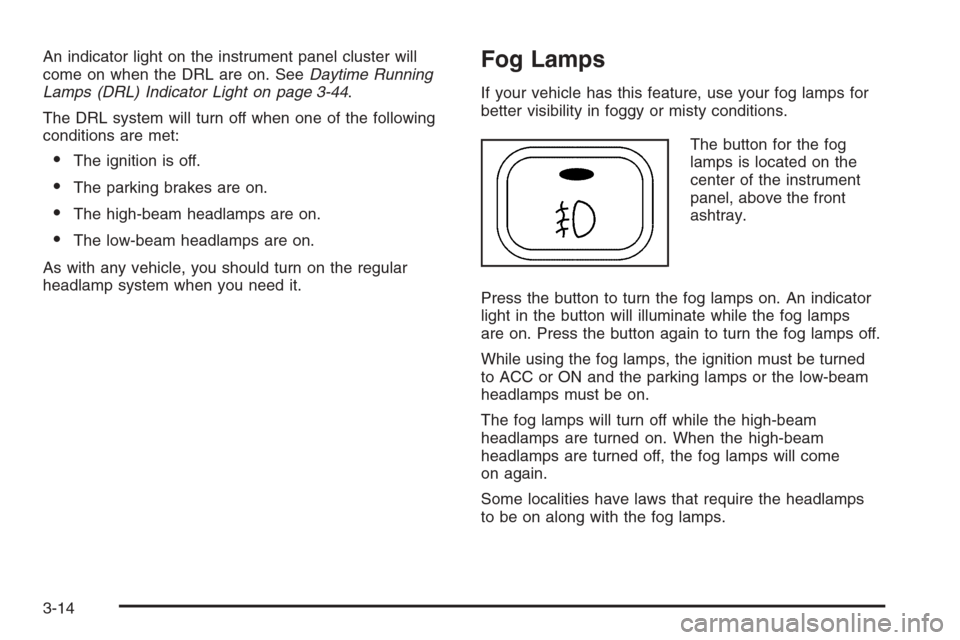
The button for the fog
lamps is located on the
center of the instrument
panel, above the front
ashtray.
Press the button to turn the fog lamps on. An indicator
light in the button will illuminate while the fog lamps
are on. Press the button again to turn the fog lamps off.
While using the fog lamps, the ignition must be turned
to ACC or ON and the parking lamps or the low-beam
headlamps must be on.
The fog lamps will turn off while the high-beam
headlamps are turned on. When the high-beam
headlamps are turned off, the fog lamps will come
on again.
Some localities have laws that require the headlamps
to be on along with the fog lamps.
3-14
Page 143 of 368
Anti-Lock Brake System
Warning Light
If your vehicle has an
anti-lock brake system,
this light will come on
when the ignition is
turned to ON and may
stay on for several
seconds. That is normal.
If the light stays on, turn the ignition to LOCK. Or,
if the light comes on, stop as soon as possible and turn
the ignition off. Then start the engine again to reset
the system. If the light still stays on, or comes on again
while you are driving, your vehicle needs service.
See your GM dealer. If the regular brake system warning
light is not on, you still have brakes, but you do not
have anti-lock brakes. If the regular brake system
warning light is also on, you do not have anti-lock brakes
and there is a problem with your regular brakes. See
Brake System Warning Light on page 3-36.
The anti-lock brake system warning light will come on
briefly when you turn the ignition to ON. This is normal.
If the light does not come on then, have it fixed so it
will be ready to warn you if there is a problem.
Speed Sensitive Power
Steering (SSPS) Warning Light
This warning light will
come on briefly when you
turn the ignition to ON
as a check to show you it
is working.
Then it should go out after a few seconds.
If the warning light does not come on, have it fixed so it
will be able to warn you if there is a problem.
If the warning light stays on, or comes on while you are
driving, the SSPS system may not be working. If this
happens, see your GM dealer for service.
3-37
Page 144 of 368
Traction Control System (TCS)
Warning Light
If your vehicle is equipped
with the Traction Control
System (TCS), this
warning light comes on
for a few seconds
when the ignition is in
the ON position.
If the warning light does not come on, then have it fixed
so it will be ready to warn you if there is a problem.
If the warning light stays on, or comes on when you are
driving, there may be a problem with your TCS and
your vehicle may need service. When this warning light
is on, the system will not limit wheel spin. Adjust
your driving accordingly.
If there is a brake system problem that is specifically
related to traction control, the TCS will turn off and the
warning light will come on. If your brakes begin to
overheat, the TCS will turn off and the warning light
will come on until the brakes cool down.If the TCS warning light comes on and stays on for an
extended period of time when the system is turned
on, your vehicle needs service.
SeeTraction Control System (TCS) on page 4-9
for more information.
Traction Control System
Active Light
If your vehicle has the
Traction Control System
(TCS), the TCS active light
comes for a few seconds
when the ignition is in
the ON position.
If the light does not come on, have it fixed so it will be
there to tell you when the system is active.
This light will blink while the traction control function
is actively operating.
3-38
Page 194 of 368
Control of a Vehicle
You have three systems that make your vehicle go
where you want it to go. They are the brakes, the
steering, and the accelerator. All three systems have
to do their work at the places where the tires meet
the road.
Sometimes, as when you are driving on snow or ice,
it is easy to ask more of those control systems than
the tires and road can provide. That means you can
lose control of your vehicle.
Adding non-GM accessories can affect your vehicle’s
performance. SeeAccessories and Modifications
on page 5-3.
Braking
SeeBrake System Warning Light on page 3-36.
Braking action involves perception time and
reaction time.
First, you have to decide to push on the brake pedal.
That is perception time. Then you have to bring up your
foot and do it. That is reaction time.
Average reaction time is about three-fourths of a
second. But that is only an average. It might be less
with one driver and as long as two or three seconds or
more with another. Age, physical condition, alertness,
coordination, and eyesight all play a part. So do alcohol,
drugs, and frustration. But even in three-fourths of
a second, a vehicle moving at 60 mph (100 km/h)
travels 66 feet (20 m). That could be a lot of distance
in an emergency, so keeping enough space between
your vehicle and others is important.
And, of course, actual stopping distances vary greatly
with the surface of the road, whether it is pavement
or gravel; the condition of the road, whether it is
wet, dry, or icy; tire tread; the condition of your brakes;
the weight of the vehicle; and the amount of brake
force applied.
4-6
Page 195 of 368
Avoid needless heavy braking. Some people drive
in spurts — heavy acceleration followed by heavy
braking — rather than keeping pace with traffic. This
is a mistake. Your brakes may not have time to
cool between hard stops. Your brakes will wear out
much faster if you do a lot of heavy braking. If you
keep pace with the traffic and allow realistic following
distances, you will eliminate a lot of unnecessary
braking. That means better braking and longer
brake life.
If your engine ever stops while you are driving, brake
normally but do not pump your brakes. If you do,
the pedal may get harder to push down. If your engine
stops, you will still have some power brake assist.
But you will use it when you brake. Once the power
assist is used up, it may take longer to stop and
the brake pedal will be harder to push.
Adding non-GM accessories can affect your vehicle’s
performance. SeeAccessories and Modifications
on page 5-3.Anti-Lock Brake System (ABS)
Your vehicle may have the Anti-Lock Brake System
(ABS), an advanced electronic braking system that will
help prevent a braking skid.
If your vehicle has ABS,
this warning light on the
instrument panel will come
on briefly when you
start your vehicle.
When you start your engine, or when you begin to
drive away, your ABS will check itself. You may hear
a momentary motor or clicking noise while this test
is going on, and you may even notice that your brake
pedal moves or pulses a little. This is normal.
4-7
Page 196 of 368
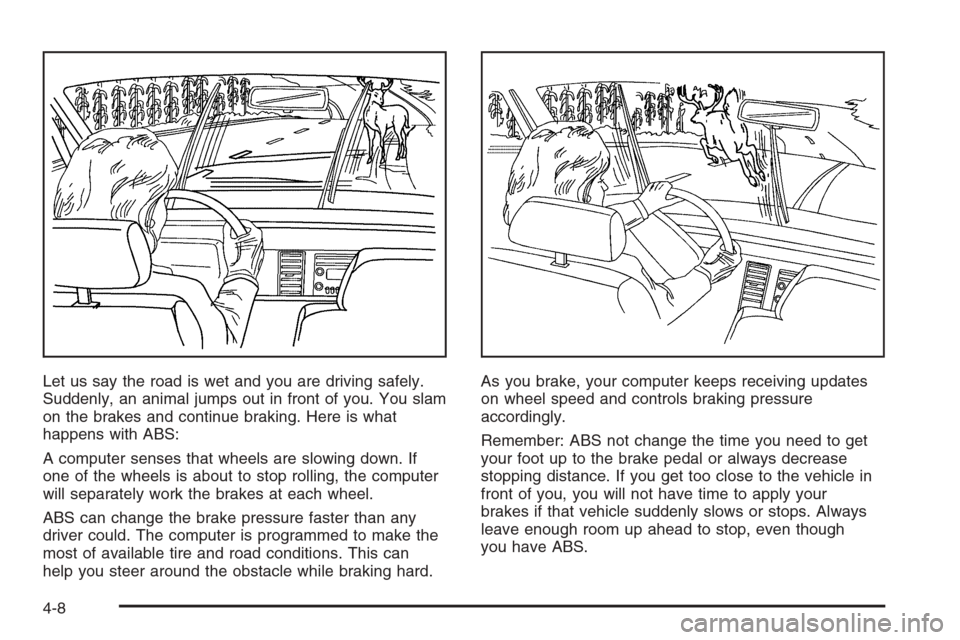
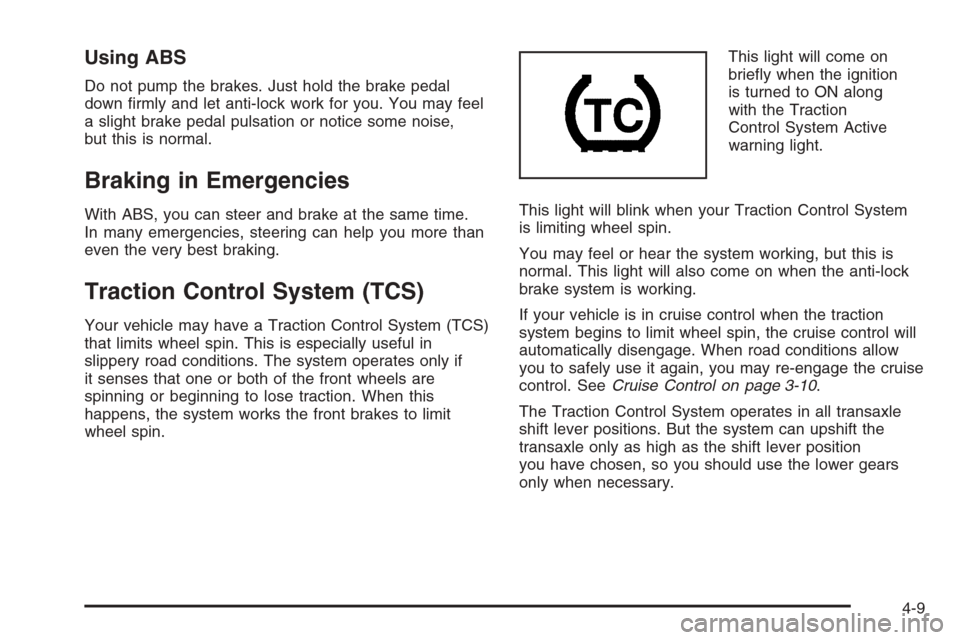
Let us say the road is wet and you are driving safely.
Suddenly, an animal jumps out in front of you. You slam
on the brakes and continue braking. Here is what
happens with ABS:
A computer senses that wheels are slowing down. If
one of the wheels is about to stop rolling, the computer
will separately work the brakes at each wheel.
ABS can change the brake pressure faster than any
driver could. The computer is programmed to make the
most of available tire and road conditions. This can
help you steer around the obstacle while braking hard.As you brake, your computer keeps receiving updates
on wheel speed and controls braking pressure
accordingly.
Remember: ABS not change the time you need to get
your foot up to the brake pedal or always decrease
stopping distance. If you get too close to the vehicle in
front of you, you will not have time to apply your
brakes if that vehicle suddenly slows or stops. Always
leave enough room up ahead to stop, even though
you have ABS.
4-8
Page 197 of 368
Using ABS
Do not pump the brakes. Just hold the brake pedal
down firmly and let anti-lock work for you. You may feel
a slight brake pedal pulsation or notice some noise,
but this is normal.
Braking in Emergencies
With ABS, you can steer and brake at the same time.
In many emergencies, steering can help you more than
even the very best braking.
Traction Control System (TCS)
Your vehicle may have a Traction Control System (TCS)
that limits wheel spin. This is especially useful in
slippery road conditions. The system operates only if
it senses that one or both of the front wheels are
spinning or beginning to lose traction. When this
happens, the system works the front brakes to limit
wheel spin.This light will come on
briefly when the ignition
is turned to ON along
with the Traction
Control System Active
warning light.
This light will blink when your Traction Control System
is limiting wheel spin.
You may feel or hear the system working, but this is
normal. This light will also come on when the anti-lock
brake system is working.
If your vehicle is in cruise control when the traction
system begins to limit wheel spin, the cruise control will
automatically disengage. When road conditions allow
you to safely use it again, you may re-engage the cruise
control. SeeCruise Control on page 3-10.
The Traction Control System operates in all transaxle
shift lever positions. But the system can upshift the
transaxle only as high as the shift lever position
you have chosen, so you should use the lower gears
only when necessary.
4-9