traction control CHEVROLET EQUINOX 2005 1.G Owners Manual
[x] Cancel search | Manufacturer: CHEVROLET, Model Year: 2005, Model line: EQUINOX, Model: CHEVROLET EQUINOX 2005 1.GPages: 364, PDF Size: 2.32 MB
Page 111 of 364
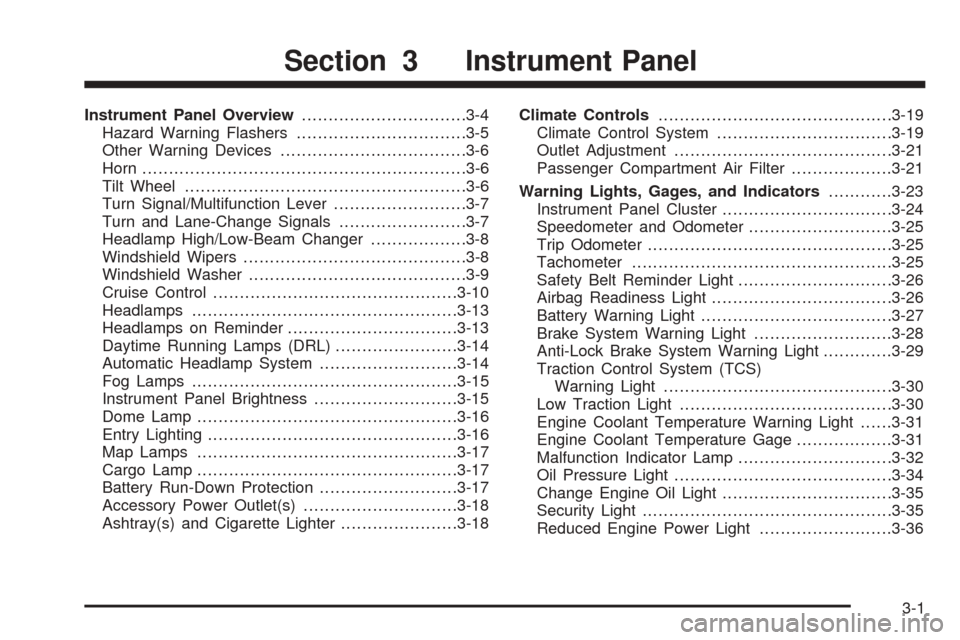
Instrument Panel Overview...............................3-4
Hazard Warning Flashers................................3-5
Other Warning Devices...................................3-6
Horn.............................................................3-6
Tilt Wheel.....................................................3-6
Turn Signal/Multifunction Lever.........................3-7
Turn and Lane-Change Signals........................3-7
Headlamp High/Low-Beam Changer..................3-8
Windshield Wipers..........................................3-8
Windshield Washer.........................................3-9
Cruise Control..............................................3-10
Headlamps..................................................3-13
Headlamps on Reminder................................3-13
Daytime Running Lamps (DRL).......................3-14
Automatic Headlamp System..........................3-14
Fog Lamps..................................................3-15
Instrument Panel Brightness...........................3-15
Dome Lamp.................................................3-16
Entry Lighting...............................................3-16
Map Lamps.................................................3-17
Cargo Lamp.................................................3-17
Battery Run-Down Protection..........................3-17
Accessory Power Outlet(s).............................3-18
Ashtray(s) and Cigarette Lighter......................3-18Climate Controls............................................3-19
Climate Control System.................................3-19
Outlet Adjustment.........................................3-21
Passenger Compartment Air Filter...................3-21
Warning Lights, Gages, and Indicators............3-23
Instrument Panel Cluster................................3-24
Speedometer and Odometer...........................3-25
Trip Odometer..............................................3-25
Tachometer.................................................3-25
Safety Belt Reminder Light.............................3-26
Airbag Readiness Light..................................3-26
Battery Warning Light....................................3-27
Brake System Warning Light..........................3-28
Anti-Lock Brake System Warning Light.............3-29
Traction Control System (TCS)
Warning Light...........................................3-30
Low Traction Light........................................3-30
Engine Coolant Temperature Warning Light......3-31
Engine Coolant Temperature Gage..................3-31
Malfunction Indicator Lamp.............................3-32
Oil Pressure Light.........................................3-34
Change Engine Oil Light................................3-35
Security Light...............................................3-35
Reduced Engine Power Light.........................3-36
Section 3 Instrument Panel
3-1
Page 115 of 364
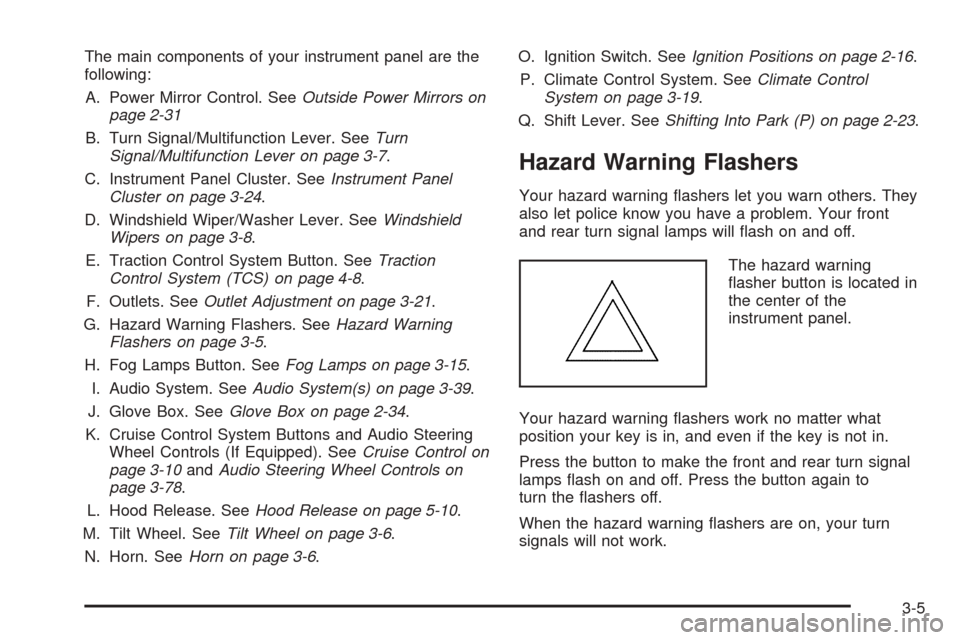
The main components of your instrument panel are the
following:
A. Power Mirror Control. SeeOutside Power Mirrors on
page 2-31
B. Turn Signal/Multifunction Lever. SeeTurn
Signal/Multifunction Lever on page 3-7.
C. Instrument Panel Cluster. SeeInstrument Panel
Cluster on page 3-24.
D. Windshield Wiper/Washer Lever. SeeWindshield
Wipers on page 3-8.
E. Traction Control System Button. SeeTraction
Control System (TCS) on page 4-8.
F. Outlets. SeeOutlet Adjustment on page 3-21.
G. Hazard Warning Flashers. SeeHazard Warning
Flashers on page 3-5.
H. Fog Lamps Button. SeeFog Lamps on page 3-15.
I. Audio System. SeeAudio System(s) on page 3-39.
J. Glove Box. SeeGlove Box on page 2-34.
K. Cruise Control System Buttons and Audio Steering
Wheel Controls (If Equipped). SeeCruise Control on
page 3-10andAudio Steering Wheel Controls on
page 3-78.
L. Hood Release. SeeHood Release on page 5-10.
M. Tilt Wheel. SeeTilt Wheel on page 3-6.
N. Horn. SeeHorn on page 3-6.O. Ignition Switch. SeeIgnition Positions on page 2-16.
P. Climate Control System. SeeClimate Control
System on page 3-19.
Q. Shift Lever. SeeShifting Into Park (P) on page 2-23.
Hazard Warning Flashers
Your hazard warning ashers let you warn others. They
also let police know you have a problem. Your front
and rear turn signal lamps will ash on and off.
The hazard warning
asher button is located in
the center of the
instrument panel.
Your hazard warning ashers work no matter what
position your key is in, and even if the key is not in.
Press the button to make the front and rear turn signal
lamps ash on and off. Press the button again to
turn the ashers off.
When the hazard warning ashers are on, your turn
signals will not work.
3-5
Page 120 of 364
Cruise Control
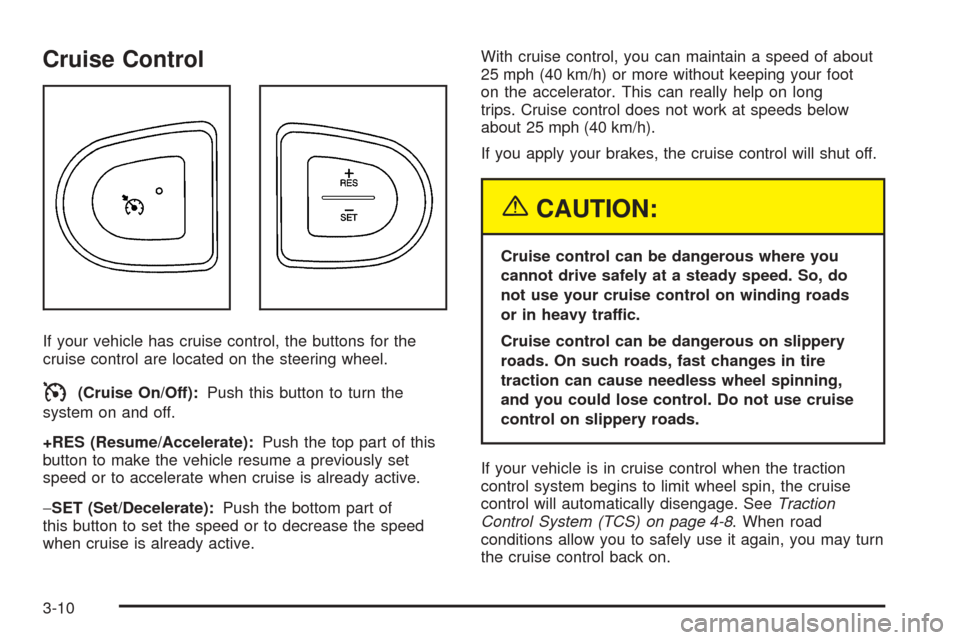
If your vehicle has cruise control, the buttons for the
cruise control are located on the steering wheel.
I(Cruise On/Off):Push this button to turn the
system on and off.
+RES (Resume/Accelerate):Push the top part of this
button to make the vehicle resume a previously set
speed or to accelerate when cruise is already active.
−SET (Set/Decelerate):Push the bottom part of
this button to set the speed or to decrease the speed
when cruise is already active.With cruise control, you can maintain a speed of about
25 mph (40 km/h) or more without keeping your foot
on the accelerator. This can really help on long
trips. Cruise control does not work at speeds below
about 25 mph (40 km/h).
If you apply your brakes, the cruise control will shut off.
{CAUTION:
Cruise control can be dangerous where you
cannot drive safely at a steady speed. So, do
not use your cruise control on winding roads
or in heavy traffic.
Cruise control can be dangerous on slippery
roads. On such roads, fast changes in tire
traction can cause needless wheel spinning,
and you could lose control. Do not use cruise
control on slippery roads.
If your vehicle is in cruise control when the traction
control system begins to limit wheel spin, the cruise
control will automatically disengage. SeeTraction
Control System (TCS) on page 4-8. When road
conditions allow you to safely use it again, you may turn
the cruise control back on.
3-10
Page 140 of 364
Traction Control System (TCS)
Warning Light
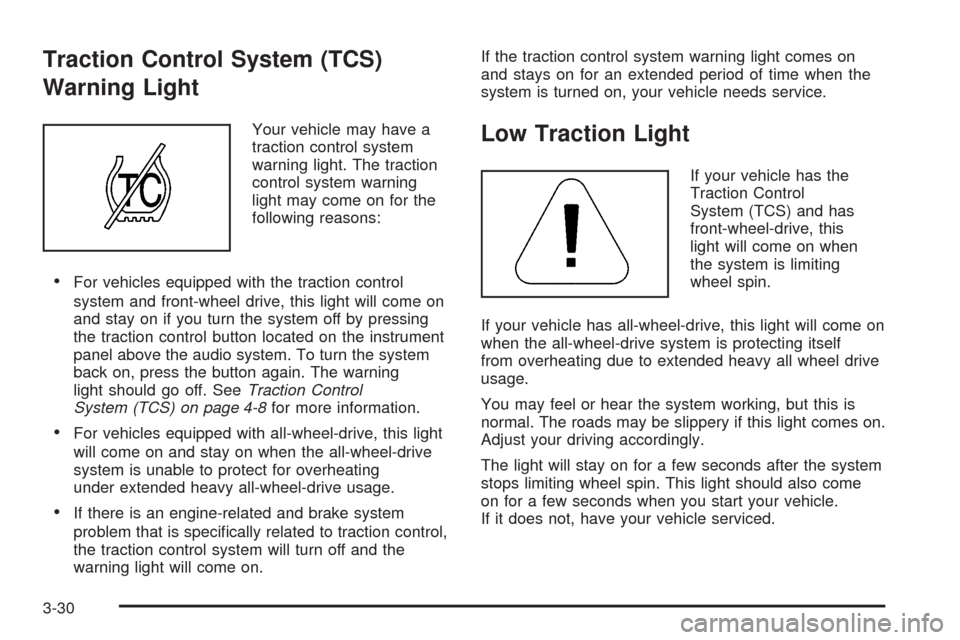
Your vehicle may have a
traction control system
warning light. The traction
control system warning
light may come on for the
following reasons:
For vehicles equipped with the traction control
system and front-wheel drive, this light will come on
and stay on if you turn the system off by pressing
the traction control button located on the instrument
panel above the audio system. To turn the system
back on, press the button again. The warning
light should go off. SeeTraction Control
System (TCS) on page 4-8for more information.
For vehicles equipped with all-wheel-drive, this light
will come on and stay on when the all-wheel-drive
system is unable to protect for overheating
under extended heavy all-wheel-drive usage.
If there is an engine-related and brake system
problem that is specically related to traction control,
the traction control system will turn off and the
warning light will come on.If the traction control system warning light comes on
and stays on for an extended period of time when the
system is turned on, your vehicle needs service.
Low Traction Light
If your vehicle has the
Traction Control
System (TCS) and has
front-wheel-drive, this
light will come on when
the system is limiting
wheel spin.
If your vehicle has all-wheel-drive, this light will come on
when the all-wheel-drive system is protecting itself
from overheating due to extended heavy all wheel drive
usage.
You may feel or hear the system working, but this is
normal. The roads may be slippery if this light comes on.
Adjust your driving accordingly.
The light will stay on for a few seconds after the system
stops limiting wheel spin. This light should also come
on for a few seconds when you start your vehicle.
If it does not, have your vehicle serviced.
3-30
Page 149 of 364
Audio System(s)
Driving without distraction is a necessity for a safer
driving experience. SeeDefensive Driving on page 4-2.
By taking a few moments to read this manual and
get familiar with your vehicle’s audio system, you can
use it with less effort, as well as take advantage of
its features. While your vehicle is parked, program your
favorite radio stations and XM™ channels (if equipped).
Set the tone and balance the way you like them.
Then when driving conditions permit, you can tune to
your favorite stations using the presets and steering
wheel controls (if equipped).
Notice:Before adding any sound equipment to
your vehicle, such as an audio system, CD player,
CB radio, mobile telephone, or two-way radio, make
sure that it can be added by checking with your
dealer. Also, check federal rules covering mobile
radio and telephone units. If sound equipment can
be added, it is very important to do it properly.
Added sound equipment may interfere with
the operation of your vehicle’s engine, radio, or
other systems, and even damage them. Your
vehicle’s systems may interfere with the operation
of sound equipment that has been added.Notice:The chime signals related to seat belts,
parking brake, and other functions of your vehicle
operate through the GM radio/entertainment system.
If that equipment is replaced or additional
equipment is added to your vehicle, the chimes may
not work. Make sure that replacement or additional
equipment is compatible with your vehicle before
installing it.
Figure out which audio system is in your vehicle, nd
out what your audio system can do, and how to operate
all of its controls.
Your vehicle has a feature called Retained Accessory
Power (RAP). With RAP, the audio system can be
played even after the ignition is turned off. SeeRetained
Accessory Power (RAP) on page 2-16for more
information.
3-39
Page 191 of 364
Your Driving, the Road, and Your Vehicle..........4-2
Defensive Driving...........................................4-2
Drunken Driving.............................................4-2
Control of a Vehicle........................................4-5
Braking.........................................................4-5
Anti-Lock Brake System (ABS).........................4-6
Braking in Emergencies...................................4-8
Traction Control System (TCS).........................4-8
All-Wheel Drive (AWD) System.........................4-9
Steering......................................................4-10
Off-Road Recovery.......................................4-12
Passing.......................................................4-12
Loss of Control.............................................4-13
Driving at Night............................................4-15
Driving in Rain and on Wet Roads..................4-16City Driving..................................................4-19
Freeway Driving...........................................4-20
Before Leaving on a Long Trip.......................4-21
Highway Hypnosis........................................4-22
Hill and Mountain Roads................................4-22
Winter Driving..............................................4-24
If Your Vehicle is Stuck in Sand, Mud,
Ice or Snow..............................................4-28
Rocking Your Vehicle to Get It Out.................4-28
Loading Your Vehicle....................................4-29
Towing..........................................................4-34
Towing Your Vehicle.....................................4-34
Recreational Vehicle Towing...........................4-34
Towing a Trailer...........................................4-36
Section 4 Driving Your Vehicle
4-1
Page 195 of 364
Control of a Vehicle
You have three systems that make your vehicle go
where you want it to go. They are the brakes, the
steering, and the accelerator. All three systems have to
do their work at the places where the tires meet the road.
Sometimes, as when you are driving on snow or ice, it
is easy to ask more of those control systems than
the tires and road can provide. That means you can
lose control of your vehicle. SeeTraction Control
System (TCS) on page 4-8.
Braking
Braking action involves perception time and
reaction time.
First, you have to decide to push on the brake pedal.
That is perception time. Then you have to bring up your
foot and do it. That is reaction time.
Average reaction time is about three-fourths of
a second. But that is only an average. It might be less
with one driver and as long as two or three seconds
or more with another. Age, physical condition, alertness,
coordination, and eyesight all play a part. So do
alcohol, drugs, and frustration. But even in three-fourths
of a second, a vehicle moving at 60 mph (100 km/h)travels 66 feet (20 m). That could be a lot of distance in
an emergency, so keeping enough space between
your vehicle and others is important.
And, of course, actual stopping distances vary greatly
with the surface of the road, whether it is pavement
or gravel; the condition of the road, whether it is
wet, dry, or icy; tire tread; the condition of your brakes;
the weight of the vehicle; and the amount of brake
force applied.
Avoid needless heavy braking. Some people drive
in spurts — heavy acceleration followed by heavy
braking — rather than keeping pace with traffic. This is
a mistake. Your brakes may not have time to cool
between hard stops. Your brakes will wear out much
faster if you do a lot of heavy braking. If you keep pace
with the traffic and allow realistic following distances,
you will eliminate a lot of unnecessary braking.
That means better braking and longer brake life.
If your engine ever stops while you are driving, brake
normally but do not pump your brakes. If you do,
the pedal may get harder to push down. If your engine
stops, you will still have some power brake assist.
But you will use it when you brake. Once the power
assist is used up, it may take longer to stop and
the brake pedal will be harder to push.
4-5
Page 198 of 364
Braking in Emergencies
At some time, nearly every driver gets into a situation
that requires hard braking.
If you have anti-lock brakes, you can steer and brake at
the same time. However, if you do not have anti-lock
brakes, your rst reaction — to hit the brake pedal hard
and hold it down — may be the wrong thing to do.
Your wheels can stop rolling. Once they do, the vehicle
cannot respond to your steering. Momentum will
carry it in whatever direction it was headed when the
wheels stopped rolling. That could be off the road, into
the very thing you were trying to avoid, or into traffic.
If you do not have anti-lock brakes, use a “squeeze”
braking technique. This will give you maximum braking
while maintaining steering control. You can do this
by pushing on the brake pedal with steadily increasing
pressure.
In an emergency, you will probably want to squeeze the
brakes hard without locking the wheels. If you hear or
feel the wheels sliding, ease off the brake pedal.
This will help you retain steering control. If you do have
anti-lock brakes, it is different. SeeAnti-Lock Brake
System (ABS) on page 4-6.
In many emergencies, steering can help you more than
even the very best braking.
Traction Control System (TCS)
Your vehicle may have a traction control system that
limits wheel spin. This is especially useful in slippery
road conditions. The system operates only if it senses
that one or both of the front wheels are spinning or
beginning to lose traction. When this happens,
the system reduces engine power to limit wheel spin.
This light will come on
when your traction control
system is limiting wheel
spin. You may feel or hear
the system working, but
this is normal.
The traction control system automatically comes on
whenever you start your vehicle. To limit wheel
spin, especially in slippery road conditions, you should
always leave the system on. But you can turn the
traction control system off if you ever need to. You
should turn the system off if your vehicle ever gets stuck
in sand, mud, ice or snow and rocking the vehicle is
required. SeeRocking Your Vehicle to Get It Out
on page 4-28.
4-8
Page 199 of 364
The traction control system
can be turned off by
pressing the traction
control button, located on
the instrument panel
above the audio system.
The traction control system can be activated again by
pressing the traction control button.
If the system is limiting wheel spin when you press the
button, the traction control off light will appear on
the instrument panel cluster. The system will not turn off
until there is no longer a current need to limit wheel
spin. You can turn the system back on at any time by
pressing the button again. If the light does not come on,
you may not have traction control and your vehicle
should be serviced by a dealer.
All-Wheel Drive (AWD) System
If your vehicle has all-wheel drive (AWD), the AWD
system operates automatically without any action
required by the driver. If the front drive wheels begin to
slip, the rear wheels will automatically begin to drive
the vehicle as required. There may be a slight
engagement noise during hard use but this is normal.This light will come on
when engine torque is
reduced to protect
the AWD system from
overheating. You may feel
or hear a change in
engine output, but this
is normal.
During heavy AWD applications, the engine torque may
be reduced to protect AWD system components. If
the vehicle is exposed to extended heavy AWD usage,
the AWD system will shut itself off to protect the
system from overheating. When the system cools down,
the AWD system will activate itself again automatically;
this cool-down can take up to 20 minutes depending
on outside temperature and vehicle use.
If the AWD system is unable to protect the system from
overheating, the traction off light will come on to
indicate no protection capability. If this light comes on,
take your vehicle in for service.
4-9
Page 200 of 364
Steering
Electric Power Steering
If the engine stalls while you are driving, the power
steering assist system will continue to operate until you
are able to stop your vehicle. If you lose power
steering assist because the electric power steering
system is not functioning, you can steer, but it will take
more effort.
If you turn the steering wheel in either direction several
times until it stops, or hold the steering wheel in the
stopped position for an extended amount of time, you
may notice a reduced amount of power steering
assist. The normal amount of power steering assist
should return shortly after a few normal steering
movements.
The electric power steering system does not require
regular maintenance. If you suspect steering system
problems and/or the SERVICE light comes on, contact
your dealer for service repairs.
Steering Tips
Driving on Curves
It is important to take curves at a reasonable speed.
A lot of the “driver lost control” accidents mentioned on
the news happen on curves. Here is why:Experienced driver or beginner, each of us is subject to
the same laws of physics when driving on curves.
The traction of the tires against the road surface makes
it possible for the vehicle to change its path when
you turn the front wheels. If there is no traction, inertia
will keep the vehicle going in the same direction. If
you have ever tried to steer a vehicle on wet ice, you
will understand this.
The traction you can get in a curve depends on the
condition of your tires and the road surface, the angle at
which the curve is banked, and your speed. While you are
in a curve, speed is the one factor you can control.
Suppose you are steering through a sharp curve.
Then you suddenly apply the brakes. Both control
systems — steering and braking — have to do their work
where the tires meet the road. Unless you have
four-wheel anti-lock brakes, adding the hard braking can
demand too much of those places. You can lose control.
The same thing can happen if you are steering through
a sharp curve and you suddenly accelerate. Those
two control systems — steering and acceleration — can
overwhelm those places where the tires meet the
road and make you lose control. SeeTraction Control
System (TCS) on page 4-8.
What should you do if this ever happens? Ease up on
the brake or accelerator pedal, steer the vehicle the way
you want it to go, and slow down.
4-10