Traction CHEVROLET EQUINOX 2006 1.G Owners Manual
[x] Cancel search | Manufacturer: CHEVROLET, Model Year: 2006, Model line: EQUINOX, Model: CHEVROLET EQUINOX 2006 1.GPages: 382, PDF Size: 2.32 MB
Page 117 of 382
Instrument Panel Overview...............................3-4
Hazard Warning Flashers................................3-6
Other Warning Devices...................................3-6
Horn.............................................................3-6
Tilt Wheel.....................................................3-6
Turn Signal/Multifunction Lever.........................3-7
Turn and Lane-Change Signals........................3-7
Headlamp High/Low-Beam Changer..................3-8
Flash-to-Pass.................................................3-8
Windshield Wipers..........................................3-8
Windshield Washer.........................................3-9
Rear Window Wiper/Washer...........................3-10
Cruise Control..............................................3-10
Headlamps..................................................3-13
Headlamps on Reminder................................3-14
Daytime Running Lamps (DRL).......................3-14
Automatic Headlamp System..........................3-14
Fog Lamps..................................................3-15
Instrument Panel Brightness...........................3-15
Dome Lamp.................................................3-16
Entry Lighting...............................................3-16
Map Lamps.................................................3-16Cargo Lamp.................................................3-16
Battery Run-Down Protection..........................3-17
Accessory Power Outlet(s).............................3-17
Ashtray(s) and Cigarette Lighter......................3-18
Climate Controls............................................3-18
Climate Control System.................................3-18
Outlet Adjustment.........................................3-21
Passenger Compartment Air Filter...................3-21
Warning Lights, Gages, and Indicators............3-23
Instrument Panel Cluster................................3-24
Speedometer and Odometer...........................3-25
Trip Odometer..............................................3-25
Tachometer.................................................3-25
Safety Belt Reminder Light.............................3-26
Airbag Readiness Light..................................3-26
Battery Warning Light....................................3-27
Brake System Warning Light..........................3-28
Anti-Lock Brake System Warning Light.............3-29
Traction Control System (TCS) Warning Light......3-29
Low Traction Light........................................3-30
Section 3 Instrument Panel
3-1
Page 121 of 382
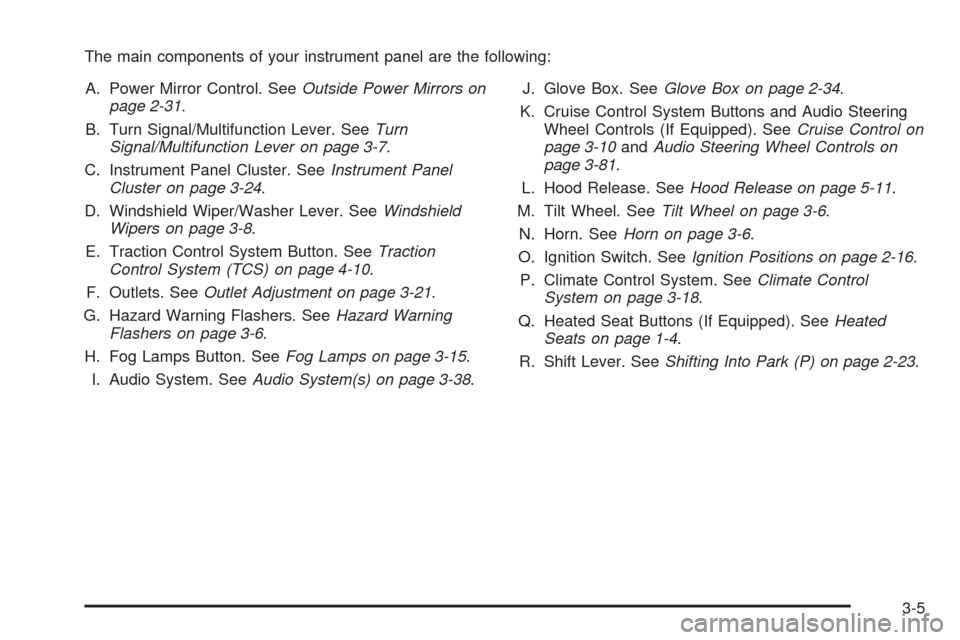
The main components of your instrument panel are the following:
A. Power Mirror Control. SeeOutside Power Mirrors on
page 2-31.
B. Turn Signal/Multifunction Lever. SeeTurn
Signal/Multifunction Lever on page 3-7.
C. Instrument Panel Cluster. SeeInstrument Panel
Cluster on page 3-24.
D. Windshield Wiper/Washer Lever. SeeWindshield
Wipers on page 3-8.
E. Traction Control System Button. SeeTraction
Control System (TCS) on page 4-10.
F. Outlets. SeeOutlet Adjustment on page 3-21.
G. Hazard Warning Flashers. SeeHazard Warning
Flashers on page 3-6.
H. Fog Lamps Button. SeeFog Lamps on page 3-15.
I. Audio System. SeeAudio System(s) on page 3-38.J. Glove Box. SeeGlove Box on page 2-34.
K. Cruise Control System Buttons and Audio Steering
Wheel Controls (If Equipped). SeeCruise Control on
page 3-10andAudio Steering Wheel Controls on
page 3-81.
L. Hood Release. SeeHood Release on page 5-11.
M. Tilt Wheel. SeeTilt Wheel on page 3-6.
N. Horn. SeeHorn on page 3-6.
O. Ignition Switch. SeeIgnition Positions on page 2-16.
P. Climate Control System. SeeClimate Control
System on page 3-18.
Q. Heated Seat Buttons (If Equipped). SeeHeated
Seats on page 1-4.
R. Shift Lever. SeeShifting Into Park (P) on page 2-23.
3-5
Page 127 of 382
With cruise control, you can maintain a speed of about
25 mph (40 km/h) or more without keeping your foot
on the accelerator. This can really help on long
trips. Cruise control does not work at speeds below
about 25 mph (40 km/h).
If you apply your brakes, the cruise control will shut off.
If you use the accelerator pedal to increase your
speed for approximately sixty seconds or longer, your
vehicle’s cruise control will disengage and you will need
to reset your desired speed.
{CAUTION:
Cruise control can be dangerous where you
cannot drive safely at a steady speed. So, do
not use your cruise control on winding roads
or in heavy traffic.
Cruise control can be dangerous on slippery
roads. On such roads, fast changes in tire
traction can cause excessive wheel slip, and
you could lose control. Do not use cruise
control on slippery roads.If your vehicle is in cruise control when the traction
control system begins to limit wheel spin, the cruise
control will automatically disengage. SeeTraction
Control System (TCS) on page 4-10. When road
conditions allow you to safely use it again, you may
turn the cruise control back on.
Setting Cruise Control
{CAUTION:
If you leave your cruise control on when you
are not using cruise, you might hit a button
and go into cruise when you do not want to.
You could be startled and even lose control.
Keep the cruise control switch off until you
want to use cruise control.
1. Press the cruise on/off button. The indicator light
in the button will come on.
2. Get up to the speed you want.
3. Press the set button.
4. Take your foot off the accelerator pedal.
3-11
Page 145 of 382
Anti-Lock Brake System
Warning Light
With the anti-lock brake
system, the light will come
on when your engine is
started and may stay on for
several seconds.
That is normal.
If the ABS warning light comes on and stays on, there
may be a problem with the anti-lock portion of the brake
system. If the red BRAKE light is not on, you still
have brakes, but you do not have anti-lock brakes.
SeeBrake System Warning Light on page 3-28.
If the light stays on, turn the ignition to OFF. If the light
comes on when you are driving, stop as soon as
possible and turn the ignition off. Then start the engine
again to reset the system. If the light still stays on,
or comes on again while you are driving, your vehicle
needs service. If the regular brake system warning light
is not on, you still have brakes, but you do not have
anti-lock brakes. If the regular brake system warning
light is also on, you do not have anti-lock brakes
and there is a problem with your regular brakes.
SeeBrake System Warning Light on page 3-28.The anti-lock brake system warning light should come
on briey when you turn the ignition key to ON. If
the light does not come on then, have it xed so it will
be ready to warn you if there is a problem.
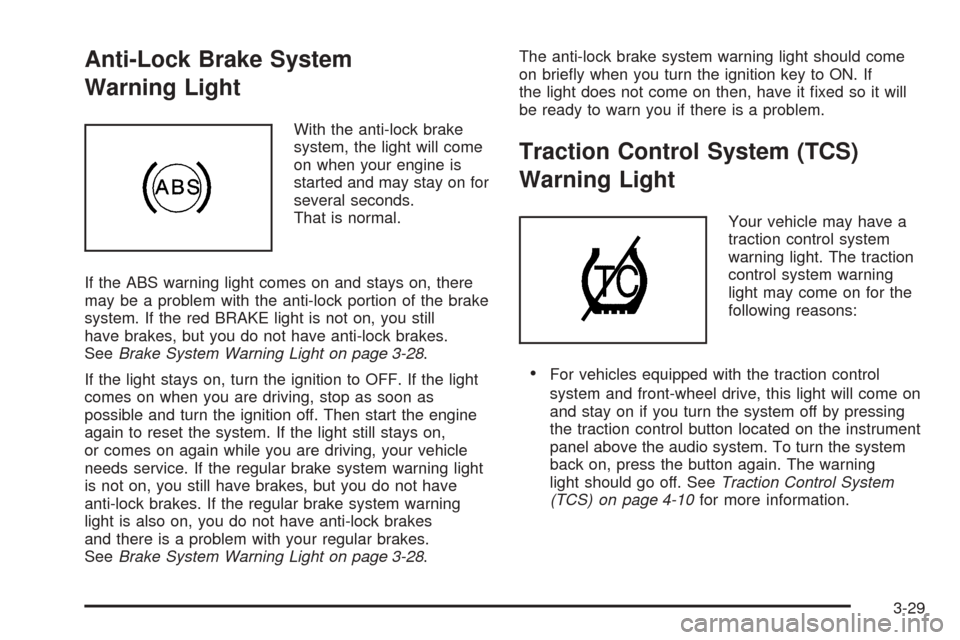
Traction Control System (TCS)
Warning Light
Your vehicle may have a
traction control system
warning light. The traction
control system warning
light may come on for the
following reasons:
For vehicles equipped with the traction control
system and front-wheel drive, this light will come on
and stay on if you turn the system off by pressing
the traction control button located on the instrument
panel above the audio system. To turn the system
back on, press the button again. The warning
light should go off. SeeTraction Control System
(TCS) on page 4-10for more information.
3-29
Page 146 of 382
For vehicles equipped with all-wheel-drive, this light
will come on and stay on when the all-wheel-drive
system is unable to protect for overheating under
extended heavy all-wheel-drive usage.
If there is an engine-related and brake system
problem that is specically related to traction control,
the traction control system will turn off and the
warning light will come on.
If the traction control system warning light comes on
and stays on for an extended period of time when the
system is turned on, your vehicle needs service.
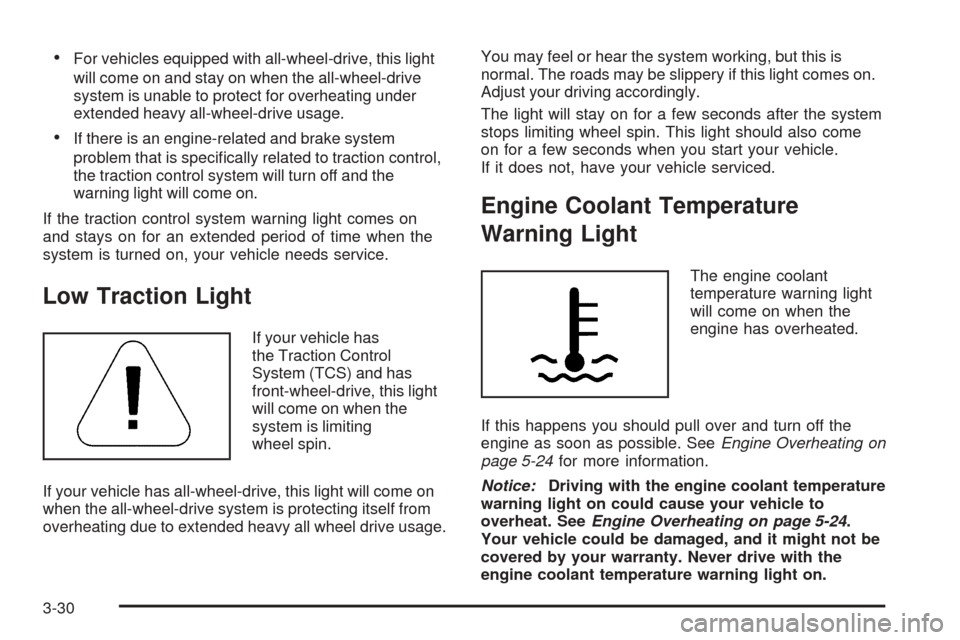
Low Traction Light
If your vehicle has
the Traction Control
System (TCS) and has
front-wheel-drive, this light
will come on when the
system is limiting
wheel spin.
If your vehicle has all-wheel-drive, this light will come on
when the all-wheel-drive system is protecting itself from
overheating due to extended heavy all wheel drive usage.You may feel or hear the system working, but this is
normal. The roads may be slippery if this light comes on.
Adjust your driving accordingly.
The light will stay on for a few seconds after the system
stops limiting wheel spin. This light should also come
on for a few seconds when you start your vehicle.
If it does not, have your vehicle serviced.
Engine Coolant Temperature
Warning Light
The engine coolant
temperature warning light
will come on when the
engine has overheated.
If this happens you should pull over and turn off the
engine as soon as possible. SeeEngine Overheating on
page 5-24for more information.
Notice:Driving with the engine coolant temperature
warning light on could cause your vehicle to
overheat. SeeEngine Overheating on page 5-24.
Your vehicle could be damaged, and it might not be
covered by your warranty. Never drive with the
engine coolant temperature warning light on.
3-30
Page 154 of 382
Audio System(s)
Determine which radio your vehicle has and then read the
pages following to familiarize yourself with its features.
Driving without distraction is a necessity for a safer
driving experience. SeeDefensive Driving on page 4-2.
By taking a few moments to read this manual and
get familiar with your vehicle’s audio system, you can
use it with less effort, as well as take advantage of
its features. While your vehicle is parked, set up your
audio system by presetting your favorite radio stations,
setting the tone, and adjusting the speakers. Then,
when driving conditions permit, you can tune to
your favorite stations using the presets and steering
wheel controls if the vehicle has them.
{CAUTION:
This system provides you with a far greater
access to audio stations and song listings.
Giving extended attention to entertainment
tasks while driving can cause a crash and you
or others can be injured or killed. Always keep
your eyes on the road and your mind on the
drive — avoid engaging in extended searching
while driving.Keeping your mind on the drive is important for safe
driving. For more information, seeDefensive Driving on
page 4-2.
Here are some ways in which you can help avoid
distraction while driving.
While your vehicle is parked:
Familiarize yourself with all of its controls.
Familiarize yourself with its operation.
Set up your audio system by presetting your
favorite radio stations, setting the tone, and
adjusting the speakers. Then, when driving
conditions permit, you can tune to your favorite
radio stations using the presets and steering wheel
controls if the vehicle has them.
3-38
Page 201 of 382
Your Driving, the Road, and Your Vehicle..........4-2
Defensive Driving...........................................4-2
Drunken Driving.............................................4-3
Control of a Vehicle........................................4-6
Braking.........................................................4-6
Anti-Lock Brake System (ABS).........................4-7
Braking in Emergencies...................................4-9
Traction Control System (TCS).......................4-10
All-Wheel Drive (AWD) System.......................4-11
Steering......................................................4-11
Off-Road Recovery.......................................4-14
Passing.......................................................4-14
Loss of Control.............................................4-15
Driving at Night............................................4-17
Driving in Rain and on Wet Roads..................4-18City Driving..................................................4-20
Freeway Driving...........................................4-21
Before Leaving on a Long Trip.......................4-22
Highway Hypnosis........................................4-23
Hill and Mountain Roads................................4-24
Winter Driving..............................................4-26
If Your Vehicle is Stuck in Sand, Mud,
Ice, or Snow.............................................4-30
Rocking Your Vehicle to Get It Out.................4-31
Loading Your Vehicle....................................4-31
Towing..........................................................4-36
Towing Your Vehicle.....................................4-36
Recreational Vehicle Towing...........................4-36
Towing a Trailer...........................................4-38
Section 4 Driving Your Vehicle
4-1
Page 206 of 382
Control of a Vehicle
You have three systems that make your vehicle go
where you want it to go. They are the brakes, the
steering, and the accelerator. All three systems
have to do their work at the places where the tires
meet the road.
Sometimes, as when you are driving on snow or ice,
it is easy to ask more of those control systems than the
tires and road can provide. That means you can lose
control of your vehicle. SeeTraction Control System
(TCS) on page 4-10.
Adding non-GM accessories can affect your vehicle’s
performance. SeeAccessories and Modications
on page 5-3.
Braking
SeeBrake System Warning Light on page 3-28.
Braking action involves perception time and
reaction time.
First, you have to decide to push on the brake pedal.
That is perception time. Then you have to bring up your
foot and do it. That is reaction time.
Average reaction time is about three-fourths of a
second. But that is only an average. It might be less
with one driver and as long as two or three seconds or
more with another. Age, physical condition, alertness,
coordination, and eyesight all play a part. So do alcohol,
drugs, and frustration. But even in three-fourths of a
second, a vehicle moving at 60 mph (100 km/h) travels
66 feet (20 m). That could be a lot of distance in an
emergency, so keeping enough space between
your vehicle and others is important.
And, of course, actual stopping distances vary greatly
with the surface of the road, whether it is pavement
or gravel; the condition of the road, whether it is
wet, dry, or icy; tire tread; the condition of your brakes;
the weight of the vehicle; and the amount of brake
force applied.
4-6
Page 210 of 382
Traction Control System (TCS)
Your vehicle may have a traction control system that
limits wheel spin. This is especially useful in slippery
road conditions. The system operates only if it senses
that one or both of the front wheels are spinning or
beginning to lose traction. When this happens,
the system reduces engine power to limit wheel spin.
This light will come on
when your traction control
system is limiting wheel
spin. You may feel or hear
the system working, but
this is normal.
The traction control system automatically comes on
whenever you start your vehicle. To limit wheel spin,
especially in slippery road conditions, you should always
leave the system on. But you can turn the traction
control system off if you ever need to. You should turn
the system off if your vehicle ever gets stuck in
sand, mud, ice or snow and rocking the vehicle is
required. SeeRocking Your Vehicle to Get It Out on
page 4-31.The traction control system
can be turned off by
pressing the traction
control button, located on
the instrument panel
above the audio system.
The traction control system can be activated again by
pressing the traction control button.
If the system is limiting wheel spin when you press
the button, the traction control off light will appear on the
instrument panel cluster. The system will not turn off
until there is no longer a current need to limit wheel
spin. You can turn the system back on at any time by
pressing the button again. If the light does not come on,
you may not have traction control and your vehicle
should be serviced by a dealer.
Adding non-GM accessories can affect your vehicle’s
performance. SeeAccessories and Modications
on page 5-3for more information.
4-10
Page 211 of 382
All-Wheel Drive (AWD) System
If your vehicle has all-wheel drive (AWD), the AWD
system operates automatically without any action
required by the driver. If the front drive wheels begin
to slip, the rear wheels will automatically begin to
drive the vehicle as required. There may be a slight
engagement noise during hard use but this is normal.
This light will come on
when engine torque is
reduced to protect the
AWD system from
overheating. You may feel
or hear a change in engine
output, but this is normal.
During heavy AWD applications, the engine torque
may be reduced to protect AWD system components.
If the vehicle is exposed to extended heavy AWD usage,
the AWD system will shut itself off to protect the
system from overheating. When the system cools down,
the AWD system will activate itself again automatically;
this cool-down can take up to 20 minutes depending on
outside temperature and vehicle use.
If the AWD system is unable to protect the system
from overheating, the traction off light will come on to
indicate no protection capability. If this light comes
on, take your vehicle in for service.
Steering
Electric Power Steering
If the engine stalls while you are driving, the power
steering assist system will continue to operate until
you are able to stop your vehicle. If you lose power
steering assist because the electric power steering
system is not functioning, you can steer, but it will take
more effort.
If you turn the steering wheel in either direction several
times until it stops, or hold the steering wheel in the
stopped position for an extended amount of time,
you may notice a reduced amount of power steering
assist. The normal amount of power steering assist
should return shortly after a few normal steering
movements.
The electric power steering system does not require
regular maintenance. If you suspect steering system
problems, such as abnormally high steering effort for
a prolonged period of time, contact your dealer for
service repairs.
4-11