radio CHEVROLET EQUINOX 2008 1.G Owners Manual
[x] Cancel search | Manufacturer: CHEVROLET, Model Year: 2008, Model line: EQUINOX, Model: CHEVROLET EQUINOX 2008 1.GPages: 436, PDF Size: 2.42 MB
Page 82 of 436
Remote Keyless Entry (RKE)
System
If the vehicle has the Remote Keyless Entry (RKE)
system, it operates on a radio frequency subject
to Federal Communications Commission (FCC) Rules
and with Industry Canada.
This device complies with Part 15 of the FCC Rules.
Operation is subject to the following two conditions:
1. This device may not cause interference.
2. This device must accept any interference received,
including interference that may cause undesired
operation of the device.
This device complies with RSS-210 of Industry Canada.
Operation is subject to the following two conditions:
1. This device may not cause interference.
2. This device must accept any interference received,
including interference that may cause undesired
operation of the device.
Changes or modications to this system by other than
an authorized service facility could void authorization to
use this equipment.At times you may notice a decrease in range. This is
normal for any RKE system. If the transmitter does not
work or if you have to stand closer to your vehicle
for the transmitter to work, try this:Check the distance. You may be too far from your
vehicle. You may need to stand closer during
rainy or snowy weather.
Check the location. Other vehicles or objects may
be blocking the signal. Take a few steps to the
left or right, hold the transmitter higher, and
try again.
Check to determine if battery replacement is
necessary. See “Battery Replacement” later in this
section.
If you are still having trouble, see your dealer/retailer
or a qualied technician for service.
2-4
Page 96 of 436
PASS-Key®III+
The PASS-Key®III+ system operates on a radio
frequency subject to Federal Communications
Commission (FCC) Rules and with Industry Canada.
This device complies with Part 15 of the FCC Rules.
Operation is subject to the following two conditions:
1. This device may not cause harmful interference.
2. This device must accept any interference received,
including interference that may cause undesired
operation.
This device complies with RSS-210 of Industry Canada.
Operation is subject to the following two conditions:
1. This device may not cause interference.
2. This device must accept any interference received,
including interference that may cause undesired
operation of the device.
Changes or modications to this system by other than
an authorized service facility could void authorization to
use this equipment.
PASS-Key
®III+ uses a radio frequency transponder
in the key that matches a decoder in your vehicle.
PASS-Key®III+ Operation
Your vehicle has PASS-Key®III+ (Personalized
Automotive Security System) theft-deterrent system.
PASS-Key
®III+ is a passive theft-deterrent system.
The system is automatically armed when the key
is removed from the ignition.
The system is automatically disarmed when the key is
turned to ON/RUN, ACC/ACCESSORY or START
from the LOCK/OFF position.
You do not have to manually arm or disarm the system.
The security light will come on if there is a problem
with arming or disarming the theft-deterrent system.
When the PASS-Key
®III+ system senses that someone
is using the wrong key, it prevents the vehicle from
starting. Anyone using a trial-and-error method to start
the vehicle will be discouraged because of the high
number of electrical key codes.
If the engine does not start and the security light on the
instrument panel comes on when trying to start the
vehicle, there may be a problem with your theft-deterrent
system. Turn the ignition off and try again.
2-18
Page 120 of 436
Your vehicle must have a working electrical system
(including adequate battery power) for the OnStar
equipment to operate. There are other problems OnStar
cannot control that may prevent OnStar from providing
OnStar service to you at any particular time or place.
Some examples are damage to important parts of your
vehicle in an accident, hills, tall buildings, tunnels,
weather or wireless phone network congestion.
Your Responsibility
Increase the radio volume if you cannot hear the
OnStar advisor. If the light next to the OnStar buttons
is red, this means that your system is not functioning
properly and should be checked by your dealer/retailer.
If the light appears clear (no light is appearing),
your OnStar subscription has expired. You can
always press the OnStar button to conrm that
your OnStar equipment is active.
Storage Areas
Glove Box
To open the glove box, pull the handle to the left
and pull the glove box door down until it stops and
is fully open.
Cupholder(s)
There are two cupholders located at the lower front of
the center console armrest and a molded cupholder
on the oor of the center console. To use the cupholders
on the armrest, pull the tray forward. There are two
cupholders located at the rear of the center console.
Pull downward on the lid to use the cupholders.
Center Console Storage
Your vehicle may have a center console armrest with
storage area. Use the lever on the front of the console
to open it.
2-42
Page 130 of 436
Reduced Engine Power Light.........................3-39
Highbeam On Light.......................................3-39
Service All-Wheel Drive Light.........................3-39
All-Wheel Drive Disabled Light........................3-40
Gate Ajar Light.............................................3-40
Door Ajar Light.............................................3-40
Service Vehicle Soon Light............................3-41
Fuel Gage...................................................3-41
Low Fuel Warning Light.................................3-42
Driver Information Center (DIC).......................3-42
DIC Operation and Displays...........................3-43
DIC Compass..............................................3-46
DIC Warnings and Messages.........................3-49
DIC Vehicle Personalization............................3-58Audio System(s).............................................3-64
Setting the Time...........................................3-65
Radio(s)......................................................3-68
Using an MP3 (Radio with CD
or Six-Disc CD Player)...............................3-87
Using an MP3 (Radio with CD
and DVD Player).......................................3-92
XM Radio Messages.....................................3-97
Navigation/Radio System...............................3-98
Rear Seat Entertainment (RSE) System...........3-99
Theft-Deterrent Feature................................3-108
Audio Steering Wheel Controls......................3-108
Radio Reception.........................................3-110
Multi-Band Antenna.....................................3-110
Section 3 Instrument Panel
3-2
Page 143 of 436
Fog Lamps
If your vehicle has this feature, use the fog lamps for
better visibility in foggy or misty conditions.
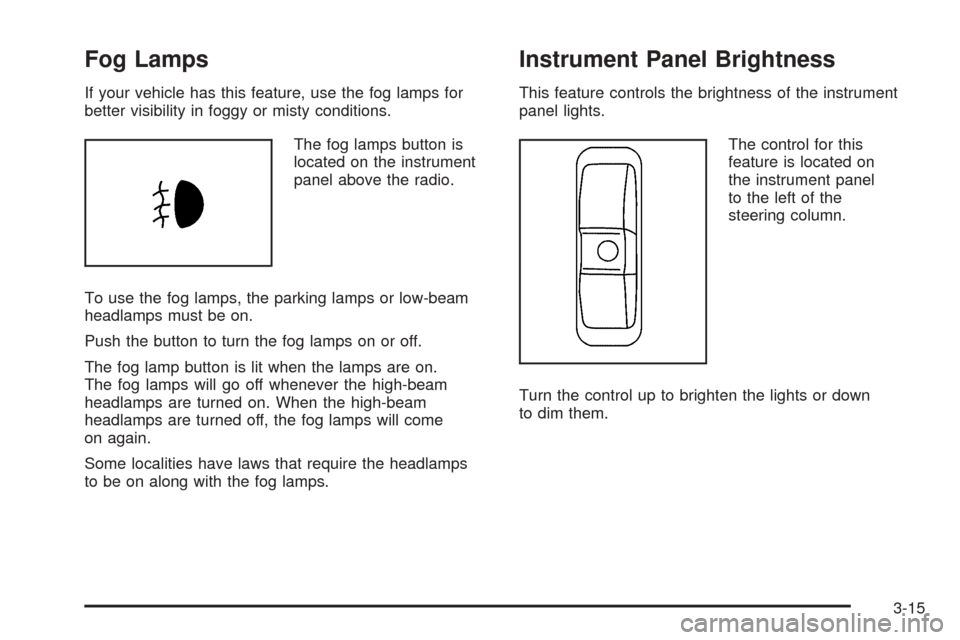
The fog lamps button is
located on the instrument
panel above the radio.
To use the fog lamps, the parking lamps or low-beam
headlamps must be on.
Push the button to turn the fog lamps on or off.
The fog lamp button is lit when the lamps are on.
The fog lamps will go off whenever the high-beam
headlamps are turned on. When the high-beam
headlamps are turned off, the fog lamps will come
on again.
Some localities have laws that require the headlamps
to be on along with the fog lamps.
Instrument Panel Brightness
This feature controls the brightness of the instrument
panel lights.
The control for this
feature is located on
the instrument panel
to the left of the
steering column.
Turn the control up to brighten the lights or down
to dim them.
3-15
Page 145 of 436
Electric Power Management
The vehicle has Electric Power Management (EPM)
that estimates the battery’s temperature and state
of charge. It then adjusts the voltage for best
performance and extended life of the battery.
When the battery’s state of charge is low, the voltage is
raised slightly to quickly put the charge back in. When the
state of charge is high, the voltage is lowered slightly to
prevent overcharging. If the vehicle has a voltmeter gage
or a voltage display on the Driver Information Center
(DIC), you may see the voltage move up or down. This is
normal. If there is a problem, an alert will be displayed.
The battery can be discharged at idle if the electrical
loads are very high. This is true for all vehicles. This is
because the generator (alternator) may not be spinning
fast enough at idle to produce all the power that is
needed for very high electrical loads.
A high electrical load occurs when several of the following
loads are on: headlamps, high beams, fog lamps, rear
window defogger, climate control fan at high speed,
heated seats, engine cooling fans, trailer loads, and
loads plugged into accessory power outlets.
EPM works to prevent excessive discharge of the battery.
It does this by balancing the generator’s output and the
vehicle’s electrical needs. It can increase engine idlespeed to generate more power, whenever needed.
It can temporarily reduce the power demands of some
accessories.
Normally, these actions occur in steps or levels, without
being noticeable. In rare cases at the highest levels of
corrective action, this action may be noticeable to the
driver. If so, a Driver Information Center (DIC) message
might be displayed, such as Battery Saver Active or
Service Battery Charging System. If this message is
displayed, it is recommended that the driver reduce the
electrical loads as much as possible. SeeDIC Warnings
and Messages on page 3-49.
Battery Run-Down Protection
Your vehicle has a battery saver feature designed to
protect the vehicle’s battery.
When any interior lamp is left on and the ignition is
turned off, the battery rundown protection system will
automatically turn the lamp off after 20 minutes. This
will avoid draining the battery. This vehicle also has a
retained accessory power feature. If the radio is on,
it will turn off after 10 minutes or if any door on the
vehicle is opened. SeeRetained Accessory Power (RAP)
on page 2-21.
3-17
Page 146 of 436
Accessory Power Outlet(s)
The accessory power outlets can be used to connect
electrical equipment such as a cellular phone or
CB radio.
The two accessory power outlets are located in the front
and at the rear of the center console storage area.
To use the outlets, remove the cover. When not in use,
always cover the outlet with the protective cap.
Notice:If electrical devices are left plugged into a
power outlet, the battery may drain causing your
vehicle not to start or damage to the battery. This
would not be covered by the warranty. Always unplug
all electrical devices when turning off your vehicle.
Certain electrical accessories may not be compatible with
the accessory power outlets and could result in blown
vehicle or adapter fuses. If you experience a problem,
see your dealer/retailer for additional information on
the accessory power outlet.
Notice:Adding any electrical equipment to your
vehicle may damage it or keep other components
from working as they should. The repairs would not
be covered by your warranty. Do not use equipment
exceeding maximum amperage rating of 20 amperes.
Check with your dealer/retailer before adding
electrical equipment.When adding electrical equipment, be sure to follow the
installation instructions included with the equipment.
Notice:Improper use of the power outlet can cause
damage not covered by your warranty. Do not hang
any type of accessory or accessory bracket from
the plug because the power outlets are designed for
accessory power plugs only.
Ashtray(s) and Cigarette Lighter
Your vehicle may have a removable ashtray and
cigarette lighter. The ashtray can be placed into the
front console cupholders.
To use the lighter, push it in all the way and let go.
When it is ready, it will pop back out by itself.
Notice:Holding a cigarette lighter in while it is
heating will not allow the lighter to back away from
the heating element when it is hot. Damage from
overheating may occur to the lighter or heating
element, or a fuse could be blown. Do not hold a
cigarette lighter in while it is heating. Do not use
equipment exceeding maximum amperage rating
of 15 amperes.
Notice:If you put papers, pins, or other ammable
items in the ashtray, hot cigarettes or other smoking
materials could ignite them and possibly damage
your vehicle. Never put ammable items in the
ashtray.
3-18
Page 158 of 436
If, after several seconds, both status indicator lights
remain on, or if there are no lights at all, there may
be a problem with the lights or the passenger sensing
system. See your dealer/retailer for service.
{CAUTION:
If the airbag readiness light in the instrument
panel cluster ever comes on and stays on,
it means that something may be wrong with
the airbag system. If this ever happens, have
the vehicle serviced promptly, because an
adult-size person sitting in the right front
passenger’s seat may not have the protection
of the airbag(s). SeeAirbag Readiness Light
on page 3-27for more on this, including
important safety information.
Charging System Light
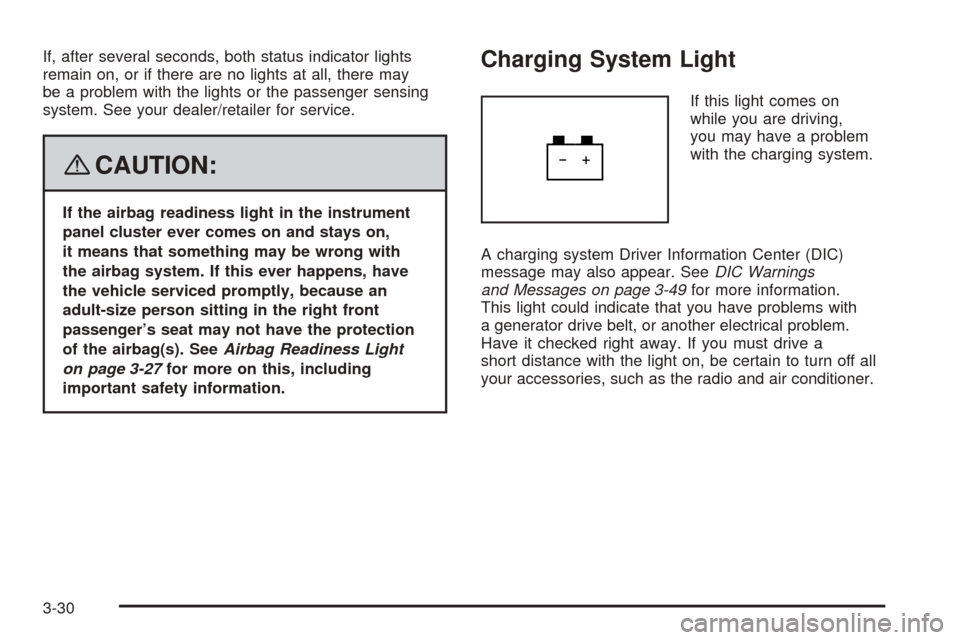
If this light comes on
while you are driving,
you may have a problem
with the charging system.
A charging system Driver Information Center (DIC)
message may also appear. SeeDIC Warnings
and Messages on page 3-49for more information.
This light could indicate that you have problems with
a generator drive belt, or another electrical problem.
Have it checked right away. If you must drive a
short distance with the light on, be certain to turn off all
your accessories, such as the radio and air conditioner.
3-30
Page 192 of 436
FEATURE SETTNGS (Settings):
PRESS
VTO EXIT
This feature allows you to exit the feature settings menu.
Press the vehicle information button until FEATURE
SETTNGS (Settings): PRESS
VTO EXIT appears
in the DIC display. Press the set/reset button to exit
the menu.
If you do not exit, pressing the vehicle information
button again will return you to the beginning of the
vehicle information menu.
Exiting the Feature Settings Menu
The feature settings menu will be exited when
any of the following occurs:
The vehicle is shifted out of PARK (P).
The vehicle is no longer in ON/RUN.
The trip/fuel DIC button is pressed.
The end of the feature settings menu
is reached and exited.
A 40 second time period has elapsed
with no selection made.
Audio System(s)
Determine which radio your vehicle has and then read the
pages following to familiarize yourself with its features.
{CAUTION:
This system provides you with far greater
access to audio stations and song listings.
Giving extended attention to entertainment
tasks while driving can cause a crash and
you or others can be injured or killed.
Always keep your eyes on the road and
your mind on the drive — avoid engaging
in extended searching while driving.
Keeping your mind on the drive is important for
safe driving. SeeDefensive Driving on page 4-2.
Here are some ways in which you can help avoid
distraction while driving.
3-64
Page 193 of 436
While your vehicle is parked:
Familiarize yourself with all of its controls.
Familiarize yourself with its operation.
Set up your audio system by presetting your
favorite radio stations, setting the tone, and
adjusting the speakers. Then, when driving
conditions permit, you can tune to your favorite
radio stations using the presets and steering
wheel controls if the vehicle has them.
Notice:Before adding any sound equipment to
your vehicle, such as an audio system, CD player,
CB radio, mobile telephone, or two-way radio, make
sure that it can be added by checking with your
dealer/retailer. Also, check federal rules covering
mobile radio and telephone units. If sound equipment
can be added, it is very important to do it properly.
Added sound equipment may interfere with the
operation of your vehicle’s engine, radio, or other
systems, and even damage them. Your vehicle’s
systems may interfere with the operation of sound
equipment that has been added.
Your vehicle has a feature called Retained Accessory
Power (RAP). With RAP, the audio system can
be played even after the ignition is turned off.
SeeRetained Accessory Power (RAP) on page 2-21
for more information.
Setting the Time
Without Date Display
AM/FM Base Radio with a Single CD Player
This type of radio has aH(clock) button for setting
the time. Set the time by following these steps:
1. Turn the radio on.
2. Press the
Hbutton until the hour begins ashing
on the display. Press the
Hbutton a second time
and the minutes begin ashing on the display.
3. While either the hour or the minutes are ashing,
turn the
f(tune) knob, located on the upper right
side of the radio, clockwise or counterclockwise
to increase or decrease the time. Instead of
using the
fknob, you can also press the SEEK
arrows,
\FWD (forward), orsREV (reverse)
buttons to adjust the time.
4. Press the
Hbutton again until the clock display
stops ashing to set the currently displayed time;
otherwise, the ashing stops after ve seconds and
the current time displayed is automatically set.
3-65