buttons CHEVROLET EQUINOX 2008 1.G User Guide
[x] Cancel search | Manufacturer: CHEVROLET, Model Year: 2008, Model line: EQUINOX, Model: CHEVROLET EQUINOX 2008 1.GPages: 436, PDF Size: 2.42 MB
Page 174 of 436
If there is a problem with the battery charging system,
the DIC will display SERVICE BATTERY CHARGING
SYSTEM. See “SERVICE BATTERY CHARGING
SYSTEM” underDIC Warnings and Messages on
page 3-49. Also, seeElectric Power Management
on page 3-17for more information.
LEARN REMOTE KEY
This display allows you to match Remote Keyless
Entry (RKE) transmitters to your vehicle. To match
an RKE transmitter to your vehicle:
1. Make sure the vehicle is in PARK (P).
2. Press the vehicle information button until LEARN
REMOTE KEY PRESS
VTO BEGIN displays.
3. Press the set/reset button until REMOTE KEY
LEARNING ACTIVE is displayed.
4. Press and hold the lock and unlock buttons on
the rst transmitter at the same time for about
15 seconds.
A chime will sound indicating that the transmitter
is matched.
5. To match additional transmitters at this time,
repeat Step 3.
Each vehicle can have a maximum of
four transmitters matched to it.
6. To exit the programming mode, you must
cycle the key to LOCK/OFF.
CALIBRATE COMPAS (Compass)
Your vehicle may have this feature. The compass can
be manually calibrated. To calibrate the compass
through the DIC, seeDIC Compass on page 3-46.
CHANGE COMPASS ZONE
Your vehicle may have this feature. To change the
compass zone through the DIC, seeDIC Compass
on page 3-46.
Blank Display
This display shows no information.
FEATURE SETTNGS (Settings):
PRESS
VTO SELCT (Select)
This display allows you to personalize the feature
settings on your vehicle. SeeDIC Vehicle
Personalization on page 3-58for more information.
DIC Compass
Your vehicle may have a compass in the
Driver Information Center (DIC).
Compass Zone
The zone is set to zone eight upon leaving the factory.
Your dealer/retailer will set the correct zone for your
location.
3-46
Page 177 of 436
DIC Warnings and Messages
Messages are displayed on the DIC to notify the driver
that the status of the vehicle has changed and that
some action may be needed by the driver to correct
the condition. Multiple messages may appear one
after another.
Some messages may not require immediate action,
but you can press the set/reset button to acknowledge
that you received the messages and to clear them
from the display. Pressing any of the DIC buttons
also acknowledge and clear any messages.
Some messages cannot be cleared from the DIC
display because they are more urgent. These messages
require action before they can be cleared. You should
take any messages that appear on the display seriously
and remember that clearing the messages will only
make the messages disappear, not correct the problem.
The following are the possible messages that can
be displayed and some information about them.
ALL WHEEL DRIVE OFF
If your vehicle has the All-Wheel Drive (AWD) system,
this message displays along with the All-Wheel
Drive Disabled light when the rear drive system is
overheating. This message turns off when the rear
drive system cools down. If the warning message stays
on for a while, you need to reset the warning message.
To reset the warning message, turn the ignition off
and then back on again. If the message stays on, see
your dealer/retailer right away. SeeAll-Wheel Drive
(AWD) System on page 4-8andAll-Wheel Drive
Disabled Light on page 3-40for more information.
BATTERY SAVER ACTIVE
This message displays when the charging system
detects that the battery is being drained. You may
notice that the vehicle attempts to reduce the drain for
you by turning off accessories, such as interior fans, rear
defogger, and heated seats. Turn off all accessories.
If the vehicle is not running, start and run the engine
for at least 10 minutes to allow the battery to recharge.
If the engine is running and the condition persists,
see your dealer/retailer. SeeElectric Power
Management on page 3-17for more information.
3-49
Page 193 of 436
While your vehicle is parked:
Familiarize yourself with all of its controls.
Familiarize yourself with its operation.
Set up your audio system by presetting your
favorite radio stations, setting the tone, and
adjusting the speakers. Then, when driving
conditions permit, you can tune to your favorite
radio stations using the presets and steering
wheel controls if the vehicle has them.
Notice:Before adding any sound equipment to
your vehicle, such as an audio system, CD player,
CB radio, mobile telephone, or two-way radio, make
sure that it can be added by checking with your
dealer/retailer. Also, check federal rules covering
mobile radio and telephone units. If sound equipment
can be added, it is very important to do it properly.
Added sound equipment may interfere with the
operation of your vehicle’s engine, radio, or other
systems, and even damage them. Your vehicle’s
systems may interfere with the operation of sound
equipment that has been added.
Your vehicle has a feature called Retained Accessory
Power (RAP). With RAP, the audio system can
be played even after the ignition is turned off.
SeeRetained Accessory Power (RAP) on page 2-21
for more information.
Setting the Time
Without Date Display
AM/FM Base Radio with a Single CD Player
This type of radio has aH(clock) button for setting
the time. Set the time by following these steps:
1. Turn the radio on.
2. Press the
Hbutton until the hour begins ashing
on the display. Press the
Hbutton a second time
and the minutes begin ashing on the display.
3. While either the hour or the minutes are ashing,
turn the
f(tune) knob, located on the upper right
side of the radio, clockwise or counterclockwise
to increase or decrease the time. Instead of
using the
fknob, you can also press the SEEK
arrows,
\FWD (forward), orsREV (reverse)
buttons to adjust the time.
4. Press the
Hbutton again until the clock display
stops ashing to set the currently displayed time;
otherwise, the ashing stops after ve seconds and
the current time displayed is automatically set.
3-65
Page 198 of 436
Finding a Station
BAND:Press to switch between AM, FM, or XM
(if equipped). The selection displays.
f(Tune):Turn to select radio stations.
©SEEK¨:Press the arrows to go to the previous
or to the next station and stay there.
To scan stations, press and hold either arrow for a
few seconds until a beep sounds. The radio goes to
a station, plays for a few seconds, then goes to the
next station. Press either arrow again to stop scanning.
The radio only seeks and scans stations with a
strong signal that are in the selected band.
4(Information) (Base Radio with CD):Press to
switch the display between the radio station frequency
and the time. When the ignition is off, press to
display the time.
4(Information) (XM™ Satellite Radio Service,
MP3/WMA, and RDS Features):Press to display
additional text information related to the current
FM-RDS or XM station, or MP3/WMA song. A choice
of additional information such as: Channel, Song,
Artist, and CAT (category) can appear. Continue
pressing to highlight the desired label, or press the
pushbutton positioned under any one of the labels
and the information about that label displays.
When information is not available, No Info displays.
Setting Preset Stations
If the radio does not have XM™, up to 18 stations
(six FM1, six FM2, and six AM) can be programmed
on the six numbered pushbuttons, by performing
the following steps:
1. Turn the radio on.
2. Press BAND to select FM1, FM2, or AM.
3. Tune in the desired station.
4. Press and hold one of the six numbered
pushbuttons for three seconds until a beep sounds.
When that pushbutton is pressed and released,
the station that was set, returns.
5. Repeat the Steps 2 through 4 for each pushbutton.
3-70
Page 199 of 436
Storing a Radio Station as a Favorite
Drivers are encouraged to set up their radio station
favorites while the vehicle is parked. Tune to your
favorite stations using the presets, favorites button,
and steering wheel controls, if your vehicle has them.
SeeDefensive Driving on page 4-2.
If your radio has XM, a maximum of 36 stations can be
programmed as favorites using the six pushbuttons
positioned below the radio station frequency labels and
by using the radio favorites page button (FAV button).
FAV (Favorites):Press the FAV button to go through
up to six pages of favorites, each having six favorite
stations available per page. Each page of favorites
can contain any combination of AM, FM, or XM
(if equipped) stations. To store a station as a
favorite, perform the following steps:
1. Tune to the desired radio station.
2. Press the FAV button to display the page where
the station is to be stored.
3. Press and hold one of the six pushbuttons until a
beep sounds. When that pushbutton is pressed
and released, the station that was set, returns.
4. Repeat the steps for each pushbutton radio station
to be stored as a favorite.The number of favorites pages can be setup using
the MENU button. To setup the number of favorites
pages, perform the following steps:
1. Press the MENU button to display the radio
setup menu.
2. Press the pushbutton located below the
FAV 1-6 label.
3. Select the desired number of favorites pages
by pressing the pushbutton located below the
displayed page numbers.
4. Press the FAV button, or let the menu time out,
to return to the original main radio screen showing
the radio station frequency labels and to begin
the process of programming your favorites for
the chosen amount of numbered pages.
Setting the Tone (Bass/Treble)
(Base Radio with CD)
EQ (Equalization):To adjust the bass or treble,
press the
fknob or EQ button until the desired tone
control label displays. Turn the
fknob clockwise
or counterclockwise to increase or decrease the setting.
The display shows the current bass or treble level.
If a station’s frequency is weak, or if there is static,
decrease the treble.
3-71
Page 201 of 436
Adjusting the Speakers (Balance/Fade)
BAL/FADE (Balance/Fade):To adjust balance or
fade, press the
fknob until the speaker control
labels display. Continue pressing to highlight the
desired label, or press the pushbutton positioned
under the desired label. Turn the
fknob clockwise or
counterclockwise to adjust the highlighted setting.
You can also adjust the highlighted setting by pressing
the SEEK arrows,
\FWD, orsREV button until
the desired levels are obtained.
To quickly adjust balance or fade to the middle position,
press the pushbutton positioned under the BAL or
FADE label for more than two seconds. A beep sounds
and the level adjusts to the middle position.
To quickly adjust all speaker and tone controls to
the middle position, press the
fknob for more than
two seconds until a beep sounds.
Finding a Category (CAT) Station
If the radio has XM, the CAT button can be used to
nd XM stations when the radio is in the XM mode.
CAT (Category):To nd XM channels within a desired
category, perform the following:
1. Press the BAND button until the XM frequency is
displayed. Press the CAT button to display the
category labels on the radio display. Continue
pressing the CAT button until the desired category
name displays.
Depending on the radio, another way to navigate
the category list is to press the
sREV button
or the
\FWD button.
2. Press either of the two buttons below the desired
category label to immediately tune to the rst XM
station associated with that category.
3. Turn the
fknob, press the buttons below the right
or left arrows displayed, or press the Seek arrows
to go to the previous or to the next XM station within
the selected category.
4. To exit the category search mode, press the
FAV button or BAND button to display your
favorites again.
3-73
Page 206 of 436
Playing a CD (In Either the DVD
or CD Slot)
Insert a CD partway into the slot, label side up. The
player pulls it in and the CD should begin playing
(loading a disc into the system, depending on media
type and format ranges from 5 to 20 seconds for a CD,
and up to 30 seconds for a DVD to begin playing).
If the ignition or radio is turned off, with a CD in
the player, it stays in the player. When the ignition or
radio is turned on, the CD starts playing where it
stopped, if it was the last selected audio source. The
CD is controlled by the buttons on the radio faceplate.
The DVD/CD decks, (upper slot is the DVD deck and the
lower slot is the CD deck) of the radio are compatible
with most audio CDs, CD-R, CD-RW, and MP3s/WMAs.
When a CD is inserted, the text label DVD or CD
symbol appears on the left side of the radio display.
As each new track starts to play, the track number
displays.
ZCD (Eject):Press and release to eject the CD that
is currently playing in the bottom slot. A beep sounds
and Ejecting Disc displays. Once the disc is ejected,
Remove Disc displays. The CD can be removed.
If the CD is not removed, after several seconds,
the CD automatically pulls back into the player.If loading and reading of a CD cannot be completed,
such as unknown format, etc., and the disc fails to eject,
press and hold for more than ve seconds to force
the disc to eject.
ZDVD (Eject):Press and release to eject the CD
that is currently playing in the top slot. A beep sounds
and Ejecting Disc displays. Once the disc is ejected,
Remove Disc displays. The CD can be removed.
If the CD is not removed, after several seconds,
the CD automatically pulls back into the player.
If loading and reading of a CD cannot be completed,
such as unknown format, etc., and the disc fails to
eject, press and hold for more than ve seconds to
force the disc to eject.
f(Tune):Turn to select tracks on the CD currently
playing.
©SEEK¨:Press the left arrow to go to the start of
the current track, if more than ve seconds have played.
If less than ve seconds have played, the previous
track plays. Press the right arrow to go to the next track.
If either arrow is held, or pressed multiple times, the
player continues moving backward or forward through
the tracks on the CD.
3-78
Page 209 of 436
CHECK DISC:If this error message displays, it could
be for one of the following reasons:
It is very hot. When the temperature returns to
normal, the CD should play.
You are driving on a very rough road. When the
road becomes smoother, the CD should play.
The CD is dirty, scratched, wet, or upside down.
The air is very humid. If so, wait about an hour
and try again.
There could have been a problem while burning
the CD.
The label could be caught in the CD player.
If any error occurs repeatedly or if an error cannot be
corrected, contact your dealer/retailer. If the radio
displays an error message, write it down and provide
it to your dealer/retailer when reporting the problem.
Using the DVD Player
The DVD player is controlled by the buttons on the
remote control, by the RSA system, or by the buttons
on the radio faceplate. See “Remote Control”, under
Rear Seat Entertainment (RSE) System on page 3-99
for more information.
The DVD player is only compatible with DVDs of the
appropriate region code that is printed on the jacket
of most DVDs.
The DVD slot of the radio is compatible with most
audio CDs, CD-R, CD-RW, DVD-Video, DVD-Audio,
DVD-R/RW, DVD+R/RW media along with MP3
and WMA formats.
If an error message appears on the video screen or
the radio, see “DVD Display Error Messages” under,
Rear Seat Entertainment (RSE) System on page 3-99
and “DVD Radio Error Messages” in this section
for more information.
3-81
Page 211 of 436
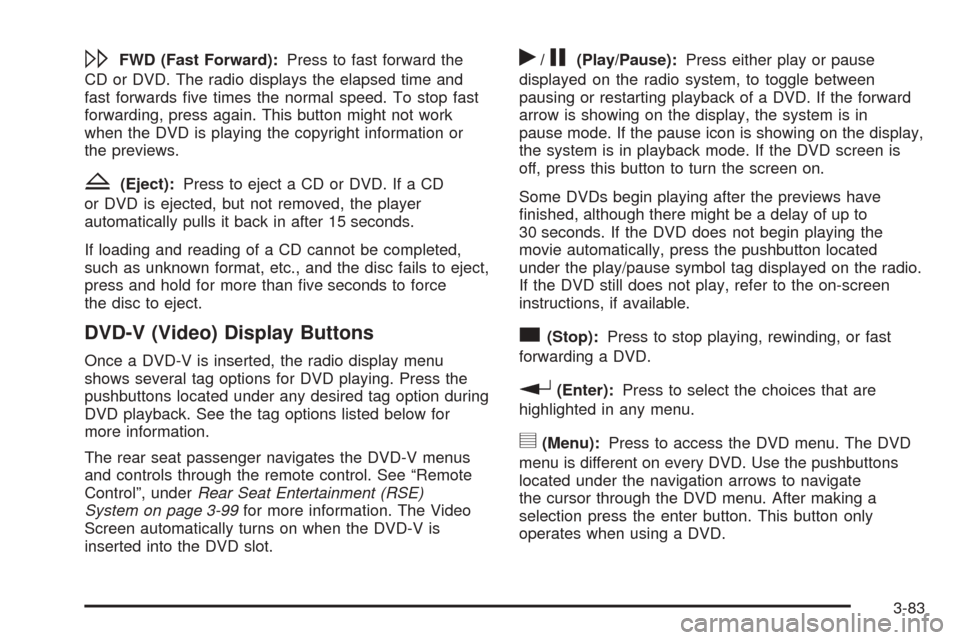
\FWD (Fast Forward):Press to fast forward the
CD or DVD. The radio displays the elapsed time and
fast forwards ve times the normal speed. To stop fast
forwarding, press again. This button might not work
when the DVD is playing the copyright information or
the previews.
Z(Eject):Press to eject a CD or DVD. If a CD
or DVD is ejected, but not removed, the player
automatically pulls it back in after 15 seconds.
If loading and reading of a CD cannot be completed,
such as unknown format, etc., and the disc fails to eject,
press and hold for more than ve seconds to force
the disc to eject.
DVD-V (Video) Display Buttons
Once a DVD-V is inserted, the radio display menu
shows several tag options for DVD playing. Press the
pushbuttons located under any desired tag option during
DVD playback. See the tag options listed below for
more information.
The rear seat passenger navigates the DVD-V menus
and controls through the remote control. See “Remote
Control”, underRear Seat Entertainment (RSE)
System on page 3-99for more information. The Video
Screen automatically turns on when the DVD-V is
inserted into the DVD slot.
r/j(Play/Pause):Press either play or pause
displayed on the radio system, to toggle between
pausing or restarting playback of a DVD. If the forward
arrow is showing on the display, the system is in
pause mode. If the pause icon is showing on the display,
the system is in playback mode. If the DVD screen is
off, press this button to turn the screen on.
Some DVDs begin playing after the previews have
nished, although there might be a delay of up to
30 seconds. If the DVD does not begin playing the
movie automatically, press the pushbutton located
under the play/pause symbol tag displayed on the radio.
If the DVD still does not play, refer to the on-screen
instructions, if available.
c(Stop):Press to stop playing, rewinding, or fast
forwarding a DVD.
r(Enter):Press to select the choices that are
highlighted in any menu.
y(Menu):Press to access the DVD menu. The DVD
menu is different on every DVD. Use the pushbuttons
located under the navigation arrows to navigate
the cursor through the DVD menu. After making a
selection press the enter button. This button only
operates when using a DVD.
3-83
Page 212 of 436
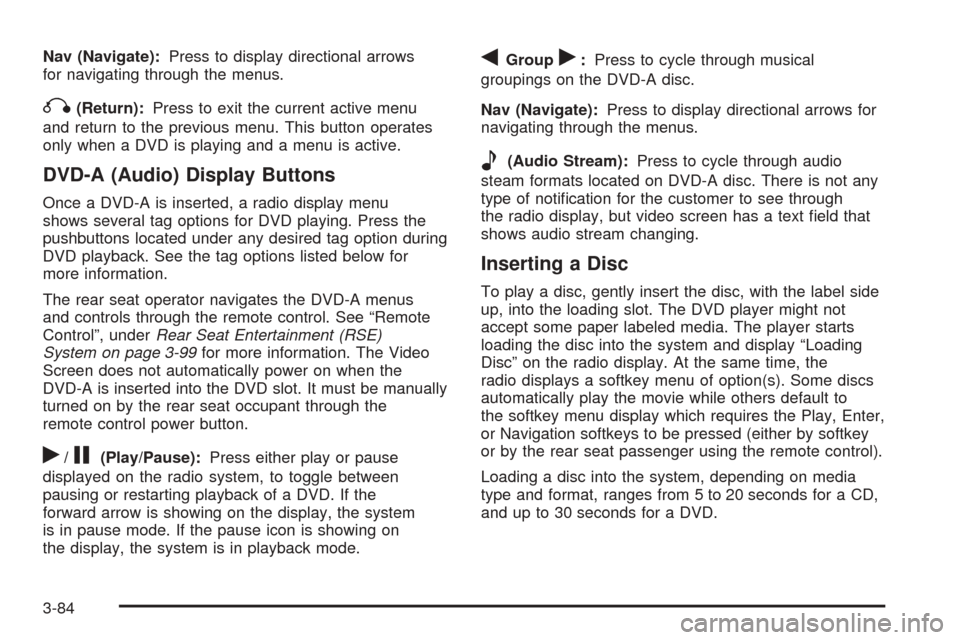
Nav (Navigate):Press to display directional arrows
for navigating through the menus.
q(Return):Press to exit the current active menu
and return to the previous menu. This button operates
only when a DVD is playing and a menu is active.
DVD-A (Audio) Display Buttons
Once a DVD-A is inserted, a radio display menu
shows several tag options for DVD playing. Press the
pushbuttons located under any desired tag option during
DVD playback. See the tag options listed below for
more information.
The rear seat operator navigates the DVD-A menus
and controls through the remote control. See “Remote
Control”, underRear Seat Entertainment (RSE)
System on page 3-99for more information. The Video
Screen does not automatically power on when the
DVD-A is inserted into the DVD slot. It must be manually
turned on by the rear seat occupant through the
remote control power button.
r/j(Play/Pause):Press either play or pause
displayed on the radio system, to toggle between
pausing or restarting playback of a DVD. If the
forward arrow is showing on the display, the system
is in pause mode. If the pause icon is showing on
the display, the system is in playback mode.
qGroupr:Press to cycle through musical
groupings on the DVD-A disc.
Nav (Navigate):Press to display directional arrows for
navigating through the menus.
e(Audio Stream):Press to cycle through audio
steam formats located on DVD-A disc. There is not any
type of notication for the customer to see through
the radio display, but video screen has a text eld that
shows audio stream changing.
Inserting a Disc
To play a disc, gently insert the disc, with the label side
up, into the loading slot. The DVD player might not
accept some paper labeled media. The player starts
loading the disc into the system and display “Loading
Disc” on the radio display. At the same time, the
radio displays a softkey menu of option(s). Some discs
automatically play the movie while others default to
the softkey menu display which requires the Play, Enter,
or Navigation softkeys to be pressed (either by softkey
or by the rear seat passenger using the remote control).
Loading a disc into the system, depending on media
type and format, ranges from 5 to 20 seconds for a CD,
and up to 30 seconds for a DVD.
3-84