display CHEVROLET EQUINOX 2008 1.G Manual PDF
[x] Cancel search | Manufacturer: CHEVROLET, Model Year: 2008, Model line: EQUINOX, Model: CHEVROLET EQUINOX 2008 1.GPages: 436, PDF Size: 2.42 MB
Page 234 of 436
Battery Replacement
To change the remote control batteries, do the following:
1. Slide the rear cover back on the remote control.
2. Replace the two batteries in the compartment.
Make sure that they are installed correctly,
using the diagram on the inside of the battery
compartment.
3. Replace the battery cover.
If the remote control is to be stored for a long period
of time, remove the batteries and keep them in a cool,
dry place.
Problem Recommended Action
No power. The ignition might not
be turned ON/RUN or in
ACC/ACCESSORY.
The picture does not
ll the screen. There are
black borders on the
top and bottom or on
both sides or it looks
stretched out.Check the display mode
settings in the setup
menu by pressing the
display menu button on
the remote control.
Problem Recommended Action
In auxiliary mode, the
picture moves or scrolls.Check the auxiliary
input connections at
both devices.
The remote control
does not work.Check to make sure
there is no obstruction
between the remote
control and the
transmitter window.
Check the batteries to
make sure they are not
dead or installed
incorrectly.
After stopping the
player, I push Play but
sometimes the DVD
starts where I left off
and sometimes at the
beginning.If the stop button was
pressed one time, the
DVD player resumes
playing where the DVD
was stopped. If the stop
button was pressed
two times the DVD player
begins to play from the
beginning of the DVD.
3-106
Page 235 of 436
Problem Recommended Action
The auxiliary source
is running but there
is no picture or sound.Check that the RSE
video screen is in the
auxiliary source mode.
Check the auxiliary
input connections at
both devices.
Sometimes the wireless
headphone audio cuts
out or buzzes.Check for obstructions,
low batteries, reception
range, and interference
from cellular telephone
towers or by using
your cellular telephone
in the vehicle.
Check that the
headphones are on
correctly using the
L (left) and R (right)
on the headphones.
I lost the remote and/or
the headphones.See your dealer/retailer
for assistance.
The DVD is playing,
but there is no picture
or sound.Check that the RSE
video screen is sourced
to the DVD player.DVD Display Error Messages
The DVD display error message depends on which
radio you have. The video screen can display one of
the following:
Disc Load/Eject Error:This message displays when
there are disc load or eject problems.
Disc Format Error:This message displays, if the
disc is inserted with the disc label wrong side up,
or if the disc is damaged.
Disc Region Error:This message displays, if the
disc is not from a correct region.
No Disc Inserted:This message displays, if no disc
is present when the
Zbutton is pressed on the radio.
DVD Distortion
Video distortion may occur when operating cellular
phones, scanners, CB radios, Global Position
Systems (GPS)*, two-way radios, mobile fax,
or walkie talkies.
It may be necessary to turn off the DVD player when
operating one of these devices in or near the vehicle.
*Excludes the OnStar
®System.
3-107
Page 236 of 436
Cleaning the RSE Overhead Console
When cleaning the RSE overhead console surface,
use only a clean cloth dampened with clean water.
Cleaning the Video Screen
When cleaning the video screen, use only a clean cloth
dampened with clean water. Use care when directly
touching or cleaning the screen, as damage can result.
Theft-Deterrent Feature
THEFTLOCK®is designed to discourage theft of your
vehicle’s radio. It works by using a secret code to
disable all radio functions when battery power is
removed and the radio is placed in a different vehicle.
This feature requires no user input to be activated.
The radio is automatically armed when it is put into
the vehicle for the rst time.
If THEFTLOCK is activated, the radio does not operate
if stolen. The radio displays LOCKED. If this occurs,
the radio needs to be returned to your dealer/retailer.
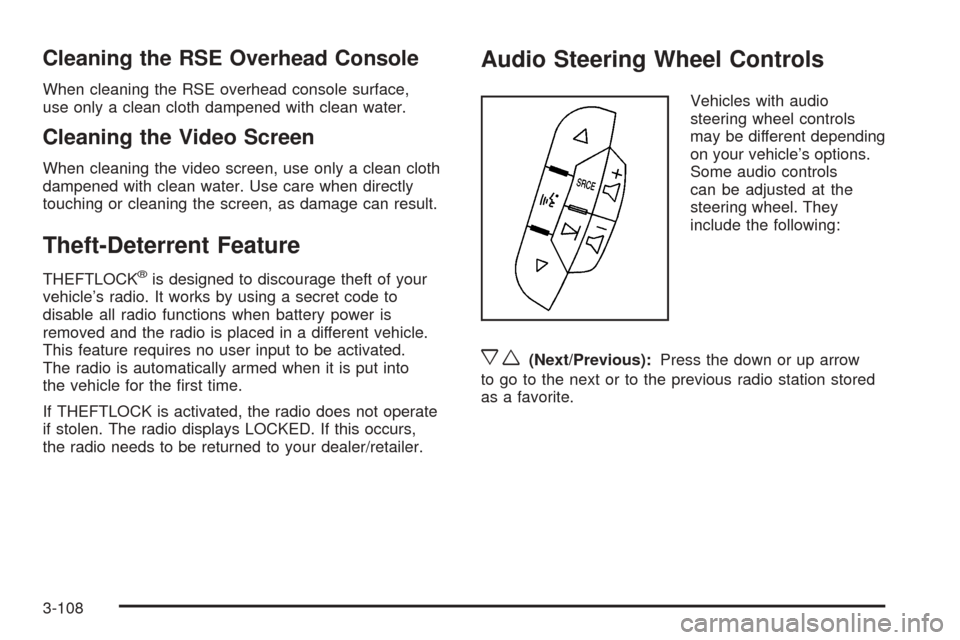
Audio Steering Wheel Controls
Vehicles with audio
steering wheel controls
may be different depending
on your vehicle’s options.
Some audio controls
can be adjusted at the
steering wheel. They
include the following:
xw(Next/Previous):Press the down or up arrow
to go to the next or to the previous radio station stored
as a favorite.
3-108
Page 238 of 436
Radio Reception
Frequency interference and static can occur during
normal radio reception if items such as cell phone
chargers, vehicle convenience accessories, and external
electronic devices are plugged into the accessory
power outlet. If there is interference or static, unplug
the item from the accessory power outlet.
AM
The range for most AM stations is greater than for
FM, especially at night. The longer range can cause
station frequencies to interfere with each other.
For better radio reception, most AM radio stations
boost the power levels during the day, and then
reduce these levels during the night. Static can also
occur when things like storms and power lines interfere
with radio reception. When this happens, try reducing
the treble on your radio.
FM Stereo
FM stereo gives the best sound, but FM signals only
reach about 10 to 40 miles (16 to 65 km). Tall buildings
or hills can interfere with FM signals, causing the
sound to fade in and out.
XM™ Satellite Radio Service
XM™ Satellite Radio Service gives digital radio
reception from coast-to-coast in the 48 contiguous
United States, and in Canada. Just as with FM,
tall buildings or hills can interfere with satellite radio
signals, causing the sound to fade in and out. In
addition, traveling or standing under heavy foliage,
bridges, garages, or through tunnels could cause
loss of the XM signal for a period of time. The radio
may display NO XM SIGNAL to indicate interference.
Multi-Band Antenna
The multi-band antenna is located on the roof of your
vehicle. This type of antenna is used with the AM/FM
radio, as well as OnStar
®and the XM™ Satellite Radio
Service System, if your vehicle has these features.
Keep this antenna clear of snow and ice build up for
clear radio reception. If your vehicle has a sunroof,
the performance of the radio system may be affected if
the sunroof is open. Loading items onto the roof of
your vehicle can interfere with the performance of
the radio system and, if your vehicle has this feature,
OnStar
®. Make sure the multi-band antenna is not
obstructed.
3-110
Page 245 of 436
The traction control system
can be turned off by
pressing the traction control
button, located next to the
gear shift lever.
When the traction control system is turned off, the
traction control warning light on the instrument panel
cluster comes on and TRACTION CONTROL OFF
briey displays.
The traction control system can be activated again by
pressing the traction control button. While the traction
control system is activated, the traction control system
warning light on the instrument panel cluster comes
on and TRACTION CONTROL ON briey displays.If the system is limiting wheel spin when you press the
button, the traction control off light appears on the
instrument panel cluster. The system will not turn off
until there is no longer a current need to limit wheel spin.
Turn the system back on by pressing the button again. If
the light does not come on, traction control might not be
working and your vehicle should be serviced by a
dealer/retailer.
Adding non-dealer/non-retailer accessories can affect
your vehicle’s performance. SeeAccessories and
Modifications on page 5-3for more information.
StabiliTrak®System
Your vehicle has this feature. The StabiliTrak®system
is an advanced computer controlled system that helps
the driver maintain directional control of the vehicle in
difficult driving conditions. This is accomplished by
selectively applying any one of the vehicle’s brakes and
reducing engine power. The StabiliTrak
®system comes
on automatically whenever you start your vehicle.
4-7
Page 246 of 436
The STABILITRAK NOT READY message may be
displayed in the DIC and the traction control system and
StabiliTrak
®warning light on the instrument panel
cluster will be on after rst driving the vehicle and
exceeding 30 mph 48 (km/h) for 30 seconds. The
StabiliTrak
®system is off until the light has turned off.
This could take up to 15 minutes. SeeDIC Warnings
and Messages on page 3-49for more information.
The traction control system and StabiliTrak
®warning
light on the instrument panel cluster will ash when the
system is operating. You may also feel or hear the
system working. This is normal. This light may also
come on after extended heavy braking indicating the
brakes have become too hot to limit wheel spin.
StabiliTrak
®can be turned off using the traction control
button. To disable StabiliTrak®, press and hold the
traction control button for ve seconds. StabiliTrak®can
be activated again by pressing the traction control
button.
The SERVICE STABILITRAK message will be displayed
and the traction control system and StabiliTrak
®
warning light on the instrument panel cluster will come
on if there is a problem with the system. When this light
and the SERVICE STABILITRAK message are on, the
system is not operational. Adjust your driving accordingly.
All-Wheel Drive (AWD) System
If your vehicle has all-wheel drive (AWD), the AWD
system operates automatically without any action
required by the driver. If the front drive wheels begin to
slip, the rear wheels will automatically begin to drive
the vehicle as required. Torque is also applied to the
rear wheels during launches. There may be a slight
engagement noise during hard use but this is normal.
This light is located on the
instrument panel cluster.
This light and the SERVICE ALL WHEEL DRIVE
message in the DIC will come on and stay on to indicate
there may be a problem with the drive system and
service is required.
4-8
Page 302 of 436
Adding Coolant
If you need more coolant, add the proper DEX-COOL®
coolant mixture at the surge tank, but only when the
engine is cool.
{CAUTION:
You can be burned if you spill coolant on hot
engine parts. Coolant contains ethylene glycol,
and it will burn if the engine parts are hot
enough. Do not spill coolant on a hot engine.
When replacing the pressure cap, make sure it is
hand-tight and fully seated.
Engine Overheating
You will nd a coolant temperature gage on your
vehicle’s instrument panel. SeeEngine Coolant
Temperature Gage on page 3-33. There are several
different types of engine overheating messages that may
be displayed in the Driver Information Center (DIC).
SeeDIC Warnings and Messages on page 3-49
If Steam Is Coming From Your Engine
{CAUTION:
Steam from an overheated engine can burn you
badly, even if you just open the hood. Stay away
from the engine if you see or hear steam coming
from it. Turn it off and get everyone away from
the vehicle until it cools down. Wait until there
is no sign of steam or coolant before you open
the hood.
If you keep driving when the vehicles engine is
overheated, the liquids in it can catch re. You
or others could be badly burned. Stop your
engine if it overheats, and get out of the vehicle
until the engine is cool.
SeeOverheated Engine Protection Operating
Mode on page 5-26for information on driving to
a safe place in an emergency.
Notice:If your engine catches re because you keep
driving with no coolant, your vehicle can be badly
damaged. The costly repairs would not be covered by
your warranty. SeeOverheated Engine Protection
Operating Mode on page 5-26for information on
driving to a safe place in an emergency.
5-24
Page 341 of 436
Federal Communications Commission
(FCC) and Industry and Science
Canada
The Tire Pressure Monitor System (TPMS) operates on
a radio frequency and complies with Part 15 of the
FCC Rules. Operation is subject to the following
two conditions:
1. This device may not cause harmful interference.
2. This device must accept any interference received,
including interference that may cause undesired
operation.
The Tire Pressure Monitor System (TPMS) operates on
a radio frequency and complies with RSS-210 of
Industry and Science Canada. Operation is subject to
the following two conditions:
1. This device may not cause interference.
2. This device must accept any interference received,
including interference that may cause undesired
operation of the device.
Changes or modications to this system by other than
an authorized service facility could void authorization to
use this equipment.
Tire Pressure Monitor Operation
The Tire Pressure Monitor System (TPMS) is designed
to warn the driver when a low tire pressure condition
exists. TPMS sensors are mounted onto each tire and
wheel assembly, excluding the spare tire and wheel
assembly. The TPMS sensors monitor the air pressure in
the vehicle’s tires and transmits the tire pressure readings
to a receiver located in the vehicle.
When a low tire pressure
condition is detected, the
TPMS illuminates the low
tire pressure warning light
located on the instrument
panel cluster.
At the same time a message to check the pressure in a
specic tire appears on the Driver Information Center
(DIC) display. The low tire pressure warning light and
the DIC warning message come on at each ignition cycle
until the tires are inated to the correct ination pressure.
5-63
Page 342 of 436
Using the DIC, tire pressure levels can be viewed by the
driver. For additional information and details about the
DIC operation and displays seeDIC Operation and
Displays on page 3-43andDIC Warnings and Messages
on page 3-49.
The low tire pressure warning light may come on in cool
weather when the vehicle is rst started, and then turn
off as you start to drive. This could be an early indicator
that the air pressure in the tire(s) are getting low and
need to be inated to the proper pressure.
A Tire and Loading Information label, attached to your
vehicle, shows the size of your vehicle’s original
equipment tires and the correct ination pressure for
your vehicle’s tires when they are cold. SeeLoading
Your Vehicle on page 4-22, for an example of the Tire
and Loading Information label and its location on your
vehicle. Also seeInflation - Tire Pressure on page 5-59.
Your vehicle’s TPMS can warn you about a low tire
pressure condition but it does not replace normal
tire maintenance. SeeTire Inspection and Rotation on
page 5-67andTires on page 5-52.
Notice:Liquid tire sealants could damage the Tire
Pressure Monitor System (TPMS) sensors. Sensor
damage caused by using a tire sealant is not
covered by your warranty. Do not use liquid
tire sealants.TPMS Malfunction Light and Message
The TPMS will not function properly if one or more of the
TPMS sensors are missing or inoperable. When the
system detects a malfunction, the low tire warning light
ashes for about one minute and then stays on for the
remainder of the ignition cycle. A DIC warning message
is also displayed. The low tire warning light and DIC
warning message come on at each ignition cycle until the
problem is corrected. Some of the conditions that can
cause the malfunction light and DIC message to
come on are:
One of the road tires has been replaced with the
spare tire. The spare tire does not have a TPMS
sensor. The TPMS malfunction light and DIC
message should go off once you re-install the road
tire containing the TPMS sensor.
The TPMS sensor matching process was started but
not completed or not completed successfully after
rotating the vehicle’s tires. The DIC message and
TPMS malfunction light should go off once the TPMS
sensor matching process is performed successfully.
See “TPMS Sensor Matching Process” later in this
section.
5-64
Page 344 of 436
The TPMS sensor matching process is outlined below:
1. Set the parking brake.
2. Turn the ignition switch to ON/RUN with the
engine off.
3. Press the Remote Keyless Entry (RKE) transmitter’s
LOCK and UNLOCK buttons at the same time for
approximately ve seconds. The horn sounds twice
to signal the receiver is in relearn mode and TIRE
LEARNING ACTIVE message displays on the DIC
screen.
4. Start with the driver side front tire.
5. Remove the valve cap from the valve cap stem.
Activate the TPMS sensor by increasing or
decreasing the tire’s air pressure for ve seconds,
or until a horn chirp sounds. The horn chirp, which
may take up to 30 seconds to sound, conrms that
the sensor identication code has been matched to
this tire and wheel position.6. Proceed to the passenger side front tire, and repeat
the procedure in Step 5.
7. Proceed to the passenger side rear tire, and repeat
the procedure in Step 5.
8. Proceed to the driver side rear tire, and repeat the
procedure in Step 5. The horn sounds two times to
indicate the sensor identication code has been
matched to the driver side rear tire, and the TPMS
sensor matching process is no longer active.
The TIRE LEARNING ACTIVE message on the DIC
display screen goes off.
9. Turn the ignition switch to LOCK/OFF.
10. Set all four tires to the recommended air pressure
level as indicated on the Tire and Loading
Information label.
11. Put the valve caps back on the valve stems.
5-66