light CHEVROLET EQUINOX 2008 1.G Manual PDF
[x] Cancel search | Manufacturer: CHEVROLET, Model Year: 2008, Model line: EQUINOX, Model: CHEVROLET EQUINOX 2008 1.GPages: 436, PDF Size: 2.42 MB
Page 227 of 436
Rear Seat Entertainment (RSE)
System
Your vehicle may have a DVD Rear Seat
Entertainment (RSE) system. The RSE system works
with the vehicle’s audio system. The DVD player is
part of the front radio. The RSE system includes a
radio with a DVD player, a video display screen,
audio/video jacks, two wireless headphones, and a
remote control. SeeRadio(s) on page 3-68for more
information on the vehicle’s audio/DVD system.
Parental Control
The RSE system may have a Parental Control feature,
depending on which radio you have. To enable
Parental Control, press and hold the radio power button
for more than two seconds to stop all system features
such as: radio, video screen, RSA, DVD and/or CD.
While Parental Control is on, a padlock icon displays.
When the radio is turned back on, Parental Control
is unlocked.
Before You Drive
The RSE is designed for rear seat passengers only.
The driver cannot safely view the video screen
while driving and should not try to do so.
In severe or extreme weather conditions the RSE
system might not work until the temperature is within
the operating range. The operating range for the
RSE system is above−4°F (−20°C) or below
140°F (60°C). If the temperature of your vehicle is
outside of this range, heat or cool the vehicle until
the temperature is within the operating range of
the RSE system.
Headphones
The RSE includes two sets of wireless headphones that
are only dedicated to this system. These headphones
are used to listen to the DVD radio or an auxiliary device
connected to the RCA jacks. The wireless headphones
have an ON/OFF switch and a volume control.
To use the headphones, turn the switch to ON. An
indicator light located on the headphones illuminates.
If the light does not illuminate, the batteries might need
to be replaced. See “Battery Replacement” later in
this section for more information. Switch the headphones
to OFF when not in use.
3-99
Page 228 of 436
The infrared transmitters are located in the display
below the video screen. The headphones shut off
automatically to save the battery power if the RSE
system and RSA are shut off or if the headphones
are out of range of the transmitters for more than
three minutes. If you move too far forward or step out
of the vehicle, the headphones lose the audio signal.
To adjust the volume on the headphones, use the
volume control located on the right side.
Notice:Do not store the headphones in heat or
direct sunlight. This could damage the headphones
and repairs will not be covered by your warranty.
Storage in extreme cold can weaken the batteries.
Keep the headphones stored in a cool, dry place.
The foam ear pads attached to the headphones
can become worn or damaged if they are not
handled or stored properly. If the foam ear pads
do become damaged or worn out, the pads can be
replaced separately from the headphone set. It is not
necessary to replace the complete headphone set.
The headphone replacement foam ear pads can
be ordered in pairs. See your dealer/retailer for
more information.Battery Replacement
To change the batteries on the headphones,
do the following:
1. Turn the screw to loosen the battery door
located on the left side of the headphones.
Slide the battery door open.
2. Replace the two batteries in the compartment.
Make sure that they are installed correctly,
using the diagram on the inside of the battery
compartment.
3. Replace the battery door and tighten the
door screw.
If the headphones are to be stored for a long period
of time, remove the batteries and keep them in
a cool, dry place.
3-100
Page 231 of 436
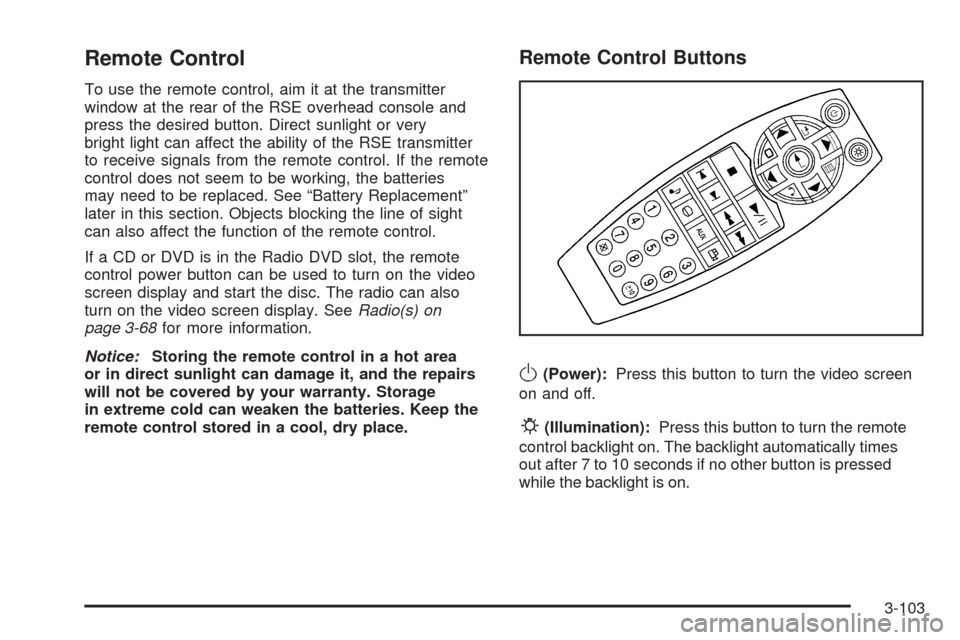
Remote Control
To use the remote control, aim it at the transmitter
window at the rear of the RSE overhead console and
press the desired button. Direct sunlight or very
bright light can affect the ability of the RSE transmitter
to receive signals from the remote control. If the remote
control does not seem to be working, the batteries
may need to be replaced. See “Battery Replacement”
later in this section. Objects blocking the line of sight
can also affect the function of the remote control.
If a CD or DVD is in the Radio DVD slot, the remote
control power button can be used to turn on the video
screen display and start the disc. The radio can also
turn on the video screen display. SeeRadio(s) on
page 3-68for more information.
Notice:Storing the remote control in a hot area
or in direct sunlight can damage it, and the repairs
will not be covered by your warranty. Storage
in extreme cold can weaken the batteries. Keep the
remote control stored in a cool, dry place.
Remote Control Buttons
O(Power):Press this button to turn the video screen
on and off.
P(Illumination):Press this button to turn the remote
control backlight on. The backlight automatically times
out after 7 to 10 seconds if no other button is pressed
while the backlight is on.
3-103
Page 232 of 436
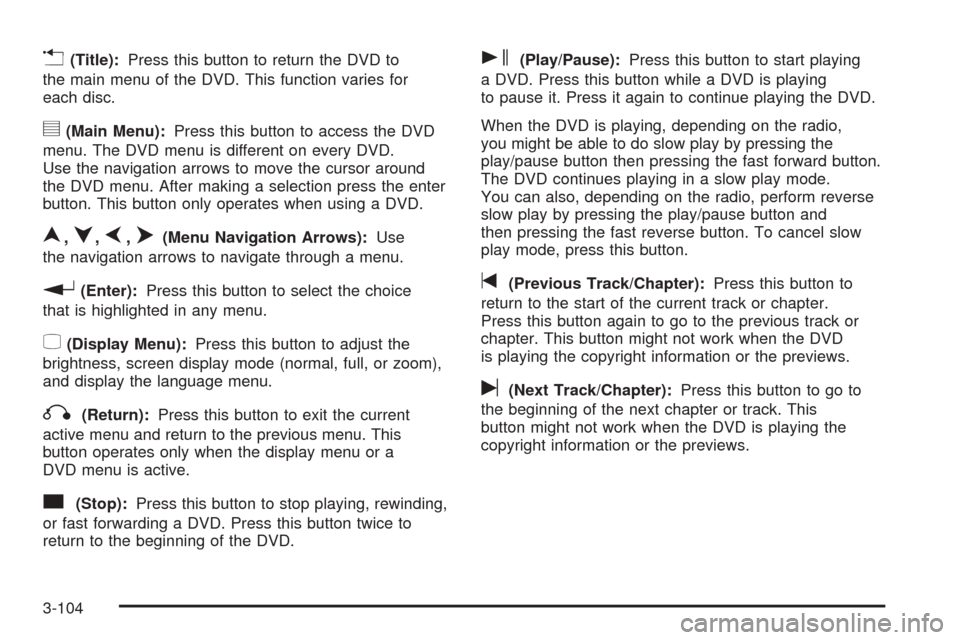
v(Title):Press this button to return the DVD to
the main menu of the DVD. This function varies for
each disc.
y(Main Menu):Press this button to access the DVD
menu. The DVD menu is different on every DVD.
Use the navigation arrows to move the cursor around
the DVD menu. After making a selection press the enter
button. This button only operates when using a DVD.
n,q,p,o(Menu Navigation Arrows):Use
the navigation arrows to navigate through a menu.
r(Enter):Press this button to select the choice
that is highlighted in any menu.
z(Display Menu):Press this button to adjust the
brightness, screen display mode (normal, full, or zoom),
and display the language menu.
q(Return):Press this button to exit the current
active menu and return to the previous menu. This
button operates only when the display menu or a
DVD menu is active.
c(Stop):Press this button to stop playing, rewinding,
or fast forwarding a DVD. Press this button twice to
return to the beginning of the DVD.
s(Play/Pause):Press this button to start playing
a DVD. Press this button while a DVD is playing
to pause it. Press it again to continue playing the DVD.
When the DVD is playing, depending on the radio,
you might be able to do slow play by pressing the
play/pause button then pressing the fast forward button.
The DVD continues playing in a slow play mode.
You can also, depending on the radio, perform reverse
slow play by pressing the play/pause button and
then pressing the fast reverse button. To cancel slow
play mode, press this button.
t(Previous Track/Chapter):Press this button to
return to the start of the current track or chapter.
Press this button again to go to the previous track or
chapter. This button might not work when the DVD
is playing the copyright information or the previews.
u(Next Track/Chapter):Press this button to go to
the beginning of the next chapter or track. This
button might not work when the DVD is playing the
copyright information or the previews.
3-104
Page 242 of 436
Braking
SeeBrake System Warning Light on page 3-31.
Braking action involves perception time and reaction
time. First, you have to decide to push on the brake
pedal. That is perception time. Then you have to bring
up your foot and do it. That is reaction time.
Average reaction time is about three-fourths of a
second. But that is only an average. It might be less
with one driver and as long as two or three seconds or
more with another. Age, physical condition, alertness,
coordination, and eyesight all play a part. So do alcohol,
drugs, and frustration. But even in three-fourths of
a second, a vehicle moving at 60 mph (100 km/h) travels
66 feet (20 m). That could be a lot of distance in an
emergency, so keeping enough space between your
vehicle and others is important.
And, of course, actual stopping distances vary greatly
with the surface of the road, whether it is pavement
or gravel; the condition of the road, whether it is wet,
dry, or icy; tire tread; the condition of the brakes; the
weight of the vehicle; and the amount of brake force
applied.Avoid needless heavy braking. Some people drive in
spurts — heavy acceleration followed by heavy
braking — rather than keeping pace with traffic. This is
a mistake. The brakes might not have time to cool
between hard stops. The brakes will wear out much faster
if you do a lot of heavy braking. If you keep pace with the
traffic and allow realistic following distances, you will
eliminate a lot of unnecessary braking. That means better
braking and longer brake life.
If your vehicle’s engine ever stops while you are driving,
brake normally but do not pump the brakes. If you do,
the pedal could get harder to push down. If the engine
stops, you will still have some power brake assist. But
you will use it when you brake. Once the power assist is
used up, it can take longer to stop and the brake pedal
will be harder to push.
Adding non-dealer/non-retailer accessories can affect
your vehicle’s performance. SeeAccessories and
Modifications on page 5-3.
4-4
Page 243 of 436
Antilock Brake System (ABS)
Your vehicle has the Antilock Brake System (ABS), an
advanced electronic braking system that will help
prevent a braking skid.
When you start the engine and begin to drive away,
ABS will check itself. You might hear a momentary
motor or clicking noise while this test is going on, and
you might even notice that the brake pedal moves
a little. This is normal.
If there is a problem with
ABS, this warning light will
stay on. SeeAntilock
Brake System Warning
Light on page 3-32.Let us say the road is wet and you are driving safely.
Suddenly, an animal jumps out in front of you. You slam
on the brakes and continue braking. Here is what
happens with ABS:
A computer senses that wheels are slowing down.
If one of the wheels is about to stop rolling, the computer
will separately work the brakes at each wheel.
ABS can change the brake pressure faster than any
driver could. The computer is programmed to make the
most of available tire and road conditions. This can help
you steer around the obstacle while braking hard.
As you brake, the computer keeps receiving updates on
wheel speed and controls braking pressure accordingly.
Remember: ABS does not change the time you need
to get your foot up to the brake pedal or always
decrease stopping distance. If you get too close to the
vehicle in front of you, you will not have time to apply
the brakes if that vehicle suddenly slows or stops. Always
leave enough room up ahead to stop, even though you
have ABS.
4-5
Page 244 of 436
Using ABS
Do not pump the brakes. Just hold the brake pedal
down rmly and let antilock work for you. You might hear
the antilock pump or motor operate, and feel the brake
pedal pulsate, but this is normal.
Braking in Emergencies
With ABS, you can steer and brake at the same time.
In many emergencies, steering can help you more than
even the very best braking.
Panic Brake Assist
Your vehicle has a Panic Brake Assist feature designed
to assist the driver in stopping or decreasing vehicle
speed in emergency driving conditions. This feature
uses the Electronic Stability Control (ESC) hydraulic
brake control module to supplement the power brake
system under conditions where the driver has quickly and
forcefully applied the brake pedal in an attempt to quickly
stop or slow down the vehicle. The ESC hydraulic brake
control module increases brake pressure at each corner
of the vehicle until the Antilock Brake System (ABS)
activates. Minor brake pedal pulsations or pedal
movement during this time is normal and the driver
should continue to apply the brake pedal as the driving
situation dictates. The Panic Brake Assist feature will
automatically disengage when the brake pedal is
released or brake pedal pressure is quickly decreased.
Traction Control System (TCS)
Your vehicle has a traction control system that limits
wheel spin. This is especially useful in slippery road
conditions. The system operates only if it senses that one
or more of the wheels are spinning or beginning to lose
traction. When this happens, the system works the
brakes and reduces engine power to limit wheel spin.
This light ashes while the
traction control system is
limiting wheel spin.
You may feel or hear the system working, but this is
normal. This light may also come on after extended
heavy braking indicating the brakes have become too
hot to limit wheel spin.
The traction control system automatically comes on
whenever the vehicle is started. To limit wheel spin,
especially in slippery road conditions, you should always
leave the system on. But you can turn the traction control
system off if you ever need to. You should turn the
system off if your vehicle ever gets stuck in sand, mud,
ice, or snow and rocking the vehicle is required. See
Rocking Your Vehicle to Get It Out on page 4-22.
4-6
Page 245 of 436
The traction control system
can be turned off by
pressing the traction control
button, located next to the
gear shift lever.
When the traction control system is turned off, the
traction control warning light on the instrument panel
cluster comes on and TRACTION CONTROL OFF
briey displays.
The traction control system can be activated again by
pressing the traction control button. While the traction
control system is activated, the traction control system
warning light on the instrument panel cluster comes
on and TRACTION CONTROL ON briey displays.If the system is limiting wheel spin when you press the
button, the traction control off light appears on the
instrument panel cluster. The system will not turn off
until there is no longer a current need to limit wheel spin.
Turn the system back on by pressing the button again. If
the light does not come on, traction control might not be
working and your vehicle should be serviced by a
dealer/retailer.
Adding non-dealer/non-retailer accessories can affect
your vehicle’s performance. SeeAccessories and
Modifications on page 5-3for more information.
StabiliTrak®System
Your vehicle has this feature. The StabiliTrak®system
is an advanced computer controlled system that helps
the driver maintain directional control of the vehicle in
difficult driving conditions. This is accomplished by
selectively applying any one of the vehicle’s brakes and
reducing engine power. The StabiliTrak
®system comes
on automatically whenever you start your vehicle.
4-7
Page 246 of 436
The STABILITRAK NOT READY message may be
displayed in the DIC and the traction control system and
StabiliTrak
®warning light on the instrument panel
cluster will be on after rst driving the vehicle and
exceeding 30 mph 48 (km/h) for 30 seconds. The
StabiliTrak
®system is off until the light has turned off.
This could take up to 15 minutes. SeeDIC Warnings
and Messages on page 3-49for more information.
The traction control system and StabiliTrak
®warning
light on the instrument panel cluster will ash when the
system is operating. You may also feel or hear the
system working. This is normal. This light may also
come on after extended heavy braking indicating the
brakes have become too hot to limit wheel spin.
StabiliTrak
®can be turned off using the traction control
button. To disable StabiliTrak®, press and hold the
traction control button for ve seconds. StabiliTrak®can
be activated again by pressing the traction control
button.
The SERVICE STABILITRAK message will be displayed
and the traction control system and StabiliTrak
®
warning light on the instrument panel cluster will come
on if there is a problem with the system. When this light
and the SERVICE STABILITRAK message are on, the
system is not operational. Adjust your driving accordingly.
All-Wheel Drive (AWD) System
If your vehicle has all-wheel drive (AWD), the AWD
system operates automatically without any action
required by the driver. If the front drive wheels begin to
slip, the rear wheels will automatically begin to drive
the vehicle as required. Torque is also applied to the
rear wheels during launches. There may be a slight
engagement noise during hard use but this is normal.
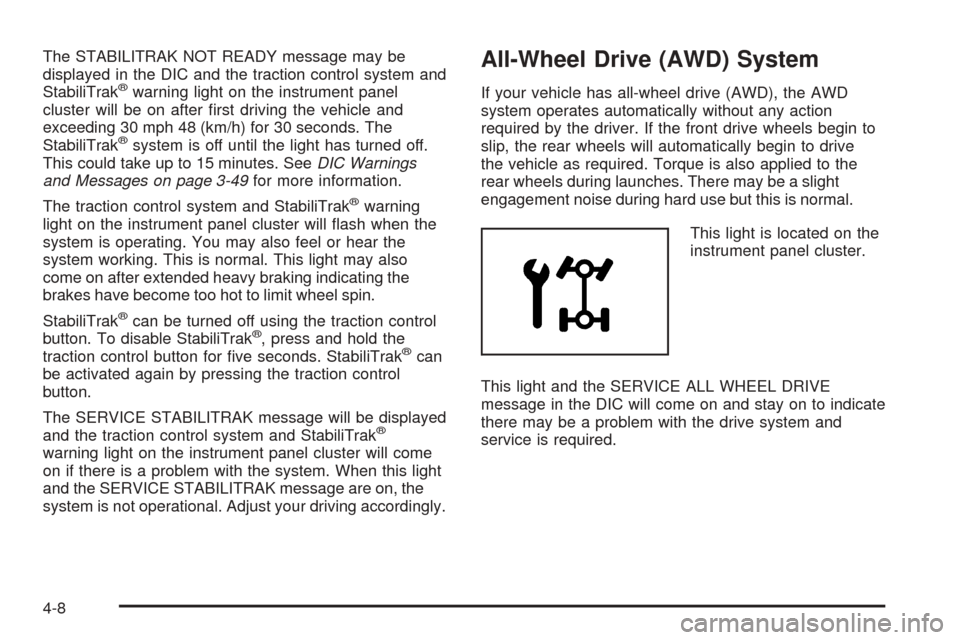
This light is located on the
instrument panel cluster.
This light and the SERVICE ALL WHEEL DRIVE
message in the DIC will come on and stay on to indicate
there may be a problem with the drive system and
service is required.
4-8
Page 247 of 436
SeeService All-Wheel Drive Light on page 3-39and
DIC Warnings and Messages on page 3-49for more
information.
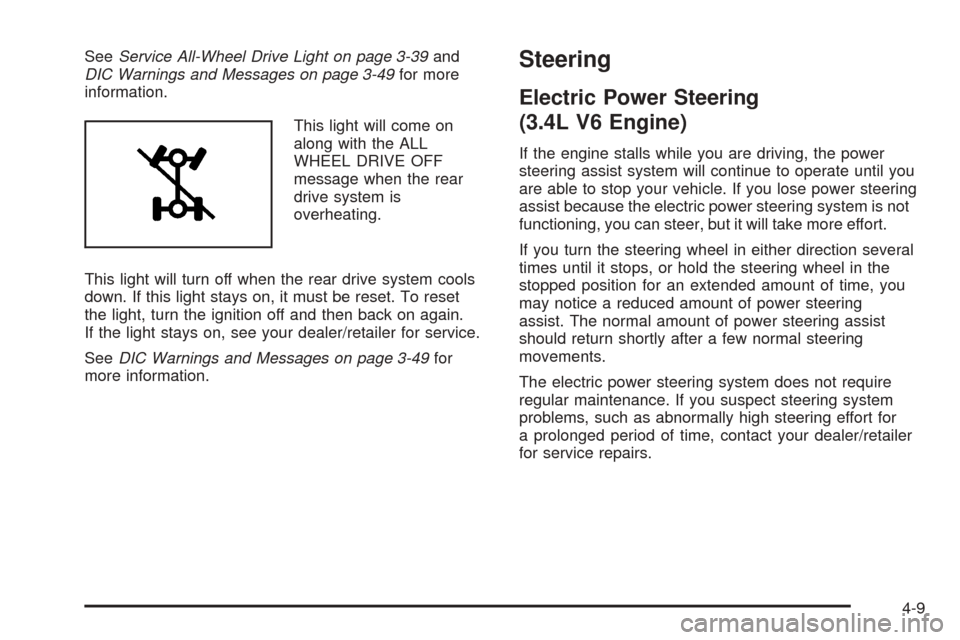
This light will come on
along with the ALL
WHEEL DRIVE OFF
message when the rear
drive system is
overheating.
This light will turn off when the rear drive system cools
down. If this light stays on, it must be reset. To reset
the light, turn the ignition off and then back on again.
If the light stays on, see your dealer/retailer for service.
SeeDIC Warnings and Messages on page 3-49for
more information.Steering
Electric Power Steering
(3.4L V6 Engine)
If the engine stalls while you are driving, the power
steering assist system will continue to operate until you
are able to stop your vehicle. If you lose power steering
assist because the electric power steering system is not
functioning, you can steer, but it will take more effort.
If you turn the steering wheel in either direction several
times until it stops, or hold the steering wheel in the
stopped position for an extended amount of time, you
may notice a reduced amount of power steering
assist. The normal amount of power steering assist
should return shortly after a few normal steering
movements.
The electric power steering system does not require
regular maintenance. If you suspect steering system
problems, such as abnormally high steering effort for
a prolonged period of time, contact your dealer/retailer
for service repairs.
4-9