engine CHEVROLET EQUINOX 2010 2.G Owner's Manual
[x] Cancel search | Manufacturer: CHEVROLET, Model Year: 2010, Model line: EQUINOX, Model: CHEVROLET EQUINOX 2010 2.GPages: 394, PDF Size: 5.7 MB
Page 107 of 394
Instruments and Controls 4-21
SeeTraction Control System (TCS)on page 8‑41andStabiliTrak
Systemon page 8‑43for more
information.
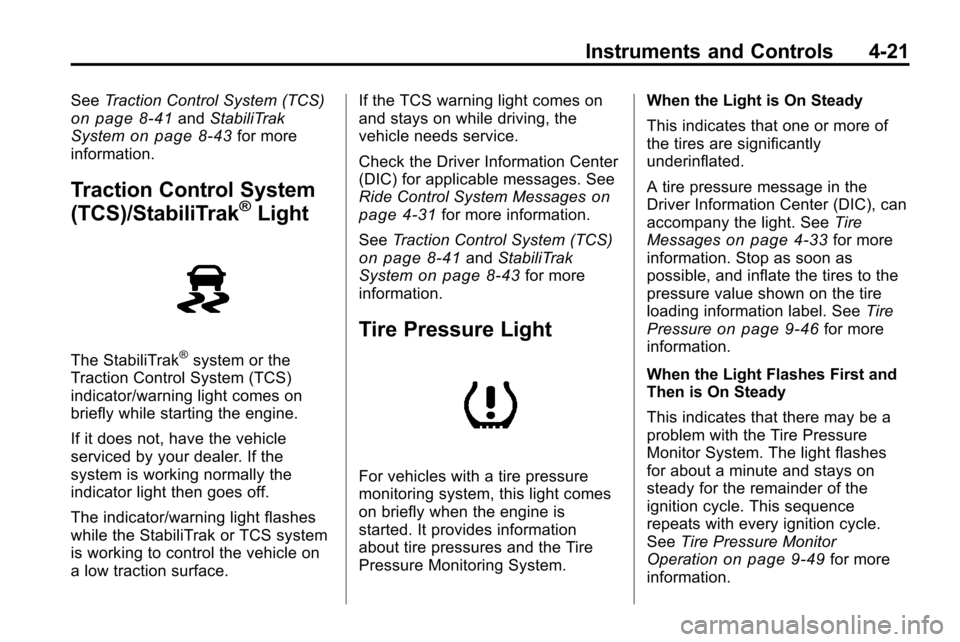
Traction Control System
(TCS)/StabiliTrak®Light
The StabiliTrak®system or the
Traction Control System (TCS)
indicator/warning light comes on
briefly while starting the engine.
If it does not, have the vehicle
serviced by your dealer. If the
system is working normally the
indicator light then goes off.
The indicator/warning light flashes
while the StabiliTrak or TCS system
is working to control the vehicle on
a low traction surface. If the TCS warning light comes on
and stays on while driving, the
vehicle needs service.
Check the Driver Information Center
(DIC) for applicable messages. See
Ride Control System Messages
on
page 4‑31for more information.
See Traction Control System (TCS)
on page 8‑41andStabiliTrak
Systemon page 8‑43for more
information.
Tire Pressure Light
For vehicles with a tire pressure
monitoring system, this light comes
on briefly when the engine is
started. It provides information
about tire pressures and the Tire
Pressure Monitoring System. When the Light is On Steady
This indicates that one or more of
the tires are significantly
underinflated.
A tire pressure message in the
Driver Information Center (DIC), can
accompany the light. See
Tire
Messages
on page 4‑33for more
information. Stop as soon as
possible, and inflate the tires to the
pressure value shown on the tire
loading information label. See Tire
Pressure
on page 9‑46for more
information.
When the Light Flashes First and
Then is On Steady
This indicates that there may be a
problem with the Tire Pressure
Monitor System. The light flashes
for about a minute and stays on
steady for the remainder of the
ignition cycle. This sequence
repeats with every ignition cycle.
See Tire Pressure Monitor
Operation
on page 9‑49for more
information.
Page 108 of 394
4-22 Instruments and Controls
Engine Oil Pressure Light
{WARNING
Do not keep driving if the oil
pressure is low. The engine can
become so hot that it catches fire.
Someone could be burned. Check
the oil as soon as possible and
have the vehicle serviced.
Notice: Lack of proper engine oil
maintenance can damage the
engine. The repairs would not be
covered by the vehicle warranty.
Always follow the maintenance
schedule in this manual for
changing engine oil.
The oil pressure light should come
on briefly as the engine is started.
If it does not come on have the
vehicle serviced by your dealer.
If the light comes on and stays on, it
means that oil is not flowing through
the engine properly. The vehicle
could be low on oil and might have
some other system problem. See
your dealer.
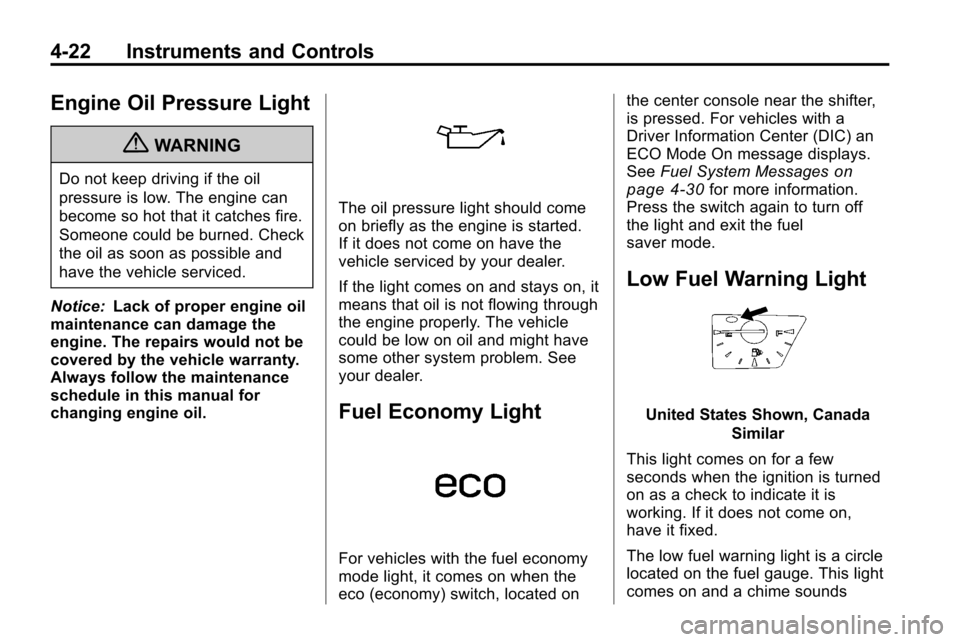
Fuel Economy Light
For vehicles with the fuel economy
mode light, it comes on when the
eco (economy) switch, located on the center console near the shifter,
is pressed. For vehicles with a
Driver Information Center (DIC) an
ECO Mode On message displays.
See
Fuel System Messages
on
page 4‑30for more information.
Press the switch again to turn off
the light and exit the fuel
saver mode.
Low Fuel Warning Light
United States Shown, Canada
Similar
This light comes on for a few
seconds when the ignition is turned
on as a check to indicate it is
working. If it does not come on,
have it fixed.
The low fuel warning light is a circle
located on the fuel gauge. This light
comes on and a chime sounds
Page 113 of 394
Instruments and Controls 4-27
Pressure Monitor Systemon
page 9‑49and Tire Pressure
Monitor Operationon page 9‑49for
more information.
Remaining Oil Life
This display shows an estimate of
the oil's remaining useful life.
If “Remaining Oil Life 99%” is
displayed, that means 99% of the
current oil life remains.
When the remaining oil life is low,
the “Change Engine Oil Soon”
message will appear on the display.
See Engine Oil Messages
on
page 4‑30. The oil should be
changed as soon as possible. See
Engine Oil
on page 9‑10. In
addition to the engine oil life system
monitoring the oil life, additional
maintenance is recommended in the
Maintenance Schedule in this
manual. See Scheduled
Maintenance
on page 10‑2for
more information. Remember, the Oil Life display must
be reset after each oil change. It
will not reset itself. Also, be careful
not to reset the Oil Life display
accidentally at any time other than
when the oil has just been changed.
It cannot be reset accurately until
the next oil change. To reset the
engine oil life system, press
Vor
SET/CLR while the Oil Life display
is active. The display will ask for
confirmation of a reset. Press
wor
xto select Yes or No. Then pressVor SET/CLR to confirm the
selection. See Engine Oil Life
System
on page 9‑11.
Blank Display
This display shows no information.
Compass
The vehicle may have a compass in
the Driver Information Center (DIC).
See Compass on page 4‑8.
Vehicle Messages
Messages are displayed on the DIC
to notify the driver that the status of
the vehicle has changed and that
some action may be needed by the
driver to correct the condition.
Multiple messages may appear one
after another.
Some messages may not require
immediate action, but you can press
Vor SET/CLR to acknowledge that
you received the messages and to
clear them from the display. Some
messages cannot be cleared from
the DIC display because they are
more urgent. These messages
require action before they can be
cleared. You should take any
messages that appear on the
display seriously and remember that
clearing the messages will only
make the messages disappear, not
correct the problem. You will find the
possible messages that can be
displayed and some information
about them grouped by subject in
the following information.
Page 115 of 394
Instruments and Controls 4-29
Door Ajar Messages
Door Open
A door open symbol will be
displayed on the DIC showing
which door is open. If the vehicle
has been shifted out of P (Park), a
“Door Open”message will also be
displayed. Close the door
completely.
Hood Open
This message will display along with
a hood open symbol when the hood
is open. Close the hood completely.
Manually Close the Power
Liftgate
This message will display if the
power liftgate encounters multiple
obstacles on the same power cycle.
After removing the obstructions, the
liftgate will resume normal power
operation.
Rear Access Open
This message will display along with
a symbol when the liftgate is open.
Close the liftgate completely.
Engine Cooling System
Messages
A/C Off Due to High
Engine Temp
This message displays when the
engine coolant becomes hotter than
the normal operating temperature.
To avoid added strain on a hot
engine, the air conditioning
compressor automatically turns off.
When the coolant temperature
returns to normal, the air
conditioning compressor turns back
on. You can continue to drive the
vehicle.
If this message continues to appear,
have the system repaired by your
dealer as soon as possible to avoid
damage to the engine.
Coolant Level Low Add
Coolant
This message will display if the
coolant is low, see Engine Coolant
on page 9‑15.
Engine Overheated —Idle
Engine
This message displays when the
engine coolant temperature is too
hot. Stop and allow the vehicle to
idle until it cools down.
Engine Overheated —Stop
Engine
This message displays and a
continuous chime sounds if the
engine cooling system reaches
unsafe temperatures for operation.
Stop and turn off the vehicle as
soon as it is safe to do so to avoid
severe damage. This message
clears when the engine has cooled
to a safe operating temperature.
Page 116 of 394
4-30 Instruments and Controls
High Coolant Temperature
This message displays if the coolant
temperature is hot, seeEngine
Overheating on page 9‑18.
Engine Oil Messages
Change Engine Oil Soon
This message displays when the
engine oil needs to be changed.
When you change the engine oil, be
sure to reset the Oil Life System.
See Engine Oil Life System
on
page 9‑11and Driver Information
Center (DIC)on page 4‑24for
information on how to reset the
system. See Engine Oil
on
page 9‑10and Scheduled
Maintenanceon page 10‑2for
more information.
Engine Oil Hot, Idle Engine
This message displays when the
engine oil temperature is too hot.
Stop and allow the vehicle to idle
until it cools down.
Engine Oil Low –Add Oil
This message displays when the
engine oil level is too low. Check the
oil level. See Engine Oil
on
page 9‑10.
Oil Pressure Low –Stop
Engine
This message displays if low oil
pressure levels occur. Stop the
vehicle as soon as safely possible
and do not operate it until the cause
of the low oil pressure has been
corrected. Check the oil as soon as
possible and have your vehicle
serviced by your dealer.
Engine Power Messages
Engine Power Is Reduced
This message displays when the
vehicle's engine power is reduced.
Reduced engine power can affect
the vehicle's ability to accelerate.
If this message is on, but there
is no reduction in performance,
proceed to your destination. The
performance may be reduced the next time the vehicle is driven. The
vehicle may be driven at a reduced
speed while this message is on, but
maximum acceleration and speed
may be reduced. Anytime this
message stays on, the vehicle
should be taken to your dealer for
service as soon as possible.
Fuel System Messages
ECO Mode On
On some models, this message
displays when the fuel economy
mode has been turned on by
pressing the eco button near the
shift lever. See
Fuel Economy Mode
on page 8‑37for more information.
Fuel Level Low
This message displays when the
vehicle is low on fuel. Refuel as
soon as possible.
Tighten Gas Cap
This message displays when the
fuel cap is not on tight. Tighten the
fuel cap.
Page 118 of 394
4-32 Instruments and Controls
Service Stabilitrak
This message displays if there is a
problem with the StabiliTrak®
system. If this message appears, try
to reset the system. Stop; turn off
the engine for at least 15 seconds;
then start the engine again. If this
message still comes on, it means
there is a problem. See your dealer
for service. The vehicle is safe to
drive, however, you do not have the
benefit of StabiliTrak, so reduce
your speed and drive accordingly.
Stabilitrak Off
This message displays when the
StabiliTrak system is turned off. See
StabiliTrak System
on page 8‑43for more information.
Traction Control Off
This message displays when the
Traction Control System (TCS) is
turned off. Adjust your driving
accordingly.
Traction Control On
This message displays when the
Traction Control System (TCS) is
first turned on. SeeTraction Control
System (TCS)
on page 8‑41for
more information.
Airbag System Messages
Service Airbag
This message is displayed if there is
a problem with the airbag system.
Take the vehicle to your dealer for
service.
Safety Belt Messages
Buckle Seatbelt
This message displays as a
reminder when the safety belt
is not buckled.
Anti-Theft Alarm System
Messages
Theft Attempted
This message displays if the vehicle
detects a tamper condition.
Service Vehicle Messages
Service AC System
This message is displayed if there is
a problem with the air conditioning
system. Take the vehicle to your
dealer for service.
Service Power Steering
This message is displayed if there is
a problem with the power steering
system. Take the vehicle to your
dealer for service.
Service Vehicle Soon
This message is displayed if there is
a problem with the vehicle. Take the
vehicle to your dealer for service.
Page 119 of 394
Instruments and Controls 4-33
Tire Messages
Service Tire Monitor System
This message displays if there is a
problem with the Tire Pressure
Monitor System (TPMS). SeeTire
Pressure Monitor Operation
on
page 9‑49for more information.
Tire Learning Active
This message displays when the
system is learning new tires. See
Tire Pressure Monitor Operation
on
page 9‑49for more information.
Tire Low Add Air To Tire
On vehicles with the Tire Pressure
Monitor System (TPMS), this
message displays when the
pressure in one or more of the
vehicle's tires is low.
This message also displays “Left
Front”, “Right Front”, “Left Rear”,
or “Right Rear” to indicate the
location of the low tire. The low tire pressure warning light
will also come on. See
Tire
Pressure Light on page 4‑21.
If a tire pressure message appears
on the DIC, stop as soon as you
can. Inflate the tires by adding air
until the tire pressure is equal to the
values shown on the Tire Loading
Information label. See Tires
on
page 9‑40, Vehicle Load Limitson
page 8‑24, and Tire Pressureon
page 9‑46.
You can receive more than one tire
pressure message at a time. To
read the other messages that may
have been sent at the same time,
press the set/reset button. The DIC
also shows the tire pressure values.
See Driver Information Center (DIC)
on page 4‑24.
Transmission Messages
Service Transmission
This message displays if there is a
problem with the transmission. See
your dealer.
Shift To Park
This message displays when the
transmission needs to be shifted to
P (Park). This may appear when
attempting to remove the key from
the ignition if the vehicle is not in
P (Park).
Transmission Hot –Idle
Engine
This message displays and a chime
sounds if the transmission fluid in
the vehicle gets hot. Driving with the
transmission fluid temperature high
can cause damage to the vehicle.
Stop the vehicle and let it idle to
allow the transmission to cool. This
message clears when the fluid
temperature reaches a safe level.
Page 132 of 394
6-2 Infotainment System
For more information, seeDefensive
Driving on page 8‑3.
This vehicle's infotainment system
may be equipped with a noise
reduction system which can work
improperly if the audio amplifier,
engine calibrations, exhaust system,
microphones, radio, or speakers are
modified or replaced. This could
result in more noticeable engine
noise at certain speeds. Notice:
Contact your dealer
before adding any equipment.
Adding audio or communication
equipment could interfere with
the operation of the vehicle's
engine, radio, or other systems,
and could damage them. Follow
federal rules covering mobile
radio and telephone equipment.
The vehicle has Retained
Accessory Power (RAP). With RAP,
the audio system can be played
even after the ignition is turned off.
See Retained Accessory Power
(RAP)
on page 8‑29for more
information.
Navigation/Radio System
For vehicles with a navigation radio
system, see the separate Navigation
System manual.
Theft-Deterrent Feature
The theft-deterrent feature works by
learning a portion of the Vehicle
Identification Number (VIN) to
the infotainment system. The
infotainment system does not
operate if it is stolen or moved to
a different vehicle.
Page 205 of 394
Driving and Operating 8-1
Driving and
Operating
Driving Information
Driving for Better FuelEconomy . . . . . . . . . . . . . . . . . . . . 8-2
Defensive Driving . . . . . . . . . . . . . 8-3
Drunk Driving . . . . . . . . . . . . . . . . . 8-3
Control of a Vehicle . . . . . . . . . . . 8-4
Braking . . . . . . . . . . . . . . . . . . . . . . . 8-4
Steering . . . . . . . . . . . . . . . . . . . . . . . 8-5
Off-Road Recovery . . . . . . . . . . . . 8-6
Loss of Control . . . . . . . . . . . . . . . . 8-7
Off-Road Driving . . . . . . . . . . . . . . 8-8
Driving on Wet Roads . . . . . . . 8-19
Highway Hypnosis . . . . . . . . . . . 8-20
Hill and Mountain Roads . . . . . 8-20
Winter Driving . . . . . . . . . . . . . . . 8-21
If the Vehicle is Stuck . . . . . . . . 8-23
Vehicle Load Limits . . . . . . . . . . 8-24
Starting and Operating
New Vehicle Break-In . . . . . . . . 8-28
Ignition Positions . . . . . . . . . . . . 8-28
Retained Accessory Power (RAP) . . . . . . . . . . . . . . . 8-29
Starting the Engine . . . . . . . . . . 8-30
Engine Coolant Heater . . . . . . . 8-31
Shifting Into Park . . . . . . . . . . . . 8-32
Shifting Out of Park . . . . . . . . . . 8-33
Parking Over Things
That Burn . . . . . . . . . . . . . . . . . . 8-33
Engine Exhaust
Engine Exhaust . . . . . . . . . . . . . . 8-34
Running the Vehicle WhileParked . . . . . . . . . . . . . . . . . . . . . 8-34
Automatic Transmission
Automatic Transmission . . . . . 8-35
Manual Mode . . . . . . . . . . . . . . . . 8-37
Fuel Economy Mode . . . . . . . . . 8-37
Drive Systems
All-Wheel Drive . . . . . . . . . . . . . . 8-38
Brakes
Antilock BrakeSystem (ABS) . . . . . . . . . . . . . . 8-38
Parking Brake . . . . . . . . . . . . . . . 8-40
Brake Assist . . . . . . . . . . . . . . . . . 8-40
Hill Start Assist (HSA) . . . . . . . 8-41
Ride Control Systems
Traction Control System (TCS) . . . . . . . . . . . . . . 8-41
StabiliTrak System . . . . . . . . . . . 8-43
Cruise Control
Cruise Control . . . . . . . . . . . . . . . 8-44
Object Detection Systems
Ultrasonic Parking Assist . . . . 8-46
Rear Vision Camera (RVC) . . . . . . . . . . . . . 8-49
Fuel
Fuel . . . . . . . . . . . . . . . . . . . . . . . . . 8-53
Recommended Fuel . . . . . . . . . 8-54
Gasoline Specifications . . . . . . 8-54
Page 206 of 394
8-2 Driving and Operating
California FuelRequirements . . . . . . . . . . . . . . 8-54
Fuels in Foreign Countries . . . 8-54
Fuel Additives . . . . . . . . . . . . . . . 8-55
Filling the Tank . . . . . . . . . . . . . . 8-56
Filling a Portable Fuel Container . . . . . . . . . . . . . . . . . . . 8-57
Towing
General TowingInformation . . . . . . . . . . . . . . . . . 8-57
Driving Characteristics and Towing Tips . . . . . . . . . . . . . . . . 8-58
Trailer Towing . . . . . . . . . . . . . . . . 8-61
Towing Equipment . . . . . . . . . . . 8-63
Trailer Sway Control (TSC) . . . . . . . . . . . . . . 8-64
Conversions and Add-Ons
Add-On Electrical
Equipment . . . . . . . . . . . . . . . . . 8-64
Driving Information
Driving for Better Fuel
Economy
Driving habits can affect fuel
mileage. Here are some driving tips
to get the best fuel economy
possible.
.Avoid fast starts and accelerate
smoothly.
.Brake gradually and avoid
abrupt stops.
.Avoid idling the engine for long
periods of time.
.When road and weather
conditions are appropriate, use
cruise control, if equipped.
.Always follow posted speed
limits or drive more slowly when
conditions require.
.Keep vehicle tires properly
inflated.
.Combine several trips into a
single trip.
.Replace the vehicle's tires with
the same TPC Spec number
molded into the tire's sidewall
near the size.
.Follow recommended scheduled
maintenance.