navigation system CHEVROLET EQUINOX 2012 2.G User Guide
[x] Cancel search | Manufacturer: CHEVROLET, Model Year: 2012, Model line: EQUINOX, Model: CHEVROLET EQUINOX 2012 2.GPages: 428, PDF Size: 6.62 MB
Page 197 of 428
Black plate (37,1)Chevrolet Equinox Owner Manual - 2012
Infotainment System 7-37
To minimize driver distraction,
before driving, and with the vehicle
parked:
.Become familiar with the
features of the cell phone.
Organize the phone book and
contact lists clearly and delete
duplicate or rarely used entries.
If possible, program speed dial
or other shortcuts.
.Review the controls and
operation of the infotainment
system.
.Pair cell phone(s) to the vehicle.
The system may not work with
all cell phones. See“Pairing”in
this section for more information.
.If the cell phone has voice
dialing capability, learn to use
that feature to access the
address book or contact list. See
“Voice Pass-Thru” in this section
for more information.
.See “Storing and Deleting Phone
Numbers” in this section for
more information.
{WARNING
When using a cell phone, it can
be distracting to look too long or
too often at the screen of the
phone or the infotainment
(navigation) system. Taking your
eyes off the road too long or too
often could cause a crash
resulting in injury or death. Focus
your attention on driving.
Vehicles with a Bluetooth system
can use a Bluetooth‐capable cell
phone with a Hands‐Free Profile to
make and receive phone calls. The
infotainment system and voice
recognition are used to control the
system. The system can be used
while in ON/RUN or ACC/
ACCESSORY. The range of the
Bluetooth system can be up to
9.1 m (30 ft). Not all phones support
all functions and not all phones work
with the Bluetooth system. See www.gm.com/bluetooth for more
information about compatible
phones.
Bluetooth Controls
Use the buttons located on the
infotainment system and the
steering wheel to operate the
Bluetooth system.
Steering Wheel Controls
b/g(Push To Talk) :
Press to
answer incoming calls, confirm
system information, and start voice
recognition.
$/i(End Call/Mute): Press to
end a call, reject a call, or cancel an
operation.
Page 219 of 428
Black plate (3,1)Chevrolet Equinox Owner Manual - 2012
Driving and Operating 9-3
{WARNING
Taking your eyes off the road too
long or too often could cause a
crash resulting in injury or death.
Focus your attention on driving.
Refer to the infotainment section for
more information on using that
system, including pairing and using
a cell phone.
If equipped, refer to the navigation
manual for information on that
system, including pairing and using
a cell phone.
Defensive Driving
Defensive driving means “always
expect the unexpected.” The first
step in driving defensively is to wear
the safety belt. See Safety Belts on
page 3‑12.
.Assume that other road users
(pedestrians, bicyclists, and
other drivers) are going to be
careless and make mistakes.
Anticipate what they might do
and be ready.
.Allow enough following distance
between you and the driver in
front of you.
.Focus on the task of driving.
Drunk Driving
Death and injury associated with
drinking and driving is a global
tragedy.
{WARNING
Drinking and then driving is very
dangerous. Your reflexes,
perceptions, attentiveness, and
judgment can be affected by even
a small amount of alcohol. You
can have a serious —or even
fatal —collision if you drive after
drinking.
Do not drink and drive or ride with
a driver who has been drinking.
Ride home in a cab; or if you are
with a group, designate a driver
who will not drink.
Page 261 of 428
Black plate (45,1)Chevrolet Equinox Owner Manual - 2012
Driving and Operating 9-45
Rear Vision
Camera (RVC)
The vehicle may have a Rear Vision
Camera (RVC) system. Read this
entire section before using it.
The RVC can assist the driver when
backing up by displaying a view of
the area behind the vehicle.
{WARNING
The RVC system does not display
pedestrians, bicyclists, animals,
or any other object located
outside the camera's field of view,
below the bumper, or under the
vehicle.
Do not back the vehicle using
only the RVC screen or by using
the screen during longer, higher
speed backing maneuvers,
or where there could be(Continued)
WARNING (Continued)
cross-traffic. Perceived distances
may be different from actual
distances.
Failure to use proper care before
backing may result in injury,
death, or vehicle damage. Always
check before backing by checking
behind and around the vehicle.
An image appears on the radio
screen with the message Check
Surroundings for Safety when the
vehicle is shifted into R (Reverse).
The radio screen goes to the
previous screen after approximately
10 seconds once the vehicle is
shifted out of R (Reverse). To cancel the delay, do one of the
following:.Press a hard key on the
navigation system.
.Shift into P (Park).
.Reach a vehicle speed of
8 km/h (5 mph).
Turning the Rear Vision Camera
System On or Off
To turn the rear vision camera
system on or off:
1. Shift into P (Park).
2. Press the CONFIG button.
3. Select Display.
Page 391 of 428
Black plate (1,1)Chevrolet Equinox Owner Manual - 2012
Customer Information 13-1
Customer
Information
Customer Information
Customer SatisfactionProcedure . . . . . . . . . . . . . . . . . . 13-1
Customer Assistance Offices . . . . . . . . . . . . . . . . . . . . . 13-3
Customer Assistance for Text Telephone (TTY) Users . . . . . 13-4
Online Owner Center . . . . . . . . 13-5
GM Mobility Reimbursement Program . . . . . . . . . . . . . . . . . . . . 13-6
Roadside Assistance Program . . . . . . . . . . . . . . . . . . . . 13-6
Scheduling Service Appointments . . . . . . . . . . . . . . 13-8
Courtesy Transportation Program . . . . . . . . . . . . . . . . . . . . 13-9
Collision Damage Repair . . . 13-10
Service Publications Ordering Information . . . . . . 13-13
Reporting Safety Defects
Reporting Safety Defects tothe United States
Government . . . . . . . . . . . . . . . 13-14
Reporting Safety Defects to the Canadian
Government . . . . . . . . . . . . . . . 13-14
Reporting Safety Defects to General Motors . . . . . . . . . . . 13-15
Vehicle Data Recording and
Privacy
Vehicle Data Recording andPrivacy . . . . . . . . . . . . . . . . . . . . 13-15
Event Data Recorders . . . . . . 13-15
OnStar
®. . . . . . . . . . . . . . . . . . . . 13-16
Navigation System . . . . . . . . . 13-16
Radio Frequency Identification (RFID) . . . . . . . 13-17
Radio Frequency Statement . . . . . . . . . . . . . . . . . 13-17
Customer Information
Customer Satisfaction
Procedure
Your satisfaction and goodwill are
important to your dealer and to
Chevrolet. Normally, any concerns
with the sales transaction or the
operation of the vehicle will be
resolved by your dealer's sales or
service departments. Sometimes,
however, despite the best intentions
of all concerned, misunderstandings
can occur. If your concern has not
been resolved to your satisfaction,
the following steps should be taken:
STEP ONE: Discuss your concern
with a member of dealership
management. Normally, concerns
can be quickly resolved at that level.
If the matter has already been
reviewed with the sales, service,
or parts manager, contact the owner
of your dealership or the general
manager.
Page 406 of 428
Black plate (16,1)Chevrolet Equinox Owner Manual - 2012
13-16 Customer Information
This data can help provide a better
understanding of the circumstances
in which crashes and injuries occur.
Important:EDR data is recorded
by the vehicle only if a non-trivial
crash situation occurs; no data is
recorded by the EDR under normal
driving conditions and no personal
data (e.g., name, gender, age, and
crash location) is recorded.
However, other parties, such as law
enforcement, could combine the
EDR data with the type of
personally identifying data routinely
acquired during a crash
investigation.
To read data recorded by an EDR,
special equipment is required, and
access to the vehicle or the EDR is
needed. In addition to the vehicle
manufacturer, other parties, such as
law enforcement, that have the
special equipment, can read the
information if they have access to
the vehicle or the EDR. GM will not access this data or
share it with others except: with the
consent of the vehicle owner or,
if the vehicle is leased, with the
consent of the lessee; in response
to an official request by police or
similar government office; as part of
GM's defense of litigation through
the discovery process; or, as
required by law. Data that GM
collects or receives may also be
used for GM research needs or may
be made available to others for
research purposes, where a need is
shown and the data is not tied to a
specific vehicle or vehicle owner.OnStar®
If the vehicle is equipped with an
active OnStar system, that system
may also record data in crash or
near crash‐like situations. The
OnStar Terms and Conditions
provides information on data
collection and use and is available
at www.onstar.com (U.S.) or
www.onstar.ca (Canada), or by
pressing the
Qbutton and
speaking to an advisor. See OnStar
Overview on page 14‑1 for more
information.
Navigation System
If the vehicle has a navigation
system, use of the system may
result in the storage of destinations,
addresses, telephone numbers, and
other trip information. Refer to the
navigation manual for information on
stored data and for deletion
instructions.
Page 409 of 428
Black plate (1,1)Chevrolet Equinox Owner Manual - 2012
OnStar 14-1
OnStar
OnStar Overview
OnStar Overview . . . . . . . . . . . . 14-1
OnStar Services
Emergency . . . . . . . . . . . . . . . . . . 14-2
Security . . . . . . . . . . . . . . . . . . . . . . 14-2
Navigation . . . . . . . . . . . . . . . . . . . 14-2
Connections . . . . . . . . . . . . . . . . . 14-4
Diagnostics . . . . . . . . . . . . . . . . . . 14-5
OnStar Additional Information
OnStar AdditionalInformation . . . . . . . . . . . . . . . . . 14-5
OnStar Overview
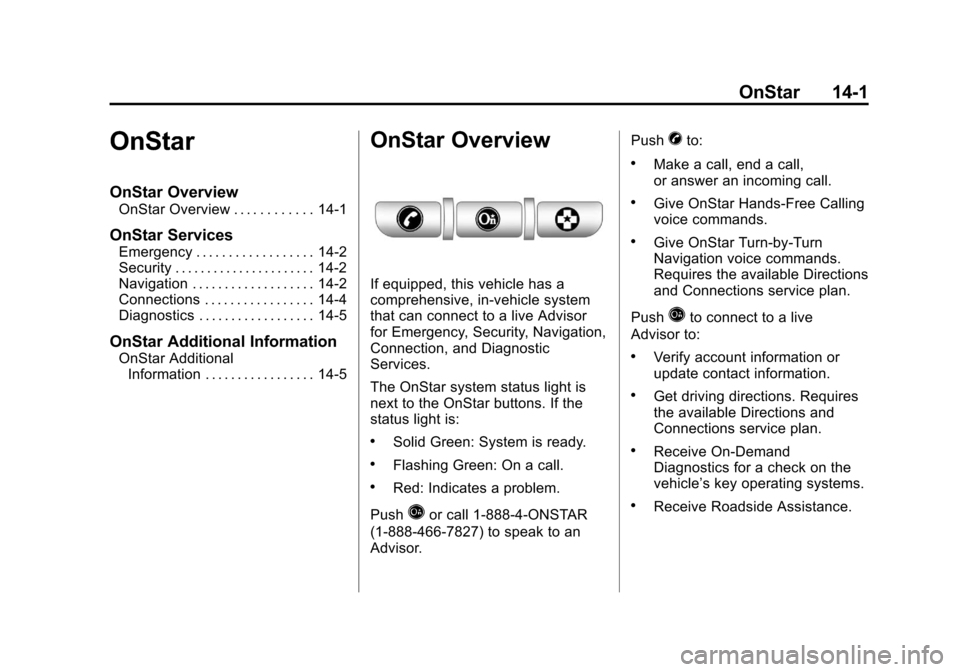
If equipped, this vehicle has a
comprehensive, in-vehicle system
that can connect to a live Advisor
for Emergency, Security, Navigation,
Connection, and Diagnostic
Services.
The OnStar system status light is
next to the OnStar buttons. If the
status light is:
.Solid Green: System is ready.
.Flashing Green: On a call.
.Red: Indicates a problem.
Push
Qor call 1‐888‐4‐ONSTAR
(1‐888‐466‐7827) to speak to an
Advisor. Push
Xto:
.Make a call, end a call,
or answer an incoming call.
.Give OnStar Hands-Free Calling
voice commands.
.Give OnStar Turn-by-Turn
Navigation voice commands.
Requires the available Directions
and Connections service plan.
Push
Qto connect to a live
Advisor to:
.Verify account information or
update contact information.
.Get driving directions. Requires
the available Directions and
Connections service plan.
.Receive On-Demand
Diagnostics for a check on the
vehicle’s key operating systems.
.Receive Roadside Assistance.
Page 410 of 428
![CHEVROLET EQUINOX 2012 2.G User Guide Black plate (2,1)Chevrolet Equinox Owner Manual - 2012
14-2 OnStar
Push]to get a priority connection
to an Emergency Advisor available
24/7 to:
.Get help for an emergency.
.Be a Good Samaritan or
resp](/img/24/8152/w960_8152-409.png "CHEVROLET EQUINOX 2012 2.G User Guide Black plate (2,1)Chevrolet Equinox Owner Manual - 2012
14-2 OnStar
Push]to get a priority connection
to an Emergency Advisor available
24/7 to:
.Get help for an emergency.
.Be a Good Samaritan or
resp")
Black plate (2,1)Chevrolet Equinox Owner Manual - 2012
14-2 OnStar
Push]to get a priority connection
to an Emergency Advisor available
24/7 to:
.Get help for an emergency.
.Be a Good Samaritan or
respond to an AMBER Alert.
.Get crisis assistance and
evacuation routes.
OnStar Services
Emergency
With Automatic Crash Response,
the built-in system can automatically
connect to help in a crash even if
you cannot ask for it.
Push
]to connect to an
Emergency Advisor. GPS
technology is used to identify the
vehicle location and can provide
critical information to emergency
personnel. The Advisor is also
trained to offer critical assistance in
emergency situations.
Security
OnStar provides services like Stolen
Vehicle Assistance, Remote Ignition
Block, and Roadside Assistance,
if the vehicle is equipped with these
services. OnStar can unlock the
vehicle doors remotely, if it is
equipped with automatic door locks,
and can help police locate the
vehicle if it is stolen.
Navigation
OnStar navigation requires the
Directions and Connections
service plan.
Push
Qto receive directions or
have them sent to the vehicle
navigation screen. Destinations can
also be forwarded to the vehicle
from Google Maps™ or
MapQuest.com. The OnStar
mapping database is continuously
updated. Visit www.onstar.com for
coverage maps.
Turn‐by‐Turn Navigation
1. PushQto connect to a live
Advisor.
2. Request directions.
3. Directions are downloaded to the vehicle.
4. Follow the voice-guided commands.
Page 411 of 428
Black plate (3,1)Chevrolet Equinox Owner Manual - 2012
OnStar 14-3
Using Voice Commands
During a Planned Route
Cancel Route
1. Push
X. System responds:
“OnStar ready,” then a tone. Say
“Cancel route.” System
responds: “Would you like to
cancel route directions to your
destination?”
2. Say “Yes.”System responds:
“OK, route canceled.”
3. Say “Goodbye.” Exits voice
commands.
Route Preview
1. Push
X. System responds:
“OnStar ready,” then a tone.
2. Say “Route Preview.” System
responds with the next three
maneuvers.
3. Say “Goodbye.” Exits voice
commands. Repeat
1. Push
X. System responds:
“OnStar ready,” then a tone.
2. Say “Repeat.” System responds
with the last direction given, then
responds with “OnStar ready,”
then a tone.
3. Say “Goodbye.” Exits voice
commands.
Get My Destination
1. Push
X. System responds:
“OnStar ready,” then a tone.
2. Say “Get my destination.”
System responds with miles to
the destination, then responds
with “OnStar ready,” then a tone.
3. Say “Goodbye.” Exits voice
commands.
Other Navigation Services
Available from OnStar
OnStar eNav: Allows subscribers
to send destinations from Google
Maps™ and MapQuest.com to their
Turn-by-Turn Navigation or
screen-based navigation system.
When ready, the directions will be
downloaded to the vehicle.
Destination Download: Push
Q,
then request the Advisor to
download directions to the
navigation system in the vehicle.
After the call ends, push the “Go”
button on the navigation screen to
begin driving directions.
Destinations can also be
downloaded on the go. For
information about eNav, Destination
Download, and coverage maps visit
www.onstar.com.
Page 413 of 428
Black plate (5,1)Chevrolet Equinox Owner Manual - 2012
OnStar 14-5
Diagnostics
OnStar Vehicle Diagnostics will
perform a vehicle check every
month. It will check the engine,
transmission, antilock brakes, and
major vehicle systems. It also
checks the tire pressures, if the
vehicle is equipped with the Tire
Pressure Monitoring System. If a
diagnostics check is needed
between e-mails, push
Q, and an
Advisor can run a check.
OnStar Additional
Information
Transferring Service
PushQto request account transfer
eligibility information. The Advisor
can assist in canceling or removing
account information. If OnStar
receives information that vehicle
ownership has changed, OnStar
may send a voice message to the
vehicle, requesting updated account
information.
Reactivation for Subsequent
Owners
PushQand follow the prompts to
speak to an Advisor as soon as
possible after acquiring the vehicle.
The Advisor will update vehicle
records and will explain the OnStar
service offers and options available.
How OnStar Service Works
Automatic Crash Response,
Emergency Services, Crisis Assist,
Stolen Vehicle Assistance, Vehicle
Diagnostics, Remote Door Unlock,
Roadside Assistance, Turn-by-Turn
Navigation, and Hands-Free Calling
are available on most vehicles. Not
all OnStar services are available
everywhere or on all vehicles. For
more information, a full description
of OnStar services, system
limitations, and OnStar terms and
conditions, see www.onstar.com
(U.S.) or www.onstar.ca (Canada);
contact OnStar at 1-888-4-ONSTAR
(1‐888‐466‐7827) or TTY 1‐877‐
248‐2080; or push
Qto speak with
an Advisor. OnStar services require
a vehicle electrical system, wireless
service, and GPS satellite
technologies to be available and
operating for features to function
properly. These systems may not
operate if the battery is discharged
or disconnected.
Page 414 of 428
Black plate (6,1)Chevrolet Equinox Owner Manual - 2012
14-6 OnStar
OnStar service cannot work unless
your vehicle is in a place where
OnStar has an agreement with a
wireless service provider for service
in that area, and the wireless
service provider has coverage,
network capacity, reception, and
technology compatible with OnStar’s
service. Service involving location
information about the vehicle cannot
work unless GPS signals are
available, unobstructed, and
compatible with the OnStar
hardware. OnStar service may not
work if the OnStar equipment is not
properly installed or it has not been
properly maintained. If equipment or
software is added, connected,
or modified, OnStar service may not
work. Other problems beyond
OnStar ’s control may prevent
service such as hills, tall buildings,
tunnels, weather, electrical system
design and architecture of the
vehicle, damage to the vehicle in a
crash, or wireless phone network
congestion or jamming. See
Radio Frequency Statement on
page 13‑17 for information
regarding Part 15 of the Federal
Communications Commission (FCC)
rules and Industry Canada
Standards RSS-GEN/210/220/310.
Services for People with
Disabilities
Advisors provide services to help
subscribers with physical disabilities
and medical conditions.
Push
Qfor help with:
.Locating a gas station with an
attendant to pump gas.
.Finding a hotel, restaurant, etc.,
that meets accessibility needs.
.Providing directions to the
closest hospital or pharmacy in
urgent situations.
TTY Users
OnStar has the ability to
communicate to the deaf, hard‐of‐
hearing, or speech‐impaired
customers while in the vehicle. The
available dealer‐installed TTY
system can provide in-vehicle
access to all of the OnStar services,
except Virtual Advisor and OnStar
Turn‐by‐Turn Navigation.
Onstar.com
The website provides access to
account information, manages the
OnStar subscription, and allows
viewing of videos of each service.
Get subscription plan pricing and
sign up for OnStar Vehicle
Diagnostics. Click on the “My
Account” tab on the home page.