reset CHEVROLET EQUINOX 2013 2.G Owners Manual
[x] Cancel search | Manufacturer: CHEVROLET, Model Year: 2013, Model line: EQUINOX, Model: CHEVROLET EQUINOX 2013 2.GPages: 388, PDF Size: 6.53 MB
Page 28 of 388
Black plate (22,1)Chevrolet Equinox Owner Manual - 2013 - CRC - 5/21/12
1-22 In Brief
Tire Pressure Monitor
This vehicle may have a Tire
Pressure Monitor System (TPMS).
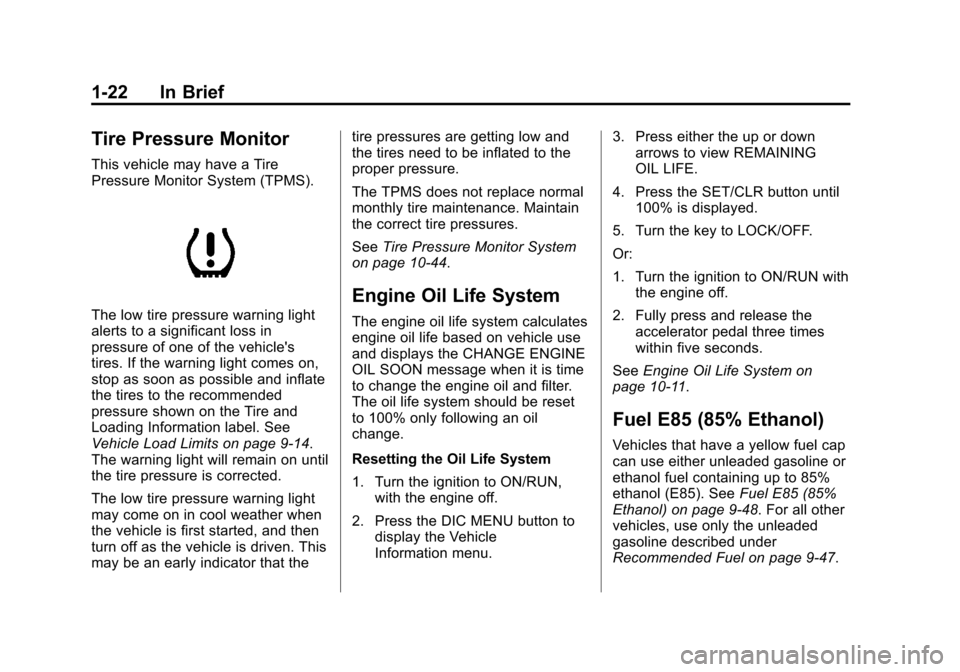
The low tire pressure warning light
alerts to a significant loss in
pressure of one of the vehicle's
tires. If the warning light comes on,
stop as soon as possible and inflate
the tires to the recommended
pressure shown on the Tire and
Loading Information label. See
Vehicle Load Limits on page 9‑14.
The warning light will remain on until
the tire pressure is corrected.
The low tire pressure warning light
may come on in cool weather when
the vehicle is first started, and then
turn off as the vehicle is driven. This
may be an early indicator that thetire pressures are getting low and
the tires need to be inflated to the
proper pressure.
The TPMS does not replace normal
monthly tire maintenance. Maintain
the correct tire pressures.
See
Tire Pressure Monitor System
on page 10‑44.
Engine Oil Life System
The engine oil life system calculates
engine oil life based on vehicle use
and displays the CHANGE ENGINE
OIL SOON message when it is time
to change the engine oil and filter.
The oil life system should be reset
to 100% only following an oil
change.
Resetting the Oil Life System
1. Turn the ignition to ON/RUN, with the engine off.
2. Press the DIC MENU button to display the Vehicle
Information menu. 3. Press either the up or down
arrows to view REMAINING
OIL LIFE.
4. Press the SET/CLR button until 100% is displayed.
5. Turn the key to LOCK/OFF.
Or:
1. Turn the ignition to ON/RUN with the engine off.
2. Fully press and release the accelerator pedal three times
within five seconds.
See Engine Oil Life System on
page 10‑11.
Fuel E85 (85% Ethanol)
Vehicles that have a yellow fuel cap
can use either unleaded gasoline or
ethanol fuel containing up to 85%
ethanol (E85). See Fuel E85 (85%
Ethanol) on page 9‑48. For all other
vehicles, use only the unleaded
gasoline described under
Recommended Fuel on page 9‑47.
Page 43 of 388
Black plate (13,1)Chevrolet Equinox Owner Manual - 2013 - CRC - 5/21/12
Keys, Doors, and Windows 2-13
Disarming the System
To disarm the system, do one of the
following:
.PressKon the RKE transmitter.
.Turn the ignition to ON/RUN.
.Allow the alarm to time out after
about 30 seconds and reset
itself.
If the system is armed and any door
is unlocked without pressing
Kon
the RKE transmitter, the alarm
sounds.
How to Detect a Tamper
Condition
IfKis pressed and the horn
sounds, an attempted break-in has
occurred while the system was
armed. If the alarm has been activated, the
THEFT ATTEMPTED message will
appear on the DIC. See
Key and
Lock Messages on page 5‑28 for
additional information.
Immobilizer
See Radio Frequency Statement on
page 13‑15 for information
regarding Part 15 of the Federal
Communications Commission (FCC)
rules and Industry Canada
Standards RSS-GEN/210/220/310.
Immobilizer Operation
This vehicle has a passive
theft-deterrent system.
The system does not have to be
manually armed or disarmed.
The vehicle is automatically
immobilized when the key is
removed from the ignition. The system is automatically
disarmed when the vehicle is
started with the correct key. The key
uses a transponder that matches an
immobilizer control unit in the
vehicle and automatically disarms
the system. Only an authorized key
starts the vehicle. The vehicle may
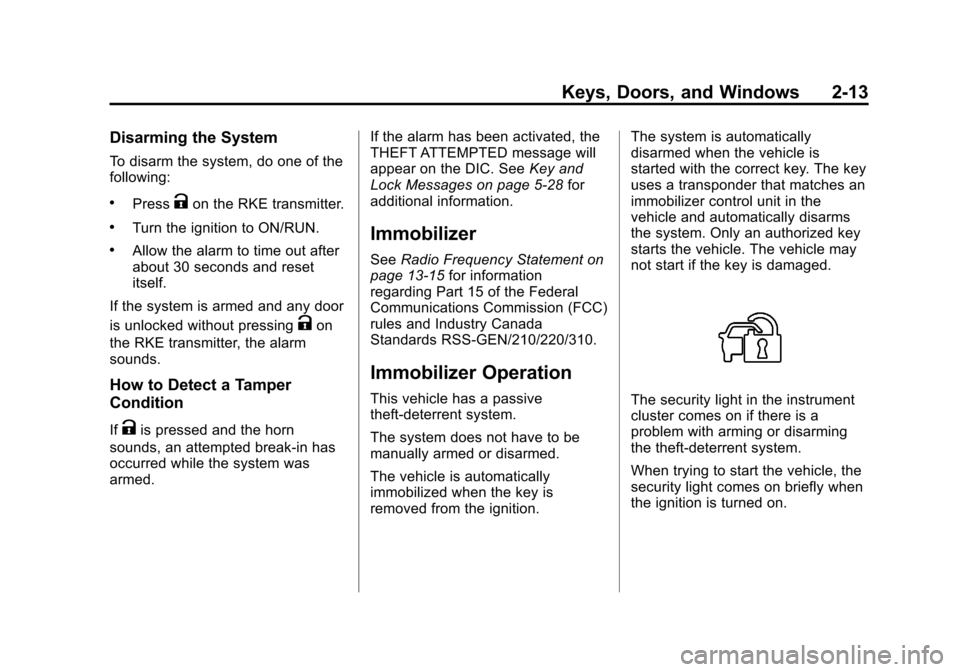
not start if the key is damaged.The security light in the instrument
cluster comes on if there is a
problem with arming or disarming
the theft-deterrent system.
When trying to start the vehicle, the
security light comes on briefly when
the ignition is turned on.
Page 122 of 388
Black plate (16,1)Chevrolet Equinox Owner Manual - 2013 - CRC - 5/21/12
5-16 Instruments and Controls
MetricEnglish
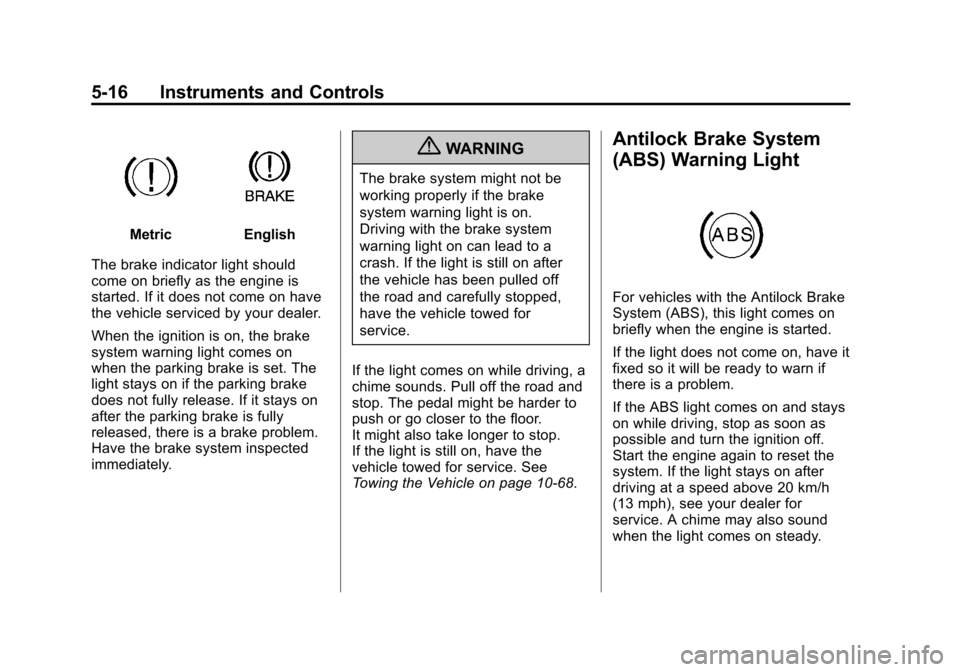
The brake indicator light should
come on briefly as the engine is
started. If it does not come on have
the vehicle serviced by your dealer.
When the ignition is on, the brake
system warning light comes on
when the parking brake is set. The
light stays on if the parking brake
does not fully release. If it stays on
after the parking brake is fully
released, there is a brake problem.
Have the brake system inspected
immediately.
{WARNING
The brake system might not be
working properly if the brake
system warning light is on.
Driving with the brake system
warning light on can lead to a
crash. If the light is still on after
the vehicle has been pulled off
the road and carefully stopped,
have the vehicle towed for
service.
If the light comes on while driving, a
chime sounds. Pull off the road and
stop. The pedal might be harder to
push or go closer to the floor.
It might also take longer to stop.
If the light is still on, have the
vehicle towed for service. See
Towing the Vehicle on page 10‑68.
Antilock Brake System
(ABS) Warning Light
For vehicles with the Antilock Brake
System (ABS), this light comes on
briefly when the engine is started.
If the light does not come on, have it
fixed so it will be ready to warn if
there is a problem.
If the ABS light comes on and stays
on while driving, stop as soon as
possible and turn the ignition off.
Start the engine again to reset the
system. If the light stays on after
driving at a speed above 20 km/h
(13 mph), see your dealer for
service. A chime may also sound
when the light comes on steady.
Page 129 of 388
Black plate (23,1)Chevrolet Equinox Owner Manual - 2013 - CRC - 5/21/12
Instruments and Controls 5-23
Digital Speedometer
The speedometer shows how fast
the vehicle is moving in either
kilometers per hour (km/h) or miles
per hour (mph). The speedometer
cannot be reset.
Trip 1 and Trip 2
This display shows the current
distance traveled, in either
kilometers (km) or miles (mi), since
the last reset for the trip odometer.
The trip odometer can be reset to
zero by pressing SET/CLR while the
trip odometer display is showing.
Fuel Range
This display shows the approximate
distance the vehicle can be driven
without refueling. The fuel range
estimate is based on an average of
the vehicle's fuel economy over
recent driving history and the
amount of fuel remaining in the fuel
tank. Fuel range cannot be reset.Average Fuel Economy
This display shows the approximate
average liters per 100 kilometers (L/
100 km) or miles per gallon (mpg).
This number is calculated based on
the number of L/100 km (mpg)
recorded since the last time this
menu item was reset. The fuel
economy can be reset by pressing
SET/CLR while the Average Fuel
Economy display is showing. The
display may not reset to zero.
Best Average Fuel Economy
The right hand side displays the
best average fuel economy (AFE)
that is achieved for a selected
distance. The left hand side displays
a running average of fuel economy
for the most recently traveled
selected distance. The center of the
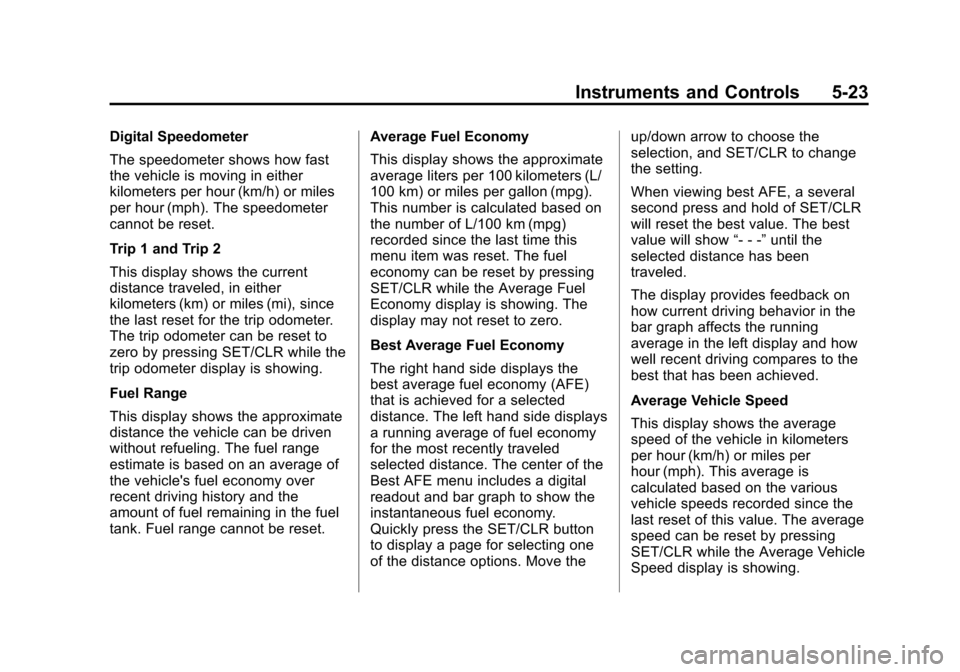
Best AFE menu includes a digital
readout and bar graph to show the
instantaneous fuel economy.
Quickly press the SET/CLR button
to display a page for selecting one
of the distance options. Move theup/down arrow to choose the
selection, and SET/CLR to change
the setting.
When viewing best AFE, a several
second press and hold of SET/CLR
will reset the best value. The best
value will show
“- - -”until the
selected distance has been
traveled.
The display provides feedback on
how current driving behavior in the
bar graph affects the running
average in the left display and how
well recent driving compares to the
best that has been achieved.
Average Vehicle Speed
This display shows the average
speed of the vehicle in kilometers
per hour (km/h) or miles per
hour (mph). This average is
calculated based on the various
vehicle speeds recorded since the
last reset of this value. The average
speed can be reset by pressing
SET/CLR while the Average Vehicle
Speed display is showing.
Page 130 of 388
Black plate (24,1)Chevrolet Equinox Owner Manual - 2013 - CRC - 5/21/12
5-24 Instruments and Controls
Timer
This display can be used as a timer.
To start the timer, press SET/CLR
while Timer is displayed. The
display will show the amount of time
that has passed since the timer was
last reset, not including time the
ignition is off. Time will continue to
be counted as long as the ignition is
on, even if another display is being
shown on the DIC. The timer will
record up to 99 hours, 59 minutes
and 59 seconds (99:59:59) after
which the display will return to zero.
To stop the timer, press SET/CLR
briefly while Timer is displayed. To
reset the timer to zero, press and
hold SET/CLR.
Navigation
This display is used for the OnStar
or Navigation System Turn-by-Turn
guidance. SeeOnStar Overview on
page 14‑1 or the Navigation manual,
if the vehicle has navigation, for
more information. Blank Display
This display shows no information.
Vehicle Information Menu
Items
Press the MENU button until Vehicle
Information Menu is displayed. Then
press
Rto scroll through the
following menu items:
.Unit
.Tire Pressure
.Remaining Oil Life
.Blank Display
Unit
Press SET/CLR to enter the unit
menu. Then press
QorRto switch
between METRIC or US when the
Unit display is active. Press SET/
CLR to confirm the setting. This will
change the displays on the cluster
and DIC to either metric or English
(US) measurements. Tire Pressure
The display will show a vehicle with
the approximate pressures of all
four tires. Tire pressure is displayed
in either kilopascal (kPa) or in
pounds per square inch (psi).
See
Tire Pressure Monitor System
on page 10‑44 andTire Pressure
Monitor Operation on page 10‑46 for
more information.
Remaining Oil Life
This display shows an estimate of
the oil's remaining useful life.
If REMAINING OIL LIFE 99% is
displayed, that means 99% of the
current oil life remains.
When the remaining oil life is low,
the CHANGE ENGINE OIL SOON
message will appear on the display.
See Engine Oil Messages on
page 5‑27. The oil should be
changed as soon as possible. See
Engine Oil on page 10‑8. In addition
to the engine oil life system
monitoring the oil life, additional
maintenance is recommended in the
Page 131 of 388
Black plate (25,1)Chevrolet Equinox Owner Manual - 2013 - CRC - 5/21/12
Instruments and Controls 5-25
Maintenance Schedule in this
manual. SeeMaintenance Schedule
on page 11‑3 for more information.
Remember, the Oil Life display must
be reset after each oil change. It will
not reset itself. Also, be careful not
to reset the Oil Life display
accidentally at any time other than
when the oil has just been changed.
It cannot be reset accurately until
the next oil change. To reset the
engine oil life system, press SET/
CLR while the Oil Life display is
active. The display will ask for
confirmation of a reset. Press
Qor
Rto select Yes or No. Then press
SET/CLR to confirm the selection.
See Engine Oil Life System on
page 10‑11.
Blank Display
This display shows no information.
Compass
The vehicle may have a compass in
the Driver Information Center (DIC).
See Compass on page 5‑4.
Vehicle Messages
Messages are displayed on the DIC
to notify the driver that the status of
the vehicle has changed and that
some action may be needed by the
driver to correct the condition.
Multiple messages may appear one
after another.
Some messages may not require
immediate action, but you can press
SET/CLR to acknowledge that you
received the messages and to clear
them from the display. Some
messages cannot be cleared from
the DIC display because they are
more urgent. These messages
require action before they can be
cleared. You should take any
messages that appear on the
display seriously and remember that
clearing the messages will only
make the messages disappear, not
correct the problem. You will find the
possible messages that can be
displayed and some information
about them grouped by subject in
the following information.
Battery Voltage and
Charging Messages
BATTERY SAVER ACTIVE
This message displays when the
vehicle has detected that the battery
voltage is dropping beyond a
reasonable point. The battery saver
system starts reducing features of
the vehicle that may be noticed. At
the point that features are disabled,
this message displays. Turn off
unnecessary accessories to allow
the battery to recharge.
LOW BATTERY
This message is displayed when the
battery voltage is low. See Battery
on page 10‑23.
SERVICE BATTERY
CHARGING SYSTEM
This message is displayed when
there is a fault in the battery
charging system. Take the vehicle to
your dealer for service.
Page 133 of 388
Black plate (27,1)Chevrolet Equinox Owner Manual - 2013 - CRC - 5/21/12
Instruments and Controls 5-27
conditioning compressor turns back
on. The vehicle can continue to be
driven.
If this message continues to appear,
have the system repaired by your
dealer as soon as possible to avoid
damage to the engine.
COOLANT LEVEL LOW ADD
COOLANT
This message will display if the
coolant is low. SeeEngine Coolant
on page 10‑15.
ENGINE OVERHEATED —
IDLE ENGINE
This message displays when the
engine coolant temperature is too
hot. Stop and allow the vehicle to
idle until it cools down.
ENGINE OVERHEATED —
STOP ENGINE
This message displays and a
continuous chime sounds if the
engine cooling system reaches
unsafe temperatures for operation.
Stop and turn off the vehicle as soon as it is safe to do so to avoid
severe damage. This message
clears when the engine has cooled
to a safe operating temperature.
HIGH COOLANT
TEMPERATURE
This message displays if the coolant
temperature is hot. See
Engine
Overheating on page 10‑18.
Engine Oil Messages
CHANGE ENGINE OIL SOON
This message displays when the
engine oil needs to be changed.
When you change the engine oil, be
sure to reset the Oil Life System.
See Engine Oil Life System on
page 10‑11, Driver Information
Center (DIC) on page 5‑22, Engine
Oil on page 10‑8, and Maintenance
Schedule on page 11‑3.
ENGINE OIL HOT, IDLE
ENGINE
This message displays when the
engine oil temperature is too hot.
Stop and allow the vehicle to idle
until it cools down.
ENGINE OIL LOW —ADD OIL
On some vehicles, this message
displays when the engine oil level
may be too low. Check the oil level
before filling to the recommended
level. If the oil is not low and this
message remains on, take the
vehicle to your dealer for service.
See Engine Oil on page 10‑8.
OIL PRESSURE LOW —STOP
ENGINE
This message displays if low oil
pressure levels occur. Stop the
vehicle as soon as safely possible
and do not operate it until the cause
of the low oil pressure has been
corrected. Check the oil as soon as
possible and have the vehicle
serviced by your dealer.
Page 135 of 388
Black plate (29,1)Chevrolet Equinox Owner Manual - 2013 - CRC - 5/21/12
Instruments and Controls 5-29
LANE DEPARTURE SYSTEM
UNAVAILABLE
If your vehicle has the Lane
Departure Warning (LDW) system,
this message may display if the
LDW system cannot activate due to
a temporary condition. SeeLane
Departure Warning (LDW) on
page 9‑44 for more information.
PARK ASSIST OFF
This message displays when the
park assist system has been turned
off or when there is a temporary
condition causing the system to be
disabled. See Ultrasonic Parking
Assist on page 9‑40.
SERVICE FRONT CAMERA
This message displays when the
Lane Departure Warning (LDW) and
Forward Collision Alert (FCA)
systems are disabled and need
service. See your dealer.
SERVICE PARK ASSIST
This message displays if there is a
problem with the Ultrasonic Rear
Parking Assist (URPA) system. Do
not use this system to help you
park. See Ultrasonic Parking Assist
on page 9‑40 for more information.
Ride Control System
Messages
ALL WHEEL DRIVE OFF
If your vehicle has the All-Wheel
Drive (AWD) system, this message
displays when the rear drive system
is overheating. This message turns
off when the rear drive system cools
down. If the warning message stays
on for a while, you need to reset the
warning message. To reset the
warning message, turn the ignition
off and then back on again. If the
message stays on, see your dealer
right away. See All-Wheel Drive on
page 9‑29 for more information.
SERVICE ALL WHEEL DRIVE
If your vehicle has the All-Wheel
Drive (AWD) system, this message
displays if a problem occurs with
this system. If this message
appears, stop as soon as possible
and turn off the vehicle. Restart the
vehicle and check for the message
on the DIC display. If the message
is still displayed or appears again
when you begin driving, the AWD
system needs service. See your
dealer.
SERVICE TRACTION
CONTROL
This message displays when there
is a problem with the Traction
Control System (TCS). See Traction
Control System (TCS) on
page 9‑32.
SERVICE STABILITRAK
This message displays if there is a
problem with the StabiliTrak system.
StabiliTrak
®System on page 9‑33.
Page 154 of 388
Black plate (2,1)Chevrolet Equinox Owner Manual - 2013 - CRC - 5/21/12
7-2 Infotainment System
To minimize taking your eyes off the
road while driving, do the following
while the vehicle is parked:
.Become familiar with the
operation and controls of the
audio system.
.Set up the tone, speaker
adjustments, and preset radio
stations.
For more information, see Defensive
Driving on page 9‑3.
This vehicle's infotainment system
may be equipped with a noise
reduction system which can work
improperly if the audio amplifier,
engine calibrations, exhaust system,
microphones, radio, or speakers are
modified or replaced. This could
result in more noticeable engine
noise at certain speeds.
Notice: Contact your dealer
before adding any equipment. Adding audio or communication
equipment could interfere with
the operation of the engine, radio,
or other systems, and could
damage them. Follow federal
rules covering mobile radio and
telephone equipment.
The vehicle has Retained
Accessory Power (RAP). With RAP,
the audio system can be played
even after the ignition is turned off.
See
Retained Accessory Power
(RAP) on page 9‑22 for more
information.
Navigation System
For vehicles with a navigation
system, see the infotainment
manual.
Theft-Deterrent Feature
The theft-deterrent feature works by
learning a portion of the Vehicle
Identification Number (VIN) to the
infotainment system. The
infotainment system does not
operate if it is stolen or moved to a
different vehicle.
Page 155 of 388
Black plate (3,1)Chevrolet Equinox Owner Manual - 2013 - CRC - 5/21/12
Infotainment System 7-3
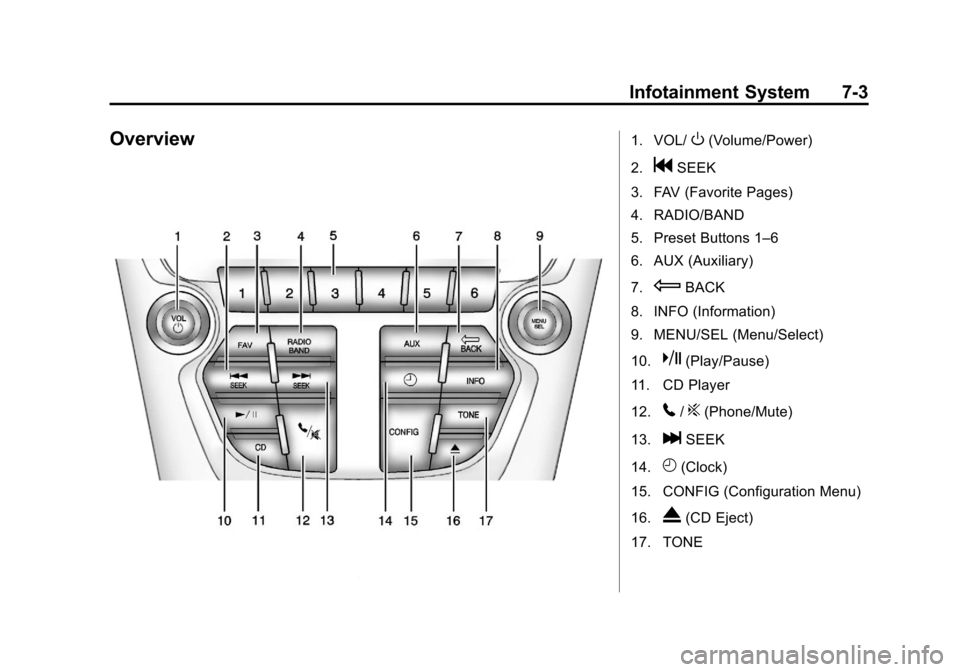
Overview1. VOL/O(Volume/Power)
2.
gSEEK
3. FAV (Favorite Pages)
4. RADIO/BAND
5. Preset Buttons 1–6
6. AUX (Auxiliary)
7.
EBACK
8. INFO (Information)
9. MENU/SEL (Menu/Select)
10.
k(Play/Pause)
11. CD Player
12.
5/?(Phone/Mute)
13.
lSEEK
14.
H(Clock)
15. CONFIG (Configuration Menu)
16.
X(CD Eject)
17. TONE