light CHEVROLET EQUINOX 2014 2.G Repair Manual
[x] Cancel search | Manufacturer: CHEVROLET, Model Year: 2014, Model line: EQUINOX, Model: CHEVROLET EQUINOX 2014 2.GPages: 390, PDF Size: 5.29 MB
Page 150 of 390

Black plate (6,1)Chevrolet Equinox Owner Manual (GMNA-Localizing-U.S./Canada-
6081479) - 2014 - crc2 - 10/23/13
6-6 Lighting
2NOTES
Page 154 of 390
Black plate (4,1)Chevrolet Equinox Owner Manual (GMNA-Localizing-U.S./Canada-
6081479) - 2014 - crc2 - 10/23/13
7-4 Infotainment System
Operation
Controls
The infotainment system is operated
by using the pushbuttons,
multifunction knobs, display menus,
and steering wheel controls,
if equipped.
Turning the System On or Off
VOL/O(Volume/Power):Press to
turn the system on and off.
Automatic Switch-Off
If the infotainment system has been
turned on after the ignition is turned
off, the system will turn off
automatically after 10 minutes.
Volume Control
VOL/O(Volume/Power): Turn to
adjust the volume.
5/?(Mute): For vehicles with
OnStar, press and hold
5/?to
mute the infotainment system. Press
and hold
5/?again, or turn the
VOL/
Oknob to cancel mute.
For vehicles without OnStar, press
5/?to mute the infotainment
system. Press
5/?again, or turn
the VOL/
Oknob to cancel mute.
Menu System
Controls
The MENU/SEL knob and the
E
BACK button are used to navigate
the menu system.
MENU/SEL (Menu/Select):
Press to:
.Enter the menu system.
.Select or activate the highlighted
menu option.
.Confirm a set value.
.Turn a system setting on or off. Turn to:
.Highlight a menu option.
.Select a value.
EBACK:
Press to:
.Exit a menu.
.Return from a submenu screen
to the previous menu screen.
.Delete the last character in a
sequence.
RADIO/BAND: Press to:
.Displays menu of AM, FM, XM,
CD, or AUX.
.Press to toggle through menu.
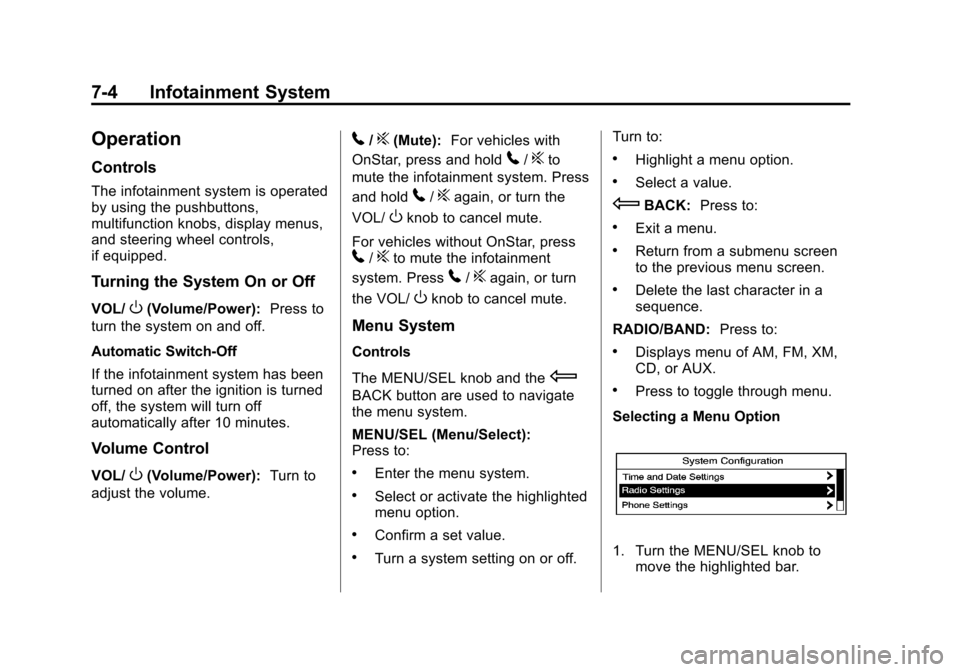
Selecting a Menu Option
1. Turn the MENU/SEL knob to move the highlighted bar.
Page 155 of 390
Black plate (5,1)Chevrolet Equinox Owner Manual (GMNA-Localizing-U.S./Canada-
6081479) - 2014 - crc2 - 10/23/13
Infotainment System 7-5
2. Press the MENU/SEL button toselect the highlighted option.
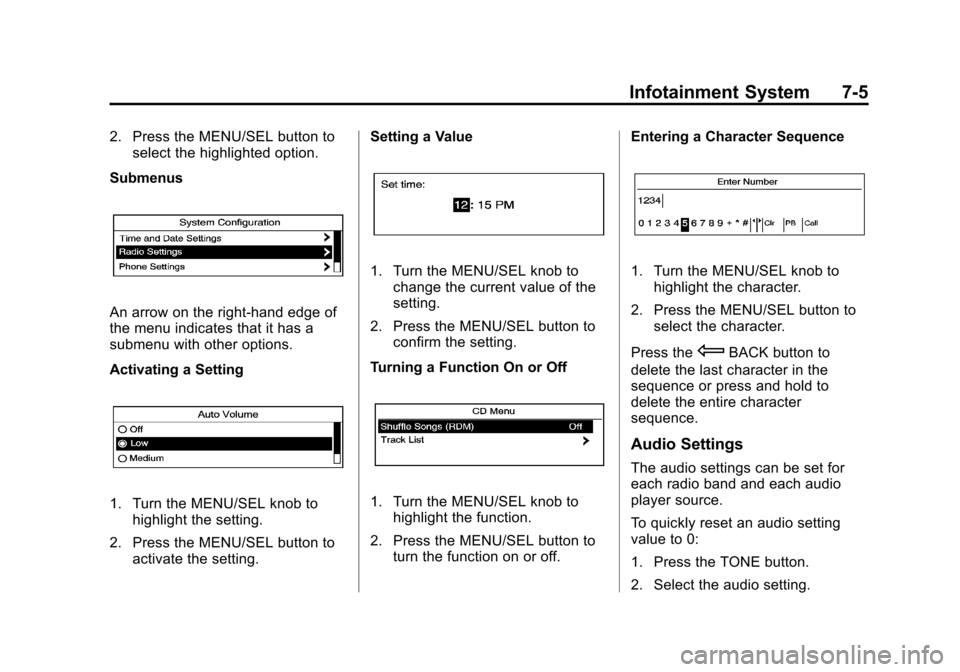
Submenus
An arrow on the right-hand edge of
the menu indicates that it has a
submenu with other options.
Activating a Setting
1. Turn the MENU/SEL knob to highlight the setting.
2. Press the MENU/SEL button to activate the setting. Setting a Value
1. Turn the MENU/SEL knob to
change the current value of the
setting.
2. Press the MENU/SEL button to confirm the setting.
Turning a Function On or Off
1. Turn the MENU/SEL knob to highlight the function.
2. Press the MENU/SEL button to turn the function on or off. Entering a Character Sequence
1. Turn the MENU/SEL knob to
highlight the character.
2. Press the MENU/SEL button to select the character.
Press the
EBACK button to
delete the last character in the
sequence or press and hold to
delete the entire character
sequence.
Audio Settings
The audio settings can be set for
each radio band and each audio
player source.
To quickly reset an audio setting
value to 0:
1. Press the TONE button.
2. Select the audio setting.
Page 160 of 390
Black plate (10,1)Chevrolet Equinox Owner Manual (GMNA-Localizing-U.S./Canada-
6081479) - 2014 - crc2 - 10/23/13
7-10 Infotainment System
Control Buttons
The buttons used to control the
SiriusXM radio are:
RADIO/BAND:Press to turn the
radio on and choose between AM,
FM, and SiriusXM, if equipped.
gSEEK orlSEEK: Press to go
to the previous or next station.
FAV: Press to open the
favorites list.
1 to 6: Press to select preset
stations.
MENU/SEL: Turn to select stations.
Press to open the SiriusXM Satellite
Radio menu.
Selecting the SiriusXM Band
Press the RADIO/BAND button to
choose between the AM, FM, and
SiriusXM bands. The last channel
played in that band begins to play
when that band is selected.
Removing or Adding
Categories
SiriusXM channels are organized in
categories.
Channels in a category that have
been removed can still be accessed
by using the
gSEEK orlSEEK
buttons, or the MENU/SEL knob.
To add or remove categories:
1. Press the CONFIG button.
2. Select Radio Settings.
3. Select XM Categories.
4. Turn the MENU/SEL knob to highlight the category.
5. Press the MENU/SEL knob to remove or add the category.
Selecting a SiriusXM Channel
SiriusXM channels can be selected
by using
gSEEK,lSEEK, the
MENU/SEL knob, or the menu
system. Selecting a Channel Using
g
SEEK orlSEEK
.Press and releasegSEEK or
lSEEK to go to the previous
or next channel.
.Press and holdgSEEK orl
SEEK to scroll through the
previous or next channel until
the channel is reached.
Selecting a Channel Using the
MENU/SEL Knob
To select an XM channel using the
MENU/SEL knob:
Turn the MENU/SEL knob to
highlight an XM channel. The
channel is selected after a short
delay.
To select a channel using the menu:
1. Turn the MENU/SEL knob and select XM Channel List.
2. Select the desired channel.
Page 175 of 390
Black plate (25,1)Chevrolet Equinox Owner Manual (GMNA-Localizing-U.S./Canada-
6081479) - 2014 - crc2 - 10/23/13
Infotainment System 7-25
1. Press the CONFIG button.
2. Select Phone Settings orBluetooth Settings.
3. Select Bluetooth.
4. Select Device List.
5. Select the new phone to link to and follow the on screen
prompts.
If delete is selected, the
highlighted phone will be
deleted.
Making a Call Using
Phone Book
For cell phones that support the
phone book feature, the Bluetooth
system can use the contacts stored
on your cell phone to make calls.
See your cell phone's owner's guide
or contact your wireless provider to
find out if this feature is supported
by your phone.
When a cell phone supports the
phone book feature, the Phone
Book and Call Lists menus are
automatically available. The Phone Book menu allows you
to access the phone book stored in
the cell phone to make a call.
The Call Lists menu allows you to
access the phone numbers from the
Incoming Calls, Outgoing Calls, and
Missed Calls menus on your cell
phone to make a call.
To make a call using the Phone
Book menu:
1. Press
5or5\?once or twice
(depending on the radio).
2. Select Phone Book.
3. Search through the list by selecting the letter group the
phone book entry begins with,
or press the MENU/SEL button
to scroll through the entire list of
names/numbers in the
phone book.
4. Select the name or number you want to call. To make a call using the Call
Lists menu:
1. Press
5or5\?once or twice
(depending on the radio).
2. Select Call Lists.
3. Select the Incoming Calls, Outgoing Calls, or Missed
Calls list.
4. Select the name or number you want to call.
Making a Call
To make a call:
1. Press
5or5\?once or twice
(depending on the radio).
2. Enter the character sequence. See “Entering a Character
Sequence” inOperation on
page 7-4 for more information.
3. Select Call to start dialing the number.
Page 186 of 390
Black plate (2,1)Chevrolet Equinox Owner Manual (GMNA-Localizing-U.S./Canada-
6081479) - 2014 - crc2 - 10/23/13
8-2 Climate Controls
A(Fan Control):Turn to increase
or decrease the fan speed. Turn the
knob completely to
Tto turn the
fan off.
Temperature Control: Turn to
increase or decrease the
temperature.
Air Delivery Mode Control: To
change the current mode, select
one of the following:
F (Vent): Air is directed to the
instrument panel outlets.
* (Bi-Level): Air is directed to the
instrument panel outlets and the
floor outlets.
7 (Floor): Air is directed to the
floor outlets.
W(Defog): Clears the windows of
fog or moisture. Air is directed to the
windshield and floor outlets.
0FRONT (Front Defrost): Clears
the windshield of fog or frost more
quickly. Air is directed to the
windshield and side window outlets. For best results, clear all snow and
ice from the windshield before
defrosting.
Do not drive the vehicle until all the
windows are clear.
If equipped with the Fuel Economy
Mode, the climate controls may take
longer to heat or cool the cabin and
the rear window defogger will turn
off sooner, when this feature is in
use. See
Fuel Economy Mode on
page 9-28.
Air Conditioning
A/C (Air Conditioning): Press to
turn the air conditioning on or off.
If the fan is turned off or the outside
temperature falls below freezing, the
air conditioning will not work.
h(Recirculation): Press to turn
on the recirculation. An indicator
light comes on. Air is recirculated
inside the vehicle. It helps to quickly
cool the air inside the vehicle or
prevent outside air and odors from
entering. The air conditioning may
come on under certain conditions. To improve fuel efficiency and to
cool the vehicle faster, recirculation
may be automatically selected in
warm weather. The recirculation
light will not come on. To override
this feature, select outside air.
%(Outside Air):
Press to turn
on the outside air. An indicator light
comes on. Outside air is circulated
throughout the vehicle.
Rear Window Defogger
1REAR (Rear Defogger): Press
to turn the rear window defogger on
or off. The rear window defogger
turns off after about 10 minutes.
It can also be turned off by turning
the ignition to ACC/ACCESSORY or
LOCK/OFF. If turned on again, it
runs for about five minutes before
turning off.
The ignition must be on to use the
rear window defogger.
Do not drive the vehicle until all the
windows are clear.
Page 188 of 390

Black plate (4,1)Chevrolet Equinox Owner Manual (GMNA-Localizing-U.S./Canada-
6081479) - 2014 - crc2 - 10/23/13
8-4 Climate Controls
Automatic Operation
The system automatically controls
the fan speed, air delivery, air
conditioning, and recirculation to
heat or cool the vehicle to the
selected temperature.
When the AUTO indicator light is
on, the system is in full automatic
operation.
To place the system in
automatic mode:
1. Press AUTO.
2. Set the temperature. Allow thesystem time to stabilize. Then
adjust the temperature as
needed.
To improve fuel efficiency and to
cool the vehicle faster,
recirculation may be
automatically selected in warm
weather. The recirculation light
will not come on. Press the
h
to select recirculation; press it
again to select outside air. Manual Operation
O(Power):
Press to turn the
climate control system on or off.
A(Fan Control): Turn to increase
or decrease the fan speed.
Adjusting the fan speed while in
automatic mode places the fan
under manual control. The AUTO
indicator light turns off. The air
delivery mode remains in automatic
control.
Temperature Control: Turn to
increase or decrease the
temperature inside the vehicle.
H/G(Air Delivery Mode
Control): Press mode up or mode
down to cycle through the different
air delivery modes. The current
mode is shown on the display.
Select from the following:
F (Vent): Air is directed to the
instrument panel outlets.
* (Bi-Level): Air is directed to the
instrument panel outlets and the
floor outlets. 7
(Floor): Air is directed to the
floor outlets.
W(Defog): Clears the windows of
fog or moisture. Air is directed to the
windshield and floor outlets.
0FRONT (Front Defrost): Clears
the windshield of fog or frost more
quickly. Air is directed to the
windshield and side window outlets.
Selecting defrost disables the
automatic mode.
For best results, clear all snow and
ice from the windshield before
defrosting.
Do not drive the vehicle until all the
windows are clear.
For vehicles with Fuel Economy
Mode, the climate controls may take
longer to heat or cool the cabin and
the rear window defogger will turn
off sooner, when this feature is in
use. See Fuel Economy Mode on
page 9-28.
Page 189 of 390
Black plate (5,1)Chevrolet Equinox Owner Manual (GMNA-Localizing-U.S./Canada-
6081479) - 2014 - crc2 - 10/23/13
Climate Controls 8-5
Air Conditioning
A/C (Air Conditioning):Press to
turn the air conditioning on or off.
If the fan is turned off or the outside
temperature falls below freezing, the
air conditioning will not work. When
in AUTO, the air conditioning will
come on automatically as needed.
h(Recirculation): Press to turn
on the recirculation. Press to
alternate between recirculation and
outside air, if the vehicle does not
have a separate outside air button.
The indicator light turns on when
recirculation is selected. Air is
recirculated inside the vehicle.
It helps quickly cool the air inside
the vehicle or prevent outside air
and odors from entering.
%(Outside Air, If Equipped):
Press to turn on the outside air. An
indicator light comes on. Outside air
is circulated throughout the vehicle.
Rear Window Defogger
1REAR (Rear Defogger): Press
to turn the rear window defogger on
or off. The rear window defogger
turns off after about 10 minutes.
It can also be turned off by putting
the ignition in ACC/ACCESSORY or
LOCK/OFF. If turned on again, it
runs for about five minutes before
turning off.
The ignition must be on to use the
rear window defogger.
Do not drive the vehicle until all the
windows are clear.
{Caution
Do not use a razor blade or sharp
object to clear the inside rear
window. Do not adhere anything
to the defogger grid lines in the
rear glass. These actions may
damage the rear defogger.
Repairs would not be covered by
the vehicle warranty.
L/M(Driver and Passenger
Heated Seats): If equipped with
heated seats, see Heated Front
Seats on page 3-8.
Remote Start Climate Control
Operation: If equipped with the
remote start feature, the climate
control system may run when the
vehicle is started remotely. The
system uses the driver ’s previous
settings to heat or cool the inside of
the vehicle. The rear defog may
come on during remote start based
on cold ambient conditions. The
rear defog indicator light does not
come on during a remote start. If the
vehicle has heated front seats, they
may come on during a remote start.
See Remote Vehicle Start on
page 2-5 andHeated Front Seats
on page 3-8.
Page 200 of 390
Black plate (8,1)Chevrolet Equinox Owner Manual (GMNA-Localizing-U.S./Canada-
6081479) - 2014 - crc2 - 10/23/13
9-8 Driving and Operating
.Use headlamps even during the
day to make the vehicle more
visible.
{Warning
Driving to the top of a hill at high
speed can cause an accident.
There could be a drop-off,
embankment, cliff, or even
another vehicle. You could be
seriously injured or killed. As you
near the top of a hill, slow down
and stay alert.
.Never go downhill forward or
backward with the transmission
in N (Neutral). The brakes could
overheat and you could lose
control.
.When driving down a hill, keep
the vehicle headed straight
down. Use a low gear because
the engine will work with the
brakes to slow the vehicle and
help keep the vehicle under
control.
{Warning
Heavy braking when going down
a hill can cause your brakes to
overheat and fade. This could
cause loss of control and you or
others could be injured or killed.
Apply the brakes lightly when
descending a hill and use a low
gear to keep vehicle speed under
control.
If the vehicle stalls on a hill:
1. Apply the brakes to stop the vehicle, and then apply the
parking brake.
2. Shift into P (Park) and then restart the engine.
.If driving uphill when the
vehicle stalls, shift to
R (Reverse), release the
parking brake, and back
straight down.
.Never try to turn the vehicle
around. If the hill is steep
enough to stall the vehicle,
it is steep enough to cause
it to roll over.
.If you cannot make it up the
hill, back straight down
the hill.
.Never back down a hill in
N (Neutral) using only the
brake.
.The vehicle can roll
backward quickly and you
could lose control.
.If driving downhill when the
vehicle stalls, shift to a
lower gear, release the
parking brake, and drive
straight down the hill.
3. If the vehicle cannot be restarted after stalling, set the parking
brake, shift an automatic
transmission into P (Park), and
turn the vehicle off.
3.1. Leave the vehicle and seek help.
Page 203 of 390
Black plate (11,1)Chevrolet Equinox Owner Manual (GMNA-Localizing-U.S./Canada-
6081479) - 2014 - crc2 - 10/23/13
Driving and Operating 9-11
Warning (Continued)
After driving through a large
puddle of water or a car/vehicle
wash, lightly apply the brake
pedal until the brakes work
normally.
Flowing or rushing water creates
strong forces. Driving through
flowing water could cause the
vehicle to be carried away. If this
happens, you and other vehicle
occupants could drown. Do not
ignore police warnings and be
very cautious about trying to drive
through flowing water.
Hydroplaning
Hydroplaning is dangerous. Water
can build up under the vehicle's
tires so they actually ride on the
water. This can happen if the road is
wet enough and you are going fast
enough. When the vehicle is
hydroplaning, it has little or no
contact with the road.There is no hard and fast rule about
hydroplaning. The best advice is to
slow down when the road is wet.
Other Rainy Weather Tips
Besides slowing down, other wet
weather driving tips include:
.Allow extra following distance.
.Pass with caution.
.Keep windshield wiping
equipment in good shape.
.Keep the windshield washer fluid
reservoir filled.
.Have good tires with proper
tread depth. See
Tires on
page 10-38.
.Turn off cruise control.
Highway Hypnosis
Always be alert and pay attention to
your surroundings while driving.
If you become tired or sleepy, find a
safe place to park the vehicle
and rest. Other driving tips include:
.Keep the vehicle well ventilated.
.Keep the interior
temperature cool.
.Keep your eyes moving
—scan
the road ahead and to the sides.
.Check the rearview mirror and
vehicle instruments often.
Hill and Mountain Roads
Driving on steep hills or through
mountains is different than driving
on flat or rolling terrain. Tips for
driving in these conditions include:
.Keep the vehicle serviced and in
good shape.
.Check all fluid levels and brakes,
tires, cooling system, and
transmission.
.Shift to a lower gear when going
down steep or long hills.