radio CHEVROLET EQUINOX 2016 2.G Owners Manual
[x] Cancel search | Manufacturer: CHEVROLET, Model Year: 2016, Model line: EQUINOX, Model: CHEVROLET EQUINOX 2016 2.GPages: 324, PDF Size: 5.7 MB
Page 19 of 324
Chevrolet Equinox Owner Manual (GMNA-Localizing-U.S./Canada/Mexico-
9234773) - 2016 - crc - 9/3/15
18 In Brief
Press the eco (economy) button to
turn this feature on or off. The eco
light in the instrument cluster will
come on when engaged, and a
Driver Information Center (DIC)
message displays. SeeFuel
Economy Mode 0169
ii.
Parking Brake
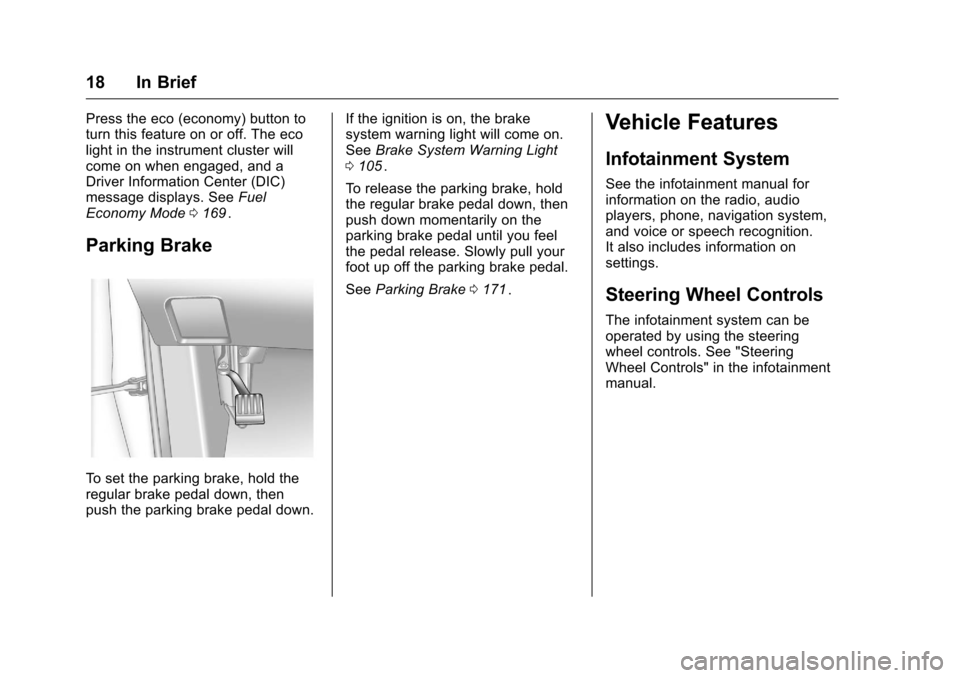
To set the parking brake, hold the
regular brake pedal down, then
push the parking brake pedal down. If the ignition is on, the brake
system warning light will come on.
See
Brake System Warning Light
0 105
ii.
To release the parking brake, hold
the regular brake pedal down, then
push down momentarily on the
parking brake pedal until you feel
the pedal release. Slowly pull your
foot up off the parking brake pedal.
See Parking Brake 0171
ii.
Vehicle Features
Infotainment System
See the infotainment manual for
information on the radio, audio
players, phone, navigation system,
and voice or speech recognition.
It also includes information on
settings.
Steering Wheel Controls
The infotainment system can be
operated by using the steering
wheel controls. See "Steering
Wheel Controls" in the infotainment
manual.
Page 26 of 324
Chevrolet Equinox Owner Manual (GMNA-Localizing-U.S./Canada/Mexico-
9234773) - 2016 - crc - 9/3/15
Keys, Doors, and Windows 25
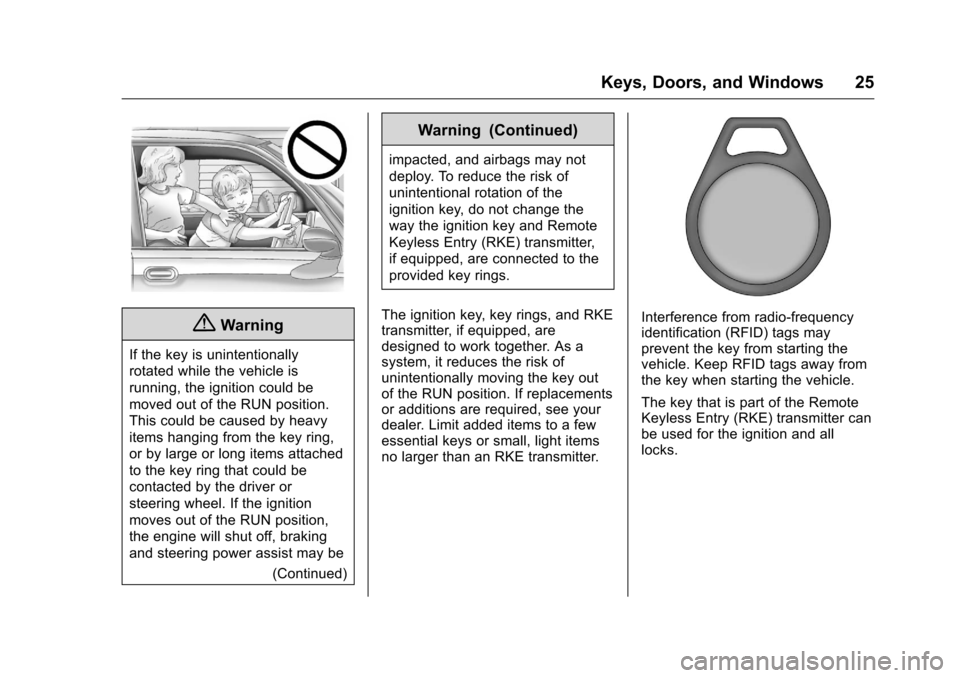
{Warning
If the key is unintentionally
rotated while the vehicle is
running, the ignition could be
moved out of the RUN position.
This could be caused by heavy
items hanging from the key ring,
or by large or long items attached
to the key ring that could be
contacted by the driver or
steering wheel. If the ignition
moves out of the RUN position,
the engine will shut off, braking
and steering power assist may be(Continued)
Warning (Continued)
impacted, and airbags may not
deploy. To reduce the risk of
unintentional rotation of the
ignition key, do not change the
way the ignition key and Remote
Keyless Entry (RKE) transmitter,
if equipped, are connected to the
provided key rings.
The ignition key, key rings, and RKE
transmitter, if equipped, are
designed to work together. As a
system, it reduces the risk of
unintentionally moving the key out
of the RUN position. If replacements
or additions are required, see your
dealer. Limit added items to a few
essential keys or small, light items
no larger than an RKE transmitter.
Interference from radio-frequency
identification (RFID) tags may
prevent the key from starting the
vehicle. Keep RFID tags away from
the key when starting the vehicle.
The key that is part of the Remote
Keyless Entry (RKE) transmitter can
be used for the ignition and all
locks.
Page 27 of 324
Chevrolet Equinox Owner Manual (GMNA-Localizing-U.S./Canada/Mexico-
9234773) - 2016 - crc - 9/3/15
26 Keys, Doors, and Windows
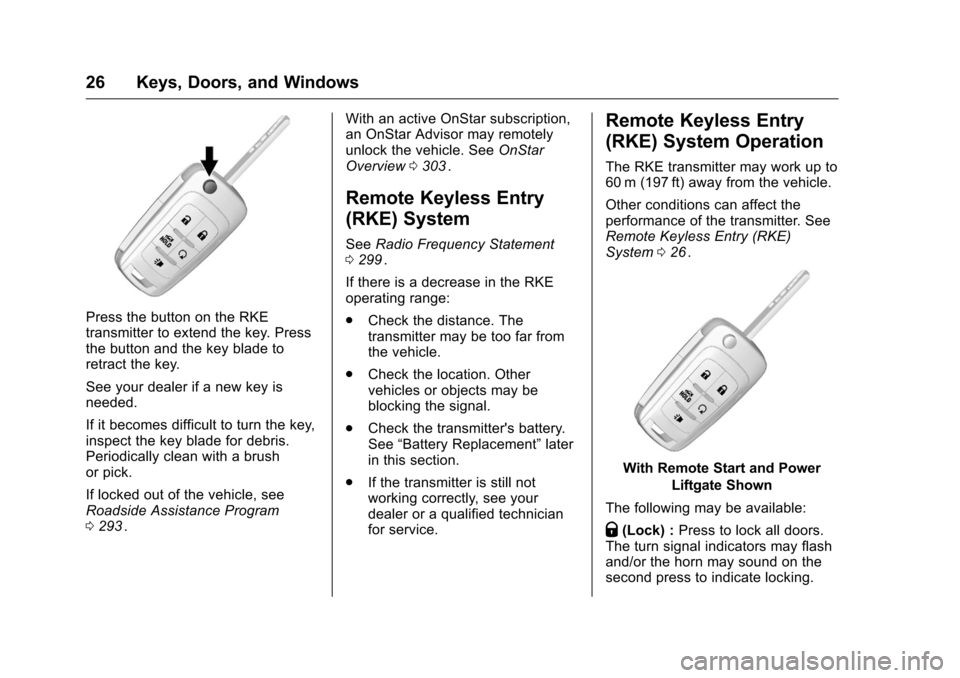
Press the button on the RKE
transmitter to extend the key. Press
the button and the key blade to
retract the key.
See your dealer if a new key is
needed.
If it becomes difficult to turn the key,
inspect the key blade for debris.
Periodically clean with a brush
or pick.
If locked out of the vehicle, see
Roadside Assistance Program
0293
ii. With an active OnStar subscription,
an OnStar Advisor may remotely
unlock the vehicle. See
OnStar
Overview 0303
ii.
Remote Keyless Entry
(RKE) System
See Radio Frequency Statement
0 299ii.
If there is a decrease in the RKE
operating range:
. Check the distance. The
transmitter may be too far from
the vehicle.
. Check the location. Other
vehicles or objects may be
blocking the signal.
. Check the transmitter's battery.
See “Battery Replacement” later
in this section.
. If the transmitter is still not
working correctly, see your
dealer or a qualified technician
for service.
Remote Keyless Entry
(RKE) System Operation
The RKE transmitter may work up to
60 m (197 ft) away from the vehicle.
Other conditions can affect the
performance of the transmitter. See
Remote Keyless Entry (RKE)
System 026
ii.
With Remote Start and Power
Liftgate Shown
The following may be available:
Q(Lock) : Press to lock all doors.
The turn signal indicators may flash
and/or the horn may sound on the
second press to indicate locking.
Page 38 of 324
Chevrolet Equinox Owner Manual (GMNA-Localizing-U.S./Canada/Mexico-
9234773) - 2016 - crc - 9/3/15
Keys, Doors, and Windows 37
To avoid setting off the alarm by
accident:
.Lock the vehicle after all
occupants have left the vehicle
and all doors are closed.
. Always unlock a door with the
RKE transmitter.
Unlocking the driver door with the
key will not disarm the system or
turn off the alarm.
How to Detect a Tamper
Condition
IfKis pressed on the RKE
transmitter and the horn chirps and
the lights flash three times, an alarm
occurred previously while the alarm
system was armed.
If the alarm has been activated, a
message will appear on the DIC.
See Security Messages 0118
ii.
Immobilizer
See Radio Frequency Statement
0 299ii.
Immobilizer Operation
This vehicle has a passive
theft-deterrent system.
The system does not have to be
manually armed or disarmed.
The vehicle is automatically
immobilized when the key is
removed from the ignition.
The system is automatically
disarmed when the vehicle is
started with the correct key. The key
uses a transponder that matches an
immobilizer control unit in the
vehicle and automatically disarms
the system. Only an authorized key
starts the vehicle. The vehicle may
not start if the key is damaged.
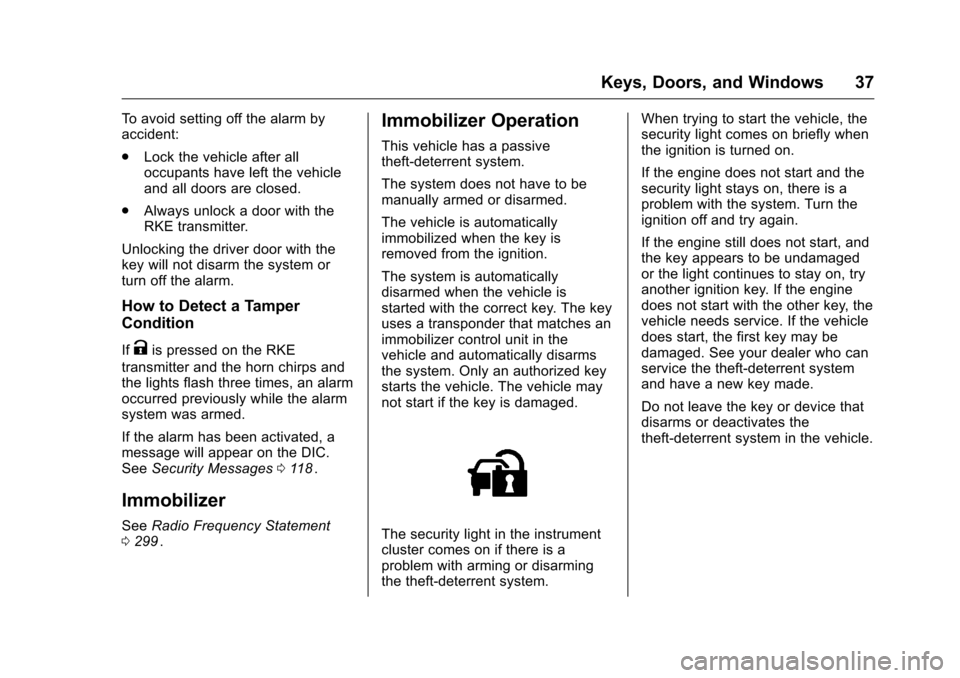
The security light in the instrument
cluster comes on if there is a
problem with arming or disarming
the theft-deterrent system. When trying to start the vehicle, the
security light comes on briefly when
the ignition is turned on.
If the engine does not start and the
security light stays on, there is a
problem with the system. Turn the
ignition off and try again.
If the engine still does not start, and
the key appears to be undamaged
or the light continues to stay on, try
another ignition key. If the engine
does not start with the other key, the
vehicle needs service. If the vehicle
does start, the first key may be
damaged. See your dealer who can
service the theft-deterrent system
and have a new key made.
Do not leave the key or device that
disarms or deactivates the
theft-deterrent system in the vehicle.
Page 104 of 324
Chevrolet Equinox Owner Manual (GMNA-Localizing-U.S./Canada/Mexico-
9234773) - 2016 - crc - 9/3/15
Instruments and Controls 103
When this light comes on, the Driver
Information Center (DIC) also
displays a message.
SeeBattery Voltage and Charging
Messages 0113
ii.
If a short distance must be driven
with the light on, be sure to turn off
all accessories, such as the radio
and air conditioner.
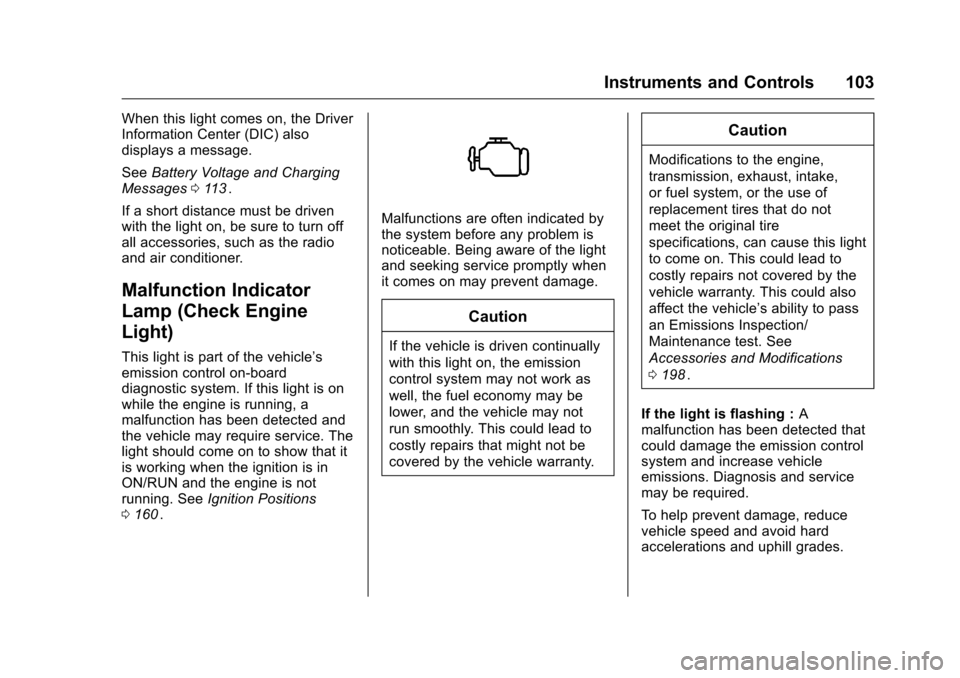
Malfunction Indicator
Lamp (Check Engine
Light)
This light is part of the vehicle’s
emission control on-board
diagnostic system. If this light is on
while the engine is running, a
malfunction has been detected and
the vehicle may require service. The
light should come on to show that it
is working when the ignition is in
ON/RUN and the engine is not
running. See Ignition Positions
0 160
ii.
Malfunctions are often indicated by
the system before any problem is
noticeable. Being aware of the light
and seeking service promptly when
it comes on may prevent damage.
Caution
If the vehicle is driven continually
with this light on, the emission
control system may not work as
well, the fuel economy may be
lower, and the vehicle may not
run smoothly. This could lead to
costly repairs that might not be
covered by the vehicle warranty.
Caution
Modifications to the engine,
transmission, exhaust, intake,
or fuel system, or the use of
replacement tires that do not
meet the original tire
specifications, can cause this light
to come on. This could lead to
costly repairs not covered by the
vehicle warranty. This could also
affect the vehicle’s ability to pass
an Emissions Inspection/
Maintenance test. See
Accessories and Modifications
0198
ii.
If the light is flashing : A
malfunction has been detected that
could damage the emission control
system and increase vehicle
emissions. Diagnosis and service
may be required.
To help prevent damage, reduce
vehicle speed and avoid hard
accelerations and uphill grades.
Page 111 of 324
Chevrolet Equinox Owner Manual (GMNA-Localizing-U.S./Canada/Mexico-
9234773) - 2016 - crc - 9/3/15
110 Instruments and Controls
Lamps On Reminder
For vehicles with the lamps on
reminder light, it comes on when the
lights are in use.
Cruise Control Light
For vehicles with cruise control, the
cruise control light is white when the
cruise control is on and ready, and
turns green when the cruise control
is set and active.
The light turns off when the cruise
control is turned off. SeeCruise
Control 0174
ii.
Information Displays
Driver Information
Center (DIC)
The vehicle may have a Driver
Information Center (DIC). It displays
information about the vehicle and
warning messages if there is a
system problem detected. DIC
messages display in the center of
the instrument cluster. See Vehicle
Messages 0113
ii.
The vehicle may also have features
that can be customized through the
controls on the radio. See Vehicle
Personalization 0120
ii.
DIC Operation and Displays
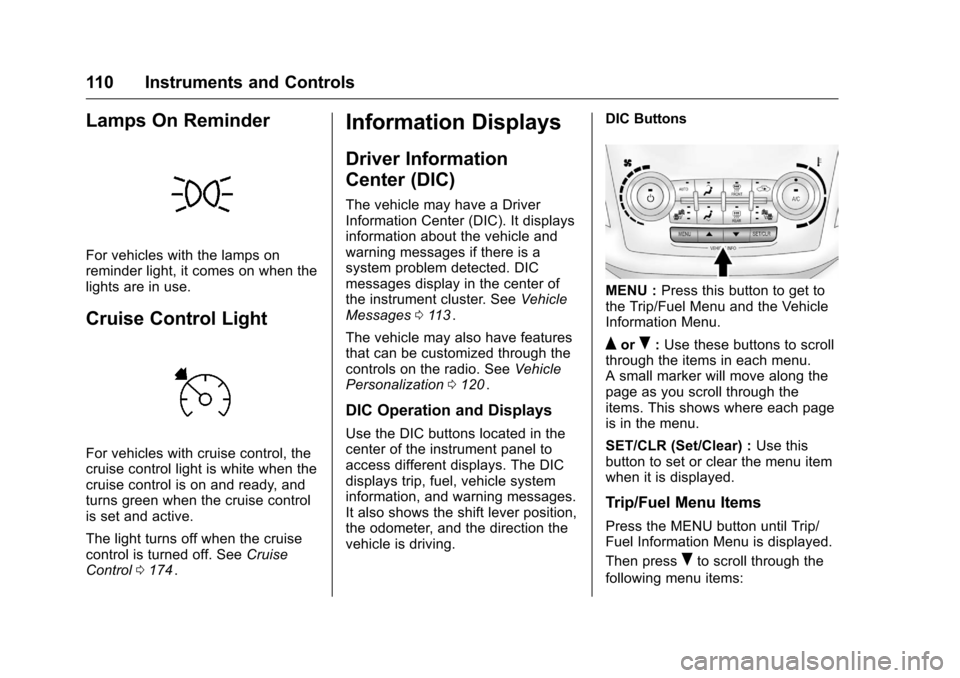
Use the DIC buttons located in the
center of the instrument panel to
access different displays. The DIC
displays trip, fuel, vehicle system
information, and warning messages.
It also shows the shift lever position,
the odometer, and the direction the
vehicle is driving. DIC Buttons
MENU :
Press this button to get to
the Trip/Fuel Menu and the Vehicle
Information Menu.
QorR: Use these buttons to scroll
through the items in each menu.
A small marker will move along the
page as you scroll through the
items. This shows where each page
is in the menu.
SET/CLR (Set/Clear) : Use this
button to set or clear the menu item
when it is displayed.
Trip/Fuel Menu Items
Press the MENU button until Trip/
Fuel Information Menu is displayed.
Then press
Rto scroll through the
following menu items:
Page 121 of 324
Chevrolet Equinox Owner Manual (GMNA-Localizing-U.S./Canada/Mexico-
9234773) - 2016 - crc - 9/3/15
120 Instruments and Controls
Vehicle
Personalization
Use the audio system controls to
access the personalization menus
for customizing vehicle features.
The following are all possible
personalization features. Depending
on the vehicle, some may not be
available.
Infotainment System Audio
System Controls
Using the Faceplate
MENU/SELECT Knob
.Press to enter, select, or activate
a highlighted menu option.
. Turn to highlight a menu option.
. Press to enable or disable a
system setting.
EBACK
. Press to exit a menu.
. Press to return to a previous
screen. Using the Touchscreen
Touch a screen feature to:
.
View more feature options.
. Enable or disable the feature.
w:Touch to scroll up.
x:Touch to scroll down.
Back : Touch to return to the
previous menu.
To access the
personalization menu:
1. Touch Config on the Home page on the infotainment
system display or press
CONFIG on the faceplate.
2. Select the desired feature to display a list of available
options.
3. Select the desired feature setting.
Personalization Menus
The following list of menu items may
be available:
. Languages
. Time and Date .
Radio Settings
. Phone Settings
. Navigation Settings
. Display Settings
. Vehicle Settings
Each menu is detailed in the
following information.
Languages
Select Language, then select from
the available language(s).
Time and Date
Manually set the time and date. See
Clock 095ii.
Radio Settings
Select and depending on the radio
the following may display:
.
Auto Volume
. Gracenote Options
. XM Channel Art
. Max Startup Volume
. Number of Favorites Pages
. RDS Options
Page 122 of 324
Chevrolet Equinox Owner Manual (GMNA-Localizing-U.S./Canada/Mexico-
9234773) - 2016 - crc - 9/3/15
Instruments and Controls 121
.XM Categories
. Software Versions Menu
Auto Volume
This feature adjusts the volume to
minimize the effects of unwanted
background noise that can result
from changing road surfaces, driving
speeds, or open windows. This
feature works best at lower volume
settings where background noise is
typically louder than the sound
system volume.
Select Off, Low, Medium, or High.
Gracenote Options
Select and the following may
display:
. Normalization
Normalization
This feature improves voice
recognition and media groupings.
See “USB,” “Auxiliary Devices,” and
“Bluetooth Audio” in the infotainment
manual.
Select to enable or disable. XM Channel Art
This feature turns the XM Audio
page background on the XM
Channel display on and off.
Select to enable or disable.
Max Startup Volume
This feature sets the maximum
startup volume. If the vehicle is
started and the volume is greater
than this level, the volume is
adjusted to this level.
Select + or
−to increase or
decrease the volume.
Number of Favorite Pages
Select to set the number of favorites
to display.
Select the desired number.
RDS Options
Select and the following may
display:
. RDS
. Text Scroll Freeze
. RDS Text RDS
Select to turn RDS on or off. See
“Radio Data System (RDS)”
in the
infotainment manual.
Text Scroll Freeze
When on, this allows the RDS Text
to scroll across the radio screen.
Select to enable or disable.
RDS Text
When on, this allows the RDS
information from the station to be
displayed.
Select to enable or disable.
XM Categories
This allows which available XM
Categories are used and displayed.
Select to enable or disable available
categories.
Software Versions Menu
Select to display information about
the system and update software if
available.
Page 124 of 324
Chevrolet Equinox Owner Manual (GMNA-Localizing-U.S./Canada/Mexico-
9234773) - 2016 - crc - 9/3/15
Instruments and Controls 123
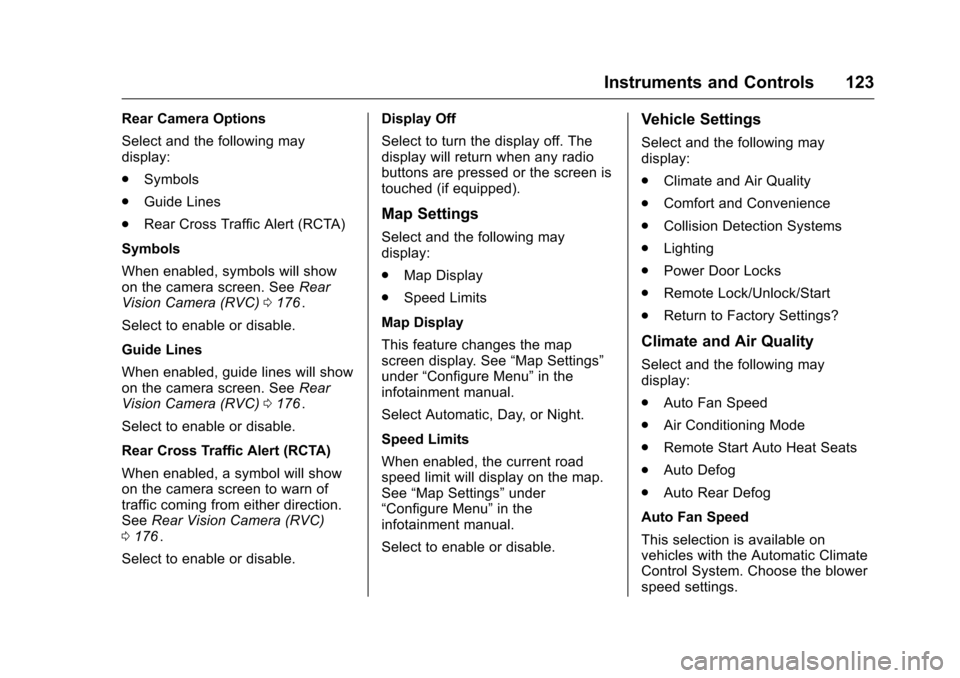
Rear Camera Options
Select and the following may
display:
.Symbols
. Guide Lines
. Rear Cross Traffic Alert (RCTA)
Symbols
When enabled, symbols will show
on the camera screen. See Rear
Vision Camera (RVC) 0176
ii.
Select to enable or disable.
Guide Lines
When enabled, guide lines will show
on the camera screen. See Rear
Vision Camera (RVC) 0176
ii.
Select to enable or disable.
Rear Cross Traffic Alert (RCTA)
When enabled, a symbol will show
on the camera screen to warn of
traffic coming from either direction.
See Rear Vision Camera (RVC)
0 176
ii.
Select to enable or disable. Display Off
Select to turn the display off. The
display will return when any radio
buttons are pressed or the screen is
touched (if equipped).
Map Settings
Select and the following may
display:
.
Map Display
. Speed Limits
Map Display
This feature changes the map
screen display. See “Map Settings”
under “Configure Menu” in the
infotainment manual.
Select Automatic, Day, or Night.
Speed Limits
When enabled, the current road
speed limit will display on the map.
See “Map Settings” under
“Configure Menu” in the
infotainment manual.
Select to enable or disable.
Vehicle Settings
Select and the following may
display:
. Climate and Air Quality
. Comfort and Convenience
. Collision Detection Systems
. Lighting
. Power Door Locks
. Remote Lock/Unlock/Start
. Return to Factory Settings?
Climate and Air Quality
Select and the following may
display:
.Auto Fan Speed
. Air Conditioning Mode
. Remote Start Auto Heat Seats
. Auto Defog
. Auto Rear Defog
Auto Fan Speed
This selection is available on
vehicles with the Automatic Climate
Control System. Choose the blower
speed settings.
Page 126 of 324
Chevrolet Equinox Owner Manual (GMNA-Localizing-U.S./Canada/Mexico-
9234773) - 2016 - crc - 9/3/15
Instruments and Controls 125
the ground near the rear wheels.
They will return to their previous
driving position when the vehicle is
shifted out of R (Reverse), the
ignition is turned to OFF, or the
vehicle is left in R (Reverse). See
Reverse Tilt Mirrors038
ii.
Select On or Off.
Memory Remote Recall
This feature automatically recalls
the current driver ’s previously stored
1 or 2 button positions when
entering the vehicle. See "Recalling
RKE Memory Positions (Memory
Remote Recall)" under Memory
Seats 048
ii.
Select On or Off.
Button Chime
When enabled, a sound will be
heard when a selection is made
using the infotainment system.
Select to enable or disable.
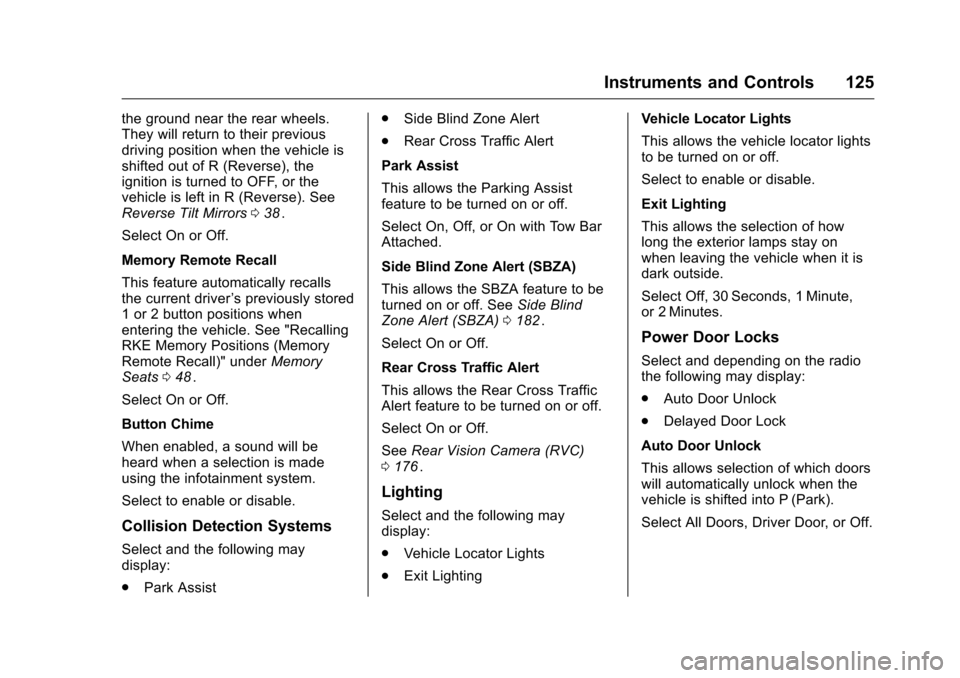
Collision Detection Systems
Select and the following may
display:
. Park Assist .
Side Blind Zone Alert
. Rear Cross Traffic Alert
Park Assist
This allows the Parking Assist
feature to be turned on or off.
Select On, Off, or On with Tow Bar
Attached.
Side Blind Zone Alert (SBZA)
This allows the SBZA feature to be
turned on or off. See Side Blind
Zone Alert (SBZA) 0182
ii.
Select On or Off.
Rear Cross Traffic Alert
This allows the Rear Cross Traffic
Alert feature to be turned on or off.
Select On or Off.
See Rear Vision Camera (RVC)
0 176
ii.
Lighting
Select and the following may
display:
.
Vehicle Locator Lights
. Exit Lighting Vehicle Locator Lights
This allows the vehicle locator lights
to be turned on or off.
Select to enable or disable.
Exit Lighting
This allows the selection of how
long the exterior lamps stay on
when leaving the vehicle when it is
dark outside.
Select Off, 30 Seconds, 1 Minute,
or 2 Minutes.
Power Door Locks
Select and depending on the radio
the following may display:
.
Auto Door Unlock
. Delayed Door Lock
Auto Door Unlock
This allows selection of which doors
will automatically unlock when the
vehicle is shifted into P (Park).
Select All Doors, Driver Door, or Off.