Dome CHEVROLET EQUINOX 2020 User Guide
[x] Cancel search | Manufacturer: CHEVROLET, Model Year: 2020, Model line: EQUINOX, Model: CHEVROLET EQUINOX 2020Pages: 415, PDF Size: 6.46 MB
Page 128 of 415
Chevrolet Equinox Owner Manual (GMNA-Localizing-U.S./Canada/Mexico-
13555863) - 2020 - CRC - 8/2/19
Instruments and Controls 127
This number is calculated based on
the number of L/100 km (mpg)
recorded since the last time this
menu item was reset. This number
reflects only the approximate
average fuel economy that the
vehicle has right now, and will
change as driving conditions
change.
Press and hold
Vwhile this display
is active to reset the trip odometer
and the average fuel economy. Trip
A and Trip B can also be reset by
pressing
pand choosing reset.
Fuel Information or Fuel Range :
Shows the approximate distance the
vehicle can be driven without
refueling. LOW will be displayed
when the vehicle is low on fuel. The
fuel range estimate is based on an
average of the vehicle's fuel
economy over recent driving history
and the amount of fuel remaining in
the fuel tank. Oil Life :
Shows an estimate of the
oil's remaining useful life.
If REMAINING OIL LIFE 99% is
displayed, that means 99% of the
current oil life remains.
When the remaining oil life is low,
the CHANGE ENGINE OIL SOON
message will appear on the display.
The oil should be changed as soon
as possible. See Engine Oil0275.
In addition to the engine oil life
system monitoring the oil life,
additional maintenance is
recommended. See Maintenance
Schedule 0360.
The Oil Life display must be reset
after each oil change. It will not
reset itself. Do not to reset the Oil
Life display at any time other than
when the oil has just been changed.
It cannot be reset accurately until
the next oil change. To reset the
engine oil life system, press
Vfor
several seconds while the Oil Life
display is active or press
pto open the menu and select reset. Press
V
to reset. See
Engine Oil Life System
0 279.
Fuel Filter Life Remaining (Diesel
Engine Only) : If equipped, an
estimate of the fuel filter's remaining
useful life is shown. If 90% Fuel
Filter Life Remaining is displayed, it
means 90% of the current fuel filter
life remains. The fuel filter life
system will alert when to change the
fuel filter on a schedule consistent
with your driving conditions.
When the remaining fuel filter life is
low, the CHANGE FUEL FILTER
message will appear on the display.
Change the fuel filter as soon as
possible.
The Fuel Filter Life display must be
reset after each Fuel Filter change.
It will not reset itself. Do not reset
the Fuel Filter Life display at any
time other than when the fuel filter
has just been changed. Press
Vfor
several seconds while the display is
active or press
pto open the menu
Page 131 of 415
Chevrolet Equinox Owner Manual (GMNA-Localizing-U.S./Canada/Mexico-
13555863) - 2020 - CRC - 8/2/19
130 Instruments and Controls
2. Pressworxto scroll to the
Info Page Options and
press
V.
3. Press
worxto move
through the list of possible
information displays.
4. Press
Vwhile an item is
highlighted to select or
deselect that item. When an
item is selected, a checkmark
will appear next to it.
Info Pages
The following is the list of all
possible DIC info page displays.
Some may not be available for your
particular vehicle. Some items may
not be turned on by default but can
be turned on through the Options
app. See “Info Page Options”
earlier in this section.
Speed : Shows the vehicle speed in
either kilometers per hour (km/h) or
miles per hour (mph). If equipped,
press
Vto open the menu and
select to display speed limit signs. The sign will show
“− −”when there
is no detected speed limit or the
system is unavailable.
Trip 1 or Trip 2 : Shows the current
distance traveled, in either
kilometers (km) or miles (mi), since
the trip odometer was last reset.
If equipped, shows the average fuel
economy since the last reset. This
number reflects only the
approximate average fuel economy
that the vehicle has right now, and
will change as driving conditions
change. The average fuel economy
can be displayed as mpg, km/L,
or L/100km where applicable.
If equipped, shows the average
speed since the last reset. This
number reflects only the
approximate average speed that the
vehicle has, and will change as
driving conditions change. Average
speed can be displayed as mph
or km/h where applicable. Press
Vwhile this display is active
to show a confirmation window to
reset all values to zero. Use
oorp
to select yes or no and pressV.
Fuel Information or Fuel Range :
Shows the approximate distance the
vehicle can be driven without
refueling. LOW will be displayed
when the vehicle is low on fuel. The
fuel range estimate is based on an
average of the vehicle's fuel
economy over recent driving history
and the amount of fuel remaining in
the fuel tank. If equipped, may also
show the instantaneous fuel
economy.
Oil Life : Shows an estimate of the
oil's remaining useful life.
If REMAINING OIL LIFE 99% is
displayed, that means 99% of the
current oil life remains.
When the remaining oil life is low,
the CHANGE ENGINE OIL SOON
message will appear on the display.
The oil should be changed as soon
as possible. See Engine Oil0275.
In addition to the engine oil life
Page 145 of 415
Chevrolet Equinox Owner Manual (GMNA-Localizing-U.S./Canada/Mexico-
13555863) - 2020 - CRC - 8/2/19
144 Lighting
Lighting
Exterior Lighting
Exterior Lamp Controls . . . . . . . 144
Headlamp High/Low-BeamChanger . . . . . . . . . . . . . . . . . . . . 146
Flash-to-Pass . . . . . . . . . . . . . . . . 146
Daytime Running Lamps (DRL) . . . . . . . . . . . . . . . 146
Automatic Headlamp System . . . . . . . . . . . . . . . . . . . . . . 147
Hazard Warning Flashers . . . . . 148
Turn and Lane-Change Signals . . . . . . . . . . . . . . . . . . . . . . 148
Fog Lamps . . . . . . . . . . . . . . . . . . . 148
Interior Lighting
Instrument Panel Illumination Control . . . . . . . . . . . . . . . . . . . . . . 149
Courtesy Lamps . . . . . . . . . . . . . . 149
Dome Lamps . . . . . . . . . . . . . . . . . 149
Reading Lamps . . . . . . . . . . . . . . 150
Lighting Features
Entry Lighting . . . . . . . . . . . . . . . . 151
Exit Lighting . . . . . . . . . . . . . . . . . . 151
Battery Load Management . . . 151
Battery Power Protection . . . . . 152
Exterior Lighting Battery Saver . . . . . . . . . . . . . . . . . . . . . . . 152Exterior Lighting
Exterior Lamp Controls
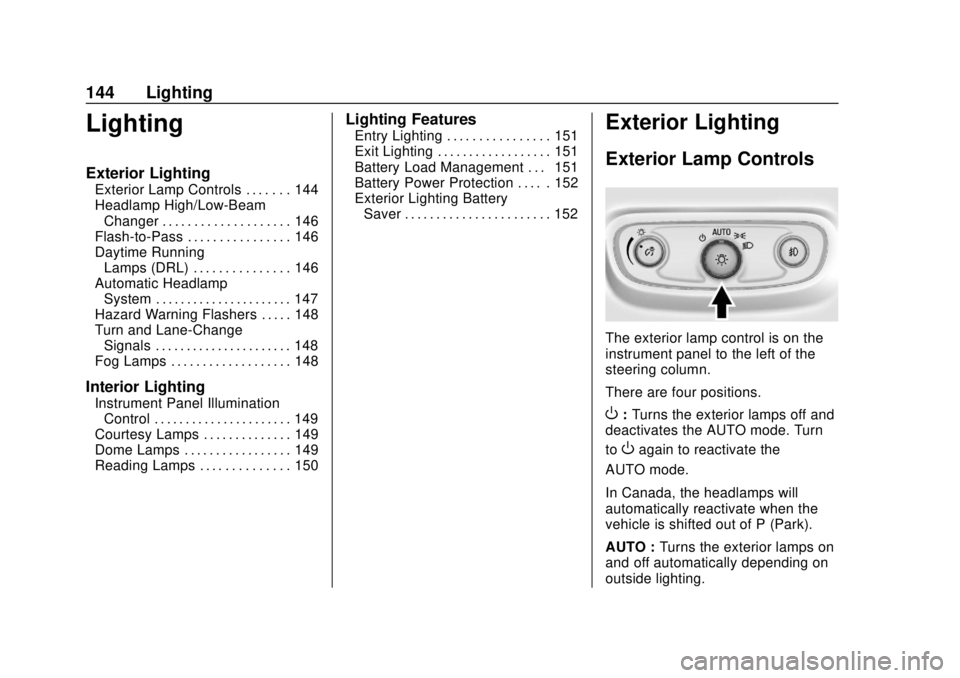
The exterior lamp control is on the
instrument panel to the left of the
steering column.
There are four positions.
O: Turns the exterior lamps off and
deactivates the AUTO mode. Turn
to
Oagain to reactivate the
AUTO mode.
In Canada, the headlamps will
automatically reactivate when the
vehicle is shifted out of P (Park).
AUTO : Turns the exterior lamps on
and off automatically depending on
outside lighting.
Page 150 of 415
Chevrolet Equinox Owner Manual (GMNA-Localizing-U.S./Canada/Mexico-
13555863) - 2020 - CRC - 8/2/19
Lighting 149
#:If equipped, press to turn on or
off. An indicator light on the
instrument cluster comes on when
the fog lamps are on.
Some localities have laws that
require the headlamps to be on
along with the fog lamps.Interior Lighting
Instrument Panel
Illumination Control
The brightness of the instrument
cluster display, infotainment display
and controls, steering wheel
controls, and all other illuminated
controls, as well as feature status
indicators can be adjusted.
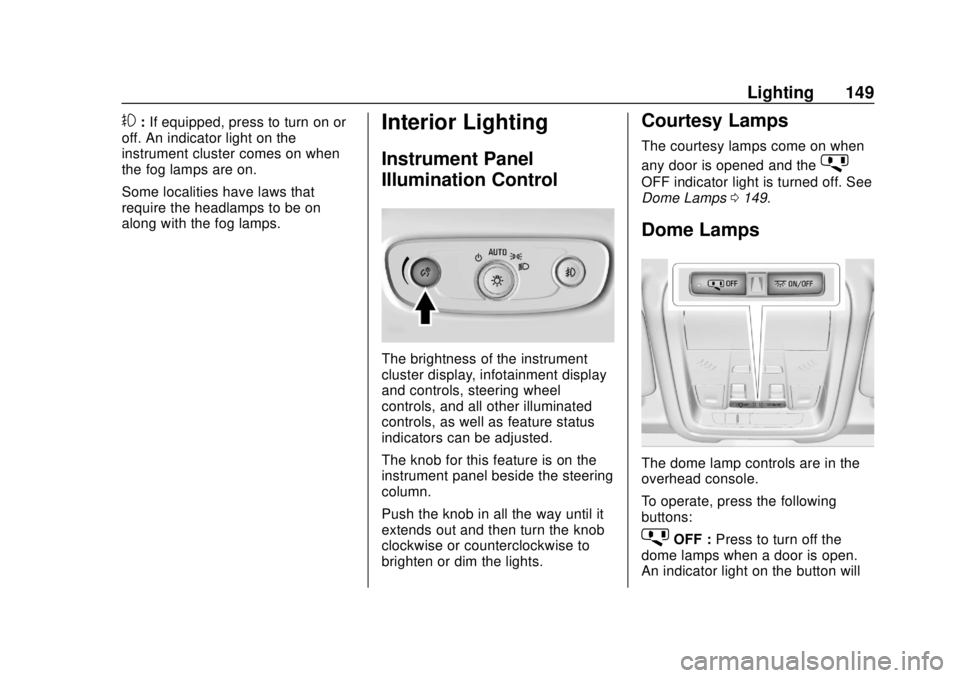
The knob for this feature is on the
instrument panel beside the steering
column.
Push the knob in all the way until it
extends out and then turn the knob
clockwise or counterclockwise to
brighten or dim the lights.
Courtesy Lamps
The courtesy lamps come on when
any door is opened and the
j
OFF indicator light is turned off. See
Dome Lamps 0149.
Dome Lamps
The dome lamp controls are in the
overhead console.
To operate, press the following
buttons:
jOFF : Press to turn off the
dome lamps when a door is open.
An indicator light on the button will
Page 151 of 415
Chevrolet Equinox Owner Manual (GMNA-Localizing-U.S./Canada/Mexico-
13555863) - 2020 - CRC - 8/2/19
150 Lighting
turn on when the dome lamp
override is activated. Press
j
OFF again to deactivate this feature
and the indicator light will turn off.
The dome lamps will come on when
doors are opened.
+ON/OFF : Press to turn the dome
lamps on manually.
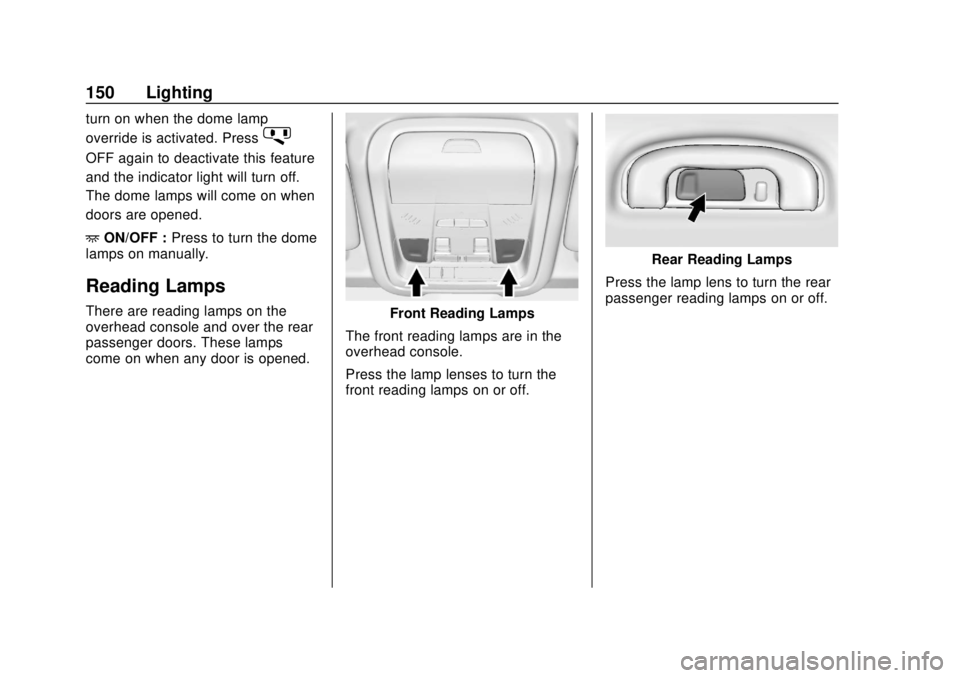
Reading Lamps
There are reading lamps on the
overhead console and over the rear
passenger doors. These lamps
come on when any door is opened.Front Reading Lamps
The front reading lamps are in the
overhead console.
Press the lamp lenses to turn the
front reading lamps on or off.
Rear Reading Lamps
Press the lamp lens to turn the rear
passenger reading lamps on or off.
Page 152 of 415
Chevrolet Equinox Owner Manual (GMNA-Localizing-U.S./Canada/Mexico-
13555863) - 2020 - CRC - 8/2/19
Lighting 151
Lighting Features
Entry Lighting
Some exterior lamps and interior
lamps turn on briefly at night, or in
areas with limited lighting, when
K
is pressed on the Remote Keyless
Entry (RKE) transmitter. When a
door is opened, the interior lamps
come on. They stay on for about
20 seconds. When all of the doors
have been closed or the ignition is
turned on, they gradually fade out.
This feature can be changed. See
“Vehicle Locator Lights”under
Vehicle Personalization 0134.
Exit Lighting
Some exterior lamps and interior
lamps come on at night, or in areas
with limited lighting, when the driver
door is opened after the ignition is
turned off. The dome lamp comes
on after the ignition is turned off.
The exterior lamps and dome lamp
remain on for a set amount of time,
then automatically turn off. The exterior lamps turn off
immediately by turning the exterior
lamp control off.
This feature can be changed. See
Vehicle Personalization
0134.
Battery Load
Management
The vehicle has Electric Power
Management (EPM) that estimates
the battery's temperature and state
of charge. It then adjusts the voltage
for best performance and extended
life of the battery.
When the battery's state of charge
is low, the voltage is raised slightly
to quickly bring the charge back up.
When the state of charge is high,
the voltage is lowered slightly to
prevent overcharging. If the vehicle
has a voltmeter gauge or a voltage
display on the Driver Information
Center (DIC), you may see the
voltage move up or down. This is
normal. If there is a problem, an
alert will be displayed. The battery can be discharged at
idle if the electrical loads are very
high. This is true for all vehicles.
This is because the generator
(alternator) may not be spinning fast
enough at idle to produce all of the
power needed for very high
electrical loads.
A high electrical load occurs when
several of the following are on, such
as: headlamps, high beams, rear
window defogger, climate control fan
at high speed, heated seats, engine
cooling fans, trailer loads, and loads
plugged into accessory power
outlets.
EPM works to prevent excessive
discharge of the battery. It does this
by balancing the generator's output
and the vehicle's electrical needs.
It can increase engine idle speed to
generate more power whenever
needed. It can temporarily reduce
the power demands of some
accessories.
Normally, these actions occur in
steps or levels, without being
noticeable. In rare cases at the
highest levels of corrective action,
Page 195 of 415
Chevrolet Equinox Owner Manual (GMNA-Localizing-U.S./Canada/Mexico-
13555863) - 2020 - CRC - 8/2/19
194 Driving and Operating
.The shift lever is in P (Park).
. The fuel tank is at least
one-eighth full.
. All fluids are at the proper level.
. No diagnostic trouble codes
have been set, and the
malfunction indicator lamp is
not on.
. The engine coolant temperature
is above 71 °C (160 °F).
After making sure all safety
conditions have been met, press the
trip odometer reset stem or
thumbwheel on the steering wheel
for at least one second to select
Start on the infotainment display.
Follow the instructions in the DIC
messages. Touch ACCEPT to
acknowledge that all of these safety
conditions have been met and to
activate regeneration.
If the infotainment display returns to
the previous screen, then one or
more of the necessary safety
conditions has not been met. If you
cannot determine which condition has not been met, see
www.gmupfitter.com to contact the
GM Upfitter Integration Group.
Continue to follow the instructions in
the DIC messages. Hold the
exhaust brake switch on the center
stack below the climate controls for
more than three seconds, and then
release it, to begin the regeneration
process.
If the EXHAUST BRAKE ON
message displays, then the switch
was released too soon. Press it
again to turn off the exhaust brake,
then try again when the DIC
message prompts.
When manual regeneration begins,
the engine speed increases, the
engine cooling fan sound increases,
and a DIC message indicates that
cleaning is in progress.
A DIC message will display when
cleaning is complete. Cleaning
could take up to 30 minutes. Upon
completion, the engine will return to
normal idle, but exhaust
components will remain hot for
several minutes. Do not move thevehicle until the exhaust has had
time to cool. Manual regeneration
can be canceled at any time by
pressing the brake pedal or by
turning the engine off. Unusual
noises may be heard if regeneration
is interrupted.
Page 214 of 415
Chevrolet Equinox Owner Manual (GMNA-Localizing-U.S./Canada/Mexico-
13555863) - 2020 - CRC - 8/2/19
Driving and Operating 213
5:Press to turn the cruise control
system on and off. A white indicator
comes on in the instrument cluster
when cruise is turned on.
*: Press to disengage cruise
control without erasing the set
speed from memory.
+RES : If there is a set speed in
memory, press briefly to resume that
speed or press and hold to
accelerate. If cruise control is
already active, use to increase
vehicle speed.
−SET : Press briefly to set the
speed and activate cruise control.
If cruise control is already active,
use to decrease vehicle speed.
Setting Cruise Control
If
5is on when not in use, -SET or
+RES could get bumped and go into
cruise when not desired. Keep
5
off when cruise is not being used.
To set a speed:
1. Press
5to turn the cruise
system on. 2. Get up to the desired speed.
3. Press and release -SET. The
desired set speed briefly
appears in the instrument
cluster.
4. Remove your foot from the accelerator pedal.
The cruise control indicator on the
instrument cluster turns green after
cruise control has been set to the
desired speed. See Instrument
Cluster (Base and Midlevel) 0102
or
Instrument Cluster (Uplevel) 0106.
Resuming a Set Speed
If the cruise control is set at a
desired speed and then the brakes
are applied or
*is pressed, the
cruise control is disengaged without
erasing the set speed from memory.
Once the vehicle speed reaches
about 40 km/h (25 mph) or more,
briefly press +RES. The vehicle
returns to the previous set speed. Increasing Speed While Using
Cruise Control
If the cruise control system is
already activated:
.
Press and hold +RES until the
vehicle accelerates to the
desired speed, then release it.
. To increase the speed in small
increments, briefly press +RES.
For each press, the vehicle goes
about 1 km/h (1 mph) faster.
The speedometer reading can be
displayed in either English or metric
units. See Instrument Cluster (Base
and Midlevel) 0102 or
Instrument Cluster (Uplevel) 0106.
The increment value used depends
on the units displayed.
Reducing Speed While Using
Cruise Control
If the cruise control system is
already activated:
. Press and hold -SET until the
desired lower speed is reached,
then release it.
Page 215 of 415
Chevrolet Equinox Owner Manual (GMNA-Localizing-U.S./Canada/Mexico-
13555863) - 2020 - CRC - 8/2/19
214 Driving and Operating
.To slow down in small
increments, briefly press -SET.
For each press, the vehicle goes
about 1 km/h (1 mph) slower.
The speedometer reading can be
displayed in either English or metric
units. See Instrument Cluster (Base
and Midlevel) 0102 or
Instrument Cluster (Uplevel) 0106.
The increment value used depends
on the units displayed.
Passing Another Vehicle While
Using Cruise Control
Use the accelerator pedal to
increase the vehicle speed. When
you take your foot off the pedal, the
vehicle will slow down to the
previous set cruise speed. While
pressing the accelerator pedal or
shortly following the release to
override cruise control, briefly
pressing -SET will result in cruise
control set to the current vehicle
speed.
Using Cruise Control on Hills
How well the cruise control works
on hills depends upon the vehicle
speed, load, and the steepness of the hills. When going up steep hills,
you might have to step on the
accelerator pedal to maintain the
vehicle speed. When going
downhill, you might have to brake or
shift to a lower gear to keep your
speed down. If the brake pedal is
applied, cruise control will
disengage.
Ending Cruise Control
There are four ways to end cruise
control:
.
Step lightly on the brake pedal.
. Press
*.
. Shift the transmission to
N (Neutral).
. To turn off cruise control,
press
5.
Erasing Speed Memory
The cruise control set speed is
erased from memory if
5is pressed
or if the ignition is turned off.
Adaptive Cruise Control
If equipped, Adaptive Cruise Control
(ACC) allows the cruise control set
speed and following gap to be
selected. Read this entire section
before using this system. The
following gap is the following time
between your vehicle and a vehicle
detected directly ahead in your path,
moving in the same direction. If no
vehicle is detected in your path,
ACC works like regular cruise
control. ACC uses a windshield
mounted front camera sensor.
If a vehicle is detected in your path,
ACC can apply acceleration or
limited, moderate braking to
maintain the selected following gap.
To disengage ACC, apply the brake.
If ACC is controlling the vehicle
speed when the Traction Control
System (TCS) or StabiliTrak/
Electronic Stability Control (ESC)
system activates, ACC may
automatically disengage. See
Traction Control/Electronic Stability
Control 0208. When road
conditions allow ACC to be safely
used, ACC can be turned back on.
Page 217 of 415
Chevrolet Equinox Owner Manual (GMNA-Localizing-U.S./Canada/Mexico-
13555863) - 2020 - CRC - 8/2/19
216 Driving and Operating
J:Press to turn the system on or
off. The indicator turns white on the
instrument cluster when ACC is
turned on.
RES+ : Press briefly to resume the
previous set speed or to increase
vehicle speed if ACC is already
activated. To increase speed by
about 1 km/h (1 mph), press RES+
briefly. To increase speed to the
next 5 km/h (5 mph) mark on the
speedometer, hold RES+.
SET– :Press briefly to set the
speed and activate ACC or to
decrease vehicle speed if ACC is
already activated. To decrease
speed by about 1 km/h (1 mph),
press SET– briefly. To decrease
speed to the next 5 km/h (5 mph)
mark on the speedometer,
hold SET–.
*: Press to disengage ACC
without erasing the selected set
speed.
[: Press to select a following gap
setting for ACC of Far, Medium,
or Near. The speedometer reading can be
displayed in either English or metric
units. See
Instrument Cluster (Base
and Midlevel) 0102 or
Instrument Cluster (Uplevel) 0106.
The increment value used depends
on the units displayed.
Switching Between ACC and
Regular Cruise Control
To switch between ACC and regular
cruise control, press and hold
*.
A Driver Information Display (DIC)
message displays. See Vehicle
Messages 0133.
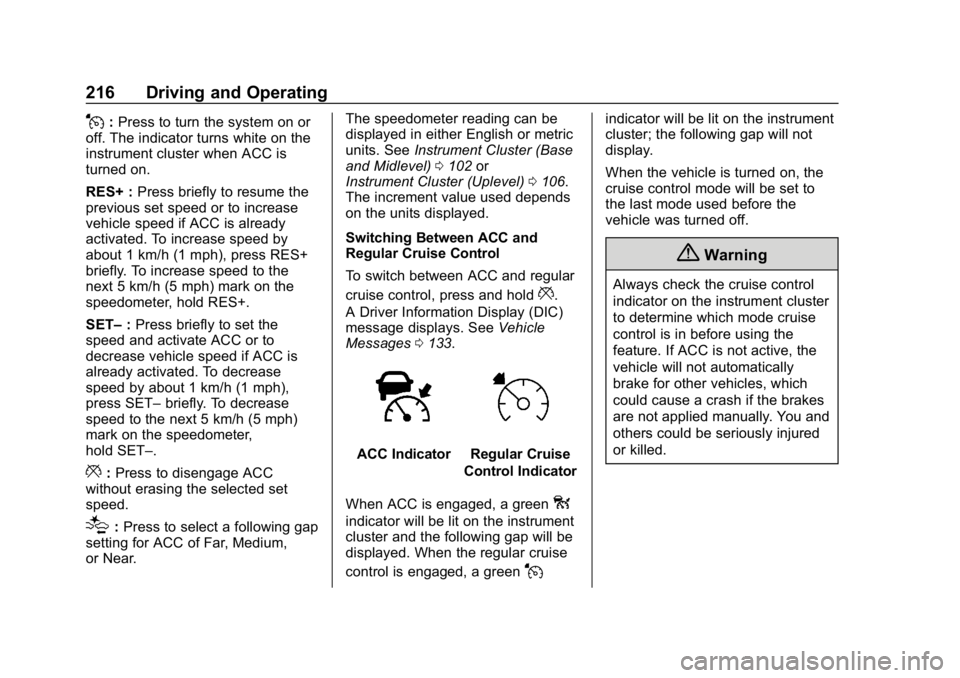
ACC IndicatorRegular Cruise
Control Indicator
When ACC is engaged, a green
o
indicator will be lit on the instrument
cluster and the following gap will be
displayed. When the regular cruise
control is engaged, a green
J
indicator will be lit on the instrument
cluster; the following gap will not
display.
When the vehicle is turned on, the
cruise control mode will be set to
the last mode used before the
vehicle was turned off.
{Warning
Always check the cruise control
indicator on the instrument cluster
to determine which mode cruise
control is in before using the
feature. If ACC is not active, the
vehicle will not automatically
brake for other vehicles, which
could cause a crash if the brakes
are not applied manually. You and
others could be seriously injured
or killed.