Ess disable CHEVROLET EQUINOX 2020 User Guide
[x] Cancel search | Manufacturer: CHEVROLET, Model Year: 2020, Model line: EQUINOX, Model: CHEVROLET EQUINOX 2020Pages: 415, PDF Size: 6.46 MB
Page 182 of 415
Chevrolet Equinox Owner Manual (GMNA-Localizing-U.S./Canada/Mexico-
13555863) - 2020 - CRC - 8/2/19
Driving and Operating 181
The Remote Keyless Entry (RKE)
transmitter must be in the vehicle for
the system to operate. If the
pushbutton start is not working, the
vehicle may be near a strong radio
antenna signal causing interference
to the Keyless Access system. See
Remote Keyless Entry (RKE)
System Operation08.
Stopping the Engine/Off (No
Indicator Lights)
When the vehicle is stopped, press
ENGINE START/STOP once to turn
the engine off.
To shift out of P (Park), the vehicle
must be on and the brake pedal
must be applied.
If the vehicle is in P (Park), the
ignition will turn off, and Retained
Accessory Power (RAP) will remain
active. See Retained Accessory
Power (RAP) 0188.
If the vehicle is not in P (Park), the
ignition will return to ACC/
ACCESSORY and display the
message SHIFT TO PARK in the
Driver Information Center (DIC). When the vehicle is shifted into
P (Park), the ignition system will
turn off.
The vehicle may have an electric
steering column lock. The lock is
activated when the vehicle is turned
off and either front door is opened.
A sound may be heard as the lock
actuates or releases. The steering
column lock may not release with
the wheels turned off center. If this
happens, the vehicle may not start.
Move the steering wheel from left to
right while attempting to start the
vehicle. If this does not work, the
vehicle needs service.
Do not turn the engine off when the
vehicle is moving. This will cause a
loss of power assist in the brake
and steering systems and disable
the airbags.
If the vehicle must be turned off in
an emergency:
1. Brake using a firm and steady pressure. Do not pump the
brakes repeatedly. This may
deplete power assist, requiring
increased brake pedal force. 2. Shift the vehicle to N (Neutral).
This can be done while the
vehicle is moving. After shifting
to N (Neutral), firmly apply the
brakes and steer the vehicle to
a safe location.
3. Come to a complete stop. Shift to P (Park) and turn the
ignition off.
4. Set the electric parking brake. See Electric Parking Brake
0 205.
{Warning
Turning off the vehicle while
moving may cause loss of power
assist in the brake and steering
systems and disable the airbags.
While driving, only shut the
vehicle off in an emergency.
If the vehicle cannot be pulled over
and must be turned off while driving,
press and hold ENGINE START/
STOP for longer than two seconds,
or press twice in five seconds.
Page 205 of 415
Chevrolet Equinox Owner Manual (GMNA-Localizing-U.S./Canada/Mexico-
13555863) - 2020 - CRC - 8/2/19
204 Driving and Operating
until the next key cycle. SeeDriving
Characteristics and Towing Tips
0 254.
Automatic Engine Grade
Braking
Automatic Engine Grade Braking
assists when driving downhill.
It maintains vehicle speed by
automatically implementing a shift
pattern that uses the engine and the
transmission to slow the vehicle.
The system will automatically
command downshifts to reduce
vehicle speed. The normal shift
pattern will return once the vehicle
is on a low grade or when the
accelerator pedal is pressed.
While in the Electronic Range
Select (ERS) mode, grade braking
is deactivated, allowing the driver to
select a range and limiting the
highest gear available. Grade
braking is available for normal
driving and in Tow/Haul Mode.
See Automatic Transmission 0200.
Drive Systems
All-Wheel Drive
Vehicles with this feature can
operate in All-Wheel
Drive (AWD) Mode.
The AWD system delivers power to
all four wheels and the system
adjusts as needed to improve
traction.
Press the AWD switch on the center
console to activate the system. The
AWD light will flash briefly while the
system is engaging and stay lit to
indicate AWD is active. Press the
switch again to disable the system.
The light will flash briefly while the
system disables and then stay off.
The AWD Mode will stay selected
until the mode is changed.
When operated in two-wheel drive,
the vehicle will deliver power to the
front wheels only and may provide
better fuel economy. A system off message displays
when there is a temporary condition
making the AWD system
unavailable. The vehicle will run in
two-wheel drive.
This could be caused by:
.
A compact spare tire on the
vehicle.
. AWD system overheat.
. Loss of wheel or vehicle speed.
. Certain other vehicle electrical
conditions.
The message turns off when the
compact spare tire is replaced by a
full-size tire, the differential fluid
cools, or the above conditions are
no longer present and the warning
message is reset.
To reset the warning message
manually, turn the ignition off and
then back on again after
30 seconds. If the message stays
on, see your dealer.
Page 210 of 415
Chevrolet Equinox Owner Manual (GMNA-Localizing-U.S./Canada/Mexico-
13555863) - 2020 - CRC - 8/2/19
Driving and Operating 209
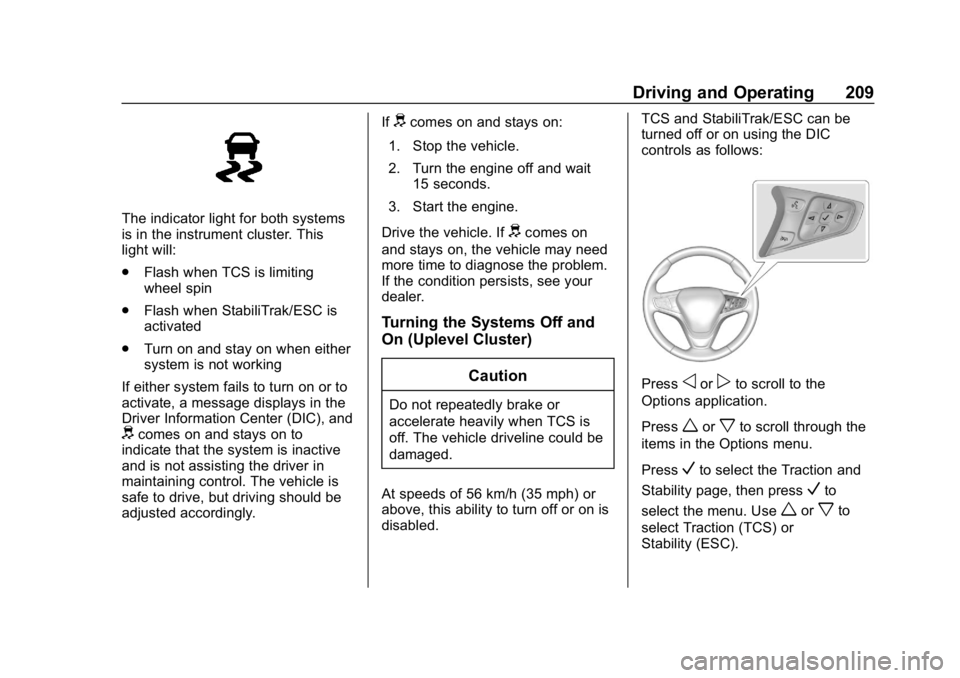
The indicator light for both systems
is in the instrument cluster. This
light will:
.Flash when TCS is limiting
wheel spin
. Flash when StabiliTrak/ESC is
activated
. Turn on and stay on when either
system is not working
If either system fails to turn on or to
activate, a message displays in the
Driver Information Center (DIC), and
dcomes on and stays on to
indicate that the system is inactive
and is not assisting the driver in
maintaining control. The vehicle is
safe to drive, but driving should be
adjusted accordingly. If
dcomes on and stays on:
1. Stop the vehicle.
2. Turn the engine off and wait 15 seconds.
3. Start the engine.
Drive the vehicle. If
dcomes on
and stays on, the vehicle may need
more time to diagnose the problem.
If the condition persists, see your
dealer.
Turning the Systems Off and
On (Uplevel Cluster)
Caution
Do not repeatedly brake or
accelerate heavily when TCS is
off. The vehicle driveline could be
damaged.
At speeds of 56 km/h (35 mph) or
above, this ability to turn off or on is
disabled. TCS and StabiliTrak/ESC can be
turned off or on using the DIC
controls as follows:
Pressoorpto scroll to the
Options application.
Press
worxto scroll through the
items in the Options menu.
Press
Vto select the Traction and
Stability page, then press
Vto
select the menu. Use
worxto
select Traction (TCS) or
Stability (ESC).
Page 211 of 415
Chevrolet Equinox Owner Manual (GMNA-Localizing-U.S./Canada/Mexico-
13555863) - 2020 - CRC - 8/2/19
210 Driving and Operating
To turn TCS off, select Traction,
then press
V. The TCS icon on the
DIC will change from On to Off and
iilluminates in the instrument
cluster.
To turn TCS back on, select
Traction, then press
V. The TCS
icon on the DIC will change from Off
to On and
igoes out in the
instrument cluster. TCS cannot be
on when StabiliTrak/ESC is off.
To turn StabiliTrak/ESC off, select
Stability, then press
V. The
StabiliTrak/ESC icon on the DIC will
change from On to Off. If TCS was
on when StabiliTrak/ESC was
turned off, both will turn off and
i
andgilluminate.
To turn StabiliTrak/ESC back on,
select Stability then press
V. The
StabiliTrak/ESC icon on the DIC will
change from Off to On and
ggoes
out in the instrument cluster.
To turn both StabiliTrak/ESC and
TCS back on, select Traction, then
press
V. The StabiliTrak/ESC and TCS icons on the DIC will change
from Off to On and
gandigo out
in the instrument cluster.
Adding accessories can affect the
vehicle performance. See
Accessories and Modifications
0 267.
Turning the Systems Off and
On (Midlevel Cluster)
Caution
Do not repeatedly brake or
accelerate heavily when TCS is
off. The vehicle driveline could be
damaged.
At speeds of 56 km/h (35 mph) or
above, this ability to turn off or on is
disabled.
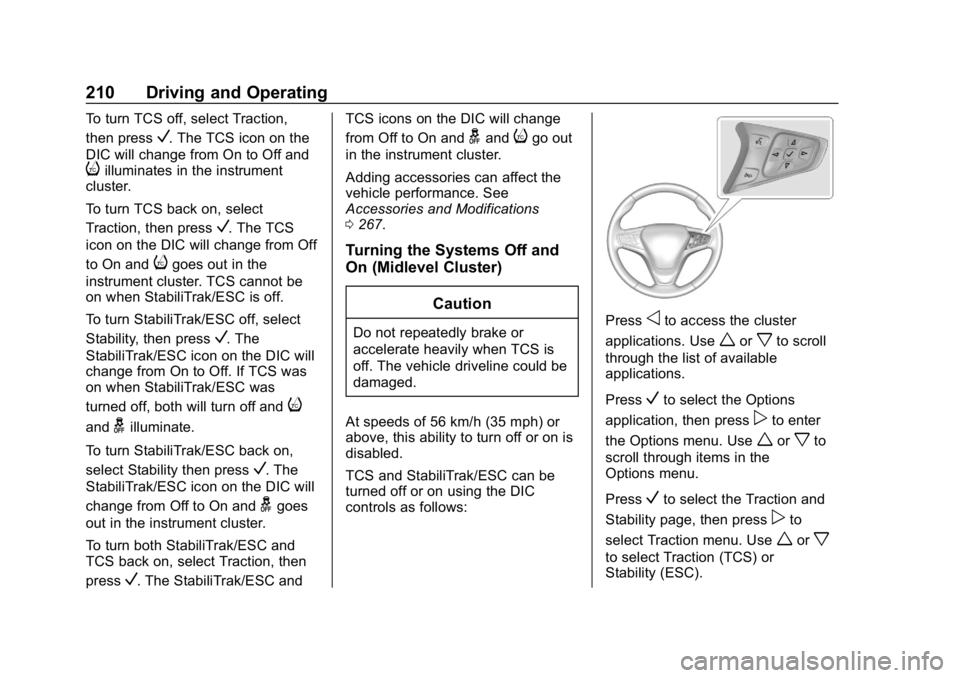
TCS and StabiliTrak/ESC can be
turned off or on using the DIC
controls as follows:Pressoto access the cluster
applications. Use
worxto scroll
through the list of available
applications.
Press
Vto select the Options
application, then press
pto enter
the Options menu. Use
worxto
scroll through items in the
Options menu.
Press
Vto select the Traction and
Stability page, then press
pto
select Traction menu. Use
worx
to select Traction (TCS) or
Stability (ESC).
Page 212 of 415
Chevrolet Equinox Owner Manual (GMNA-Localizing-U.S./Canada/Mexico-
13555863) - 2020 - CRC - 8/2/19
Driving and Operating 211
To turn TCS off, select Traction,
then press
V. The TCS icon on the
DIC will change from On to Off and
iilluminates in the instrument
cluster.
To turn TCS back on, select
Traction, then press
V. The TCS
icon on the DIC will change from Off
to On and
igoes out in the
instrument cluster. TCS cannot be
on when StabiliTrak/ESC is off.
To turn StabiliTrak/ESC off, select
Stability, then press
V. The
StabiliTrak/ESC icon on the DIC will
change from On to Off. If TCS was
on when StabiliTrak/ESC was
turned off, both will turn off and
i
andgilluminate.
To turn StabiliTrak/ESC back on,
select Stability then press
V. The
StabiliTrak/ESC icon on the DIC will
change from Off to On and
ggoes
out in the instrument cluster.
To turn both StabiliTrak/ESC and
TCS back on, select Traction, then
press
V. The StabiliTrak/ESC and TCS icons on the DIC will change
from Off to On and
gandigo out
in the instrument cluster.
Adding accessories can affect the
vehicle performance. See
Accessories and Modifications
0 267.
Turning the Systems Off and
On (Base Level DIC)
Caution
Do not repeatedly brake or
accelerate heavily when TCS is
off. The vehicle driveline could be
damaged.
At speeds of 56 km/h (35 mph) or
above, this ability to turn off or on is
disabled.
TCS and StabiliTrak/ESC can be
turned off or on using the DIC
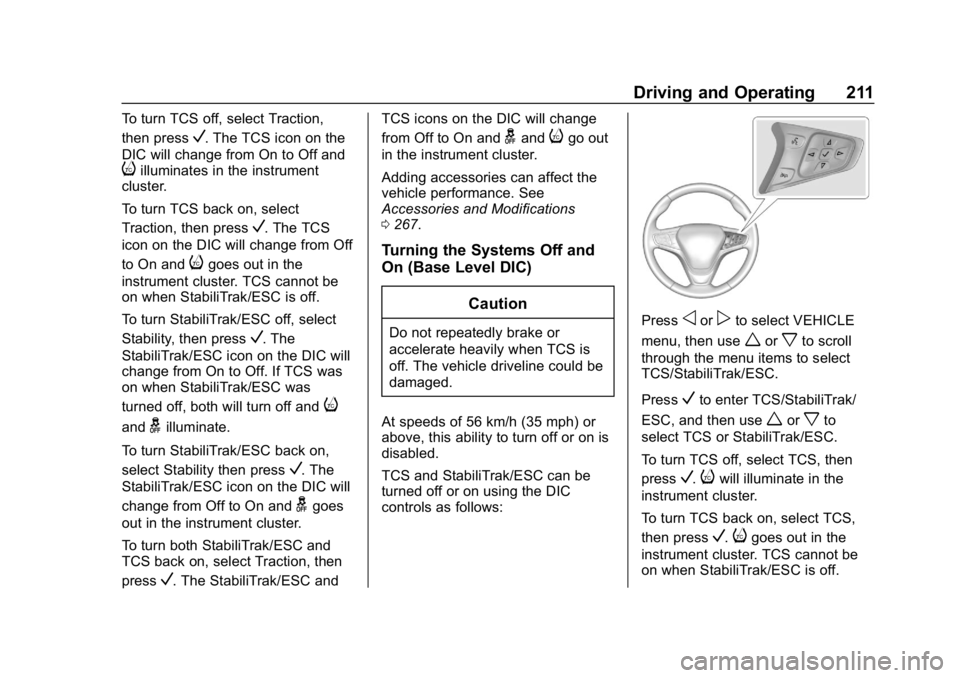
controls as follows:Pressoorpto select VEHICLE
menu, then use
worxto scroll
through the menu items to select
TCS/StabiliTrak/ESC.
Press
Vto enter TCS/StabiliTrak/
ESC, and then use
worxto
select TCS or StabiliTrak/ESC.
To turn TCS off, select TCS, then
press
V.iwill illuminate in the
instrument cluster.
To turn TCS back on, select TCS,
then press
V.igoes out in the
instrument cluster. TCS cannot be
on when StabiliTrak/ESC is off.
Page 221 of 415
Chevrolet Equinox Owner Manual (GMNA-Localizing-U.S./Canada/Mexico-
13555863) - 2020 - CRC - 8/2/19
220 Driving and Operating
may feel or sound different than if
the brakes were applied manually.
This is normal.
Stationary or Very Slow-Moving
Objects
{Warning
ACC may not detect and react to
stopped or slow-moving vehicles
ahead of you. For example, the
system may not brake for a
vehicle it has never detected
moving. This can occur in
stop-and-go traffic or when a
vehicle suddenly appears due to
a vehicle ahead changing lanes.
Your vehicle may not stop and
could cause a crash. Use caution
when using ACC. Your complete
attention is always required while
driving and you should be ready
to take action and apply the
brakes.Irregular Objects Affecting ACC
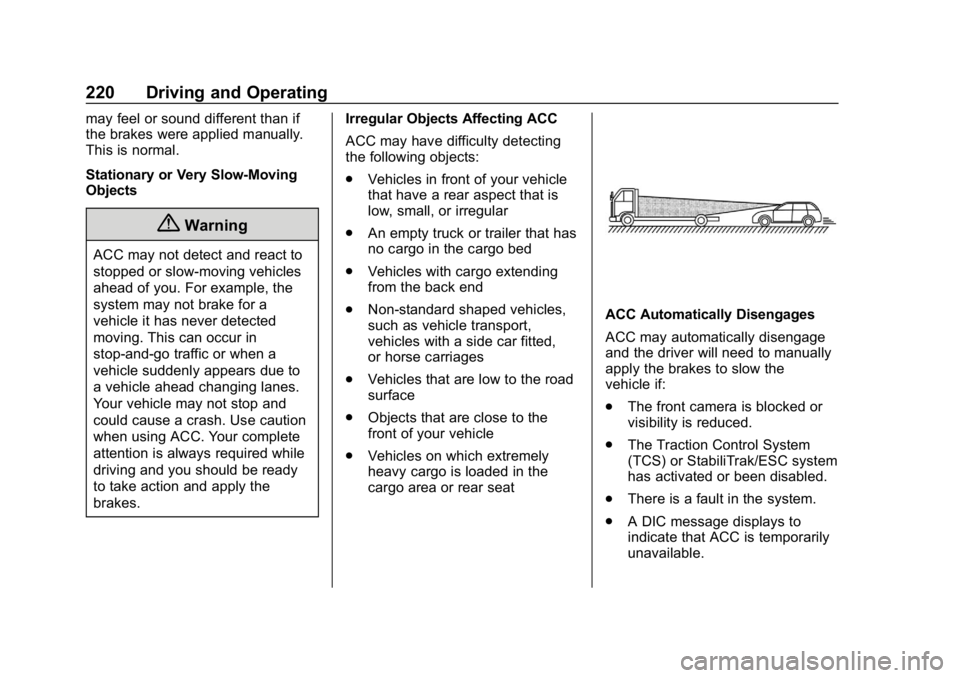
ACC may have difficulty detecting
the following objects:
.
Vehicles in front of your vehicle
that have a rear aspect that is
low, small, or irregular
. An empty truck or trailer that has
no cargo in the cargo bed
. Vehicles with cargo extending
from the back end
. Non-standard shaped vehicles,
such as vehicle transport,
vehicles with a side car fitted,
or horse carriages
. Vehicles that are low to the road
surface
. Objects that are close to the
front of your vehicle
. Vehicles on which extremely
heavy cargo is loaded in the
cargo area or rear seat
ACC Automatically Disengages
ACC may automatically disengage
and the driver will need to manually
apply the brakes to slow the
vehicle if:
.
The front camera is blocked or
visibility is reduced.
. The Traction Control System
(TCS) or StabiliTrak/ESC system
has activated or been disabled.
. There is a fault in the system.
. A DIC message displays to
indicate that ACC is temporarily
unavailable.
Page 232 of 415
Chevrolet Equinox Owner Manual (GMNA-Localizing-U.S./Canada/Mexico-
13555863) - 2020 - CRC - 8/2/19
Driving and Operating 231
Warning (Continued)
or when following a vehicle too
closely, FCA may not provide a
warning with enough time to help
avoid a crash. It also may not
provide any warning at all. FCA
does not warn of pedestrians,
animals, signs, guardrails,
bridges, construction barrels,
or other objects. Be ready to take
action and apply the brakes. See
Defensive Driving0165.
FCA can be disabled with the FCA
steering wheel control, or if
equipped, through vehicle
personalization. See “Collision/
Detection Systems” underVehicle
Personalization 0134.
Detecting the Vehicle Ahead
FCA warnings will not occur unless
the FCA system detects a vehicle
ahead. When a vehicle is detected,
the vehicle ahead indicator will
display green. Vehicles may not be
detected on curves, highway exit
ramps, or hills, due to poor visibility;
or if a vehicle ahead is partially
blocked by pedestrians or other
objects. FCA will not detect another
vehicle ahead until it is completely
in the driving lane.
{Warning
FCA does not provide a warning
to help avoid a crash, unless it
detects a vehicle. FCA may not
detect a vehicle ahead if the FCA
sensor is blocked by dirt, snow,
(Continued)
Warning (Continued)
or ice, or if the windshield is
damaged. It may also not detect a
vehicle on winding or hilly roads,
or in conditions that can limit
visibility such as fog, rain,
or snow, or if the headlamps or
windshield are not cleaned or in
proper condition. Keep the
windshield, headlamps, and FCA
sensors clean and in good repair.
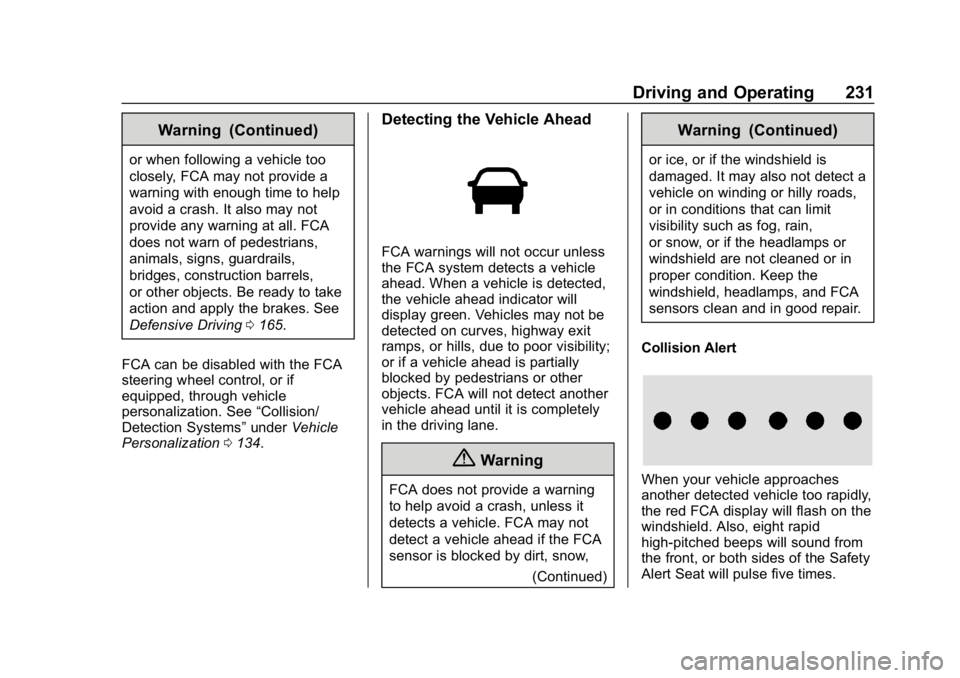
Collision Alert
When your vehicle approaches
another detected vehicle too rapidly,
the red FCA display will flash on the
windshield. Also, eight rapid
high-pitched beeps will sound from
the front, or both sides of the Safety
Alert Seat will pulse five times.
Page 235 of 415
Chevrolet Equinox Owner Manual (GMNA-Localizing-U.S./Canada/Mexico-
13555863) - 2020 - CRC - 8/2/19
234 Driving and Operating
Minor brake pedal pulsations or
pedal movement during this time is
normal and the brake pedal should
continue to be applied as needed.
IBA will automatically disengage
only when the brake pedal is
released.
{Warning
IBA may increase vehicle braking
in situations when it may not be
necessary. You could block the
flow of traffic. If this occurs, take
your foot off the brake pedal and
then apply the brakes as needed.
AEB and IBA can be disabled
through vehicle personalization. See
“Collision/Detection Systems” under
Vehicle Personalization 0134.
{Warning
Using AEB or IBA while towing a
trailer could cause you to lose
control of the vehicle and crash.
Turn the system to Alert or Off
when towing a trailer.
A system unavailable message may
display if:
. The front of the vehicle or
windshield is not clean.
. Heavy rain or snow is interfering
with object detection.
. There is a problem with the
StabiliTrak/Electronic Stability
Control (ESC) system.
The AEB system does not need
service.
Front Pedestrian Braking
(FPB) System
If equipped, the Front Pedestrian
Braking (FPB) system may help
avoid or reduce the harm caused by
front-end crashes with nearby pedestrians when driving in a
forward gear. FPB displays an
amber indicator,
~, when a nearby
pedestrian is detected ahead. When
approaching a detected pedestrian
too quickly, FPB provides a red
flashing alert on the windshield and
rapidly beeps. FPB can provide a
boost to braking or automatically
brake the vehicle. This system
includes Intelligent Brake Assist
(IBA), and the Automatic
Emergency Braking (AEB) system
may also respond to pedestrians.
See Automatic Emergency Braking
(AEB) 0232.
The FPB system can detect and
alert to pedestrians in a forward
gear at speeds between 8 km/h
(5 mph) and 80 km/h (50 mph).
During daytime driving, the system
detects pedestrians up to a distance
of approximately 40 m (131 ft).
During nighttime driving, system
performance is very limited.
Page 237 of 415
Chevrolet Equinox Owner Manual (GMNA-Localizing-U.S./Canada/Mexico-
13555863) - 2020 - CRC - 8/2/19
236 Driving and Operating
If this happens, Automatic Braking
may engage the Electric Parking
Brake (EPB) to hold the vehicle at a
stop. Release the EPB. A firm press
of the accelerator pedal will also
release Automatic Braking and
the EPB.
{Warning
FPB may alert or automatically
brake the vehicle suddenly in
situations where it is unexpected
and undesired. It could falsely
alert or brake for objects similar in
shape or size to pedestrians,
including shadows. This is normal
operation and the vehicle does
not need service. To override
Automatic Braking, firmly press
the accelerator pedal, if it is safe
to do so.
Automatic Braking can be disabled
through vehicle personalization. See
“Front Pedestrian Detection” in
“Collision/Detection Systems” under
Vehicle Personalization 0134.
{Warning
Using the Front Pedestrian
Braking system while towing a
trailer could cause you to lose
control of the vehicle and crash.
Turn the system to Alert or Off
when towing a trailer.
Cleaning the System
If FPB does not seem to operate
properly, cleaning the outside of the
windshield in front of the rearview
mirror may correct the issue.
Side Blind Zone
Alert (SBZA)
If equipped, the SBZA system is a
lane-changing aid that assists
drivers with avoiding crashes that
occur with moving vehicles in the
side blind zone (or spot) areas.
When the vehicle is in a forward
gear, the left or right side mirror
display will light up if a moving
vehicle is detected in that blind
zone. If the turn signal is activated and a vehicle is also detected on
the same side, the display will flash
as an extra warning not to change
lanes. Since this system is part of
the Lane Change Alert (LCA)
system, read the entire LCA section
before using this feature.
Lane Change Alert (LCA)
If equipped, the LCA system is a
lane-changing aid that assists
drivers with avoiding lane change
crashes that occur with moving
vehicles in the side blind zone (or
spot) areas or with vehicles rapidly
approaching these areas from
behind. The LCA warning display
will light up in the corresponding
outside side mirror and will flash if
the turn signal is on.
{Warning
LCA does not alert the driver to
vehicles outside of the system
detection zones, pedestrians,
bicyclists, or animals. It may not
(Continued)
Page 240 of 415
Chevrolet Equinox Owner Manual (GMNA-Localizing-U.S./Canada/Mexico-
13555863) - 2020 - CRC - 8/2/19
Driving and Operating 239
{Warning
The LKA system does not
continuously steer the vehicle.
It may not keep the vehicle in the
lane or give a Lane Departure
Warning (LDW) alert, even if a
lane marking is detected.
The LKA and LDW systems
may not:. Provide an alert or enough
steering assist to avoid a
lane departure or crash.
. Detect lane markings under
poor weather or visibility
conditions. This can occur if
the windshield or
headlamps are blocked by
dirt, snow, or ice; if they are
not in proper condition; or if
the sun shines directly into
the camera.
. Detect road edges.
. Detect lanes on winding or
hilly roads.
(Continued)
Warning (Continued)
If LKA only detects lane markings
on one side of the road, it will
only assist or provide an LDW
alert when approaching the lane
on the side where it has detected
a lane marking. Even with LKA
and LDW, you must steer the
vehicle. Always keep your
attention on the road and
maintain proper vehicle position
within the lane, or vehicle
damage, injury, or death could
occur. Always keep the
windshield, headlamps, and
camera sensors clean and in
good repair. Do not use LKA in
bad weather conditions or on
roads with unclear lane markings,
such as construction zones.
{Warning
Using LKA while towing a trailer
or on slippery roads could cause
loss of control of the vehicle and
a crash. Turn the system off.
How the System Works
LKA uses a camera sensor installed
on the windshield ahead of the
rearview mirror to detect lane
markings. It may provide brief
steering assist if it detects an
unintended lane departure. It may
further provide an audible alert or
the driver seat may pulse indicating
that a lane marking has been
crossed.
To turn LKA on and off, press
A
on the steering wheel. If equipped,
the indicator light on the button
comes on when LKA is on and turns
off when LKA is disabled.
When on,
Ais white, if equipped,
indicating that the system is not
ready to assist.
Ais green if LKA