instrument cluster CHEVROLET EQUINOX 2020 Owner's Guide
[x] Cancel search | Manufacturer: CHEVROLET, Model Year: 2020, Model line: EQUINOX, Model: CHEVROLET EQUINOX 2020Pages: 415, PDF Size: 6.46 MB
Page 193 of 415
Chevrolet Equinox Owner Manual (GMNA-Localizing-U.S./Canada/Mexico-
13555863) - 2020 - CRC - 8/2/19
192 Driving and Operating
Vehicles with the DPF have specific
fuel and engine oil requirements.
SeeFuel for Diesel Engines 0243
and
Engine Oil 0275.
Caution
Damage can occur to the DPF
components if the required Ultra
Low Sulfur Diesel (15 ppm sulfur
maximum) fuel and either CJ-4 or
CK-4 engine oil are not used.
This damage would not be
covered by the vehicle warranty.
Under certain conditions, such as
idling or very short trips, the
self-cleaning process has less
efficiency and cannot be completed.
To resolve this, continue driving
safely at a steady speed as close to
the posted speed limit as possible,
preferably without stopping, until the
message turns off. This can take up
to 30 minutes.
{Warning
During DPF self-cleaning or
during extended idling in P (Park),
the exhaust system and exhaust
gases are very hot. Things that
burn could touch hot exhaust
parts under the vehicle and ignite.
You or others could be burned.
Do not park, or idle for an
extended period of time, near or
over papers, leaves, dry grass,
or other things that can burn.
Keep the exhaust area clear of
material that could ignite or burn.
See Parking over Things That
Burn 0190.
Caution
Avoid extended idling because
the DPF system is not capable of
self-cleaning at idle. During
extended idling, monitor the
instrument cluster lights and DIC
(Continued)
Caution (Continued)
for messages and take
appropriate action. Continued
idling with the warning light/
message on could cause damage
to the DPF requiring repair and
possible replacement that might
not be covered by the vehicle
warranty.
During self-cleaning there will be a
change in the exhaust sound and
engine idle speed. Along with this, a
burning smell and reduction in fuel
economy may be noticed. This is
normal.
If the vehicle is idled or driven on
very short trips with the DPF
warning message on and the
exhaust filter is not cleaned as
required, the malfunction indicator
lamp and a DIC message will
display. See your dealer. Also see
Malfunction Indicator Lamp (Check
Engine Light) 0114.
Page 194 of 415
Chevrolet Equinox Owner Manual (GMNA-Localizing-U.S./Canada/Mexico-
13555863) - 2020 - CRC - 8/2/19
Driving and Operating 193
If equipped with Power
Take-Off (PTO), monitor the
instrument cluster for lights related
to the DPF.
SeeAccessories and Modifications
0 267 if you are adding accessories
or modifying the vehicle.
Manual Regeneration of Diesel
Particulate Filter
This feature is only available on
Fleet and Commercial vehicles.
To verify that the vehicle has this
feature, refer to the Vehicle Service
Parts Identification label (SPID) for
RPO code FPF or see
www.gmupfitter.com to contact the
GM Upfitter Integration Group.
If equipped, this feature allows for
manual cleaning/regeneration of the
DPF when it is unable to clean
itself. It may be necessary to
perform manual regeneration if
driving conditions —such as
extended slow speed, stop-and-go
traffic, extended idling, short drive
cycles, or stationary PTO operation
— prevent DPF self-cleaning. Manual regeneration can only be
used when the DPF has become at
least 90% full. At 100% full, it will
attempt to automatically self-clean if
proper driving conditions are met.
The DPF will clean itself if the
vehicle can be driven for about
30 minutes.
A DIC message displays when
manual regeneration is possible.
Scroll through the DIC pages to find
the Exhaust Cleaning menu.
Depending on whether the vehicle
has a base or uplevel cluster, it may
be under the Settings menu.
If the vehicle cannot be stopped
when the DIC message first
indicates cleaning is available,
automatic self-cleaning may have
begun. If conditions cannot be met
for self-cleaning to complete, and
manual regeneration is selected, it
may take up to four minutes for the
system to switch to manual
regeneration. When the switch
occurs, a DIC message prompts to
start the cleaning process.
{Warning
Do not leave the vehicle during
the regeneration.
Make sure that there are no
flammable materials near the
muffler, DPF, and exhaust pipe
which may result in a fire.
The temperature of exhaust
gases is high enough to burn you.
You and others could be seriously
injured.
Before starting manual
regeneration, make sure all of the
following safety conditions are met:
. The vehicle is parked on level
ground, away from any
flammable materials.
. The vehicle is parked outdoors,
away from any walls or
buildings.
. The vehicle is at least 3 m (10 ft)
from any obstructions or
materials that may combust
or melt.
Page 204 of 415
Chevrolet Equinox Owner Manual (GMNA-Localizing-U.S./Canada/Mexico-
13555863) - 2020 - CRC - 8/2/19
Driving and Operating 203
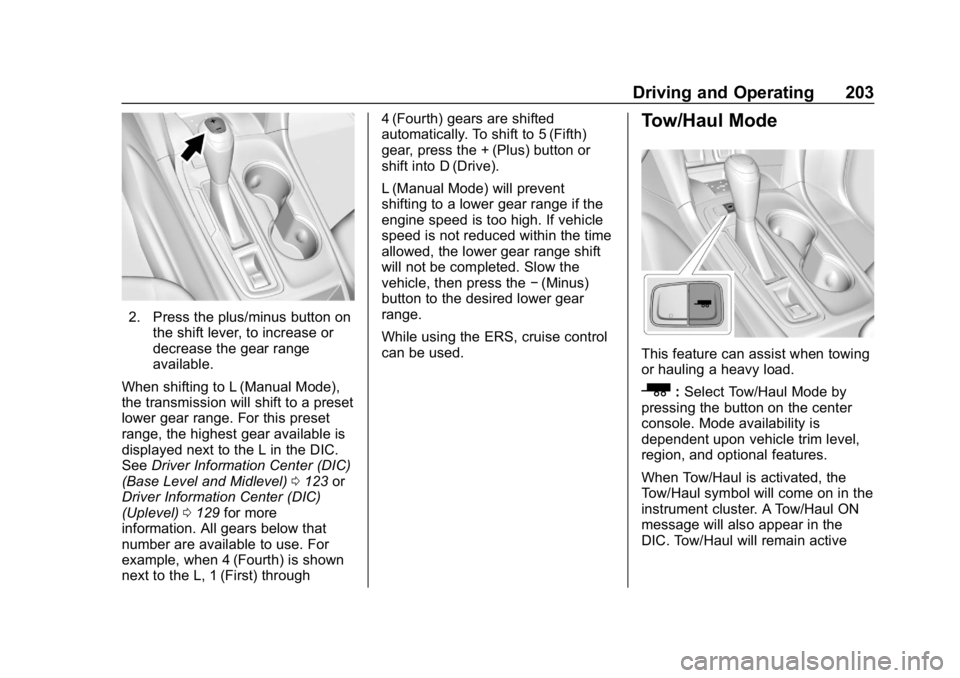
2. Press the plus/minus button onthe shift lever, to increase or
decrease the gear range
available.
When shifting to L (Manual Mode),
the transmission will shift to a preset
lower gear range. For this preset
range, the highest gear available is
displayed next to the L in the DIC.
See Driver Information Center (DIC)
(Base Level and Midlevel) 0123 or
Driver Information Center (DIC)
(Uplevel) 0129 for more
information. All gears below that
number are available to use. For
example, when 4 (Fourth) is shown
next to the L, 1 (First) through 4 (Fourth) gears are shifted
automatically. To shift to 5 (Fifth)
gear, press the + (Plus) button or
shift into D (Drive).
L (Manual Mode) will prevent
shifting to a lower gear range if the
engine speed is too high. If vehicle
speed is not reduced within the time
allowed, the lower gear range shift
will not be completed. Slow the
vehicle, then press the
−(Minus)
button to the desired lower gear
range.
While using the ERS, cruise control
can be used.
Tow/Haul Mode
This feature can assist when towing
or hauling a heavy load.
_: Select Tow/Haul Mode by
pressing the button on the center
console. Mode availability is
dependent upon vehicle trim level,
region, and optional features.
When Tow/Haul is activated, the
Tow/Haul symbol will come on in the
instrument cluster. A Tow/Haul ON
message will also appear in the
DIC. Tow/Haul will remain active
Page 210 of 415
Chevrolet Equinox Owner Manual (GMNA-Localizing-U.S./Canada/Mexico-
13555863) - 2020 - CRC - 8/2/19
Driving and Operating 209
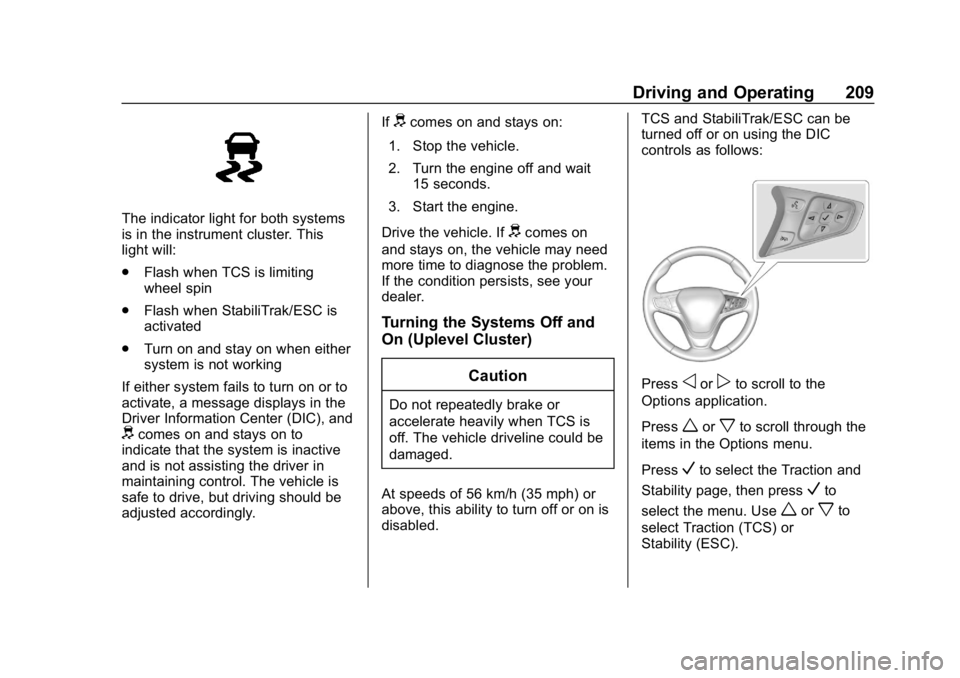
The indicator light for both systems
is in the instrument cluster. This
light will:
.Flash when TCS is limiting
wheel spin
. Flash when StabiliTrak/ESC is
activated
. Turn on and stay on when either
system is not working
If either system fails to turn on or to
activate, a message displays in the
Driver Information Center (DIC), and
dcomes on and stays on to
indicate that the system is inactive
and is not assisting the driver in
maintaining control. The vehicle is
safe to drive, but driving should be
adjusted accordingly. If
dcomes on and stays on:
1. Stop the vehicle.
2. Turn the engine off and wait 15 seconds.
3. Start the engine.
Drive the vehicle. If
dcomes on
and stays on, the vehicle may need
more time to diagnose the problem.
If the condition persists, see your
dealer.
Turning the Systems Off and
On (Uplevel Cluster)
Caution
Do not repeatedly brake or
accelerate heavily when TCS is
off. The vehicle driveline could be
damaged.
At speeds of 56 km/h (35 mph) or
above, this ability to turn off or on is
disabled. TCS and StabiliTrak/ESC can be
turned off or on using the DIC
controls as follows:
Pressoorpto scroll to the
Options application.
Press
worxto scroll through the
items in the Options menu.
Press
Vto select the Traction and
Stability page, then press
Vto
select the menu. Use
worxto
select Traction (TCS) or
Stability (ESC).
Page 211 of 415
Chevrolet Equinox Owner Manual (GMNA-Localizing-U.S./Canada/Mexico-
13555863) - 2020 - CRC - 8/2/19
210 Driving and Operating
To turn TCS off, select Traction,
then press
V. The TCS icon on the
DIC will change from On to Off and
iilluminates in the instrument
cluster.
To turn TCS back on, select
Traction, then press
V. The TCS
icon on the DIC will change from Off
to On and
igoes out in the
instrument cluster. TCS cannot be
on when StabiliTrak/ESC is off.
To turn StabiliTrak/ESC off, select
Stability, then press
V. The
StabiliTrak/ESC icon on the DIC will
change from On to Off. If TCS was
on when StabiliTrak/ESC was
turned off, both will turn off and
i
andgilluminate.
To turn StabiliTrak/ESC back on,
select Stability then press
V. The
StabiliTrak/ESC icon on the DIC will
change from Off to On and
ggoes
out in the instrument cluster.
To turn both StabiliTrak/ESC and
TCS back on, select Traction, then
press
V. The StabiliTrak/ESC and TCS icons on the DIC will change
from Off to On and
gandigo out
in the instrument cluster.
Adding accessories can affect the
vehicle performance. See
Accessories and Modifications
0 267.
Turning the Systems Off and
On (Midlevel Cluster)
Caution
Do not repeatedly brake or
accelerate heavily when TCS is
off. The vehicle driveline could be
damaged.
At speeds of 56 km/h (35 mph) or
above, this ability to turn off or on is
disabled.
TCS and StabiliTrak/ESC can be
turned off or on using the DIC
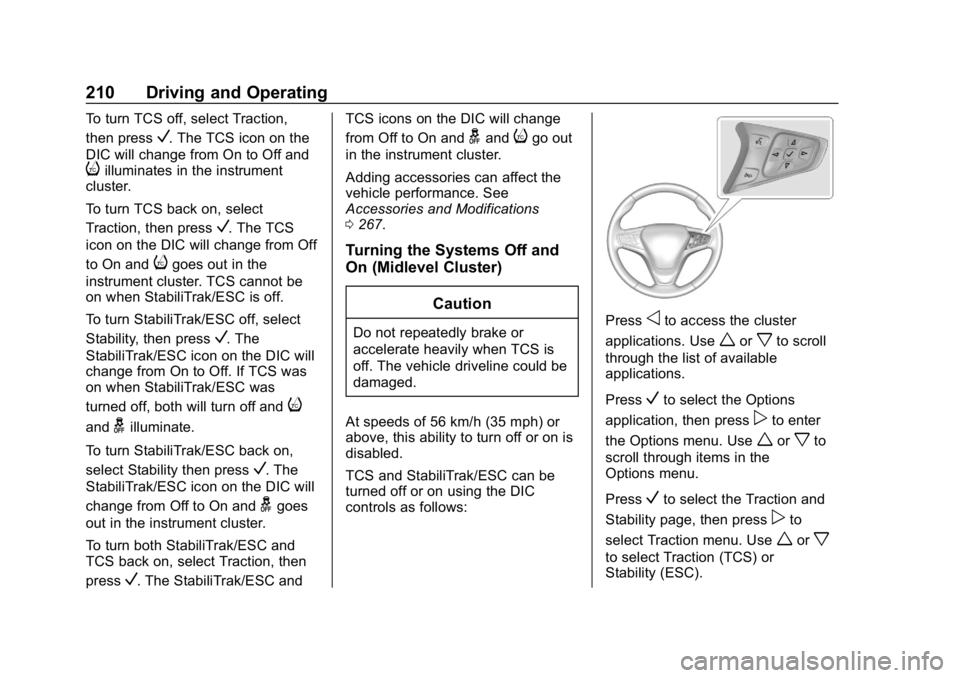
controls as follows:Pressoto access the cluster
applications. Use
worxto scroll
through the list of available
applications.
Press
Vto select the Options
application, then press
pto enter
the Options menu. Use
worxto
scroll through items in the
Options menu.
Press
Vto select the Traction and
Stability page, then press
pto
select Traction menu. Use
worx
to select Traction (TCS) or
Stability (ESC).
Page 212 of 415
Chevrolet Equinox Owner Manual (GMNA-Localizing-U.S./Canada/Mexico-
13555863) - 2020 - CRC - 8/2/19
Driving and Operating 211
To turn TCS off, select Traction,
then press
V. The TCS icon on the
DIC will change from On to Off and
iilluminates in the instrument
cluster.
To turn TCS back on, select
Traction, then press
V. The TCS
icon on the DIC will change from Off
to On and
igoes out in the
instrument cluster. TCS cannot be
on when StabiliTrak/ESC is off.
To turn StabiliTrak/ESC off, select
Stability, then press
V. The
StabiliTrak/ESC icon on the DIC will
change from On to Off. If TCS was
on when StabiliTrak/ESC was
turned off, both will turn off and
i
andgilluminate.
To turn StabiliTrak/ESC back on,
select Stability then press
V. The
StabiliTrak/ESC icon on the DIC will
change from Off to On and
ggoes
out in the instrument cluster.
To turn both StabiliTrak/ESC and
TCS back on, select Traction, then
press
V. The StabiliTrak/ESC and TCS icons on the DIC will change
from Off to On and
gandigo out
in the instrument cluster.
Adding accessories can affect the
vehicle performance. See
Accessories and Modifications
0 267.
Turning the Systems Off and
On (Base Level DIC)
Caution
Do not repeatedly brake or
accelerate heavily when TCS is
off. The vehicle driveline could be
damaged.
At speeds of 56 km/h (35 mph) or
above, this ability to turn off or on is
disabled.
TCS and StabiliTrak/ESC can be
turned off or on using the DIC
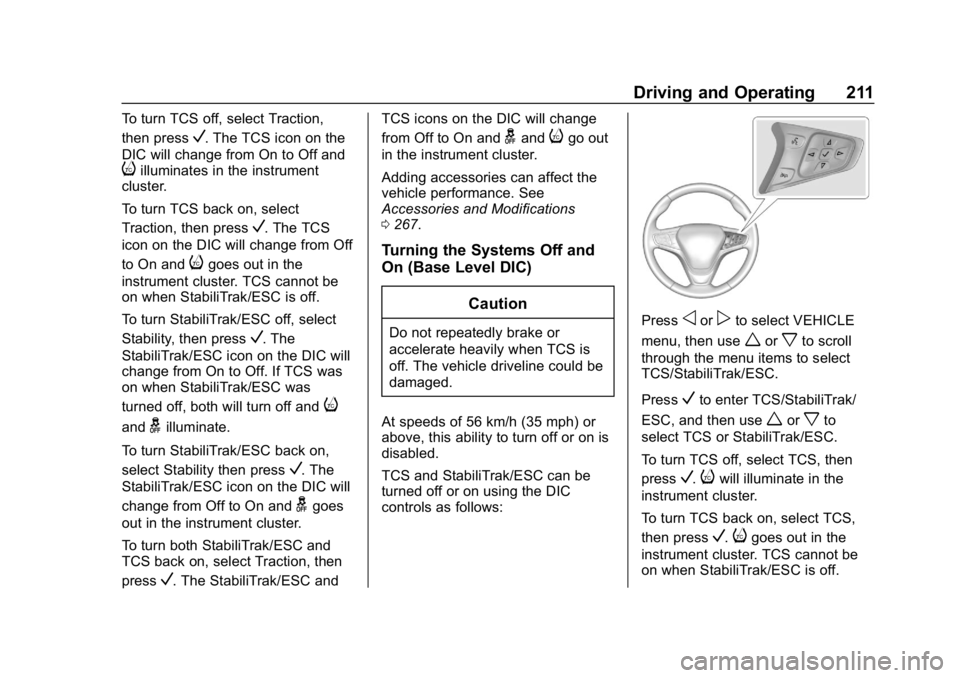
controls as follows:Pressoorpto select VEHICLE
menu, then use
worxto scroll
through the menu items to select
TCS/StabiliTrak/ESC.
Press
Vto enter TCS/StabiliTrak/
ESC, and then use
worxto
select TCS or StabiliTrak/ESC.
To turn TCS off, select TCS, then
press
V.iwill illuminate in the
instrument cluster.
To turn TCS back on, select TCS,
then press
V.igoes out in the
instrument cluster. TCS cannot be
on when StabiliTrak/ESC is off.
Page 213 of 415
Chevrolet Equinox Owner Manual (GMNA-Localizing-U.S./Canada/Mexico-
13555863) - 2020 - CRC - 8/2/19
212 Driving and Operating
To turn StabiliTrak off, select
StabiliTrak/ESC, then press
V.
If TCS was on when StabiliTrak/
ESC was turned off, both will turn
off and
iandgilluminate in the
instrument cluster.
To turn StabiliTrak/ESC back on,
select StabiliTrak/ESC then press
V.ggoes out in the instrument
cluster.
To turn both StabiliTrak/ESC and
TCS back on, select Traction, then
press
V.gandigo out in the
instrument cluster.
Adding accessories can affect the
vehicle performance. See
Accessories and Modifications
0 267.
Cruise Control
The cruise control lets the vehicle
maintain a speed of about 40 km/h
(25 mph) or more without keeping
your foot on the accelerator. Cruise
control does not work at speeds
below 40 km/h (25 mph).
{Warning
Cruise control can be dangerous
where you cannot drive safely at
a steady speed. Do not use
cruise control on winding roads or
in heavy traffic.
Cruise control can be dangerous
on slippery roads. On such roads,
fast changes in tire traction can
cause excessive wheel slip, and
you could lose control. Do not use
cruise control on slippery roads.
With the Traction Control System
(TCS) or StabiliTrak/Electronic
Stability Control (ESC), the system
may begin to limit wheel spin while
you are using cruise control. If this
happens, the cruise control will automatically disengage. See
Traction Control/Electronic Stability
Control
0208. If a collision alert
occurs when cruise control is
activated, cruise control is
disengaged. See Forward Collision
Alert (FCA) System 0230. When
road conditions allow you to safely
use it again, cruise control can be
turned back on.
Cruise control will disengage if
either TCS or StabiliTrak/ESC is
turned off.
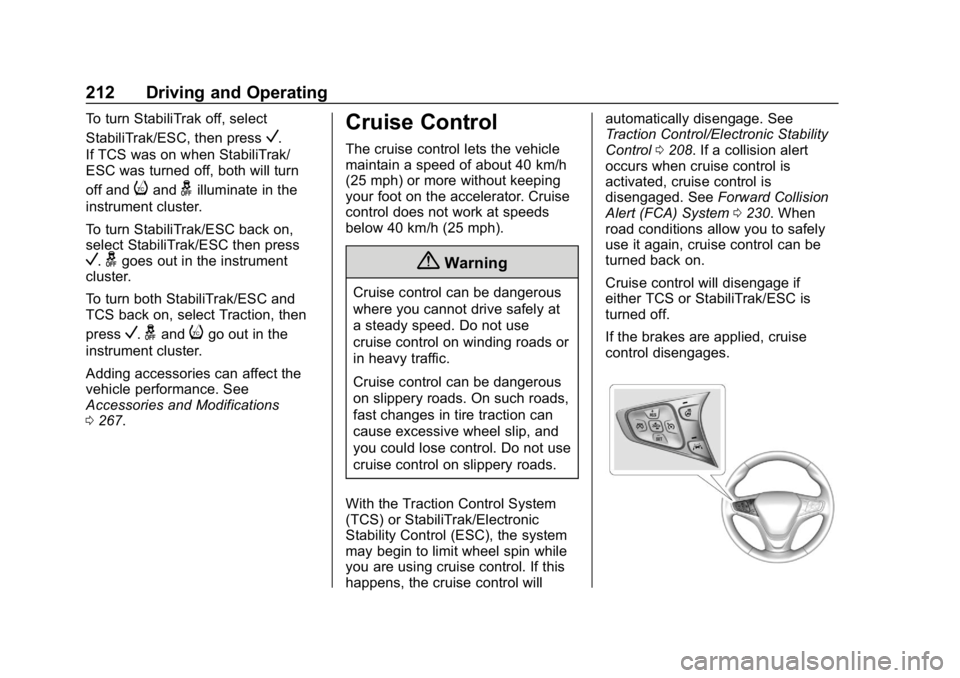
If the brakes are applied, cruise
control disengages.
Page 214 of 415
Chevrolet Equinox Owner Manual (GMNA-Localizing-U.S./Canada/Mexico-
13555863) - 2020 - CRC - 8/2/19
Driving and Operating 213
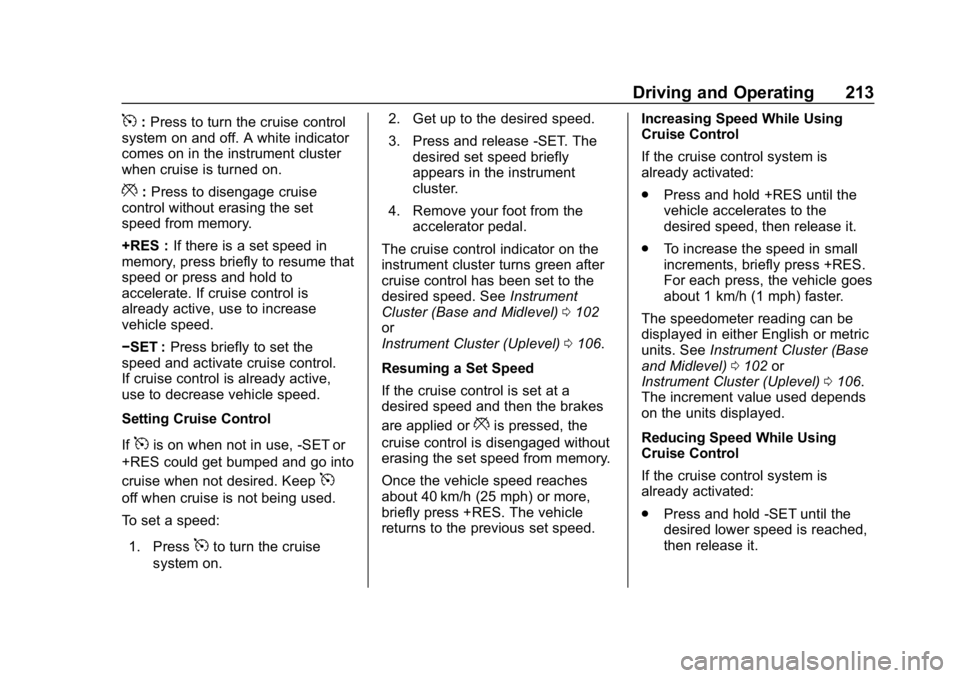
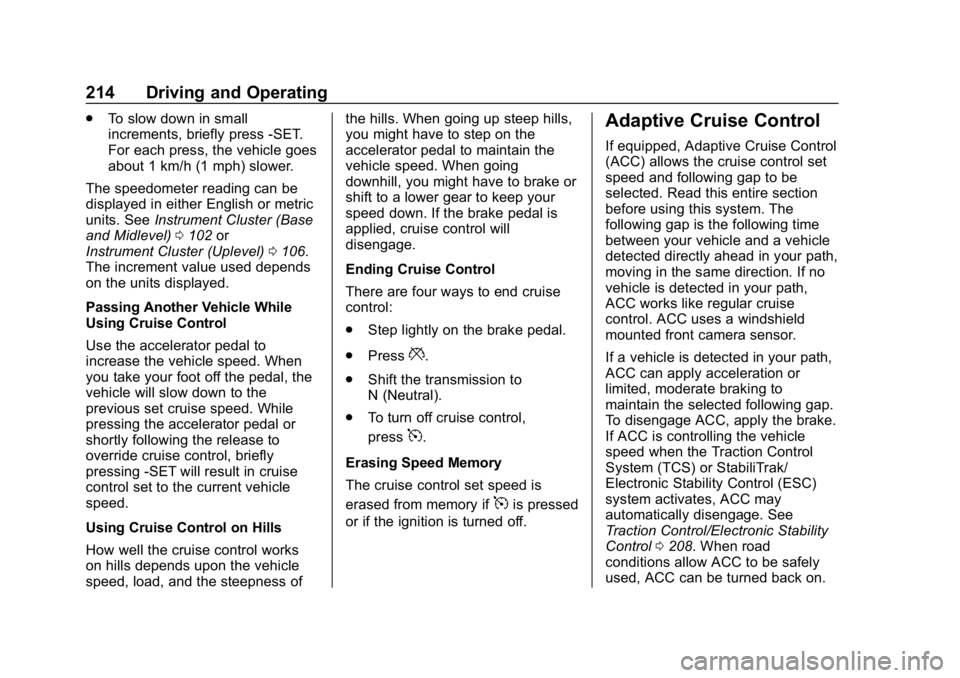
5:Press to turn the cruise control
system on and off. A white indicator
comes on in the instrument cluster
when cruise is turned on.
*: Press to disengage cruise
control without erasing the set
speed from memory.
+RES : If there is a set speed in
memory, press briefly to resume that
speed or press and hold to
accelerate. If cruise control is
already active, use to increase
vehicle speed.
−SET : Press briefly to set the
speed and activate cruise control.
If cruise control is already active,
use to decrease vehicle speed.
Setting Cruise Control
If
5is on when not in use, -SET or
+RES could get bumped and go into
cruise when not desired. Keep
5
off when cruise is not being used.
To set a speed:
1. Press
5to turn the cruise
system on. 2. Get up to the desired speed.
3. Press and release -SET. The
desired set speed briefly
appears in the instrument
cluster.
4. Remove your foot from the accelerator pedal.
The cruise control indicator on the
instrument cluster turns green after
cruise control has been set to the
desired speed. See Instrument
Cluster (Base and Midlevel) 0102
or
Instrument Cluster (Uplevel) 0106.
Resuming a Set Speed
If the cruise control is set at a
desired speed and then the brakes
are applied or
*is pressed, the
cruise control is disengaged without
erasing the set speed from memory.
Once the vehicle speed reaches
about 40 km/h (25 mph) or more,
briefly press +RES. The vehicle
returns to the previous set speed. Increasing Speed While Using
Cruise Control
If the cruise control system is
already activated:
.
Press and hold +RES until the
vehicle accelerates to the
desired speed, then release it.
. To increase the speed in small
increments, briefly press +RES.
For each press, the vehicle goes
about 1 km/h (1 mph) faster.
The speedometer reading can be
displayed in either English or metric
units. See Instrument Cluster (Base
and Midlevel) 0102 or
Instrument Cluster (Uplevel) 0106.
The increment value used depends
on the units displayed.
Reducing Speed While Using
Cruise Control
If the cruise control system is
already activated:
. Press and hold -SET until the
desired lower speed is reached,
then release it.
Page 215 of 415
Chevrolet Equinox Owner Manual (GMNA-Localizing-U.S./Canada/Mexico-
13555863) - 2020 - CRC - 8/2/19
214 Driving and Operating
.To slow down in small
increments, briefly press -SET.
For each press, the vehicle goes
about 1 km/h (1 mph) slower.
The speedometer reading can be
displayed in either English or metric
units. See Instrument Cluster (Base
and Midlevel) 0102 or
Instrument Cluster (Uplevel) 0106.
The increment value used depends
on the units displayed.
Passing Another Vehicle While
Using Cruise Control
Use the accelerator pedal to
increase the vehicle speed. When
you take your foot off the pedal, the
vehicle will slow down to the
previous set cruise speed. While
pressing the accelerator pedal or
shortly following the release to
override cruise control, briefly
pressing -SET will result in cruise
control set to the current vehicle
speed.
Using Cruise Control on Hills
How well the cruise control works
on hills depends upon the vehicle
speed, load, and the steepness of the hills. When going up steep hills,
you might have to step on the
accelerator pedal to maintain the
vehicle speed. When going
downhill, you might have to brake or
shift to a lower gear to keep your
speed down. If the brake pedal is
applied, cruise control will
disengage.
Ending Cruise Control
There are four ways to end cruise
control:
.
Step lightly on the brake pedal.
. Press
*.
. Shift the transmission to
N (Neutral).
. To turn off cruise control,
press
5.
Erasing Speed Memory
The cruise control set speed is
erased from memory if
5is pressed
or if the ignition is turned off.
Adaptive Cruise Control
If equipped, Adaptive Cruise Control
(ACC) allows the cruise control set
speed and following gap to be
selected. Read this entire section
before using this system. The
following gap is the following time
between your vehicle and a vehicle
detected directly ahead in your path,
moving in the same direction. If no
vehicle is detected in your path,
ACC works like regular cruise
control. ACC uses a windshield
mounted front camera sensor.
If a vehicle is detected in your path,
ACC can apply acceleration or
limited, moderate braking to
maintain the selected following gap.
To disengage ACC, apply the brake.
If ACC is controlling the vehicle
speed when the Traction Control
System (TCS) or StabiliTrak/
Electronic Stability Control (ESC)
system activates, ACC may
automatically disengage. See
Traction Control/Electronic Stability
Control 0208. When road
conditions allow ACC to be safely
used, ACC can be turned back on.
Page 217 of 415
Chevrolet Equinox Owner Manual (GMNA-Localizing-U.S./Canada/Mexico-
13555863) - 2020 - CRC - 8/2/19
216 Driving and Operating
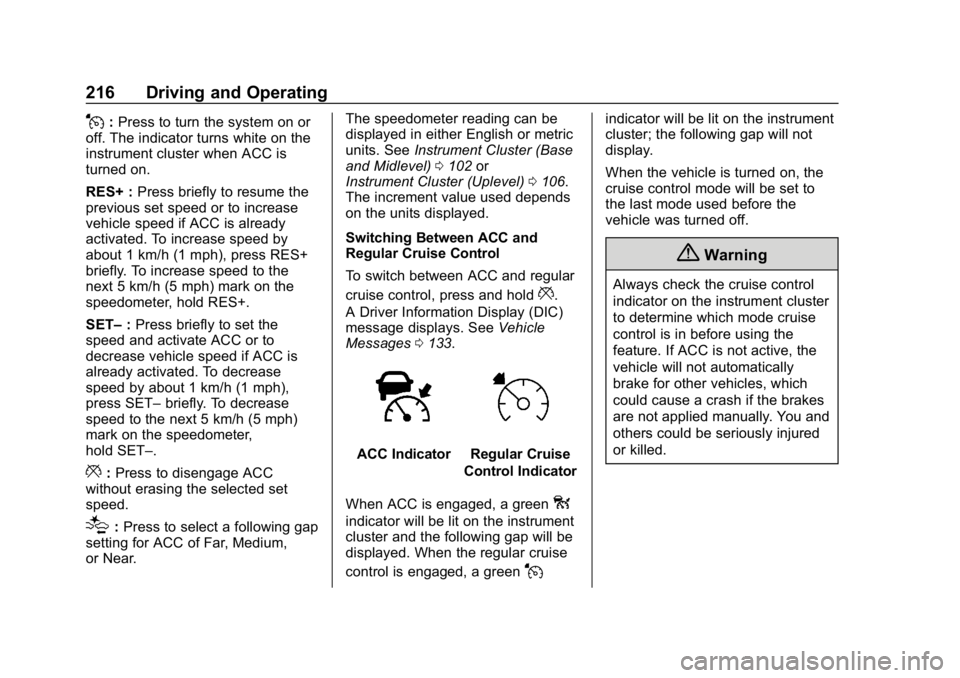
J:Press to turn the system on or
off. The indicator turns white on the
instrument cluster when ACC is
turned on.
RES+ : Press briefly to resume the
previous set speed or to increase
vehicle speed if ACC is already
activated. To increase speed by
about 1 km/h (1 mph), press RES+
briefly. To increase speed to the
next 5 km/h (5 mph) mark on the
speedometer, hold RES+.
SET– :Press briefly to set the
speed and activate ACC or to
decrease vehicle speed if ACC is
already activated. To decrease
speed by about 1 km/h (1 mph),
press SET– briefly. To decrease
speed to the next 5 km/h (5 mph)
mark on the speedometer,
hold SET–.
*: Press to disengage ACC
without erasing the selected set
speed.
[: Press to select a following gap
setting for ACC of Far, Medium,
or Near. The speedometer reading can be
displayed in either English or metric
units. See
Instrument Cluster (Base
and Midlevel) 0102 or
Instrument Cluster (Uplevel) 0106.
The increment value used depends
on the units displayed.
Switching Between ACC and
Regular Cruise Control
To switch between ACC and regular
cruise control, press and hold
*.
A Driver Information Display (DIC)
message displays. See Vehicle
Messages 0133.
ACC IndicatorRegular Cruise
Control Indicator
When ACC is engaged, a green
o
indicator will be lit on the instrument
cluster and the following gap will be
displayed. When the regular cruise
control is engaged, a green
J
indicator will be lit on the instrument
cluster; the following gap will not
display.
When the vehicle is turned on, the
cruise control mode will be set to
the last mode used before the
vehicle was turned off.
{Warning
Always check the cruise control
indicator on the instrument cluster
to determine which mode cruise
control is in before using the
feature. If ACC is not active, the
vehicle will not automatically
brake for other vehicles, which
could cause a crash if the brakes
are not applied manually. You and
others could be seriously injured
or killed.