display CHEVROLET EQUINOX 2020 Repair Manual
[x] Cancel search | Manufacturer: CHEVROLET, Model Year: 2020, Model line: EQUINOX, Model: CHEVROLET EQUINOX 2020Pages: 415, PDF Size: 6.46 MB
Page 215 of 415
Chevrolet Equinox Owner Manual (GMNA-Localizing-U.S./Canada/Mexico-
13555863) - 2020 - CRC - 8/2/19
214 Driving and Operating
.To slow down in small
increments, briefly press -SET.
For each press, the vehicle goes
about 1 km/h (1 mph) slower.
The speedometer reading can be
displayed in either English or metric
units. See Instrument Cluster (Base
and Midlevel) 0102 or
Instrument Cluster (Uplevel) 0106.
The increment value used depends
on the units displayed.
Passing Another Vehicle While
Using Cruise Control
Use the accelerator pedal to
increase the vehicle speed. When
you take your foot off the pedal, the
vehicle will slow down to the
previous set cruise speed. While
pressing the accelerator pedal or
shortly following the release to
override cruise control, briefly
pressing -SET will result in cruise
control set to the current vehicle
speed.
Using Cruise Control on Hills
How well the cruise control works
on hills depends upon the vehicle
speed, load, and the steepness of the hills. When going up steep hills,
you might have to step on the
accelerator pedal to maintain the
vehicle speed. When going
downhill, you might have to brake or
shift to a lower gear to keep your
speed down. If the brake pedal is
applied, cruise control will
disengage.
Ending Cruise Control
There are four ways to end cruise
control:
.
Step lightly on the brake pedal.
. Press
*.
. Shift the transmission to
N (Neutral).
. To turn off cruise control,
press
5.
Erasing Speed Memory
The cruise control set speed is
erased from memory if
5is pressed
or if the ignition is turned off.
Adaptive Cruise Control
If equipped, Adaptive Cruise Control
(ACC) allows the cruise control set
speed and following gap to be
selected. Read this entire section
before using this system. The
following gap is the following time
between your vehicle and a vehicle
detected directly ahead in your path,
moving in the same direction. If no
vehicle is detected in your path,
ACC works like regular cruise
control. ACC uses a windshield
mounted front camera sensor.
If a vehicle is detected in your path,
ACC can apply acceleration or
limited, moderate braking to
maintain the selected following gap.
To disengage ACC, apply the brake.
If ACC is controlling the vehicle
speed when the Traction Control
System (TCS) or StabiliTrak/
Electronic Stability Control (ESC)
system activates, ACC may
automatically disengage. See
Traction Control/Electronic Stability
Control 0208. When road
conditions allow ACC to be safely
used, ACC can be turned back on.
Page 217 of 415
Chevrolet Equinox Owner Manual (GMNA-Localizing-U.S./Canada/Mexico-
13555863) - 2020 - CRC - 8/2/19
216 Driving and Operating
J:Press to turn the system on or
off. The indicator turns white on the
instrument cluster when ACC is
turned on.
RES+ : Press briefly to resume the
previous set speed or to increase
vehicle speed if ACC is already
activated. To increase speed by
about 1 km/h (1 mph), press RES+
briefly. To increase speed to the
next 5 km/h (5 mph) mark on the
speedometer, hold RES+.
SET– :Press briefly to set the
speed and activate ACC or to
decrease vehicle speed if ACC is
already activated. To decrease
speed by about 1 km/h (1 mph),
press SET– briefly. To decrease
speed to the next 5 km/h (5 mph)
mark on the speedometer,
hold SET–.
*: Press to disengage ACC
without erasing the selected set
speed.
[: Press to select a following gap
setting for ACC of Far, Medium,
or Near. The speedometer reading can be
displayed in either English or metric
units. See
Instrument Cluster (Base
and Midlevel) 0102 or
Instrument Cluster (Uplevel) 0106.
The increment value used depends
on the units displayed.
Switching Between ACC and
Regular Cruise Control
To switch between ACC and regular
cruise control, press and hold
*.
A Driver Information Display (DIC)
message displays. See Vehicle
Messages 0133.
ACC IndicatorRegular Cruise
Control Indicator
When ACC is engaged, a green
o
indicator will be lit on the instrument
cluster and the following gap will be
displayed. When the regular cruise
control is engaged, a green
J
indicator will be lit on the instrument
cluster; the following gap will not
display.
When the vehicle is turned on, the
cruise control mode will be set to
the last mode used before the
vehicle was turned off.
{Warning
Always check the cruise control
indicator on the instrument cluster
to determine which mode cruise
control is in before using the
feature. If ACC is not active, the
vehicle will not automatically
brake for other vehicles, which
could cause a crash if the brakes
are not applied manually. You and
others could be seriously injured
or killed.
Page 218 of 415
Chevrolet Equinox Owner Manual (GMNA-Localizing-U.S./Canada/Mexico-
13555863) - 2020 - CRC - 8/2/19
Driving and Operating 217
Setting Adaptive Cruise Control
If
Jis on when not in use, SET–/
RES+ could be pressed by mistake
and engage ACC when not desired.
Keep
Joff when cruise is not
being used.
Select the set speed desired for
ACC. This is the vehicle speed
when no vehicle is detected in
your path.
While the vehicle is moving, ACC
will not set at a speed less than 25
km/h (15 mph), although it can be
resumed when driving at lower
speeds.
To set ACC while moving:
1. Press
J.
2. Get up to the desired speed.
3. Press and release SET–.
4. Remove foot from the accelerator.
After ACC is set, it may immediately
apply the brakes if a vehicle ahead
is detected closer than the selected
following gap.
ACC can also be set while the
vehicle is stopped if ACC is on and
the brake pedal is applied.
The ACC indicator displays on the
instrument cluster. When ACC is
turned on, the indicator will be lit
white.
Be mindful of speed limits,
surrounding traffic speeds, and
weather conditions when selecting
the set speed.
Resuming a Set Speed
If the ACC is set at a desired speed
and then the brakes are applied,
ACC is disengaged without erasing
the set speed from memory.
To begin using ACC again, press
RES+ briefly while moving more
than 5 km/h (5 mph). The vehicle
returns to the previous set speed. A green ACC indicator and the set
speed display on the instrument
cluster. The vehicle ahead indicator
may be flashing if a vehicle ahead
was present and moved. See
“Approaching and Following a
Vehicle”
later in this section.
Once ACC has resumed, if there is
no vehicle ahead, if the vehicle
ahead is beyond the selected
following gap, or if the vehicle has
exited a sharp curve, then the
vehicle speed will increase to the
set speed.
Increasing Speed While ACC Is at
a Set Speed
If ACC is already activated, do one
of the following:
. Use the accelerator to get to the
higher speed. Press SET–.
Release SET– and the
accelerator pedal. The vehicle
will now cruise at the higher
speed.
Page 219 of 415
Chevrolet Equinox Owner Manual (GMNA-Localizing-U.S./Canada/Mexico-
13555863) - 2020 - CRC - 8/2/19
218 Driving and Operating
When the accelerator pedal is
pressed, ACC will not brake
because it is overridden. The
ACC indicator will turn blue on
the instrument cluster.
. Press and hold RES+ until the
desired set speed is displayed,
then release it.
. To increase vehicle speed in
smaller increments, press RES+
briefly. For each press, the
vehicle goes about 1 km/h (1
mph) faster.
. To increase vehicle speed in
larger increments, hold RES+.
While holding RES+, the vehicle
speed increases to the next
5 km/h (5 mph) step, then
continues to increase by 5 km/h
(5 mph) at a time.
The set speed can also be
increased while the vehicle is
stopped.
. If stopped with the brake
applied, press RES+ until the
desired set speed is displayed. .
Pressing RES+ when there is no
longer a vehicle ahead or the
vehicle ahead is pulling away
and the brake is not applied will
cause the ACC to resume.
When it is determined that there is
no vehicle ahead or the vehicle
ahead is beyond the selected
following gap, then the vehicle
speed will increase to the set speed.
Reducing Speed While ACC Is at a
Set Speed
If ACC is already activated, do one
of the following:
. Use the brake to get to the
desired lower speed. Release
the brake and press SET–. The
vehicle will now cruise at the
lower speed.
. Press and hold SET– until the
desired lower speed is reached,
then release it.
. To decrease the vehicle speed in
smaller increments, press SET−
briefly. For each press, the
vehicle goes about 1 km/h
(1 mph) slower. .
To decrease the vehicle speed in
larger increments, hold SET−.
While holding SET−, the vehicle
speed decreases to the next
5 km/h (5 mph) step, then
continues to decrease by 5 km/h
(5 mph) at a time.
The set speed can also be
decreased while the vehicle is
stopped.
. If stopped with the brake
applied, press or hold SET− until
the desired set speed is
displayed.
Selecting the Follow Distance Gap
When a slower moving vehicle is
detected ahead within the selected
following gap, ACC will adjust the
vehicle's speed and attempt to
maintain the follow distance gap
selected.
Press
[on the steering wheel to
adjust the following gap. Each press
cycles the gap button through three
settings: Far, Medium, or Near.
Page 220 of 415
Chevrolet Equinox Owner Manual (GMNA-Localizing-U.S./Canada/Mexico-
13555863) - 2020 - CRC - 8/2/19
Driving and Operating 219
When pressed, the current gap
setting displays briefly on the
instrument cluster. The gap setting
will be maintained until it is
changed.
Since each gap setting corresponds
to a following time (Far, Medium,
or Near), the following distance will
vary based on vehicle speed. The
faster the vehicle speed, the further
back your vehicle will follow a
vehicle detected ahead. Consider
traffic and weather conditions when
selecting the following gap. The
range of selectable gaps may not be
appropriate for all drivers and
driving conditions.
Changing the gap setting
automatically changes the alert
timing sensitivity (Far, Medium,
or Near) for the Forward Collision
Alert (FCA) feature. SeeForward
Collision Alert (FCA) System 0230. Alerting the Driver
If ACC is engaged, driver action
may be required when ACC cannot
apply sufficient braking because of
approaching a vehicle too rapidly.
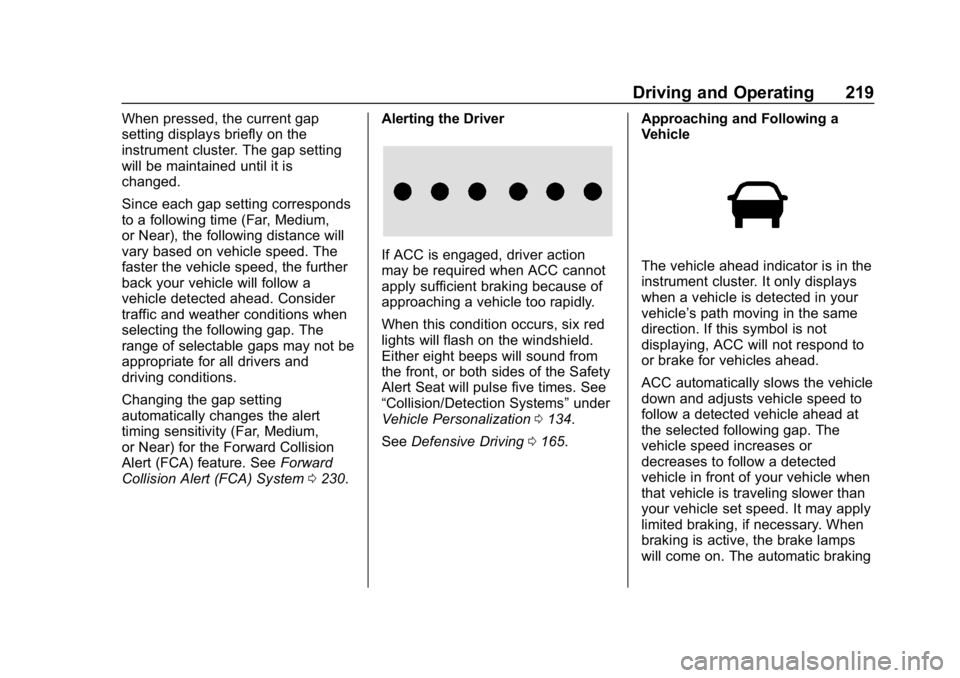
When this condition occurs, six red
lights will flash on the windshield.
Either eight beeps will sound from
the front, or both sides of the Safety
Alert Seat will pulse five times. See
“Collision/Detection Systems”
under
Vehicle Personalization 0134.
See Defensive Driving 0165. Approaching and Following a
VehicleThe vehicle ahead indicator is in the
instrument cluster. It only displays
when a vehicle is detected in your
vehicle’s path moving in the same
direction. If this symbol is not
displaying, ACC will not respond to
or brake for vehicles ahead.
ACC automatically slows the vehicle
down and adjusts vehicle speed to
follow a detected vehicle ahead at
the selected following gap. The
vehicle speed increases or
decreases to follow a detected
vehicle in front of your vehicle when
that vehicle is traveling slower than
your vehicle set speed. It may apply
limited braking, if necessary. When
braking is active, the brake lamps
will come on. The automatic braking
Page 221 of 415
Chevrolet Equinox Owner Manual (GMNA-Localizing-U.S./Canada/Mexico-
13555863) - 2020 - CRC - 8/2/19
220 Driving and Operating
may feel or sound different than if
the brakes were applied manually.
This is normal.
Stationary or Very Slow-Moving
Objects
{Warning
ACC may not detect and react to
stopped or slow-moving vehicles
ahead of you. For example, the
system may not brake for a
vehicle it has never detected
moving. This can occur in
stop-and-go traffic or when a
vehicle suddenly appears due to
a vehicle ahead changing lanes.
Your vehicle may not stop and
could cause a crash. Use caution
when using ACC. Your complete
attention is always required while
driving and you should be ready
to take action and apply the
brakes.Irregular Objects Affecting ACC
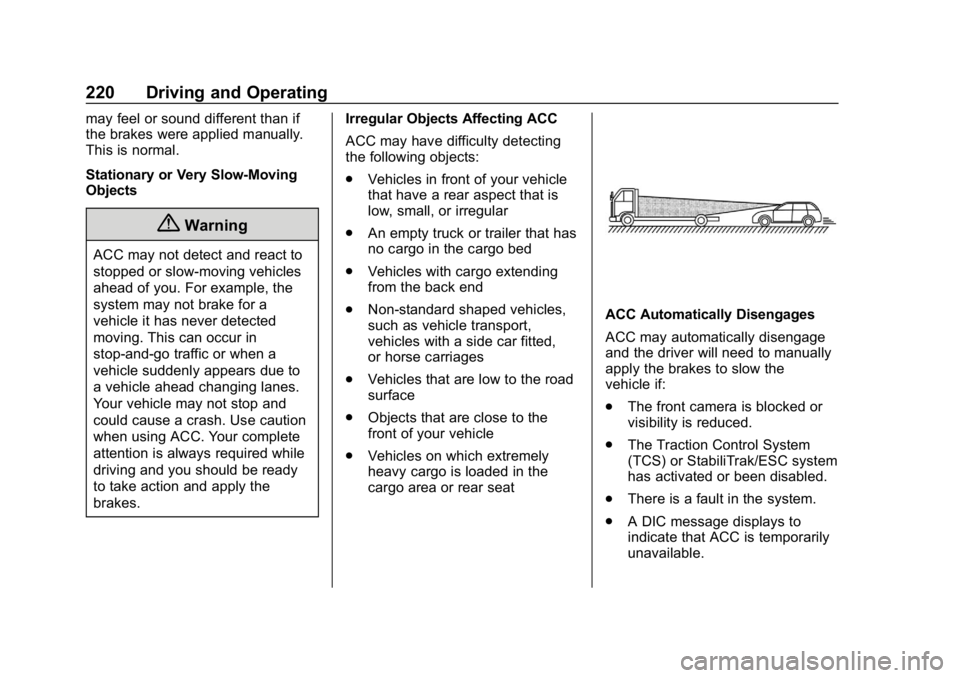
ACC may have difficulty detecting
the following objects:
.
Vehicles in front of your vehicle
that have a rear aspect that is
low, small, or irregular
. An empty truck or trailer that has
no cargo in the cargo bed
. Vehicles with cargo extending
from the back end
. Non-standard shaped vehicles,
such as vehicle transport,
vehicles with a side car fitted,
or horse carriages
. Vehicles that are low to the road
surface
. Objects that are close to the
front of your vehicle
. Vehicles on which extremely
heavy cargo is loaded in the
cargo area or rear seat
ACC Automatically Disengages
ACC may automatically disengage
and the driver will need to manually
apply the brakes to slow the
vehicle if:
.
The front camera is blocked or
visibility is reduced.
. The Traction Control System
(TCS) or StabiliTrak/ESC system
has activated or been disabled.
. There is a fault in the system.
. A DIC message displays to
indicate that ACC is temporarily
unavailable.
Page 222 of 415
Chevrolet Equinox Owner Manual (GMNA-Localizing-U.S./Canada/Mexico-
13555863) - 2020 - CRC - 8/2/19
Driving and Operating 221
The ACC indicator will turn white
when ACC is no longer active.
In some cases, when ACC is
temporarily unavailable, regular
cruise control may be used. See
“Switching Between ACC and
Regular Cruise Control”in this
section. Always consider driving
conditions before using either cruise
control system.
Notification to Resume ACC
ACC will maintain a follow gap
behind a detected vehicle and slow
your vehicle to a stop behind that
vehicle.
If the stopped vehicle ahead has
driven away and ACC has not
resumed, the vehicle ahead
indicator will flash as a reminder to
check traffic ahead before
proceeding. In addition, the left and
right sides of the Safety Alert Seat
will pulse three times, or three
beeps will sound. See ”Alert Type”
and “Adaptive Cruise Go Notifier” in
“Collision/Detection Systems” under
Vehicle Personalization 0134. When the vehicle ahead drives
away, press RES+ or the
accelerator pedal to resume ACC.
If stopped for more than
two minutes or if the driver door is
opened and the driver seat belt is
unbuckled, the ACC automatically
applies the Electric Parking Brake
(EPB) to hold the vehicle. The EPB
status light will turn on. See
Electric
Parking Brake 0205.
A DIC warning message may
display indicating to shift to P (Park)
before exiting the vehicle. See
Vehicle Messages 0133.
{Warning
If ACC has stopped the vehicle,
and if ACC is disengaged, turned
off, or canceled, the vehicle will
no longer be held at a stop. The
vehicle can move. When ACC is
holding the vehicle at a stop,
always be prepared to manually
apply the brakes.
{Warning
Leaving the vehicle without
placing it in P (Park) can be
dangerous. Do not leave the
vehicle while it is being held at a
stop by ACC. Always place the
vehicle in P (Park) and turn off
the ignition before leaving the
vehicle.
ACC Override
If using the accelerator pedal while
ACC is active, the ACC indicator
turns blue on the instrument cluster
indicating ACC braking will not
occur. ACC will resume operation
when the accelerator pedal is not
being pressed.
{Warning
The ACC will not automatically
apply the brakes if your foot is
resting on the accelerator pedal.
You could crash into a vehicle
ahead of you.
Page 227 of 415

Chevrolet Equinox Owner Manual (GMNA-Localizing-U.S./Canada/Mexico-
13555863) - 2020 - CRC - 8/2/19
226 Driving and Operating
Information Center (DIC) messages
may display when the systems are
unavailable or blocked..Front and rear bumpers and the
area below the bumpers
. Front grille and headlamps
. Front camera lens in the front
grille or near the front emblem
. Front side and rear side panels
. Outside of the windshield in front
of the rearview mirror
. Side camera lens on the bottom
of the outside mirrors
. Rear side corner bumpers
. Rear Vision Camera above the
license plate
Assistance Systems for
Parking or Backing
If equipped, the Rear Vision Camera
(RVC), Rear Park Assist (RPA),
Surround Vision, and Rear Cross
Traffic Alert (RCTA) may help the
driver park or avoid objects. Always
check around the vehicle when
parking or backing. Rear Vision Camera (RVC)
When the vehicle is shifted into
R (Reverse), the RVC displays an
image of the area behind the vehicle
in the infotainment display. The
previous screen displays when the
vehicle is shifted out of R (Reverse)
after a short delay. To return to the
previous screen sooner, press any
button on the infotainment system,
shift into P (Park), or reach a vehicle
speed of approximately 12 km/h (8
mph). The RVC is above the license
plate.
1. View Displayed by the
Camera
Page 228 of 415
Chevrolet Equinox Owner Manual (GMNA-Localizing-U.S./Canada/Mexico-
13555863) - 2020 - CRC - 8/2/19
Driving and Operating 227
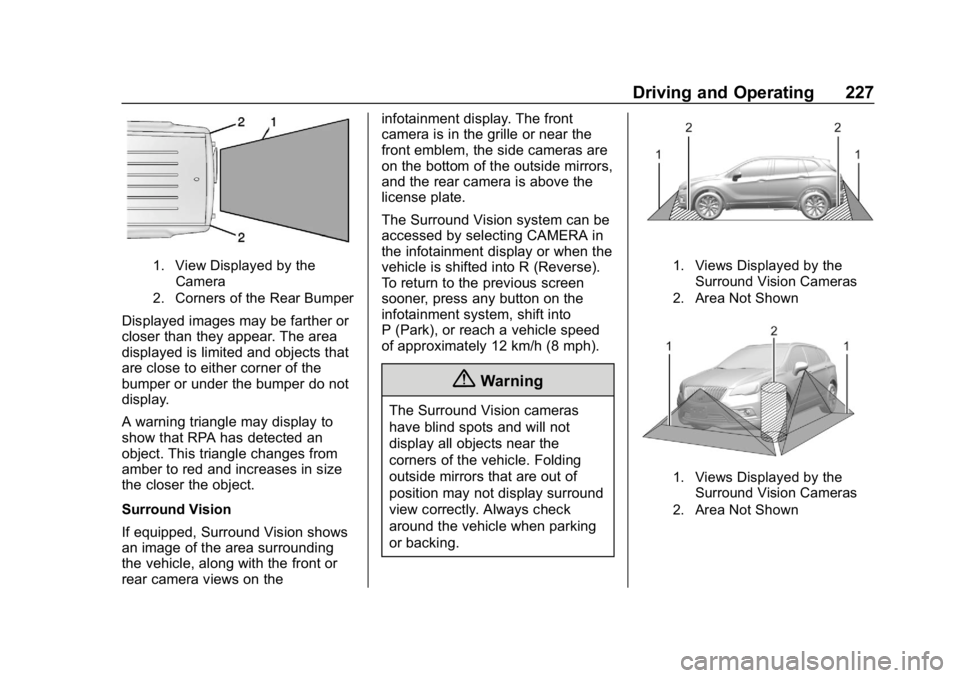
1. View Displayed by theCamera
2. Corners of the Rear Bumper
Displayed images may be farther or
closer than they appear. The area
displayed is limited and objects that
are close to either corner of the
bumper or under the bumper do not
display.
A warning triangle may display to
show that RPA has detected an
object. This triangle changes from
amber to red and increases in size
the closer the object.
Surround Vision
If equipped, Surround Vision shows
an image of the area surrounding
the vehicle, along with the front or
rear camera views on the infotainment display. The front
camera is in the grille or near the
front emblem, the side cameras are
on the bottom of the outside mirrors,
and the rear camera is above the
license plate.
The Surround Vision system can be
accessed by selecting CAMERA in
the infotainment display or when the
vehicle is shifted into R (Reverse).
To return to the previous screen
sooner, press any button on the
infotainment system, shift into
P (Park), or reach a vehicle speed
of approximately 12 km/h (8 mph).
{Warning
The Surround Vision cameras
have blind spots and will not
display all objects near the
corners of the vehicle. Folding
outside mirrors that are out of
position may not display surround
view correctly. Always check
around the vehicle when parking
or backing.
1. Views Displayed by the
Surround Vision Cameras
2. Area Not Shown
1. Views Displayed by the Surround Vision Cameras
2. Area Not Shown
Page 229 of 415
Chevrolet Equinox Owner Manual (GMNA-Localizing-U.S./Canada/Mexico-
13555863) - 2020 - CRC - 8/2/19
228 Driving and Operating
{Warning
The camera(s) do not display
children, pedestrians, bicyclists,
crossing traffic, animals, or any
other object outside of the
cameras’field of view, below the
bumper, or under the vehicle.
Shown distances may be different
from actual distances. Do not
drive or park the vehicle using
only these camera(s). Always
check behind and around the
vehicle before driving. Failure to
use proper care may result in
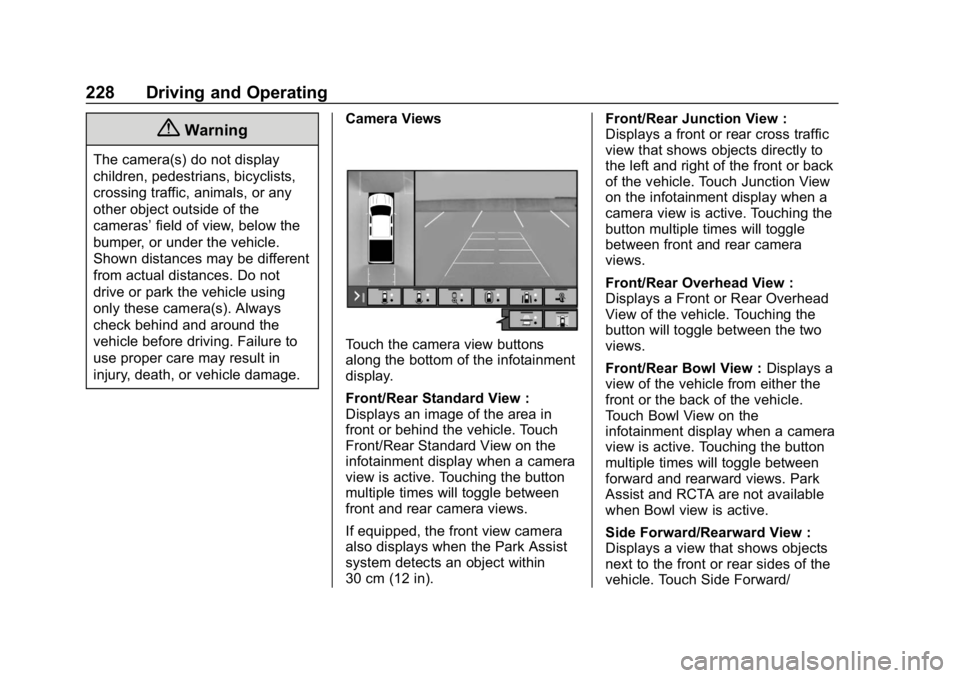
injury, death, or vehicle damage. Camera Views
Touch the camera view buttons
along the bottom of the infotainment
display.
Front/Rear Standard View :
Displays an image of the area in
front or behind the vehicle. Touch
Front/Rear Standard View on the
infotainment display when a camera
view is active. Touching the button
multiple times will toggle between
front and rear camera views.
If equipped, the front view camera
also displays when the Park Assist
system detects an object within
30 cm (12 in). Front/Rear Junction View :
Displays a front or rear cross traffic
view that shows objects directly to
the left and right of the front or back
of the vehicle. Touch Junction View
on the infotainment display when a
camera view is active. Touching the
button multiple times will toggle
between front and rear camera
views.
Front/Rear Overhead View :
Displays a Front or Rear Overhead
View of the vehicle. Touching the
button will toggle between the two
views.
Front/Rear Bowl View :
Displays a
view of the vehicle from either the
front or the back of the vehicle.
Touch Bowl View on the
infotainment display when a camera
view is active. Touching the button
multiple times will toggle between
forward and rearward views. Park
Assist and RCTA are not available
when Bowl view is active.
Side Forward/Rearward View :
Displays a view that shows objects
next to the front or rear sides of the
vehicle. Touch Side Forward/