display CHEVROLET EXPRESS 1997 1.G Owners Manual
[x] Cancel search | Manufacturer: CHEVROLET, Model Year: 1997, Model line: EXPRESS, Model: CHEVROLET EXPRESS 1997 1.GPages: 386, PDF Size: 20.32 MB
Page 81 of 386
Downloaded from www.Manualslib.com manuals search engine Automatic Transmission Operation
There are several different positions for your shift lever.
If your vehicle is equipped with an automatic
transmission, it now features an electronic shift position
indicator within the instrument cluster. This display
must be powered anytime
the shift lever is capable of
being moved out of the PARK (P) position. This means
that
if your key is in the OFF position, but not locked,
there will be
a small current drain on your battery which
could discharge your battery over a period
of time. If
you have a need to leave your key in the ignition in the ’
OFF position for an extended period for any reason, it is
recommended that you disconnect the battery cable from
the battery
to prevent discharging your batter.y.
PARK Cp): This locks your rear wheels. It’s the best
position
to use when you start your engine because your
vehicle can’t move easily.
It is dangerous to get out of your vehicle if the
shift lever is not fully in
PARK (P) with the
parking brake firmly set. Your vehicle can roll.
Don’t leave your vehicle when the engine is
running unless you have to. If you have left the
engine running, the vehicle can move suddenly.
You or others could be injured.
To be sure your
vehicle won’t move, even when you’re on fairly
level ground, always set your parking brake and
move the shift lever to
PARK (P).
See “Shifting Into PARK (P)” in the Index. If
you’re pulling
a trailer, see “Towing a Trailer” in
the Index.
Page 100 of 386
Downloaded from www.Manualslib.com manuals search engine When the wheel is turned to full brilliance, and then into
the first detent position, the radio display and PRNDL
display will go to the day mode (full intensity).
This is
known as “parade” mode. The rest
of the I/P
illumination will stay
in the maximum dimming state
(full brilliance dimming). Turning the wheel up one
more detent will activate the interior dome light circuit
(with slightly higher effort).
The dome lights cannot be turned
on by depressing the
dome light switch button, located below the parWhead
lamp switch knob. This switch is a dome lamp off
switch and will only interrupt inputs from the door jamb
switches, inhibiting interior light operation when
depressed. It will not inhibit the light function from
the
I/P dimmer switch.
The delayed entry will allow
you to enter or exit your
vehicle with the lights staying on for about
20 seconds
after the door
is closed or ignition is cycled.
Rotate
the switch knob clockwise to the parking lamp
symbol
to turn on:
0 Parking Lamps
0 Sidemarker Lamps
Taillamps
0 License Plate Lamps
0 Instrument Panel Lights
Ashtray Lamp
0 Glove Box Lamp
Rotate
the switch knob clockwise again to the master
lighting symbol to turn
on all the lamps listed above as
well as the headlamps.
Rotate the switch counterclockwise to OFF to
turn off
your lamps and lights.
Rotate the thumb wheel
next to the switch knob up to
adjust instrument panel lights. Rotate the thumb wheel
up to
the first notch to return the radio display and
gearshift indicator Vacuum Fluorescence
(VF) display
to full intensity when the headlamps or parking lamps
are
on.
Rotate the thumb wheel up to the second notch to
activate the interior dome lamps.
You can switch your headlamps from high to low beam
by pulling on the turn signalhigh beam lever.
A circuit breaker protects your headlamps. If you have
an electrical overload, your headlamps will flicker
on
and off. Have your headlamp wiring checked right away
if this happens.
Page 133 of 386
Downloaded from www.Manualslib.com manuals search engine 0 Keep the air path under the front seats clear of
objects. This helps air to circulate throughout
your vehicle.
Your vehicle has air vents in the center and
on the sides
of your instrument panel.
You can move the vents from side to side or up and
down to direct the flow of air,
or close the vents
altogether. When you close a vent, it will increase the
flow of air coming out
of any vents that are open.
Audio Systems
Your Delco@ audio system has been designed to operate
easily and give years of listening pleasure. You will get
the most enjoyment out of it if you acquaint yourself
with
it first. Find out what your Delco system can do
and how to operate all its controls, to be sure you’re
getting the most out of the advanced engineering that
went into it.
Setting the Clock for Systems without
Automatic Tone Control
Press SET. Within five seconds, press and hold the
SEEK right arrow
until the correct minute appears on
the display. Press and hold the SEEK left arrow until
the correct hour appears
on the display.
Setting the Clock for Systems with
Automatic
Tone Control
Press and hold HR until the correct hour appears on
the display. Press and hold MIN until the correct
minute appears
on the display. To display the clock
with the ignition off, press RECALL or
HRMIN and
the time will be displayed for a few seconds. There is
an initial two-second delay before the clock goes into
the time-set mode.
Page 134 of 386
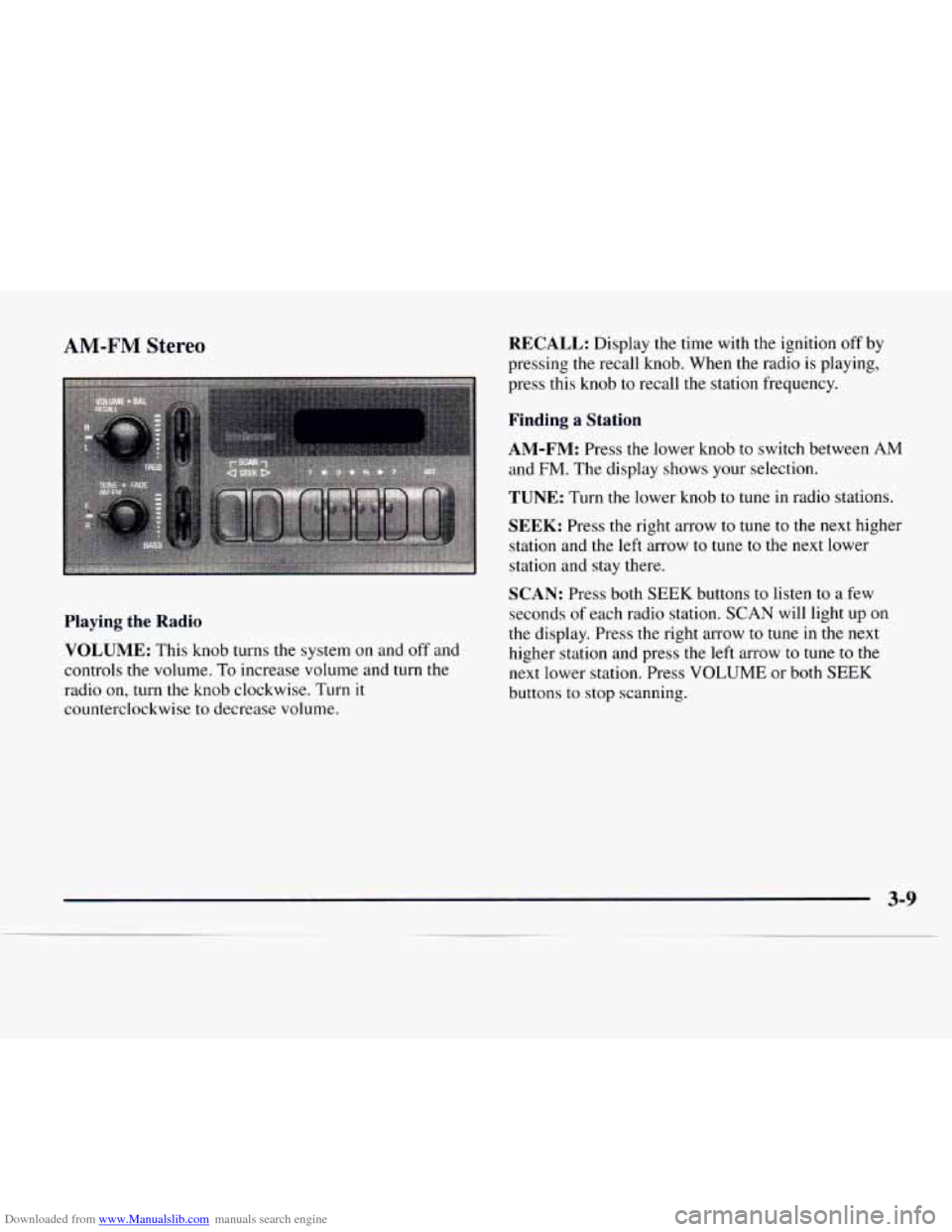
Downloaded from www.Manualslib.com manuals search engine AM-FM Stereo RECALL: Display the time with the ignition off by
pressing the recall knob. When the radio is playing,
press this knob to recall the station frequency.
Finding a Station
AM-FM:
Press the lower knob to switch between AM
and FM. The display shows your selection.
TUNE: Turn the lower knob to tune in radio stations.
SEEK: Press the right arrow to tune to the next higher
station and the left arrow
to tune to the next lower
station and stay there.
Playing the Radio
VOLUME:
This knob turns the system on and off and
controls the volume. To increase volume and turn the
radio on, turn the knob clockwise. Turn it
counterclockwise to decrease volume.
SCAN: Press both SEEK buttons to listen to a few
seconds
of each radio station. SCAN will light up on
the display. Press the right arrow to tune in the next
higher station and press
the left arrow to tune to the
next lower station. Press
VOLUME or both SEEK
buttons to stop scanning.
Page 135 of 386
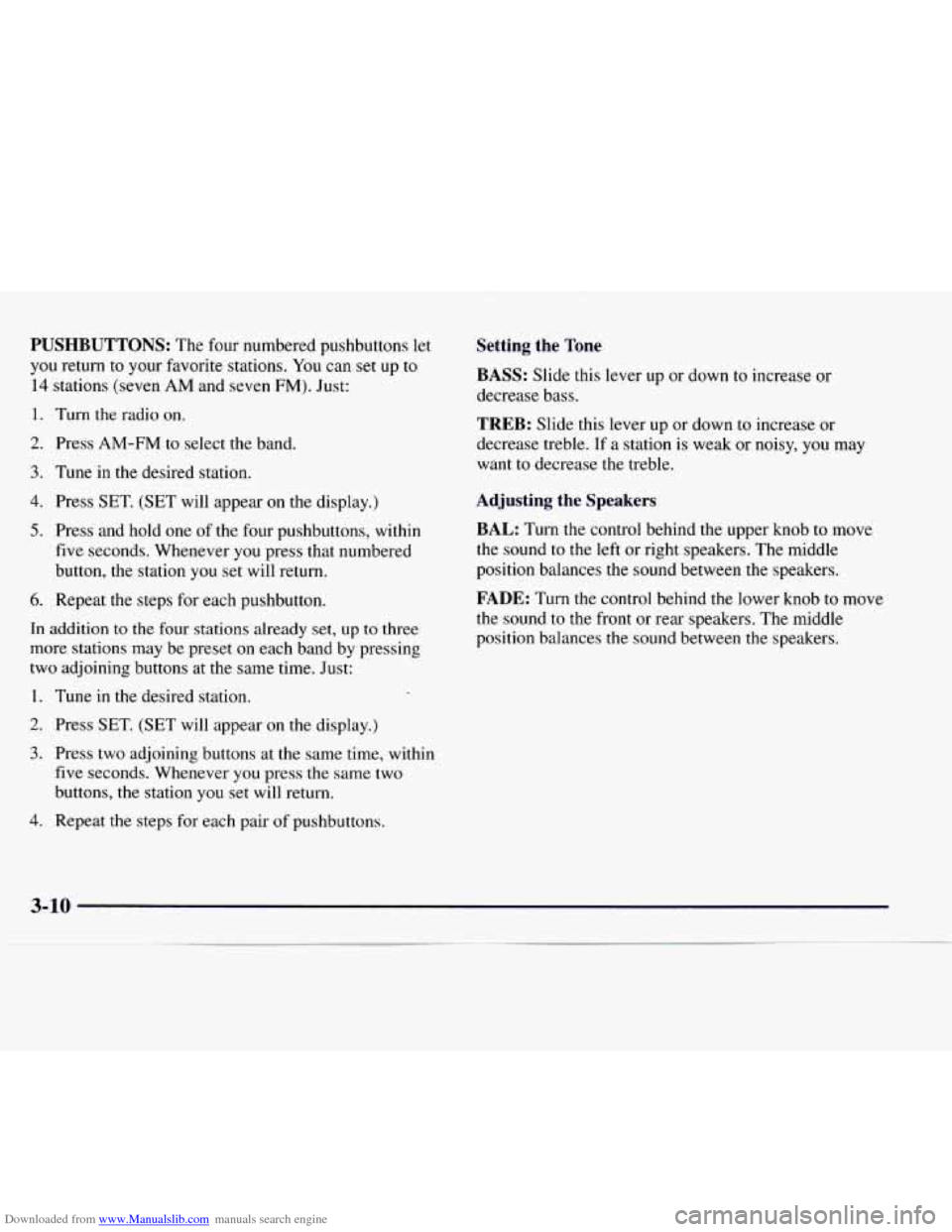
Downloaded from www.Manualslib.com manuals search engine PUSHBUTTONS: The four numbered pushbuttons let
you return to your favorite stations. You can set up to
14 stations (seven AM and seven FM). Just:
1. Turn the radio on.
2. Press AM-FM to select the band.
3. Tune in the desired station.
4. Press SET. (SET will appear on the display.)
5. Press and hold one of the four pushbuttons, within
five seconds. Whenever you press that numbered
button, the station you set will return.
6. Repeat the steps for each pushbutton.
In addition to the four stations already set, up to three
more stations may be preset on each band by pressing
two adjoining buttons at the same time. Just:
1. Tune in the desired station.
2. Press SET. (SET will appear on the display.)
3. Press two adjoining buttons at the same time, within
five seconds. Whenever you press the same two
buttons, the station you set will return,
4. Repeat the steps for each pair of pushbuttons.
Setting the Tone
BASS:
Slide this lever up or down to increase or
decrease bass.
TREB: Slide this lever up or down to increase or
decrease treble. If a station is weak or noisy, you may
want to decrease
the treble.
Adjusting the Speakers
BAL: Turn the control behind the upper knob to move
the sound to the left or right speakers. The middle
position balances
the sound between the speakers.
FADE: Turn the control behind the lower knob to move
the sound to the front or rear speakers. The middle
position balances
the sound between the speakers.
Page 136 of 386
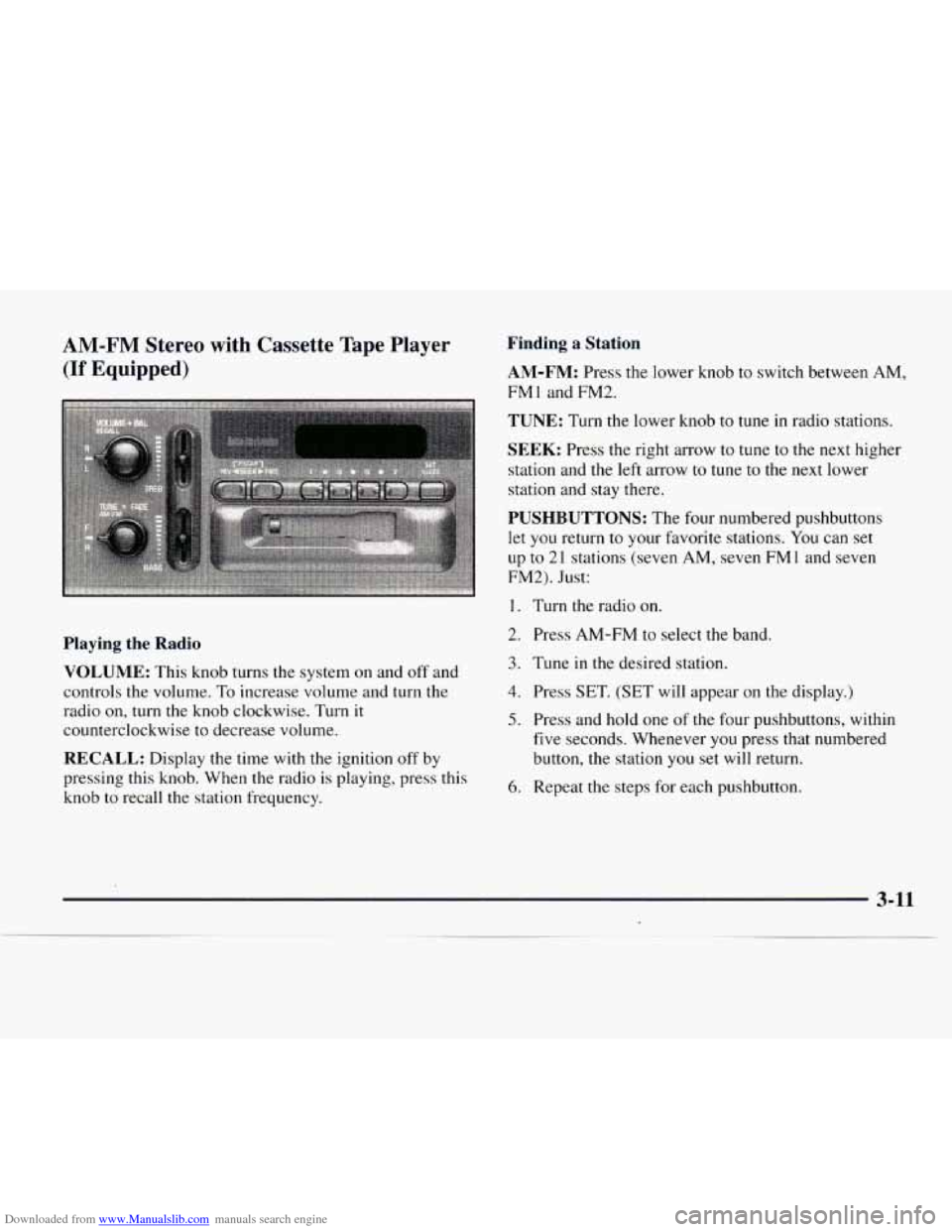
Downloaded from www.Manualslib.com manuals search engine AM-FM Stereo with Cassette Tape Player
(If Equipped)
Playing the Radio
VOLUME:
This knob turns the system on and off and
controls the volume. To increase volume and turn the
radio on, turn the knob clockwise. Turn it
counterclockwise to decrease volume.
RECALL: Display the time with the ignition off by
pressing this knob. When the radio is playing, press this
knob to recall the station frequency.
Finding a Station
AM-FM:
Press the lower knob to switch between AM,
FMl and FM2.
TUNE: Turn the lower knob to tune in radio stations.
SEEK: Press the right arrow to tune to the next higher
station and the left arrow to tune
to the next lower
station and stay there.
PUSHBUTTONS: The four numbered pushbuttons
let you return to your favorite stations. You can set
up to
21 stations (seven AM, seven FM 1 and seven
FM2). Just:
1. Turn the radio on.
2. Press AM-FM to select the band.
3. Tune in the desired station.
4. Press SET. (SET will appear on the display.)
5. Press and hold one of the four pushbuttons, within
five seconds. Whenever you press that numbered
button, the station you set will return.
6. Repeat the steps for each pushbutton.
Page 137 of 386
Downloaded from www.Manualslib.com manuals search engine In addition to the four stations already set, up to three
more stations may be preset on each band by pressing
two adjoining buttons at the same time. Just:
1. Tune in the desired station.
2. Press SET. (SET will appear on the display.)
3. Press two adjoining buttons at the same time, within
five seconds. Whenever you press the same two
buttons, the station you set will return.
4. Repeat the steps for each pair of pushbuttons.
P.SCAN: Press both SEEK buttons to scan through
each of your preset stations. The system will scan
through and play each preset station stored on your
pushbuttons for a few seconds. Press either SEEK
button or RECALL to stop scanning through the
preset stations.
Setting the Tone
BASS:
Slide this lever up or down to increase or
decrease bass.
TREB: Slide this lever up or down to increase or
decrease treble.
If a station is weak or noisy, you may
want to decrease the treble.
Adjusting the Speakers
BAL:
Turn the control behind the upper knob to move
the sound to the left or right speakers. The middle
position balances the sound between the speakers.
FADE: Turn the control behind the lower knob to move
the sound to the front or rear speakers. The middle
position balances the sound between the speakers.
Playing a Cassette Tape
Your tape player is built to work best with tapes that are
30 to 45 minutes long on each side. Tapes longer than
that are
so thin they may not work well in this player.
Once the tape
is playing, use the knobs for VOLUME,
BAL FADE, BASS and TREB just as you do for the
radio.
REV: Press the SEEK left arrow to reverse the
cassette tape. Press the SEEK right arrow to stop
reversing the 'tape.
FWD: Press the SEEK right arrow to advance the
cassette tape. Press the SEEK left arrow to stop
forwarding the tape.
Page 138 of 386
Downloaded from www.Manualslib.com manuals search engine RECALL: Press this knob to switch tape sides.
E JECE Press this button to remove the tape or stop
the tape and play the radio. If
you leave a cassette
tape
in the player while listening to the radio, it may
become warm.
CLN: If this message appears on the display, the
cassette tape player needs to be cleaned. It will still play
tapes, but you should clean it as soon as possible
to
prevent damage to the tapes and player. See “Care of
Your Cassette Tape Player” in the Index. After you
clean the player, press and hold EJECT for five seconds
to reset the CLN indicator. The radio will display --- to
show the indicator was reset.
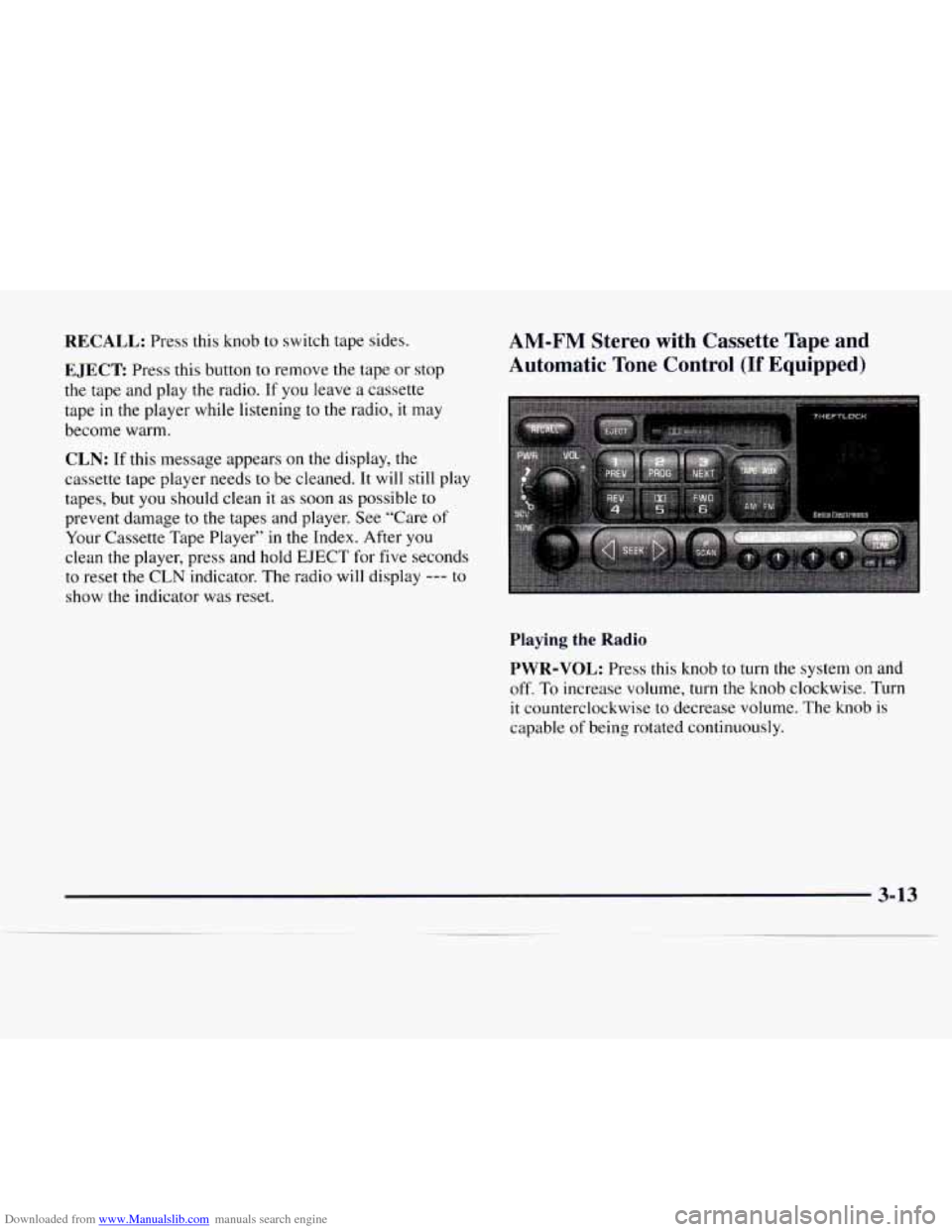
AM-FM Stereo with Cassette Tape and
Automatic Tone Control
(If Equipped)
Playing the Radio
PWR-VOL:
Press this knob to turn the system on and
off. To increase volume, turn the knob clockwise. Turn
it counterclockwise to decrease volume. The knob
is
capable of being rotated continuously.
3-13
Page 139 of 386
Downloaded from www.Manualslib.com manuals search engine RECALL: Display the time with the ignition off by
pressing this button. When the radio is playing, press
this button to recall the station frequency.
SCV Your system has a feature called
Speed-Compensated-Volume (SCV). With SCV, your
audio system adjusts automatically
to make up for road
and wind noise
as you drive. Set the volume at the
desired level. Move the control ring behind
the upper
knob clockwise to adjust the SCV. Then, as you drive,
SCV automatically increases the volume, as necessary,
to overcome noise at any particular speed. The volume
level should always sound the same
to you as you drive.
If you don’t want to use SCV, turn the control all the
way down. Each detent on the control ring allows for
more volume compensation at a faster rate
of speed.
Finding a Station
AM-FM: Press this button to switch between AM, FM 1
and FM2. The display will show your selection.
TUNE: Press this knob lightly so it extends. Turn it
to choose radio stations. Push the knob back into its
stored position when you’re not using
it.
SEEK: Press the right arrow to tune to the next
higher station and the left arrow
to tune to the next
lower station and stay there. The sound will mute
while seeking.
SCAN: Press and hold SEEK for two seconds until
SCAN appears
on the display. SCAN allows you to
listen to stations for a few seconds. The receiver will
continue to scan and momentarily stop at each station
until you press the button again. The sound will mute
while scanning.
PUSHBUTTONS: The six numbered pushbuttons let
you return to your favorite stations. You can set up to
18 stations (six AM, six FM 1 and six FM2). Just:
1. Turn the radio on.
2. Press AM-FM to select the band.
3. Tune in the desired station.
4. Press AUTO TONE to select the setting you prefer.
5. Press and hold one of the six pushbuttons. The
sound will mute. When it returns, release the button.
Whenever you press that numbered button, the
station you
set will return and the tone you selected
will be automatically selected for that button.
6. Repeat the steps for each pushbutton.
3-14
Page 140 of 386
Downloaded from www.Manualslib.com manuals search engine P.SCAN: The preset scan button lets you scan through
your favorite stations stored on your pushbuttons.
Select either the AM, FMl or FM2 mode and then
press P.SCAN. It will scan through each station stored
on your pushbuttons and stop for a few seconds before
continuing
to scan through all of the pushbuttons.
Press P.SCAN again or one
of the pushbuttons to stop
scanning
to listen to a specific preset station. P.SCAN
will light up on the display while in this mode. If one of
the stations stored
on a pushbutton is too weak for the
location you are in, the radio display will show the
channel number
(P 1 -P6) for several seconds before
advancing to the next preset station.
Setting the Tone
BASS: Press lightly on this knob to release it from its
stored position. Turn the knob clockwise to increase
bass and counterclockwise to decrease bass. When the
BASS control is rotated, the AUTO TONE display
will go blank.
TREB: Press lightly on this knob to release it from its
stored position. Turn the knob clockwise to increase
treble and counterclockwise to decrease treble. When
the TREB control is rotated, the AUTO TONE display
will go blank. If a station is weak or noisy,
you may
want to decrease the treble.
Push these knobs back into their stored positions when
you’re not using them.
AUTO TONE: Press this button to select among the
six preset equalization settings and tailor the sound to
the music or voice being heard. Each time you press the
button, the selection will switch to one of the preset
settings
of CLASSIC, NEWS, ROCK, POP, C/W
(Countrymestern) or
JAZZ. To return to the manual
mode, press and release this button until the AUTO
TONE display goes blank. This will return the
tone
adjustment to the BASS and TREB controls. If a BASS
or TREB control
is rotated, the AUTO TONE display
will
go blank.