door lock CHEVROLET EXPRESS 2006 User Guide
[x] Cancel search | Manufacturer: CHEVROLET, Model Year: 2006, Model line: EXPRESS, Model: CHEVROLET EXPRESS 2006Pages: 440, PDF Size: 2.42 MB
Page 109 of 440
Keys
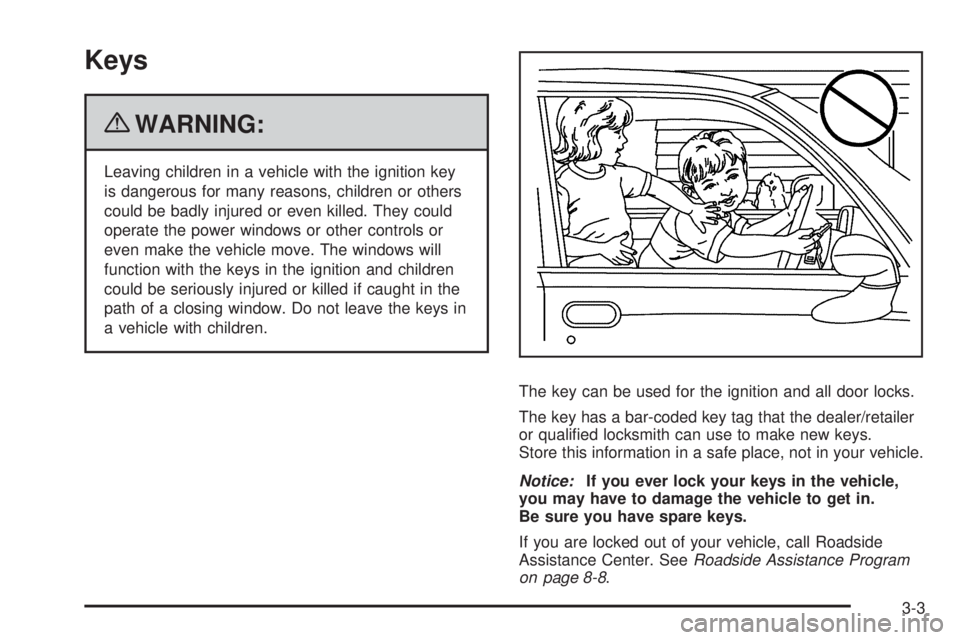
{WARNING:
Leaving children in a vehicle with the ignition key
is dangerous for many reasons, children or others
could be badly injured or even killed. They could
operate the power windows or other controls or
even make the vehicle move. The windows will
function with the keys in the ignition and children
could be seriously injured or killed if caught in the
path of a closing window. Do not leave the keys in
a vehicle with children.
The key can be used for the ignition and all door locks.
The key has a bar-coded key tag that the dealer/retailer
or qualified locksmith can use to make new keys.
Store this information in a safe place, not in your vehicle.
Notice:If you ever lock your keys in the vehicle,
you may have to damage the vehicle to get in.
Be sure you have spare keys.
If you are locked out of your vehicle, call Roadside
Assistance Center. SeeRoadside Assistance Program
on page 8-8.
3-3
Page 110 of 440
Remote Keyless Entry (RKE)
System
SeeRadio Frequency Statement on page 8-20for
information regarding Part 15 of the Federal
Communications Commission (FCC) Rules and
RSS-210/211 of Industry and Science Canada.
Changes or modifications to this system by other than
an authorized service facility could void authorization to
use this equipment.
If there is a decrease in the RKE operating range,
try this:
•Check the distance. The transmitter may be too far
from the vehicle. Stand closer during rainy or
snowy weather.
•Check the location. Other vehicles or objects may
be blocking the signal. Take a few steps to the
left or right, hold the transmitter higher, and
try again.
•Check the transmitter’s battery. See “Battery
Replacement” later in this section.
•If the transmitter is still not working correctly, see
your dealer/retailer or a qualified technician for
service.
Remote Keyless Entry (RKE)
System Operation
The Remote Keyless Entry (RKE) transmitter functions
work up to 20 m (65 feet) away from the vehicle.
There are other conditions which can affect the
performance of the transmitter. SeeRemote Keyless
Entry (RKE) System on page 3-4.
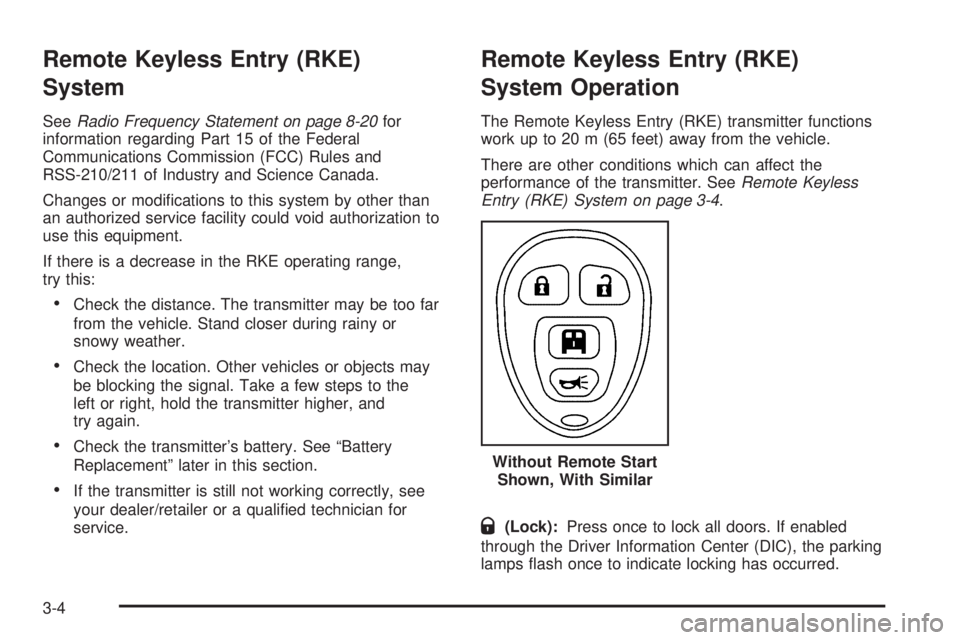
Q(Lock):Press once to lock all doors. If enabled
through the Driver Information Center (DIC), the parking
lamps flash once to indicate locking has occurred.Without Remote Start
Shown, With Similar
3-4
Page 111 of 440
The horn may chirp whenQis pressed again within
five seconds. SeeDIC Vehicle Customization on
page 4-52for additional information.
K(Unlock):Press to unlock the driver door. IfKis
pressed again within five seconds, all remaining
doors unlock.
The interior lamps come on and stay on for 20 seconds
or until the ignition is turned on. If enabled through
the DIC, the parking lamps flash twice to indicate
unlocking has occurred. SeeDIC Vehicle Customization
on page 4-52for additional information.
j(Cargo Door):Press to unlock only the cargo
doors.
/(Remote Vehicle Start):For vehicles with this
feature, press
Qand then press and hold/within
five seconds to start the engine from outside the vehicle
using the RKE transmitter. SeeRemote Vehicle Start
on page 3-7for additional information.
L(Vehicle Locator/Panic Alarm):Press and release
to locate the vehicle. The turn signal lamps flash and
the horn sounds three times.
Press and hold
Lfor more than two seconds to
activate the panic alarm. The turn signal lamps flash
and the horn sounds repeatedly for 30 seconds.
The alarm turns off when the ignition is moved to
ON/RUN or
Lis pressed again. The ignition must be
in LOCK/OFF for the panic alarm to work.
Programming Transmitters to the
Vehicle
Only RKE transmitters programmed to the vehicle will
work. If a transmitter is lost or stolen, a replacement
can be purchased and programmed through your
dealer/retailer. When the replacement transmitter is
programmed to the vehicle, all remaining transmitters
must also be programmed. Any lost or stolen transmitters
no longer work once the new transmitter is programmed.
Each vehicle can have up to four transmitters
programmed to it. See “Relearn Remote Key” underDIC
Operation and Displays on page 4-37for instructions on
how to match RKE transmitters to your vehicle.
3-5
Page 113 of 440
Remote Vehicle Start
Your vehicle may have a remote start feature. This
feature allows you to start the engine from outside the
vehicle. It may also start the vehicle’s heating or air
conditioning systems. SeeClimate Control System on
page 4-15for additional information.
Laws in some local communities may restrict the use of
remote starters. For example, some laws may require
a person using remote start to have the vehicle in view
when doing so. Check local regulations for any
requirements on remote starting of vehicles.
Do not use the remote start feature if your vehicle is low
on fuel. Your vehicle may run out of fuel.
If your vehicle has the remote start feature, the RKE
transmitter functions will have an increased range
of operation. However, the range may be less while the
vehicle is running.
There are other conditions which can affect the
performance of the transmitter, seeRemote Keyless
Entry (RKE) System on page 3-4for additional
information.
/(Remote Vehicle Start):This button will be on the
RKE transmitter if you have remote start.
To start the engine using the remote start feature:
1. Aim the RKE transmitter at the vehicle.
2. Press and release the transmitter’s lock button,
then immediately press and hold the remote
vehicle start button for four seconds or until the
vehicle’s turn signal lamps flash.
When the vehicle’s engine starts, the parking lamps
will turn on and remain on while the engine is
running. The vehicle’s doors will be locked. The
airbag readiness light will be on during a remote
start. It should turn off when the ignition is turned to
ON/RUN. SeeAirbag Readiness Light on
page 4-23for more information.
3. If it is the first remote start since the vehicle has been
driven, repeat these steps, while the engine is still
running, to extend the engine running time by
10 minutes. Remote start can be extended one time.
After entering the vehicle during a remote start, insert
and turn the key to ON/RUN to drive the vehicle.
After a remote start, the engine will automatically shut
off after 10 minutes unless a time extension has
been done or the vehicle’s key is inserted into the
ignition switch and turned to ON/RUN.
3-7
Page 115 of 440
Doors and Locks
Door Locks
{WARNING:
Unlocked doors can be dangerous.
•Passengers, especially children, can easily
open the doors and fall out of a moving
vehicle. When a door is locked, the handle
will not open it. The chance of being thrown
out of the vehicle in a crash is increased if the
doors are not locked. So, all passengers
should wear safety belts properly and the
doors should be locked whenever the vehicle
is driven.
•Young children who get into unlocked vehicles
may be unable to get out. A child can be
overcome by extreme heat and can suffer
permanent injuries or even death from heat
stroke. Always lock the vehicle whenever
leaving it.
WARNING: (Continued)
WARNING: (Continued)
•
Outsiders can easily enter through an
unlocked door when you slow down or stop
your vehicle. Locking your doors can help
prevent this from happening.
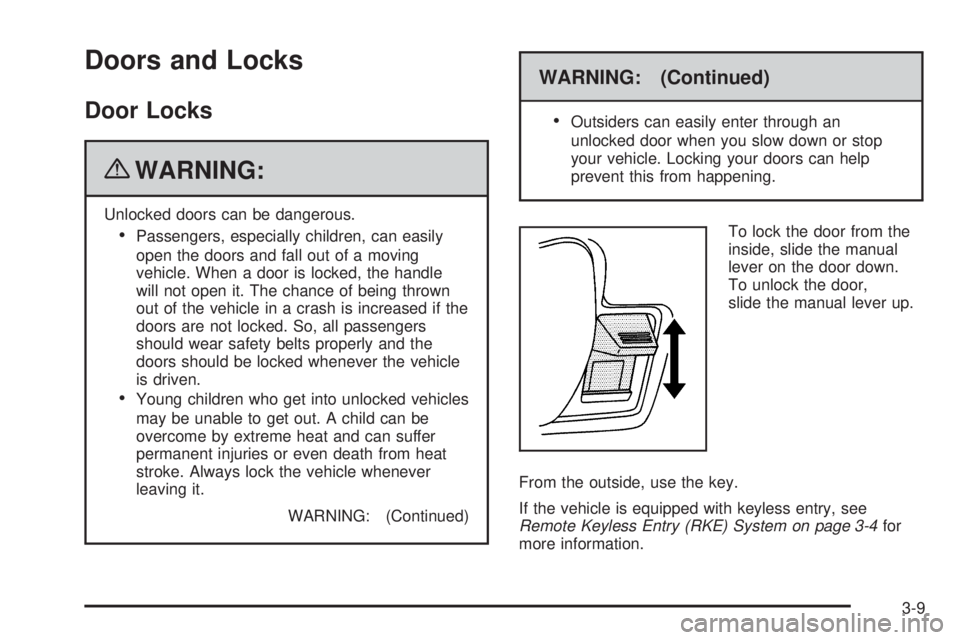
To lock the door from the
inside, slide the manual
lever on the door down.
To unlock the door,
slide the manual lever up.
From the outside, use the key.
If the vehicle is equipped with keyless entry, see
Remote Keyless Entry (RKE) System on page 3-4for
more information.
3-9
Page 116 of 440
Power Door Locks
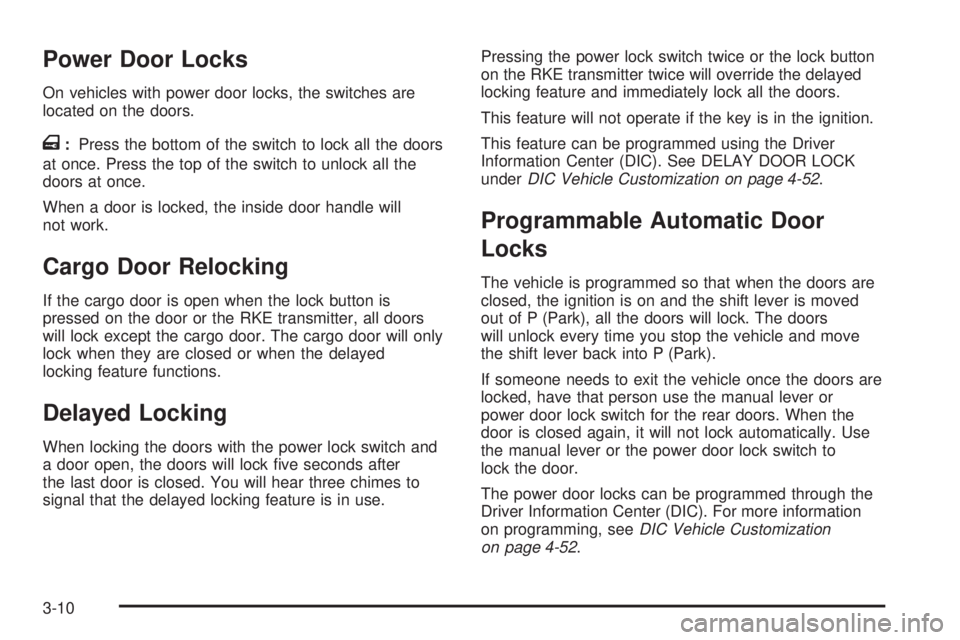
On vehicles with power door locks, the switches are
located on the doors.
T:Press the bottom of the switch to lock all the doors
at once. Press the top of the switch to unlock all the
doors at once.
When a door is locked, the inside door handle will
not work.
Cargo Door Relocking
If the cargo door is open when the lock button is
pressed on the door or the RKE transmitter, all doors
will lock except the cargo door. The cargo door will only
lock when they are closed or when the delayed
locking feature functions.
Delayed Locking
When locking the doors with the power lock switch and
a door open, the doors will lock five seconds after
the last door is closed. You will hear three chimes to
signal that the delayed locking feature is in use.Pressing the power lock switch twice or the lock button
on the RKE transmitter twice will override the delayed
locking feature and immediately lock all the doors.
This feature will not operate if the key is in the ignition.
This feature can be programmed using the Driver
Information Center (DIC). See DELAY DOOR LOCK
underDIC Vehicle Customization on page 4-52.
Programmable Automatic Door
Locks
The vehicle is programmed so that when the doors are
closed, the ignition is on and the shift lever is moved
out of P (Park), all the doors will lock. The doors
will unlock every time you stop the vehicle and move
the shift lever back into P (Park).
If someone needs to exit the vehicle once the doors are
locked, have that person use the manual lever or
power door lock switch for the rear doors. When the
door is closed again, it will not lock automatically. Use
the manual lever or the power door lock switch to
lock the door.
The power door locks can be programmed through the
Driver Information Center (DIC). For more information
on programming, seeDIC Vehicle Customization
on page 4-52.
3-10
Page 117 of 440
Automatic Door Lock
The doors will automatically lock when the shift lever is
moved out of P (Park). The automatic door locking
feature cannot be disabled.
Automatic Door Unlock
The doors will automatically unlock when the shift lever
is moved into P (Park).
The automatic unlock feature can be disabled or
programmed in different ways if the vehicle has an
automatic transmission. For more information on
programming, seeDIC Vehicle Customization on
page 4-52.
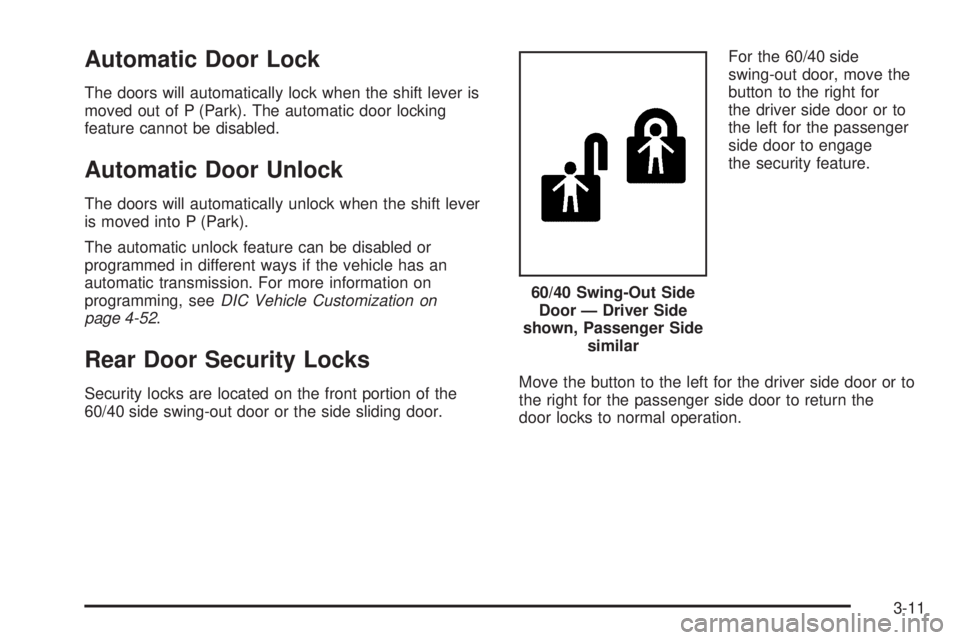
Rear Door Security Locks
Security locks are located on the front portion of the
60/40 side swing-out door or the side sliding door.For the 60/40 side
swing-out door, move the
button to the right for
the driver side door or to
the left for the passenger
side door to engage
the security feature.
Move the button to the left for the driver side door or to
the right for the passenger side door to return the
door locks to normal operation.60/40 Swing-Out Side
Door — Driver Side
shown, Passenger Side
similar
3-11
Page 118 of 440
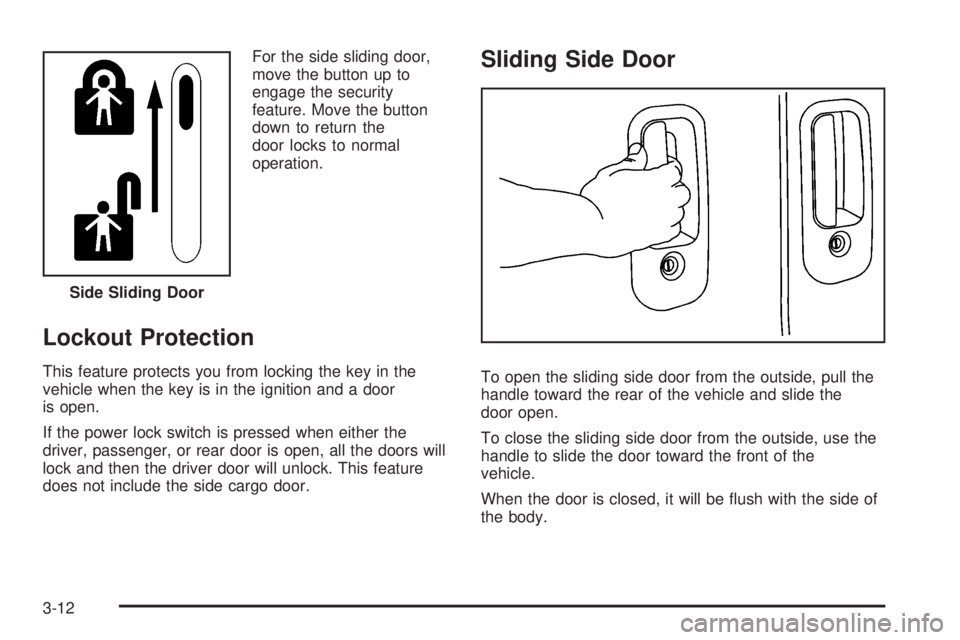
For the side sliding door,
move the button up to
engage the security
feature. Move the button
down to return the
door locks to normal
operation.
Lockout Protection
This feature protects you from locking the key in the
vehicle when the key is in the ignition and a door
is open.
If the power lock switch is pressed when either the
driver, passenger, or rear door is open, all the doors will
lock and then the driver door will unlock. This feature
does not include the side cargo door.
Sliding Side Door
To open the sliding side door from the outside, pull the
handle toward the rear of the vehicle and slide the
door open.
To close the sliding side door from the outside, use the
handle to slide the door toward the front of the
vehicle.
When the door is closed, it will be flush with the side of
the body. Side Sliding Door
3-12
Page 121 of 440
Rear Doors
{WARNING:
Unlocked doors can be dangerous.
•Passengers, especially children, can easily
open the doors and fall out of a moving
vehicle. When a door is locked, the handle
will not open it. The chance of being thrown
out of the vehicle in a crash is increased if the
doors are not locked. So, all passengers
should wear safety belts properly and the
doors should be locked whenever the vehicle
is driven.
•Young children who get into unlocked vehicles
may be unable to get out. A child can be
overcome by extreme heat and can suffer
permanent injuries or even death from heat
stroke. Always lock the vehicle whenever
leaving it.
•Outsiders can easily enter through an
unlocked door when you slow down or stop
your vehicle. Locking your doors can help
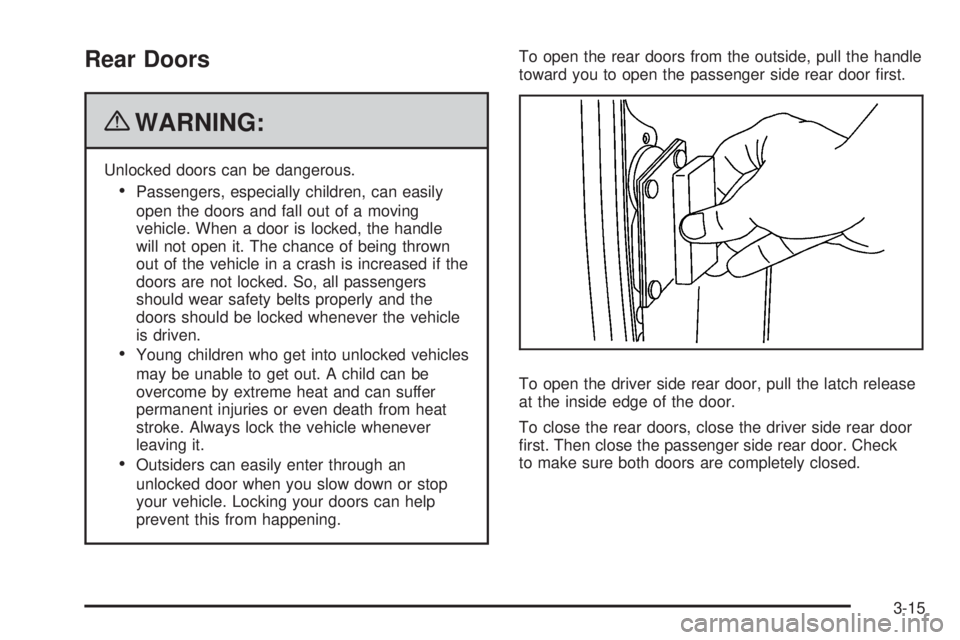
prevent this from happening.To open the rear doors from the outside, pull the handle
toward you to open the passenger side rear door first.
To open the driver side rear door, pull the latch release
at the inside edge of the door.
To close the rear doors, close the driver side rear door
first. Then close the passenger side rear door. Check
to make sure both doors are completely closed.
3-15
Page 123 of 440
Power Windows
{WARNING:
Leaving children in a vehicle with the keys is
dangerous for many reasons, children or others
could be badly injured or even killed. They could
operate the power windows or other controls or
even make the vehicle move. The windows will
function and they could be seriously injured or
killed if caught in the path of a closing window.
Do not leave keys in a vehicle with children.
When there are children in the rear seat use the
window lockout button to prevent unintentional
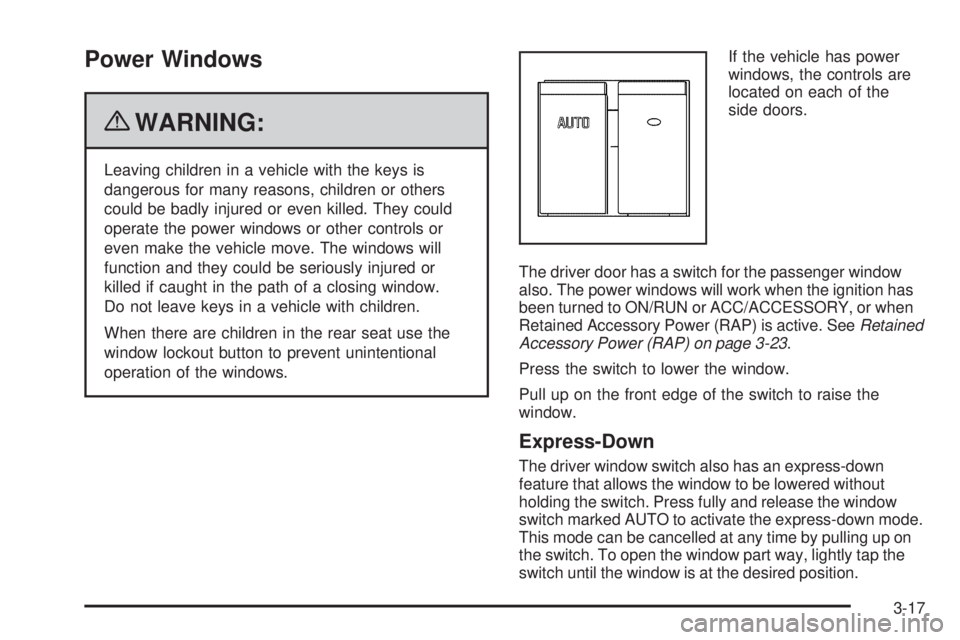
operation of the windows.If the vehicle has power
windows, the controls are
located on each of the
side doors.
The driver door has a switch for the passenger window
also. The power windows will work when the ignition has
been turned to ON/RUN or ACC/ACCESSORY, or when
Retained Accessory Power (RAP) is active. SeeRetained
Accessory Power (RAP) on page 3-23.
Press the switch to lower the window.
Pull up on the front edge of the switch to raise the
window.
Express-Down
The driver window switch also has an express-down
feature that allows the window to be lowered without
holding the switch. Press fully and release the window
switch marked AUTO to activate the express-down mode.
This mode can be cancelled at any time by pulling up on
the switch. To open the window part way, lightly tap the
switch until the window is at the desired position.
3-17