reset CHEVROLET EXPRESS 2018 Owner's Manual
[x] Cancel search | Manufacturer: CHEVROLET, Model Year: 2018, Model line: EXPRESS, Model: CHEVROLET EXPRESS 2018Pages: 356, PDF Size: 5.14 MB
Page 19 of 356
Chevrolet Express Owner Manual (GMNA-Localizing-U.S./Canada/Mexico-
11374212) - 2018 - crc - 2/2/18
18 In Brief
FM-RDS station or MP3 song.
A choice of additional information
such as Channel, Song, Artist, and
CAT (category) can display.
Continue pressing to highlight the
desired tab, or press the softkey
under any one of the tabs and the
information about that tab displays.
For more information about these
and other radio features, see
Infotainment0129.
Storing a Favorite Station
Depending on which radio the
vehicle has, radio stations are
stored as either favorites or presets.
For vehicles with a FAV button, a
maximum of 36 stations can be
stored as favorites using the six
softkeys below the radio station
frequency tabs and by using the
radio FAV button. Press FAV to go
through up to six pages of favorites,
each having six favorite stations
available per page. Each page of
favorites can contain any
combination of AM and FM stations. For more information on storing a
favorite station, see
Operation
0 133.
Setting the Clock
1. With the radio on, pressHand
the HR, MIN, MM, DD, and
YYYY (hour, minute, month,
day, and year) display.
2. Press the softkey under any one of the tabs to be changed.
3. Press
©SEEK or¨SEEK,s
REV or\FWD, or turnf
clockwise or counterclockwise
to increase or decrease the
time or date.
For more information on setting the
clock, see Clock095.
Satellite Radio
SiriusXM®is a satellite radio service
based in the 48 contiguous United
States and 10 Canadian provinces.
SiriusXM satellite radio has a wide
variety of programming and
commercial-free music, coast to
coast, and in digital-quality sound. A fee is required to receive the
SiriusXM service.
For more information, refer to:
.
www.siriusxm.com or call
1-888-601-6296 (U.S.)
. www.siriusxm.ca or call
1-877-438-9677 (Canada)
See Satellite Radio 0136.
Portable Audio Devices
This vehicle may have an auxiliary
input on the center stack and a USB
port on the instrument panel.
External devices such as an iPod,
laptop computer, MP3 player,
or USB storage device can be
connected to the auxiliary port using
a 3.5 mm (1/8 in) input cable or the
USB port depending on the audio
system.
See "Using the Auxiliary Input Jack"
and "Using the USB Port" in
Auxiliary Devices 0143.
Page 23 of 356
Chevrolet Express Owner Manual (GMNA-Localizing-U.S./Canada/Mexico-
11374212) - 2018 - crc - 2/2/18
22 In Brief
Tire Pressure Monitor
This vehicle may have a Tire
Pressure Monitor System (TPMS).
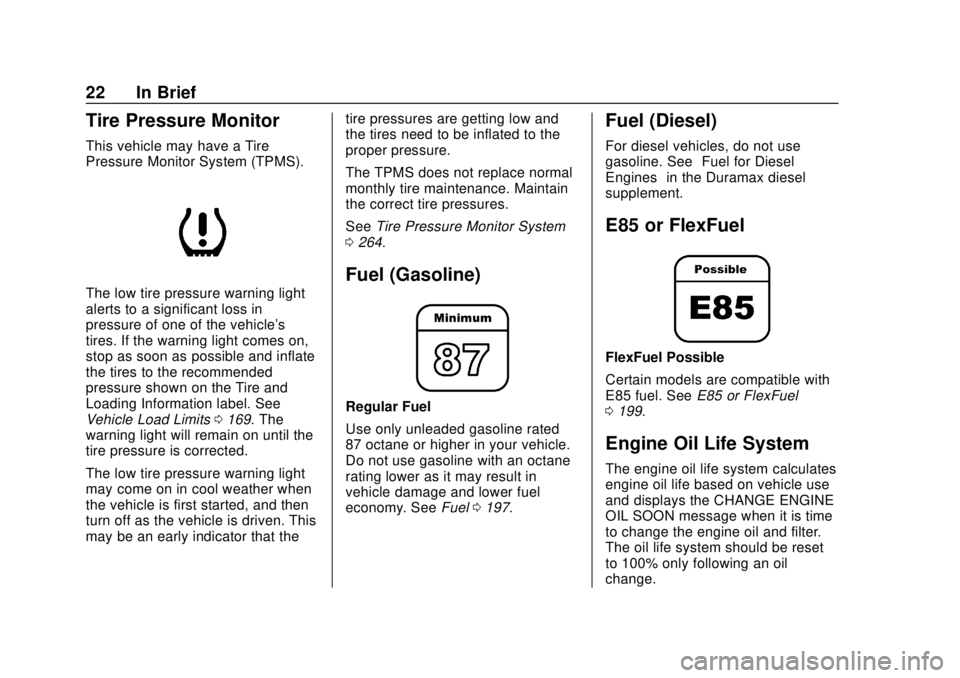
The low tire pressure warning light
alerts to a significant loss in
pressure of one of the vehicle's
tires. If the warning light comes on,
stop as soon as possible and inflate
the tires to the recommended
pressure shown on the Tire and
Loading Information label. See
Vehicle Load Limits0169. The
warning light will remain on until the
tire pressure is corrected.
The low tire pressure warning light
may come on in cool weather when
the vehicle is first started, and then
turn off as the vehicle is driven. This
may be an early indicator that the tire pressures are getting low and
the tires need to be inflated to the
proper pressure.
The TPMS does not replace normal
monthly tire maintenance. Maintain
the correct tire pressures.
See
Tire Pressure Monitor System
0 264.
Fuel (Gasoline)
Regular Fuel
Use only unleaded gasoline rated
87 octane or higher in your vehicle.
Do not use gasoline with an octane
rating lower as it may result in
vehicle damage and lower fuel
economy. See Fuel0197.
Fuel (Diesel)
For diesel vehicles, do not use
gasoline. See “Fuel for Diesel
Engines” in the Duramax diesel
supplement.
E85 or FlexFuel
FlexFuel Possible
Certain models are compatible with
E85 fuel. See E85 or FlexFuel
0 199.
Engine Oil Life System
The engine oil life system calculates
engine oil life based on vehicle use
and displays the CHANGE ENGINE
OIL SOON message when it is time
to change the engine oil and filter.
The oil life system should be reset
to 100% only following an oil
change.
Page 24 of 356
Chevrolet Express Owner Manual (GMNA-Localizing-U.S./Canada/Mexico-
11374212) - 2018 - crc - 2/2/18
In Brief 23
Resetting the Oil Life System1. Display the OIL LIFE REMAINING on the DIC. See
Driver Information Center (DIC)
0111.
2. Press and hold
Von the DIC
while the Oil Life display is
active. The oil life will change
to 100%.
The oil life system can also be reset
as follows:
1. Display the OIL LIFE REMAINING on the DIC. See
Driver Information Center (DIC)
0111.
2. Fully press and release the accelerator pedal three times
within five seconds. If the
display shows 100%, the
system is reset.
See Engine Oil Life System 0222.
Driving for Better Fuel
Economy
Driving habits can affect fuel
mileage. Here are some driving tips
to get the best fuel economy
possible.
.
Avoid fast starts and accelerate
smoothly.
. Brake gradually and avoid
abrupt stops.
. Avoid idling the engine for long
periods of time.
. When road and weather
conditions are appropriate, use
cruise control.
. Always follow posted speed
limits or drive more slowly when
conditions require.
. Keep vehicle tires properly
inflated.
. Combine several trips into a
single trip.
. Replace the vehicle's tires with
the same TPC Spec number
molded into the tire's sidewall
near the size. .
Follow recommended scheduled
maintenance.Roadside Assistance
Program
U.S.: 1-800-243-8872
TTY Users (U.S. Only):
1-888-889-2438
Canada: 1-800-268-6800
New Chevrolet owners are
automatically enrolled in the
Roadside Assistance Program.
See Roadside Assistance Program
0 322.
Page 92 of 356
Chevrolet Express Owner Manual (GMNA-Localizing-U.S./Canada/Mexico-
11374212) - 2018 - crc - 2/2/18
Instruments and Controls 91
Controls
Steering Wheel
Adjustment
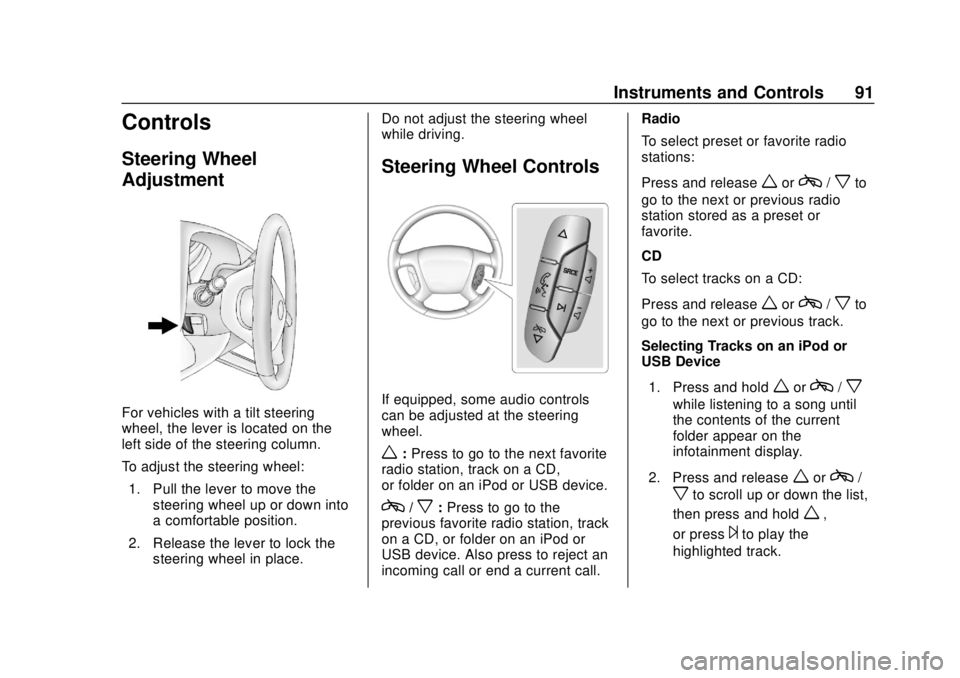
For vehicles with a tilt steering
wheel, the lever is located on the
left side of the steering column.
To adjust the steering wheel:1. Pull the lever to move the steering wheel up or down into
a comfortable position.
2. Release the lever to lock the steering wheel in place. Do not adjust the steering wheel
while driving.
Steering Wheel Controls
If equipped, some audio controls
can be adjusted at the steering
wheel.
w:
Press to go to the next favorite
radio station, track on a CD,
or folder on an iPod or USB device.
c/x: Press to go to the
previous favorite radio station, track
on a CD, or folder on an iPod or
USB device. Also press to reject an
incoming call or end a current call. Radio
To select preset or favorite radio
stations:
Press and release
worc/xto
go to the next or previous radio
station stored as a preset or
favorite.
CD
To select tracks on a CD:
Press and release
worc/xto
go to the next or previous track.
Selecting Tracks on an iPod or
USB Device
1. Press and hold
worc/x
while listening to a song until
the contents of the current
folder appear on the
infotainment display.
2. Press and release
worc/
xto scroll up or down the list,
then press and hold
w,
or press
¨to play the
highlighted track.
Page 94 of 356
Chevrolet Express Owner Manual (GMNA-Localizing-U.S./Canada/Mexico-
11374212) - 2018 - crc - 2/2/18
Instruments and Controls 93
a:Slow wipes.
9: Use to turn the wipers off.
When driving during the day and the
wipers are activated, the headlamps
automatically turn on after
completing eight wipe cycles.
Clear ice and snow from the wiper
blades before using them. If frozen
to the windshield, carefully loosen or
thaw them. Damaged blades should
be replaced.
Windshield Washer
The windshield wiper paddle is on
top of the turn signal lever.
L: Push the paddle to spray
washer fluid on the windshield. The
wipers will clear the window and
then either stop or return to the
preset speed.
{Warning
In freezing weather, do not use
the washer until the windshield is
warmed. Otherwise the washer
fluid can form ice on the
windshield, blocking your vision.
Compass
This vehicle may have a compass in
the Driver Information Center (DIC).
Compass Zone
Your dealer will set the correct zone
for your location.
Under certain circumstances, such
as during a long distance
cross-country trip or moving to a
new state or province, it will be
necessary to compensate for
compass variance by resetting the
zone through the DIC if the zone is
not set correctly.
Compass variance is the difference
between the earth's magnetic north
and true geographic north. If the
compass is not set to the zone where you live, the compass may
give false readings. The compass
must be set to the variance zone in
which the vehicle is traveling.
To adjust for compass variance, use
the following procedure:
Compass Variance (Zone)
Procedure
1. Do not set the compass zone when the vehicle is moving.
Only set it when the vehicle is
in P (Park).
Press
Tuntil PRESSVTO
CHANGE COMPASS ZONE
displays.
Page 97 of 356
Chevrolet Express Owner Manual (GMNA-Localizing-U.S./Canada/Mexico-
11374212) - 2018 - crc - 2/2/18
96 Instruments and Controls
Caution
Leaving electrical equipment
plugged in for an extended period
of time while the vehicle is off will
drain the battery. Always unplug
electrical equipment when not in
use and do not plug in equipment
that exceeds the maximum
20 amp rating.
When adding electrical equipment,
be sure to follow the proper
installation instructions included with
the equipment. See Add-On
Electrical Equipment 0212.
Caution
Hanging heavy equipment from
the power outlet can cause
damage not covered by the
vehicle warranty. The power
outlets are designed for
accessory power plugs only, such
as cell phone charge cords.
Power Outlet 110/120 Volt
Alternating Current
This power outlet can be used to
plug in electrical equipment that
uses a maximum limit of 150 watts.
The 110/120 volt power outlet is on
the instrument panel.
An indicator light on the outlet turns
on to show it is in use. The light
comes on when the ignition is on,
equipment requiring less than 150
watts is plugged into the outlet, and
no system fault is detected.
The indicator light does not come on
when the ignition is off, or if the
equipment is not fully seated into
the outlet.
If equipment is connected using
more than 150 watts or a system
fault is detected, a protection circuit
shuts off the power supply and the
indicator light turns off. To reset the
circuit, unplug the item and plug it
back in or turn the Retained
Accessory Power (RAP) off and
then back on. See Retained
Accessory Power (RAP) 0177. The power outlet is not designed for
the following, and may not work
properly if they are plugged in:
.
Equipment with high initial peak
wattage, such as
compressor-driven refrigerators
and electric power tools
. Other equipment requiring an
extremely stable power supply,
such as
microcomputer-controlled
electric blankets and touch
sensor lamps
. Medical equipment
Cigarette Lighter
If equipped with a cigarette lighter,
to heat push it in all the way and let
go. When it is ready for use, it will
pop back out by itself.
Do not use the lighter to plug in
accessory devices. Use the power
outlets provided.
Page 100 of 356
Chevrolet Express Owner Manual (GMNA-Localizing-U.S./Canada/Mexico-
11374212) - 2018 - crc - 2/2/18
Instruments and Controls 99
If the vehicle has a diesel engine,
see the Duramax diesel supplement
for more information.
Speedometer
The speedometer shows the vehicle
speed in kilometers per hour (km/h)
and miles per hour (mph).
Odometer
The odometer shows how far the
vehicle has been driven, in either
kilometers or miles.
Trip Odometer
The trip odometer shows how far
the vehicle has been driven since
the trip odometer was last reset.
The trip odometer is accessed and
reset through the Driver Information
Center (DIC). SeeDriver
Information Center (DIC) 0111.
Fuel Gauge
Metric
English
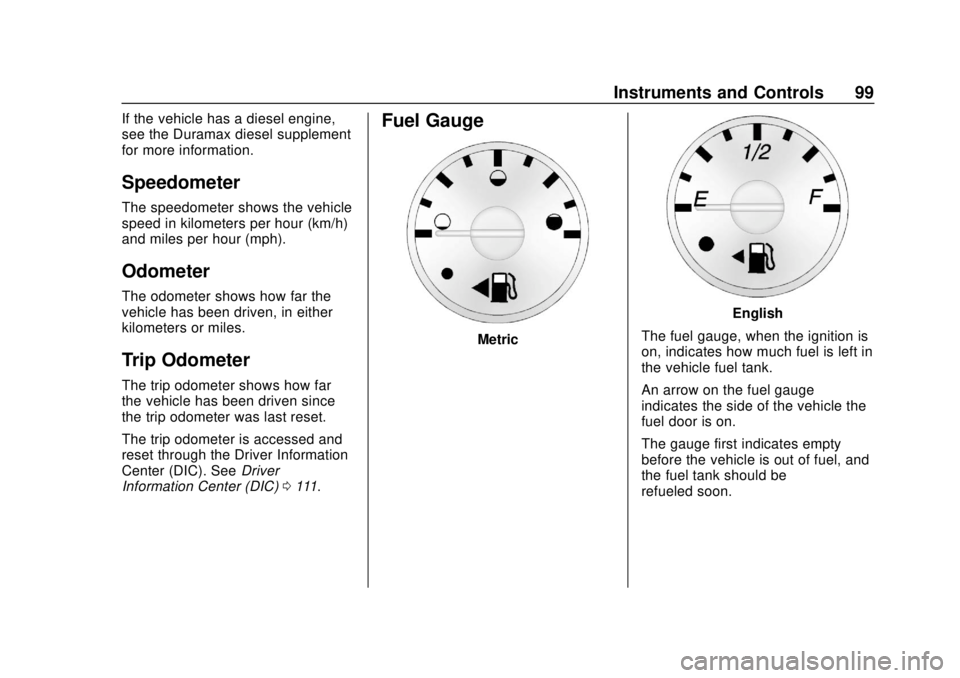
The fuel gauge, when the ignition is
on, indicates how much fuel is left in
the vehicle fuel tank.
An arrow on the fuel gauge
indicates the side of the vehicle the
fuel door is on.
The gauge first indicates empty
before the vehicle is out of fuel, and
the fuel tank should be
refueled soon.
Page 108 of 356
Chevrolet Express Owner Manual (GMNA-Localizing-U.S./Canada/Mexico-
11374212) - 2018 - crc - 2/2/18
Instruments and Controls 107
Brake System Warning
Light
The vehicle brake system consists
of two hydraulic circuits. If one
circuit is not working, the remaining
circuit can still work to stop the
vehicle. For normal braking
performance, both circuits need to
be working.
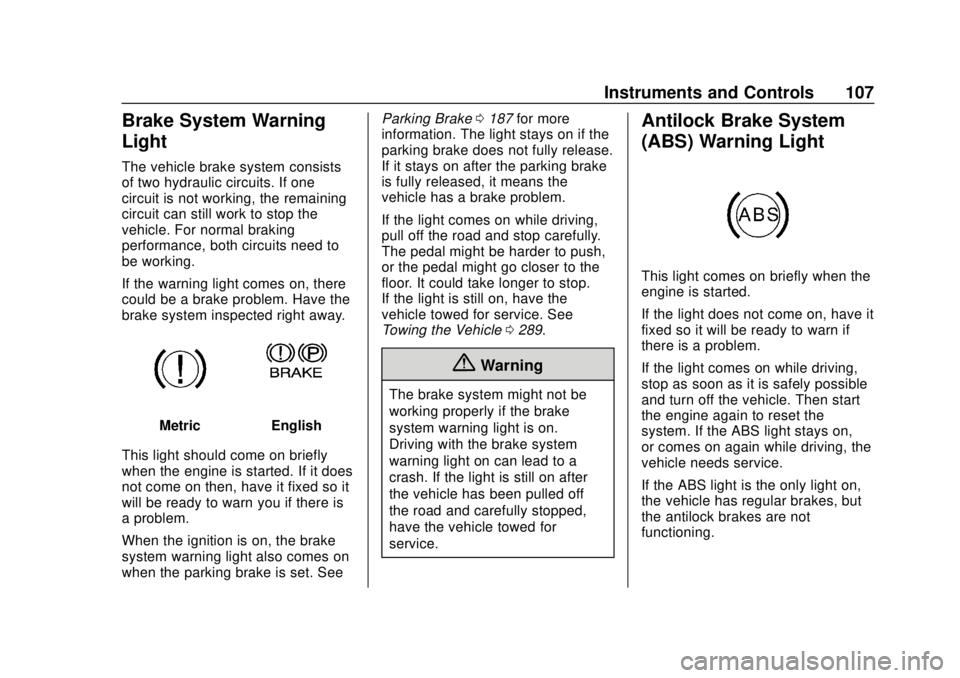
If the warning light comes on, there
could be a brake problem. Have the
brake system inspected right away.
MetricEnglish
This light should come on briefly
when the engine is started. If it does
not come on then, have it fixed so it
will be ready to warn you if there is
a problem.
When the ignition is on, the brake
system warning light also comes on
when the parking brake is set. See Parking Brake
0187 for more
information. The light stays on if the
parking brake does not fully release.
If it stays on after the parking brake
is fully released, it means the
vehicle has a brake problem.
If the light comes on while driving,
pull off the road and stop carefully.
The pedal might be harder to push,
or the pedal might go closer to the
floor. It could take longer to stop.
If the light is still on, have the
vehicle towed for service. See
Towing the Vehicle 0289.
{Warning
The brake system might not be
working properly if the brake
system warning light is on.
Driving with the brake system
warning light on can lead to a
crash. If the light is still on after
the vehicle has been pulled off
the road and carefully stopped,
have the vehicle towed for
service.
Antilock Brake System
(ABS) Warning Light
This light comes on briefly when the
engine is started.
If the light does not come on, have it
fixed so it will be ready to warn if
there is a problem.
If the light comes on while driving,
stop as soon as it is safely possible
and turn off the vehicle. Then start
the engine again to reset the
system. If the ABS light stays on,
or comes on again while driving, the
vehicle needs service.
If the ABS light is the only light on,
the vehicle has regular brakes, but
the antilock brakes are not
functioning.
Page 112 of 356
Chevrolet Express Owner Manual (GMNA-Localizing-U.S./Canada/Mexico-
11374212) - 2018 - crc - 2/2/18
Instruments and Controls 111
Information Displays
Driver Information
Center (DIC)
This vehicle has a DIC.
All messages will appear in the DIC
display at the bottom of the
instrument cluster.
The DIC comes on when the ignition
is on. After a short delay, the DIC
will display the information that was
last displayed before the engine
was turned off.
The DIC displays trip, fuel, and
vehicle system information, and
warning messages if a system
problem is detected.If the vehicle has these features, the
DIC also displays the compass
direction and the outside air
temperature when viewing the trip
and fuel information. The compass
direction appears on the top right
corner of the DIC display. The
outside air temperature
automatically appears in the bottom
right corner of the DIC display.
If there is a problem with the system
that controls the temperature
display, the numbers will be
replaced with dashes. If this occurs,
have the vehicle serviced by your
dealer.
If the vehicle has a diesel engine,
see the Duramax diesel
supplement.
DIC Operation and Displays
The DIC has different displays
which can be accessed by pressing
the DIC buttons on the instrument
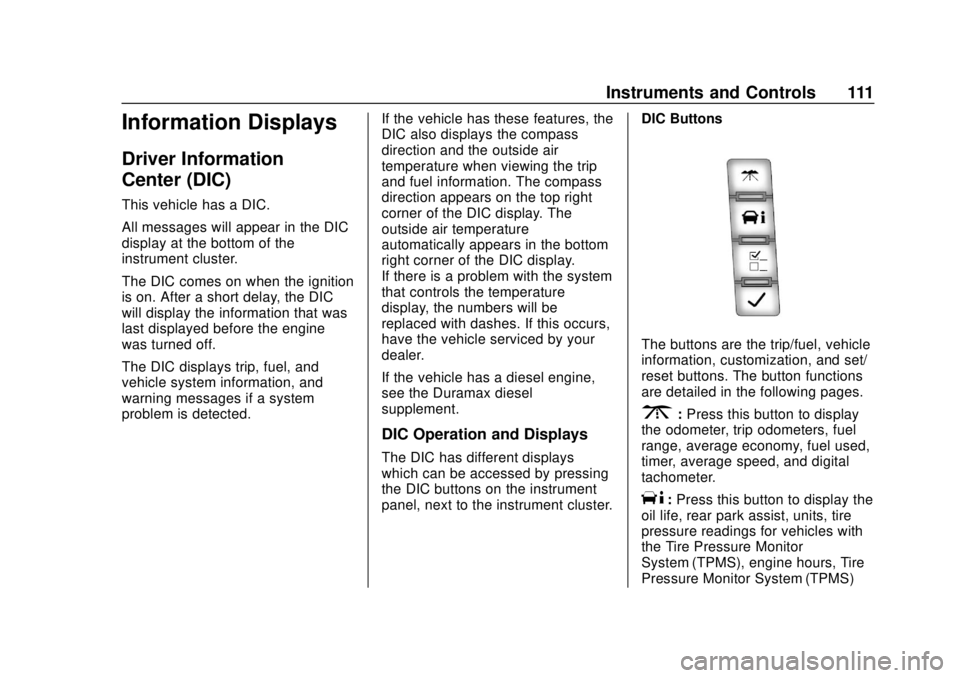
panel, next to the instrument cluster.DIC Buttons
The buttons are the trip/fuel, vehicle
information, customization, and set/
reset buttons. The button functions
are detailed in the following pages.
3:
Press this button to display
the odometer, trip odometers, fuel
range, average economy, fuel used,
timer, average speed, and digital
tachometer.
T: Press this button to display the
oil life, rear park assist, units, tire
pressure readings for vehicles with
the Tire Pressure Monitor
System (TPMS), engine hours, Tire
Pressure Monitor System (TPMS)
Page 113 of 356
Chevrolet Express Owner Manual (GMNA-Localizing-U.S./Canada/Mexico-
11374212) - 2018 - crc - 2/2/18
112 Instruments and Controls
programming for vehicles with the
TPMS and without a Remote
Keyless Entry (RKE) transmitter, and
compass zone and compass
calibration on vehicles with this
feature.
U:Press this button to customize
the feature settings on the vehicle.
See Vehicle Personalization 0116
for more information.
V: Press this button to set or reset
certain functions and to turn off or
acknowledge messages on the DIC.
Trip/Fuel Menu Items
3: Press this button to scroll
through the following menu items:
Odometer
Press
3until XX km (mi)
displays. This display shows the
distance the vehicle has been
driven in either kilometers (km) or
miles (mi). Trip Odometers
Press
3until A or B displays.
This display shows the current
distance traveled in either
kilometers (km) or miles (mi) since
the last reset for each trip odometer.
Both trip odometers can be used at
the same time.
Each trip odometer can be reset to
zero separately by pressing
Vwhile
the desired trip odometer is
displayed.
The trip odometer has a feature
called the retro-active reset. This
can be used to set the trip odometer
to the number of kilometers (miles)
driven since the ignition was last
turned on. This can be used if the
trip odometer is not reset at the
beginning of the trip.
To use the retro-active reset feature,
press and hold
Vfor at least
four seconds. The trip odometer will
display the number of
kilometers (km) or miles (mi) driven
since the ignition was last turned on
and the vehicle was moving. Once the vehicle begins moving, the trip
odometer will accumulate mileage.
For example, if the vehicle was
driven 8 km (5 miles) before it is
started again, and then the
retro-active reset feature is
activated, the display will show 8 km
(5 miles). As the vehicle begins
moving, the display will then
increase to 8.1 km (5.1 miles),
8.2 km (5.2 miles), etc.
If the retro-active reset feature is
activated after the vehicle is started,
but before it begins moving, the
display will show the number of
kilometers (km) or miles (mi) that
were driven during the last ignition
cycle.
Fuel Range
Press
3until FUEL RANGE
displays. This display shows the
approximate number of remaining
kilometers (km) or miles (mi) the
vehicle can be driven without
refueling. The display will show
LOW if the fuel level is low.