service CHEVROLET EXPRESS 2019 Owner's Manual
[x] Cancel search | Manufacturer: CHEVROLET, Model Year: 2019, Model line: EXPRESS, Model: CHEVROLET EXPRESS 2019Pages: 373, PDF Size: 5.57 MB
Page 354 of 373
Chevrolet Express Owner Manual (GMNA-Localizing-U.S./Canada/Mexico-
12146162) - 2019 - crc - 11/26/18
OnStar 353
Languages
The vehicle can be programmed to
respond in multiple languages.
Press
Qand ask for an Advisor.
Advisors are available in English,
Spanish, and French. Available
languages may vary by country.
Potential Issues
OnStar cannot perform Remote
Door Unlock or Stolen Vehicle
Assistance after the vehicle has
been off continuously for 10 days
without an ignition cycle. If the
vehicle has not been started for
10 days, OnStar can contact
Roadside Assistance or a locksmith
to help gain access to the vehicle.
Global Positioning
System (GPS)
. Obstruction of the GPS can
occur in a large city with tall
buildings; in parking garages;
around airports; in tunnels and
underpasses; or in an area with
very dense trees. If GPS signals
are not available, the OnStar
system should still operate to call OnStar. However, OnStar
could have difficulty identifying
the exact location.
. In emergency situations, OnStar
can use the last stored GPS
location to send to emergency
responders.
A temporary loss of GPS can cause
loss of the ability to send a
Turn-by-Turn Navigation route. The
Advisor may give a verbal route or
may ask for a call back after the
vehicle is driven into an open area.
Cellular and GPS Antennas
Cellular reception is required for
OnStar to send remote signals to
the vehicle. Do not place items over
or near the antenna to prevent
blocking cellular and GPS signal
reception.
Unable to Connect to OnStar
Message
If there is limited cellular coverage
or the cellular network has reached
maximum capacity, this message may come on. Press
Qto try the
call again or try again after driving a
few miles into another cellular area.
Vehicle and Power Issues
OnStar services require a vehicle
electrical system, wireless service,
and GPS satellite technologies to be
available and operating for features
to function properly. These systems
may not operate if the battery is
discharged or disconnected.
Add-on Electrical Equipment
The OnStar system is integrated
into the electrical architecture of the
vehicle. Do not add any electrical
equipment. See Add-On Electrical
Equipment 0227. Added electrical
equipment may interfere with the
operation of the OnStar system and
cause it to not operate.
Vehicle Software Updates
OnStar or GM may remotely deliver
software updates or changes to the
vehicle without further notice or
consent. These updates or changes
may enhance or maintain safety,
Page 358 of 373
Chevrolet Express Owner Manual (GMNA-Localizing-U.S./Canada/Mexico-
12146162) - 2019 - crc - 11/26/18
Connected Services 357
Connected
Services
Connected Services
Navigation . . . . . . . . . . . . . . . . . . . . 357
Connections . . . . . . . . . . . . . . . . . . 358
Diagnostics . . . . . . . . . . . . . . . . . . . 360
Connected Services
Navigation
Navigation requires a specific
OnStar or connected service plan.
Press
Qto receive Turn-by-Turn
directions or have them sent to the
vehicle’s navigation screen,
if equipped.
Turn-by-Turn Navigation
1. PressQto connect to an
Advisor.
2. Request directions to be downloaded to the vehicle.
3. Follow the voice-guided commands.
Using Voice Commands
During a Planned Route
Functionality of the Voice Command
button, if equipped, may vary by
vehicle and region. For some
vehicles, press
=to open the OnStar app on the infotainment
display. For other vehicles press
=
as follows.
Cancel Route
1. Press
=. System responds:
“OnStar ready,” then a tone.
2. Say “Cancel route.” System
responds: “Do you want to
cancel directions?”
3. Say “Yes.”System responds:
“OK, request completed, thank
you, goodbye.”
Route Preview
1. Press
=. System responds:
“OnStar ready,” then a tone.
2. Say “Route preview.” System
responds with the next three
maneuvers.
Repeat
1. Press
=. System responds:
“OnStar ready,” then a tone.
Page 359 of 373
Chevrolet Express Owner Manual (GMNA-Localizing-U.S./Canada/Mexico-
12146162) - 2019 - crc - 11/26/18
358 Connected Services
2. Say“Repeat.” System
responds with the last direction
given, then responds with
“OnStar ready,” then a tone.
Get My Destination
1. Press
=. System responds:
“OnStar ready,” then a tone.
2. Say “Get my destination.”
System responds with the
address and distance to the
destination, then responds with
“OnStar ready,” then a tone.
Send Destination to Vehicle
Directions can be sent to the
vehicle’s navigation screen,
if equipped.
Press
Q, then ask the Advisor to
download directions to the vehicle’s
navigation system, if equipped. After
the call ends, the navigation screen
will provide prompts to begin driving
directions. Routes that are sent to
the navigation screen can only be
canceled through the navigation
system. See www.onstar.com (U.S.) or
www.onstar.ca (Canada).
Connections
The following services help with
staying connected.
For coverage maps, see
www.onstar.com (U.S.) or
www.onstar.ca (Canada).
Ensuring Security
.
Change the default passwords
for the Wi-Fi hotspot and
myChevrolet mobile application.
Make these passwords different
from each other and use a
combination of letters, numbers,
and symbols to increase the
security.
. Change the default name of the
SSID (Service Set Identifier).
This is your network’s name that
is visible to other wireless
devices. Choose a unique name
and avoid family names or
vehicle descriptions. Wi-Fi Hotspot (If Equipped)
The vehicle may have a built-in
Wi-Fi hotspot that provides access
to the Internet and web content at
4G LTE speed. Up to seven mobile
devices can be connected. A data
plan is required. Use the in-vehicle
controls only when it is safe to
do so.
1. To retrieve Wi-Fi hotspot information, press
=to open
the OnStar app on the
infotainment display, then
select Wi-Fi Hotspot. On some
vehicles, touch Wi-Fi or Wi-Fi
Settings on the screen.
2. The Wi-Fi settings will display the Wi-Fi hotspot name (SSID),
password, and on some
vehicles, the connection type
(no Internet connection, 3G,
4G, 4G LTE), and signal quality
(poor, good, excellent).
3. To change the SSID or password, press
Qor call
1-888-4ONSTAR to connect
with an Advisor. On some
Page 360 of 373
Chevrolet Express Owner Manual (GMNA-Localizing-U.S./Canada/Mexico-
12146162) - 2019 - crc - 11/26/18
Connected Services 359
vehicles, the SSID and
password can be changed in
the Wi-Fi Hotspot menu.
After initial set-up, your vehicle’s
Wi-Fi hotspot will connect
automatically to your mobile
devices. Manage data usage by
turning Wi-Fi on or off on your
mobile device, using the
myChevrolet mobile app, or by
contacting an OnStar Advisor. On
some vehicles, Wi-Fi can also be
managed from the Wi-Fi
Hotspot menu.
MyChevrolet Mobile App (If
Available)
Download the myChevrolet mobile
app to compatible Apple and
Android smartphones. Chevrolet
users can access the following
services from a smartphone:
. Remotely start/stop the vehicle,
if factory-equipped.
. Lock/unlock doors, if equipped
with automatic locks.
. Activate the horn and lamps. .
Check the vehicle’s fuel level, oil
life, or tire pressure,
if factory-equipped with the Tire
Pressure Monitor System.
. Send destinations to the vehicle.
. Locate the vehicle on a map
(U.S. market only).
. Turn the vehicle's Wi-Fi hotspot
on/off, manage settings, and
monitor data consumption,
if equipped.
. Locate a dealer and schedule
service.
. Request roadside assistance.
. Set a parking reminder with pin
drop, take a photo, make a note,
and set a timer.
. Connect with Chevrolet on social
media.
Features are subject to change. For
myChevrolet mobile app information
and compatibility, see
my.chevrolet.com.
An active OnStar or connected
service plan may be required.
A compatible device, factory-installed remote start, and
power locks are required. Data rates
apply. See www.onstar.com for
details and system limitations.
Remote Services
Contact an OnStar Advisor to
unlock the doors or sound the horn
and flash the lamps.
Marketplace
OnStar Advisors can provide offers
from restaurants and retailers on
your route, help locate hotels,
or book a room. These services
vary by market.
OnStar Hands-Free Calling
Make and receive calls with the
built-in wireless calling service,
which requires available minutes.
Functionality of the Voice Command
button may vary by vehicle and
region. For some vehicles, press
=
to open the OnStar app on the
infotainment display, then select
Hands-Free calling. For other
vehicles press
=as follows.
Page 361 of 373
Chevrolet Express Owner Manual (GMNA-Localizing-U.S./Canada/Mexico-
12146162) - 2019 - crc - 11/26/18
360 Connected Services
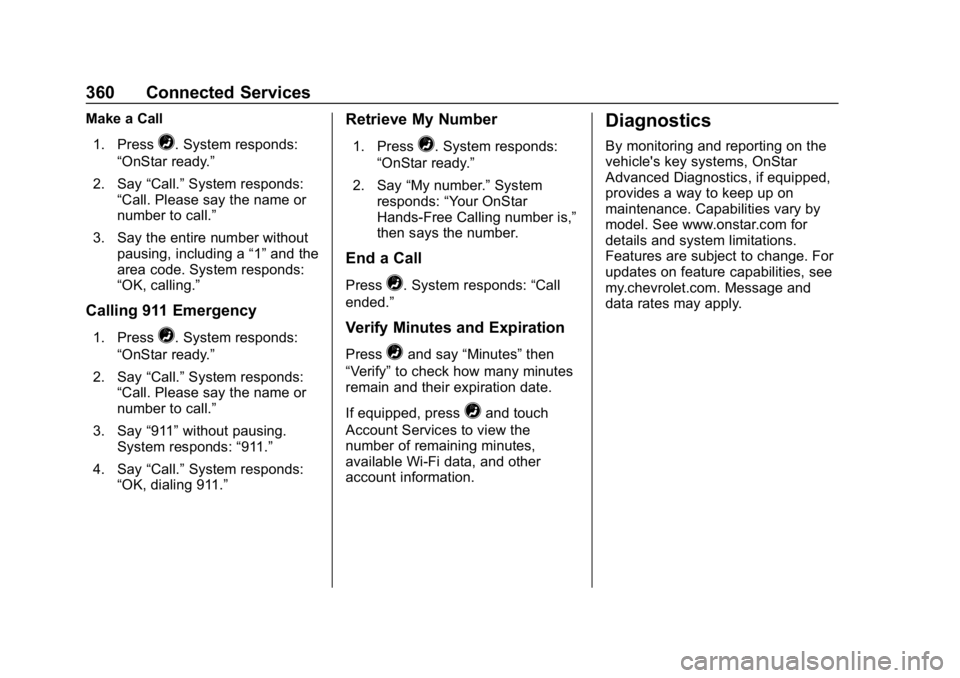
Make a Call1. Press
=. System responds:
“OnStar ready.”
2. Say “Call.”System responds:
“Call. Please say the name or
number to call.”
3. Say the entire number without pausing, including a “1”and the
area code. System responds:
“OK, calling.”
Calling 911 Emergency
1. Press=. System responds:
“OnStar ready.”
2. Say “Call.”System responds:
“Call. Please say the name or
number to call.”
3. Say “911”without pausing.
System responds: “911.”
4. Say “Call.”System responds:
“OK, dialing 911.”
Retrieve My Number
1. Press=. System responds:
“OnStar ready.”
2. Say “My number.” System
responds: “Your OnStar
Hands-Free Calling number is,”
then says the number.
End a Call
Press=. System responds: “Call
ended.”
Verify Minutes and Expiration
Press=and say “Minutes” then
“Verify” to check how many minutes
remain and their expiration date.
If equipped, press
=and touch
Account Services to view the
number of remaining minutes,
available Wi-Fi data, and other
account information.
Diagnostics
By monitoring and reporting on the
vehicle's key systems, OnStar
Advanced Diagnostics, if equipped,
provides a way to keep up on
maintenance. Capabilities vary by
model. See www.onstar.com for
details and system limitations.
Features are subject to change. For
updates on feature capabilities, see
my.chevrolet.com. Message and
data rates may apply.
Page 364 of 373

Chevrolet Express Owner Manual (GMNA-Localizing-U.S./Canada/Mexico-
12146162) - 2019 - crc - 11/26/18
Index 363
Cigarette Lighter . . . . . . . . . . . . . . . . . 99
Circuit Breakers . . . . . . . . . . . . . . . . 264
CleaningExterior Care . . . . . . . . . . . . . . . . . 308
Interior Care . . . . . . . . . . . . . . . . . . 313
Climate Control Systems . . . . . . . 159 Air Conditioning . . . . . . . . . . . . . . 159
Heating . . . . . . . . . . . . . . . . . . . . . . . 159
Rear . . . . . . . . . . . . . . . . . . . . . . . . . . 161
Rear Heating System . . . . . . . . . 161
Clock . . . . . . . . . . . . . . . . . . . . . . . . . . . . 98
Cluster, Instrument . . . . . . . . . . . . . 101
Collision Damage Repair . . . . . . . 342
Compartments
Storage . . . . . . . . . . . . . . . . . . . . . . . . . 91
Compass . . . . . . . . . . . . . . . . . . . . . . . . 96
Connected Services
Connections . . . . . . . . . . . . . . . . . . 358
Diagnostics . . . . . . . . . . . . . . . . . . . 360
Navigation . . . . . . . . . . . . . . . . . . . . 357
Connections
Connected Services . . . . . . . . . . 358
Control Traction and ElectronicStability . . . . . . . . . . . . . . . . . . . . . 192
Control of a Vehicle . . . . . . . . . . . . . 167
Convex Mirrors . . . . . . . . . . . . . . . . . . 38 Coolant
Engine Temperature Gauge . . 104
Cooling . . . . . . . . . . . . . . . . . . . . 159, 161
Cooling System . . . . . . . . . . . . . . . . . 244
Courtesy Transportation Program . . . . . . . . . . . . . . . . . . . . . . . 341
Cruise Control . . . . . . . . . . . . . . . . . . 194
Light . . . . . . . . . . . . . . . . . . . . . . . . . . .114
Customer Assistance . . . . . . . . . . . 338 Offices . . . . . . . . . . . . . . . . . . . . . . . . 337
Text Telephone (TTY)Users . . . . . . . . . . . . . . . . . . . . . . . 338
Customer Information Publications OrderingInformation . . . . . . . . . . . . . . . . . . 344
Customer Satisfaction
Procedure . . . . . . . . . . . . . . . . . . . . . 335
D
Damage Repair, Collision . . . . . . . 342
Danger, Warning, and Caution . . . . 2
Data CollectionInfotainment System . . . . . . . . . . 348
OnStar . . . . . . . . . . . . . . . . . . . . . . . 348
Data Recorders, Event . . . . . . . . . 347
Daytime Running Lamps (DRL) . . . . . . . . . . . . . . . . . . 127
Defensive Driving . . . . . . . . . . . . . . . 166 Delayed Locking . . . . . . . . . . . . . . . . . 32
Devices
Auxiliary . . . . . . . . . . . . . . . . . . . . . . 146
Diagnostics Connected Services . . . . . . . . . . 360
Distracted Driving . . . . . . . . . . . . . . . 166
Dome Lamps . . . . . . . . . . . . . . . . . . . 129
Door Cargo Door Relocking . . . . . . . . . . 31
Delayed Locking . . . . . . . . . . . . . . . . 32
Locks . . . . . . . . . . . . . . . . . . . . . . . . . . . 30
Power Locks . . . . . . . . . . . . . . . . . . . . 31
Rear Doors . . . . . . . . . . . . . . . . . . . . . 35
Side . . . . . . . . . . . . . . . . . . . . . . . . . . . . 33
Sliding . . . . . . . . . . . . . . . . . . . . . . . . . . 34
Drive Belt Routing, Engine . . . . . . 334
Driver Assistance Systems . . . . . 197
Driver Information
Center (DIC) . . . . . . . . . . . . . . . . . . 114
Driving Characteristics and
Towing Tips . . . . . . . . . . . . . . . . . 210
Defensive . . . . . . . . . . . . . . . . . . . . . 166
Drunk . . . . . . . . . . . . . . . . . . . . . . . . . 167
For Better Fuel Economy . . . . . . . 23
Hill and Mountain Roads . . . . . . 170
If the Vehicle is Stuck . . . . . . . . . 172
Loss of Control . . . . . . . . . . . . . . . 168
Page 366 of 373

Chevrolet Express Owner Manual (GMNA-Localizing-U.S./Canada/Mexico-
12146162) - 2019 - crc - 11/26/18
Index 365
Fuel (cont'd)Filling a Portable Fuel
Container . . . . . . . . . . . . . . . . . . . 209
Filling the Tank . . . . . . . . . . . . . . . 208
Foreign Countries . . . . . . . . . . . . 207
Gauge . . . . . . . . . . . . . . . . . . . . . . . . 102
Low Fuel Warning Light . . . . . . . .113
Prohibited Fuels . . . . . . . . . . . . . . 206
Recommended . . . . . . . . . . . . . . . 206
Top Tier . . . . . . . . . . . . . . . . . . . . . . 206
Full-Size Spare Tire . . . . . . . . . . . . 301
Fuses Engine Compartment FuseBlock . . . . . . . . . . . . . . . . . . . . . . . . 264
Floor Console Fuse Block . . . . 268
Fuses and Circuit Breakers . . . 264
G
Gas Strut(s) . . . . . . . . . . . . . . . . . . . . 258
Gauges Engine CoolantTemperature . . . . . . . . . . . . . . . . 104
Engine Oil Pressure . . . . . . . . . . 103
Fuel . . . . . . . . . . . . . . . . . . . . . . . . . . 102
Odometer . . . . . . . . . . . . . . . . . . . . . 102
Speedometer . . . . . . . . . . . . . . . . . 102
Trip Odometer . . . . . . . . . . . . . . . . 102
Voltmeter . . . . . . . . . . . . . . . . . . . . . 105 Gauges (cont'd)
Warning Lights and
Indicators . . . . . . . . . . . . . . . . . . . 100
General Information
Service and Maintenance . . . . . 317
Towing . . . . . . . . . . . . . . . . . . . . . . . . 210
Vehicle Care . . . . . . . . . . . . . . . . . . 229
Glass, Enhanced Technology . . . . 42
GM Mobility Reimbursement Program . . . . . . . . . . . . . . . . . . . . . . . 339
H
Halogen Bulbs . . . . . . . . . . . . . . . . . . 260
Hazard Warning Flashers . . . . . . . 128
Head Restraints . . . . . . . . . . . . . . . . . 44
HeadlampsAiming . . . . . . . . . . . . . . . . . . . . . . . . 259
Automatic . . . . . . . . . . . . . . . . . . . . . 127
Bulb Replacement . . . . . . . . . . . . 260
Daytime RunningLamps (DRL) . . . . . . . . . . . . . . . . 127
Flash-to-Pass . . . . . . . . . . . . . . . . . 126
High-Beam On Light . . . . . . . . . . .113
High/Low Beam Changer . . . . . 126
Heated Mirrors . . . . . . . . . . . . . . . . . . . 39
Heater Engine Coolant . . . . . . . . . . . . . . . 180
Heating . . . . . . . . . . . . . . . . . . . . 159, 161 High-Beam On Light . . . . . . . . . . . . 113
Hill and Mountain Roads . . . . . . . . 170
Hill Start Assist (HSA) . . . . . . . . . . 192
Hood . . . . . . . . . . . . . . . . . . . . . . . . . . . 231
Horn . . . . . . . . . . . . . . . . . . . . . . . . . . . . . 95
How to Wear Seat Belts
Properly . . . . . . . . . . . . . . . . . . . . . . . . 51
HVAC . . . . . . . . . . . . . . . . . . . . . . 159, 161
I
Idle System Fast . . . . . . . . . . . . . . . . . . . . . . . . . . 180
Ignition Positions . . . . . . . . . . . . . . . 176
Ignition Transmission Lock Check . . . . . . . . . . . . . . . . . . . . . . . . . 257
Immobilizer . . . . . . . . . . . . . . . . . . . . . . 37
Indicator Vehicle Ahead . . . . . . . . . . . . . . . . . 111
Infants and Young Children, Restraints . . . . . . . . . . . . . . . . . . . . . . 73
Information
Publication Ordering . . . . . . . . . . 344
Infotainment . . . . . . . . . . . . . . . . . . . . 132
Infotainment System . . . . . . . . . . . . 348
Instrument Cluster . . . . . . . . . . . . . . 101
Interior Rearview Mirrors . . . . . . . . . 39
Introduction . . . . . . . . . . . . . . . . . . . . . . . 2
Page 368 of 373

Chevrolet Express Owner Manual (GMNA-Localizing-U.S./Canada/Mexico-
12146162) - 2019 - crc - 11/26/18
Index 367
M
MaintenanceRecords . . . . . . . . . . . . . . . . . . . . . . 330
Maintenance and Care Additional . . . . . . . . . . . . . . . . . . . . . 324
Maintenance Schedule . . . . . . . . . 319 Recommended Fluids andLubricants . . . . . . . . . . . . . . . . . . . 327
Malfunction Indicator Lamp . . . . . 108
Manual Mirrors . . . . . . . . . . . . . . . . . . 38
Manual Mode . . . . . . . . . . . . . . . . . . . 188
Manual Windows . . . . . . . . . . . . . . . . 40
Media Avoiding Untrusted Devices . . 141
Messages Engine Power . . . . . . . . . . . . . . . . .119
Vehicle . . . . . . . . . . . . . . . . . . . . . . . .119
Vehicle Speed . . . . . . . . . . . . . . . . .119
Mirrors
Convex . . . . . . . . . . . . . . . . . . . . . . . . . 38
Folding . . . . . . . . . . . . . . . . . . . . . . . . . 39
Heated . . . . . . . . . . . . . . . . . . . . . . . . . 39
Manual . . . . . . . . . . . . . . . . . . . . . . . . . 38
Manual Rearview . . . . . . . . . . . . . . . 39
Power . . . . . . . . . . . . . . . . . . . . . . . . . . 39
Trailer Tow . . . . . . . . . . . . . . . . . . . . . . 38
Mirrors, Interior Rearview . . . . . . . . 39 Monitor System, Tire
Pressure . . . . . . . . . . . . . . . . . . . . . . 279
Multi-band Antenna . . . . . . . . . . . . . 141
N
Navigation Connected Services . . . . . . . . . . 357
New Vehicle Break-In . . . . . . . . . . . 176
Noise Control System . . . . . . . . . . 255
O
Odometer . . . . . . . . . . . . . . . . . . . . . . . 102 Trip . . . . . . . . . . . . . . . . . . . . . . . . . . . 102
Off-Road Recovery . . . . . . . . . . . . . . . . . . . . . 168
Oil Engine . . . . . . . . . . . . . . . . . . . . . . . . 235
Engine Oil Life System . . . . . . . 237
Engine Oil Pressure Gauge . . . 103
Pressure Light . . . . . . . . . . . . . . . . .112
Older Children, Restraints . . . . . . . 72
Online Owner Center . . . . . . . . . . . 338
OnStar . . . . . . . . . . . . . . . . . . . . . . . . . 348
OnStar Additional Information . . . . . . . . . . . . . . . . . . . . 351
OnStar Emergency . . . . . . . . . . . . . 350
OnStar Overview . . . . . . . . . . . . . . . 349
OnStar Security . . . . . . . . . . . . . . . . 351
OnStar System . . . . . . . . . . . . . . . . . 151 Operation
Infotainment System . . . . . . . . . . 136
Outlets Power . . . . . . . . . . . . . . . . . . . . . . . . . . 98
Overheating, Engine . . . . . . . . . . . . 248
Overview . . . . . . . . . . . . . . . . . . 133, 135
P
Park Shifting Into . . . . . . . . . . . . . . . . . . . 182
Shifting Out of . . . . . . . . . . . . . . . . 183
Park Assist . . . . . . . . . . . . . . . . . . . . . 199
Parking
Brake . . . . . . . . . . . . . . . . . . . . . . . . . 191
Brake and P (Park)Mechanism Check . . . . . . . . . . 257
Over Things That Burn . . . . . . . 184
Perchlorate Materials Requirements, California . . . . . . 230
Personalization Vehicle . . . . . . . . . . . . . . . . . . . . . . . 120
Phone Bluetooth . . . . . . . . . . . . . . . . . . . . . 151
Power Door Locks . . . . . . . . . . . . . . . . . . . . . 31
Mirrors . . . . . . . . . . . . . . . . . . . . . . . . . . 39
Outlets . . . . . . . . . . . . . . . . . . . . . . . . . 98
Protection, Battery . . . . . . . . . . . . 131
Page 370 of 373

Chevrolet Express Owner Manual (GMNA-Localizing-U.S./Canada/Mexico-
12146162) - 2019 - crc - 11/26/18
Index 369
Seat Belts (cont'd)Extender . . . . . . . . . . . . . . . . . . . . . . . . 58
How to Wear Seat Belts
Properly . . . . . . . . . . . . . . . . . . . . . . . 51
Lap-Shoulder Belt . . . . . . . . . . . . . . 53
Reminders . . . . . . . . . . . . . . . . . . . . 105
Replacing after a Crash . . . . . . . . 59
Use During Pregnancy . . . . . . . . . . 57
Seats
Adjustment, Front . . . . . . . . . . . . . . . 44
Head Restraints . . . . . . . . . . . . . . . . 44
Power Adjustment, Front . . . . . . . 44
Rear . . . . . . . . . . . . . . . . . . . . . . . . . . . . 46
Reclining Seatbacks . . . . . . . . . . . . 45
Securing Child Restraints . . . . 85, 87
Security Light . . . . . . . . . . . . . . . . . . . . . . . . . . .113
OnStar . . . . . . . . . . . . . . . . . . . . . . . 351
Vehicle . . . . . . . . . . . . . . . . . . . . . . . . . 36
Vehicle Alarm . . . . . . . . . . . . . . . . . . . 36
Service . . . . . . . . . . . . . . . . . . . . . . . . . 164 Accessories andModifications . . . . . . . . . . . . . . . . 230
Climate Control System . . . . . . . 159
Doing Your Own Work . . . . . . . . 230
Maintenance Records . . . . . . . . 330
Maintenance, General Information . . . . . . . . . . . . . . . . . . 317 Service (cont'd)
Parts Identification Label . . . . . 331
Scheduling Appointments . . . . . 341
Services
Special Application . . . . . . . . . . . 324
Servicing the Airbag . . . . . . . . . . . . . 70
Shift Lock Control Function Check, Automatic
Transmission . . . . . . . . . . . . . . . . . . 256
Shifting Into Park . . . . . . . . . . . . . . . . . . . . . . 182
Out of Park . . . . . . . . . . . . . . . . . . . 183
Side Blind Zone Alert (SBZA) . . . 202
Side Door . . . . . . . . . . . . . . . . . . . . . . . 33
Sidemarker Bulb Replacement . . . . . . . . . . . . 260
Signals, Turn and Lane-Change . . . . . . . . . . . . . . . . . 128
Sliding Door . . . . . . . . . . . . . . . . . . . . . 34
Special Application Services . . . . 324
Specifications and Capacities . . . . . . . . . . . . . . . . . . . . . 332
Speedometer . . . . . . . . . . . . . . . . . . . 102
StabiliTrak
OFF Light . . . . . . . . . . . . . . . . . . . . . . 111
Start Assist, Hill . . . . . . . . . . . . . . . . . 192
Start Vehicle, Remote . . . . . . . . . . . 29
Starter Switch Check . . . . . . . . . . . 256 Starting the Engine . . . . . . . . . . . . . 178
Steering . . . . . . . . . . . . . . . . . . . . . . . . 167
Fluid, Power . . . . . . . . . . . . . . . . . . 250
Wheel Adjustment . . . . . . . . . . . . . . 94
Wheel Controls . . . . . . . . . . . . . . . . . 94
Storage Areas Front . . . . . . . . . . . . . . . . . . . . . . . . . . . 91
Storage Compartments . . . . . . . . . . 91
Struts Gas . . . . . . . . . . . . . . . . . . . . . . . . . . . 258
Stuck Vehicle . . . . . . . . . . . . . . . . . . . 172
Sun Visors . . . . . . . . . . . . . . . . . . . . . . . 42
Swing-out Windows . . . . . . . . . . . . . . 41
Switches
Airbag On-Off . . . . . . . . . . . . . . . . . . . 67
Symbols . . . . . . . . . . . . . . . . . . . . . . . . . . 3
System
Forward CollisionAlert (FCA) . . . . . . . . . . . . . . . . . . 201
Infotainment . . . . . . . . . . . . . 132, 348
Noise Control . . . . . . . . . . . . . . . . . 255
Systems Driver Assistance . . . . . . . . . . . . . 197
T
Taillamps . . . . . . . . . . . . . . . . . . . . . . . 261
Text Telephone (TTY) Users . . . . 338
Theft-Deterrent Systems . . . . . . . . . 37