brake light CHEVROLET EXPRESS 2019 User Guide
[x] Cancel search | Manufacturer: CHEVROLET, Model Year: 2019, Model line: EXPRESS, Model: CHEVROLET EXPRESS 2019Pages: 373, PDF Size: 5.57 MB
Page 191 of 373
Chevrolet Express Owner Manual (GMNA-Localizing-U.S./Canada/Mexico-
12146162) - 2019 - crc - 11/26/18
190 Driving and Operating
To disable or enable Tow/Haul Mode
Grade Braking within the current
ignition key cycle, press and hold
the Tow/Haul button for
three seconds.
SeeTowing Equipment 0222.
For other forms of grade braking,
see Automatic Transmission 0185
and Cruise Control 0194.Brakes
Antilock Brake
System (ABS)
This vehicle has an Antilock Brake
System (ABS), an advanced
electronic braking system that helps
prevent a braking skid.
When the vehicle begins to drive
away, ABS checks itself.
A momentary motor or clicking noise
may be heard while this test is going
on, and it may even be noticed that
the brake pedal moves a little. This
is normal.
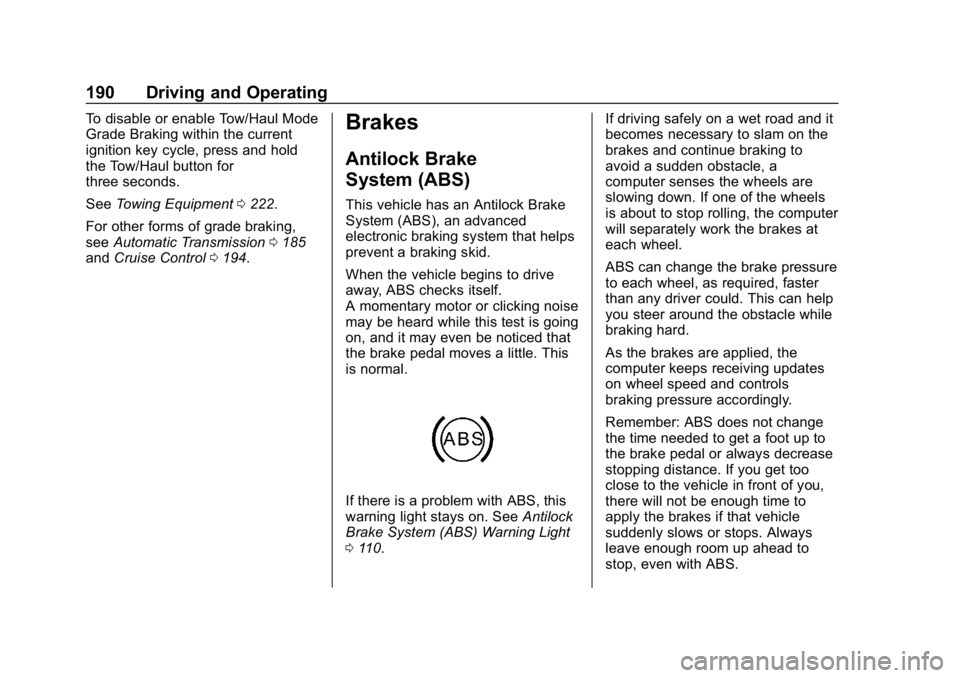
If there is a problem with ABS, this
warning light stays on. See Antilock
Brake System (ABS) Warning Light
0 110. If driving safely on a wet road and it
becomes necessary to slam on the
brakes and continue braking to
avoid a sudden obstacle, a
computer senses the wheels are
slowing down. If one of the wheels
is about to stop rolling, the computer
will separately work the brakes at
each wheel.
ABS can change the brake pressure
to each wheel, as required, faster
than any driver could. This can help
you steer around the obstacle while
braking hard.
As the brakes are applied, the
computer keeps receiving updates
on wheel speed and controls
braking pressure accordingly.
Remember: ABS does not change
the time needed to get a foot up to
the brake pedal or always decrease
stopping distance. If you get too
close to the vehicle in front of you,
there will not be enough time to
apply the brakes if that vehicle
suddenly slows or stops. Always
leave enough room up ahead to
stop, even with ABS.
Page 192 of 373
Chevrolet Express Owner Manual (GMNA-Localizing-U.S./Canada/Mexico-
12146162) - 2019 - crc - 11/26/18
Driving and Operating 191
Using ABS
Do not pump the brakes. Just hold
the brake pedal down firmly and let
ABS work. You may hear the ABS
pump or motor operating and feel
the brake pedal pulsate. This is
normal.
Braking in Emergencies
ABS allows you to steer and brake
at the same time. In many
emergencies, steering can help
more than even the very best
braking.
Parking Brake
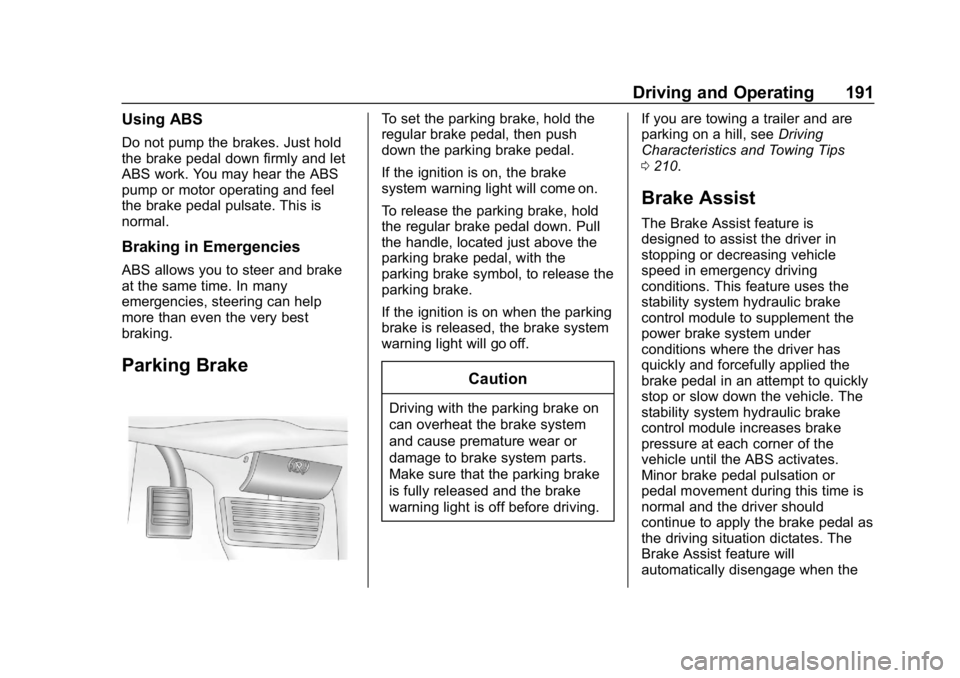
To set the parking brake, hold the
regular brake pedal, then push
down the parking brake pedal.
If the ignition is on, the brake
system warning light will come on.
To release the parking brake, hold
the regular brake pedal down. Pull
the handle, located just above the
parking brake pedal, with the
parking brake symbol, to release the
parking brake.
If the ignition is on when the parking
brake is released, the brake system
warning light will go off.
Caution
Driving with the parking brake on
can overheat the brake system
and cause premature wear or
damage to brake system parts.
Make sure that the parking brake
is fully released and the brake
warning light is off before driving.If you are towing a trailer and are
parking on a hill, see
Driving
Characteristics and Towing Tips
0 210.
Brake Assist
The Brake Assist feature is
designed to assist the driver in
stopping or decreasing vehicle
speed in emergency driving
conditions. This feature uses the
stability system hydraulic brake
control module to supplement the
power brake system under
conditions where the driver has
quickly and forcefully applied the
brake pedal in an attempt to quickly
stop or slow down the vehicle. The
stability system hydraulic brake
control module increases brake
pressure at each corner of the
vehicle until the ABS activates.
Minor brake pedal pulsation or
pedal movement during this time is
normal and the driver should
continue to apply the brake pedal as
the driving situation dictates. The
Brake Assist feature will
automatically disengage when the
Page 194 of 373
Chevrolet Express Owner Manual (GMNA-Localizing-U.S./Canada/Mexico-
12146162) - 2019 - crc - 11/26/18
Driving and Operating 193
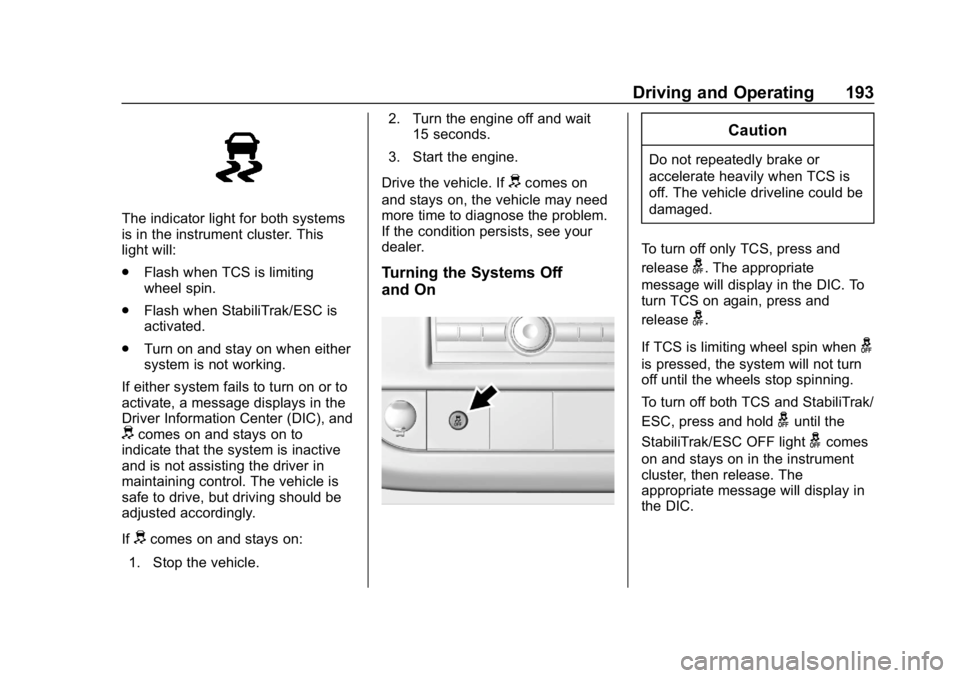
The indicator light for both systems
is in the instrument cluster. This
light will:
.Flash when TCS is limiting
wheel spin.
. Flash when StabiliTrak/ESC is
activated.
. Turn on and stay on when either
system is not working.
If either system fails to turn on or to
activate, a message displays in the
Driver Information Center (DIC), and
dcomes on and stays on to
indicate that the system is inactive
and is not assisting the driver in
maintaining control. The vehicle is
safe to drive, but driving should be
adjusted accordingly.
If
dcomes on and stays on:
1. Stop the vehicle. 2. Turn the engine off and wait
15 seconds.
3. Start the engine.
Drive the vehicle. If
dcomes on
and stays on, the vehicle may need
more time to diagnose the problem.
If the condition persists, see your
dealer.
Turning the Systems Off
and On
Caution
Do not repeatedly brake or
accelerate heavily when TCS is
off. The vehicle driveline could be
damaged.
To turn off only TCS, press and
release
g. The appropriate
message will display in the DIC. To
turn TCS on again, press and
release
g.
If TCS is limiting wheel spin when
g
is pressed, the system will not turn
off until the wheels stop spinning.
To turn off both TCS and StabiliTrak/
ESC, press and hold
guntil the
StabiliTrak/ESC OFF light
gcomes
on and stays on in the instrument
cluster, then release. The
appropriate message will display in
the DIC.
Page 197 of 373
Chevrolet Express Owner Manual (GMNA-Localizing-U.S./Canada/Mexico-
12146162) - 2019 - crc - 11/26/18
196 Driving and Operating
vehicle goes about
1 km/h (Metric display) or
1 mph (English display) faster.
The speedometer reading can be
displayed in either English or metric
units. See Driver Information Center
(DIC) 0114. The increment value
used depends on the units
displayed.
Reducing Speed While Using
Cruise Control
If the cruise control system is
already activated:
. Press and hold SET– until the
desired lower speed is reached,
then release it.
. To slow down in small
increments, briefly press SET–.
For each press, the vehicle goes
about 1 km/h (Metric display) or
1 mph (English display) slower.
The speedometer reading can be
displayed in either English or metric
units. See Driver Information Center
(DIC) 0114. The increment value
used depends on the units
displayed. Passing Another Vehicle While
Using Cruise Control
Use the accelerator pedal to
increase the vehicle speed. When
you take your foot off the pedal, the
vehicle will slow down to the
previous set cruise speed. While
pressing the accelerator pedal or
shortly following the release to
override cruise control, briefly
pressing SET–
will result in cruise
set to the current vehicle speed.
Using Cruise Control on Hills
How well the cruise control works
on hills depends on the vehicle
speed, load, and the steepness of
the hills. When going up steep hills,
pressing the accelerator pedal may
be necessary to maintain vehicle
speed. When going downhill, Cruise
Grade Braking helps maintain the
driver selected speed.
Cruise Grade Braking is enabled
when the vehicle is started and
cruise control is active. It assists in
maintaining driver selected speed when driving on downhill grades by
using the engine and transmission
to slow the vehicle.
If the brake pedal is applied, cruise
control will disengage.
Ending Cruise Control
There are four ways to end cruise
control:
.
Step lightly on the brake pedal.
. Press
[.
. Shift the transmission to
N (Neutral).
. To turn off cruise control,
press
I.
Erasing Speed Memory
The cruise control set speed is
erased from memory if
Iis
pressed or if the vehicle is
turned off.
Page 202 of 373

Chevrolet Express Owner Manual (GMNA-Localizing-U.S./Canada/Mexico-
12146162) - 2019 - crc - 11/26/18
Driving and Operating 201
Other conditions may affect system
performance, such as vibrations
from a jackhammer or the
compression of air brakes on a very
large truck.
Forward Collision Alert
(FCA) System
If equipped, the FCA system may
help to avoid or reduce the harm
caused by front-end crashes. When
approaching a vehicle ahead too
quickly, FCA provides a red flashing
alert on the windshield and rapidly
beeps. FCA also lights an amber
visual alert if following another
vehicle much too closely.
FCA detects vehicles within a
distance of approximately 60 m
(197 ft) and operates at speeds
above 40 km/h (25 mph).
{Warning
FCA is a warning system and
does not apply the brakes. When
approaching a slower-moving or(Continued)
Warning (Continued)
stopped vehicle ahead too rapidly,
or when following a vehicle too
closely, FCA may not provide a
warning with enough time to help
avoid a crash. It also may not
provide any warning at all. FCA
does not warn of pedestrians,
animals, signs, guardrails,
bridges, construction barrels,
or other objects. Be ready to take
action and apply the brakes. See
Defensive Driving0166.
FCA can be disabled with the
[
button on the center stack.
Detecting the Vehicle Ahead
FCA warnings will not occur unless
the FCA system detects a vehicle
ahead. When a vehicle is detected,
the vehicle ahead indicator will
display green. Vehicles may not be
detected on curves, highway exit
ramps, or hills, due to poor visibility;
or if a vehicle ahead is partially
blocked by pedestrians or other
objects. FCA will not detect another
vehicle ahead until it is completely
in the driving lane.
{Warning
FCA does not provide a warning
to help avoid a crash, unless it
detects a vehicle. FCA may not
detect a vehicle ahead if the FCA
sensor is blocked by dirt, snow,
or ice, or if the windshield is
damaged. It may also not detect a
vehicle on winding or hilly roads,
or in conditions that can limit
visibility such as fog, rain,
or snow, or if the headlamps or
windshield are not cleaned or in (Continued)
Page 203 of 373
Chevrolet Express Owner Manual (GMNA-Localizing-U.S./Canada/Mexico-
12146162) - 2019 - crc - 11/26/18
202 Driving and Operating
Warning (Continued)
proper condition. Keep the
windshield, headlamps, and FCA
sensors clean and in good repair.
Collision Alert
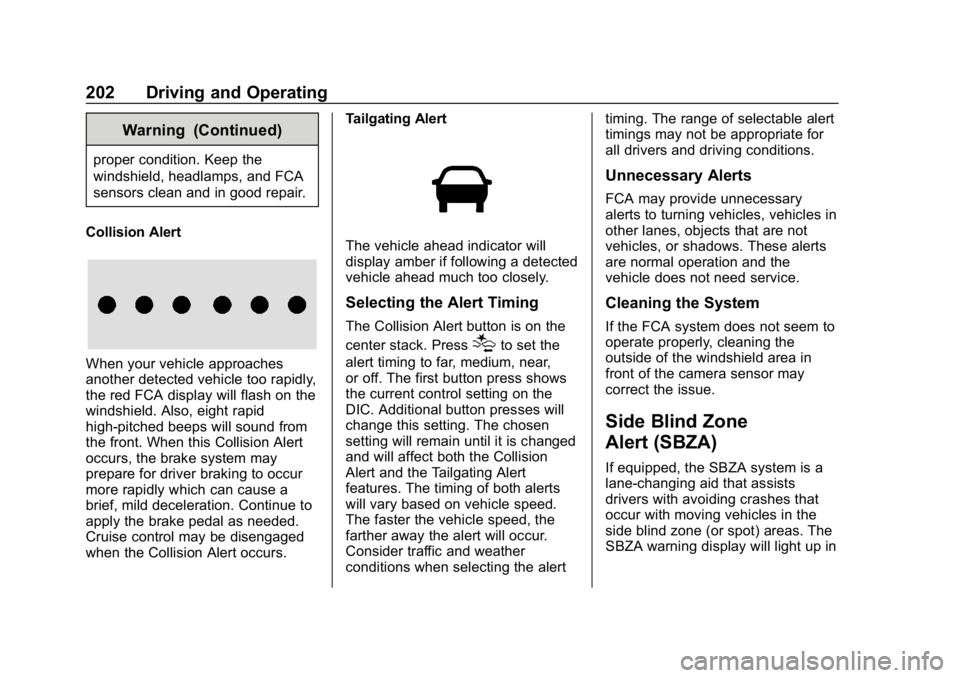
When your vehicle approaches
another detected vehicle too rapidly,
the red FCA display will flash on the
windshield. Also, eight rapid
high-pitched beeps will sound from
the front. When this Collision Alert
occurs, the brake system may
prepare for driver braking to occur
more rapidly which can cause a
brief, mild deceleration. Continue to
apply the brake pedal as needed.
Cruise control may be disengaged
when the Collision Alert occurs. Tailgating Alert
The vehicle ahead indicator will
display amber if following a detected
vehicle ahead much too closely.
Selecting the Alert Timing
The Collision Alert button is on the
center stack. Press
[to set the
alert timing to far, medium, near,
or off. The first button press shows
the current control setting on the
DIC. Additional button presses will
change this setting. The chosen
setting will remain until it is changed
and will affect both the Collision
Alert and the Tailgating Alert
features. The timing of both alerts
will vary based on vehicle speed.
The faster the vehicle speed, the
farther away the alert will occur.
Consider traffic and weather
conditions when selecting the alert timing. The range of selectable alert
timings may not be appropriate for
all drivers and driving conditions.
Unnecessary Alerts
FCA may provide unnecessary
alerts to turning vehicles, vehicles in
other lanes, objects that are not
vehicles, or shadows. These alerts
are normal operation and the
vehicle does not need service.
Cleaning the System
If the FCA system does not seem to
operate properly, cleaning the
outside of the windshield area in
front of the camera sensor may
correct the issue.
Side Blind Zone
Alert (SBZA)
If equipped, the SBZA system is a
lane-changing aid that assists
drivers with avoiding crashes that
occur with moving vehicles in the
side blind zone (or spot) areas. The
SBZA warning display will light up in
Page 225 of 373
Chevrolet Express Owner Manual (GMNA-Localizing-U.S./Canada/Mexico-
12146162) - 2019 - crc - 11/26/18
224 Driving and Operating
Use only a round, seven-wire
connector with flat blade terminals
meeting SAE J2863 specifications
for proper electrical connectivity.
The seven-wire harness contains
the following trailer circuits:Stop/Turn
Signal Left* Yellow
Stop/Turn
Signal Right* Dark Green
Tail/Parking
Lamps** Brown
Reverse
Lamps** Light Green
Battery Feed Red/Black
Ground White
Electric Trailer
Brake Dark Blue *If the vehicle is a cutaway with
trailer provisions, a 15 amp fuse
will be shared for both left/stop
trailer turn and right/stop trailer
turn signals. However, the
cutaway lighting connector will
have a 10 amp fuse for each
signal.
**If the vehicle is a cutaway with
trailer provisions, a 15 amp fuse
will be shared for trailer park
lamps and cutaway rear lighting
connector park lamps. Also, a
10 amp fuse will be shared for
trailer back-up lamps and cutaway
rear lighting connector back-up
lamps.
Heavy-Duty Trailer Wiring Harness
Package
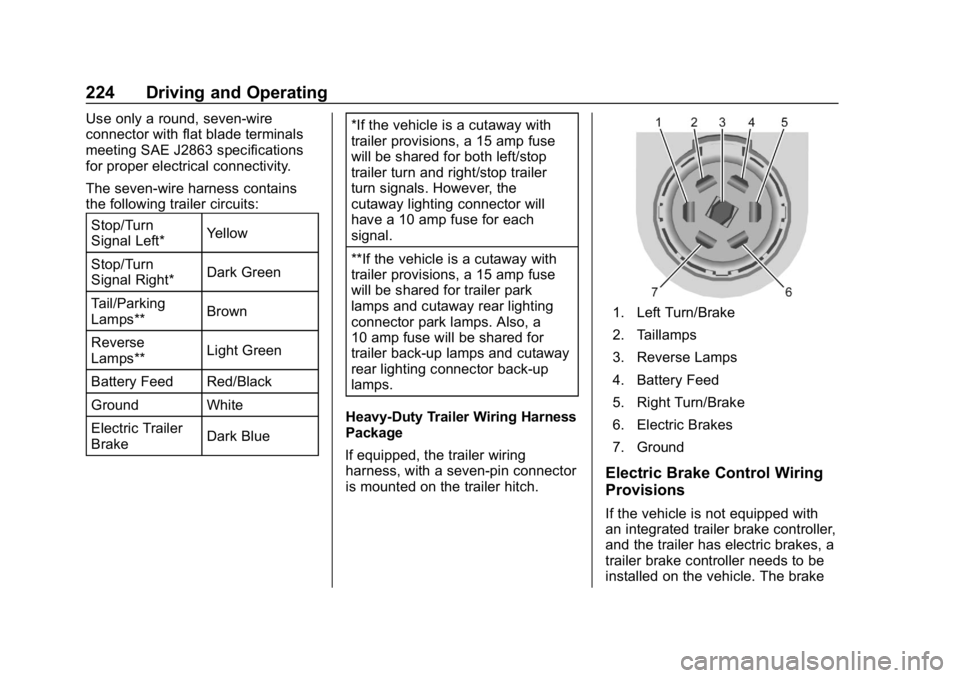
lf equipped, the trailer wiring
harness, with a seven-pin connector
is mounted on the trailer hitch.
1. Left Turn/Brake
2. Taillamps
3. Reverse Lamps
4. Battery Feed
5. Right Turn/Brake
6. Electric Brakes
7. Ground
Electric Brake Control Wiring
Provisions
If the vehicle is not equipped with
an integrated trailer brake controller,
and the trailer has electric brakes, a
trailer brake controller needs to be
installed on the vehicle. The brake
Page 226 of 373
Chevrolet Express Owner Manual (GMNA-Localizing-U.S./Canada/Mexico-
12146162) - 2019 - crc - 11/26/18
Driving and Operating 225
controller should be installed by
your dealer or a qualified service
center.
If equipped, wiring provisions for an
aftermarket electric trailer brake
controller are included with the
vehicle as part of the trailer wiring
package. The harness contains the
following circuits:Electric Trailer
Brakes Dark Blue
Battery Feed Red/White
Brake Apply
Signal Light Blue
Ground Black
There are four blunt cut wires under
the floor carpeting in front of the
brake pedal. It will be necessary to
have a technician connect the
12-volt power to the engine
compartment fuse block.
Refer to the aftermarket electric
trailer brake controller owner's
manual to determine wire color
coding of the electric trailer brake controller. The wire colors on the
brake controller may be different
from the vehicle.
Trailer Lamps
Always check all trailer lamps are
working at the beginning of each
trip, and periodically on longer trips.
Turn Signals When Towing a
Trailer
When properly connected, the trailer
turn signals will illuminate to indicate
the vehicle is turning, changing
lanes, or stopping. When towing a
trailer, the arrows on the instrument
cluster will illuminate even if the
trailer is not properly connected or
the bulbs are burned out.
Tow/Haul Mode
Tow/Haul assists when pulling a
heavy trailer or a large or heavy
load. For instructions on how to
enter Tow/Haul mode, see
Tow/Haul
Mode 0189.
Tow/Haul Mode is designed to be
most effective when the vehicle and
trailer combined weight is at least 75% of the vehicle's Gross
Combined Weight Rating (GCWR).
See
“Trailer Weight ”under Trailer
Towing 0215.
Tow/Haul Mode is most useful when
towing a heavy trailer or carrying a
large or heavy load:
. through rolling terrain
. in stop-and-go traffic
. in busy parking lots
Operating the vehicle in Tow/Haul
Mode when lightly loaded or not
towing will not cause damage;
however, it is not recommended and
may result in unpleasant engine and
transmission driving characteristics
and reduced fuel economy.
Trailer Sway
Control (TSC)
Vehicles with StabiliTrak/Electronic
Stability Control (ESC) have a
Trailer Sway Control (TSC) feature.
Trailer sway is unintended
side-to-side motion of a trailer while
towing. If the vehicle is towing a
trailer and the TSC detects that
Page 227 of 373
Chevrolet Express Owner Manual (GMNA-Localizing-U.S./Canada/Mexico-
12146162) - 2019 - crc - 11/26/18
226 Driving and Operating
sway is increasing, the vehicle
brakes are selectively applied at
each wheel, to help reduce
excessive trailer sway. If equipped
with the Integrated Trailer Brake
Control (ITBC) system, and the
trailer has an electric brake system,
StabiliTrak/ESC may also apply the
trailer brakes.
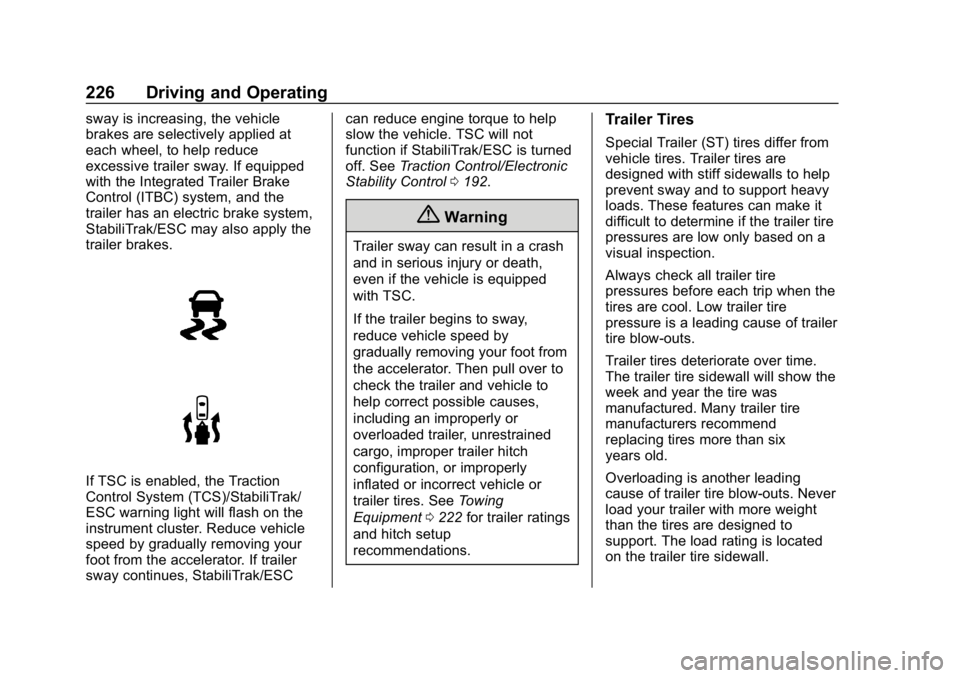
If TSC is enabled, the Traction
Control System (TCS)/StabiliTrak/
ESC warning light will flash on the
instrument cluster. Reduce vehicle
speed by gradually removing your
foot from the accelerator. If trailer
sway continues, StabiliTrak/ESCcan reduce engine torque to help
slow the vehicle. TSC will not
function if StabiliTrak/ESC is turned
off. See
Traction Control/Electronic
Stability Control 0192.
{Warning
Trailer sway can result in a crash
and in serious injury or death,
even if the vehicle is equipped
with TSC.
If the trailer begins to sway,
reduce vehicle speed by
gradually removing your foot from
the accelerator. Then pull over to
check the trailer and vehicle to
help correct possible causes,
including an improperly or
overloaded trailer, unrestrained
cargo, improper trailer hitch
configuration, or improperly
inflated or incorrect vehicle or
trailer tires. See Towing
Equipment 0222 for trailer ratings
and hitch setup
recommendations.
Trailer Tires
Special Trailer (ST) tires differ from
vehicle tires. Trailer tires are
designed with stiff sidewalls to help
prevent sway and to support heavy
loads. These features can make it
difficult to determine if the trailer tire
pressures are low only based on a
visual inspection.
Always check all trailer tire
pressures before each trip when the
tires are cool. Low trailer tire
pressure is a leading cause of trailer
tire blow-outs.
Trailer tires deteriorate over time.
The trailer tire sidewall will show the
week and year the tire was
manufactured. Many trailer tire
manufacturers recommend
replacing tires more than six
years old.
Overloading is another leading
cause of trailer tire blow-outs. Never
load your trailer with more weight
than the tires are designed to
support. The load rating is located
on the trailer tire sidewall.
Page 241 of 373
Chevrolet Express Owner Manual (GMNA-Localizing-U.S./Canada/Mexico-
12146162) - 2019 - crc - 11/26/18
240 Vehicle Care
warm or hot will give a more
accurate reading of the fluid level
than a cold check.
Because the vehicle is equipped
with a high-efficiency air-to-oil
cooler, the transmission fluid
temperature may not reach the
required hot fluid level checking
temperature under normal lightly
loaded driving vehicle conditions.
Checking the Fluid Level
Prepare the vehicle:1. Park the vehicle on a level place. Keep the engine
running.
2. With the parking brake applied, place the shift lever in P (Park).
3. With a foot on the brake pedal, move the shift lever through
each gear range, pausing for
about three seconds in each
range. When M is reached,
move the selector from M1
through M3. Then, position the
shift lever in P (Park).
4. Let the engine run at idle for two minutes or more. Then, without shutting off the
engine, use the steps that follow.
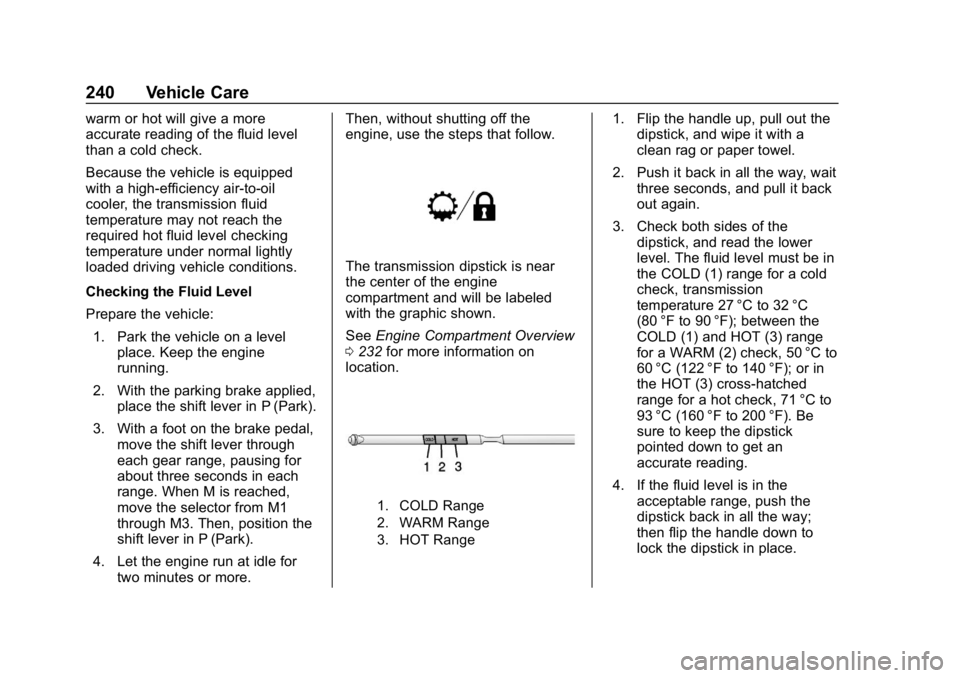
The transmission dipstick is near
the center of the engine
compartment and will be labeled
with the graphic shown.
See
Engine Compartment Overview
0 232 for more information on
location.
1. COLD Range
2. WARM Range
3. HOT Range
1. Flip the handle up, pull out the dipstick, and wipe it with a
clean rag or paper towel.
2. Push it back in all the way, wait three seconds, and pull it back
out again.
3. Check both sides of the dipstick, and read the lower
level. The fluid level must be in
the COLD (1) range for a cold
check, transmission
temperature 27 °C to 32 °C
(80 °F to 90 °F); between the
COLD (1) and HOT (3) range
for a WARM (2) check, 50 °C to
60 °C (122 °F to 140 °F); or in
the HOT (3) cross-hatched
range for a hot check, 71 °C to
93 °C (160 °F to 200 °F). Be
sure to keep the dipstick
pointed down to get an
accurate reading.
4. If the fluid level is in the acceptable range, push the
dipstick back in all the way;
then flip the handle down to
lock the dipstick in place.