cruise control CHEVROLET EXPRESS 2019 User Guide
[x] Cancel search | Manufacturer: CHEVROLET, Model Year: 2019, Model line: EXPRESS, Model: CHEVROLET EXPRESS 2019Pages: 373, PDF Size: 5.57 MB
Page 172 of 373
Chevrolet Express Owner Manual (GMNA-Localizing-U.S./Canada/Mexico-
12146162) - 2019 - crc - 11/26/18
Driving and Operating 171
.Antilock Brake System (ABS)
improves vehicle stability during
hard stops, but the brakes
should be applied sooner than
when on dry pavement. See
Antilock Brake System (ABS)
0190.
. Allow greater following distance
and watch for slippery spots. Icy
patches can occur on otherwise
clear roads in shaded areas.
The surface of a curve or an
overpass can remain icy when
the surrounding roads are clear.
Avoid sudden steering
maneuvers and braking while
on ice.
. Turn off cruise control.
Blizzard Conditions
Stop the vehicle in a safe place and
signal for help. Stay with the vehicle
unless there is help nearby.
If possible, use Roadside Assistance. See
Roadside
Assistance Program 0339. To get
help and keep everyone in the
vehicle safe:
. Turn on the hazard warning
flashers.
. Tie a red cloth to an outside
mirror.
{Warning
Snow can trap engine exhaust
under the vehicle. This may
cause exhaust gases to get
inside. Engine exhaust contains
carbon monoxide (CO), which
cannot be seen or smelled. It can
cause unconsciousness and even
death.
If the vehicle is stuck in snow:
. Clear snow from the base of
the vehicle, especially any
blocking the exhaust pipe.
(Continued)
Warning (Continued)
.Open a window about 5 cm
(2 in) on the vehicle side
that is away from the wind,
to bring in fresh air.
. Fully open the air outlets on
or under the instrument
panel.
. Adjust the climate control
system to circulate the air
inside the vehicle and set
the fan speed to the highest
setting. See “Climate
Control Systems.”
For more information about CO,
see Engine Exhaust 0184.
To save fuel, run the engine for
short periods to warm the vehicle
and then shut the engine off and
partially close the window. Moving
about to keep warm also helps.
If it takes time for help to arrive,
when running the engine, push the
accelerator pedal slightly so the
engine runs faster than the idle
Page 181 of 373
Chevrolet Express Owner Manual (GMNA-Localizing-U.S./Canada/Mexico-
12146162) - 2019 - crc - 11/26/18
180 Driving and Operating
starts, let go of the key and
accelerator. If the vehicle starts
briefly but then stops again, do
the same thing. This clears the
extra gasoline from the engine.
Do not race the engine
immediately after starting it.
Operate the engine and
transmission gently until the oil
warms up and lubricates all
moving parts.
Fast Idle System
If equipped, this feature is available
only with cruise control. The manual
fast idle switch is operated using the
cruise control buttons on the left
side of the steering wheel.
This system can be used to
increase engine idle speed
whenever the following conditions
are met:
.The parking brake is set.
. The brake pedal is not pressed.
. The vehicle must not be moving
and the accelerator must not be
pressed. To control the fast idle:
.
To enable the Fast Idle System,
press and release the cruise
control on/off button and ensure
that the switch indicator light
is lit.
. Press and release the cruise
control SET- button. Engine
speed will be held at
approximately 1200 rpm.
When the fast idle is active, the
Driver Information Center (DIC) will
display FAST IDLE ON.
One of the following actions will turn
off the fast idle:
. Pressing the brake.
. Selecting the cruise control
cancel button.
. Releasing the parking brake.
. Moving the transmission shift
lever out of P (Park) or
N (Neutral).
. Selecting the cruise control on/
off button when it was
previously on. .
Pressing the cruise control SET-
button a second time.
. Pressing the accelerator more
than one-quarter of the
way down.
. Turning the ignition off.
Retained Accessory
Power (RAP)
These vehicle accessories can be
used for up to 10 minutes after the
engine is turned off:
.Audio System
. Power Windows (if equipped)
These features will work when the
ignition is on or in ACC/
ACCESSORY. Once the ignition is
turned from on to off, power to the
radio and power windows will
continue to work for 10 minutes or
until the driver door is opened.
Engine Coolant Heater
If the vehicle has a diesel engine,
see the Duramax diesel
supplement.
Page 189 of 373
Chevrolet Express Owner Manual (GMNA-Localizing-U.S./Canada/Mexico-
12146162) - 2019 - crc - 11/26/18
188 Driving and Operating
vehicle has this feature, see“Range
Selection Mode” underManual
Mode 0188.
1 : This position reduces vehicle
speed without using the brakes.
You can use it for major/severe
downgrades where the vehicle
would otherwise accelerate due to
steepness of grade. When you shift
to 1 (First) it provides the lowest
gear appropriate to current road
speed and continues to downshift
as the vehicle slows, eventually
downshifting to 1 (First) gear. The
transmission can be held in 1 (First)
gear using Range Selection Mode
or the shift lever. See “Range
Selection Mode” underManual
Mode 0188.
Caution
Spinning the tires or holding the
vehicle in one place on a hill
using only the accelerator pedal
may damage the transmission.
The repair will not be covered by
the vehicle warranty. If the vehicle
(Continued)
Caution (Continued)
is stuck, do not spin the tires.
When stopping on a hill, use the
brakes to hold the vehicle in
place.
Normal Mode Grade Braking
This mode is enabled when the
vehicle is started, but is not enabled
in Range Selection Mode. It assists
in maintaining desired vehicle
speeds when driving on downhill
grades by using the engine and
transmission to slow the vehicle.
The first time the system activates
for each ignition key cycle.
To disable or enable Normal Mode
Grade Braking within the current
ignition key cycle, press and hold
the Tow/Haul button for
three seconds.
For other forms of grade braking,
seeTow/Haul Mode 0189 and
Cruise Control 0194.
Manual Mode
Range Selection Mode
If equipped, Range Selection Mode
helps control the vehicle's
transmission and vehicle speed
while driving downhill or towing a
trailer by letting you select a desired
range of gears.
To use this feature:
1. Move the shift lever to M (Manual Mode).
2. Press the +/− buttons on the
shift lever to select the desired
range of gears for current
driving conditions.
When M (Manual Mode) is selected,
the transmission will downshift and
a number displays in the Driver
Information Center (DIC) next to
the M indicating the current gear.
Page 190 of 373
Chevrolet Express Owner Manual (GMNA-Localizing-U.S./Canada/Mexico-
12146162) - 2019 - crc - 11/26/18
Driving and Operating 189
This number is the highest gear that
can be used. However, the vehicle
can automatically shift to lower
gears as it adjusts to driving
conditions. This means that all
gears below that number are
available. When 5 (Fifth) is selected,
1 (First) through 5 (Fifth) gears are
automatically shifted by the vehicle,
but 6 (Sixth) cannot be used until
the +/−button on the shift lever is
used to change to the gear.
Grade Braking is not available when
Range Selection Mode is active.
See Tow/Haul Mode 0189.
While using Range Selection Mode,
cruise control and the Tow/Haul
Mode can be used.
Caution
Spinning the tires or holding the
vehicle in one place on a hill
using only the accelerator pedal
may damage the transmission.
The repair will not be covered by
the vehicle warranty. If the vehicle (Continued)
Caution (Continued)
is stuck, do not spin the tires.
When stopping on a hill, use the
brakes to hold the vehicle in
place.
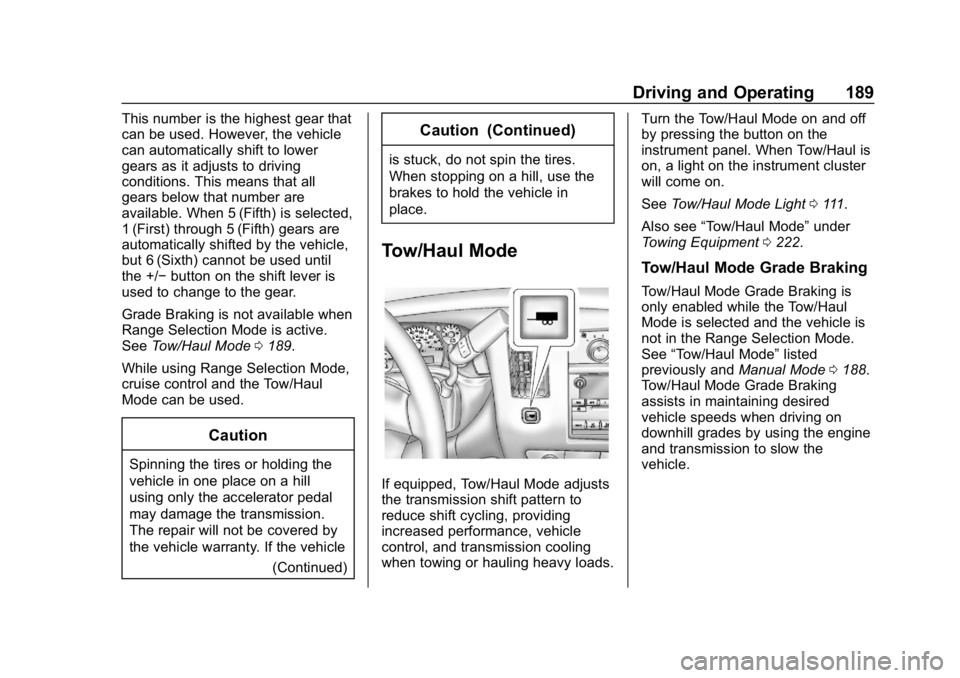
Tow/Haul Mode
If equipped, Tow/Haul Mode adjusts
the transmission shift pattern to
reduce shift cycling, providing
increased performance, vehicle
control, and transmission cooling
when towing or hauling heavy loads. Turn the Tow/Haul Mode on and off
by pressing the button on the
instrument panel. When Tow/Haul is
on, a light on the instrument cluster
will come on.
See
Tow/Haul Mode Light 0111.
Also see “Tow/Haul Mode” under
Towing Equipment 0222.
Tow/Haul Mode Grade Braking
Tow/Haul Mode Grade Braking is
only enabled while the Tow/Haul
Mode is selected and the vehicle is
not in the Range Selection Mode.
See “Tow/Haul Mode” listed
previously and Manual Mode0188.
Tow/Haul Mode Grade Braking
assists in maintaining desired
vehicle speeds when driving on
downhill grades by using the engine
and transmission to slow the
vehicle.
Page 191 of 373
Chevrolet Express Owner Manual (GMNA-Localizing-U.S./Canada/Mexico-
12146162) - 2019 - crc - 11/26/18
190 Driving and Operating
To disable or enable Tow/Haul Mode
Grade Braking within the current
ignition key cycle, press and hold
the Tow/Haul button for
three seconds.
SeeTowing Equipment 0222.
For other forms of grade braking,
see Automatic Transmission 0185
and Cruise Control 0194.Brakes
Antilock Brake
System (ABS)
This vehicle has an Antilock Brake
System (ABS), an advanced
electronic braking system that helps
prevent a braking skid.
When the vehicle begins to drive
away, ABS checks itself.
A momentary motor or clicking noise
may be heard while this test is going
on, and it may even be noticed that
the brake pedal moves a little. This
is normal.
If there is a problem with ABS, this
warning light stays on. See Antilock
Brake System (ABS) Warning Light
0 110. If driving safely on a wet road and it
becomes necessary to slam on the
brakes and continue braking to
avoid a sudden obstacle, a
computer senses the wheels are
slowing down. If one of the wheels
is about to stop rolling, the computer
will separately work the brakes at
each wheel.
ABS can change the brake pressure
to each wheel, as required, faster
than any driver could. This can help
you steer around the obstacle while
braking hard.
As the brakes are applied, the
computer keeps receiving updates
on wheel speed and controls
braking pressure accordingly.
Remember: ABS does not change
the time needed to get a foot up to
the brake pedal or always decrease
stopping distance. If you get too
close to the vehicle in front of you,
there will not be enough time to
apply the brakes if that vehicle
suddenly slows or stops. Always
leave enough room up ahead to
stop, even with ABS.
Page 193 of 373
Chevrolet Express Owner Manual (GMNA-Localizing-U.S./Canada/Mexico-
12146162) - 2019 - crc - 11/26/18
192 Driving and Operating
brake pedal is released or brake
pedal pressure is quickly
decreased.
Hill Start Assist (HSA)
If equipped, this feature will prevent
the vehicle from rolling when it
attempts to move on a moderate to
steep hill. During the transition when
the brake pedal is released and the
accelerator pedal is pressed, HSA
uses braking pressure to hold the
vehicle stationary for a few seconds
depending on the steepness of the
hill. After this transition or after the
accelerator pedal is pressed, the
brake will automatically release.
HSA only activates when the driver
door is closed. HSA will not activate
in a forward drive gear when facing
downhill, or in R (Reverse) when
facing uphill. If the brake pedal is
released and then reapplied while
HSA is activated, the brake pedal
may feel firmer with less pedal
travel.
Ride Control Systems
Traction Control/
Electronic Stability
Control
System Operation
The vehicle has a Traction Control
System (TCS) and StabiliTrak/
Electronic Stability Control (ESC),
an electronic stability control
system. These systems help limit
wheel spin and assist the driver in
maintaining control, especially on
slippery road conditions.
TCS activates if it senses any of the
drive wheels are spinning or
beginning to lose traction. When this
happens, TCS applies the brakes to
the spinning wheels and reduces
engine power to limit wheel spin.
StabiliTrak/ESC activates when the
vehicle senses a difference between
the intended path and the direction
the vehicle is actually traveling.
StabiliTrak/ESC selectively applies
braking pressure to any one of the
vehicle wheel brakes to assist thedriver in keeping the vehicle on the
intended path. Trailer Sway Control
(TSC) is also on automatically when
the vehicle is started. See
Trailer
Sway Control (TSC) 0225.
If cruise control is being used and
traction control or StabiliTrak/ESC
begins to limit wheel spin, cruise
control will disengage. Cruise
control may be turned back on when
road conditions allow.
Both systems come on
automatically when the vehicle is
started and begins to move. The
systems may be heard or felt while
they are operating or while
performing diagnostic checks. This
is normal and does not mean there
is a problem with the vehicle.
It is recommended to leave both
systems on for normal driving
conditions, but it may be necessary
to turn TCS off if the vehicle gets
stuck in sand, mud, ice, or snow.
See If the Vehicle Is Stuck 0172
and “Turning the Systems Off and
On” later in this section.
Page 195 of 373
Chevrolet Express Owner Manual (GMNA-Localizing-U.S./Canada/Mexico-
12146162) - 2019 - crc - 11/26/18
194 Driving and Operating
To turn TCS and StabiliTrak/ESC on
again, press and release
g. The
StabiliTrak/ESC OFF light
gin the
instrument cluster turns off.
StabiliTrak/ESC will automatically
turn back on if the vehicle exceeds
32 km/h (20 mph). TCS will remain
off until
gis pressed or the ignition
is cycled off then on.
The vehicle has a Trailer Sway
Control (TSC) feature and a Hill
Start Assist (HSA) feature.
See Trailer Sway Control (TSC)
0 225 orHill Start Assist (HSA)
0 192. Adding accessories can affect the
vehicle performance. See
Accessories and Modifications
0
230.
Locking Rear Axle
Vehicles with a locking rear axle can
give more traction on snow, mud,
ice, sand, or gravel. It works like a
standard axle most of the time, but
when traction is low, this feature will
allow the rear wheel with the most
traction to move the vehicle.
Cruise Control
{Warning
Cruise control can be dangerous
where you cannot drive safely at
a steady speed. Do not use
cruise control on winding roads or
in heavy traffic.
Cruise control can be dangerous
on slippery roads. On such roads,
fast changes in tire traction can
cause excessive wheel slip, and
you could lose control. Do not use
cruise control on slippery roads.
If equipped with cruise control, a
speed of about 40 km/h (25 mph) or
more can be maintained without
keeping your foot on the
accelerator. Cruise control does not
work at speeds below about 40 km/h
(25 mph).
If the Traction Control System (TCS)
or StabiliTrak/Electronic Stability
Control (ESC) system begins to limit
wheel spin while using cruise
control, the cruise control
Page 196 of 373
Chevrolet Express Owner Manual (GMNA-Localizing-U.S./Canada/Mexico-
12146162) - 2019 - crc - 11/26/18
Driving and Operating 195
automatically disengages. See
Traction Control/Electronic Stability
Control0192. When road
conditions allow you to safely use it
again, cruise control can be turned
back on.
If the brakes are applied, cruise
control disengages.
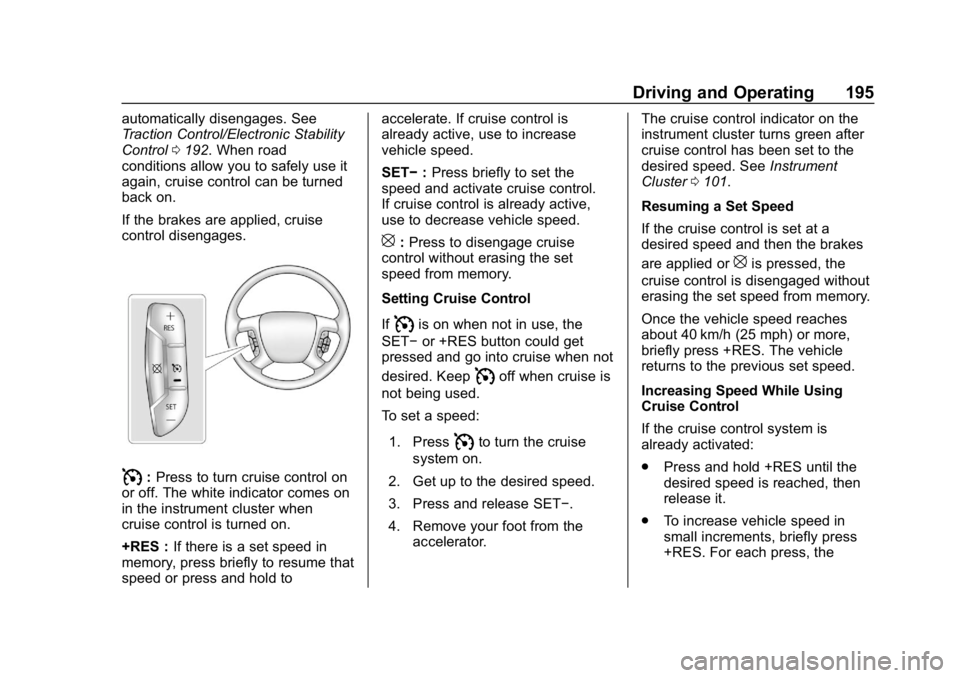
I: Press to turn cruise control on
or off. The white indicator comes on
in the instrument cluster when
cruise control is turned on.
+RES : If there is a set speed in
memory, press briefly to resume that
speed or press and hold to accelerate. If cruise control is
already active, use to increase
vehicle speed.
SET−
:Press briefly to set the
speed and activate cruise control.
If cruise control is already active,
use to decrease vehicle speed.
[: Press to disengage cruise
control without erasing the set
speed from memory.
Setting Cruise Control
If
Iis on when not in use, the
SET− or +RES button could get
pressed and go into cruise when not
desired. Keep
Ioff when cruise is
not being used.
To set a speed:
1. Press
Ito turn the cruise
system on.
2. Get up to the desired speed.
3. Press and release SET−.
4. Remove your foot from the accelerator. The cruise control indicator on the
instrument cluster turns green after
cruise control has been set to the
desired speed. See
Instrument
Cluster 0101.
Resuming a Set Speed
If the cruise control is set at a
desired speed and then the brakes
are applied or
[is pressed, the
cruise control is disengaged without
erasing the set speed from memory.
Once the vehicle speed reaches
about 40 km/h (25 mph) or more,
briefly press +RES. The vehicle
returns to the previous set speed.
Increasing Speed While Using
Cruise Control
If the cruise control system is
already activated:
. Press and hold +RES until the
desired speed is reached, then
release it.
. To increase vehicle speed in
small increments, briefly press
+RES. For each press, the
Page 197 of 373
Chevrolet Express Owner Manual (GMNA-Localizing-U.S./Canada/Mexico-
12146162) - 2019 - crc - 11/26/18
196 Driving and Operating
vehicle goes about
1 km/h (Metric display) or
1 mph (English display) faster.
The speedometer reading can be
displayed in either English or metric
units. See Driver Information Center
(DIC) 0114. The increment value
used depends on the units
displayed.
Reducing Speed While Using
Cruise Control
If the cruise control system is
already activated:
. Press and hold SET– until the
desired lower speed is reached,
then release it.
. To slow down in small
increments, briefly press SET–.
For each press, the vehicle goes
about 1 km/h (Metric display) or
1 mph (English display) slower.
The speedometer reading can be
displayed in either English or metric
units. See Driver Information Center
(DIC) 0114. The increment value
used depends on the units
displayed. Passing Another Vehicle While
Using Cruise Control
Use the accelerator pedal to
increase the vehicle speed. When
you take your foot off the pedal, the
vehicle will slow down to the
previous set cruise speed. While
pressing the accelerator pedal or
shortly following the release to
override cruise control, briefly
pressing SET–
will result in cruise
set to the current vehicle speed.
Using Cruise Control on Hills
How well the cruise control works
on hills depends on the vehicle
speed, load, and the steepness of
the hills. When going up steep hills,
pressing the accelerator pedal may
be necessary to maintain vehicle
speed. When going downhill, Cruise
Grade Braking helps maintain the
driver selected speed.
Cruise Grade Braking is enabled
when the vehicle is started and
cruise control is active. It assists in
maintaining driver selected speed when driving on downhill grades by
using the engine and transmission
to slow the vehicle.
If the brake pedal is applied, cruise
control will disengage.
Ending Cruise Control
There are four ways to end cruise
control:
.
Step lightly on the brake pedal.
. Press
[.
. Shift the transmission to
N (Neutral).
. To turn off cruise control,
press
I.
Erasing Speed Memory
The cruise control set speed is
erased from memory if
Iis
pressed or if the vehicle is
turned off.
Page 203 of 373
Chevrolet Express Owner Manual (GMNA-Localizing-U.S./Canada/Mexico-
12146162) - 2019 - crc - 11/26/18
202 Driving and Operating
Warning (Continued)
proper condition. Keep the
windshield, headlamps, and FCA
sensors clean and in good repair.
Collision Alert
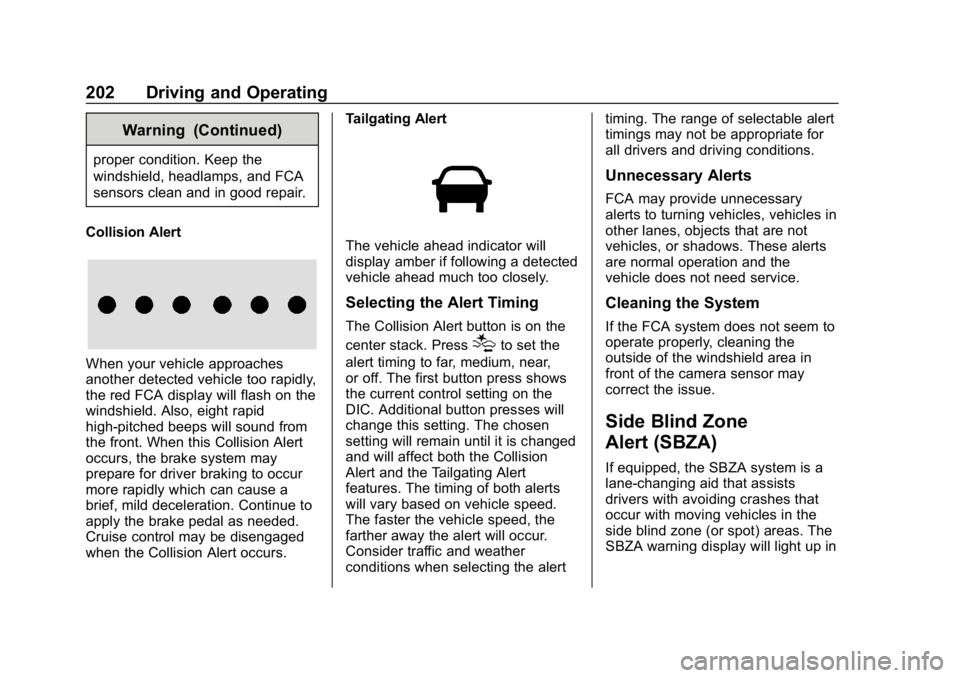
When your vehicle approaches
another detected vehicle too rapidly,
the red FCA display will flash on the
windshield. Also, eight rapid
high-pitched beeps will sound from
the front. When this Collision Alert
occurs, the brake system may
prepare for driver braking to occur
more rapidly which can cause a
brief, mild deceleration. Continue to
apply the brake pedal as needed.
Cruise control may be disengaged
when the Collision Alert occurs. Tailgating Alert
The vehicle ahead indicator will
display amber if following a detected
vehicle ahead much too closely.
Selecting the Alert Timing
The Collision Alert button is on the
center stack. Press
[to set the
alert timing to far, medium, near,
or off. The first button press shows
the current control setting on the
DIC. Additional button presses will
change this setting. The chosen
setting will remain until it is changed
and will affect both the Collision
Alert and the Tailgating Alert
features. The timing of both alerts
will vary based on vehicle speed.
The faster the vehicle speed, the
farther away the alert will occur.
Consider traffic and weather
conditions when selecting the alert timing. The range of selectable alert
timings may not be appropriate for
all drivers and driving conditions.
Unnecessary Alerts
FCA may provide unnecessary
alerts to turning vehicles, vehicles in
other lanes, objects that are not
vehicles, or shadows. These alerts
are normal operation and the
vehicle does not need service.
Cleaning the System
If the FCA system does not seem to
operate properly, cleaning the
outside of the windshield area in
front of the camera sensor may
correct the issue.
Side Blind Zone
Alert (SBZA)
If equipped, the SBZA system is a
lane-changing aid that assists
drivers with avoiding crashes that
occur with moving vehicles in the
side blind zone (or spot) areas. The
SBZA warning display will light up in