display CHEVROLET EXPRESS 2019 User Guide
[x] Cancel search | Manufacturer: CHEVROLET, Model Year: 2019, Model line: EXPRESS, Model: CHEVROLET EXPRESS 2019Pages: 373, PDF Size: 5.57 MB
Page 94 of 373
Chevrolet Express Owner Manual (GMNA-Localizing-U.S./Canada/Mexico-
12146162) - 2019 - crc - 11/26/18
Instruments and Controls 93
Instruments and
Controls
Controls
Steering Wheel Adjustment . . . . 94
Steering Wheel Controls . . . . . . . 94
Horn . . . . . . . . . . . . . . . . . . . . . . . . . . . 95
Windshield Wiper/Washer . . . . . . 95
Compass . . . . . . . . . . . . . . . . . . . . . . 96
Clock . . . . . . . . . . . . . . . . . . . . . . . . . . 98
Power Outlets . . . . . . . . . . . . . . . . . 98
Cigarette Lighter . . . . . . . . . . . . . . . 99
Ashtrays . . . . . . . . . . . . . . . . . . . . . . 100
Warning Lights, Gauges, and
Indicators
Warning Lights, Gauges, andIndicators . . . . . . . . . . . . . . . . . . . 100
Instrument Cluster . . . . . . . . . . . . 101
Speedometer . . . . . . . . . . . . . . . . . 102
Odometer . . . . . . . . . . . . . . . . . . . . . 102
Trip Odometer . . . . . . . . . . . . . . . . 102
Fuel Gauge . . . . . . . . . . . . . . . . . . . 102
Engine Oil Pressure Gauge . . . . . . . . . . . . . . . . . . . . . . 103 Engine Coolant Temperature
Gauge . . . . . . . . . . . . . . . . . . . . . . 104
Voltmeter Gauge . . . . . . . . . . . . . 105
Seat Belt Reminders . . . . . . . . . 105
Airbag Readiness Light . . . . . . . 105
Airbag On-Off Light . . . . . . . . . . . 106
Charging System Light . . . . . . . 107
Malfunction Indicator Lamp . . . 108
Brake System Warning Light . . . . . . . . . . . . . . . . . . . . . . . . 109
Antilock Brake System (ABS) Warning Light . . . . . . . . . . . . . . . 110
Tow/Haul Mode Light . . . . . . . . . 111
Lane Departure Warning (LDW) Light . . . . . . . . . . . . . . . . . . . . . . . . . 111
Vehicle Ahead Indicator . . . . . . . 111
StabiliTrak OFF Light . . . . . . . . . 111
Traction Control System (TCS)/ StabiliTrak Light . . . . . . . . . . . . . 112
Tire Pressure Light . . . . . . . . . . . 112
Engine Oil Pressure Light . . . . . 112
Low Fuel Warning Light . . . . . . . 113
Security Light . . . . . . . . . . . . . . . . . 113
High-Beam On Light . . . . . . . . . . 113
Cruise Control Light . . . . . . . . . . 114
Information Displays
Driver Information Center (DIC) . . . . . . . . . . . . . . . . 114
Vehicle Messages
Vehicle Messages . . . . . . . . . . . . 119
Engine Power Messages . . . . . 119
Vehicle Speed Messages . . . . . 119
Vehicle Personalization
Vehicle Personalization . . . . . . . 120
Page 95 of 373
Chevrolet Express Owner Manual (GMNA-Localizing-U.S./Canada/Mexico-
12146162) - 2019 - crc - 11/26/18
94 Instruments and Controls
Controls
Steering Wheel
Adjustment
For vehicles with a tilt steering
wheel, the lever is located on the
left side of the steering column.
To adjust the steering wheel:1. Pull the lever to move the steering wheel up or down into
a comfortable position.
2. Release the lever to lock the steering wheel in place. Do not adjust the steering wheel
while driving.
Steering Wheel Controls
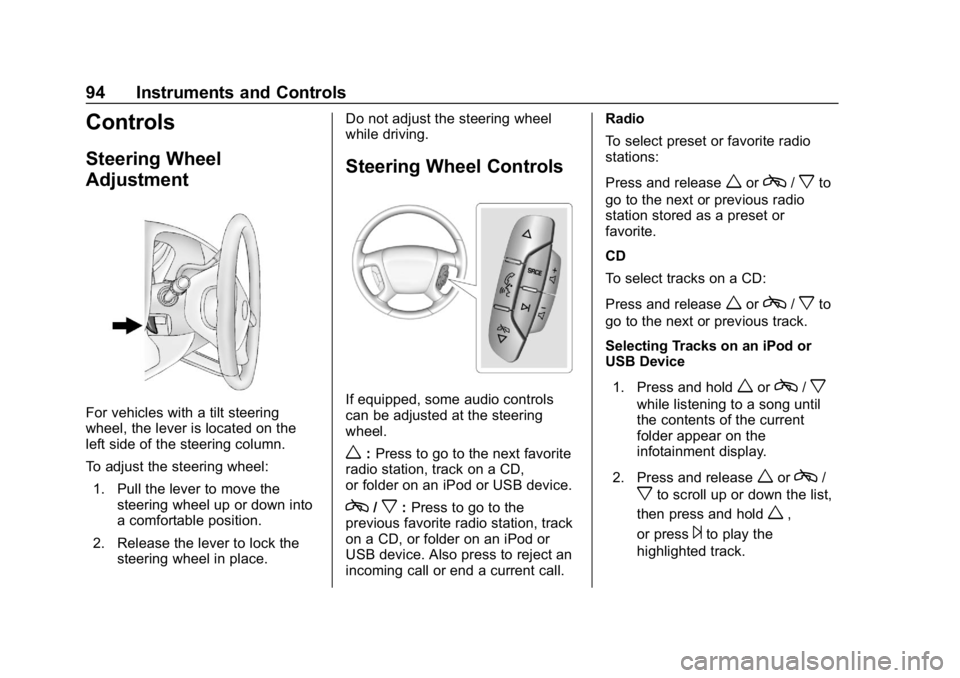
If equipped, some audio controls
can be adjusted at the steering
wheel.
w:
Press to go to the next favorite
radio station, track on a CD,
or folder on an iPod or USB device.
c/x: Press to go to the
previous favorite radio station, track
on a CD, or folder on an iPod or
USB device. Also press to reject an
incoming call or end a current call. Radio
To select preset or favorite radio
stations:
Press and release
worc/xto
go to the next or previous radio
station stored as a preset or
favorite.
CD
To select tracks on a CD:
Press and release
worc/xto
go to the next or previous track.
Selecting Tracks on an iPod or
USB Device
1. Press and hold
worc/x
while listening to a song until
the contents of the current
folder appear on the
infotainment display.
2. Press and release
worc/
xto scroll up or down the list,
then press and hold
w,
or press
¨to play the
highlighted track.
Page 96 of 373
Chevrolet Express Owner Manual (GMNA-Localizing-U.S./Canada/Mexico-
12146162) - 2019 - crc - 11/26/18
Instruments and Controls 95
Navigating Folders on an iPod or
USB Device1. Press and hold
worc/x
while listening to a song until
the contents of the current
folder appear on the
infotainment display.
2. Press and hold
c/xto go
back to the previous folder list.
3. Press and release
worc/
xto scroll up or down the list.
. To select a folder, press
and hold
w, or press¨
when the folder is
highlighted.
. To go back further in the
folder list, press and hold
c/x.
b/g:Press to silence the vehicle
speakers only. Press again to turn
the sound on.
For vehicles with Bluetooth or
OnStar systems, press and hold for
longer than two seconds to interact with those systems.
See
Bluetooth 0151 andOnStar
Overview 0349, if equipped.
SRCE : Press to switch between
the radio and CD, and for equipped
vehicles, the front auxiliary.
¨: Press to go to the next radio
station while in AM, FM,
or SiriusXM, if equipped.
If equipped with a CD player or
USB port:
Press
¨to go to the next track or
chapter while sourced to the CD.
Press
¨to select a track or a folder
when navigating folders on an iPod
or USB device.
While listening to a CD, press and
hold
¨to quickly move forward
through the tracks. Release to stop
on the desired track.
+
e: Press to increase volume.
−
e: Press to decrease volume.
Horn
Press the horn symbol on the
steering wheel to sound the horn.
Windshield Wiper/Washer
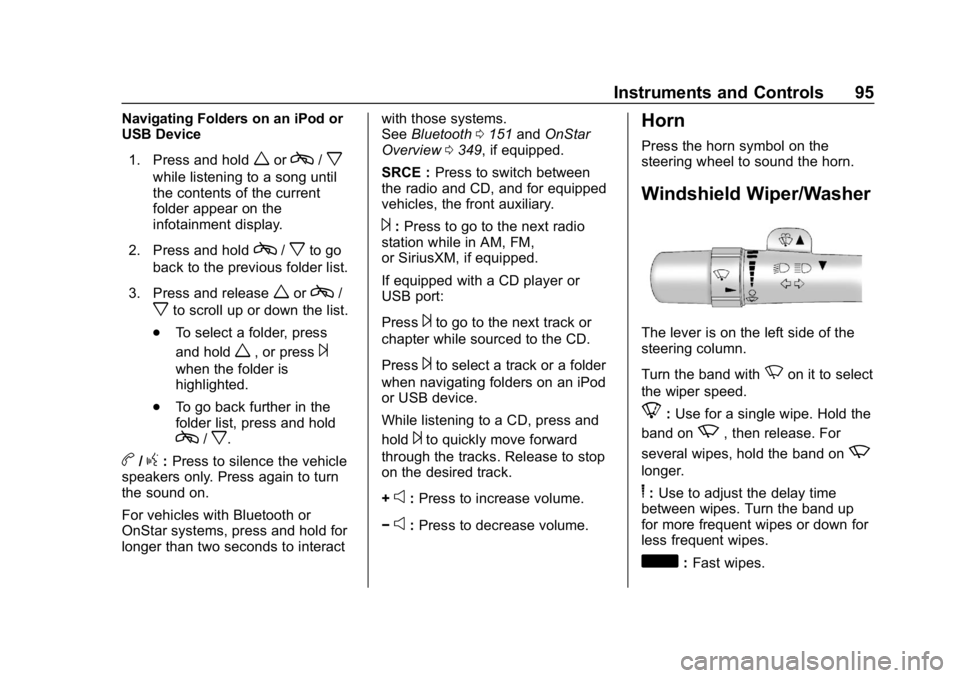
The lever is on the left side of the
steering column.
Turn the band with
Non it to select
the wiper speed.
8: Use for a single wipe. Hold the
band on
z, then release. For
several wipes, hold the band on
z
longer.
6: Use to adjust the delay time
between wipes. Turn the band up
for more frequent wipes or down for
less frequent wipes.
d: Fast wipes.
Page 97 of 373
Chevrolet Express Owner Manual (GMNA-Localizing-U.S./Canada/Mexico-
12146162) - 2019 - crc - 11/26/18
96 Instruments and Controls
a:Slow wipes.
9: Use to turn the wipers off.
When driving during the day and the
wipers are activated, the headlamps
automatically turn on after
completing eight wipe cycles.
Clear ice and snow from the wiper
blades before using them. If frozen
to the windshield, carefully loosen or
thaw them. Damaged blades should
be replaced.
Windshield Washer
The windshield wiper paddle is on
top of the turn signal lever.
L: Push the paddle to spray
washer fluid on the windshield. The
wipers will clear the window and
then either stop or return to the
preset speed.
{Warning
In freezing weather, do not use
the washer until the windshield is
warmed. Otherwise the washer
fluid can form ice on the
windshield, blocking your vision.
Compass
This vehicle may have a compass in
the Driver Information Center (DIC).
Compass Zone
Your dealer will set the correct zone
for your location.
Under certain circumstances, such
as during a long distance
cross-country trip or moving to a
new state or province, it will be
necessary to compensate for
compass variance by resetting the
zone through the DIC if the zone is
not set correctly.
Compass variance is the difference
between the earth's magnetic north
and true geographic north. If the
compass is not set to the zone where you live, the compass may
give false readings. The compass
must be set to the variance zone in
which the vehicle is traveling.
To adjust for compass variance, use
the following procedure:
Compass Variance (Zone)
Procedure
1. Do not set the compass zone when the vehicle is moving.
Only set it when the vehicle is
in P (Park).
Press
Tuntil PRESSVTO
CHANGE COMPASS ZONE
displays.
Page 98 of 373
Chevrolet Express Owner Manual (GMNA-Localizing-U.S./Canada/Mexico-
12146162) - 2019 - crc - 11/26/18
Instruments and Controls 97
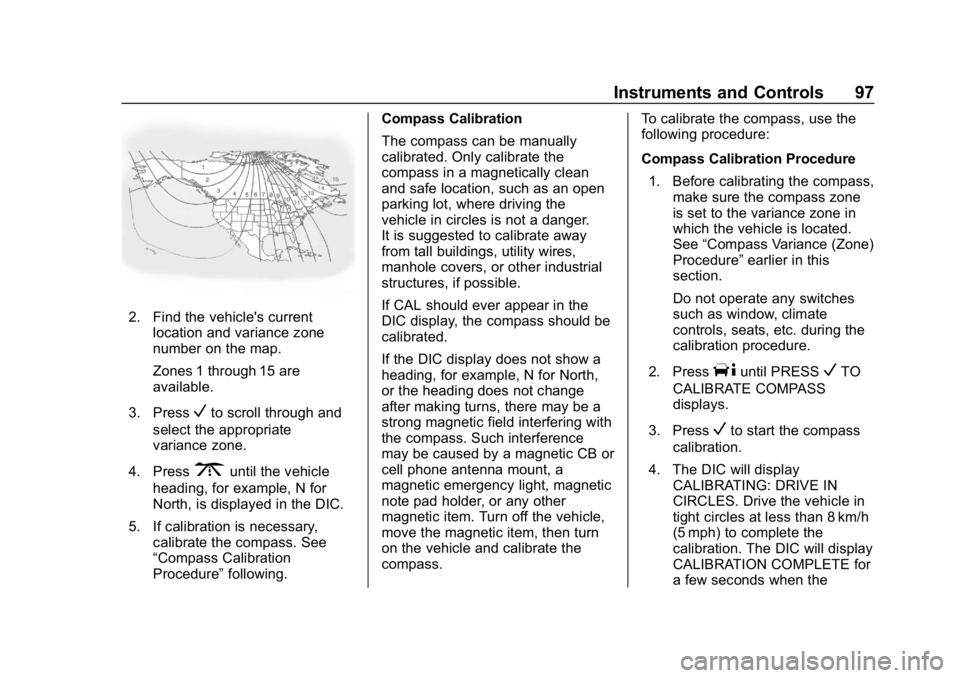
2. Find the vehicle's currentlocation and variance zone
number on the map.
Zones 1 through 15 are
available.
3. Press
Vto scroll through and
select the appropriate
variance zone.
4. Press
3until the vehicle
heading, for example, N for
North, is displayed in the DIC.
5. If calibration is necessary, calibrate the compass. See
“Compass Calibration
Procedure” following. Compass Calibration
The compass can be manually
calibrated. Only calibrate the
compass in a magnetically clean
and safe location, such as an open
parking lot, where driving the
vehicle in circles is not a danger.
It is suggested to calibrate away
from tall buildings, utility wires,
manhole covers, or other industrial
structures, if possible.
If CAL should ever appear in the
DIC display, the compass should be
calibrated.
If the DIC display does not show a
heading, for example, N for North,
or the heading does not change
after making turns, there may be a
strong magnetic field interfering with
the compass. Such interference
may be caused by a magnetic CB or
cell phone antenna mount, a
magnetic emergency light, magnetic
note pad holder, or any other
magnetic item. Turn off the vehicle,
move the magnetic item, then turn
on the vehicle and calibrate the
compass.
To calibrate the compass, use the
following procedure:
Compass Calibration Procedure
1. Before calibrating the compass, make sure the compass zone
is set to the variance zone in
which the vehicle is located.
See “Compass Variance (Zone)
Procedure” earlier in this
section.
Do not operate any switches
such as window, climate
controls, seats, etc. during the
calibration procedure.
2. Press
Tuntil PRESSVTO
CALIBRATE COMPASS
displays.
3. Press
Vto start the compass
calibration.
4. The DIC will display CALIBRATING: DRIVE IN
CIRCLES. Drive the vehicle in
tight circles at less than 8 km/h
(5 mph) to complete the
calibration. The DIC will display
CALIBRATION COMPLETE for
a few seconds when the
Page 99 of 373

Chevrolet Express Owner Manual (GMNA-Localizing-U.S./Canada/Mexico-
12146162) - 2019 - crc - 11/26/18
98 Instruments and Controls
calibration is complete. The
DIC display will then return to
PRESS
VTO CALIBRATE
COMPASS.
Clock
Setting the Time or Date
1. With the radio on, pressHand
the HR, MIN, MM, DD, and
YYYY (hour, minute, month,
day, and year) display.
2. Press the softkey under any one of the tabs to be changed.
Every time the softkey is
pressed again, the time or the
date if selected, increases
by one.
Another way to increase the
time or date is to press
¨
SEEK or\FWD (forward).
3. To decrease, press
©SEEK or
sREV. Turn thefknob, on
the upper right side of the
radio, to adjust the selected
setting. Changing the Time or Date Default
Settings
1. With the radio on, press
Hand
then the softkey under the
forward arrow that is currently
displayed on the infotainment
display until the time 12H
(hour) and 24H (hour), and the
date MM/DD (month and day)
and DD/MM (day and month)
are displayed.
2. Press the softkey under the desired option.
3. Press
Hagain to apply the
selected default, or let the
screen time out.
Power Outlets
Power Outlets 12 Volt Direct
Current
The accessory power outlets can be
used to plug in electrical equipment,
such as a cell phone or an MP3
player. The vehicle may have two
accessory power outlets on the
instrument panel.
Remove the cover to access and
replace when not in use.
Certain power accessory plugs may
not be compatible to the accessory
power outlet and could overload
vehicle or adapter fuses. If a
problem is experienced, see your
dealer.
{Warning
Power is always supplied to the
outlets. Do not leave electrical
equipment plugged in when the
vehicle is not in use because the
vehicle could catch fire and cause
injury or death.
Page 107 of 373
Chevrolet Express Owner Manual (GMNA-Localizing-U.S./Canada/Mexico-
12146162) - 2019 - crc - 11/26/18
106 Instruments and Controls
module. For more information on the
airbag system, seeAirbag System
0 60.
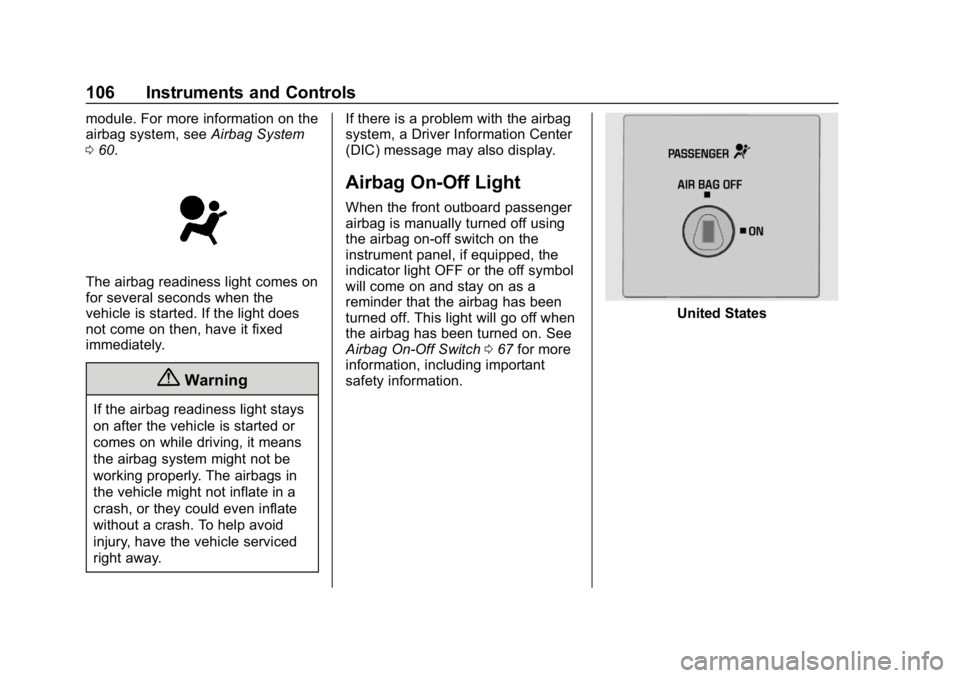
The airbag readiness light comes on
for several seconds when the
vehicle is started. If the light does
not come on then, have it fixed
immediately.
{Warning
If the airbag readiness light stays
on after the vehicle is started or
comes on while driving, it means
the airbag system might not be
working properly. The airbags in
the vehicle might not inflate in a
crash, or they could even inflate
without a crash. To help avoid
injury, have the vehicle serviced
right away. If there is a problem with the airbag
system, a Driver Information Center
(DIC) message may also display.
Airbag On-Off Light
When the front outboard passenger
airbag is manually turned off using
the airbag on-off switch on the
instrument panel, if equipped, the
indicator light OFF or the off symbol
will come on and stay on as a
reminder that the airbag has been
turned off. This light will go off when
the airbag has been turned on. See
Airbag On-Off Switch
067 for more
information, including important
safety information.
United States
Page 112 of 373
Chevrolet Express Owner Manual (GMNA-Localizing-U.S./Canada/Mexico-
12146162) - 2019 - crc - 11/26/18
Instruments and Controls 111
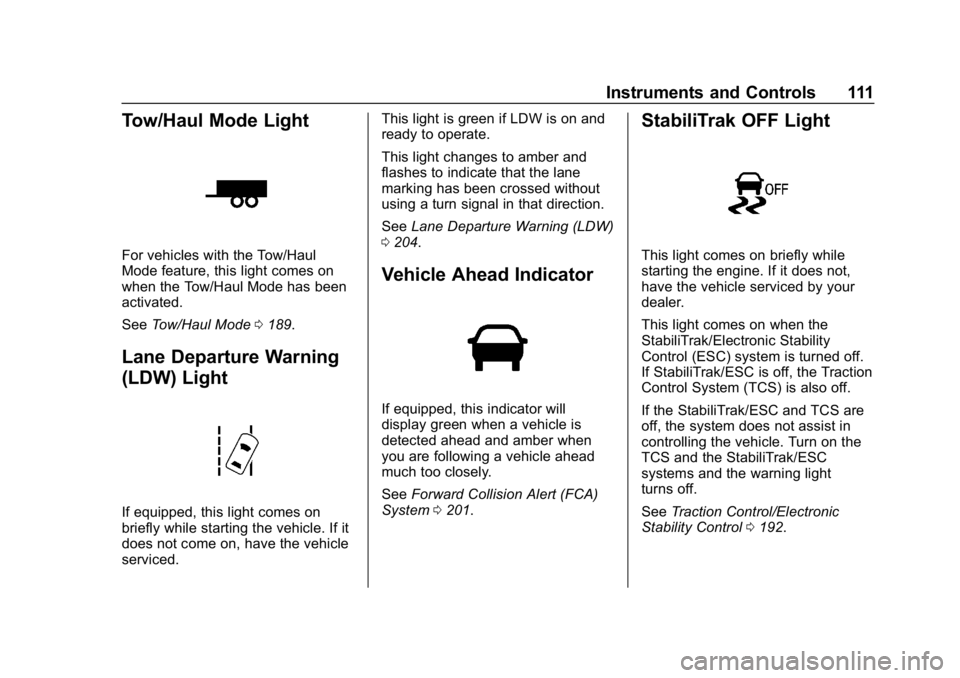
Tow/Haul Mode Light
For vehicles with the Tow/Haul
Mode feature, this light comes on
when the Tow/Haul Mode has been
activated.
SeeTow/Haul Mode 0189.
Lane Departure Warning
(LDW) Light
If equipped, this light comes on
briefly while starting the vehicle. If it
does not come on, have the vehicle
serviced. This light is green if LDW is on and
ready to operate.
This light changes to amber and
flashes to indicate that the lane
marking has been crossed without
using a turn signal in that direction.
See
Lane Departure Warning (LDW)
0 204.
Vehicle Ahead Indicator
If equipped, this indicator will
display green when a vehicle is
detected ahead and amber when
you are following a vehicle ahead
much too closely.
See Forward Collision Alert (FCA)
System 0201.
StabiliTrak OFF Light
This light comes on briefly while
starting the engine. If it does not,
have the vehicle serviced by your
dealer.
This light comes on when the
StabiliTrak/Electronic Stability
Control (ESC) system is turned off.
If StabiliTrak/ESC is off, the Traction
Control System (TCS) is also off.
If the StabiliTrak/ESC and TCS are
off, the system does not assist in
controlling the vehicle. Turn on the
TCS and the StabiliTrak/ESC
systems and the warning light
turns off.
See Traction Control/Electronic
Stability Control 0192.
Page 113 of 373
Chevrolet Express Owner Manual (GMNA-Localizing-U.S./Canada/Mexico-
12146162) - 2019 - crc - 11/26/18
112 Instruments and Controls
Traction Control System
(TCS)/StabiliTrak Light
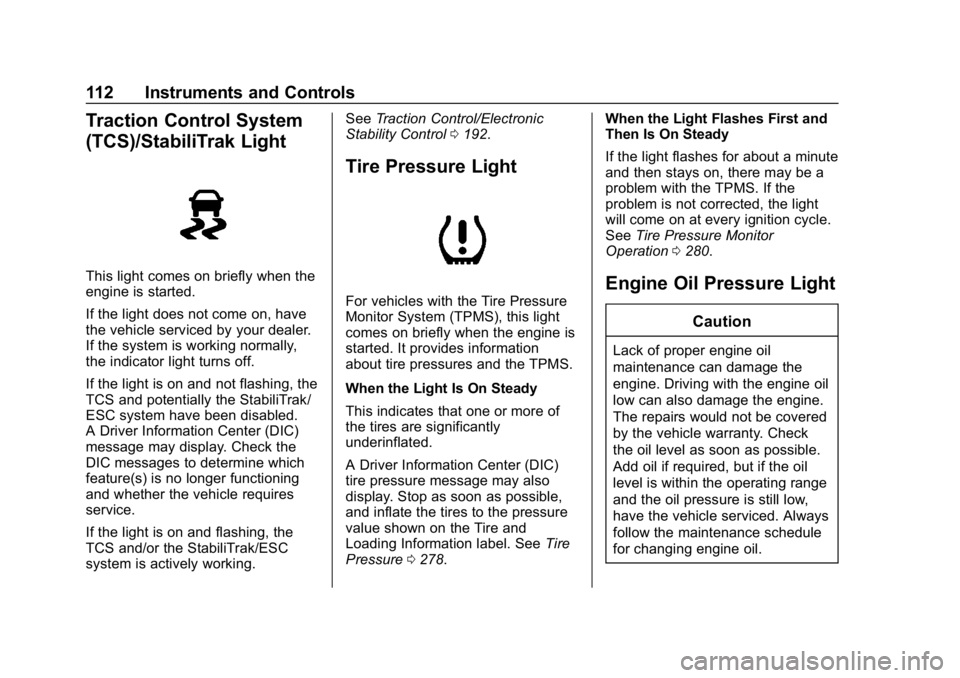
This light comes on briefly when the
engine is started.
If the light does not come on, have
the vehicle serviced by your dealer.
If the system is working normally,
the indicator light turns off.
If the light is on and not flashing, the
TCS and potentially the StabiliTrak/
ESC system have been disabled.
A Driver Information Center (DIC)
message may display. Check the
DIC messages to determine which
feature(s) is no longer functioning
and whether the vehicle requires
service.
If the light is on and flashing, the
TCS and/or the StabiliTrak/ESC
system is actively working.See
Traction Control/Electronic
Stability Control 0192.
Tire Pressure Light
For vehicles with the Tire Pressure
Monitor System (TPMS), this light
comes on briefly when the engine is
started. It provides information
about tire pressures and the TPMS.
When the Light Is On Steady
This indicates that one or more of
the tires are significantly
underinflated.
A Driver Information Center (DIC)
tire pressure message may also
display. Stop as soon as possible,
and inflate the tires to the pressure
value shown on the Tire and
Loading Information label. See Tire
Pressure 0278. When the Light Flashes First and
Then Is On Steady
If the light flashes for about a minute
and then stays on, there may be a
problem with the TPMS. If the
problem is not corrected, the light
will come on at every ignition cycle.
See
Tire Pressure Monitor
Operation 0280.
Engine Oil Pressure Light
Caution
Lack of proper engine oil
maintenance can damage the
engine. Driving with the engine oil
low can also damage the engine.
The repairs would not be covered
by the vehicle warranty. Check
the oil level as soon as possible.
Add oil if required, but if the oil
level is within the operating range
and the oil pressure is still low,
have the vehicle serviced. Always
follow the maintenance schedule
for changing engine oil.
Page 115 of 373
Chevrolet Express Owner Manual (GMNA-Localizing-U.S./Canada/Mexico-
12146162) - 2019 - crc - 11/26/18
114 Instruments and Controls
This light comes on when the
high-beam headlamps are in use.
SeeHeadlamp High/Low-Beam
Changer 0126.
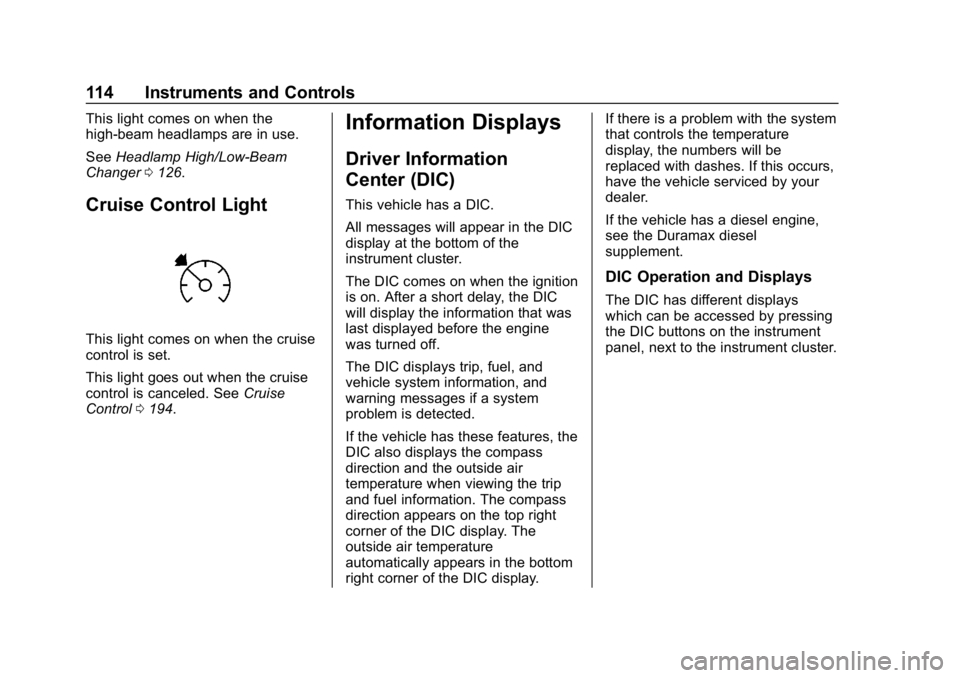
Cruise Control Light
This light comes on when the cruise
control is set.
This light goes out when the cruise
control is canceled. See Cruise
Control 0194.
Information Displays
Driver Information
Center (DIC)
This vehicle has a DIC.
All messages will appear in the DIC
display at the bottom of the
instrument cluster.
The DIC comes on when the ignition
is on. After a short delay, the DIC
will display the information that was
last displayed before the engine
was turned off.
The DIC displays trip, fuel, and
vehicle system information, and
warning messages if a system
problem is detected.
If the vehicle has these features, the
DIC also displays the compass
direction and the outside air
temperature when viewing the trip
and fuel information. The compass
direction appears on the top right
corner of the DIC display. The
outside air temperature
automatically appears in the bottom
right corner of the DIC display. If there is a problem with the system
that controls the temperature
display, the numbers will be
replaced with dashes. If this occurs,
have the vehicle serviced by your
dealer.
If the vehicle has a diesel engine,
see the Duramax diesel
supplement.
DIC Operation and Displays
The DIC has different displays
which can be accessed by pressing
the DIC buttons on the instrument
panel, next to the instrument cluster.