instrument panel CHEVROLET EXPRESS CARGO 2021 Owner's Guide
[x] Cancel search | Manufacturer: CHEVROLET, Model Year: 2021, Model line: EXPRESS CARGO, Model: CHEVROLET EXPRESS CARGO 2021Pages: 296, PDF Size: 6.68 MB
Page 93 of 296
Chevrolet Express Owner Manual (GMNA-Localizing-U.S./Canada/Mexico-
14583525) - 2021 - CRC - 12/9/20
92 Lighting
The vehicle has a light sensor on the top of
the instrument panel. Do not cover the
sensor; otherwise the system will come on
whenever the ignition is on.
The system may also turn on the headlamps
when driving through a parking garage or
tunnel.
There is a delay in the transition between
the daytime and nighttime operation of the
Daytime Running Lamps (DRL) and the
automatic headlamp system so that driving
under bridges or bright overhead street
lights does not affect the system. The DRL
and automatic headlamp system are only
affected when the light sensor sees a
change in lighting lasting longer than the
delay.
If the vehicle is started in a dark garage, the
automatic headlamp system comes on
immediately. Once the vehicle leaves the
garage, it takes approximately 30 seconds
for the automatic headlamp system to
change to DRL if it is light outside. During
that delay, the instrument cluster may not
be as bright as usual. Make sure the
instrument panel brightness control is in the
full bright position. SeeInstrument Panel
Illumination Control 093. To idle the vehicle with the automatic
headlamp system off, turn the control off.
The headlamps will also stay on after
exiting the vehicle. This feature may be
programmable. See
Vehicle Personalization
0 86.
If the feature is not programmable, exit
lighting is automatic. When it is dark
enough outside, the exterior lamps remain
on for 30 seconds after the ignition is
turned off.
Lights On with Wipers
If the windshield wipers are activated in
daylight with the engine on, and the
exterior lamp control is in AUTO, the
headlamps, parking lamps, and other
exterior lamps come on. The transition time
for the lamps coming on varies based on
wiper speed. When the wipers are not
operating, these lamps turn off. Move the
exterior lamp control to
Por;to
disable this feature.
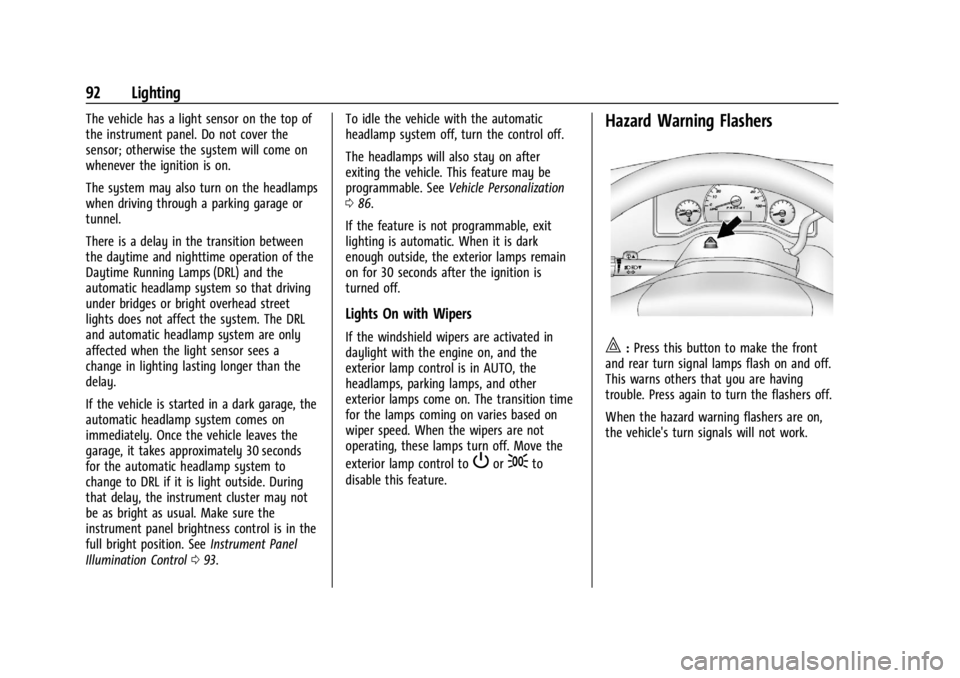
Hazard Warning Flashers
|: Press this button to make the front
and rear turn signal lamps flash on and off.
This warns others that you are having
trouble. Press again to turn the flashers off.
When the hazard warning flashers are on,
the vehicle's turn signals will not work.
Page 94 of 296
Chevrolet Express Owner Manual (GMNA-Localizing-U.S./Canada/Mexico-
14583525) - 2021 - CRC - 12/9/20
Lighting 93
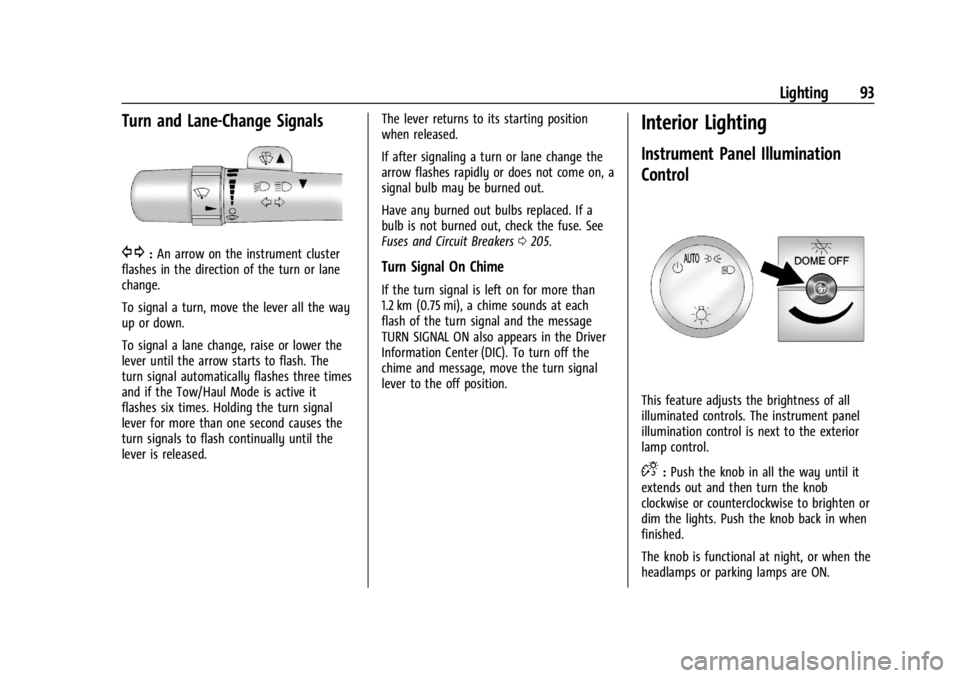
Turn and Lane-Change Signals
G:An arrow on the instrument cluster
flashes in the direction of the turn or lane
change.
To signal a turn, move the lever all the way
up or down.
To signal a lane change, raise or lower the
lever until the arrow starts to flash. The
turn signal automatically flashes three times
and if the Tow/Haul Mode is active it
flashes six times. Holding the turn signal
lever for more than one second causes the
turn signals to flash continually until the
lever is released. The lever returns to its starting position
when released.
If after signaling a turn or lane change the
arrow flashes rapidly or does not come on, a
signal bulb may be burned out.
Have any burned out bulbs replaced. If a
bulb is not burned out, check the fuse. See
Fuses and Circuit Breakers
0205.Turn Signal On Chime
If the turn signal is left on for more than
1.2 km (0.75 mi), a chime sounds at each
flash of the turn signal and the message
TURN SIGNAL ON also appears in the Driver
Information Center (DIC). To turn off the
chime and message, move the turn signal
lever to the off position.
Interior Lighting
Instrument Panel Illumination
Control
This feature adjusts the brightness of all
illuminated controls. The instrument panel
illumination control is next to the exterior
lamp control.
D:Push the knob in all the way until it
extends out and then turn the knob
clockwise or counterclockwise to brighten or
dim the lights. Push the knob back in when
finished.
The knob is functional at night, or when the
headlamps or parking lamps are ON.
Page 95 of 296

Chevrolet Express Owner Manual (GMNA-Localizing-U.S./Canada/Mexico-
14583525) - 2021 - CRC - 12/9/20
94 Lighting
Dome Lamps
The dome lamps will come on when any
door is opened, the remote unlock is
pressed, or when the ignition is switched
off. They will turn off after a delay, when all
doors are closed, or when the ignition is
switched on.
The instrument panel brightness knob
extends when
Dis pressed. To manually
turn on the dome lamps, press
Dthen
turn the knob clockwise to the farthest
position. In this position, the dome lamps
remain on whether a door is opened or
closed.
Dome Lamp Override
The dome lamp override sets the dome
lamps to remain off or come on
automatically when a door is opened, the
remote unlock is pressed, or when the
ignition is switched off.
EDOME OFF : Press this button in and the
dome lamps remain off when a door is
opened, the remote unlock is pressed, or the
ignition is switched off. Press the button
again to return it to the extended position
so that the dome lamps come on when a
door is opened, the remote unlock is
pressed, or when the ignition is
switched off.
Reading Lamps
If equipped with reading lamps, press the
button next to each lamp to turn it on
or off.
To operate, the ignition must be on, in ACC/
ACCESSORY, or using Retained Accessory
Power (RAP).
The vehicle may also have reading lamps in
other locations. The lamps cannot be
adjusted.
Lighting Features
Entry Lighting
Some exterior lamps turn on briefly at
night, or in areas with limited lighting,
when
Kis pressed on the RKE transmitter.
After about 30 seconds the exterior lamps
turn off. Entry lighting can be disabled
manually by turning the ignition on or to
ACC/ACCESSORY, or by pressing
Qon the
RKE transmitter. When any door is opened
or the remote unlock is pressed, all interior
lights turn on and then interior lamps dim
to off within 20 seconds after all doors are
closed.
The entry lighting feature for exterior
lighting can be changed. See “Vehicle
Locator Lights” underVehicle Personalization
0 86.
Exit Lighting
Some exterior lamps come on at night, or in
areas with limited lighting, when the driver
door is opened after the ignition is
turned off.
The dome lamp comes on after the ignition
is turned off or any door is opened.
Page 110 of 296
Chevrolet Express Owner Manual (GMNA-Localizing-U.S./Canada/Mexico-
14583525) - 2021 - CRC - 12/9/20
Infotainment System 109
Using the USB Port
Radios with a USB port can control a USB
storage device or an iPod using the radio
buttons and knobs. See“Playing an MP3”in
CD Player 0104 for information about how
to connect and control a USB storage device
or an iPod.
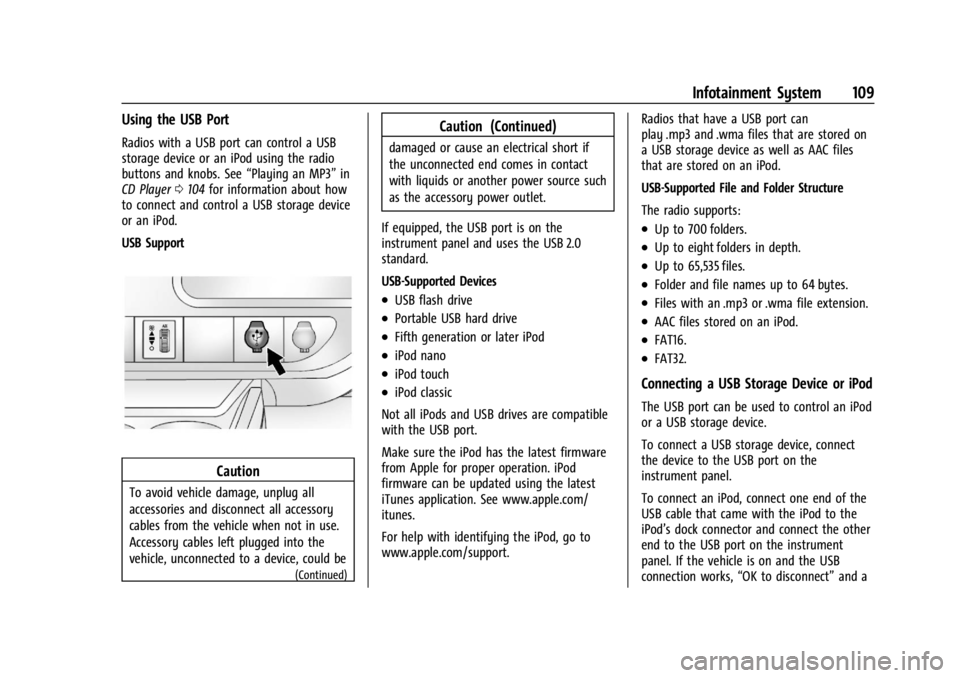
USB Support
Caution
To avoid vehicle damage, unplug all
accessories and disconnect all accessory
cables from the vehicle when not in use.
Accessory cables left plugged into the
vehicle, unconnected to a device, could be
(Continued)
Caution (Continued)
damaged or cause an electrical short if
the unconnected end comes in contact
with liquids or another power source such
as the accessory power outlet.
If equipped, the USB port is on the
instrument panel and uses the USB 2.0
standard.
USB-Supported Devices
.USB flash drive
.Portable USB hard drive
.Fifth generation or later iPod
.iPod nano
.iPod touch
.iPod classic
Not all iPods and USB drives are compatible
with the USB port.
Make sure the iPod has the latest firmware
from Apple for proper operation. iPod
firmware can be updated using the latest
iTunes application. See www.apple.com/
itunes.
For help with identifying the iPod, go to
www.apple.com/support. Radios that have a USB port can
play .mp3 and .wma files that are stored on
a USB storage device as well as AAC files
that are stored on an iPod.
USB-Supported File and Folder Structure
The radio supports:
.Up to 700 folders.
.Up to eight folders in depth.
.Up to 65,535 files.
.Folder and file names up to 64 bytes.
.Files with an .mp3 or .wma file extension.
.AAC files stored on an iPod.
.FAT16.
.FAT32.
Connecting a USB Storage Device or iPod
The USB port can be used to control an iPod
or a USB storage device.
To connect a USB storage device, connect
the device to the USB port on the
instrument panel.
To connect an iPod, connect one end of the
USB cable that came with the iPod to the
iPod’s dock connector and connect the other
end to the USB port on the instrument
panel. If the vehicle is on and the USB
connection works,
“OK to disconnect” and a
Page 120 of 296

Chevrolet Express Owner Manual (GMNA-Localizing-U.S./Canada/Mexico-
14583525) - 2021 - CRC - 12/9/20
Climate Controls 119
Climate Controls
Climate Control Systems
Climate Control Systems . . . . . . . . . . . . . . . 119
Rear Heating System . . . . . . . . . . . . . . . . . . . 121
Rear Climate Control System . . . . . . . . . . . 122
Air Vents
Air Vents . . . . . . . . . . . . . . . . . . . . . . . . . . . . . . 124
Maintenance
Service . . . . . . . . . . . . . . . . . . . . . . . . . . . . . . . . . 124
Climate Control Systems
The heating, cooling, and ventilation for the vehicle can be controlled with this system.
Vehicles without Air Conditioning
1. Fan Control
2. Temperature Control
3. Air Delivery Mode Control
9: Turn the knob clockwise or
counterclockwise to increase or decrease the
fan speed.
9: Turns the system off. Temperature Control :
Turn the knob
clockwise or counterclockwise to increase or
decrease the temperature inside the vehicle.
Air Delivery Mode Control : Turn the knob
clockwise or counterclockwise to change the
current airflow mode.H: Air is directed to the instrument panel
outlets.
Page 121 of 296
Chevrolet Express Owner Manual (GMNA-Localizing-U.S./Canada/Mexico-
14583525) - 2021 - CRC - 12/9/20
120 Climate Controls
):Air is divided between the instrument
panel and floor outlets, with some air
directed toward the windshield.
6: Air is directed to the floor outlets with
some air directed to the windshield and side
windows.
-: This mode clears the windows of fog or
moisture. Outside air is directed to the floor
and defroster outlets. Adjust the
temperature knob for warmer or cooler air.
The air conditioning compressor might turn
on in this setting to dehumidify the air.
1: This mode clears the windshield of fog
or frost more quickly. Air is directed to the
windshield, with some to the floor outlets
and front side windows. The air conditioning
compressor might turn on in this setting to
dehumidify the air.
Do not drive the vehicle until all the
windows are clear.
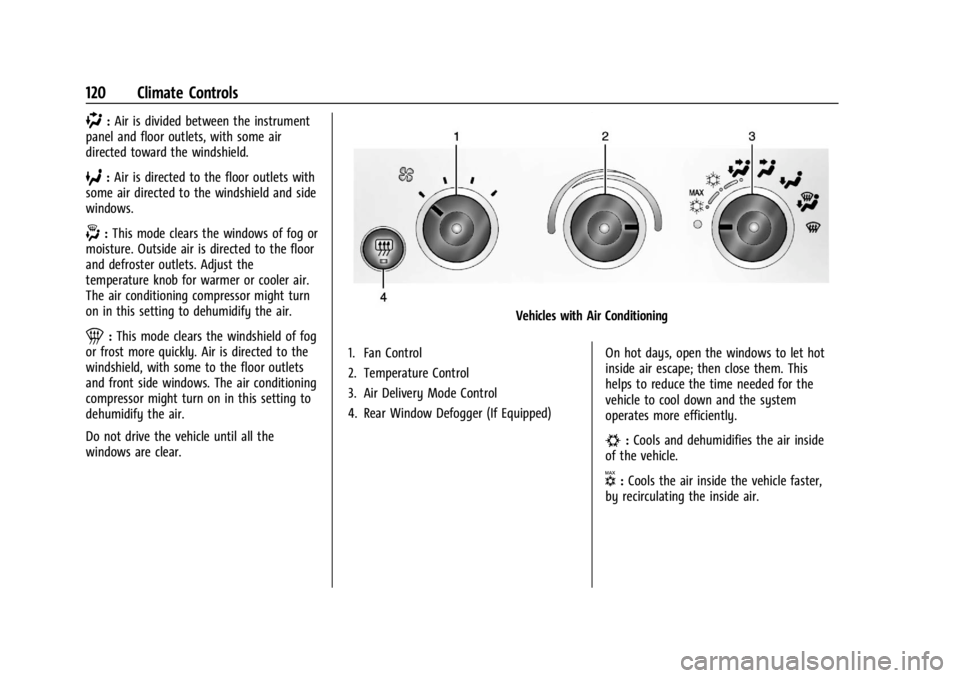
Vehicles with Air Conditioning
1. Fan Control
2. Temperature Control
3. Air Delivery Mode Control
4. Rear Window Defogger (If Equipped) On hot days, open the windows to let hot
inside air escape; then close them. This
helps to reduce the time needed for the
vehicle to cool down and the system
operates more efficiently.
#:
Cools and dehumidifies the air inside
of the vehicle.
V: Cools the air inside the vehicle faster,
by recirculating the inside air.
Page 122 of 296

Chevrolet Express Owner Manual (GMNA-Localizing-U.S./Canada/Mexico-
14583525) - 2021 - CRC - 12/9/20
Climate Controls 121
Rear Window Defogger
If equipped with a rear window defogger, a
warming grid is used to remove fog or frost
from the rear window.
1:Press to turn the rear window
defogger on or off. An indicator light on the
button comes on to show that the rear
window defogger is on.
The defogger only works when the ignition
is on. The defogger turns off if the ignition
is turned off or to ACC/ACCESSORY.
Heated Mirrors: If equipped with heated
outside mirrors, the mirrors heat to help
clear fog or frost from the surface of the
mirror when
1is pressed. See Heated
Mirrors 019.
Do not drive the vehicle until all the
windows are clear.
Caution
Do not use a razor blade or sharp object
to clear the inside rear window. Do not
adhere anything to the defogger grid
lines in the rear glass. These actions may
damage the rear defogger. Repairs would
not be covered by the vehicle warranty.
Rear Heating System
If equipped, the rear heating system lets
you adjust the amount of air flowing into
the rear of the vehicle, from the front
seating area. This feature works with the
main climate control system in the vehicle.
AUX : The thumbwheel for this system is on
the instrument panel below the audio
system.
9: Turn the thumbwheel up or down to
increase or decrease the amount of heated
air sent to the rear seating area.
Q: This position supplies the most amount
of heat to the rear seating area.
c: This position supplies half the amount
of heat to the rear seating area.
R: This position supplies the least amount
of heat to the rear seating area.
9: This turns the rear heating system off.
Page 125 of 296
Chevrolet Express Owner Manual (GMNA-Localizing-U.S./Canada/Mexico-
14583525) - 2021 - CRC - 12/9/20
124 Climate Controls
Air Vents
Use the outlets located near the center and
on the sides of the instrument panel to
change the direction of airflow.
Operation Tips
.Clear away any ice, snow or leaves from
the air inlets at the base of the
windshield that may block the flow of air
into the vehicle.
.Use of non-GM approved hood deflectors
may adversely affect the performance of
the system.
.Clear snow off the hood to improve
visibility and help decrease moisture
drawn into the vehicle.
.Keep the path under the front seats clear
of objects to help circulate the air inside
of the vehicle more effectively.
Maintenance
Service
All vehicles have a label underhood that
identifies the refrigerant used in the vehicle.
The refrigerant system should only be
serviced by trained and certified technicians.
The air conditioning evaporator should never
be repaired or replaced by one from a
salvage vehicle. It should only be replaced
by a new evaporator to ensure proper and
safe operation.
During service, all refrigerants should be
reclaimed with proper equipment. Venting
refrigerants directly to the atmosphere is
harmful to the environment and may also
create unsafe conditions based on
inhalation, combustion, frostbite, or other
health-based concerns.
The air conditioning system requires periodic
maintenance. SeeMaintenance Schedule
0 251.
Page 132 of 296
Chevrolet Express Owner Manual (GMNA-Localizing-U.S./Canada/Mexico-
14583525) - 2021 - CRC - 12/9/20
Driving and Operating 131
{Warning
Snow can trap engine exhaust under the
vehicle. This may cause exhaust gases to
get inside. Engine exhaust contains
carbon monoxide (CO), which cannot be
seen or smelled. It can cause
unconsciousness and even death.
If the vehicle is stuck in snow:
.Clear snow from the base of the
vehicle, especially any blocking the
exhaust pipe.
.Open a window about 5 cm (2 in) on
the vehicle side that is away from the
wind, to bring in fresh air.
.Fully open the air outlets on or under
the instrument panel.
.Adjust the climate control system to
circulate the air inside the vehicle and
set the fan speed to the highest
setting. See“Climate Control Systems.”
For more information about CO, see
Engine Exhaust 0141. To save fuel, run the engine for short
periods to warm the vehicle and then shut
the engine off and partially close the
window. Moving about to keep warm also
helps.
If it takes time for help to arrive, when
running the engine, push the accelerator
pedal slightly so the engine runs faster than
the idle speed. This keeps the battery
charged to restart the vehicle and to signal
for help with the headlamps. Do this as
little as possible, to save fuel.
If the Vehicle Is Stuck
Slowly and cautiously spin the wheels to
free the vehicle when stuck in sand, mud,
ice, or snow.
If stuck too severely for the traction system
to free the vehicle, turn the traction system
off and use the rocking method. See
Traction Control/Electronic Stability Control
0
147.
{Warning
If the vehicle's tires spin at high speed,
they can explode, and you or others
could be injured. The vehicle can
overheat, causing an engine compartment
fire or other damage. Spin the wheels as
little as possible and avoid going above
56 km/h (35 mph).
Rocking the Vehicle to Get it Out
Turn the steering wheel left and right to
clear the area around the front wheels. Turn
off any traction system. Shift back and forth
between R (Reverse) and a low forward gear,
spinning the wheels as little as possible. To
prevent transmission wear, wait until the
wheels stop spinning before shifting gears.
Release the accelerator pedal while shifting,
and press lightly on the accelerator pedal
when the transmission is in gear. Slowly
spinning the wheels in the forward and
reverse directions causes a rocking motion
that could free the vehicle. If that does not
get the vehicle out after a few tries, it
might need to be towed out. If the vehicle
does need to be towed out, see Towing the
Vehicle 0240.
Page 146 of 296
Chevrolet Express Owner Manual (GMNA-Localizing-U.S./Canada/Mexico-
14583525) - 2021 - CRC - 12/9/20
Driving and Operating 145
When M (Manual Mode) is selected, the
transmission will downshift and a number
displays in the Driver Information
Center (DIC) next to the M indicating the
current gear.
This number is the highest gear that can be
used. However, the vehicle can automatically
shift to lower gears as it adjusts to driving
conditions. This means that all gears below
that number are available. When 5 (Fifth) is
selected, 1 (First) through 5 (Fifth) gears are
automatically shifted by the vehicle, but
6 (Sixth) cannot be used until the +/−
button on the shift lever is used to change
to the gear.
Grade Braking is not available when Range
Selection Mode is active. SeeTow/Haul
Mode 0145.
While using Range Selection Mode, cruise
control and the Tow/Haul Mode can
be used.
Caution
Spinning the tires or holding the vehicle
in one place on a hill using only the
accelerator pedal may damage the
transmission. The repair will not be
(Continued)
Caution (Continued)
covered by the vehicle warranty. If the
vehicle is stuck, do not spin the tires.
When stopping on a hill, use the brakes
to hold the vehicle in place.
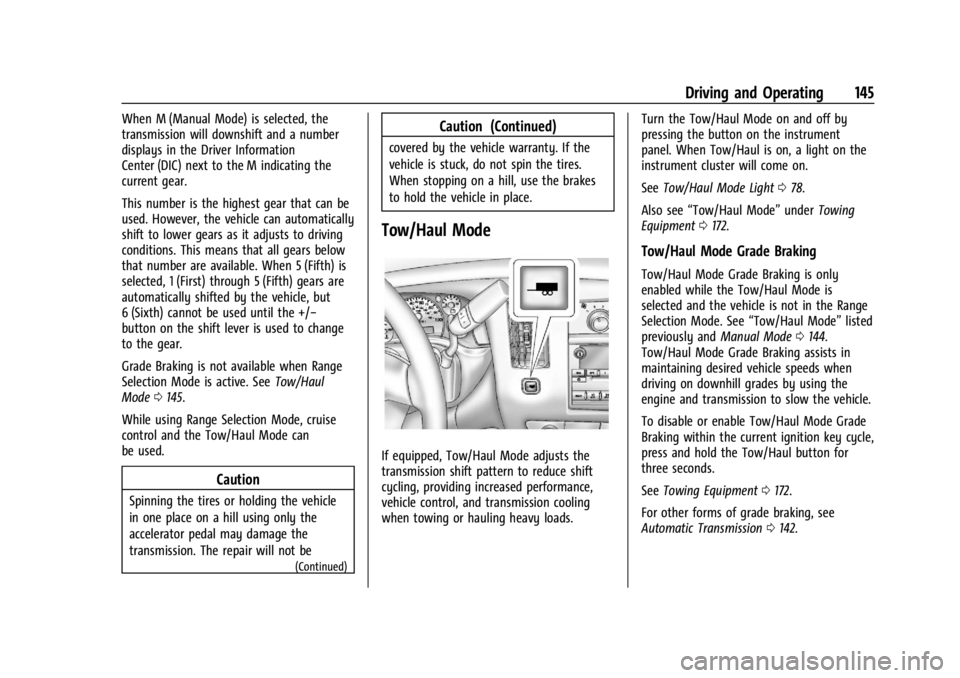
Tow/Haul Mode
If equipped, Tow/Haul Mode adjusts the
transmission shift pattern to reduce shift
cycling, providing increased performance,
vehicle control, and transmission cooling
when towing or hauling heavy loads. Turn the Tow/Haul Mode on and off by
pressing the button on the instrument
panel. When Tow/Haul is on, a light on the
instrument cluster will come on.
See
Tow/Haul Mode Light 078.
Also see “Tow/Haul Mode” underTowing
Equipment 0172.
Tow/Haul Mode Grade Braking
Tow/Haul Mode Grade Braking is only
enabled while the Tow/Haul Mode is
selected and the vehicle is not in the Range
Selection Mode. See “Tow/Haul Mode”listed
previously and Manual Mode0144.
Tow/Haul Mode Grade Braking assists in
maintaining desired vehicle speeds when
driving on downhill grades by using the
engine and transmission to slow the vehicle.
To disable or enable Tow/Haul Mode Grade
Braking within the current ignition key cycle,
press and hold the Tow/Haul button for
three seconds.
See Towing Equipment 0172.
For other forms of grade braking, see
Automatic Transmission 0142.