clock CHEVROLET EXPRESS CARGO VAN 2003 1.G User Guide
[x] Cancel search | Manufacturer: CHEVROLET, Model Year: 2003, Model line: EXPRESS CARGO VAN, Model: CHEVROLET EXPRESS CARGO VAN 2003 1.GPages: 386, PDF Size: 2.73 MB
Page 321 of 386
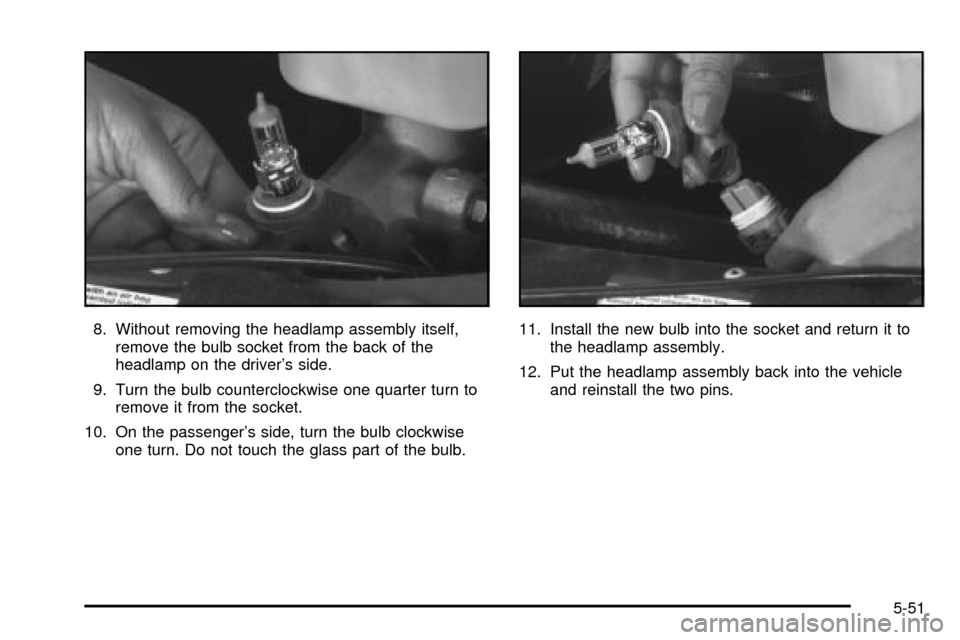
8. Without removing the headlamp assembly itself,
remove the bulb socket from the back of the
headlamp on the driver's side.
9. Turn the bulb counterclockwise one quarter turn to
remove it from the socket.
10. On the passenger's side, turn the bulb clockwise
one turn. Do not touch the glass part of the bulb.11. Install the new bulb into the socket and return it to
the headlamp assembly.
12. Put the headlamp assembly back into the vehicle
and reinstall the two pins.
5-51
Page 322 of 386
Front Turn Signal, Sidemarker and
Parking Lamps
1. Use a small tool to unlatch the outboard clip on
this lamp.
2. Pull the lamp forward to completely unlatch the clip.
Move the lamp outboard to loosen the tabs.
3. Remove the lamp from the grille.
4. Squeeze the tab on the side of the bulb assembly
while turning it counterclockwise.
5. Remove the bulb assembly from the back of the
lens and replace the bulb.
6. Turn the socket clockwise to reinstall it in the lens
assembly.
Taillamps
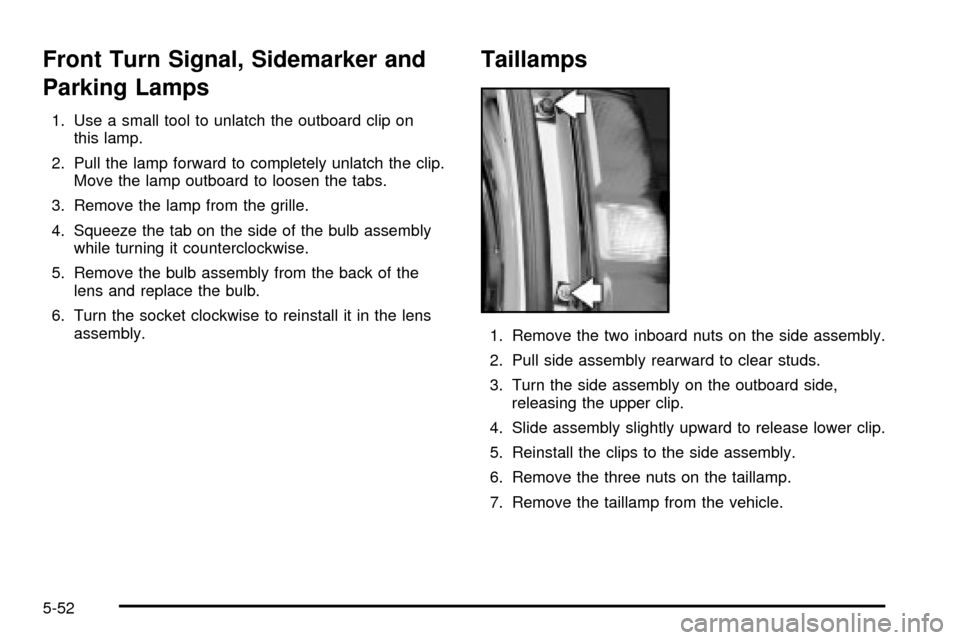
1. Remove the two inboard nuts on the side assembly.
2. Pull side assembly rearward to clear studs.
3. Turn the side assembly on the outboard side,
releasing the upper clip.
4. Slide assembly slightly upward to release lower clip.
5. Reinstall the clips to the side assembly.
6. Remove the three nuts on the taillamp.
7. Remove the taillamp from the vehicle.
5-52
Page 323 of 386
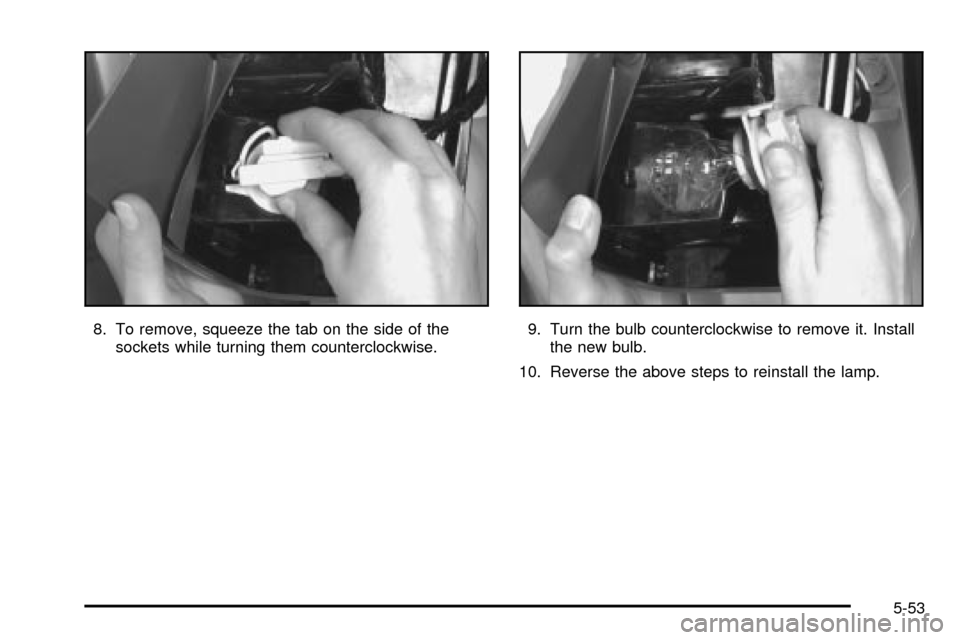
8. To remove, squeeze the tab on the side of the
sockets while turning them counterclockwise.9. Turn the bulb counterclockwise to remove it. Install
the new bulb.
10. Reverse the above steps to reinstall the lamp.
5-53
Page 338 of 386
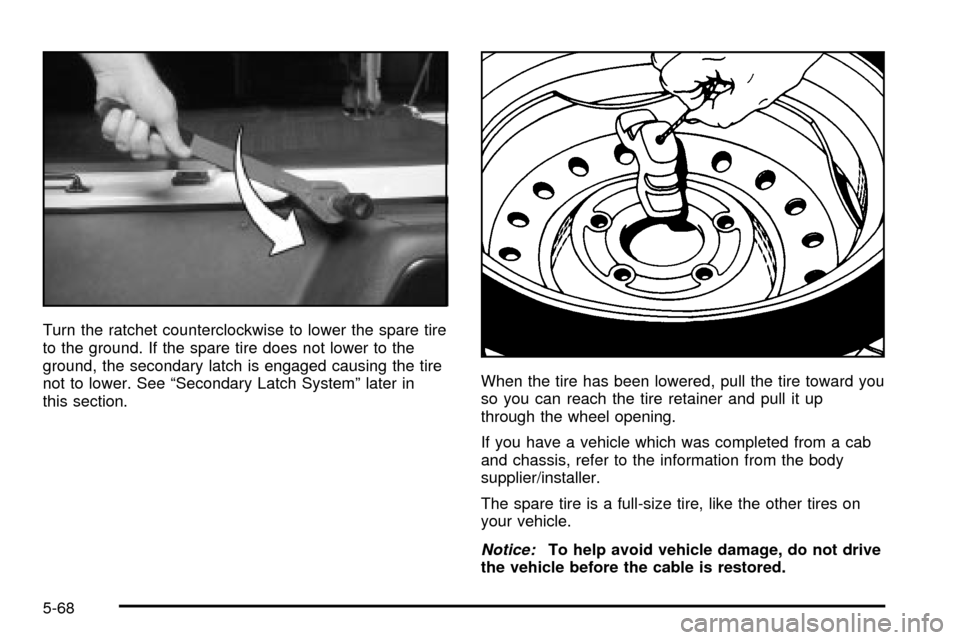
Turn the ratchet counterclockwise to lower the spare tire
to the ground. If the spare tire does not lower to the
ground, the secondary latch is engaged causing the tire
not to lower. See ªSecondary Latch Systemº later in
this section.When the tire has been lowered, pull the tire toward you
so you can reach the tire retainer and pull it up
through the wheel opening.
If you have a vehicle which was completed from a cab
and chassis, refer to the information from the body
supplier/installer.
The spare tire is a full-size tire, like the other tires on
your vehicle.
Notice:To help avoid vehicle damage, do not drive
the vehicle before the cable is restored.
5-68
Page 340 of 386
2. If the cable is not visible, start this procedure at
Step 6.
3. Turn the wrench counterclockwise until
approximately 6 inches (15 cm) of cable is exposed.
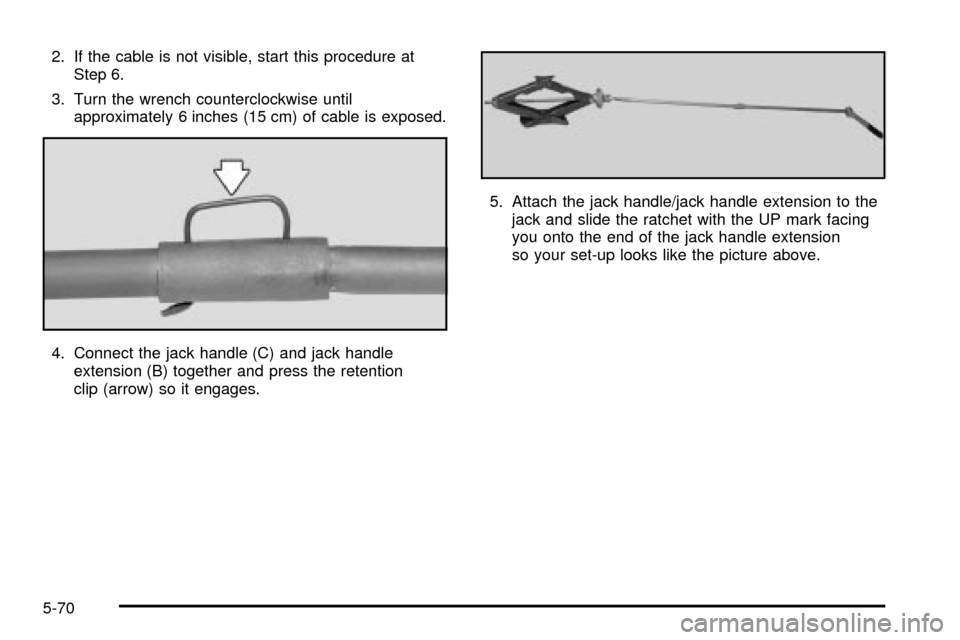
4. Connect the jack handle (C) and jack handle
extension (B) together and press the retention
clip (arrow) so it engages.5. Attach the jack handle/jack handle extension to the
jack and slide the ratchet with the UP mark facing
you onto the end of the jack handle extension
so your set-up looks like the picture above.
5-70
Page 341 of 386
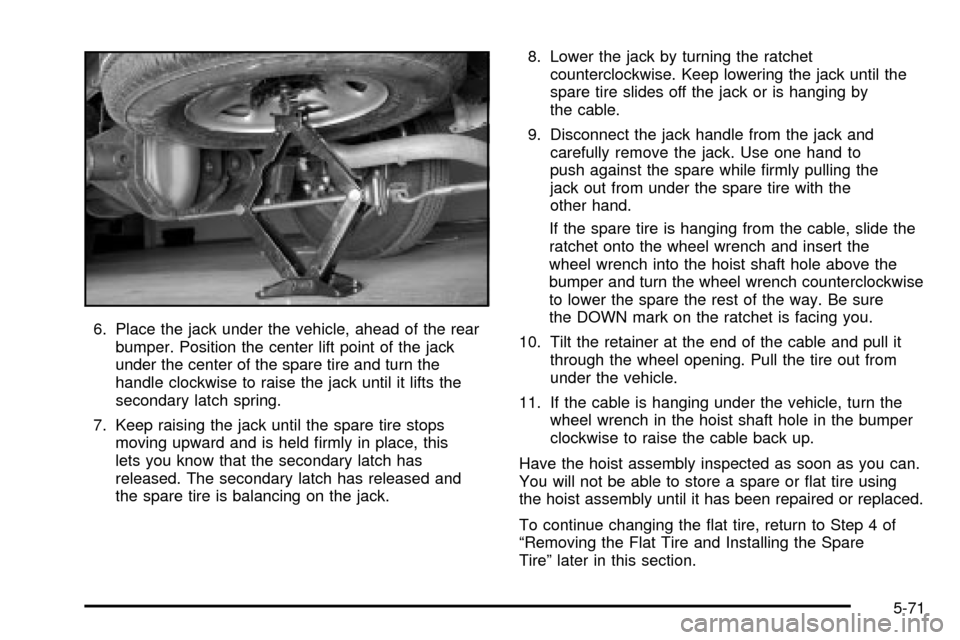
6. Place the jack under the vehicle, ahead of the rear
bumper. Position the center lift point of the jack
under the center of the spare tire and turn the
handle clockwise to raise the jack until it lifts the
secondary latch spring.
7. Keep raising the jack until the spare tire stops
moving upward and is held ®rmly in place, this
lets you know that the secondary latch has
released. The secondary latch has released and
the spare tire is balancing on the jack.8. Lower the jack by turning the ratchet
counterclockwise. Keep lowering the jack until the
spare tire slides off the jack or is hanging by
the cable.
9. Disconnect the jack handle from the jack and
carefully remove the jack. Use one hand to
push against the spare while ®rmly pulling the
jack out from under the spare tire with the
other hand.
If the spare tire is hanging from the cable, slide the
ratchet onto the wheel wrench and insert the
wheel wrench into the hoist shaft hole above the
bumper and turn the wheel wrench counterclockwise
to lower the spare the rest of the way. Be sure
the DOWN mark on the ratchet is facing you.
10. Tilt the retainer at the end of the cable and pull it
through the wheel opening. Pull the tire out from
under the vehicle.
11. If the cable is hanging under the vehicle, turn the
wheel wrench in the hoist shaft hole in the bumper
clockwise to raise the cable back up.
Have the hoist assembly inspected as soon as you can.
You will not be able to store a spare or ¯at tire using
the hoist assembly until it has been repaired or replaced.
To continue changing the ¯at tire, return to Step 4 of
ªRemoving the Flat Tire and Installing the Spare
Tireº later in this section.
5-71
Page 342 of 386
Removing the Wheel Covers
If your vehicle has plastic wheel nut caps, loosen them
by turning the wheel wrench counterclockwise. The
wheel nut caps are designed to remain with the center
cap. Remove the center cap.
If the wheel has a smooth center piece, place the chisel
end of the wheel wrench in the slot on the wheel and
gently pry it out.
Removing the Flat Tire and Installing
the Spare Tire
1. With the DOWN side facing you, use the ratchet
and wheel wrench to loosen all the wheel nuts.
Don't remove them yet.
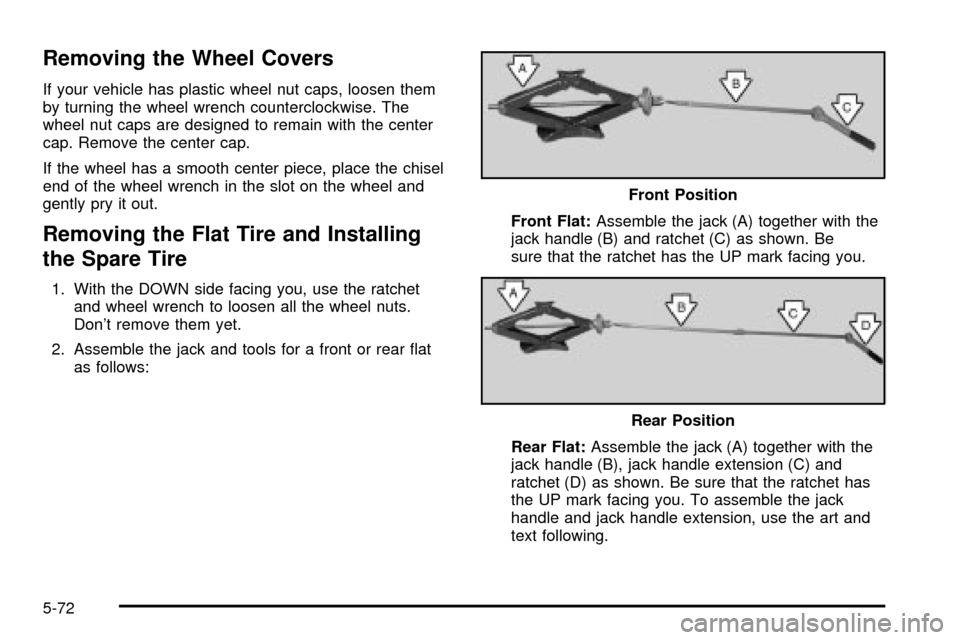
2. Assemble the jack and tools for a front or rear ¯at
as follows:Front Flat:Assemble the jack (A) together with the
jack handle (B) and ratchet (C) as shown. Be
sure that the ratchet has the UP mark facing you.
Rear Flat:Assemble the jack (A) together with the
jack handle (B), jack handle extension (C) and
ratchet (D) as shown. Be sure that the ratchet has
the UP mark facing you. To assemble the jack
handle and jack handle extension, use the art and
text following.Front Position
Rear Position
5-72
Page 345 of 386
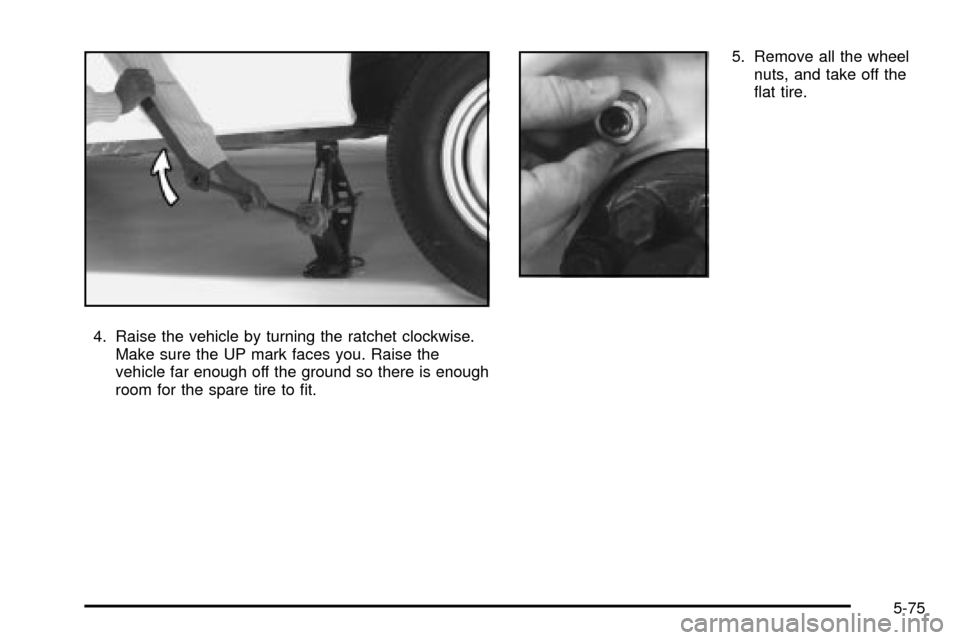
4. Raise the vehicle by turning the ratchet clockwise.
Make sure the UP mark faces you. Raise the
vehicle far enough off the ground so there is enough
room for the spare tire to ®t.5. Remove all the wheel
nuts, and take off the
¯at tire.
5-75
Page 346 of 386
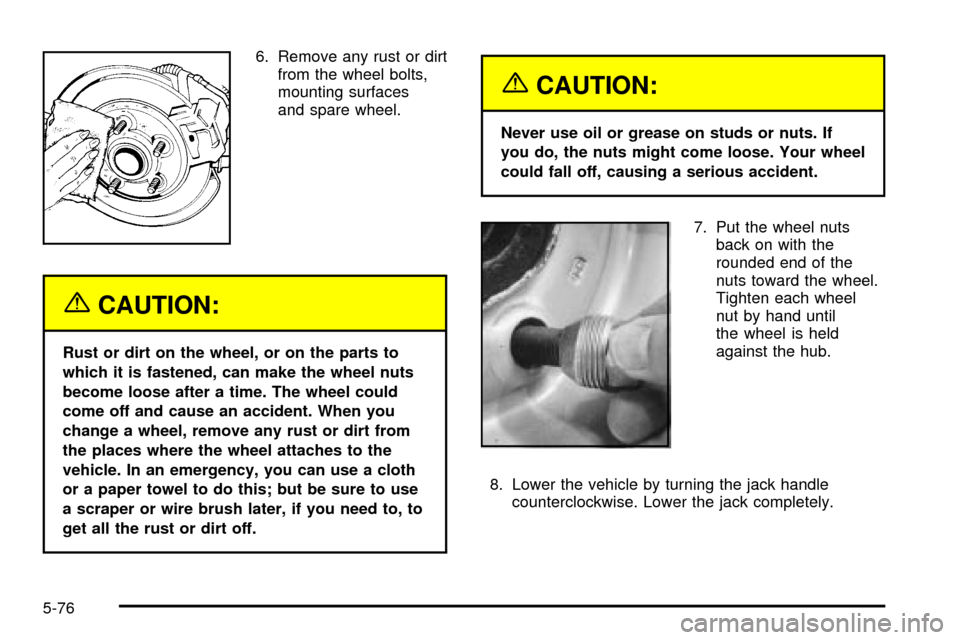
6. Remove any rust or dirt
from the wheel bolts,
mounting surfaces
and spare wheel.
{CAUTION:
Rust or dirt on the wheel, or on the parts to
which it is fastened, can make the wheel nuts
become loose after a time. The wheel could
come off and cause an accident. When you
change a wheel, remove any rust or dirt from
the places where the wheel attaches to the
vehicle. In an emergency, you can use a cloth
or a paper towel to do this; but be sure to use
a scraper or wire brush later, if you need to, to
get all the rust or dirt off.
{CAUTION:
Never use oil or grease on studs or nuts. If
you do, the nuts might come loose. Your wheel
could fall off, causing a serious accident.
7. Put the wheel nuts
back on with the
rounded end of the
nuts toward the wheel.
Tighten each wheel
nut by hand until
the wheel is held
against the hub.
8. Lower the vehicle by turning the jack handle
counterclockwise. Lower the jack completely.
5-76
Page 347 of 386
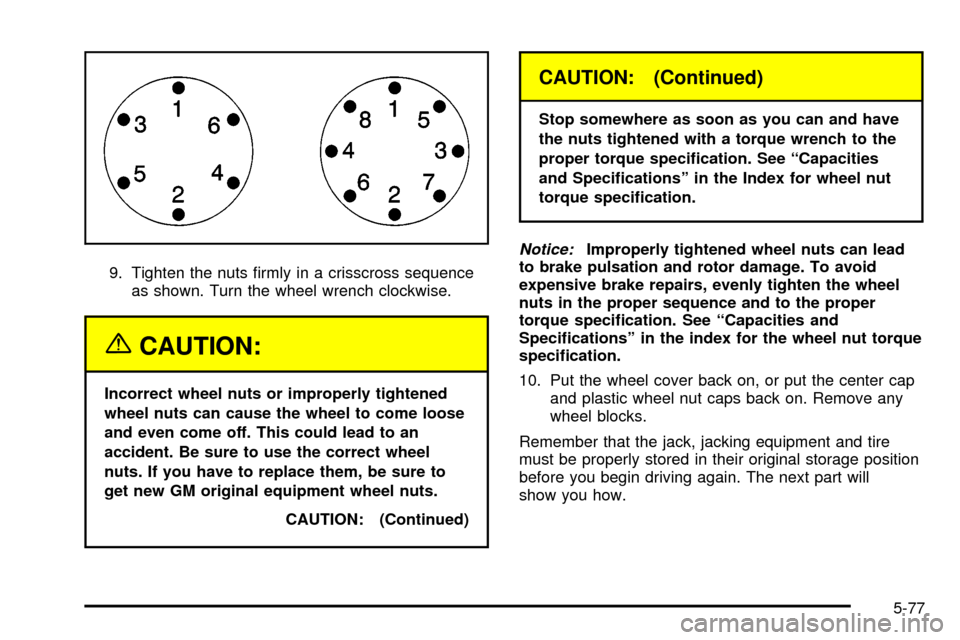
9. Tighten the nuts ®rmly in a crisscross sequence
as shown. Turn the wheel wrench clockwise.
{CAUTION:
Incorrect wheel nuts or improperly tightened
wheel nuts can cause the wheel to come loose
and even come off. This could lead to an
accident. Be sure to use the correct wheel
nuts. If you have to replace them, be sure to
get new GM original equipment wheel nuts.
CAUTION: (Continued)
CAUTION: (Continued)
Stop somewhere as soon as you can and have
the nuts tightened with a torque wrench to the
proper torque speci®cation. See ªCapacities
and Speci®cationsº in the Index for wheel nut
torque speci®cation.
Notice:Improperly tightened wheel nuts can lead
to brake pulsation and rotor damage. To avoid
expensive brake repairs, evenly tighten the wheel
nuts in the proper sequence and to the proper
torque speci®cation. See ªCapacities and
Speci®cationsº in the index for the wheel nut torque
speci®cation.
10. Put the wheel cover back on, or put the center cap
and plastic wheel nut caps back on. Remove any
wheel blocks.
Remember that the jack, jacking equipment and tire
must be properly stored in their original storage position
before you begin driving again. The next part will
show you how.
5-77