lock CHEVROLET EXPRESS CARGO VAN 2005 1.G Owner's Guide
[x] Cancel search | Manufacturer: CHEVROLET, Model Year: 2005, Model line: EXPRESS CARGO VAN, Model: CHEVROLET EXPRESS CARGO VAN 2005 1.GPages: 388, PDF Size: 2.42 MB
Page 114 of 388
OnStar®System
OnStar®uses global positioning system (GPS) satellite
technology, wireless communications, and call centers
to provide you with a wide range of safety, security,
information, and convenience services.
A complete OnStar
®user’s guide and the terms and
conditions of the OnStar®Subscription Service
Agreement are included in the vehicle’s glove box
literature. For more information, visit www.onstar.com or
www.onstarcanada.com. Contact OnStar
®at
1-888-4-ONSTAR (1-888-466-7827), or press the
OnStar
®button to speak to an OnStar®advisor 24 hours
a day, 7 days a week.
Terms and conditions of the Subscription Service
Agreement can be found at www.onstar.com or
www.onstarcanada.com.
OnStar®Services
For new vehicles equipped with OnStar®, the Safe and
Sound Plan is included for the rst year. You can
extend this plan beyond the rst year, or upgrade to the
Directions and Connections Plan to meet your needs.
For more information, press the OnStar
®button to speak
with an advisor.
Safe and Sound Plan
Advanced Automatic Collision Notication
Automatic Notication of Airbag Deployment
Emergency Services
Roadside Assistance
Stolen Vehicle Tracking
AccidentAssist
Remote Door Unlock/Vehicle Alert
Remote Diagnostics
Online Concierge
Directions and Connections Plan
All Safe and Sound Plan Services
Driving Directions
RideAssist
Information and Convenience Services
2-34
Page 117 of 388
Instrument Panel Overview...............................3-4
Hazard Warning Flashers................................3-5
Other Warning Devices...................................3-5
Horn.............................................................3-6
Tilt Wheel.....................................................3-6
Turn Signal/Multifunction Lever.........................3-6
Turn and Lane-Change Signals........................3-7
Headlamp High/Low-Beam Changer..................3-8
Flash-to-Pass.................................................3-8
Windshield Wipers..........................................3-8
Windshield Washer.........................................3-9
Cruise Control..............................................3-10
Exterior Lamps.............................................3-13
Headlamps on Reminder................................3-14
Daytime Running Lamps (DRL).......................3-14
Instrument Panel Brightness...........................3-15
Dome Lamps...............................................3-15
Dome Lamp Override....................................3-15
Entry Lighting...............................................3-16
Exit Lighting.................................................3-16
Reading Lamps............................................3-16
Battery Run-Down Protection..........................3-16
Accessory Power Outlets...............................3-16
Ashtrays and Cigarette Lighter........................3-17Climate Controls............................................3-18
Climate Control System.................................3-18
Outlet Adjustment.........................................3-20
Rear Heating System....................................3-21
Rear Air Conditioning and Heating System.......3-22
Warning Lights, Gages, and Indicators............3-24
Instrument Panel Cluster................................3-25
Speedometer and Odometer...........................3-26
Trip Odometer..............................................3-26
Engine Speed Limiter....................................3-26
Safety Belt Reminder Light.............................3-27
Airbag Readiness Light..................................3-27
Airbag Off Light............................................3-28
Charging System Light..................................3-30
Voltmeter Gage............................................3-30
Brake System Warning Light..........................3-31
Anti-Lock Brake System Warning Light.............3-32
StabiliTrak
®Not Ready Light..........................3-33
StabiliTrak®Indicator Light..............................3-33
Engine Coolant Temperature Gage..................3-33
Malfunction Indicator Lamp.............................3-34
Oil Pressure Gage........................................3-36
Change Engine Oil Light................................3-37
Section 3 Instrument Panel
3-1
Page 122 of 388
Horn
Press the horn symbol in the middle of the steering
wheel to sound the horn.
Tilt Wheel
A tilt steering wheel allows you to adjust the steering
wheel before you drive. You can also raise it to the
highest level to give your legs more room when
you enter and exit the vehicle.
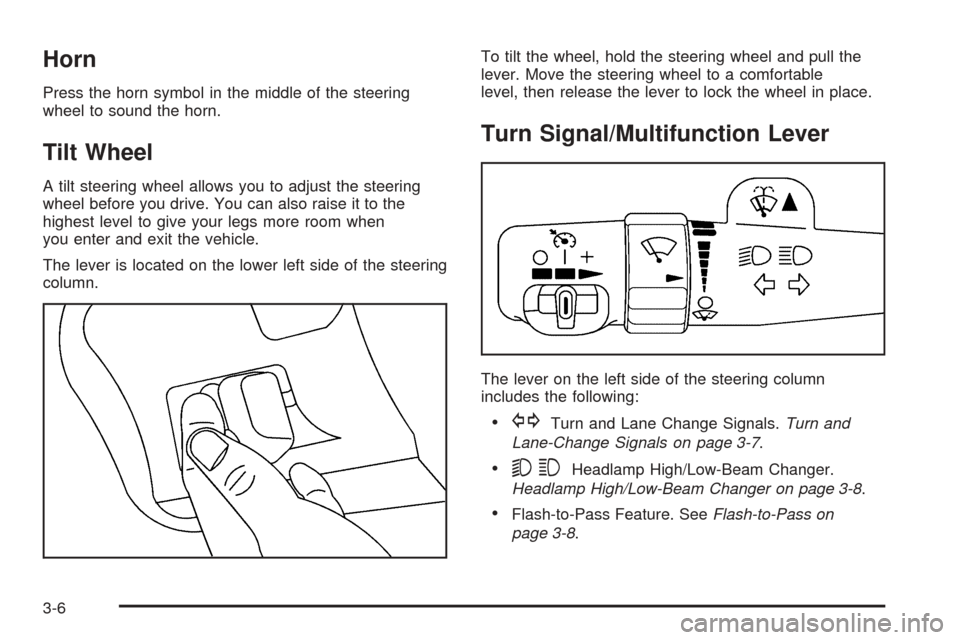
The lever is located on the lower left side of the steering
column.To tilt the wheel, hold the steering wheel and pull the
lever. Move the steering wheel to a comfortable
level, then release the lever to lock the wheel in place.
Turn Signal/Multifunction Lever
The lever on the left side of the steering column
includes the following:
GTurn and Lane Change Signals.Turn and
Lane-Change Signals on page 3-7.
53Headlamp High/Low-Beam Changer.
Headlamp High/Low-Beam Changer on page 3-8.
Flash-to-Pass Feature. SeeFlash-to-Pass on
page 3-8.
3-6
Page 125 of 388
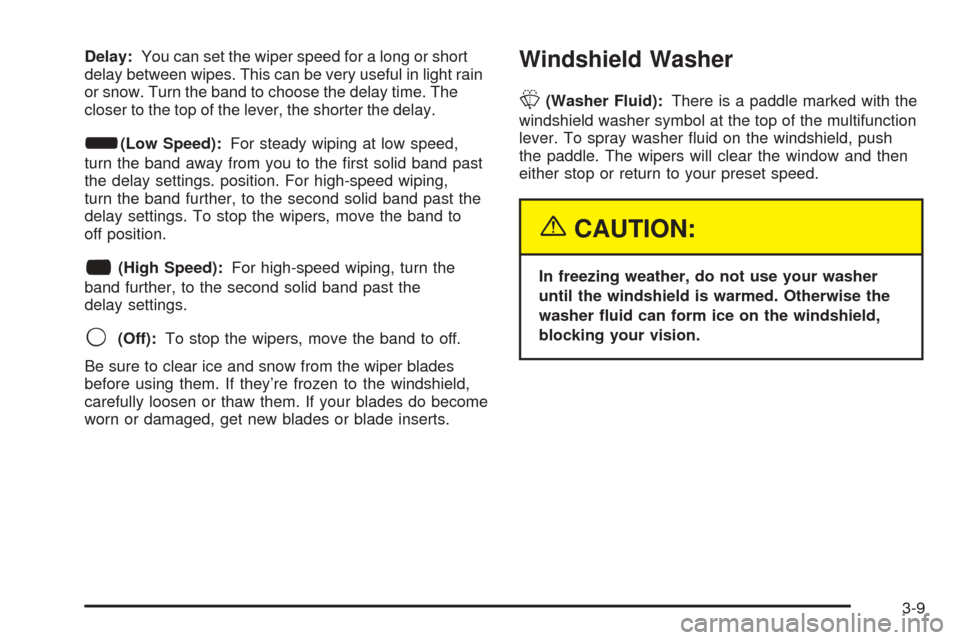
Delay:You can set the wiper speed for a long or short
delay between wipes. This can be very useful in light rain
or snow. Turn the band to choose the delay time. The
closer to the top of the lever, the shorter the delay.
d(Low Speed):For steady wiping at low speed,
turn the band away from you to the rst solid band past
the delay settings. position. For high-speed wiping,
turn the band further, to the second solid band past the
delay settings. To stop the wipers, move the band to
off position.
a(High Speed):For high-speed wiping, turn the
band further, to the second solid band past the
delay settings.
9(Off):To stop the wipers, move the band to off.
Be sure to clear ice and snow from the wiper blades
before using them. If they’re frozen to the windshield,
carefully loosen or thaw them. If your blades do become
worn or damaged, get new blades or blade inserts.
Windshield Washer
L(Washer Fluid):There is a paddle marked with the
windshield washer symbol at the top of the multifunction
lever. To spray washer uid on the windshield, push
the paddle. The wipers will clear the window and then
either stop or return to your preset speed.
{CAUTION:
In freezing weather, do not use your washer
until the windshield is warmed. Otherwise the
washer uid can form ice on the windshield,
blocking your vision.
3-9
Page 131 of 388
When you turn the headlamp switch off, the headlamps
will go off, and your DRL lamps will illuminate.
To turn off the DRL, turn the exterior lamp control to the
defeat position or shift into PARK (P). The DRL will
stay off until the control is toggled again or the vehicle
is shifted out of PARK (P).
This procedure applies only to vehicles rst sold in the
United States.
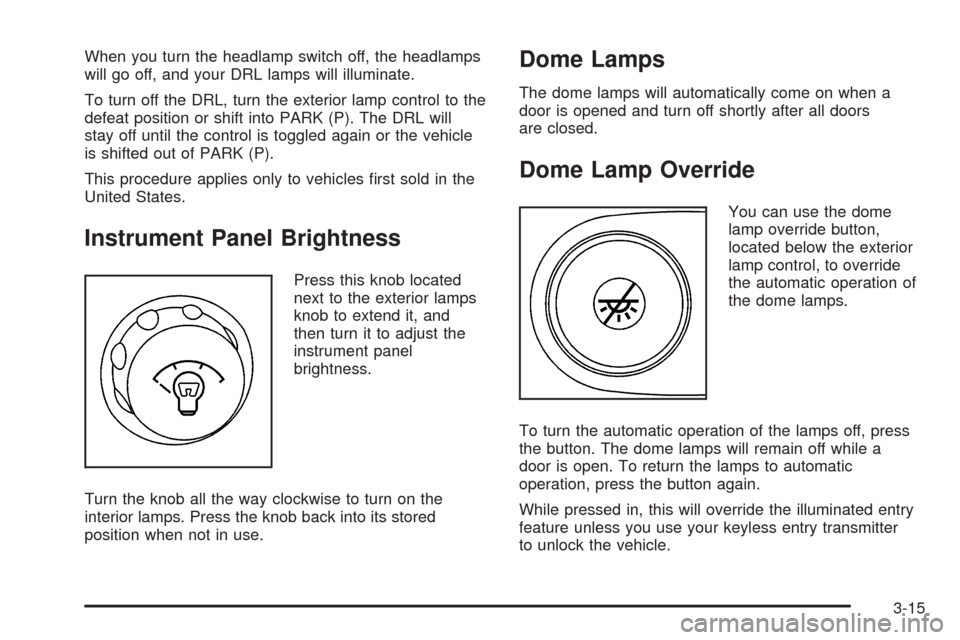
Instrument Panel Brightness
Press this knob located
next to the exterior lamps
knob to extend it, and
then turn it to adjust the
instrument panel
brightness.
Turn the knob all the way clockwise to turn on the
interior lamps. Press the knob back into its stored
position when not in use.
Dome Lamps
The dome lamps will automatically come on when a
door is opened and turn off shortly after all doors
are closed.
Dome Lamp Override
You can use the dome
lamp override button,
located below the exterior
lamp control, to override
the automatic operation of
the dome lamps.
To turn the automatic operation of the lamps off, press
the button. The dome lamps will remain off while a
door is open. To return the lamps to automatic
operation, press the button again.
While pressed in, this will override the illuminated entry
feature unless you use your keyless entry transmitter
to unlock the vehicle.
3-15
Page 134 of 388
Climate Controls
Climate Control System
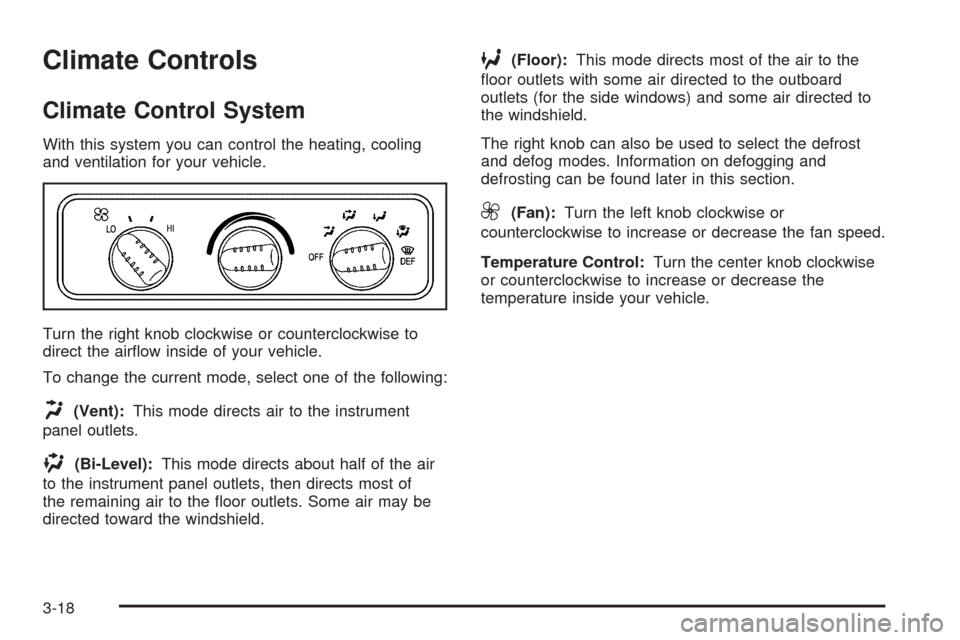
With this system you can control the heating, cooling
and ventilation for your vehicle.
Turn the right knob clockwise or counterclockwise to
direct the airow inside of your vehicle.
To change the current mode, select one of the following:
H(Vent):This mode directs air to the instrument
panel outlets.
)(Bi-Level):This mode directs about half of the air
to the instrument panel outlets, then directs most of
the remaining air to the oor outlets. Some air may be
directed toward the windshield.
6(Floor):This mode directs most of the air to the
oor outlets with some air directed to the outboard
outlets (for the side windows) and some air directed to
the windshield.
The right knob can also be used to select the defrost
and defog modes. Information on defogging and
defrosting can be found later in this section.
9(Fan):Turn the left knob clockwise or
counterclockwise to increase or decrease the fan speed.
Temperature Control:Turn the center knob clockwise
or counterclockwise to increase or decrease the
temperature inside your vehicle.
3-18
Page 136 of 388
1(Defrost):This setting operates the defroster. Most
of the air comes out near the windshield, with some
going to the oor outlets and front side windows. The air
conditioning compressor may operate in this setting to
dehumidify the air.
The defog setting is useful for cold weather with a large
number of passengers or very humid conditions to
help keep the windshield clear. Use defrost to remove
fog or ice from the windshield quickly in extremely
cold conditions. The temperature knob should be in the
red area and the fan control toward high. Do not
drive the vehicle until all the windows are clear.
Rear Window Defogger
Some vehicles may have a rear window defogger.
as much snow from the window as possible.
The rear window defogger uses a warming grid to
remove fog or frost from the rear window and will only
work when the ignition is RUN.
The rear window defogger will turn off several minutes
after the button is pressed. If turned on again, the
defogger will run for several more minutes before turning
off. The defogger can also be turned off by pressing
the button again or by turning off the engine.Notice:Using a razor blade or sharp object to clear
the inside rear window may damage the rear
window defogger. Repairs would not be covered by
your warranty. Do not clear the inside of the rear
window with sharp objects.
Outlet Adjustment
Use the outlets located near the center and on the sides
of the instrument panel to change the direction of airow.
Operation Tips
Clear away any ice, snow or leaves from the air
inlets at the base of the windshield that may
block the ow of air into your vehicle.
Use of non-GM approved hood deectors may
adversely affect the performance of the system.
Keep the path under the front seats clear of objects
to help circulate the air inside of your vehicle more
effectively.
3-20
Page 138 of 388
Rear Air Conditioning and Heating
System
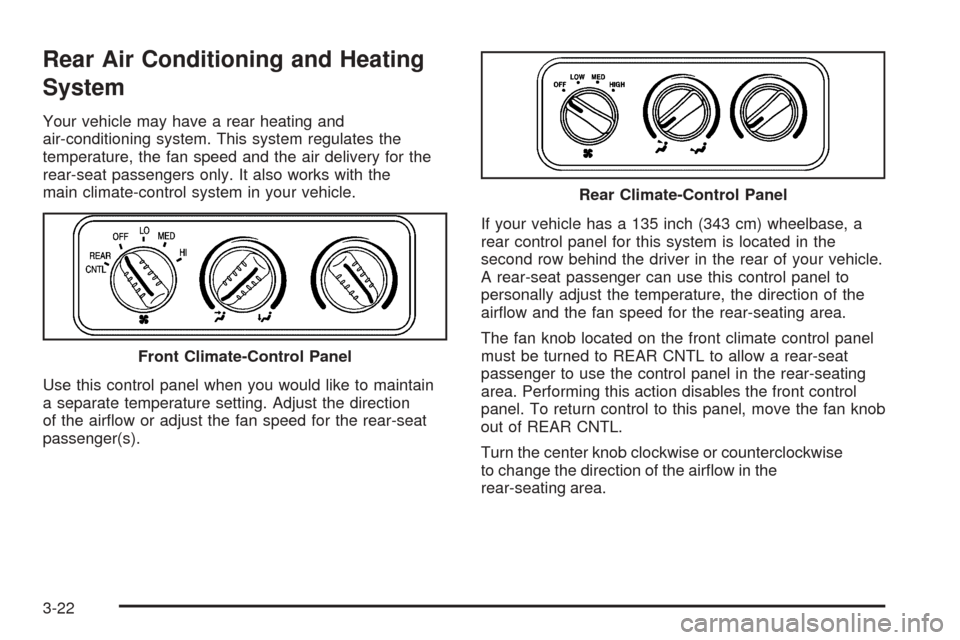
Your vehicle may have a rear heating and
air-conditioning system. This system regulates the
temperature, the fan speed and the air delivery for the
rear-seat passengers only. It also works with the
main climate-control system in your vehicle.
Use this control panel when you would like to maintain
a separate temperature setting. Adjust the direction
of the airow or adjust the fan speed for the rear-seat
passenger(s).If your vehicle has a 135 inch (343 cm) wheelbase, a
rear control panel for this system is located in the
second row behind the driver in the rear of your vehicle.
A rear-seat passenger can use this control panel to
personally adjust the temperature, the direction of the
airow and the fan speed for the rear-seating area.
The fan knob located on the front climate control panel
must be turned to REAR CNTL to allow a rear-seat
passenger to use the control panel in the rear-seating
area. Performing this action disables the front control
panel. To return control to this panel, move the fan knob
out of REAR CNTL.
Turn the center knob clockwise or counterclockwise
to change the direction of the airow in the
rear-seating area. Front Climate-Control Panel
Rear Climate-Control Panel
3-22
Page 139 of 388
To change the current mode, select one of the following:
D(Vent):Use this mode to direct air to the upper
outlets, with a little air directed to the oor outlets.
2(Floor):Use this mode to direct most of the air to
the oor outlets.
9(Fan):Turn the left knob clockwise or
counterclockwise to HIGH, MED (Medium) or LOW to
increase or decrease the fan speed in the rear-seating
area. Turn the knob to OFF to turn off the fan.Temperature Control:To increase or decrease the
temperature for the rear of the vehicle, turn the
right knob located on the climate-control panel.
The air-conditioning system on the main climate-control
panel must be turned on to direct cooled air to the rear of
the vehicle. If it is not on, then the temperature in the rear
of the vehicle will remain at cabin temperature.
Be sure to keep the area under the front seats clear of
any objects so that the air inside of your vehicle can
circulate effectively.
For information on how to use the main climate-control
system, seeClimate Control System on page 3-18.
For information on ventilation, seeOutlet Adjustment on
page 3-20.
3-23
Page 148 of 388
If the light comes on while you are driving, pull off the
road and stop carefully. You may notice that the pedal is
harder to push. Or, the pedal may go closer to the
oor. It may take longer to stop. If the light is still on,
have the vehicle towed for service. SeeTowing
Your Vehicle on page 4-36.
{CAUTION:
Your brake system may not be working
properly if the brake system warning light is
on. Driving with the brake system warning light
on can lead to an accident. If the light is still
on after you have pulled off the road and
stopped carefully, have the vehicle towed for
service.
Anti-Lock Brake System Warning
Light
With the anti-lock brake
system, this light will come
on when you start your
engine and may stay on for
several seconds. That’s
normal.
If the light stays on, or comes on when you’re driving,
your vehicle needs service. If the regular brake
system warning light isn’t on, you still have brakes, but
you don’t have anti-lock brakes. If the regular brake
system warning light is also on, you don’t have anti-lock
brakes and there’s a problem with your regular
brakes. SeeBrake System Warning Light on page 3-31
for more information.
The anti-lock brake system warning light should come
on briey when you turn the ignition key to RUN. If
the light doesn’t come on then, have it xed so it will be
ready to warn you if there is a problem.
3-32