brake CHEVROLET EXPRESS CARGO VAN 2006 1.G User Guide
[x] Cancel search | Manufacturer: CHEVROLET, Model Year: 2006, Model line: EXPRESS CARGO VAN, Model: CHEVROLET EXPRESS CARGO VAN 2006 1.GPages: 406, PDF Size: 2.51 MB
Page 136 of 406
Resuming a Set Speed
Suppose you set your cruise control at a desired
speed and then you apply the brake. This, of course,
disengages the cruise control. But you don’t need
to reset it.
Once you’re going about 25 mph (40 km/h) or more,
you can move the cruise control switch from on to
resume/accelerate briefly.
You’ll go right back up to your chosen speed and
stay there.
If you hold the switch at resume/accelerate briefly,
the vehicle will keep going faster until you release the
switch or apply the brake. So unless you want to
go faster, don’t hold the switch at resume/accelerate.
Increasing Speed While Using
Cruise Control
There are two ways to go to a higher speed:
•Use the accelerator pedal to get to the higher
speed. Press the set button at the end of the lever,
then release the button and the accelerator
pedal. You’ll now cruise at the higher speed.
•Move the cruise switch from on to resume/
accelerate. Hold it there until you get up to the
speed you want, and then release the switch.
To increase your speed in very small amounts,
move the switch to resume/accelerate briefly.
Each time you do this, your vehicle will go
about 1 mph (1.6 km/h) faster.
Reducing Speed While Using
Cruise Control
•Press and hold the set button at the end of the
lever until you reach the lower speed you want,
then release it.
•To slow down in very small amounts, press the
set button briefly. Each time you do this, you’ll
go about 1 mph (1.6 km/h) slower.
Passing Another Vehicle While Using
Cruise Control
Use the accelerator pedal to increase your speed.
When you take your foot off the pedal, your vehicle will
slow down to the cruise control speed you set earlier.
3-12
Page 137 of 406
Using Cruise Control on Hills
How well your cruise control will work on hills depends
upon your speed, load and the steepness of the hills.
When going up steep hills, you may want to step on the
accelerator pedal to maintain your speed. When going
downhill, you may have to brake or shift to a lower gear to
keep your speed down. Of course, applying the brake
takes you out of cruise control. Many drivers find this to
be too much trouble and don’t use cruise control on
steep hills.
Ending Cruise Control
There are three ways to turn off the cruise control:
•Step lightly on the brake pedal.
•Move the cruise control switch to off.
•If your vehicle has the StabiliTrak®feature, cruise
control will deactivate if road conditions cause
StabiliTrak
®to activate.
Erasing Speed Memory
When you turn off the cruise control or the ignition,
your cruise control set speed memory is erased.
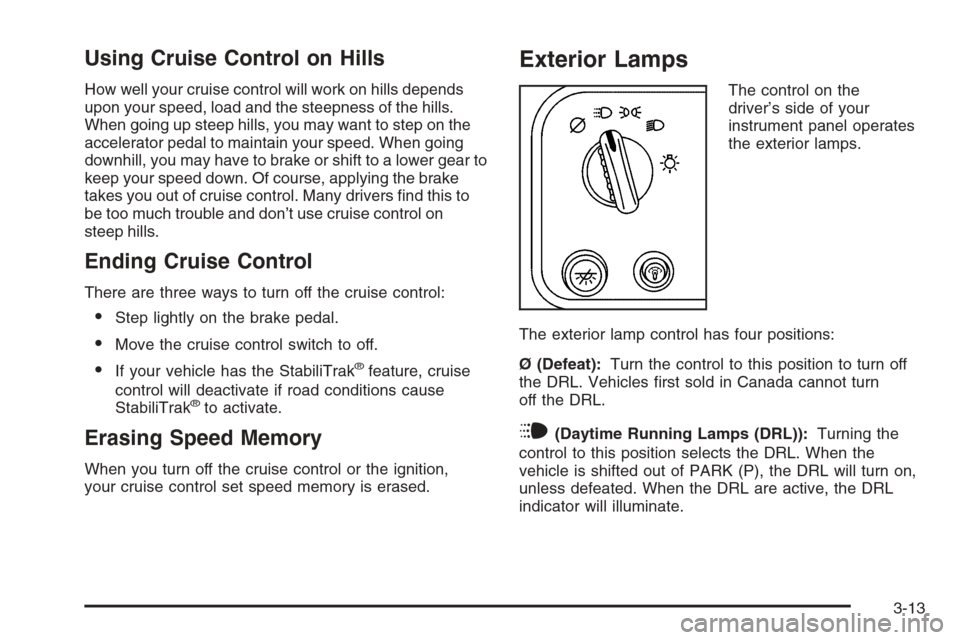
Exterior Lamps
The control on the
driver’s side of your
instrument panel operates
the exterior lamps.
The exterior lamp control has four positions:
Ø (Defeat):Turn the control to this position to turn off
the DRL. Vehicles first sold in Canada cannot turn
off the DRL.
i(Daytime Running Lamps (DRL)):Turning the
control to this position selects the DRL. When the
vehicle is shifted out of PARK (P), the DRL will turn on,
unless defeated. When the DRL are active, the DRL
indicator will illuminate.
3-13
Page 157 of 406
Readings in the low warning zone may occur when a
large number of electrical accessories are operating in
the vehicle and the engine is left at an idle for an
extended period. This condition is normal since the
charging system is not able to provide full power
at engine idle. As engine speeds are increased, this
condition should correct itself as higher engine speeds
allow the charging system to create maximum power.
You can only drive for a short time with the reading
in either warning zone. If you must drive, turn off
all unnecessary accessories.
Readings in either warning zone indicate a possible
problem in the electrical system. Have the vehicle
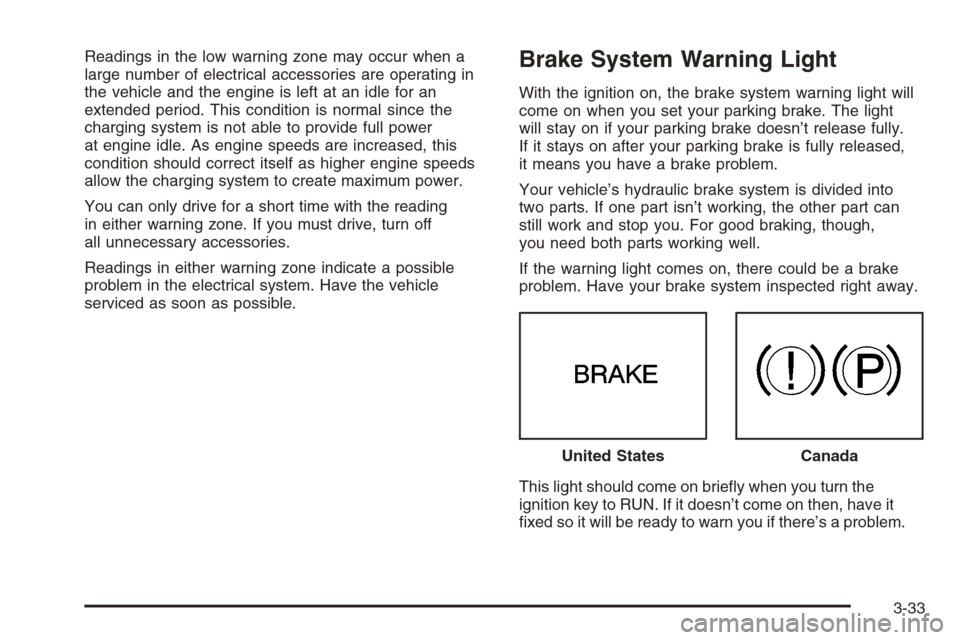
serviced as soon as possible.Brake System Warning Light
With the ignition on, the brake system warning light will
come on when you set your parking brake. The light
will stay on if your parking brake doesn’t release fully.
If it stays on after your parking brake is fully released,
it means you have a brake problem.
Your vehicle’s hydraulic brake system is divided into
two parts. If one part isn’t working, the other part can
still work and stop you. For good braking, though,
you need both parts working well.
If the warning light comes on, there could be a brake
problem. Have your brake system inspected right away.
This light should come on briefly when you turn the
ignition key to RUN. If it doesn’t come on then, have it
fixed so it will be ready to warn you if there’s a problem.United States
Canada
3-33
Page 158 of 406
If the light comes on while you are driving, pull off the
road and stop carefully. You may notice that the pedal is
harder to push. Or, the pedal may go closer to the floor.
It may take longer to stop. If the light is still on, have the
vehicle towed for service. SeeTowing Your Vehicle on
page 4-35.
{CAUTION:
Your brake system may not be working properly
if the brake system warning light is on. Driving
with the brake system warning light on can lead
to an accident. If the light is still on after you
have pulled off the road and stopped carefully,
have the vehicle towed for service.
Anti-Lock Brake System
Warning Light
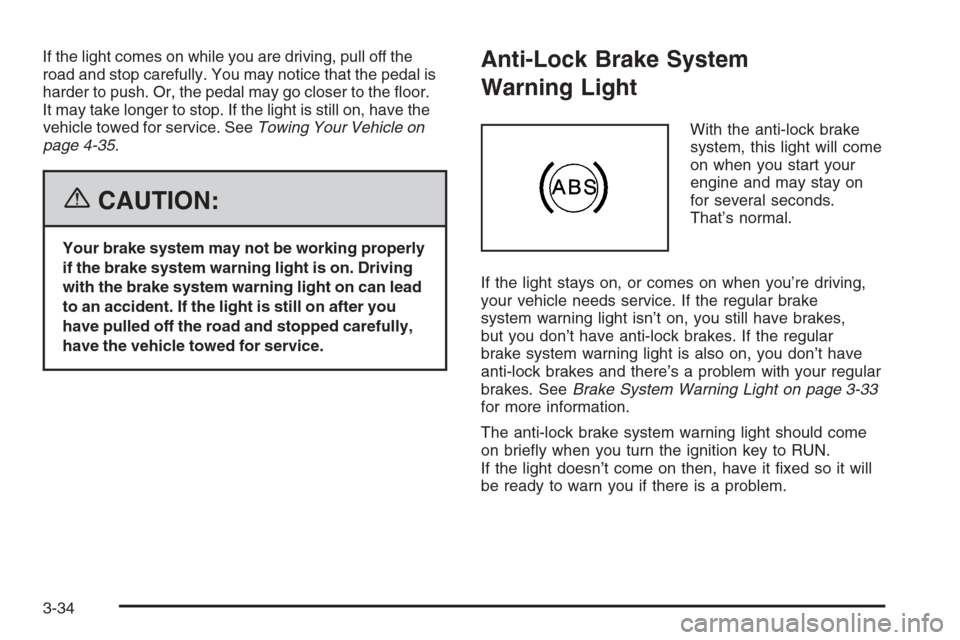
With the anti-lock brake
system, this light will come
on when you start your
engine and may stay on
for several seconds.
That’s normal.
If the light stays on, or comes on when you’re driving,
your vehicle needs service. If the regular brake
system warning light isn’t on, you still have brakes,
but you don’t have anti-lock brakes. If the regular
brake system warning light is also on, you don’t have
anti-lock brakes and there’s a problem with your regular
brakes. SeeBrake System Warning Light on page 3-33
for more information.
The anti-lock brake system warning light should come
on briefly when you turn the ignition key to RUN.
If the light doesn’t come on then, have it fixed so it will
be ready to warn you if there is a problem.
3-34
Page 205 of 406
Your Driving, the Road, and Your Vehicle..........4-2
Defensive Driving...........................................4-2
Drunken Driving.............................................4-3
Control of a Vehicle........................................4-6
Braking.........................................................4-6
Anti-Lock Brake System (ABS).........................4-7
Braking in Emergencies...................................4-8
Locking Rear Axle..........................................4-8
StabiliTrak
®System........................................4-9
All-Wheel Drive (AWD) System.......................4-11
Steering......................................................4-11
Off-Road Recovery.......................................4-14
Passing.......................................................4-14
Loss of Control.............................................4-16
Driving at Night............................................4-17
Driving in Rain and on Wet Roads..................4-18City Driving..................................................4-20
Freeway Driving...........................................4-21
Before Leaving on a Long Trip.......................4-22
Highway Hypnosis........................................4-23
Hill and Mountain Roads................................4-24
Winter Driving..............................................4-25
If Your Vehicle is Stuck in Sand, Mud,
Ice, or Snow.............................................4-29
Rocking Your Vehicle to Get It Out.................4-30
Loading Your Vehicle....................................4-30
Towing..........................................................4-35
Towing Your Vehicle.....................................4-35
Recreational Vehicle Towing...........................4-35
Towing a Trailer...........................................4-37
Section 4 Driving Your Vehicle
4-1
Page 210 of 406
Control of a Vehicle
You have three systems that make your vehicle go
where you want it to go. They are the brakes, the
steering, and the accelerator. All three systems have
to do their work at the places where the tires meet
the road.
Sometimes, as when you are driving on snow or ice,
it is easy to ask more of those control systems than the
tires and road can provide. That means you can lose
control of your vehicle.
Adding non-GM accessories can affect your vehicle’s
performance. SeeAccessories and Modications
on page 5-3.
Braking
SeeBrake System Warning Light on page 3-33.
Braking action involves perception time and
reaction time.
First, you have to decide to push on the brake pedal.
That is perception time. Then you have to bring up your
foot and do it. That is reaction time.Average reaction time is about three-fourths of
a second. But that is only an average. It might be less
with one driver and as long as two or three seconds
or more with another. Age, physical condition, alertness,
coordination, and eyesight all play a part. So do
alcohol, drugs, and frustration. But even in three-fourths
of a second, a vehicle moving at 60 mph (100 km/h)
travels 66 feet (20 m). That could be a lot of distance in
an emergency, so keeping enough space between
your vehicle and others is important.
And, of course, actual stopping distances vary greatly
with the surface of the road, whether it is pavement
or gravel; the condition of the road, whether it is
wet, dry, or icy; tire tread; the condition of your brakes;
the weight of the vehicle; and the amount of brake
force applied.
Avoid needless heavy braking. Some people drive
in spurts — heavy acceleration followed by heavy
braking — rather than keeping pace with traffic. This is
a mistake. Your brakes may not have time to cool
between hard stops. Your brakes will wear out much
faster if you do a lot of heavy braking. If you keep pace
with the traffic and allow realistic following distances,
you will eliminate a lot of unnecessary braking.
That means better braking and longer brake life.
4-6
Page 211 of 406
If your engine ever stops while you are driving, brake
normally but do not pump your brakes. If you do,
the pedal may get harder to push down. If your engine
stops, you will still have some power brake assist.
But you will use it when you brake. Once the power
assist is used up, it may take longer to stop and
the brake pedal will be harder to push.
Adding non-GM accessories can affect your vehicle’s
performance. SeeAccessories and Modications
on page 5-3.
Anti-Lock Brake System (ABS)
Your vehicle has the Anti-Lock Brake System (ABS),
an advanced electronic braking system that will
help prevent a braking skid.
When you start your engine and begin to drive away,
ABS will check itself. You may hear a momentary
motor or clicking noise while this test is going on.
This is normal.
If there is a problem with
the ABS, this warning
light will stay on. See
Anti-Lock Brake System
Warning Light on
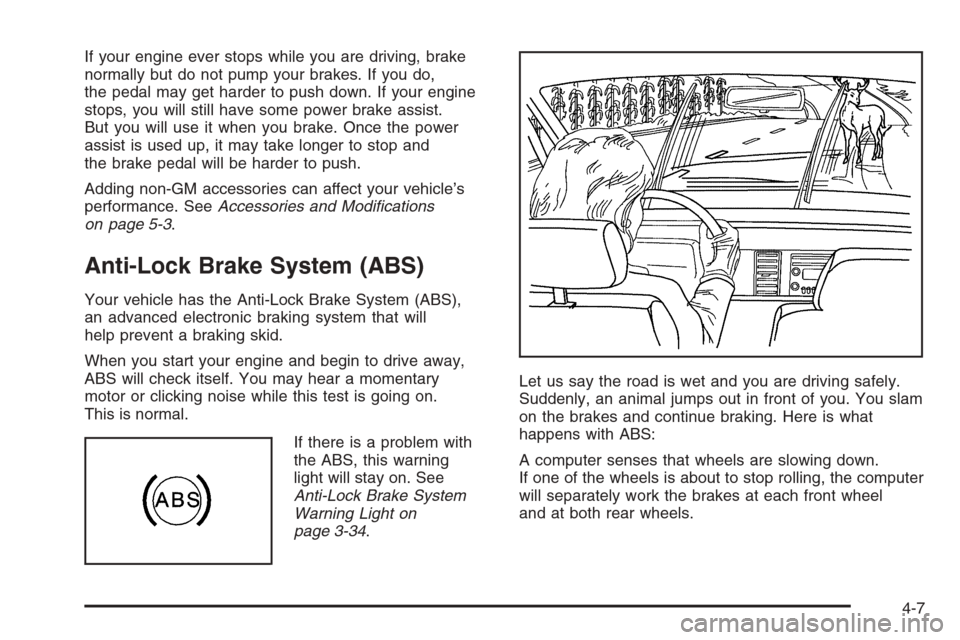
page 3-34.Let us say the road is wet and you are driving safely.
Suddenly, an animal jumps out in front of you. You slam
on the brakes and continue braking. Here is what
happens with ABS:
A computer senses that wheels are slowing down.
If one of the wheels is about to stop rolling, the computer
will separately work the brakes at each front wheel
and at both rear wheels.
4-7
Page 212 of 406
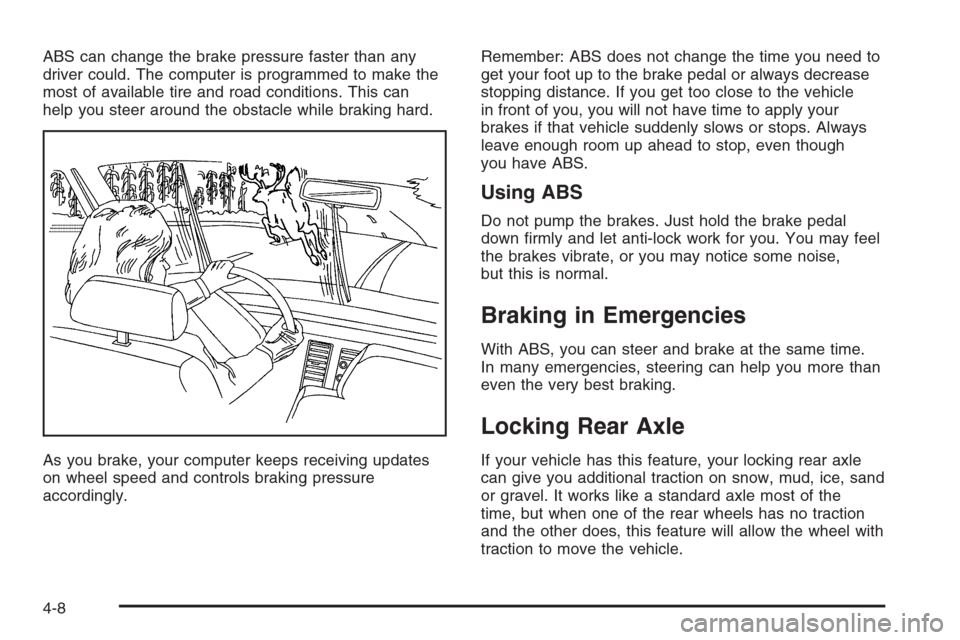
ABS can change the brake pressure faster than any
driver could. The computer is programmed to make the
most of available tire and road conditions. This can
help you steer around the obstacle while braking hard.
As you brake, your computer keeps receiving updates
on wheel speed and controls braking pressure
accordingly.Remember: ABS does not change the time you need to
get your foot up to the brake pedal or always decrease
stopping distance. If you get too close to the vehicle
in front of you, you will not have time to apply your
brakes if that vehicle suddenly slows or stops. Always
leave enough room up ahead to stop, even though
you have ABS.
Using ABS
Do not pump the brakes. Just hold the brake pedal
down firmly and let anti-lock work for you. You may feel
the brakes vibrate, or you may notice some noise,
but this is normal.
Braking in Emergencies
With ABS, you can steer and brake at the same time.
In many emergencies, steering can help you more than
even the very best braking.
Locking Rear Axle
If your vehicle has this feature, your locking rear axle
can give you additional traction on snow, mud, ice, sand
or gravel. It works like a standard axle most of the
time, but when one of the rear wheels has no traction
and the other does, this feature will allow the wheel with
traction to move the vehicle.
4-8
Page 213 of 406
StabiliTrak®System
If your vehicle has StabiliTrak®, it combines anti-lock
brake, traction and stability control systems and
helps the driver maintain directional control of the
vehicle in most driving conditions.
When you first start your vehicle and begin to drive
away, the system performs several diagnostic checks
to ensure that it is working properly. You may hear
or feel the system working.This is normal and does not mean there is a problem
with your vehicle. The system should initialize before
the vehicle reaches 20 mph (32 km/h). In some cases,
it may take approximately 2 miles (3.2 km) of driving
before the system initializes.
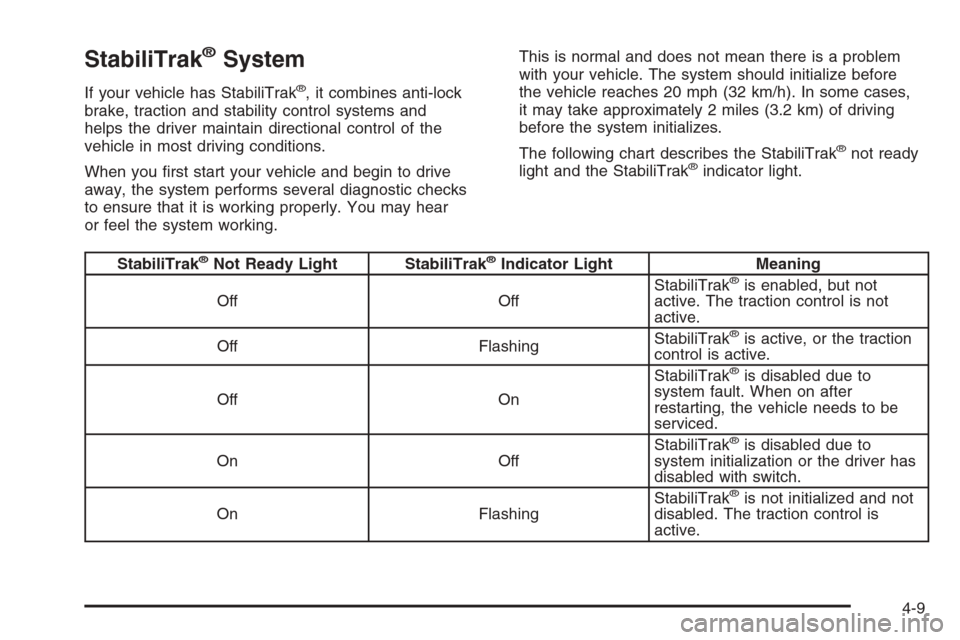
The following chart describes the StabiliTrak
®not ready
light and the StabiliTrak®indicator light.
StabiliTrak®Not Ready Light StabiliTrak®Indicator Light Meaning
Off OffStabiliTrak®is enabled, but not
active. The traction control is not
active.
Off FlashingStabiliTrak
®is active, or the traction
control is active.
Off OnStabiliTrak
®is disabled due to
system fault. When on after
restarting, the vehicle needs to be
serviced.
On OffStabiliTrak
®is disabled due to
system initialization or the driver has
disabled with switch.
On FlashingStabiliTrak
®is not initialized and not
disabled. The traction control is
active.
4-9
Page 214 of 406
For more information, seeStabiliTrak®Not Ready Light
on page 3-35andStabiliTrak®Indicator Light on
page 3-35.
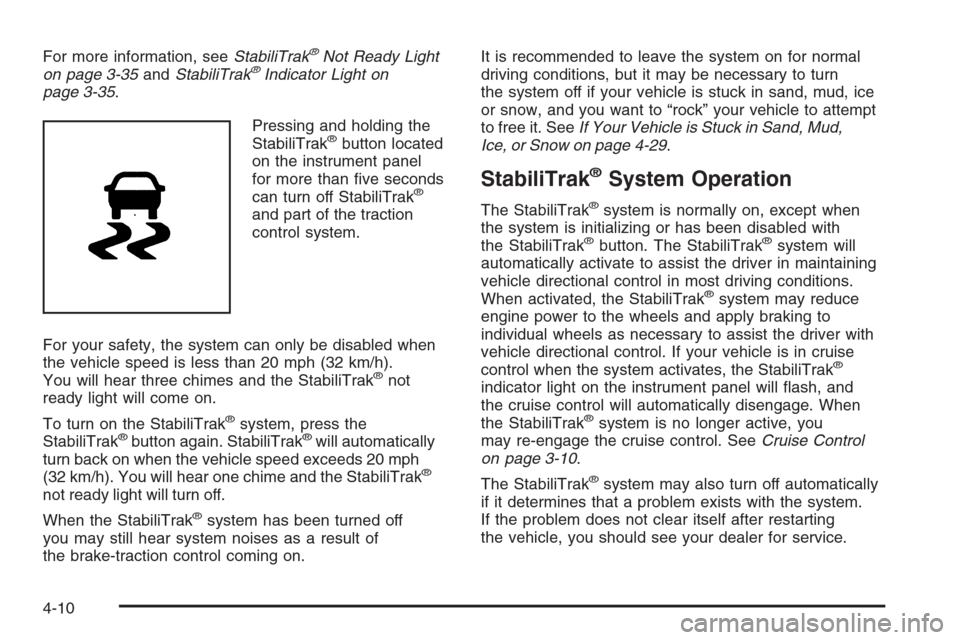
Pressing and holding the
StabiliTrak
®button located
on the instrument panel
for more than five seconds
can turn off StabiliTrak
®
and part of the traction
control system.
For your safety, the system can only be disabled when
the vehicle speed is less than 20 mph (32 km/h).
You will hear three chimes and the StabiliTrak
®not
ready light will come on.
To turn on the StabiliTrak
®system, press the
StabiliTrak®button again. StabiliTrak®will automatically
turn back on when the vehicle speed exceeds 20 mph
(32 km/h). You will hear one chime and the StabiliTrak
®
not ready light will turn off.
When the StabiliTrak
®system has been turned off
you may still hear system noises as a result of
the brake-traction control coming on.It is recommended to leave the system on for normal
driving conditions, but it may be necessary to turn
the system off if your vehicle is stuck in sand, mud, ice
or snow, and you want to “rock” your vehicle to attempt
to free it. SeeIf Your Vehicle is Stuck in Sand, Mud,
Ice, or Snow on page 4-29.
StabiliTrak®System Operation
The StabiliTrak®system is normally on, except when
the system is initializing or has been disabled with
the StabiliTrak
®button. The StabiliTrak®system will
automatically activate to assist the driver in maintaining
vehicle directional control in most driving conditions.
When activated, the StabiliTrak
®system may reduce
engine power to the wheels and apply braking to
individual wheels as necessary to assist the driver with
vehicle directional control. If your vehicle is in cruise
control when the system activates, the StabiliTrak
®
indicator light on the instrument panel will flash, and
the cruise control will automatically disengage. When
the StabiliTrak
®system is no longer active, you
may re-engage the cruise control. SeeCruise Control
on page 3-10.
The StabiliTrak
®system may also turn off automatically
if it determines that a problem exists with the system.
If the problem does not clear itself after restarting
the vehicle, you should see your dealer for service.
4-10