instrument panel CHEVROLET EXPRESS CARGO VAN 2006 1.G Owner's Manual
[x] Cancel search | Manufacturer: CHEVROLET, Model Year: 2006, Model line: EXPRESS CARGO VAN, Model: CHEVROLET EXPRESS CARGO VAN 2006 1.GPages: 406, PDF Size: 2.51 MB
Page 133 of 406
Flash-to-Pass
This feature allows you to use your high-beam
headlamps to signal a driver in front of you that you
want to pass. It works even if your headlamps are off.
To use it, pull the turn signal lever toward you, but not so
far that you hear it click.
If your headlamps are off or on low-beam, your
high-beam headlamps will turn on and stay on as long
as you hold the lever toward you and the high-beam
indicator on the instrument panel will come on. Release
the lever to turn the high-beam headlamps off.
Windshield Wipers
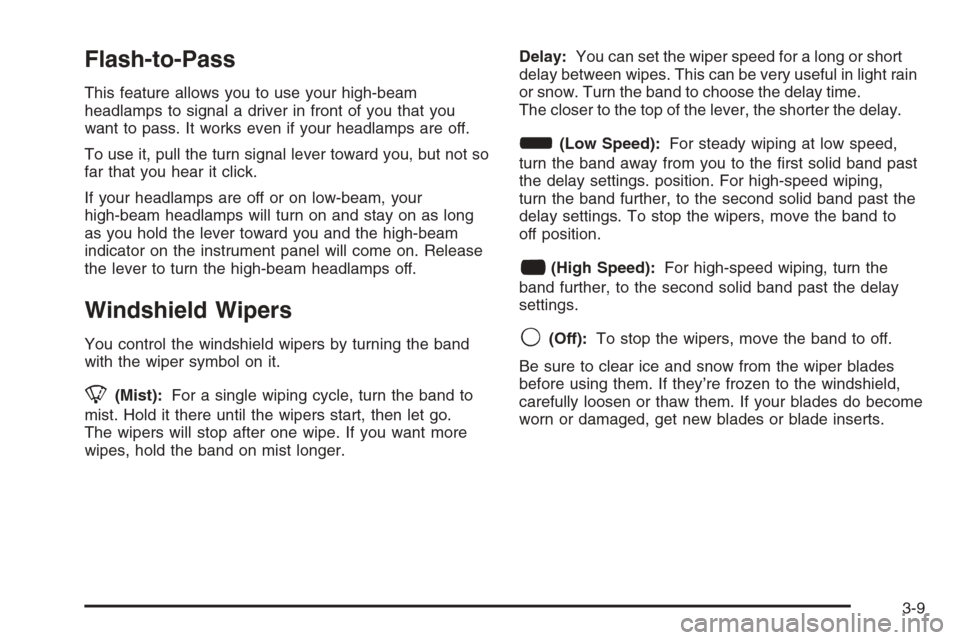
You control the windshield wipers by turning the band
with the wiper symbol on it.
8(Mist):For a single wiping cycle, turn the band to
mist. Hold it there until the wipers start, then let go.
The wipers will stop after one wipe. If you want more
wipes, hold the band on mist longer.Delay:You can set the wiper speed for a long or short
delay between wipes. This can be very useful in light rain
or snow. Turn the band to choose the delay time.
The closer to the top of the lever, the shorter the delay.
d(Low Speed):For steady wiping at low speed,
turn the band away from you to the first solid band past
the delay settings. position. For high-speed wiping,
turn the band further, to the second solid band past the
delay settings. To stop the wipers, move the band to
off position.
a(High Speed):For high-speed wiping, turn the
band further, to the second solid band past the delay
settings.
9(Off):To stop the wipers, move the band to off.
Be sure to clear ice and snow from the wiper blades
before using them. If they’re frozen to the windshield,
carefully loosen or thaw them. If your blades do become
worn or damaged, get new blades or blade inserts.
3-9
Page 135 of 406
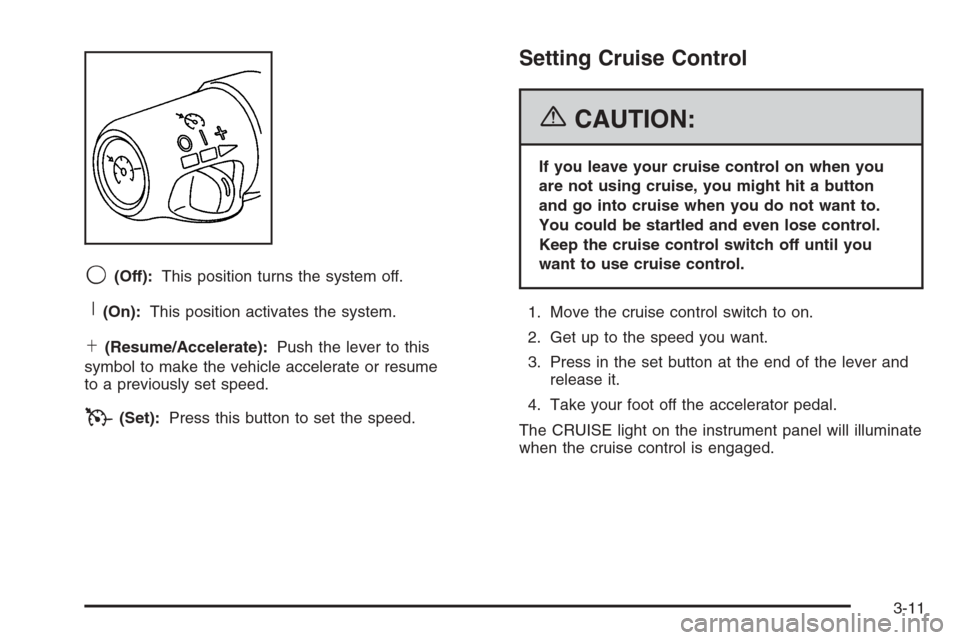
9(Off):This position turns the system off.
R(On):This position activates the system.
S(Resume/Accelerate):Push the lever to this
symbol to make the vehicle accelerate or resume
to a previously set speed.
T(Set):Press this button to set the speed.
Setting Cruise Control
{CAUTION:
If you leave your cruise control on when you
are not using cruise, you might hit a button
and go into cruise when you do not want to.
You could be startled and even lose control.
Keep the cruise control switch off until you
want to use cruise control.
1. Move the cruise control switch to on.
2. Get up to the speed you want.
3. Press in the set button at the end of the lever and
release it.
4. Take your foot off the accelerator pedal.
The CRUISE light on the instrument panel will illuminate
when the cruise control is engaged.
3-11
Page 137 of 406
Using Cruise Control on Hills
How well your cruise control will work on hills depends
upon your speed, load and the steepness of the hills.
When going up steep hills, you may want to step on the
accelerator pedal to maintain your speed. When going
downhill, you may have to brake or shift to a lower gear to
keep your speed down. Of course, applying the brake
takes you out of cruise control. Many drivers find this to
be too much trouble and don’t use cruise control on
steep hills.
Ending Cruise Control
There are three ways to turn off the cruise control:
•Step lightly on the brake pedal.
•Move the cruise control switch to off.
•If your vehicle has the StabiliTrak®feature, cruise
control will deactivate if road conditions cause
StabiliTrak
®to activate.
Erasing Speed Memory
When you turn off the cruise control or the ignition,
your cruise control set speed memory is erased.
Exterior Lamps
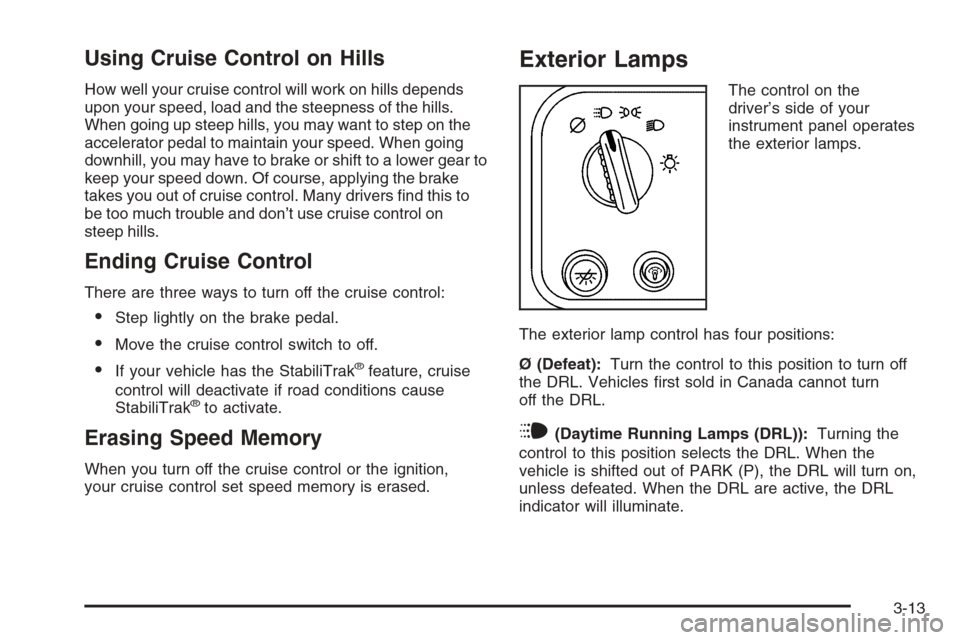
The control on the
driver’s side of your
instrument panel operates
the exterior lamps.
The exterior lamp control has four positions:
Ø (Defeat):Turn the control to this position to turn off
the DRL. Vehicles first sold in Canada cannot turn
off the DRL.
i(Daytime Running Lamps (DRL)):Turning the
control to this position selects the DRL. When the
vehicle is shifted out of PARK (P), the DRL will turn on,
unless defeated. When the DRL are active, the DRL
indicator will illuminate.
3-13
Page 138 of 406
;(Parking Lamps):Turn the control to this position
to turn on the parking lamps, together with the
following:
•Instrument Panel Lights
•Daytime Running Lamps (DRL) (Canada)
•Sidemarker Lamps
•Taillamps
•License Plate Lamps
If the DRL are active when the control is turned to this
position, the DRL will turn off.
For vehicles first sold in Canada, the DRL will remain
active along with the lamps mentioned above.
5(Headlamps):Turn the control to this position to
turn on the headlamps together with the parking lamps
and turn off the daytime running lamps.
You can switch your headlamps from high to low-beam
by pulling the turn signal/high-beam lever toward you.
A circuit breaker protects your headlamps. If you have
an electrical overload, your headlamps will flicker on
and off. Have your headlamp wiring checked right away
if this happens.
Headlamps on Reminder
A reminder chime will sound when your control is turned
to the headlamps or parking lamps position, your key
is out of the ignition, and your driver’s door is open.
To disable the chime, turn the control to the Daytime
Running Lamp (DRL) position and then back to the
parking lamps or headlamps position.
Daytime Running Lamps (DRL)
Daytime Running Lamps (DRL) can make it easier for
others to see the front of your vehicle during the
day. DRL can be helpful in many different driving
conditions, but they can be especially helpful in the short
periods after dawn and before sunset. Fully functional
daytime running lamps are required on all vehicles
first sold in Canada.
The DRL system will come on when the following
conditions are met:
•the ignition is on,
•the exterior lamps control is in DRL mode and not
in the defeat position.
When the DRL are on, only your parking lamps will be
on. The other lamps will not be on. The instrument
panel will be lit.
3-14
Page 139 of 406
When you turn the headlamp switch off, the headlamps
will go off, and your DRL lamps (parking lamps) will
illuminate.
To turn off the DRL, turn the exterior lamp control to the
off position or shift into PARK (P). The DRL will stay
off until the control is toggled again or the vehicle
is shifted out of PARK (P).
This procedure applies only to vehicles first sold in the
United States.
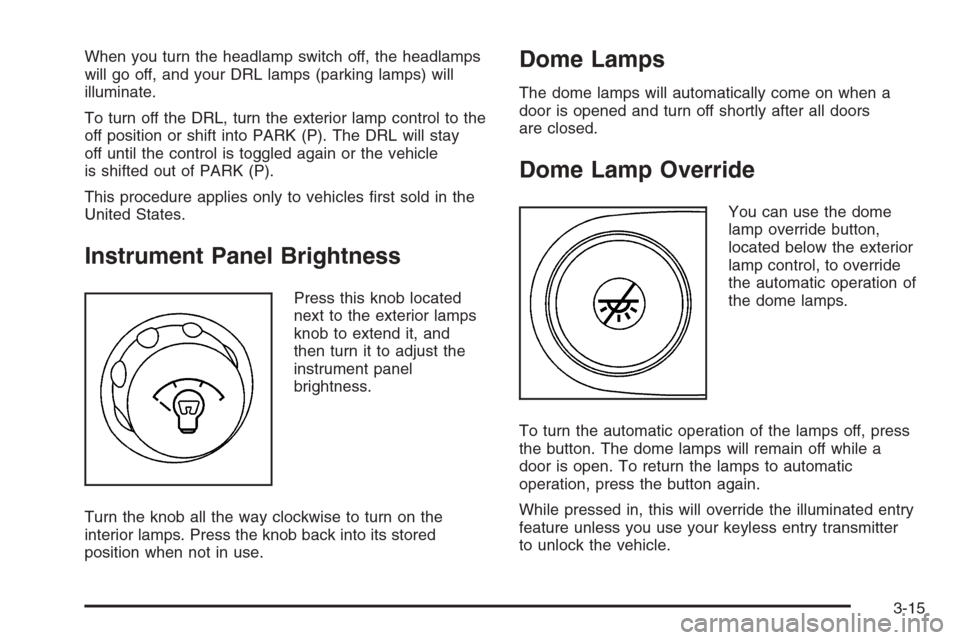
Instrument Panel Brightness
Press this knob located
next to the exterior lamps
knob to extend it, and
then turn it to adjust the
instrument panel
brightness.
Turn the knob all the way clockwise to turn on the
interior lamps. Press the knob back into its stored
position when not in use.
Dome Lamps
The dome lamps will automatically come on when a
door is opened and turn off shortly after all doors
are closed.
Dome Lamp Override
You can use the dome
lamp override button,
located below the exterior
lamp control, to override
the automatic operation of
the dome lamps.
To turn the automatic operation of the lamps off, press
the button. The dome lamps will remain off while a
door is open. To return the lamps to automatic
operation, press the button again.
While pressed in, this will override the illuminated entry
feature unless you use your keyless entry transmitter
to unlock the vehicle.
3-15
Page 141 of 406
Certain power accessory plugs may not be compatible to
the accessory power outlet and could result in blown
vehicle or adapter fuses. If you experience a problem,
see your dealer for additional information on the
accessory power plugs.
Notice:Adding any electrical equipment to your
vehicle may damage it or keep other components
from working as they should. The repairs would not
be covered by your warranty. Do not use equipment
exceeding maximum amperage rating. Check
with your retailer before adding electrical equipment.
When adding electrical equipment, be sure to follow
the proper installation instructions included with
the equipment.
Notice:Improper use of the power outlet can cause
damage not covered by your warranty. Do not
hang any type of accessory or accessory bracket
from the plug because the power outlets are
designed for accessory power plugs only.Ashtray(s) and Cigarette Lighter
Your vehicle may have this feature. The front ashtray
can be placed in the instrument panel extension at
the center of the instrument panel. Lift up on the ashtray
door to open it.
Notice:If you put papers, pins, or other ammable
items in the ashtray, hot cigarettes or other
smoking materials could ignite them and possibly
damage your vehicle. Never put ammable items in
the ashtray.
To use the cigarette lighter, push it in all the way and let
go. When it’s ready, it will pop back out by itself.
Notice:Holding a cigarette lighter in while it is
heating will not allow the lighter to back away from
the heating element when it is hot. Damage from
overheating may occur to the lighter or heating
element, or a fuse could be blown. Do not hold a
cigarette lighter in while it is heating.
3-17
Page 142 of 406
Climate Controls
Climate Control System
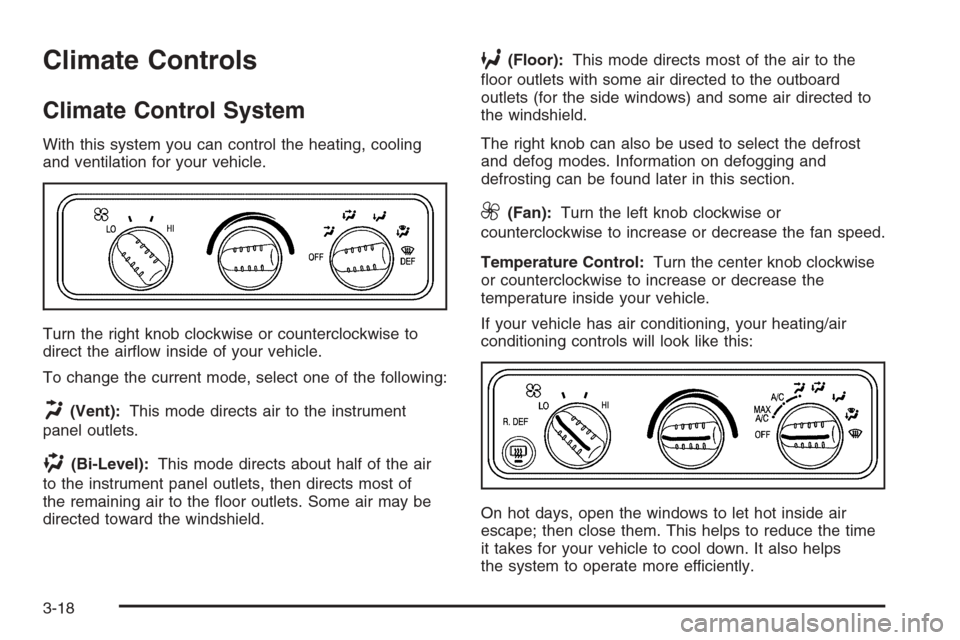
With this system you can control the heating, cooling
and ventilation for your vehicle.
Turn the right knob clockwise or counterclockwise to
direct the airflow inside of your vehicle.
To change the current mode, select one of the following:
H(Vent):This mode directs air to the instrument
panel outlets.
)(Bi-Level):This mode directs about half of the air
to the instrument panel outlets, then directs most of
the remaining air to the floor outlets. Some air may be
directed toward the windshield.
6(Floor):This mode directs most of the air to the
floor outlets with some air directed to the outboard
outlets (for the side windows) and some air directed to
the windshield.
The right knob can also be used to select the defrost
and defog modes. Information on defogging and
defrosting can be found later in this section.
9(Fan):Turn the left knob clockwise or
counterclockwise to increase or decrease the fan speed.
Temperature Control:Turn the center knob clockwise
or counterclockwise to increase or decrease the
temperature inside your vehicle.
If your vehicle has air conditioning, your heating/air
conditioning controls will look like this:
On hot days, open the windows to let hot inside air
escape; then close them. This helps to reduce the time
it takes for your vehicle to cool down. It also helps
the system to operate more efficiently.
3-18
Page 144 of 406
Rear Window Defogger
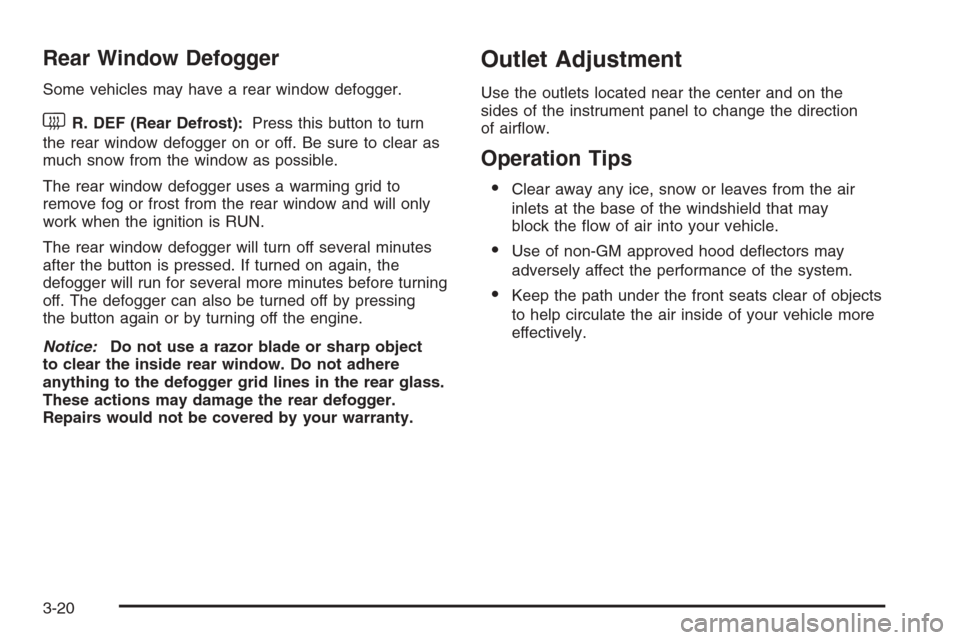
Some vehicles may have a rear window defogger.
much snow from the window as possible.
The rear window defogger uses a warming grid to
remove fog or frost from the rear window and will only
work when the ignition is RUN.
The rear window defogger will turn off several minutes
after the button is pressed. If turned on again, the
defogger will run for several more minutes before turning
off. The defogger can also be turned off by pressing
the button again or by turning off the engine.
Notice:Do not use a razor blade or sharp object
to clear the inside rear window. Do not adhere
anything to the defogger grid lines in the rear glass.
These actions may damage the rear defogger.
Repairs would not be covered by your warranty.
Outlet Adjustment
Use the outlets located near the center and on the
sides of the instrument panel to change the direction
of airflow.
Operation Tips
•Clear away any ice, snow or leaves from the air
inlets at the base of the windshield that may
block the flow of air into your vehicle.
•Use of non-GM approved hood deflectors may
adversely affect the performance of the system.
•Keep the path under the front seats clear of objects
to help circulate the air inside of your vehicle more
effectively.
3-20
Page 148 of 406

Instrument Panel Cluster
The instrument panel cluster is designed to let you know at a glance how the vehicle is running. You will know
how fast you are going, how much fuel you are using, and many other things you will need to know to drive safely
and economically.United States version shown, Canada similar
3-24
Page 149 of 406
Speedometer and Odometer
Your speedometer lets you see your speed in both
miles per hour (mph) and kilometers per hour (km/h).
Your odometer shows how far your vehicle has
been driven, in either miles (used in the United States)
or kilometers (used in Canada).
Your vehicle has a tamper resistant odometer. The
digital odometer will read 999,999 if someone tries to
turn it back.
You may wonder what happens if your vehicle needs a
new odometer installed. If the new one can be set to
the mileage total of the old odometer, then it must
be. But if it can’t, then it’s set at zero and a label must
be put on the driver’s door to show the old mileage
reading when the new odometer was installed.
Trip Odometer
The trip odometer can tell you how far your vehicle has
been driven since you last set the trip odometer to zero.
Press the reset button, located on the instrument panel
cluster next to the trip odometer display, to toggle
between the trip odometer and the regular odometer.
Holding the reset button for approximately one second
while the trip odometer is displayed will reset it.
To display the odometer reading with the ignition off,
press the reset button.
3-25