battery CHEVROLET EXPRESS CARGO VAN 2009 1.G User Guide
[x] Cancel search | Manufacturer: CHEVROLET, Model Year: 2009, Model line: EXPRESS CARGO VAN, Model: CHEVROLET EXPRESS CARGO VAN 2009 1.GPages: 408, PDF Size: 2.36 MB
Page 155 of 408
Emissions Inspection and Maintenance
Programs
Some state/provincial and local governments have or
might begin programs to inspect the emission control
equipment on the vehicle. Failure to pass this inspection
could prevent getting a vehicle registration.
Here are some things to know to help the vehicle pass
an inspection:
•The vehicle will not pass this inspection if the check
engine light is on with the engine running, or if the
key is in ON/RUN and the light is not on.
•The vehicle will not pass this inspection if the
OBD II (on-board diagnostic) system determines that
critical emission control systems have not been
completely diagnosed by the system. The vehicle
would be considered not ready for inspection. This
can happen if the battery has recently been replaced
or if the battery has run down. The diagnostic system
is designed to evaluate critical emission control
systems during normal driving. This can take several
days of routine driving. If this has been done and the
vehicle still does not pass the inspection for lack of
OBD II system readiness, your dealer/retailer can
prepare the vehicle for inspection.
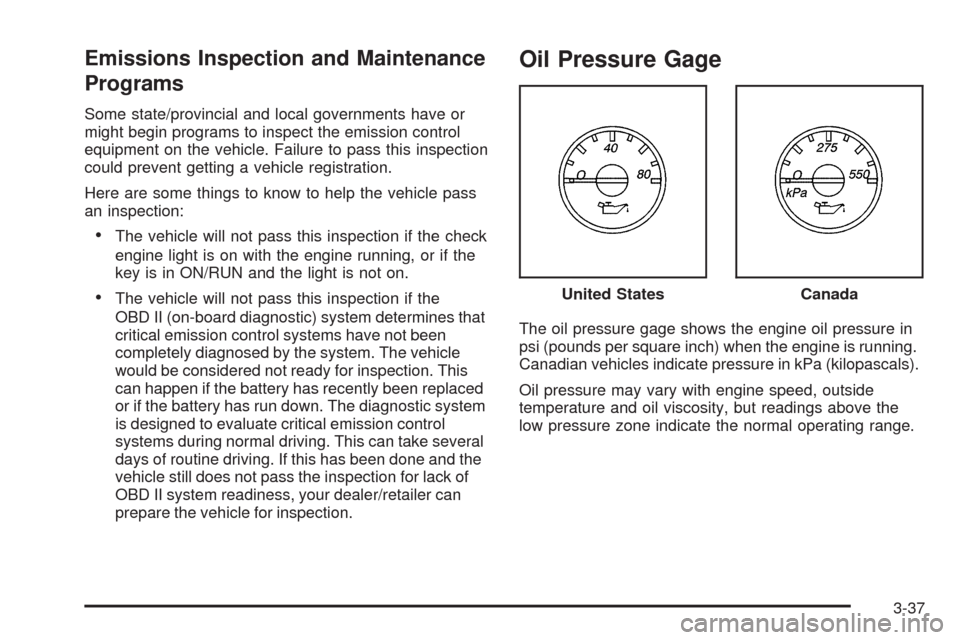
Oil Pressure Gage
The oil pressure gage shows the engine oil pressure in
psi (pounds per square inch) when the engine is running.
Canadian vehicles indicate pressure in kPa (kilopascals).
Oil pressure may vary with engine speed, outside
temperature and oil viscosity, but readings above the
low pressure zone indicate the normal operating range.United States
Canada
3-37
Page 170 of 408
OIL PRESSURE LOW STOP ENGINE
Notice:If you drive your vehicle while the engine
oil pressure is low, severe engine damage may
occur. If a low oil pressure warning appears on the
Driver Information Center (DIC), stop the vehicle
as soon as possible. Do not drive the vehicle until
the cause of the low oil pressure is corrected.
SeeEngine Oil on page 5-15for more information.
This message displays if low oil pressure levels
occur. Stop the vehicle as soon as safely possible and
do not operate it until the cause of the low oil pressure
has been corrected. Check the oil as soon as possible
and have your vehicle serviced by your dealer/retailer.
SeeEngine Oil on page 5-15.
PASSENGER DOOR OPEN
This message displays and a chime sounds if the
passenger door is not fully closed and the vehicle is
in a drive gear. Stop and turn off the vehicle, check
the door for obstructions, and close the door again.
Check to see if the message still appears on the DIC.
REMOTE KEY LEARNING ACTIVE
This message displays while you are matching a
Remote Keyless Entry (RKE) transmitter to your vehicle.
See “Matching Transmitter(s) to Your Vehicle” under
Remote Keyless Entry (RKE) System Operation
on page 2-4andDIC Operation and Displays on
page 3-41for more information.
REPLACE BATTERY IN REMOTE KEY
This message displays if a Remote Keyless Entry (RKE)
transmitter battery is low. The battery needs to be
replaced in the transmitter. See “Battery Replacement”
underRemote Keyless Entry (RKE) System Operation
on page 2-4.
RIGHT REAR DOOR OPEN
On some vehicles, this message displays and a chime
sounds if the passenger side rear door is not fully
closed and the vehicle is in a drive gear. Stop and turn
off the vehicle, check the door for obstructions, and
close the door again. Check to see if the message still
appears on the DIC.
3-52
Page 171 of 408
SERVICE A/C SYSTEM
This message displays when the electronic sensors that
control the air conditioning and heating systems are
no longer working. Have the climate control system
serviced by your dealer/retailer if you notice a drop
in heating and air conditioning efficiency.
SERVICE AIR BAG
This message displays if there is a problem with
the airbag system. Have your dealer/retailer inspect
the system for problems. SeeAirbag Readiness Light
on page 3-27andAirbag System on page 1-58for more
information.
SERVICE BATTERY CHARGING
SYSTEM
On some vehicles, this message displays if there is a
problem with the battery charging system. Under certain
conditions, the charging system light may also turn on in
the instrument panel cluster. SeeCharging System Light
on page 3-30. Driving with this problem could drain the
battery. Turn off all unnecessary accessories. Have the
electrical system checked as soon as possible. See your
dealer/retailer.
SERVICE BRAKE SYSTEM
This message displays along with the brake system
warning light if there is a problem with the brake system.
SeeBrake System Warning Light on page 3-31. If this
message appears, stop as soon as possible and turn
off the vehicle. Restart the vehicle and check for the
message on the DIC display. If the message is still
displayed or appears again when you begin driving,
the brake system needs service as soon as possible.
See your dealer/retailer.
SERVICE STABILITRAK
If your vehicle has StabiliTrak®and this message
displays, it means there may be a problem with the
StabiliTrak system. If you see this message, try to
reset the system. Stop; turn off the engine for at least
15 seconds; then start the engine again. If this message
still comes on, it means there is a problem. You should
see your dealer/retailer for service. The vehicle is safe to
drive, however, you do not have the benefit of StabiliTrak,
so reduce your speed and drive accordingly.
3-53
Page 175 of 408
WAIT TO START
This message displays briefly when the theft-deterrent
system has initially found incorrect conditions within
the vehicle and is making a double check. If your vehicle
does not start soon after, try to start it again. If it still
does not start, have your vehicle serviced by your
dealer/retailer.
DIC Vehicle Customization
Your vehicle may have customization capabilities that
allow you to program certain features to one preferred
setting. Customization features can only be programmed
to one setting on the vehicle and cannot be programmed
to a preferred setting for two different drivers.
All of the customization options may not be available
on your vehicle. Only the options available will be
displayed on the DIC.
The default settings for the customization features were
set when your vehicle left the factory, but may have
been changed from their default state since then.
The customization preferences are automatically
recalled.
To change customization preferences, use the following
procedure.
Entering the Feature Settings Menu
1. Turn the ignition on and place the vehicle in
P (Park).
To avoid excessive drain on the battery, it is
recommended that the headlamps are turned off.
2. Press the customization button to enter the feature
settings menu.
If the menu is not available, FEATURE SETTINGS
AVAILABLE IN PARK will display. Before entering
the menu, make sure the vehicle is in P (Park).
Feature Settings Menu Items
The following are customization features that allow you
to program settings to the vehicle:
DISPLAY IN ENGLISH
This feature will only display if a language other than
English has been set. This feature allows you to change
the language in which the DIC messages appear to
English.
Press the customization button until the PRESS
VTO
DISPLAY IN ENGLISH screen appears on the DIC
display. Press the set/reset button once to display all
DIC messages in English.
3-57
Page 202 of 408
Radio Reception
Frequency interference and static can occur during
normal radio reception if items such as cell phone
chargers, vehicle convenience accessories, and external
electronic devices are plugged into the accessory power
outlet. If there is interference or static, unplug the item
from the accessory power outlet.
AM
The range for most AM stations is greater than for FM,
especially at night. The longer range can cause station
frequencies to interfere with each other. For better radio
reception, most AM radio stations boost the power levels
during the day, and then reduce these levels during the
night. Static can also occur when things like storms and
power lines interfere with radio reception. When this
happens, try reducing the treble on your radio.
FM Stereo
FM stereo gives the best sound, but FM signals reach
only about 10 to 40 miles (16 to 65 km). Tall buildings or
hills can interfere with FM signals, causing the sound
to fade in and out.
Cellular Phone Usage
Cellular phone usage may cause interference with the
vehicle’s radio. This interference may occur when making
or receiving phone calls, charging the phone’s battery,
or simply having the phone on. This interference causes
an increased level of static while listening to the radio.
If static is received while listening to the radio, unplug the
cellular phone and turn it off.
Fixed Mast Antenna
The fixed mast antenna can withstand most car washes
without being damaged as long as it is securely attached
to the base. If the mast becomes slightly bent, straighten
it out by hand. If the mast is badly bent, replace it.
Occasionally check to make sure the antenna is
tightened to its base. If tightening is required, tighten
by hand.
3-84
Page 220 of 408
If it takes some time for help to arrive, now and then
when you run the engine, push the accelerator
pedal slightly so the engine runs faster than the idle
speed. This keeps the battery charged to restart
the vehicle and to signal for help with the headlamps.
Do this as little as possible to save fuel.
If Your Vehicle is Stuck in Sand,
Mud, Ice, or Snow
Slowly and cautiously spin the wheels to free the
vehicle when stuck in sand, mud, ice, or snow.
SeeRocking Your Vehicle to Get It Out on page 4-19.
If the vehicle has a traction system, it can often help
to free a stuck vehicle. Refer to the vehicle’s traction
system in the Index. If stuck too severely for the traction
system to free the vehicle, turn the traction system off
and use the rocking method.
{CAUTION:
If you let your vehicle’s tires spin at high speed,
they can explode, and you or others could be
injured. The vehicle can overheat, causing an
engine compartment fire or other damage. Spin
the wheels as little as possible and avoid going
above 35 mph (55 km/h) as shown on the
speedometer.
For information about using tire chains on the vehicle,
seeTire Chains on page 5-78.
4-18
Page 228 of 408
Dinghy Towing
Two-Wheel-Drive Vehicles
Notice:If the vehicle is towed with all four wheels
on the ground, the drivetrain components could
be damaged. The repairs would not be covered by
the vehicle warranty. Do not tow the vehicle with all
four wheels on the ground.
Two-wheel-drive vehicles should not be towed with
all four wheels on the ground. Two-wheel-drive
transmissions have no provisions for internal lubrication
while being towed.
All-Wheel-Drive Vehicles
The vehicle was not designed to be towed with all four
wheels on the ground. To properly tow these vehicles,
they should be placed on a platform trailer with all
four wheels off the ground.
Notice:Towing an all-wheel-drive vehicle with all
four wheels on the ground, or even with only two of
its wheels on the ground, will damage drivetrain
components. Do not tow an all-wheel-drive vehicle
with any of its wheels on the ground.
Dolly Towing
Rear Towing (Rear Wheels Off the Ground)
Two-Wheel-Drive Vehicles
Use the following procedure to tow the vehicle from
the rear:
1. Attach the dolly to the tow vehicle following the
dolly manufacturer’s instructions.
2. Drive the rear wheels onto the dolly.
3. Firmly set the parking brake. SeeParking Brake on
page 2-26for more information.
4. Put the transmission in P (Park).
5. Secure the vehicle to the dolly following the
manufacturer’s instructions.
6. Use an adequate clamping device designed for
towing to ensure that the front wheels are locked
into the straight position.
7. Turn the ignition to LOCK/OFF.
If the tow vehicle will not be started or driven for
six weeks or more, remove the battery cable
from the negative terminal (post) of the battery to
prevent the battery from draining while towing.
4-26
Page 243 of 408
The seven-wire harness connector contains the following
trailer circuits:
•Light Green: Back-up Lamps (10A fuse)**
•White: Ground
•Dark Blue: Trailer Brake Signal
•Dark Green: Right Rear Stop and Turn Signal*
•Red/Black Stripe: Battery Feed (30A Fuse)
•Brown: Trailer Park Lamp Supply Voltage
(15A fuse)**
•Yellow: Left Rear Stop and Turn Signal *The four-wire harness (without connector) contains the
following circuits:
•Black: Ground
•Red/White: Battery Feed
•Dark Blue: Trailer Brake Signal
•Light Blue: CHMSL/Stoplamp Supply Voltage
* If the vehicle is a cutaway with trailer provisions, a
15 amp fuse will be shared for both left/stop trailer turn
and right/stop trailer turn signals. However, the cutaway
lighting connector will have a 10 amp fuse for each
signal.
** If the vehicle is a cutaway with trailer provisions,
a 15 amp fuse will be shared for trailer park lamps and
cutaway rear lighting connector park lamps. Also, a
10 amp fuse will be shared for trailer back-up lamps
and cutaway rear lighting connector back-up lamps.
4-41
Page 245 of 408
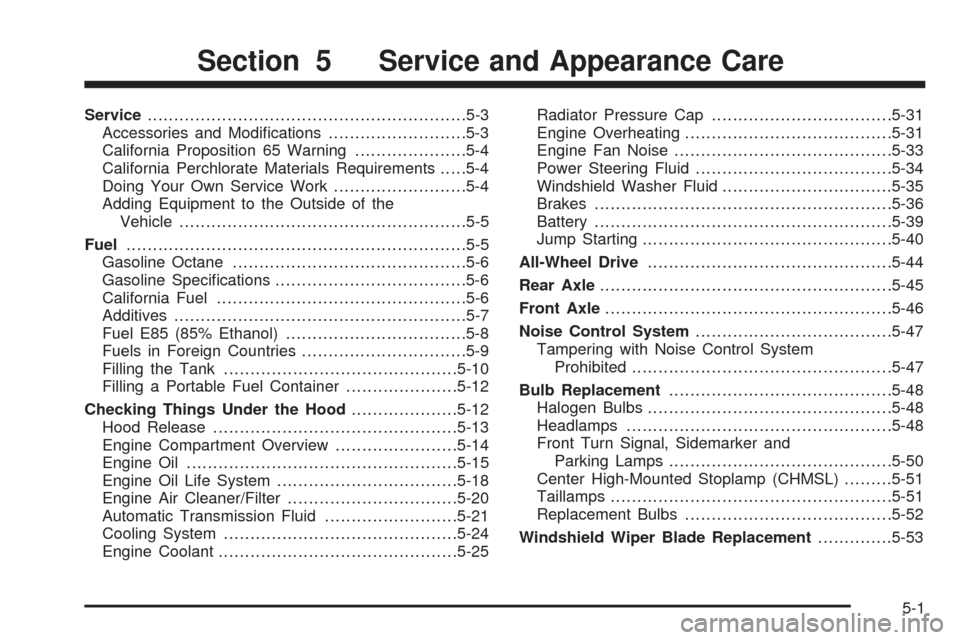
Service............................................................5-3
Accessories and Modifications..........................5-3
California Proposition 65 Warning.....................5-4
California Perchlorate Materials Requirements.....5-4
Doing Your Own Service Work.........................5-4
Adding Equipment to the Outside of the
Vehicle......................................................5-5
Fuel................................................................5-5
Gasoline Octane............................................5-6
Gasoline Specifications....................................5-6
California Fuel...............................................5-6
Additives.......................................................5-7
Fuel E85 (85% Ethanol)..................................5-8
Fuels in Foreign Countries...............................5-9
Filling the Tank............................................5-10
Filling a Portable Fuel Container.....................5-12
Checking Things Under the Hood....................5-12
Hood Release..............................................5-13
Engine Compartment Overview.......................5-14
Engine Oil...................................................5-15
Engine Oil Life System..................................5-18
Engine Air Cleaner/Filter................................5-20
Automatic Transmission Fluid.........................5-21
Cooling System............................................5-24
Engine Coolant.............................................5-25Radiator Pressure Cap..................................5-31
Engine Overheating.......................................5-31
Engine Fan Noise.........................................5-33
Power Steering Fluid.....................................5-34
Windshield Washer Fluid................................5-35
Brakes........................................................5-36
Battery........................................................5-39
Jump Starting...............................................5-40
All-Wheel Drive..............................................5-44
Rear Axle
.......................................................5-45
Front Axle......................................................5-46
Noise Control System.....................................5-47
Tampering with Noise Control System
Prohibited.................................................5-47
Bulb Replacement..........................................5-48
Halogen Bulbs..............................................5-48
Headlamps..................................................5-48
Front Turn Signal, Sidemarker and
Parking Lamps..........................................5-50
Center High-Mounted Stoplamp (CHMSL).........5-51
Taillamps.....................................................5-51
Replacement Bulbs.......................................5-52
Windshield Wiper Blade Replacement..............5-53
Section 5 Service and Appearance Care
5-1
Page 259 of 408
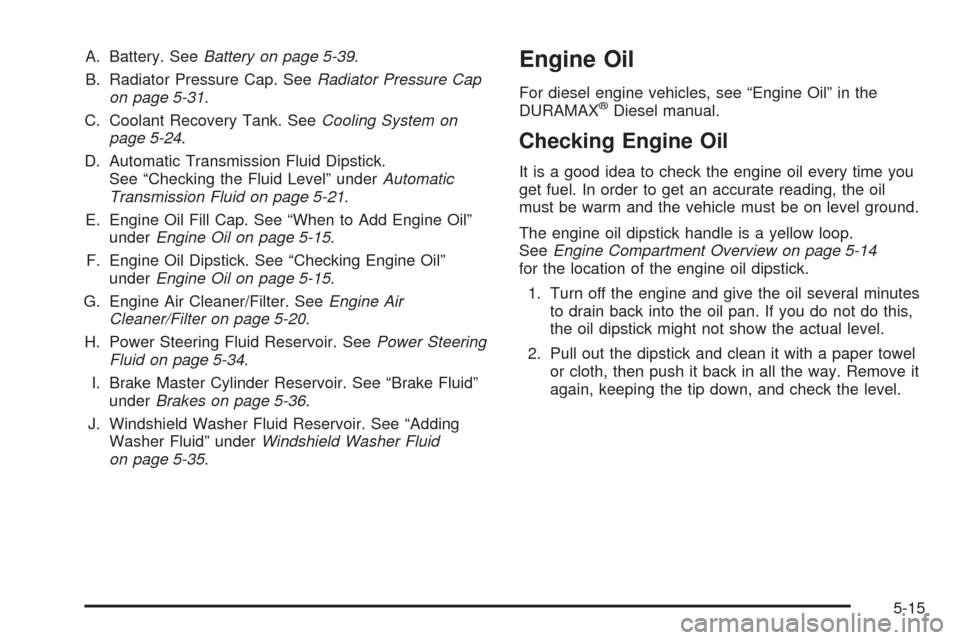
A. Battery. SeeBattery on page 5-39.
B. Radiator Pressure Cap. SeeRadiator Pressure Cap
on page 5-31.
C. Coolant Recovery Tank. SeeCooling System on
page 5-24.
D. Automatic Transmission Fluid Dipstick.
See “Checking the Fluid Level” underAutomatic
Transmission Fluid on page 5-21.
E. Engine Oil Fill Cap. See “When to Add Engine Oil”
underEngine Oil on page 5-15.
F. Engine Oil Dipstick. See “Checking Engine Oil”
underEngine Oil on page 5-15.
G. Engine Air Cleaner/Filter. SeeEngine Air
Cleaner/Filter on page 5-20.
H. Power Steering Fluid Reservoir. SeePower Steering
Fluid on page 5-34.
I. Brake Master Cylinder Reservoir. See “Brake Fluid”
underBrakes on page 5-36.
J. Windshield Washer Fluid Reservoir. See “Adding
Washer Fluid” underWindshield Washer Fluid
on page 5-35.Engine Oil
For diesel engine vehicles, see “Engine Oil” in the
DURAMAX®Diesel manual.
Checking Engine Oil
It is a good idea to check the engine oil every time you
get fuel. In order to get an accurate reading, the oil
must be warm and the vehicle must be on level ground.
The engine oil dipstick handle is a yellow loop.
SeeEngine Compartment Overview on page 5-14
for the location of the engine oil dipstick.
1. Turn off the engine and give the oil several minutes
to drain back into the oil pan. If you do not do this,
the oil dipstick might not show the actual level.
2. Pull out the dipstick and clean it with a paper towel
or cloth, then push it back in all the way. Remove it
again, keeping the tip down, and check the level.
5-15