instrument cluster CHEVROLET EXPRESS CARGO VAN 2009 1.G User Guide
[x] Cancel search | Manufacturer: CHEVROLET, Model Year: 2009, Model line: EXPRESS CARGO VAN, Model: CHEVROLET EXPRESS CARGO VAN 2009 1.GPages: 408, PDF Size: 2.36 MB
Page 168 of 408
DRIVER DOOR OPEN
This message displays and a chime sounds if the driver
door is not fully closed and the vehicle is in a drive
gear. Stop and turn off the vehicle, check the door
for obstructions, and close the door again. Check
to see if the message still appears on the DIC.
ENGINE HOT A/C
(Air Conditioning) OFF
This message displays when the engine coolant
becomes hotter than the normal operating temperature.
SeeEngine Coolant Temperature Gage on page 3-33.
To avoid added strain on a hot engine, the air
conditioning compressor automatically turns off.
When the coolant temperature returns to normal,
the air conditioning compressor turns back on.
You can continue to drive your vehicle.
If this message continues to appear, have the system
repaired by your dealer/retailer as soon as possible
to avoid damage to the engine.
ENGINE OIL LOW ADD OIL
If your vehicle has an oil level sensor, this message
displays if the oil level in the vehicle is low. Check the
oil level and correct it as necessary. You may need to let
the vehicle cool or warm up and cycle the ignition to
be sure this message clears. SeeEngine Oil on
page 5-15for additional information.
ENGINE OVERHEATED IDLE ENGINE
Notice:If you drive your vehicle while the engine
is overheating, severe engine damage may occur.
If an overheat warning appears on the instrument
panel cluster and/or DIC, stop the vehicle as soon
as possible. SeeEngine Overheating on page 5-31
for more information.
This message displays when the engine coolant
temperature is too hot. Stop and allow the vehicle
to idle until it cools down. SeeEngine Coolant
Temperature Gage on page 3-33.
3-50
Page 169 of 408
ENGINE OVERHEATED STOP ENGINE
Notice:If you drive your vehicle while the engine
is overheating, severe engine damage may occur.
If an overheat warning appears on the instrument
panel cluster and/or DIC, stop the vehicle as soon
as possible. SeeEngine Overheating on page 5-31
for more information.
This message displays and a chime sounds if the
engine cooling system reaches unsafe temperatures for
operation. Stop and turn off the vehicle as soon as it
is safe to do so to avoid severe damage. This message
clears when the engine has cooled to a safe operating
temperature.
ENGINE POWER IS REDUCED
This message displays and a chime sounds when the
cooling system temperature gets too hot and the engine
further enters the engine coolant protection mode.
SeeEngine Overheating on page 5-31for further
information.
This message also displays when the vehicle’s engine
power is reduced. Reduced engine power can affect
the vehicle’s ability to accelerate. If this message is on,
but there is no reduction in performance, proceed toyour destination. The performance may be reduced
the next time the vehicle is driven. The vehicle may be
driven at a reduced speed while this message is on,
but acceleration and speed may be reduced. Anytime
this message stays on, the vehicle should be taken
to your dealer/retailer for service as soon as possible.
FUEL LEVEL LOW
This message displays if the fuel level is low. Refuel as
soon as possible. SeeFuel Gage on page 3-40and
Fuel on page 5-5for more information.
ICE POSSIBLE DRIVE WITH CARE
This message displays when the outside air temperature
is cold enough to create icy road conditions. Adjust
your driving accordingly.
LEFT REAR DOOR OPEN
On some vehicles, this message displays and a chime
sounds if the driver side rear door is not fully closed
and the vehicle is in a drive gear. Stop and turn off the
vehicle, check the door for obstructions, and close
the door again. Check to see if the message still
appears on the DIC.
3-51
Page 171 of 408
SERVICE A/C SYSTEM
This message displays when the electronic sensors that
control the air conditioning and heating systems are
no longer working. Have the climate control system
serviced by your dealer/retailer if you notice a drop
in heating and air conditioning efficiency.
SERVICE AIR BAG
This message displays if there is a problem with
the airbag system. Have your dealer/retailer inspect
the system for problems. SeeAirbag Readiness Light
on page 3-27andAirbag System on page 1-58for more
information.
SERVICE BATTERY CHARGING
SYSTEM
On some vehicles, this message displays if there is a
problem with the battery charging system. Under certain
conditions, the charging system light may also turn on in
the instrument panel cluster. SeeCharging System Light
on page 3-30. Driving with this problem could drain the
battery. Turn off all unnecessary accessories. Have the
electrical system checked as soon as possible. See your
dealer/retailer.
SERVICE BRAKE SYSTEM
This message displays along with the brake system
warning light if there is a problem with the brake system.
SeeBrake System Warning Light on page 3-31. If this
message appears, stop as soon as possible and turn
off the vehicle. Restart the vehicle and check for the
message on the DIC display. If the message is still
displayed or appears again when you begin driving,
the brake system needs service as soon as possible.
See your dealer/retailer.
SERVICE STABILITRAK
If your vehicle has StabiliTrak®and this message
displays, it means there may be a problem with the
StabiliTrak system. If you see this message, try to
reset the system. Stop; turn off the engine for at least
15 seconds; then start the engine again. If this message
still comes on, it means there is a problem. You should
see your dealer/retailer for service. The vehicle is safe to
drive, however, you do not have the benefit of StabiliTrak,
so reduce your speed and drive accordingly.
3-53
Page 172 of 408
SERVICE THEFT DETERRENT SYSTEM
This message displays when there is a problem with
the theft-deterrent system. The vehicle may or may
not restart so you may want to take the vehicle to
your dealer/retailer before turning off the engine.
SeePASS-Key
®III+ Electronic Immobilizer Operation
on page 2-17for more information.
SERVICE TIRE MONITOR SYSTEM
If your vehicle has the Tire Pressure Monitor System
(TPMS), this message displays if a part on the system is
not working properly. The tire pressure light also flashes
and then remains on during the same ignition cycle.
SeeTire Pressure Light on page 3-34. Several conditions
may cause this message to appear. SeeTire Pressure
Monitor Operation on page 5-65for more information.
If the warning comes on and stays on, there may be a
problem with the TPMS. See your dealer/retailer.
SERVICE TRACTION CONTROL
If your vehicle has StabiliTrak, this message displays
when there is a problem with the Traction Control
System (TCS). When this message displays, the system
will not limit wheel spin. Adjust your driving accordingly.
See your dealer/retailer for service. SeeStabiliTrak
®
System on page 4-5for more information.
SERVICE TRANSMISSION
This message displays when there is a problem with the
transmission. See your dealer/retailer for service.
SERVICE VEHICLE SOON
This message displays when a non-emissions related
malfunction occurs. Have the vehicle serviced by
your dealer/retailer as soon as possible.
STABILITRAK NOT READY
If your vehicle has StabiliTrak, this message may
display and the StabiliTrak indicator light on the
instrument panel cluster may be on after first driving the
vehicle and exceeding 20 mph (32 km/h) for 30 seconds.
The StabiliTrak system is not functional until the light
has turned off. SeeStabiliTrak
®System on page 4-5
for more information.
3-54
Page 174 of 408
TIGHTEN GAS CAP
This message may display and a chime may be heard
along with the check engine light on the instrument
panel cluster if the vehicle’s fuel cap is not tightened
properly. SeeMalfunction Indicator Lamp on page 3-34.
Reinstall the fuel cap fully. SeeFilling the Tank on
page 5-10. The diagnostic system can determine if the
fuel cap has been left off or improperly installed. A loose
or missing fuel cap allows fuel to evaporate into the
atmosphere. A few driving trips with the cap properly
installed should turn this light and message off.
TIRE LEARNING ACTIVE
If your vehicle has the Tire Pressure Monitor
System (TPMS), this message displays when the
system is re-learning the tire positions on your vehicle.
SeeDIC Operation and Displays on page 3-41for more
information. The tire positions must be re-learned after
rotating the tires or after replacing a tire or sensor. See
Tire Inspection and Rotation on page 5-69,Tire Pressure
Monitor System on page 5-64, andInflation - Tire
Pressure on page 5-62for more information.
TRACTION CONTROL OFF
If your vehicle has StabiliTrak, this message displays
when the Traction Control System (TCS) is turned
off. Adjust your driving accordingly. SeeStabiliTrak
®
System on page 4-5for more information.
TRANSMISSION HOT IDLE ENGINE
Notice:If you drive your vehicle while the
transmission uid is overheating and the
transmission temperature warning is displayed
on the instrument panel cluster and/or DIC, you
can damage the transmission. This could lead to
costly repairs that would not be covered by your
warranty. Do not drive your vehicle with overheated
transmission uid or while the transmission
temperature warning is displayed.
This message displays along with a chime if the
transmission fluid in the vehicle gets hot. Driving with
the transmission fluid temperature high can cause
damage to the vehicle. Stop the vehicle and let it idle
to allow the transmission to cool. This message
clears and the chime stops when the fluid temperature
reaches a safe level.
TURN SIGNAL ON
This message displays and a chime sounds if a turn
signal is left on for 3/4 of a mile (1.2 km). Move the turn
signal/multifunction lever to the off position.
3-56
Page 208 of 408
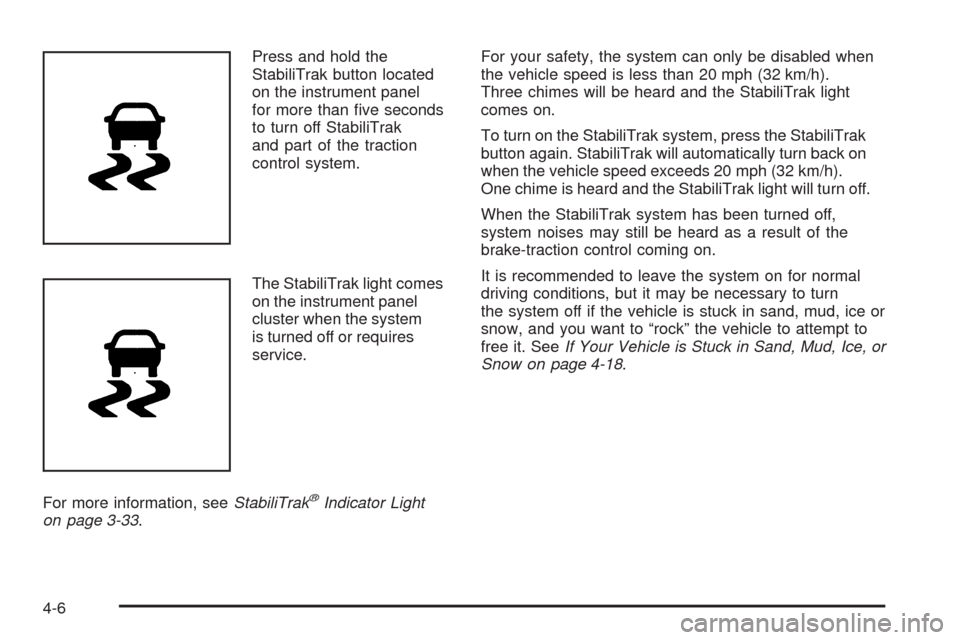
Press and hold the
StabiliTrak button located
on the instrument panel
for more than five seconds
to turn off StabiliTrak
and part of the traction
control system.
The StabiliTrak light comes
on the instrument panel
cluster when the system
is turned off or requires
service.
For more information, seeStabiliTrak
®Indicator Light
on page 3-33.For your safety, the system can only be disabled when
the vehicle speed is less than 20 mph (32 km/h).
Three chimes will be heard and the StabiliTrak light
comes on.
To turn on the StabiliTrak system, press the StabiliTrak
button again. StabiliTrak will automatically turn back on
when the vehicle speed exceeds 20 mph (32 km/h).
One chime is heard and the StabiliTrak light will turn off.
When the StabiliTrak system has been turned off,
system noises may still be heard as a result of the
brake-traction control coming on.
It is recommended to leave the system on for normal
driving conditions, but it may be necessary to turn
the system off if the vehicle is stuck in sand, mud, ice or
snow, and you want to “rock” the vehicle to attempt to
free it. SeeIf Your Vehicle is Stuck in Sand, Mud, Ice, or
Snow on page 4-18.
4-6
Page 238 of 408
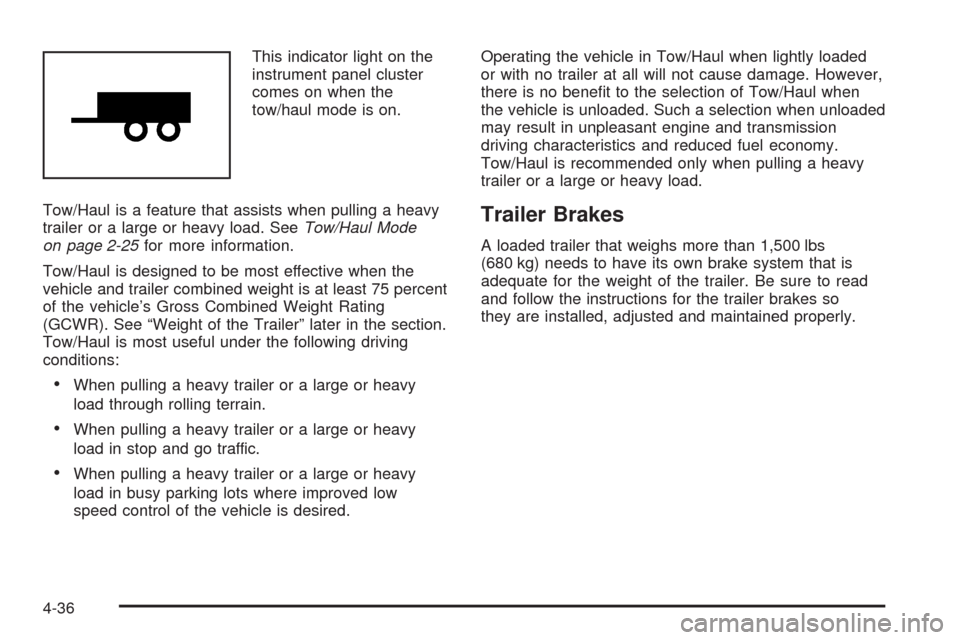
This indicator light on the
instrument panel cluster
comes on when the
tow/haul mode is on.
Tow/Haul is a feature that assists when pulling a heavy
trailer or a large or heavy load. SeeTow/Haul Mode
on page 2-25for more information.
Tow/Haul is designed to be most effective when the
vehicle and trailer combined weight is at least 75 percent
of the vehicle’s Gross Combined Weight Rating
(GCWR). See “Weight of the Trailer” later in the section.
Tow/Haul is most useful under the following driving
conditions:
•When pulling a heavy trailer or a large or heavy
load through rolling terrain.
•When pulling a heavy trailer or a large or heavy
load in stop and go traffic.
•When pulling a heavy trailer or a large or heavy
load in busy parking lots where improved low
speed control of the vehicle is desired.Operating the vehicle in Tow/Haul when lightly loaded
or with no trailer at all will not cause damage. However,
there is no benefit to the selection of Tow/Haul when
the vehicle is unloaded. Such a selection when unloaded
may result in unpleasant engine and transmission
driving characteristics and reduced fuel economy.
Tow/Haul is recommended only when pulling a heavy
trailer or a large or heavy load.
Trailer Brakes
A loaded trailer that weighs more than 1,500 lbs
(680 kg) needs to have its own brake system that is
adequate for the weight of the trailer. Be sure to read
and follow the instructions for the trailer brakes so
they are installed, adjusted and maintained properly.
4-36
Page 309 of 408
Federal Communications
Commission (FCC) and
Industry and Science Canada
The Tire Pressure Monitor System (TPMS) operates
on a radio frequency and complies with Part 15 of
the FCC Rules. Operation is subject to the following
two conditions:
1. This device may not cause harmful interference.
2. This device must accept any interference received,
including interference that may cause undesired
operation.
The TPMS operates on a radio frequency and complies
with RSS-210 of Industry and Science Canada.
Operation is subject to the following two conditions:
1. This device may not cause interference.
2. This device must accept any interference received,
including interference that may cause undesired
operation of the device.
Changes or modifications to this system by other than
an authorized service facility could void authorization to
use this equipment.
Tire Pressure Monitor Operation
The Tire Pressure Monitor System (TPMS), if your
vehicle has this feature, is designed to warn the driver
when a low tire pressure condition exists. TPMS sensors
are mounted onto each tire and wheel assembly,
excluding the spare tire and wheel assembly. The TPMS
sensors monitor the air pressure in the vehicle’s tires and
transmits the tire pressure readings to a receiver located
in the vehicle.
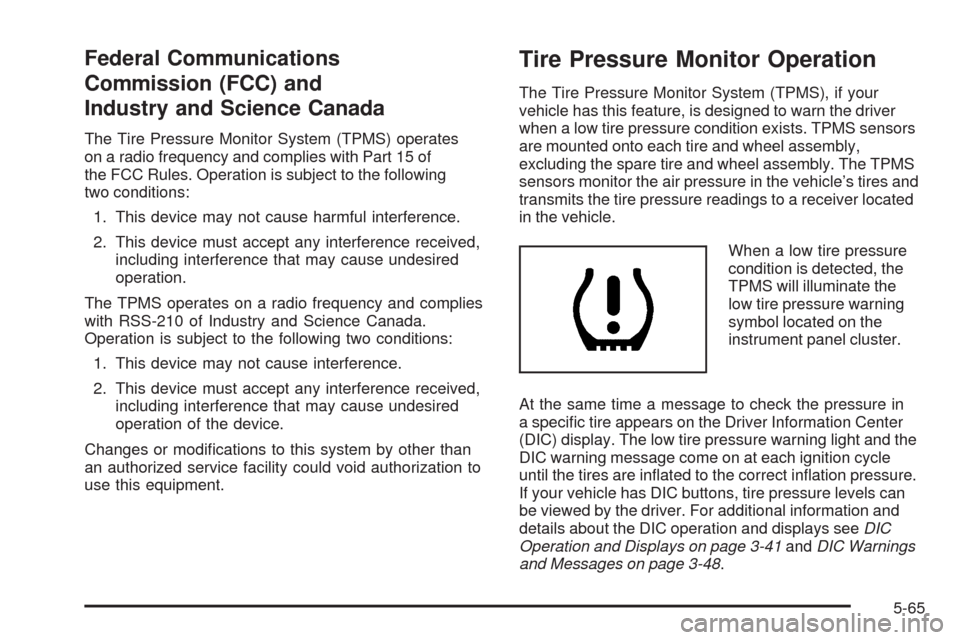
When a low tire pressure
condition is detected, the
TPMS will illuminate the
low tire pressure warning
symbol located on the
instrument panel cluster.
At the same time a message to check the pressure in
a specific tire appears on the Driver Information Center
(DIC) display. The low tire pressure warning light and the
DIC warning message come on at each ignition cycle
until the tires are inflated to the correct inflation pressure.
If your vehicle has DIC buttons, tire pressure levels can
be viewed by the driver. For additional information and
details about the DIC operation and displays seeDIC
Operation and Displays on page 3-41andDIC Warnings
and Messages on page 3-48.
5-65
Page 312 of 408
The TPMS sensor matching process is outlined below:
1. Set the parking brake.
2. Turn the ignition switch to ON/RUN with the
engine off.
3. Press the Remote Keyless Entry (RKE) transmitter’s
LOCK and UNLOCK buttons at the same time
for approximately five seconds. The horn sounds
twice to signal the receiver is in relearn mode and
TIRE LEARNING ACTIVE message displays on the
DIC screen.
If your vehicle does not have RKE, press the Driver
Information Center (DIC) vehicle information button
until the PRESS
VTO RELEARN TIRE POSITIONS
message displays. The horn sounds twice to signal
the receiver is in relearn mode and TIRE LEARNING
ACTIVE message displays on the DIC screen.
If your vehicle does not have RKE or DIC buttons,
press the trip odometer reset stem located on
the instrument panel cluster until the PRESS
VTO
RELEARN TIRE POSITIONS message displays.
The horn sounds twice to signal the receiver
is in relearn mode and TIRE LEARNING ACTIVE
message displays on the DIC screen.
4. Start with the driver side front tire.5. Remove the valve cap from the valve cap stem.
Activate the TPMS sensor by increasing or
decreasing the tire’s air pressure for five seconds, or
until a horn chirp sounds. The horn chirp, which may
take up to 30 seconds to sound, confirms that the
sensor identification code has been matched to this
tire and wheel position.
6. Proceed to the passenger side front tire, and repeat
the procedure in Step 5.
7. Proceed to the passenger side rear tire, and repeat
the procedure in Step 5.
8. Proceed to the driver side rear tire, and repeat the
procedure in Step 5. The horn sounds two times to
indicate the sensor identification code has been
matched to the driver side rear tire, and that
the TPMS sensor matching process is no longer
active. The TIRE LEARNING ACTIVE message
on the DIC display screen goes off.
9. Turn the ignition switch to LOCK/OFF.
10. Set all four tires to the recommended air pressure
level as indicated on the Tire and Loading
Information label.
11. Put the valve caps back on the valve stems.
5-68
Page 350 of 408
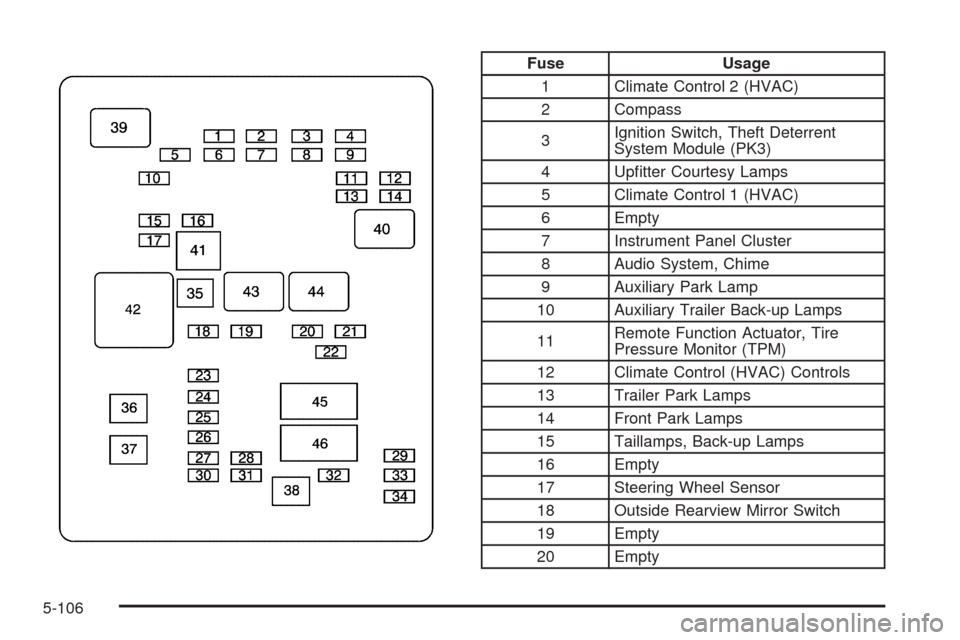
Fuse Usage
1 Climate Control 2 (HVAC)
2 Compass
3Ignition Switch, Theft Deterrent
System Module (PK3)
4 Upfitter Courtesy Lamps
5 Climate Control 1 (HVAC)
6 Empty
7 Instrument Panel Cluster
8 Audio System, Chime
9 Auxiliary Park Lamp
10 Auxiliary Trailer Back-up Lamps
11Remote Function Actuator, Tire
Pressure Monitor (TPM)
12 Climate Control (HVAC) Controls
13 Trailer Park Lamps
14 Front Park Lamps
15 Taillamps, Back-up Lamps
16 Empty
17 Steering Wheel Sensor
18 Outside Rearview Mirror Switch
19 Empty
20 Empty
5-106