Lock CHEVROLET EXPRESS CARGO VAN 2017 1.G Service Manual
[x] Cancel search | Manufacturer: CHEVROLET, Model Year: 2017, Model line: EXPRESS CARGO VAN, Model: CHEVROLET EXPRESS CARGO VAN 2017 1.GPages: 346, PDF Size: 6.54 MB
Page 94 of 346
Chevrolet Express Owner Manual (GMNA-Localizing-U.S./Canada/Mexico-9967827) - 2017 - crc - 5/2/16
Instruments and Controls 93
Power Outlets
Power Outlets 12 Volt DirectCurrent
The accessory power outlets can beused to plug in electrical equipment,such as a cell phone or an MP3player.
The vehicle may have twoaccessory power outlets on theinstrument panel.
Remove the cover to access andreplace when not in use.
Certain power accessory plugs maynot be compatible to the accessorypower outlet and could overloadvehicle or adapter fuses. If aproblem is experienced, see yourdealer.
{Warning
Power is always supplied to the
outlets. Do not leave electrical
equipment plugged in when the
vehicle is not in use because the
vehicle could catch fire and cause
injury or death.
Caution
Leaving electrical equipment
plugged in for an extended period
of time while the vehicle is off will
drain the battery. Always unplug
electrical equipment when not in
use and do not plug in equipment
that exceeds the maximum
20 amp rating.
When adding electrical equipment,be sure to follow the properinstallation instructions included withthe equipment. SeeAdd-OnElectrical Equipment0212.
Caution
Hanging heavy equipment from
the power outlet can cause
damage not covered by the
vehicle warranty. The power
outlets are designed for
accessory power plugs only, such
as cell phone charge cords.
Power Outlet 110/120 Volt
Alternating Current
This power outlet can be used toplug in electrical equipment thatuses a maximum limit of 150 watts.
The 110/120 volt power outlet is onthe instrument panel.
An indicator light on the outlet turnson to show it is in use. The lightcomes on when the ignition is inON/RUN, equipment requiring lessthan 150 watts is plugged into theoutlet, and no system fault isdetected.
The indicator light does not come onwhen the ignition is in LOCK/OFF orif the equipment is not fully seatedinto the outlet.
If equipment is connected usingmore than 150 watts or a systemfault is detected, a protection circuitshuts off the power supply and theindicator light turns off. To reset thecircuit, unplug the item and plug itback in or turn the RetainedAccessory Power (RAP) off andthen back on. SeeRetainedAccessory Power (RAP)0180.
Page 105 of 346
Chevrolet Express Owner Manual (GMNA-Localizing-U.S./Canada/Mexico-9967827) - 2017 - crc - 5/2/16
104 Instruments and Controls
Brake System Warning
Light
The vehicle brake system consistsof two hydraulic circuits. If onecircuit is not working, the remainingcircuit can still work to stop thevehicle. For normal brakingperformance, both circuits need tobe working.
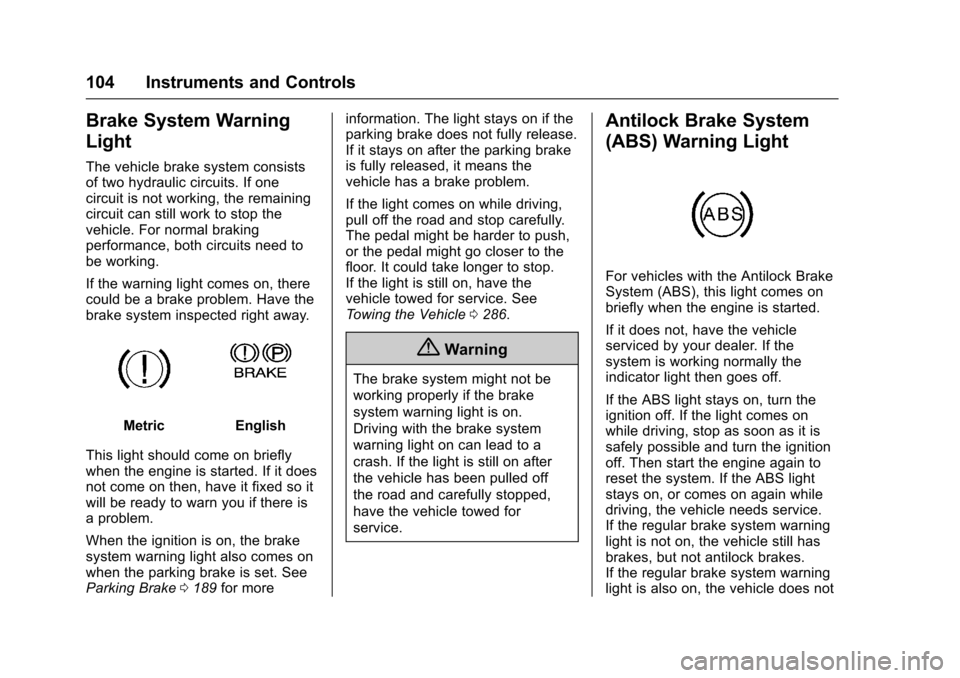
If the warning light comes on, therecould be a brake problem. Have thebrake system inspected right away.
MetricEnglish
This light should come on brieflywhen the engine is started. If it doesnot come on then, have it fixed so itwill be ready to warn you if there isaproblem.
When the ignition is on, the brakesystem warning light also comes onwhen the parking brake is set. SeeParking Brake0189for more
information. The light stays on if theparking brake does not fully release.If it stays on after the parking brakeis fully released, it means thevehicle has a brake problem.
If the light comes on while driving,pull off the road and stop carefully.The pedal might be harder to push,or the pedal might go closer to thefloor. It could take longer to stop.If the light is still on, have thevehicle towed for service. SeeTo w i n g t h e V e h i c l e0286.
{Warning
The brake system might not be
working properly if the brake
system warning light is on.
Driving with the brake system
warning light on can lead to a
crash. If the light is still on after
the vehicle has been pulled off
the road and carefully stopped,
have the vehicle towed for
service.
Antilock Brake System
(ABS) Warning Light
For vehicles with the Antilock BrakeSystem (ABS), this light comes onbriefly when the engine is started.
If it does not, have the vehicleserviced by your dealer. If thesystem is working normally theindicator light then goes off.
If the ABS light stays on, turn theignition off. If the light comes onwhile driving, stop as soon as it issafely possible and turn the ignitionoff. Then start the engine again toreset the system. If the ABS lightstays on, or comes on again whiledriving, the vehicle needs service.If the regular brake system warninglight is not on, the vehicle still hasbrakes, but not antilock brakes.If the regular brake system warninglight is also on, the vehicle does not
Page 106 of 346
Chevrolet Express Owner Manual (GMNA-Localizing-U.S./Canada/Mexico-9967827) - 2017 - crc - 5/2/16
Instruments and Controls 105
have antilock brakes and there is aproblem with the regular brakes.SeeBrake System WarningLight0104.
Tow/Haul Mode Light
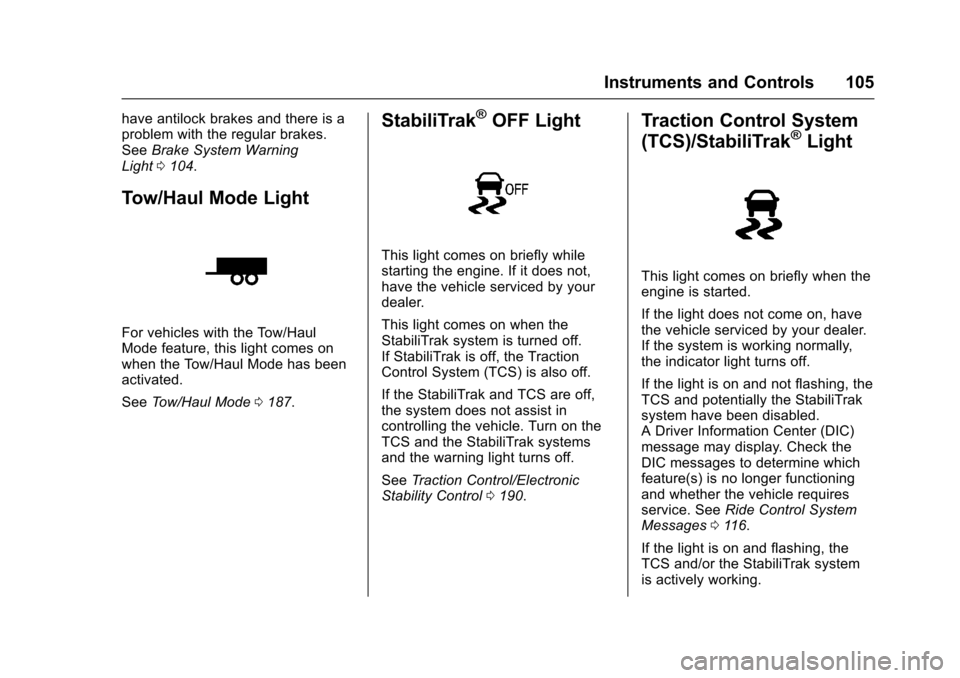
For vehicles with the Tow/HaulMode feature, this light comes onwhen the Tow/Haul Mode has beenactivated.
SeeTo w / H a u l M o d e0187.
StabiliTrak®OFF Light
This light comes on briefly whilestarting the engine. If it does not,have the vehicle serviced by yourdealer.
This light comes on when theStabiliTrak system is turned off.If StabiliTrak is off, the TractionControl System (TCS) is also off.
If the StabiliTrak and TCS are off,the system does not assist incontrolling the vehicle. Turn on theTCS and the StabiliTrak systemsand the warning light turns off.
SeeTr a c t i o n C o n t r o l / E l e c t r o n i cStability Control0190.
Traction Control System
(TCS)/StabiliTrak®Light
This light comes on briefly when theengine is started.
If the light does not come on, havethe vehicle serviced by your dealer.If the system is working normally,the indicator light turns off.
If the light is on and not flashing, theTCS and potentially the StabiliTraksystem have been disabled.ADriverInformationCenter(DIC)message may display. Check theDIC messages to determine whichfeature(s) is no longer functioningand whether the vehicle requiresservice. SeeRide Control SystemMessages011 6.
If the light is on and flashing, theTCS and/or the StabiliTrak systemis actively working.
Page 116 of 346
Chevrolet Express Owner Manual (GMNA-Localizing-U.S./Canada/Mexico-9967827) - 2017 - crc - 5/2/16
Instruments and Controls 115
stays on, the vehicle should betaken to your dealer for service assoon as possible.
Fuel System Messages
FUEL LEVEL LOW
This message displays and a chimesounds if the fuel level is low. Refuelas soon as possible. SeeFuelGauge096andFuel0198formore information.
TIGHTEN GAS CAP
This message may display alongwith the check engine light on theinstrument cluster if the fuel cap isnot tightened properly. SeeMalfunction Indicator Lamp (CheckEngine Light)0102.Reinstallthefuel cap fully. SeeFilling the Tank0200.Thediagnosticsystemcandetermine if the fuel cap has beenleft off or improperly installed.Alooseormissingfuelcapallowsfuel to evaporate into theatmosphere. A few driving trips withthe cap properly installed shouldturn this light and message off.
Key and Lock Messages
REPLACE BATTERY IN
REMOTE KEY
This message displays if a RemoteKeyless Entry (RKE) transmitterbattery is low. The battery needs tobe replaced in the transmitter. See“Battery Replacement”underRemote Keyless Entry (RKE)System Operation025.
Lamp Messages
AUTOMATIC LIGHT
CONTROL OFF
This message displays when theautomatic headlamps are turned off.SeeExterior Lamp Controls0125.
AUTOMATIC LIGHT
CONTROL ON
This message displays when theautomatic headlamps are turned on.SeeExterior Lamp Controls0125.
TURN SIGNAL ON
This message displays and a chimesounds if a turn signal is left on for1.2 km (0.75 mi). Move the turnsignal lever to the off position.
Object Detection System
Messages
PARK ASST BLOCKED SEE
OWNERS MANUAL
This message displays if there issomething interfering with the RearParking Assist (RPA) system. SeeParking Assist0197.
PARK ASSIST OFF
After the vehicle has been started,this message displays to remind thedriver that the Rear Parking Assist(RPA) system has been turned off.Press the set/reset button or the tripodometer reset stem toacknowledge this message andclear it from the DIC display. To turnthe RPA system back on, seeParking Assist0197.
Page 121 of 346
Chevrolet Express Owner Manual (GMNA-Localizing-U.S./Canada/Mexico-9967827) - 2017 - crc - 5/2/16
120 Instruments and Controls
Entering the Feature
Settings Menu
1. Turn the ignition on and placethe vehicle in P (Park).
To a v o i d e x c e s s i v e d r a i n o nthe battery, it is recommendedthat the headlamps areturned off.
2. PressUto enter the feature
settings menu.
If the menu is not available,FEATURE SETTINGSAVA I L A B L E I N PA R K w i l ldisplay. Before entering themenu, make sure the vehicle isin P (Park).
Feature Settings Menu Items
The following are customizationfeatures that allow you to programsettings to the vehicle:
DISPLAY IN ENGLISH
This feature will only display if alanguage other than English hasbeen set. This feature allows you tochange the language in which theDIC messages appear to English.
PressUuntil the PRESSVTO
DISPLAY IN ENGLISH screenappears on the DIC display. Pressthe set/reset button once to displayall DIC messages in English.
LANGUAGE
This feature allows you to select thelanguage in which the DICmessages will appear.
PressUuntil the LANGUAGE
screen appears on the DIC display.
PressVonce to access the settings
for this feature. Then pressUto
scroll through the following settings:
ENGLISH (default) :All messageswill appear in English.
FRANCAIS :All messages willappear in French.
ESPANOL :All messages willappear in Spanish.
ARABIC :All messages will appearin Arabic.
NO CHANGE :No change will bemade to this feature. The currentsetting will remain.
To s e l e c t a s e t t i n g , p r e s sVwhile
the desired setting is displayed onthe DIC. A beep will sound once alanguage has been selected.
AUTO DOOR LOCK
This feature allows you to selectwhen the doors willautomatically lock.
PressUuntil AUTO DOOR LOCK
appears on the DIC display.
PressVonce to access the settings
for this feature. Then pressUto
scroll through the following settings:
SHIFT OUT OF PARK (default) :The doors will automatically lockwhen the vehicle is shifted out ofP(Park).
AT V E H I C L E S P E E D :The doorswill automatically lock when thevehicle speed is above 13 km/h(8 mph) for three seconds.
NO CHANGE :No change will bemade to this feature. The currentsetting will remain.
Page 122 of 346
Chevrolet Express Owner Manual (GMNA-Localizing-U.S./Canada/Mexico-9967827) - 2017 - crc - 5/2/16
Instruments and Controls 121
To s e l e c t a s e t t i n g , p r e s sVwhile
the desired setting is displayed onthe DIC.
AUTO DOOR UNLOCK
This feature allows you to selectwhether or not to turn off theautomatic door unlocking feature.It also allows you to select whichdoors and when the doors willautomatically unlock.
PressUuntil AUTO DOOR
UNLOCK appears on the DIC
display. PressVonce to access the
settings for this feature. Then
pressUto scroll through the
following settings:
OFF :None of the doors willautomatically unlock.
DRIVER AT KEY OUT :Only thedriver door will unlock when the keyis taken out of the ignition.
DRIVER IN PARK :Only the driverdoor will unlock when the vehicle isshifted into P (Park).
ALL AT KEY OUT :All of the doorswill unlock when the key is takenout of the ignition.
ALL IN PARK (default) :All of thedoors will unlock when the vehicle isshifted into P (Park).
NO CHANGE :No change will bemade to this feature. The currentsetting will remain.
To s e l e c t a s e t t i n g , p r e s sVwhile
the desired setting is displayed onthe DIC.
REMOTE DOOR LOCK
This feature allows you to select thetype of feedback you will receivewhen locking the vehicle with theRemote Keyless Entry (RKE)transmitter. You will not receivefeedback when locking the vehiclewith the RKE transmitter if the doorsare open. SeeRemote KeylessEntry (RKE) System Operation025.
PressUuntil REMOTE DOOR
LOCK appears on the DIC display.
PressVonce to access the settings
for this feature. Then pressUto
scroll through the following settings:
OFF :There will be no feedback
when you pressQon the RKE
transmitter.
LIGHTS ONLY :The exterior lamps
will flash when you pressQon the
RKE transmitter.
HORN ONLY :The horn will sound
on the second press ofQon the
RKE transmitter.
HORN & LIGHTS (default) :Theexterior lamps will flash when you
pressQon the RKE transmitter, and
the horn will sound whenQis
pressed again within five seconds ofthe previous command.
NO CHANGE :No change will bemade to this feature. The currentsetting will remain.
To s e l e c t a s e t t i n g , p r e s sVwhile
the desired setting is displayed onthe DIC.
REMOTE DOOR UNLOCK
This feature allows you to select thetype of feedback you will receivewhen unlocking the vehicle with theRemote Keyless Entry (RKE)
Page 123 of 346
Chevrolet Express Owner Manual (GMNA-Localizing-U.S./Canada/Mexico-9967827) - 2017 - crc - 5/2/16
122 Instruments and Controls
transmitter. You will not receivefeedback when unlocking thevehicle with the RKE transmitter ifthe doors are open. SeeRemoteKeyless Entry (RKE) SystemOperation025.
PressUuntil REMOTE DOOR
UNLOCK appears on the DIC
display. PressVonce to access the
settings for this feature. Then
pressUto scroll through the
following settings:
LIGHTS OFF :The exterior lamps
will not flash when you pressKon
the RKE transmitter.
LIGHTS ON (default) :The exterior
lamps will flash when you pressK
on the RKE transmitter.
NO CHANGE :No change will bemade to this feature. The currentsetting will remain.
To s e l e c t a s e t t i n g , p r e s sVwhile
the desired setting is displayed onthe DIC.
DELAY DOOR LOCK
This feature allows you to selectwhether or not the locking of thedoors will be delayed. When lockingthe doors with the power door lockswitch and a door is open, thisfeature will delay locking the doorsuntil five seconds after the last dooris closed. You will hear three chimesto signal that the delayed lockingfeature is in use. The key must beout of the ignition for this feature towork. You can temporarily overridedelayed locking by pressing the
power door lock switch twice orQ
on the RKE transmitter twice. SeeDelayed Locking029.
PressUuntil DELAY DOOR LOCK
appears on the DIC display.
PressVonce to access the settings
for this feature. Then pressUto
scroll through the following settings:
OFF :There will be no delayedlocking of the vehicle's doors.
ON (default) :The doors will notlock until five seconds after the lastdoor is closed.
NO CHANGE :No change will bemade to this feature. The currentsetting will remain.
To s e l e c t a s e t t i n g , p r e s sVwhile
the desired setting is displayed onthe DIC.
EXIT LIGHTING
This feature allows you to select theamount of time you want theexterior lamps to remain on when itis dark enough outside. Thishappens after the key is turned fromON/RUN to LOCK/OFF.
PressUuntil EXIT LIGHTING
appears on the DIC display.
PressVonce to access the settings
for this feature. Then pressUto
scroll through the following settings:
OFF :The exterior lamps will notturn on.
10 SECONDS (default) :Theexterior lamps will stay on for10 seconds.
1MINUTE :The exterior lamps willstay on for one minute.
Page 124 of 346
Chevrolet Express Owner Manual (GMNA-Localizing-U.S./Canada/Mexico-9967827) - 2017 - crc - 5/2/16
Instruments and Controls 123
2MINUTES :The exterior lamps willstay on for two minutes.
NO CHANGE :No change will bemade to this feature. The currentsetting will remain.
To s e l e c t a s e t t i n g , p r e s sVwhile
the desired setting is displayed onthe DIC.
APPROACH LIGHTING
This feature allows you to selectwhether or not to have the exteriorlamps turn on briefly during low lightperiods after unlocking the vehicleusing the Remote KeylessEntry (RKE) transmitter.
PressUuntil APPROACH
LIGHTING appears on the DIC
display. PressVonce to access the
settings for this feature. Then
pressUto scroll through the
following settings:
OFF :The exterior lamps will notturn on when you unlock the vehiclewith the RKE transmitter.
ON (default) :If it is dark enoughoutside, the exterior lamps will turnon briefly when you unlock thevehicle with the RKE transmitter.The lamps will remain on for
20 seconds or untilQon the RKE
transmitter is pressed, or the vehicleis no longer off. SeeRemoteKeyless Entry (RKE) SystemOperation025.
NO CHANGE :No change will bemade to this feature. The currentsetting will remain.
To s e l e c t a s e t t i n g , p r e s sVwhile
the desired setting is displayed onthe DIC.
CHIME VOLUME
This feature allows you to select thevolume level of the chime.
PressUuntil CHIME VOLUME
appears on the DIC display.
PressVonce to access the settings
for this feature. Then pressUto
scroll through the following settings:
NORMAL :The chime volume willbe set to a normal level.
LOUD :The chime volume will beset to a loud level.
NO CHANGE :No change will bemade to this feature. The currentsetting will remain.
There is no default for chimevolume. The volume will stay at thelast known setting.
To s e l e c t a s e t t i n g , p r e s sVwhile
the desired setting is displayed onthe DIC.
FACTORY SETTINGS
This feature allows you to set all ofthe customization features back totheir factory default settings.
PressUuntil FACTORY SETTINGS
appears on the DIC display.
PressVonce to access the settings
for this feature. Then pressUto
scroll through the following settings:
RESTORE ALL (default) :Thecustomization features will be set totheir factory default settings.
DO NOT RESTORE :Thecustomization features will not beset to their factory default settings.
Page 127 of 346
Chevrolet Express Owner Manual (GMNA-Localizing-U.S./Canada/Mexico-9967827) - 2017 - crc - 5/2/16
126 Lighting
Exterior Lamps Off
Reminder
If a door is open, a reminder chimesounds when the headlamps orparking lamps are manually turnedon and the key is out of the ignition.To t u r n o f f t h e c h i m e , t u r n t h e
headlamp switch toOor AUTO and
then back on, or close and re⇣openthe door. In the auto mode, theheadlamps turn off once the ignitionis in LOCK/OFF or may remain onuntil the headlamp delay ends,if enabled in the Driver InformationCenter (DIC). See“Exit Lighting”underVehiclePersonalization011 9.
Headlamp High/
Low-Beam Changer
23(Headlamp High/Low-BeamChanger) :Pull the turn signal leverall the way toward you to changethe headlamps from low to highbeam. Then release it.
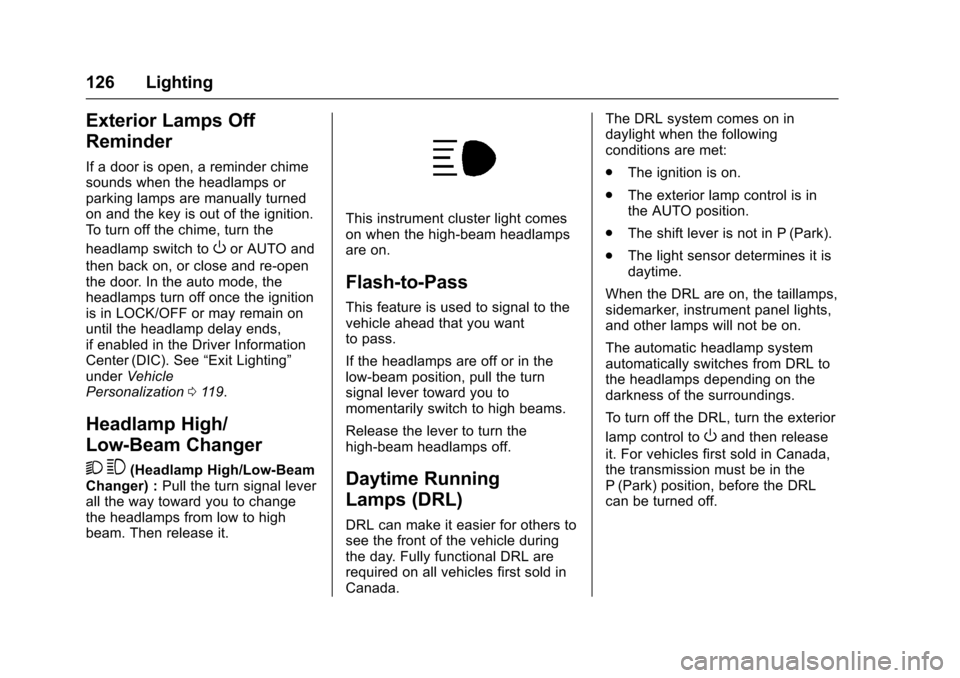
This instrument cluster light comeson when the high-beam headlampsare on.
Flash-to-Pass
This feature is used to signal to thevehicle ahead that you wantto pass.
If the headlamps are off or in thelow⇣beam position, pull the turnsignal lever toward you tomomentarily switch to high beams.
Release the lever to turn thehigh-beam headlamps off.
Daytime Running
Lamps (DRL)
DRL can make it easier for others tosee the front of the vehicle duringthe day. Fully functional DRL arerequired on all vehicles first sold inCanada.
The DRL system comes on indaylight when the followingconditions are met:
.The ignition is on.
.The exterior lamp control is inthe AUTO position.
.The shift lever is not in P (Park).
.The light sensor determines it isdaytime.
When the DRL are on, the taillamps,sidemarker, instrument panel lights,and other lamps will not be on.
The automatic headlamp systemautomatically switches from DRL tothe headlamps depending on thedarkness of the surroundings.
To t u r n o f f t h e D R L , t u r n t h e e x t e r i o r
lamp control toOand then release
it. For vehicles first sold in Canada,the transmission must be in theP(Park) position, before the DRLcan be turned off.
Page 130 of 346
Chevrolet Express Owner Manual (GMNA-Localizing-U.S./Canada/Mexico-9967827) - 2017 - crc - 5/2/16
Lighting 129
Interior Lighting
Instrument Panel
Illumination Control
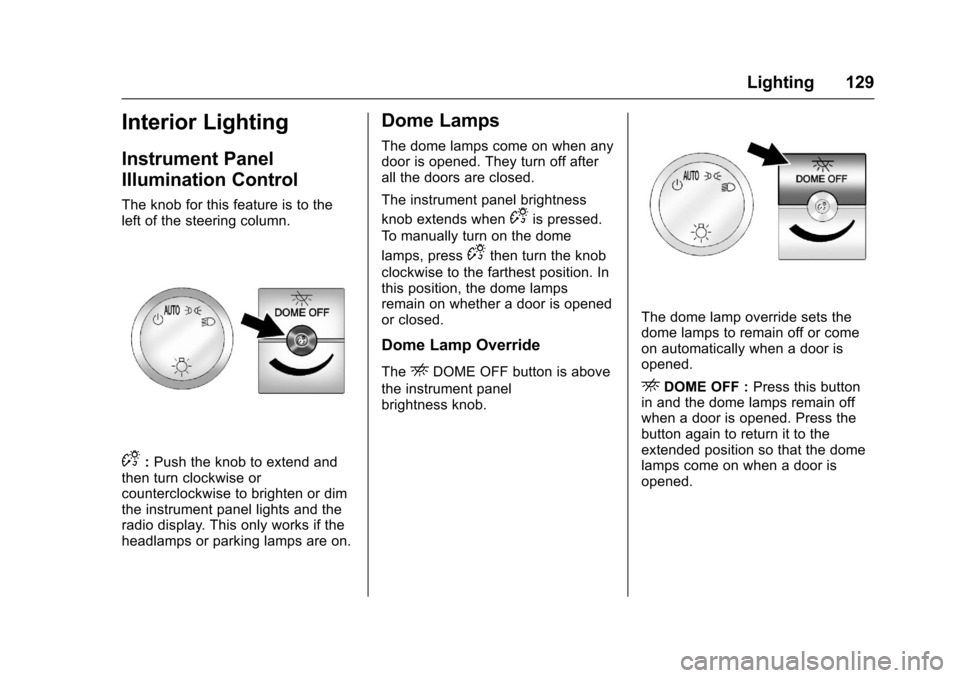
The knob for this feature is to theleft of the steering column.
D:Push the knob to extend andthen turn clockwise orcounterclockwise to brighten or dimthe instrument panel lights and theradio display. This only works if theheadlamps or parking lamps are on.
Dome Lamps
The dome lamps come on when anydoor is opened. They turn off afterall the doors are closed.
The instrument panel brightness
knob extends whenDis pressed.
To m a n u a l l y t u r n o n t h e d o m e
lamps, pressDthen turn the knob
clockwise to the farthest position. Inthis position, the dome lampsremain on whether a door is openedor closed.
Dome Lamp Override
TheEDOME OFF button is above
the instrument panelbrightness knob.
The dome lamp override sets thedome lamps to remain off or comeon automatically when a door isopened.
EDOME OFF :Press this buttonin and the dome lamps remain offwhen a door is opened. Press thebutton again to return it to theextended position so that the domelamps come on when a door isopened.