navigation system CHEVROLET EXPRESS CARGO VAN 2017 1.G Owners Manual
[x] Cancel search | Manufacturer: CHEVROLET, Model Year: 2017, Model line: EXPRESS CARGO VAN, Model: CHEVROLET EXPRESS CARGO VAN 2017 1.GPages: 346, PDF Size: 6.54 MB
Page 18 of 346
Chevrolet Express Owner Manual (GMNA-Localizing-U.S./Canada/Mexico-9967827) - 2017 - crc - 5/2/16
In Brief 17
Vehicle Features
Infotainment System
If the vehicle has a base radio it isincluded in this manual. See theseparate infotainment manual forinformation on the connected radios,audio players, phone, navigationsystem, and voice or speechrecognition. There is alsoinformation on settings anddownloadable applications(if equipped).
Radio(s)
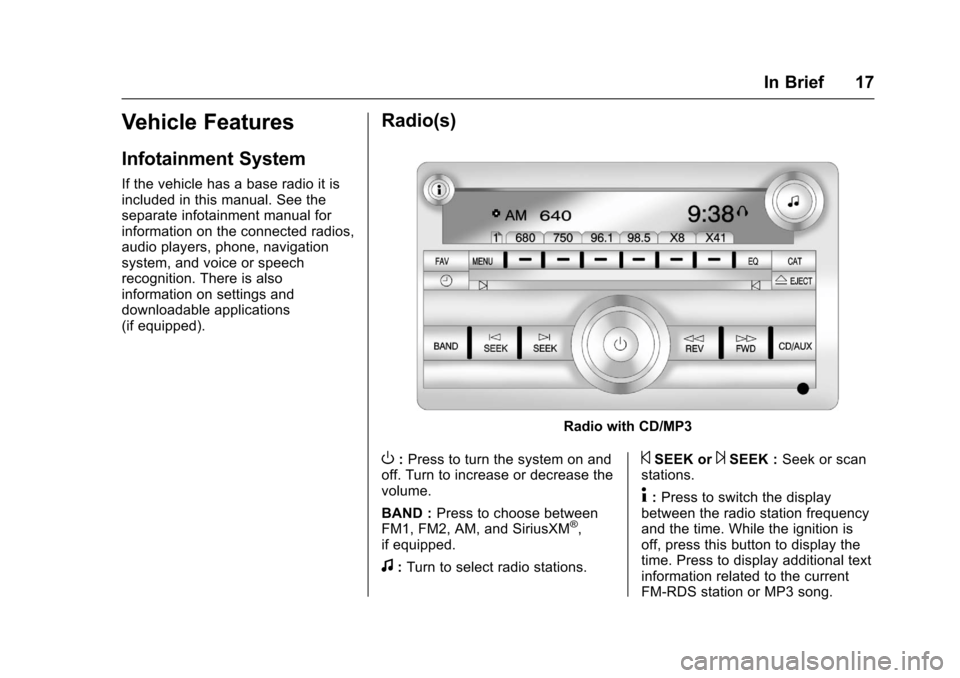
Radio with CD/MP3
O:Press to turn the system on andoff. Turn to increase or decrease thevolume.
BAND :Press to choose betweenFM1, FM2, AM, and SiriusXM®,if equipped.
f:Turn to select radio stations.
©SEEK or¨SEEK :Seek or scanstations.
4:Press to switch the displaybetween the radio station frequencyand the time. While the ignition isoff, press this button to display thetime. Press to display additional textinformation related to the currentFM-RDS station or MP3 song.
Page 21 of 346
Chevrolet Express Owner Manual (GMNA-Localizing-U.S./Canada/Mexico-9967827) - 2017 - crc - 5/2/16
20 In Brief
hold to accelerate. If cruise controlis already active, use to increasevehicle speed.
SET✓:Press briefly to set thespeed and activate cruise control,or press and hold to decelerate.If cruise control is already active,use to decrease vehicle speed.
[:Press to disengage cruisecontrol without erasing the setspeed from memory.
SeeCruise Control0192(ifequipped).
Rear Vision
Camera (RVC)
If equipped, the RVC displays aview of the area behind the vehiclewhen the vehicle is shifted intoR(Reverse).Thedisplaywillappearon either the inside rearview mirroror navigation screen, if equipped.
To c l e a n t h e c a m e r a l e n s , l o c a t e dabove the license plate, rinse it withwater and wipe it with a soft cloth.
SeeRear Vision Camera(RVC)0194.
Parking Assist
If equipped, Rear Parking Assist(RPA) uses sensors on the rearbumper to assist with parking andavoiding objects while inR(Reverse). It operates at speedsless than 8 km/h (5 mph) and usesaudible beeps to provide distanceand system information.
Keep the sensors on the vehicle'srear bumper clean to ensure properoperation.
SeeParking Assist0197.
Power Outlets
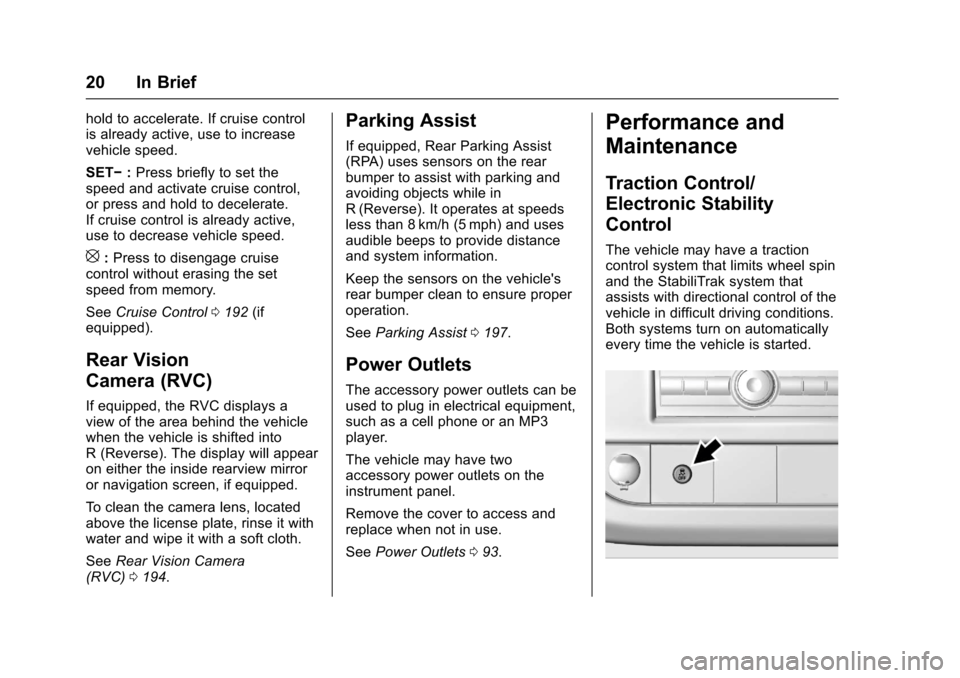
The accessory power outlets can beused to plug in electrical equipment,such as a cell phone or an MP3player.
The vehicle may have twoaccessory power outlets on theinstrument panel.
Remove the cover to access andreplace when not in use.
SeePower Outlets093.
Performance and
Maintenance
Traction Control/
Electronic Stability
Control
The vehicle may have a tractioncontrol system that limits wheel spinand the StabiliTrak system thatassists with directional control of thevehicle in difficult driving conditions.Both systems turn on automaticallyevery time the vehicle is started.
Page 142 of 346
Chevrolet Express Owner Manual (GMNA-Localizing-U.S./Canada/Mexico-9967827) - 2017 - crc - 5/2/16
Infotainment System 141
FM Stereo
FM stereo gives the best sound, butFM signals reach only about 16 to65 km (10 to 40 mi). Tall buildings orhills can interfere with FM signals,causing the sound to fade inand out.
Cellular Phone Usage
Cellular phone usage may causeinterference with the radio. Thisinterference may occur whenmaking or receiving phone calls,charging the phone's battery,or simply having the phone on. Thisinterference causes an increasedlevel of static while listening to theradio. If static is received whilelistening to the radio, unplug thecellular phone and turn it off.
Multi-Band Antenna
The multi-band antenna is on theroof of the vehicle. The antenna isused for the Navigation System,OnStar®and the SiriusXM®SatelliteRadio Service System if the vehiclehas these features. Tall buildings,hills, trees, heavy foliage, tunnels,bridges, and garages will affectreception. Keep the antenna clear ofobstructions for clear reception.Make sure there is sufficientclearance when entering garages orparking structures.
Audio Players
Avoiding Untrusted Media
Devices
When using media devices such asCDs, DVDs, Blu-Ray Discs®,SDcards, USB drives, and mobiledevices, consider the source.Untrusted media devices couldcontain files that affect systemoperation or performance. Avoid useif the content or origin cannot betrusted.
CD Player
Care of the CD Player
Do not add any label to a CD.It could get caught in the CD player.If a CD is recorded on a personalcomputer and a description label isneeded, try labeling the top of therecorded CD with a marking pen.
The use of CD lens cleaners is notadvised, due to the risk ofcontaminating the lens of the CDoptics with lubricants internal to theCD player mechanism.
Page 166 of 346
Chevrolet Express Owner Manual (GMNA-Localizing-U.S./Canada/Mexico-9967827) - 2017 - crc - 5/6/16
Driving and Operating 165
Driving Information
Distracted Driving
Distraction comes in many formsand can take your focus from thetask of driving. Exercise goodjudgment and do not let otheractivities divert your attention awayfrom the road. Many localgovernments have enacted lawsregarding driver distraction. Becomefamiliar with the local laws inyour area.
To a v o i d d i s t r a c t e d d r i v i n g , k e e pyour eyes on the road, keep yourhands on the steering wheel, andfocus your attention on driving.
.Do not use a phone indemanding driving situations.Use a hands-free method toplace or receive necessaryphone calls.
.Watch the road. Do not read,take notes, or look upinformation on phones or otherelectronic devices.
.Designate a front seatpassenger to handle potentialdistractions.
.Become familiar with vehiclefeatures before driving, such asprogramming favorite radiostations and adjusting climatecontrol and seat settings.Program all trip information intoany navigation device prior todriving.
.Wait until the vehicle is parkedto retrieve items that have fallento the floor.
.Stop or park the vehicle to tendto children.
.Keep pets in an appropriatecarrier or restraint.
.Avoid stressful conversationswhile driving, whether with apassenger or on a cell phone.
{Warning
Ta k i n g y o u r e y e s o f f t h e r o a d t o o
long or too often could cause a
crash resulting in injury or death.
Focus your attention on driving.
Refer to the infotainment section formore information on using thatsystem and the navigation system,if equipped, including pairing andusing a cell phone.
Defensive Driving
Defensive driving means“alwaysexpect the unexpected.”The firststep in driving defensively is to wearthe safety belt. SeeSafetyBelts046.
.Assume that other road users(pedestrians, bicyclists, andother drivers) are going to becareless and make mistakes.Anticipate what they might doand be ready.
.Allow enough following distancebetween you and the driver infront of you.
.Focus on the task of driving.
Page 196 of 346
Chevrolet Express Owner Manual (GMNA-Localizing-U.S./Canada/Mexico-9967827) - 2017 - crc - 5/6/16
Driving and Operating 195
Vehicles without Navigation
System
When the vehicle is on and shiftedinto R (Reverse), the video imageappears on the inside rearviewmirror. The video image disappearsafter the vehicle is shifted out ofR(Reverse).
Vehicles with Navigation
System
When the vehicle is shifted intoR(Reverse), the video imageappears on the navigation screen.After a delay, the navigation screendisplays the previous screen afterthe vehicle is shifted out ofR(Reverse).
The delay that is received aftershifting out of R (Reverse) isapproximately 10 seconds. Return tothe previous screen sooner byperforming one of the following:
.Press a hard key on thenavigation system.
.Shift into P (Park).
.Reach a vehicle speed of8km/h (5mph).
Symbols and Guidelines
The navigation system may have afeature that allows for viewingparking assist symbols and/orguidelines on the navigation screenwhile using the RVC. The RearParking Assist (RPA) system mustnot be disabled to use the cautionsymbols. If RPA has been disabledand the symbols have been turnedon, the Rear Parking AssistSymbols Unavailable error messagemay display. SeeParkingAssist0197.
The symbols appear near objectsdetected by the RPA system. Thesymbol may cover the object whenviewing the navigation screen. Theguideline overlay can help the driveralign the vehicle when backing intoaparkingspot.
To t u r n t h e s y m b o l s o r g u i d e l i n e s o nor off:
1. Shift into P (Park).
2. Press MENU to enter theconfigure menu options. Turnthe Multifunction knob until theDisplay feature is highlighted
and press the Multifunctionknob; or press the Displayscreen button.
3. Select the Rear CameraOptions screen button. TheRear Camera Options screendisplays.
4. Touch the Symbols orGuidelines screen button. Thescreen button will behighlighted when the featureis on.
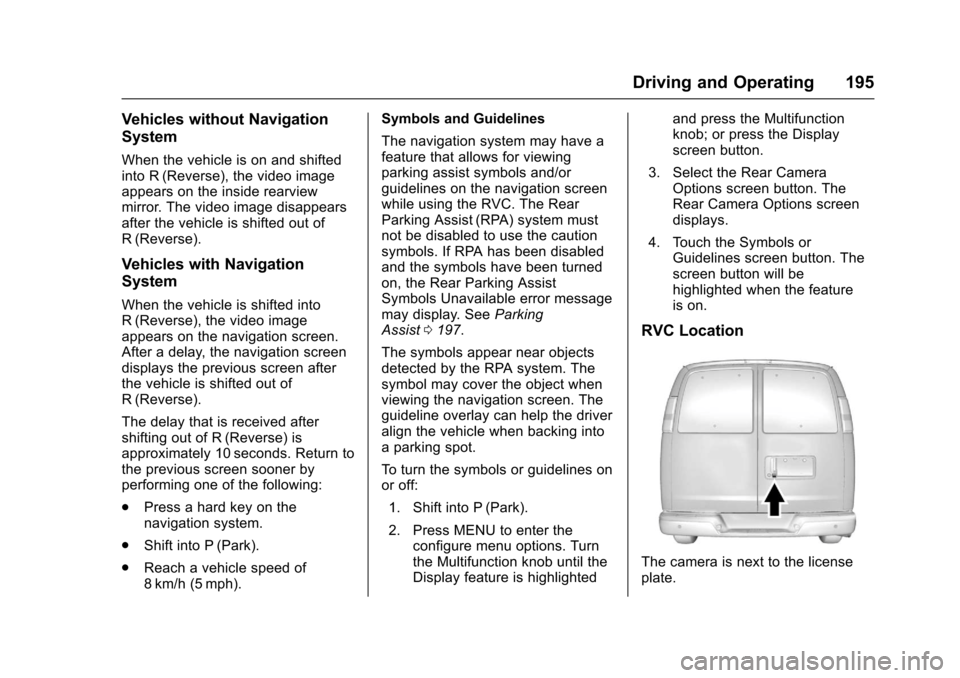
RVC Location
The camera is next to the licenseplate.
Page 326 of 346
Chevrolet Express Owner Manual (GMNA-Localizing-U.S./Canada/Mexico-9967827) - 2017 - crc - 5/2/16
Customer Information 325
GM will not access these data orshare it with others except: with theconsent of the vehicle owner or,if the vehicle is leased, with theconsent of the lessee; in responseto an official request by police orsimilar government office; as part ofGM's defense of litigation throughthe discovery process; or, asrequired by law. Data that GMcollects or receives may also beused for GM research needs or maybe made available to others forresearch purposes, where a need isshown and the data is not tied to aspecific vehicle or vehicle owner.
OnStar®
If the vehicle is equipped withOnStar®and has an activesubscription, additional data may becollected through the OnStarsystem. This includes informationabout the vehicle’soperation;collisions involving the vehicle; theuse of the vehicle and its features;and, in certain situations, thelocation and approximate GPSspeed of the vehicle. Refer to the
OnStar Terms and Conditions andPrivacy Statement on the OnStarwebsite.
SeeOnStar AdditionalInformation0331.
Infotainment System
If the vehicle is equipped with anavigation system as part of theinfotainment system, use of thesystem may result in the storage ofdestinations, addresses, telephonenumbers, and other trip information.See the infotainment manual forinformation on stored data and fordeletion instructions.
Page 327 of 346
Chevrolet Express Owner Manual (GMNA-Localizing-U.S./Canada/Mexico-9967827) - 2017 - crc - 5/2/16
326 OnStar
OnStar
OnStar Overview
OnStar Overview . . . . . . . . . . . . . 326
OnStar Services
Emergency . . . . . . . . . . . . . . . . . . . 327Security . . . . . . . . . . . . . . . . . . . . . . 327Navigation . . . . . . . . . . . . . . . . . . . . 328Connections . . . . . . . . . . . . . . . . . . 328Diagnostics . . . . . . . . . . . . . . . . . . . 330
OnStar Additional Information
OnStar AdditionalInformation . . . . . . . . . . . . . . . . . . 331
OnStar Overview
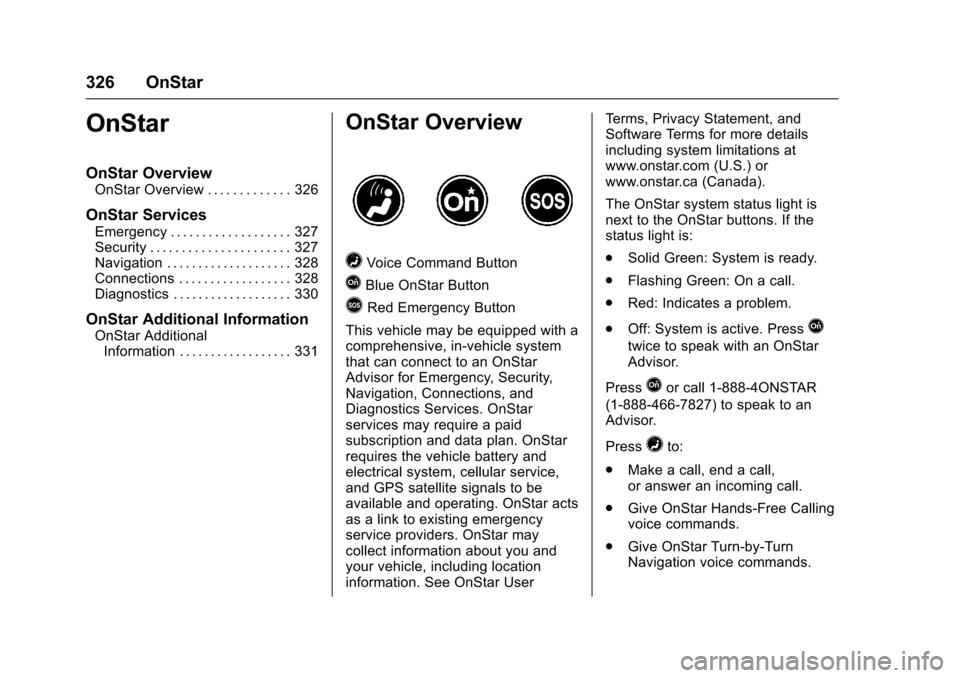
=Voice Command Button
QBlue OnStar Button
>Red Emergency Button
This vehicle may be equipped with acomprehensive, in-vehicle systemthat can connect to an OnStarAdvisor for Emergency, Security,Navigation, Connections, andDiagnostics Services. OnStarservices may require a paidsubscription and data plan. OnStarrequires the vehicle battery andelectrical system, cellular service,and GPS satellite signals to beavailable and operating. OnStar actsas a link to existing emergencyservice providers. OnStar maycollect information about you andyour vehicle, including locationinformation. See OnStar User
Te r m s , P r i v a c y S t a t e m e n t , a n dSoftware Terms for more detailsincluding system limitations atwww.onstar.com (U.S.) orwww.onstar.ca (Canada).
The OnStar system status light isnext to the OnStar buttons. If thestatus light is:
.Solid Green: System is ready.
.Flashing Green: On a call.
.Red: Indicates a problem.
.Off: System is active. PressQ
twice to speak with an OnStarAdvisor.
PressQor call 1-888-4ONSTAR
(1-888-466-7827) to speak to anAdvisor.
Press=to:
.Make a call, end a call,or answer an incoming call.
.Give OnStar Hands-Free Callingvoice commands.
.Give OnStar Turn-by-TurnNavigation voice commands.
Page 329 of 346
Chevrolet Express Owner Manual (GMNA-Localizing-U.S./Canada/Mexico-9967827) - 2017 - crc - 5/2/16
328 OnStar
Navigation
OnStar navigation requires aspecific OnStar service plan.
PressQto receive Turn-by-Turn
directions or have them sent to thevehicle’snavigationscreen,if equipped.
Turn-by-Turn Navigation
1. PressQto connect to an
Advisor.
2. Request directions to bedownloaded to the vehicle.
3. Follow the voice-guidedcommands.
Using Voice Commands
During a Planned Route
Cancel Route
1. Press=.Systemresponds:
“OnStar ready,”then a tone.
2. Say“Cancel route.”Systemresponds:“Do you want tocancel directions?”
3. Say“Ye s .”System responds:“OK, request completed, thankyou, goodbye.”
Route Preview
1. Press=.Systemresponds:
“OnStar ready,”then a tone.
2. Say“Route preview.”Systemresponds with the next threemaneuvers.
Repeat
1. Press=.Systemresponds:
“OnStar ready,”then a tone.
2. Say“Repeat.”Systemresponds with the last directiongiven, then responds with“OnStar ready,”then a tone.
Get My Destination
1. Press=.Systemresponds:
“OnStar ready,”then a tone.
2. Say“Get my destination.”System responds with theaddress and distance to thedestination, then responds with“OnStar ready,”then a tone.
Send Destination to Vehicle
Subscribers can have directionssent to the vehicle’snavigationscreen, if equipped.
PressQ,thenasktheAdvisorto
download directions to the vehicle’snavigation system, if equipped. Afterthe call ends, the navigation screenwill provide prompts to begin drivingdirections. Routes that are sent tothe navigation screen can only becanceled through the navigationsystem.
See www.onstar.com (U.S.) orwww.onstar.ca (Canada).
Connections
The following OnStar services helpwith staying connected.
For coverage maps, seewww.onstar.com (U.S.) orwww.onstar.ca (Canada).
Ensuring Security
.Change the default passwordsfor the Wi-Fi hotspot andRemoteLink mobile application.Make these passwords different
Page 332 of 346
Chevrolet Express Owner Manual (GMNA-Localizing-U.S./Canada/Mexico-9967827) - 2017 - crc - 5/2/16
OnStar 331
OnStar Additional
Information
In-Vehicle Audio Messages
Audio messages may play importantinformation at the following times:
.Prior to vehicle purchase.
PressQto set up an account.
.With the OnStar Basic Plan,every 60 days.
.After change in ownership andat 90 days.
Transferring Service
PressQto request account transfer
eligibility information. The Advisorcan cancel or change accountinformation.
Selling/Transferring the
Vehicle
Call 1-888-4ONSTAR(1-888-466-7827) immediately toterminate your OnStar services ifthe vehicle is disposed of, sold,transferred, or if the lease ends.
Reactivation for Subsequent
Owners
PressQand follow the prompts to
speak to an Advisor as soon aspossible. The Advisor will updatevehicle records and explain OnStarservice options.
How OnStar Service Works
Automatic Crash Response,Emergency Services, Crisis Assist,Stolen Vehicle Assistance,Advanced Vehicle Diagnostics,Remote Services, RoadsideAssistance, Turn-by-TurnNavigation, and Hands-Free Callingare available on most vehicles. Notall OnStar services are availableeverywhere or on all vehicles. Formore information, a full descriptionof OnStar services, systemlimitations, and OnStar User Terms,Privacy Statement, and SoftwareTe r m s :
.Call 1-888-4ONSTAR(1-888-466-7827).
.See www.onstar.com (U.S.).
.See www.onstar.ca (Canada).
.Call TTY 1-877-248-2080.
.PressQto speak with an
Advisor.
OnStar services cannot work unlessthe vehicle is in a place whereOnStar has an agreement with awireless service provider for servicein that area. The wireless serviceprovider must also have coverage,network capacity, reception, andtechnology compatible with OnStarservices. Service involving locationinformation about the vehicle cannotwork unless GPS signals areavailable, unobstructed, andcompatible with the OnStarhardware. OnStar services may notwork if the OnStar equipment is notproperly installed or it has not beenproperly maintained. If equipment orsoftware is added, connected,or modified, OnStar services maynot work. Other problems beyondthe control of OnStar—such ashills, tall buildings, tunnels, weather,electrical system design andarchitecture of the vehicle, damage
Page 333 of 346
Chevrolet Express Owner Manual (GMNA-Localizing-U.S./Canada/Mexico-9967827) - 2017 - crc - 5/2/16
332 OnStar
to the vehicle in a crash, or wirelessphone network congestion orjamming—may prevent service.
SeeRadio FrequencyStatement0322.
Services for People with
Disabilities
Advisors provide services to helpSubscribers with physical disabilitiesand medical conditions.
PressQto help:
.Locate a gas station with anattendant to pump gas.
.Find a hotel, restaurant, etc.,that meets accessibility needs.
.Provide directions to the closesthospital or pharmacy in urgentsituations.
TTY Users
OnStar has the ability tocommunicate to deaf,hard-of-hearing, or speech-impairedcustomers while in the vehicle. Theavailable dealer-installed TTYsystem can provide in-vehicle
access to all OnStar services,except Virtual Advisor and OnStarTurn-by-Turn Navigation.
OnStar Personal Identification
Number (PIN)
APINisneededtoaccesssomeOnStar services. The PIN will needto be changed the first time whenspeaking with an Advisor. Tochange the OnStar PIN, contact an
OnStar Advisor by pressingQor
calling 1-888-4ONSTAR.
Warranty
OnStar equipment may bewarranted as part of the vehiclewarranty.
Languages
The vehicle can be programmed torespond in multiple languages.
PressQand ask for an Advisor.
Advisors are available in English,Spanish, and French. Availablelanguages may vary by country.
Potential Issues
OnStar cannot perform RemoteDoor Unlock or Stolen VehicleAssistance after the vehicle hasbeen off continuously for 10 dayswithout an ignition cycle. If thevehicle has not been started forfive days, OnStar can contactRoadside Assistance or a locksmithto help gain access to the vehicle.
Global Positioning
System (GPS)
.Obstruction of the GPS canoccur in a large city with tallbuildings; in parking garages;around airports; in tunnels andunderpasses; or in an area withvery dense trees. If GPS signalsare not available, the OnStarsystem should still operate tocall OnStar. However, OnStarcould have difficulty identifyingthe exact location.
.In emergency situations, OnStarcan use the last stored GPSlocation to send to emergencyresponders.