light CHEVROLET EXPRESS PASSANGER 2007 1.G Owner's Manual
[x] Cancel search | Manufacturer: CHEVROLET, Model Year: 2007, Model line: EXPRESS PASSANGER, Model: CHEVROLET EXPRESS PASSANGER 2007 1.GPages: 458, PDF Size: 2.62 MB
Page 128 of 458
Parking Brake
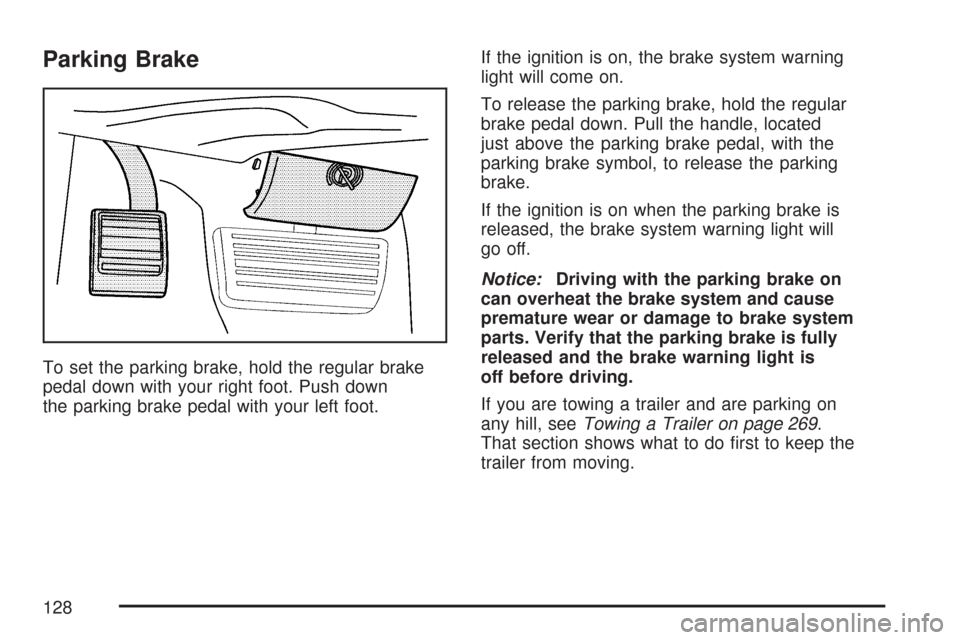
To set the parking brake, hold the regular brake
pedal down with your right foot. Push down
the parking brake pedal with your left foot.If the ignition is on, the brake system warning
light will come on.
To release the parking brake, hold the regular
brake pedal down. Pull the handle, located
just above the parking brake pedal, with the
parking brake symbol, to release the parking
brake.
If the ignition is on when the parking brake is
released, the brake system warning light will
go off.
Notice:Driving with the parking brake on
can overheat the brake system and cause
premature wear or damage to brake system
parts. Verify that the parking brake is fully
released and the brake warning light is
off before driving.
If you are towing a trailer and are parking on
any hill, seeTowing a Trailer on page 269.
That section shows what to do first to keep the
trailer from moving.
128
Page 134 of 458
Mirrors
Manual Rearview Mirror
Pull the tab under the mirror toward you to reduce
glare from headlamps behind you after dark.
Push the tab away from you to restore the mirror
to the original position.
If you have a cargo van without the rear door
glass, your vehicle may not have an inside
rearview mirror.
Automatic Dimming Rearview Mirror
with Compass and Temperature
Display
Your vehicle may have this mirror. When on, an
automatic dimming mirror will dim to the proper
level to minimize glare from lights behind you
after dark.
The mirror also includes a dual display in the
upper right corner of the mirror with the compass
reading and the outside temperature.
Yb:Briefly press this button to turn the display
on or off.
Temperature Display
The temperature can be displayed by pressing the
compass/temperature button. Pressing the
compass/temperature button once briefly, will
toggle the display reading on and off. To alternate
the temperature reading between Fahrenheit and
Celsius, press and hold the compass/temperature
button for approximately three seconds until
the display blinks F and C. After approximately
five seconds of inactivity, the display will stop
blinking and display the last selection made.
If an abnormal reading is displayed, see your
dealer/retailer.
Automatic Dimming Mirror Operation
O
:Press this button to turn the automatic
dimming feature on or off. The indicator light to
the left of the button will turn on to indicate when
the feature is on. Once the mirror is turned off,
it will remain off until it is turned back on, or until
the vehicle is restarted.
Compass Operation
Press the compass/temperature button once
briefly to turn the display on or off.
134
Page 139 of 458
Outside Heated Mirrors
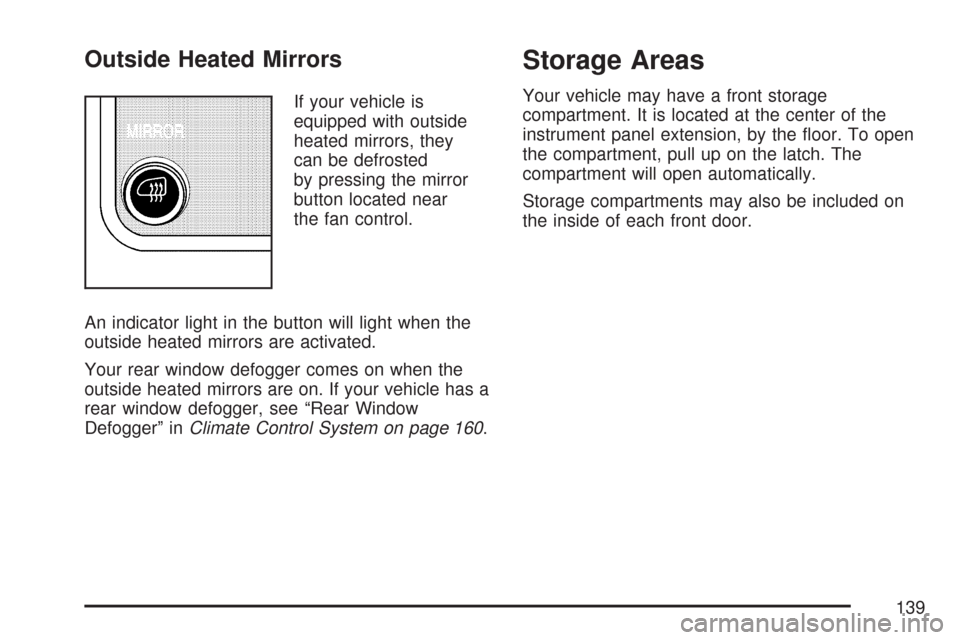
If your vehicle is
equipped with outside
heated mirrors, they
can be defrosted
by pressing the mirror
button located near
the fan control.
An indicator light in the button will light when the
outside heated mirrors are activated.
Your rear window defogger comes on when the
outside heated mirrors are on. If your vehicle has a
rear window defogger, see “Rear Window
Defogger” inClimate Control System on page 160.
Storage Areas
Your vehicle may have a front storage
compartment. It is located at the center of the
instrument panel extension, by the floor. To open
the compartment, pull up on the latch. The
compartment will open automatically.
Storage compartments may also be included on
the inside of each front door.
139
Page 141 of 458
Instrument Panel Overview........................ 144
Hazard Warning Flashers.......................... 146
Other Warning Devices............................. 146
Horn.......................................................... 146
Tilt Wheel.................................................. 147
Turn Signal/Multifunction Lever.................. 147
Turn and Lane-Change Signals................. 148
Headlamp High/Low-Beam Changer.......... 149
Flash-to-Pass............................................ 149
Windshield Wipers..................................... 150
Windshield Washer.................................... 151
Cruise Control........................................... 151
Exterior Lamps.......................................... 155
Headlamps on Reminder........................... 156
Daytime Running Lamps (DRL)................. 156
Instrument Panel Brightness...................... 157
Dome Lamps............................................. 157
Dome Lamp Override................................ 157
Entry Lighting............................................ 158
Exit Lighting.............................................. 158
Reading Lamps......................................... 158Battery Run-Down Protection..................... 158
Accessory Power Outlet(s)........................ 158
Ashtray(s) and Cigarette Lighter................ 159
Climate Controls......................................... 160
Climate Control System............................. 160
Outlet Adjustment...................................... 162
Rear Heating System................................ 163
Rear Air Conditioning and Heating
System.................................................. 164
Warning Lights, Gages, and Indicators..... 166
Instrument Panel Cluster........................... 167
Speedometer and Odometer...................... 168
Trip Odometer........................................... 168
Safety Belt Reminder Light........................ 168
Passenger Safety Belt Reminder Light....... 169
Airbag Readiness Light............................. 169
Airbag Off Light......................................... 170
Passenger Airbag Status Indicator............. 172
Charging System Light.............................. 174
Voltmeter Gage......................................... 175
Section 3 Instrument Panel
141
Page 142 of 458
Brake System Warning Light..................... 175
Anti-Lock Brake System Warning Light...... 176
StabiliTrak
®Not Ready Light...................... 177
StabiliTrak®Indicator Light......................... 177
Engine Coolant Temperature Gage............ 178
Malfunction Indicator Lamp........................ 178
Oil Pressure Gage..................................... 182
Change Engine Oil Light........................... 183
Security Light............................................ 183
Cruise Control Light.................................. 184
Reduced Engine Power Light.................... 184
Highbeam On Light................................... 185
Daytime Running Lamps (DRL)
Indicator Light........................................ 185
Tow/Haul Mode Light................................ 185
Check Gages Warning Light...................... 185
Fuel Gage................................................. 186Audio System(s)......................................... 187
Setting the Time for Radios without
Radio Data Systems (RDS).................... 189
Setting the Time for Radios with
Radio Data Systems (RDS).................... 189
AM-FM Radio............................................ 190
Radio with CD........................................... 193
Radio with Cassette and CD..................... 198
Radio with Six-Disc CD............................. 211
Theft-Deterrent Feature
(Non-RDS Radios)................................. 223
Theft-Deterrent Feature (RDS Radios)....... 223
Radio Reception........................................ 224
Care of the Cassette Tape Player............. 224
Care of Your CDs..................................... 225
Care of the CD Player.............................. 226
Fixed Mast Antenna.................................. 226
Chime Level Adjustment............................ 226
Section 3 Instrument Panel
142
Page 145 of 458
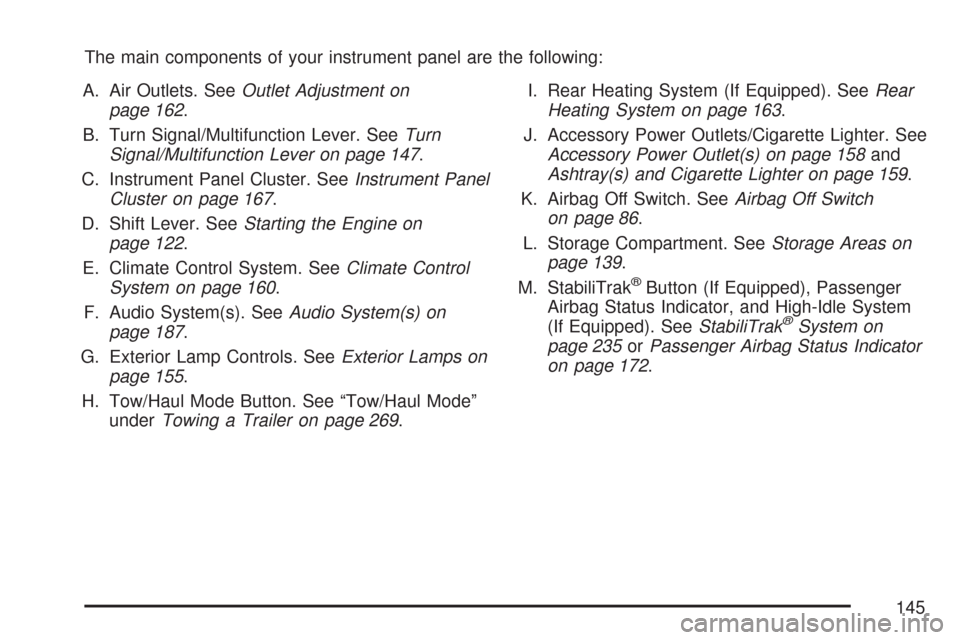
The main components of your instrument panel are the following:
A. Air Outlets. SeeOutlet Adjustment on
page 162.
B. Turn Signal/Multifunction Lever. SeeTurn
Signal/Multifunction Lever on page 147.
C. Instrument Panel Cluster. SeeInstrument Panel
Cluster on page 167.
D. Shift Lever. SeeStarting the Engine on
page 122.
E. Climate Control System. SeeClimate Control
System on page 160.
F. Audio System(s). SeeAudio System(s) on
page 187.
G. Exterior Lamp Controls. SeeExterior Lamps on
page 155.
H. Tow/Haul Mode Button. See “Tow/Haul Mode”
underTowing a Trailer on page 269.I. Rear Heating System (If Equipped). SeeRear
Heating System on page 163.
J. Accessory Power Outlets/Cigarette Lighter. See
Accessory Power Outlet(s) on page 158and
Ashtray(s) and Cigarette Lighter on page 159.
K. Airbag Off Switch. SeeAirbag Off Switch
on page 86.
L. Storage Compartment. SeeStorage Areas on
page 139.
M. StabiliTrak
®Button (If Equipped), Passenger
Airbag Status Indicator, and High-Idle System
(If Equipped). SeeStabiliTrak
®System on
page 235orPassenger Airbag Status Indicator
on page 172.
145
Page 149 of 458
Turn Signal On Chime
If your turn signal is left on for more than 3/4 of a
mile (1.2 km), a chime will sound at each flash
of the turn signal. To turn off the chime, move the
turn signal lever to the off position.
Headlamp High/Low-Beam Changer
23(Headlamp High/Low-Beam Changer):To
change the headlamps from low to high beam, pull
the multifunction lever all the way toward you. Then
release it.
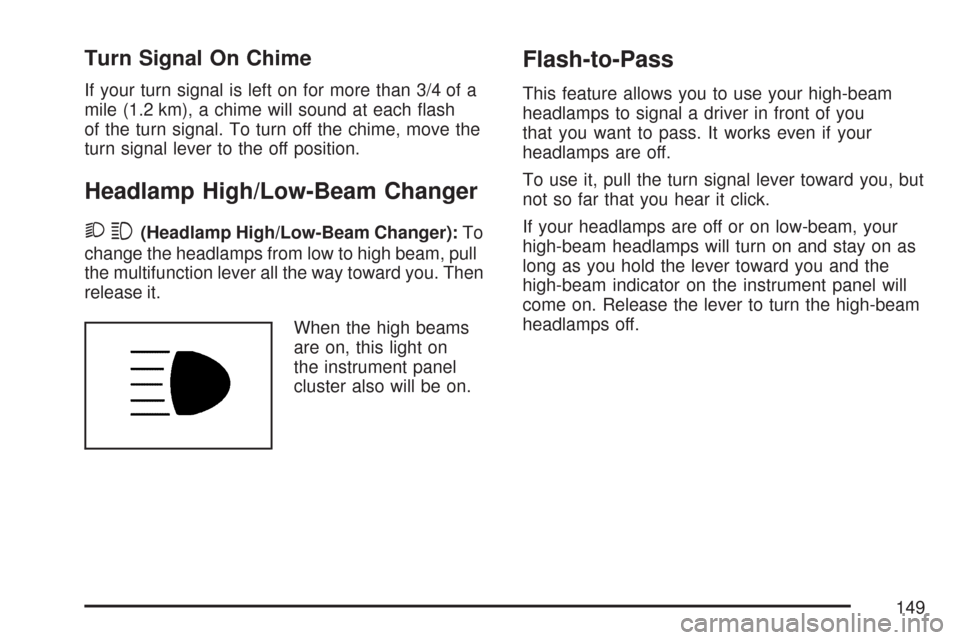
When the high beams
are on, this light on
the instrument panel
cluster also will be on.
Flash-to-Pass
This feature allows you to use your high-beam
headlamps to signal a driver in front of you
that you want to pass. It works even if your
headlamps are off.
To use it, pull the turn signal lever toward you, but
not so far that you hear it click.
If your headlamps are off or on low-beam, your
high-beam headlamps will turn on and stay on as
long as you hold the lever toward you and the
high-beam indicator on the instrument panel will
come on. Release the lever to turn the high-beam
headlamps off.
149
Page 150 of 458
Windshield Wipers
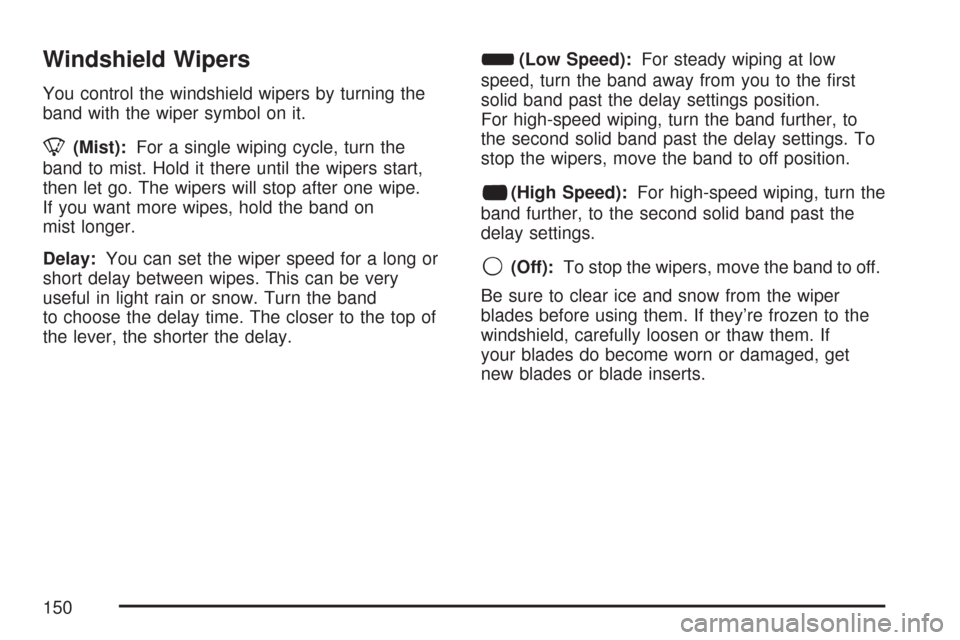
You control the windshield wipers by turning the
band with the wiper symbol on it.
8(Mist):For a single wiping cycle, turn the
band to mist. Hold it there until the wipers start,
then let go. The wipers will stop after one wipe.
If you want more wipes, hold the band on
mist longer.
Delay:You can set the wiper speed for a long or
short delay between wipes. This can be very
useful in light rain or snow. Turn the band
to choose the delay time. The closer to the top of
the lever, the shorter the delay.
d(Low Speed):For steady wiping at low
speed, turn the band away from you to the first
solid band past the delay settings position.
For high-speed wiping, turn the band further, to
the second solid band past the delay settings. To
stop the wipers, move the band to off position.
a(High Speed):For high-speed wiping, turn the
band further, to the second solid band past the
delay settings.
9(Off):To stop the wipers, move the band to off.
Be sure to clear ice and snow from the wiper
blades before using them. If they’re frozen to the
windshield, carefully loosen or thaw them. If
your blades do become worn or damaged, get
new blades or blade inserts.
150
Page 152 of 458
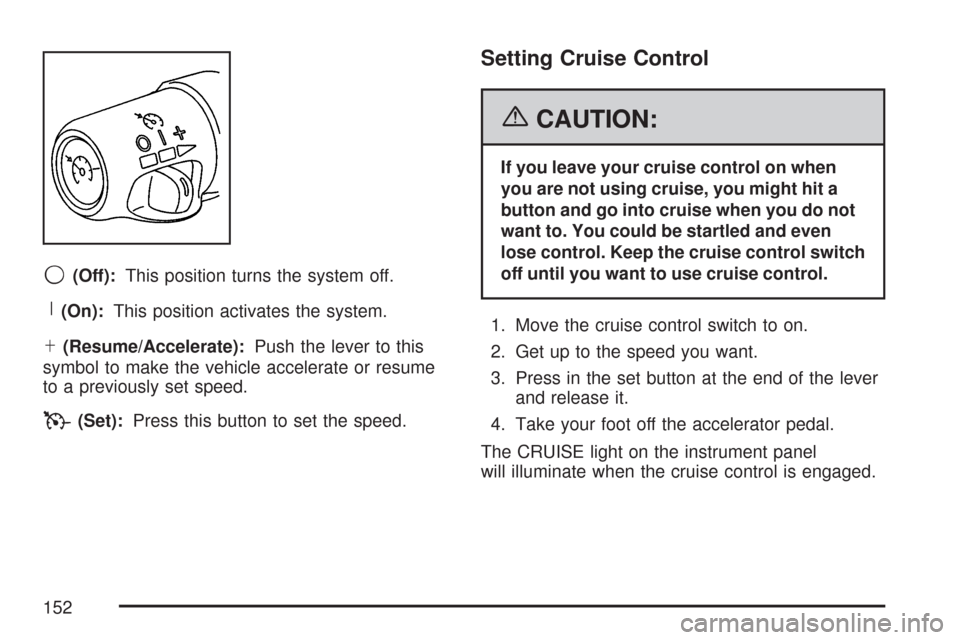
9(Off):This position turns the system off.
R(On):This position activates the system.
S(Resume/Accelerate):Push the lever to this
symbol to make the vehicle accelerate or resume
to a previously set speed.
T(Set):Press this button to set the speed.
Setting Cruise Control
{CAUTION:
If you leave your cruise control on when
you are not using cruise, you might hit a
button and go into cruise when you do not
want to. You could be startled and even
lose control. Keep the cruise control switch
off until you want to use cruise control.
1. Move the cruise control switch to on.
2. Get up to the speed you want.
3. Press in the set button at the end of the lever
and release it.
4. Take your foot off the accelerator pedal.
The CRUISE light on the instrument panel
will illuminate when the cruise control is engaged.
152
Page 154 of 458
Reducing Speed While Using
Cruise Control
•Press and hold the set button at the end of
the lever until you reach the lower speed
you want, then release it.
•To slow down in very small amounts, press
the set button briefly. Each time you do
this, you’ll go about 1 mph (1.6 km/h) slower.
Passing Another Vehicle While Using
Cruise Control
Use the accelerator pedal to increase your speed.
When you take your foot off the pedal, your
vehicle will slow down to the cruise control speed
you set earlier.
Using Cruise Control on Hills
How well your cruise control will work on hills
depends upon your speed, load and the steepness
of the hills. When going up steep hills, you may
want to step on the accelerator pedal to maintain
your speed. When going downhill, you may
have to brake or shift to a lower gear to keep your
speed down. Of course, applying the brake
takes you out of cruise control. Many drivers find
this to be too much trouble and don’t use
cruise control on steep hills.
Ending Cruise Control
There are three ways to turn off the cruise control:
•Step lightly on the brake pedal.
•Move the cruise control switch to off.
•If your vehicle has the StabiliTrak®feature,
cruise control will deactivate if road conditions
cause StabiliTrak
®to activate.
154