radio controls CHEVROLET EXPRESS PASSANGER 2012 1.G Owners Manual
[x] Cancel search | Manufacturer: CHEVROLET, Model Year: 2012, Model line: EXPRESS PASSANGER, Model: CHEVROLET EXPRESS PASSANGER 2012 1.GPages: 430, PDF Size: 6.35 MB
Page 1 of 430

Black plate (1,1)Chevrolet Express Owner Manual - 2012
2012 Chevrolet Express Owner ManualM
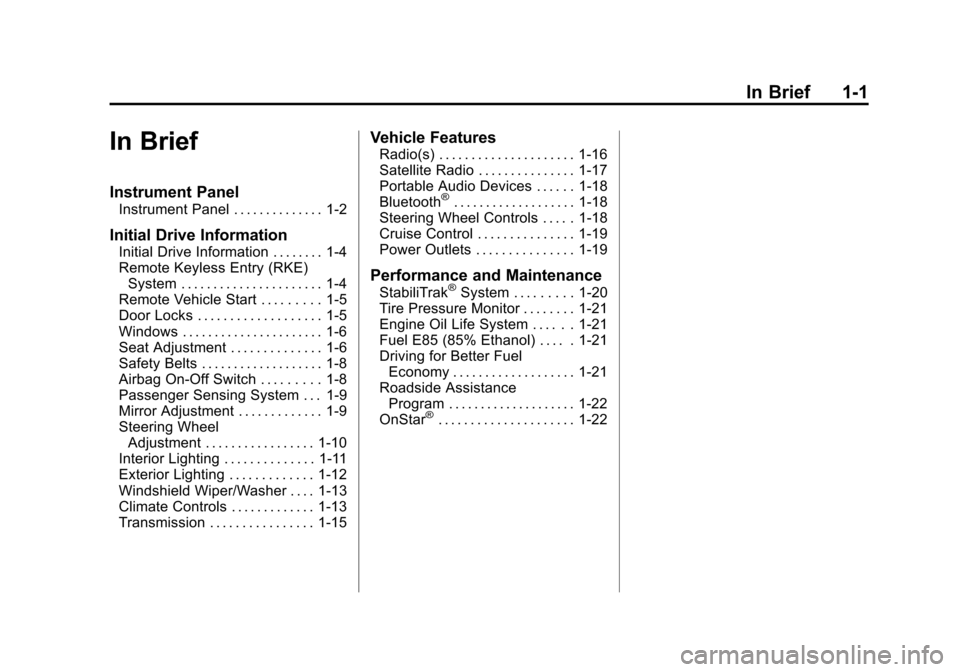
In Brief. . . . . . . . . . . . . . . . . . . . . . . . 1-1
Instrument Panel . . . . . . . . . . . . . . 1-2
Initial Drive Information . . . . . . . . 1-4
Vehicle Features . . . . . . . . . . . . . 1-16
Performance and Maintenance . . . . . . . . . . . . . . . . 1-20
Keys, Doors, and Windows . . . . . . . . . . . . . . . . . . . . 2-1
Keys and Locks . . . . . . . . . . . . . . . 2-2
Doors . . . . . . . . . . . . . . . . . . . . . . . . . . 2-9
Vehicle Security . . . . . . . . . . . . . . 2-12
Exterior Mirrors . . . . . . . . . . . . . . . 2-14
Interior Mirrors . . . . . . . . . . . . . . . . 2-15
Windows . . . . . . . . . . . . . . . . . . . . . 2-16 Seats and Restraints
. . . . . . . . . 3-1
Head Restraints . . . . . . . . . . . . . . . 3-2
Front Seats . . . . . . . . . . . . . . . . . . . . 3-2
Rear Seats . . . . . . . . . . . . . . . . . . . . 3-5
Safety Belts . . . . . . . . . . . . . . . . . . . . 3-8
Airbag System . . . . . . . . . . . . . . . . 3-18
Child Restraints . . . . . . . . . . . . . . 3-38
Storage . . . . . . . . . . . . . . . . . . . . . . . 4-1
Storage Compartments . . . . . . . . 4-1
Instruments and Controls . . . . 5-1
Controls . . . . . . . . . . . . . . . . . . . . . . . 5-2
Warning Lights, Gauges, and Indicators . . . . . . . . . . . . . . . . . . . 5-11
Information Displays . . . . . . . . . . 5-28
Vehicle Messages . . . . . . . . . . . . 5-34
Vehicle Personalization . . . . . . . 5-42 Lighting
. . . . . . . . . . . . . . . . . . . . . . . 6-1
Exterior Lighting . . . . . . . . . . . . . . . 6-1
Interior Lighting . . . . . . . . . . . . . . . . 6-6
Lighting Features . . . . . . . . . . . . . . 6-7
Infotainment System . . . . . . . . . 7-1
Introduction . . . . . . . . . . . . . . . . . . . . 7-1
Radio . . . . . . . . . . . . . . . . . . . . . . . . . . 7-8
Audio Players . . . . . . . . . . . . . . . . 7-13
Phone . . . . . . . . . . . . . . . . . . . . . . . . 7-24
Climate Controls . . . . . . . . . . . . . 8-1
Climate Control Systems . . . . . . 8-1
Air Vents . . . . . . . . . . . . . . . . . . . . . . . 8-8
Page 7 of 430
Black plate (1,1)Chevrolet Express Owner Manual - 2012
In Brief 1-1
In Brief
Instrument Panel
Instrument Panel . . . . . . . . . . . . . . 1-2
Initial Drive Information
Initial Drive Information . . . . . . . . 1-4
Remote Keyless Entry (RKE)System . . . . . . . . . . . . . . . . . . . . . . 1-4
Remote Vehicle Start . . . . . . . . . 1-5
Door Locks . . . . . . . . . . . . . . . . . . . 1-5
Windows . . . . . . . . . . . . . . . . . . . . . . 1-6
Seat Adjustment . . . . . . . . . . . . . . 1-6
Safety Belts . . . . . . . . . . . . . . . . . . . 1-8
Airbag On-Off Switch . . . . . . . . . 1-8
Passenger Sensing System . . . 1-9
Mirror Adjustment . . . . . . . . . . . . . 1-9
Steering Wheel Adjustment . . . . . . . . . . . . . . . . . 1-10
Interior Lighting . . . . . . . . . . . . . . 1-11
Exterior Lighting . . . . . . . . . . . . . 1-12
Windshield Wiper/Washer . . . . 1-13
Climate Controls . . . . . . . . . . . . . 1-13
Transmission . . . . . . . . . . . . . . . . 1-15
Vehicle Features
Radio(s) . . . . . . . . . . . . . . . . . . . . . 1-16
Satellite Radio . . . . . . . . . . . . . . . 1-17
Portable Audio Devices . . . . . . 1-18
Bluetooth
®. . . . . . . . . . . . . . . . . . . 1-18
Steering Wheel Controls . . . . . 1-18
Cruise Control . . . . . . . . . . . . . . . 1-19
Power Outlets . . . . . . . . . . . . . . . 1-19
Performance and Maintenance
StabiliTrak®System . . . . . . . . . 1-20
Tire Pressure Monitor . . . . . . . . 1-21
Engine Oil Life System . . . . . . 1-21
Fuel E85 (85% Ethanol) . . . . . 1-21
Driving for Better Fuel Economy . . . . . . . . . . . . . . . . . . . 1-21
Roadside Assistance Program . . . . . . . . . . . . . . . . . . . . 1-22
OnStar
®. . . . . . . . . . . . . . . . . . . . . 1-22
Page 24 of 430
Black plate (18,1)Chevrolet Express Owner Manual - 2012
1-18 In Brief
Portable Audio Devices
This vehicle may have an auxiliary
input located on the radio faceplate
and a USB port located on the
instrument panel. External devices
such as an iPod
®, laptop computer,
MP3 player, CD changer, or USB
storage device can be connected to
the auxiliary port using a 3.5 mm
(1/8 in) input cable or the USB port
depending on the audio system.
See "Using the Auxiliary Input Jack"
and "Using the USB Port" in
Auxiliary Devices on page 7‑19.
Bluetooth®
For vehicles with a Bluetooth
system, it allows users with a
Bluetooth‐enabled cell phone to
make and receive hands-free calls
using the vehicle’ s audio system
and controls.
The Bluetooth‐enabled cell phone
must be paired with the Bluetooth
system before it can be used in the
vehicle. Not all phones will support
all functions. For more information,
visit www.gm.com/bluetooth.
For more information, see Bluetooth
on page 7‑24.
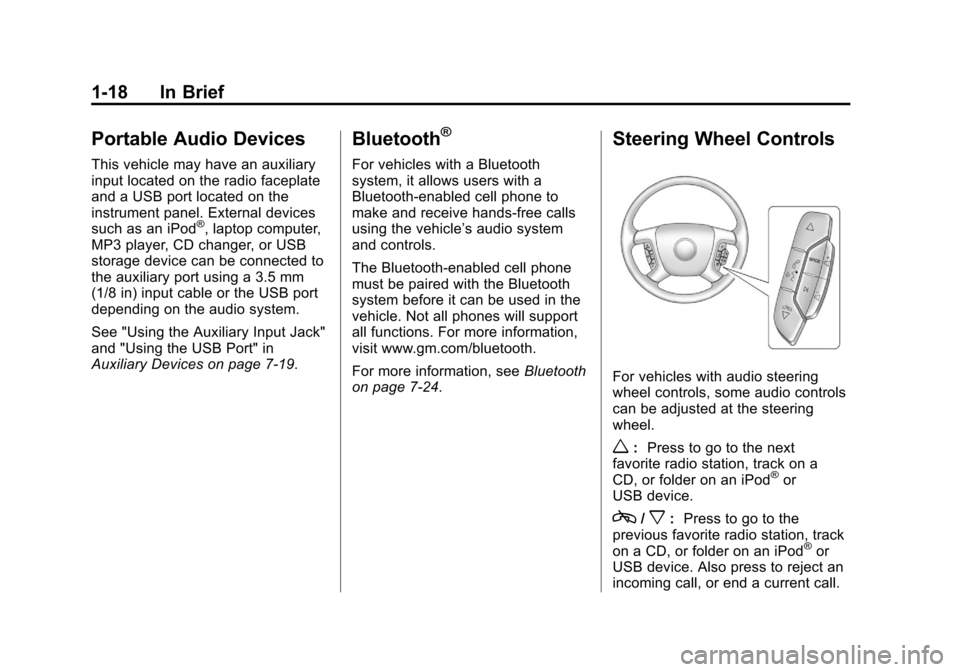
Steering Wheel Controls
For vehicles with audio steering
wheel controls, some audio controls
can be adjusted at the steering
wheel.
w: Press to go to the next
favorite radio station, track on a
CD, or folder on an iPod
®or
USB device.
c/x: Press to go to the
previous favorite radio station, track
on a CD, or folder on an iPod
®or
USB device. Also press to reject an
incoming call, or end a current call.
Page 25 of 430
Black plate (19,1)Chevrolet Express Owner Manual - 2012
In Brief 1-19
b/g:Press to silence the vehicle
speakers only. Press again to turn
the sound on. Press and hold longer
than two seconds to interact with
OnStar
®or Bluetooth systems,
if equipped.
+
e: Press to increase volume.
−
e: Press to decrease volume.
SRCE: Press to switch between
the radio and CD, and for equipped
vehicles, the front auxiliary.
¨: Press to seek the next radio
station, the next track while sourced
to the CD, or to select tracks and
folders on an iPod
®or USB device.
For more information, see Steering
Wheel Controls on page 5‑2.
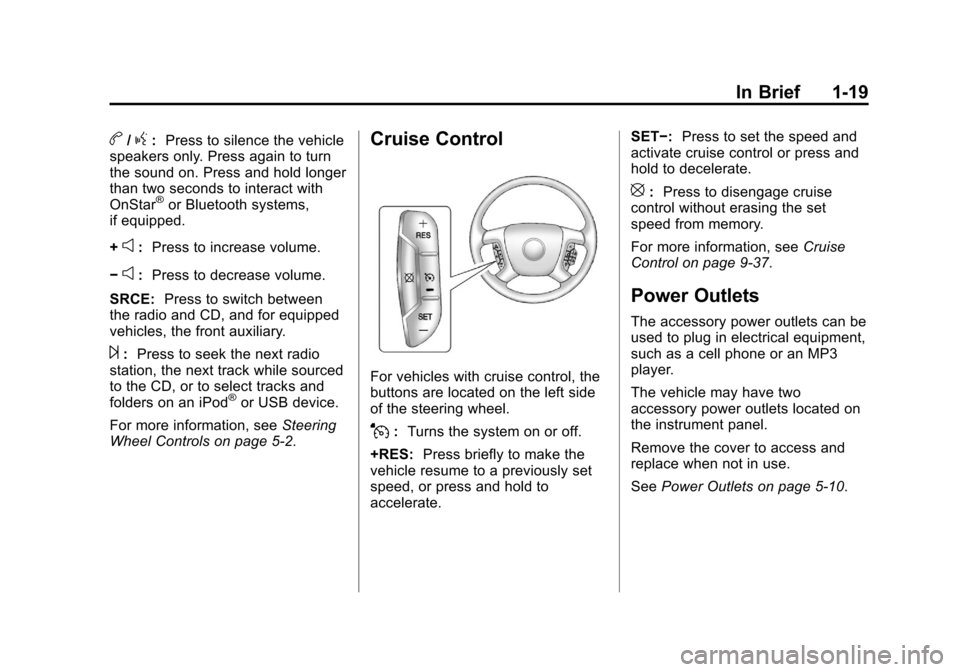
Cruise Control
For vehicles with cruise control, the
buttons are located on the left side
of the steering wheel.
J: Turns the system on or off.
+RES: Press briefly to make the
vehicle resume to a previously set
speed, or press and hold to
accelerate. SET−:
Press to set the speed and
activate cruise control or press and
hold to decelerate.
[: Press to disengage cruise
control without erasing the set
speed from memory.
For more information, see Cruise
Control on page 9‑37.
Power Outlets
The accessory power outlets can be
used to plug in electrical equipment,
such as a cell phone or an MP3
player.
The vehicle may have two
accessory power outlets located on
the instrument panel.
Remove the cover to access and
replace when not in use.
See Power Outlets on page 5‑10.
Page 115 of 430
Black plate (3,1)Chevrolet Express Owner Manual - 2012
Instruments and Controls 5-3
w(Next):Press to go to the
next favorite radio station, track
on a CD, or folder on an iPod
®or
USB device.
c/x(Previous/End): Press to
go to the previous favorite radio
station, track on a CD, or folder on
an iPod
®or USB device. Also press
to reject an incoming call, or end a
current call. Radio
To select preset or favorite radio
stations:
Press and release
worc/xto
go to the next or previous radio
station stored as a preset or
favorite.
CD
To select tracks on a CD:
Press and release
worc/xto
go to the next or previous track. Selecting Tracks on an iPod or
USB Device
1. Press and hold
worc/x
while listening to a song until the
contents of the current folder
display on the radio display.
2. Press and release
worc/x
to scroll up or down the list, then
press and hold
w, or press¨to
play the highlighted track.
Page 116 of 430
Black plate (4,1)Chevrolet Express Owner Manual - 2012
5-4 Instruments and Controls
Navigating Folders on an iPod or
USB Device
1. Press and hold
worc/x
while listening to a song until the
contents of the current folder
display on the radio display.
2. Press and hold
c/xto go
back to the previous folder list.
3. Press and release
worc/x
to scroll up or down the list.
.To select a folder, press
and hold
w, or press¨
when the folder is
highlighted.
.To go back further in
the folder list, press and
hold
c/x.
b/g(Push to Talk): Press to
silence the vehicle speakers only.
Press again to turn the sound on.
For vehicles with Bluetooth or
OnStar
®systems, press and hold
for longer than two seconds to
interact with those systems. See
Bluetooth on page 7‑24 andOnStar
Overview on page 14‑1 for more
information.
SRCE (Source/Voice
Recognition): Press to switch
between the radio and CD, and
for equipped vehicles, the front
auxiliary.
¨(Seek): Press to go to the
next radio station while in AM,
FM, or XM™.
For vehicles with a CD Player or
USB port:
Press
¨to go to the next track or
chapter while sourced to the CD. Press
¨to select a track or a folder
when navigating folders on an iPod
or USB device.
While listening to a CD, press and
hold
¨to quickly move forward
through the tracks. Release to
stop on the desired track.
+
e: Press to increase volume.
−
e: Press to decrease volume.
Horn
Press the horn symbol in the middle
of the steering wheel to sound
the horn.
Page 120 of 430
Black plate (8,1)Chevrolet Express Owner Manual - 2012
5-8 Instruments and Controls
Clock
AM/FM Radio with Optional CD
Player
If the vehicle has an AM/FM radio
with an optional CD player, it has a
Hbutton for setting the time. With
these types of radios, the clock can
be set with either the radio turned
on or off.
Set the time by following these
steps:
1. Press
Huntil the hour begins
flashing on display. Press this
button a second time and the
minutes begin flashing on
display.
Press
Ha third time and the
12HR or 24HR time format
begins flashing. 2. While either the hour or the
minutes are flashing, turn the
f
knob, located on the upper right
side of the radio, clockwise or
counterclockwise to increase or
decrease the time. While the
12HR or 24HR time format is
flashing, turn the
fknob
clockwise or counterclockwise to
select the default time settings.
3. Press
Hagain until the clock
display stops flashing to set
the currently displayed time;
otherwise, the flashing stops
after five seconds and the
current time displayed is
automatically set.
MP3 Radio with a Single CD
Player
If the vehicle has a radio with a
single CD (MP3) player, the
radio has a
Hbutton for setting
the time and date. To set the time and date, follow the
instructions:
1. Press
Hand the HR, MIN, MM,
DD, YYYY (hour, minute, month,
day, and year) displays.
2. Press the softkey located under any one of the tabs that you
want to change. Every time the
softkey is pressed again, the
time or the date if selected,
increases by one.
Another way to increase the time
or date, is to press
¨SEEK or
\FWD (forward).
3. To decrease, press
©SEEK or
sREV. You can also turn thefknob, located on the upper right
side of the radio, to adjust the
selected setting.
Page 121 of 430
Black plate (9,1)Chevrolet Express Owner Manual - 2012
Instruments and Controls 5-9
Changing the Time and Date
Default Settings
You can change the time default
setting from 12 hours to 24 hours or
change the date default setting from
month/day/year to day/month/year.
To change the time or date default
settings, follow these instructions:
1. Press
Hand then the softkey
located under the forward arrow
that is currently displayed on
the radio screen until the time
12H (hour) and 24H (hour), and
the date MM/DD (month and
day) and DD/MM (day and
month) are displayed.
2. Press the softkey located under the desired option.
3. Press
Hagain to apply the
selected default, or let the
screen time out.
MP3 Radio with a Six-Disc CD
Player
If the vehicle has a radio with a
six-disc CD player, the radio has a
MENU button instead of
Hto set
the time and date.
To set the time and date, follow
these instructions:
1. Press the MENU button. Once
the
Hoption displays, press the
softkey located under that tab.
The HR, MIN, MM, DD, YYYY
(hour, minute, month, day, and
year) displays.
2. Press the softkey located under any one of the tabs to change.
Every time the softkey is
pressed again, the time or the
date if selected, increases
by one.
Another way to increase the time
or date, is to press
¨SEEK or
\FWD (forward). 3. To decrease, press
©SEEK or
sREV, or turn thefknob,
located on the upper right side of
the radio, to adjust the selected
setting.
Changing the Time and Date
Default Settings
To change the time default setting
from 12 hours to 24 hours or
change the date default setting from
month/day/year to day/month/year.
To change the time or date default
settings, follow these instructions:
1. Press the MENU button. Once
the
Hoption displays, press
the softkey located under the
forward arrow that is currently
displayed on the radio screen
until the 12H (hour) and
24H (hour), and the date
MM/DD (month and day) and
DD/MM (day and month)
displays.
2. Press the softkey located under the desired option.
Page 133 of 430
Black plate (21,1)Chevrolet Express Owner Manual - 2012
Instruments and Controls 5-21
If it does not, have the vehicle
serviced by your dealer.
The light should go out once the
engine starts. If it stays on,
or comes on while driving, there
could be a problem with the
charging system. A charging system
message in the Driver Information
Center (DIC) can also appear. See
Battery Voltage and Charging
Messages on page 5‑34for more
information. This light could indicate
that there are problems with a
generator drive belt, or that there is
an electrical problem. Have it
checked right away. If the vehicle
must be driven a short distance with
the light on, turn off accessories,
such as the radio and air
conditioner.
Malfunction
Indicator Lamp
A computer system called OBD II
(On-Board Diagnostics-Second
Generation) monitors the operation
of the vehicle to ensure emissions are at acceptable levels, to produce
a cleaner environment. This light
comes on when the vehicle is
placed in ON/RUN, as a check to
show it is working. If it does not,
have the vehicle serviced by your
dealer. See
Ignition Positions on
page 9‑16 for more information.
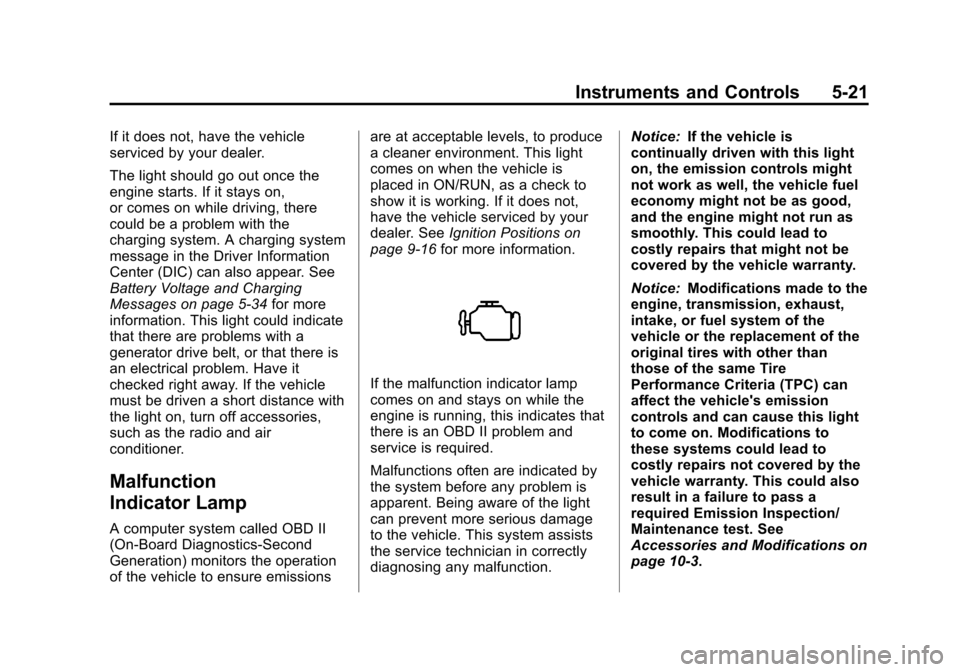
If the malfunction indicator lamp
comes on and stays on while the
engine is running, this indicates that
there is an OBD II problem and
service is required.
Malfunctions often are indicated by
the system before any problem is
apparent. Being aware of the light
can prevent more serious damage
to the vehicle. This system assists
the service technician in correctly
diagnosing any malfunction. Notice:
If the vehicle is
continually driven with this light
on, the emission controls might
not work as well, the vehicle fuel
economy might not be as good,
and the engine might not run as
smoothly. This could lead to
costly repairs that might not be
covered by the vehicle warranty.
Notice: Modifications made to the
engine, transmission, exhaust,
intake, or fuel system of the
vehicle or the replacement of the
original tires with other than
those of the same Tire
Performance Criteria (TPC) can
affect the vehicle's emission
controls and can cause this light
to come on. Modifications to
these systems could lead to
costly repairs not covered by the
vehicle warranty. This could also
result in a failure to pass a
required Emission Inspection/
Maintenance test. See
Accessories and Modifications on
page 10‑3.
Page 170 of 430
Black plate (2,1)Chevrolet Express Owner Manual - 2012
7-2 Infotainment System
To minimize taking your eyes off the
road while driving, do the following
while the vehicle is parked:
.Become familiar with the
operation and controls of the
audio system.
.Set up the tone, speaker
adjustments, and preset radio
stations.
For more information, see Defensive
Driving on page 9‑3.
Notice: Contact your dealer
before adding any equipment.
Adding audio or communication
equipment could interfere with
the operation of the engine, radio,
or other systems, and could
damage them. Follow federal
rules covering mobile radio and
telephone equipment. Notice:
The chime signals related
to safety belts, parking brake, and
other functions of the vehicle
operate through the radio/
entertainment system. If that
equipment is replaced or
additional equipment is added to
the vehicle, the chimes may not
work. Make sure that replacement
or additional equipment is
compatible with the vehicle
before installing it. See
Accessories and Modifications on
page 10‑3.
The vehicle has Retained
Accessory Power (RAP). With RAP,
the audio system can be played
even after the ignition is turned off.
See Retained Accessory Power
(RAP) on page 9‑21 for more
information.
Theft-Deterrent Feature
The theft-deterrent feature works by
learning a portion of the Vehicle
Identification Number (VIN) to the
infotainment system. The
infotainment system does not
operate if it is stolen or moved to a
different vehicle.