tank CHEVROLET HHR 2006 1.G Owners Manual
[x] Cancel search | Manufacturer: CHEVROLET, Model Year: 2006, Model line: HHR, Model: CHEVROLET HHR 2006 1.GPages: 394, PDF Size: 2.33 MB
Page 157 of 394
Instrument Panel Cluster
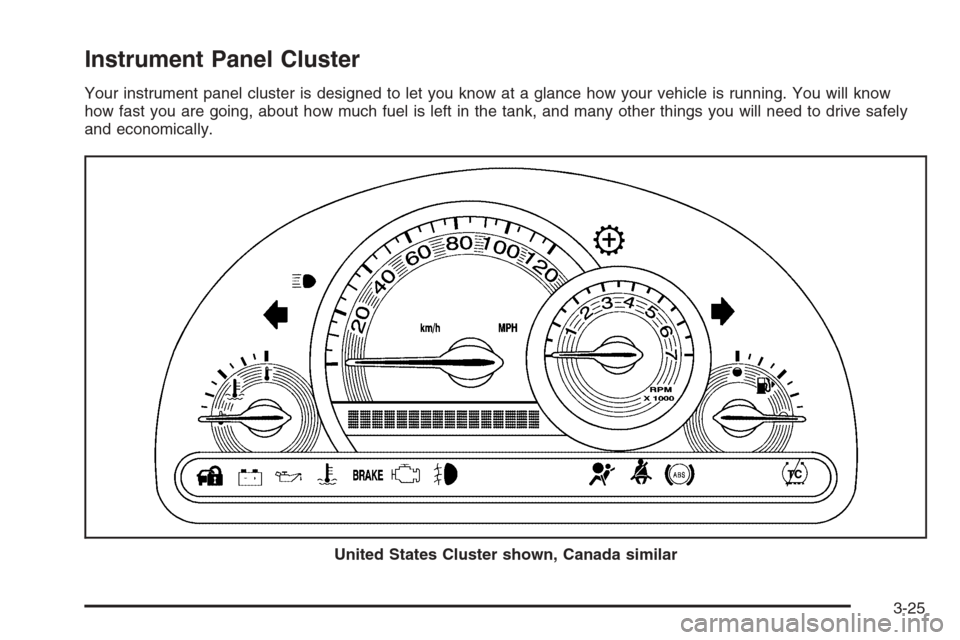
Your instrument panel cluster is designed to let you know at a glance how your vehicle is running. You will know
how fast you are going, about how much fuel is left in the tank, and many other things you will need to drive safely
and economically.
United States Cluster shown, Canada similar
3-25
Page 169 of 394
If the Light Is On Steady
You may be able to correct the emission system
malfunction by considering the following:
Did you recently put fuel into your vehicle?
If so, reinstall the fuel cap, making sure to fully install
the cap. SeeFilling the Tank on page 5-8. The
diagnostic system can determine if the fuel cap has
been left off or improperly installed. A loose or missing
fuel cap will allow fuel to evaporate into the atmosphere.
A few driving trips with the cap properly installed
should turn the light off.
Did you just drive through a deep puddle of water?
If so, your electrical system may be wet. The condition
will usually be corrected when the electrical system
dries out. A few driving trips should turn the light off.Have you recently changed brands of fuel?
If so, be sure to fuel your vehicle with quality fuel.
SeeGasoline Octane on page 5-5. Poor fuel quality will
cause your engine not to run as efficiently as designed.
You may notice this as stalling after start-up, stalling
when you put the vehicle into gear, misring, hesitation
on acceleration, or stumbling on acceleration. (These
conditions may go away once the engine is warmed up.)
This will be detected by the system and cause the
light to turn on.
If you experience one or more of these conditions,
change the fuel brand you use. It will require at least
one full tank of the proper fuel to turn the light off.
If none of the above steps have made the light turn off,
your dealer can check the vehicle. Your dealer has
the proper test equipment and diagnostic tools to x any
mechanical or electrical problems that may have
developed.
3-37
Page 172 of 394
Fuel Gage
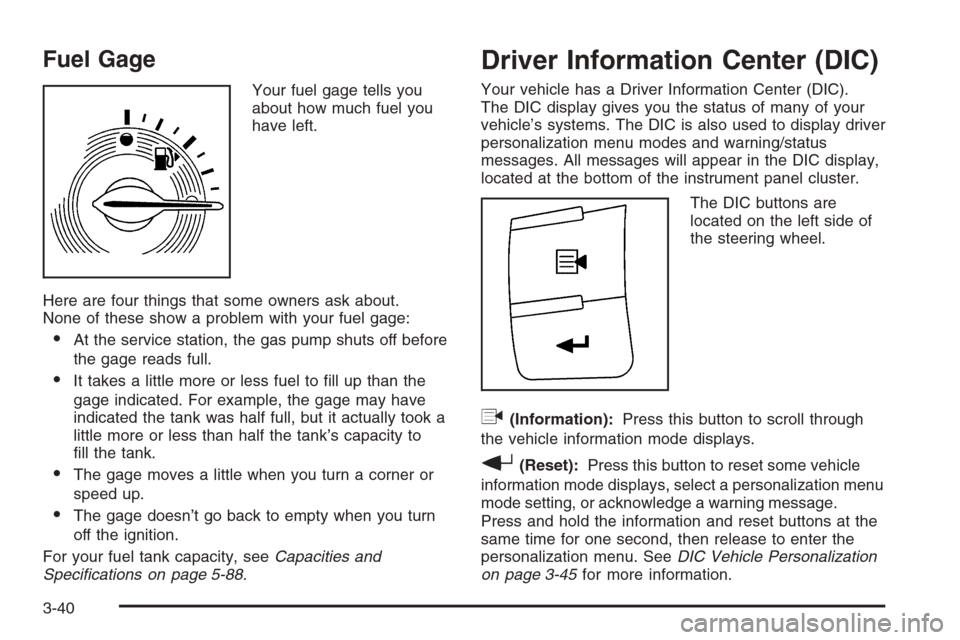
Your fuel gage tells you
about how much fuel you
have left.
Here are four things that some owners ask about.
None of these show a problem with your fuel gage:
At the service station, the gas pump shuts off before
the gage reads full.
It takes a little more or less fuel to ll up than the
gage indicated. For example, the gage may have
indicated the tank was half full, but it actually took a
little more or less than half the tank’s capacity to
ll the tank.
The gage moves a little when you turn a corner or
speed up.
The gage doesn’t go back to empty when you turn
off the ignition.
For your fuel tank capacity, seeCapacities and
Specifications on page 5-88.
Driver Information Center (DIC)
Your vehicle has a Driver Information Center (DIC).
The DIC display gives you the status of many of your
vehicle’s systems. The DIC is also used to display driver
personalization menu modes and warning/status
messages. All messages will appear in the DIC display,
located at the bottom of the instrument panel cluster.
The DIC buttons are
located on the left side of
the steering wheel.
q(Information):Press this button to scroll through
the vehicle information mode displays.
r(Reset):Press this button to reset some vehicle
information mode displays, select a personalization menu
mode setting, or acknowledge a warning message.
Press and hold the information and reset buttons at the
same time for one second, then release to enter the
personalization menu. SeeDIC Vehicle Personalization
on page 3-45for more information.
3-40
Page 173 of 394
DIC Operation and Displays
The DIC comes on when the ignition is on. The DIC has
different modes which can be accessed by pressing
the DIC buttons. The button functions are detailed in the
following.
Information Modes
q
(Information):Press this button to scroll through
the following vehicle information modes:
Outside Air Temperature and Odometer
Press the information button until the outside air
temperature and the odometer are displayed. This mode
shows the temperature outside of the vehicle in either
degrees Fahrenheit (°F) or degrees Celsius (°C) and the
total distance the vehicle has been driven in either
miles (mi) or kilometers (km). The outside air
temperature will appear on the left side of the DIC
display and the odometer will appear on the right side of
the display.
To change the DIC display to English or metric units,
see “UNITS” underDIC Vehicle Personalization on
page 3-45.
TRIP A or TRIP B
Press the information button until TRIP A or TRIP B is
displayed. These modes show the current distance
traveled since the last reset for each trip odometer in
either miles (mi) or kilometers (km). Both odometers can
be used at the same time.
Each trip odometer can be reset to zero separately by
pressing and holding the reset button for a few seconds
while the desired trip odometer is displayed.
FUEL RANGE
Press the information button until FUEL RANGE is
displayed. This mode shows the remaining distance you
can drive without refueling in either miles (mi) or
kilometers (km). It is based on fuel economy and the
fuel remaining in the tank.
The fuel economy data used to determine fuel range is
an average of recent driving conditions. As your
driving conditions change, this data is gradually updated.
The FUEL RANGE mode cannot be reset.
3-41
Page 176 of 394
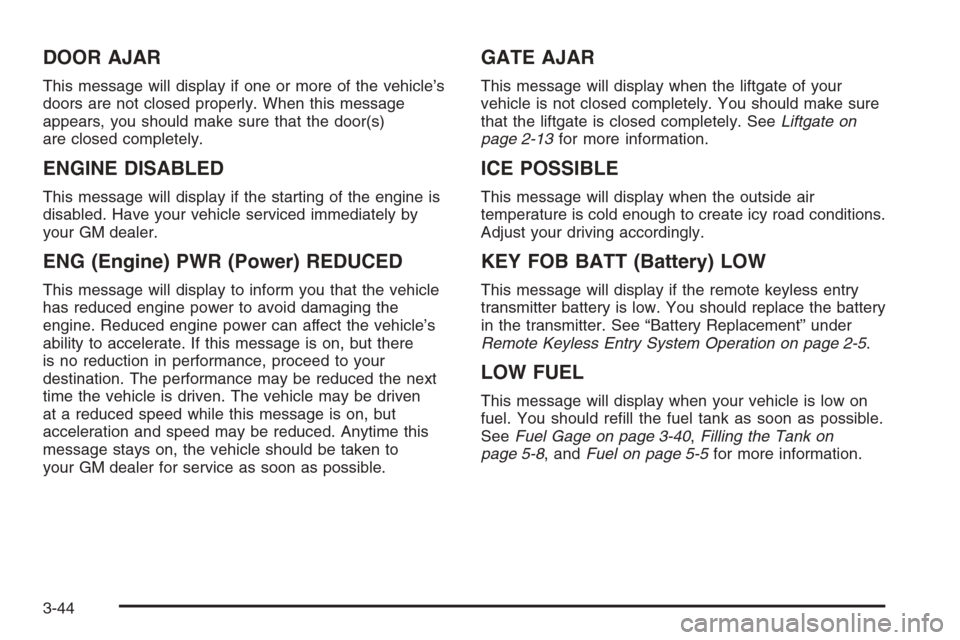
DOOR AJAR
This message will display if one or more of the vehicle’s
doors are not closed properly. When this message
appears, you should make sure that the door(s)
are closed completely.
ENGINE DISABLED
This message will display if the starting of the engine is
disabled. Have your vehicle serviced immediately by
your GM dealer.
ENG (Engine) PWR (Power) REDUCED
This message will display to inform you that the vehicle
has reduced engine power to avoid damaging the
engine. Reduced engine power can affect the vehicle’s
ability to accelerate. If this message is on, but there
is no reduction in performance, proceed to your
destination. The performance may be reduced the next
time the vehicle is driven. The vehicle may be driven
at a reduced speed while this message is on, but
acceleration and speed may be reduced. Anytime this
message stays on, the vehicle should be taken to
your GM dealer for service as soon as possible.
GATE AJAR
This message will display when the liftgate of your
vehicle is not closed completely. You should make sure
that the liftgate is closed completely. SeeLiftgate on
page 2-13for more information.
ICE POSSIBLE
This message will display when the outside air
temperature is cold enough to create icy road conditions.
Adjust your driving accordingly.
KEY FOB BATT (Battery) LOW
This message will display if the remote keyless entry
transmitter battery is low. You should replace the battery
in the transmitter. See “Battery Replacement” under
Remote Keyless Entry System Operation on page 2-5.
LOW FUEL
This message will display when your vehicle is low on
fuel. You should rell the fuel tank as soon as possible.
SeeFuel Gage on page 3-40,Filling the Tank on
page 5-8, andFuel on page 5-5for more information.
3-44
Page 261 of 394
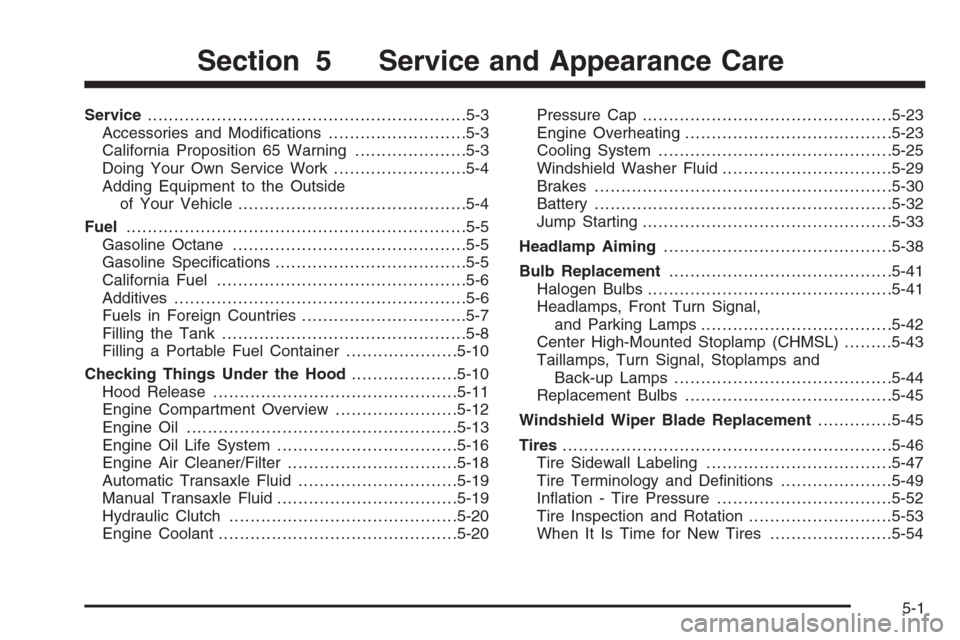
Service............................................................5-3
Accessories and Modications..........................5-3
California Proposition 65 Warning.....................5-3
Doing Your Own Service Work.........................5-4
Adding Equipment to the Outside
of Your Vehicle...........................................5-4
Fuel................................................................5-5
Gasoline Octane............................................5-5
Gasoline Specications....................................5-5
California Fuel...............................................5-6
Additives.......................................................5-6
Fuels in Foreign Countries...............................5-7
Filling the Tank..............................................5-8
Filling a Portable Fuel Container.....................5-10
Checking Things Under the Hood....................5-10
Hood Release..............................................5-11
Engine Compartment Overview.......................5-12
Engine Oil...................................................5-13
Engine Oil Life System..................................5-16
Engine Air Cleaner/Filter................................5-18
Automatic Transaxle Fluid..............................5-19
Manual Transaxle Fluid..................................5-19
Hydraulic Clutch...........................................5-20
Engine Coolant.............................................5-20Pressure Cap...............................................5-23
Engine Overheating.......................................5-23
Cooling System............................................5-25
Windshield Washer Fluid................................5-29
Brakes........................................................5-30
Battery........................................................5-32
Jump Starting...............................................5-33
Headlamp Aiming...........................................5-38
Bulb Replacement..........................................5-41
Halogen Bulbs..............................................5-41
Headlamps, Front Turn Signal,
and Parking Lamps....................................5-42
Center High-Mounted Stoplamp (CHMSL).........5-43
Taillamps, Turn Signal, Stoplamps and
Back-up Lamps.........................................5-44
Replacement Bulbs.......................................5-45
Windshield Wiper Blade Replacement..............5-45
Tires..............................................................5-46
Tire Sidewall Labeling...................................5-47
Tire Terminology and Denitions.....................5-49
Ination - Tire Pressure.................................5-52
Tire Inspection and Rotation...........................5-53
When It Is Time for New Tires.......................5-54
Section 5 Service and Appearance Care
5-1
Page 268 of 394
Filling the Tank
{CAUTION:
Fuel vapor burns violently and a fuel re can
cause bad injuries. To help avoid injuries to
you and others, read and follow all the
instructions on the pump island. Turn off your
engine when you are refueling. Do not smoke
if you are near fuel or refueling your vehicle.
Keep sparks, ames, and smoking materials
away from fuel. Do not leave the fuel pump
unattended when refueling your vehicle — this
is against the law in some places. Keep
children away from the fuel pump; never let
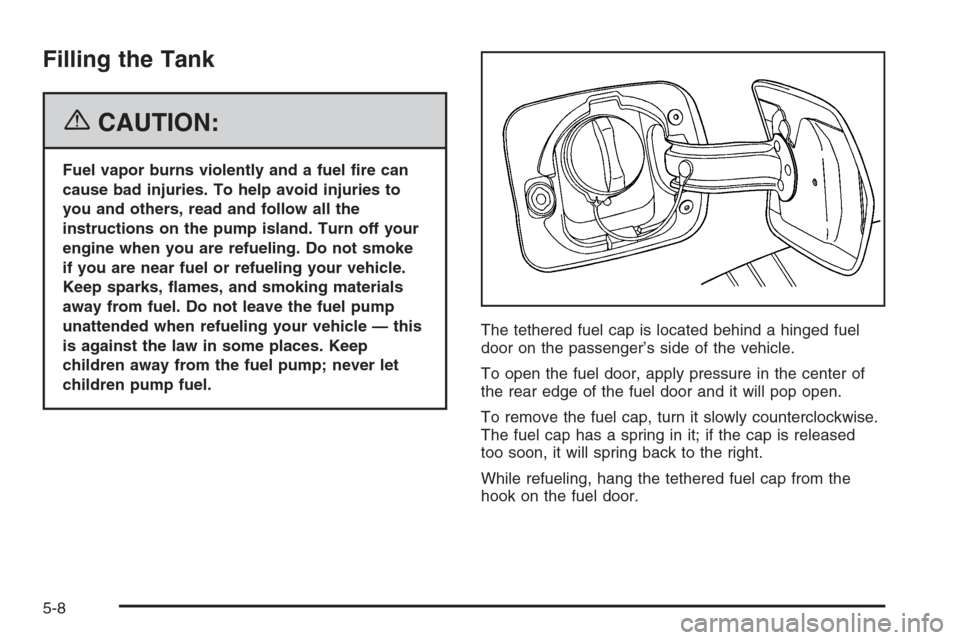
children pump fuel.The tethered fuel cap is located behind a hinged fuel
door on the passenger’s side of the vehicle.
To open the fuel door, apply pressure in the center of
the rear edge of the fuel door and it will pop open.
To remove the fuel cap, turn it slowly counterclockwise.
The fuel cap has a spring in it; if the cap is released
too soon, it will spring back to the right.
While refueling, hang the tethered fuel cap from the
hook on the fuel door.
5-8
Page 269 of 394
{CAUTION:
If you spill fuel and then something ignites it,
you could be badly burned. Fuel can spray out
on you if you open the fuel cap too quickly.
This spray can happen if your tank is nearly
full, and is more likely in hot weather. Open
the fuel cap slowly and wait for any hiss noise
to stop. Then unscrew the cap all the way.
Be careful not to spill fuel. Do not top off or overll the
tank and wait a few seconds after you have nished
pumping before removing the nozzle. Clean fuel
from painted surfaces as soon as possible. See
Washing Your Vehicle on page 5-77.
When replacing the fuel cap, turn it clockwise until it
clicks. Make sure the cap is fully installed. The
diagnostic system can determine if the fuel cap has
been left off or improperly installed. This would allow
fuel to evaporate into the atmosphere. SeeMalfunction
Indicator Lamp on page 3-35.The CHECK GAS CAP message will be displayed on
the Driver Information Center (DIC) if the fuel cap is not
properly installed. SeeDIC Warnings and Messages
on page 3-43for more information.
{CAUTION:
If a re starts while you are refueling, do not
remove the nozzle. Shut off the ow of fuel
by shutting off the pump or by notifying the
station attendant. Leave the area immediately.
Notice:If you need a new fuel cap, be sure to get
the right type. Your dealer can get one for you.
If you get the wrong type, it may not t properly.
This may cause your malfunction indicator lamp to
light and may damage your fuel tank and emissions
system. SeeMalfunction Indicator Lamp on
page 3-35.
5-9
Page 273 of 394
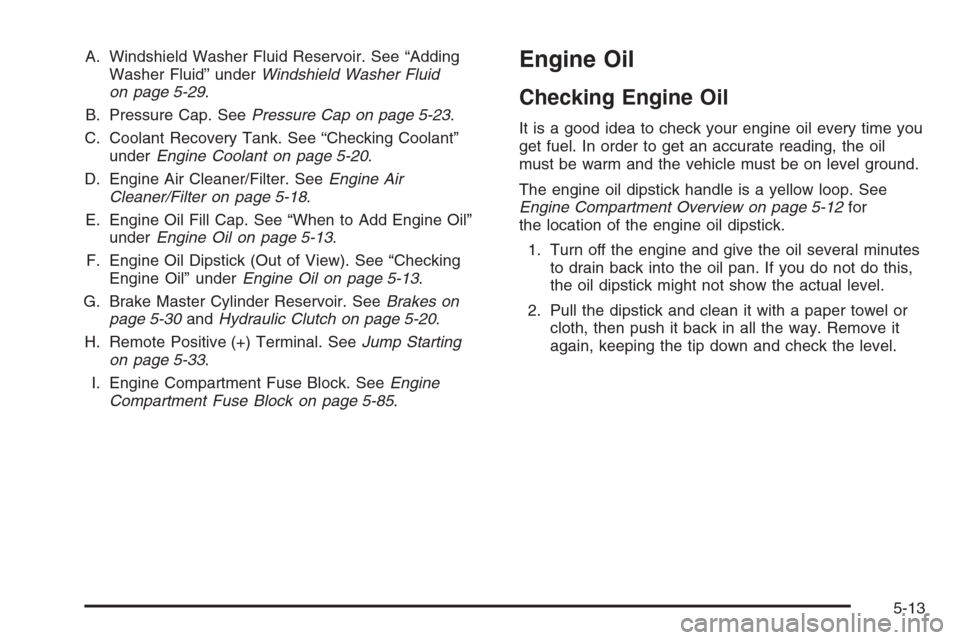
A. Windshield Washer Fluid Reservoir. See “Adding
Washer Fluid” underWindshield Washer Fluid
on page 5-29.
B. Pressure Cap. SeePressure Cap on page 5-23.
C. Coolant Recovery Tank. See “Checking Coolant”
underEngine Coolant on page 5-20.
D. Engine Air Cleaner/Filter. SeeEngine Air
Cleaner/Filter on page 5-18.
E. Engine Oil Fill Cap. See “When to Add Engine Oil”
underEngine Oil on page 5-13.
F. Engine Oil Dipstick (Out of View). See “Checking
Engine Oil” underEngine Oil on page 5-13.
G. Brake Master Cylinder Reservoir. SeeBrakes on
page 5-30andHydraulic Clutch on page 5-20.
H. Remote Positive (+) Terminal. SeeJump Starting
on page 5-33.
I. Engine Compartment Fuse Block. SeeEngine
Compartment Fuse Block on page 5-85.Engine Oil
Checking Engine Oil
It is a good idea to check your engine oil every time you
get fuel. In order to get an accurate reading, the oil
must be warm and the vehicle must be on level ground.
The engine oil dipstick handle is a yellow loop. See
Engine Compartment Overview on page 5-12for
the location of the engine oil dipstick.
1. Turn off the engine and give the oil several minutes
to drain back into the oil pan. If you do not do this,
the oil dipstick might not show the actual level.
2. Pull the dipstick and clean it with a paper towel or
cloth, then push it back in all the way. Remove it
again, keeping the tip down and check the level.
5-13
Page 282 of 394
Checking Coolant
The coolant recovery tank
cap has this symbol on it.
The tank is located in
the engine compartment
toward the front of the
engine on the passenger’s
side of the vehicle.
SeeEngine Compartment Overview on page 5-12for
more information on location.
The vehicle must be on a level surface when checking
the coolant level.
When the engine is cold, the coolant level should be
at the COLD FILL line or a little higher. The COLD FILL
line is near the bottom of the tank and sticks out
from the rear of the tank.
Adding Coolant
If more coolant is needed, add the proper DEX-COOL®
coolant mixture at the coolant recovery tank, but
only when the engine is cool.
If the coolant recovery tank is completely empty, a
special ll procedure is necessary. SeeCooling System
on page 5-25for more information.
{CAUTION:
Turning the radiator pressure cap when the
engine and radiator are hot can allow steam
and scalding liquids to blow out and burn
you badly. With the coolant recovery tank,
you will almost never have to add coolant at
the radiator. Never turn the radiator pressure
cap — even a little — when the engine and
radiator are hot.
5-22