control panel CHEVROLET HHR 2008 1.G User Guide
[x] Cancel search | Manufacturer: CHEVROLET, Model Year: 2008, Model line: HHR, Model: CHEVROLET HHR 2008 1.GPages: 430, PDF Size: 5.63 MB
Page 134 of 430
Oil Pressure Light.........................................3-43
Security Light...............................................3-44
Fog Lamp Light............................................3-44
Highbeam On Light.......................................3-44
Fuel Gage...................................................3-44
Boost Gage.................................................3-45
Driver Information Center (DIC).......................3-46
DIC Operation and Displays...........................3-46
DIC Warnings and Messages.........................3-48
DIC Vehicle Personalization............................3-54Audio System(s).............................................3-59
Setting the Clock..........................................3-60
Radio(s)......................................................3-62
Using an MP3..............................................3-72
XM Radio Messages.....................................3-77
Theft-Deterrent Feature..................................3-78
Audio Steering Wheel Controls.......................3-79
Radio Reception...........................................3-79
Fixed Mast Antenna......................................3-80
XM™ Satellite Radio Antenna System.............3-80
Section 3 Instrument Panel
3-2
Page 137 of 430
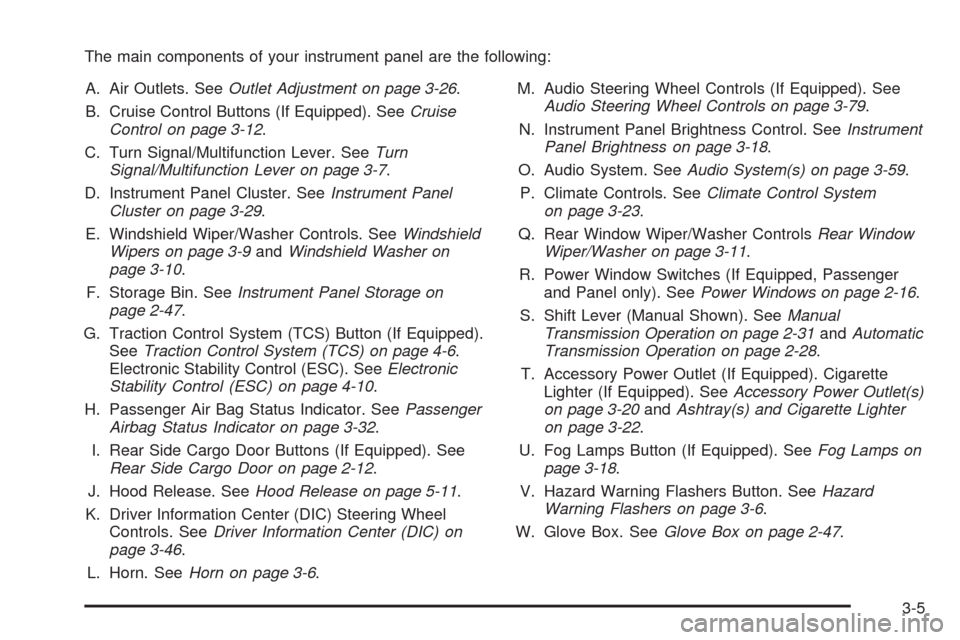
The main components of your instrument panel are the following:
A. Air Outlets. SeeOutlet Adjustment on page 3-26.
B. Cruise Control Buttons (If Equipped). SeeCruise
Control on page 3-12.
C. Turn Signal/Multifunction Lever. SeeTurn
Signal/Multifunction Lever on page 3-7.
D. Instrument Panel Cluster. SeeInstrument Panel
Cluster on page 3-29.
E. Windshield Wiper/Washer Controls. SeeWindshield
Wipers on page 3-9andWindshield Washer on
page 3-10.
F. Storage Bin. SeeInstrument Panel Storage on
page 2-47.
G. Traction Control System (TCS) Button (If Equipped).
SeeTraction Control System (TCS) on page 4-6.
Electronic Stability Control (ESC). SeeElectronic
Stability Control (ESC) on page 4-10.
H. Passenger Air Bag Status Indicator. SeePassenger
Airbag Status Indicator on page 3-32.
I. Rear Side Cargo Door Buttons (If Equipped). See
Rear Side Cargo Door on page 2-12.
J. Hood Release. SeeHood Release on page 5-11.
K. Driver Information Center (DIC) Steering Wheel
Controls. SeeDriver Information Center (DIC) on
page 3-46.
L. Horn. SeeHorn on page 3-6.M. Audio Steering Wheel Controls (If Equipped). See
Audio Steering Wheel Controls on page 3-79.
N. Instrument Panel Brightness Control. SeeInstrument
Panel Brightness on page 3-18.
O. Audio System. SeeAudio System(s) on page 3-59.
P. Climate Controls. SeeClimate Control System
on page 3-23.
Q. Rear Window Wiper/Washer ControlsRear Window
Wiper/Washer on page 3-11.
R. Power Window Switches (If Equipped, Passenger
and Panel only). SeePower Windows on page 2-16.
S. Shift Lever (Manual Shown). SeeManual
Transmission Operation on page 2-31andAutomatic
Transmission Operation on page 2-28.
T. Accessory Power Outlet (If Equipped). Cigarette
Lighter (If Equipped). SeeAccessory Power Outlet(s)
on page 3-20andAshtray(s) and Cigarette Lighter
on page 3-22.
U. Fog Lamps Button (If Equipped). SeeFog Lamps on
page 3-18.
V. Hazard Warning Flashers Button. SeeHazard
Warning Flashers on page 3-6.
W. Glove Box. SeeGlove Box on page 2-47.
3-5
Page 143 of 430
Rear Window Wiper/Washer
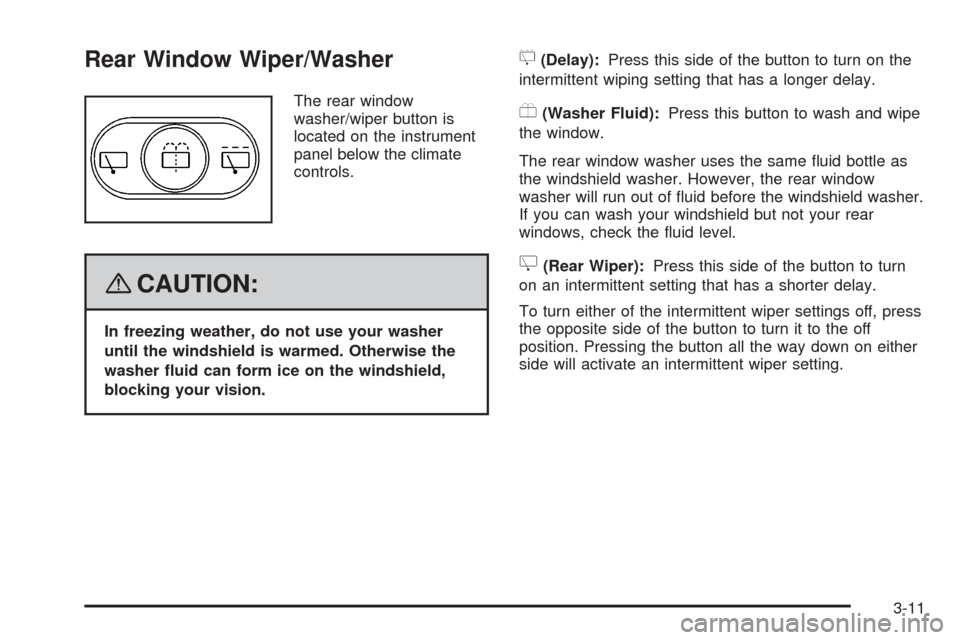
The rear window
washer/wiper button is
located on the instrument
panel below the climate
controls.
{CAUTION:
In freezing weather, do not use your washer
until the windshield is warmed. Otherwise the
washer uid can form ice on the windshield,
blocking your vision.
5(Delay):Press this side of the button to turn on the
intermittent wiping setting that has a longer delay.
Y(Washer Fluid):Press this button to wash and wipe
the window.
The rear window washer uses the same uid bottle as
the windshield washer. However, the rear window
washer will run out of uid before the windshield washer.
If you can wash your windshield but not your rear
windows, check the uid level.
Z(Rear Wiper):Press this side of the button to turn
on an intermittent setting that has a shorter delay.
To turn either of the intermittent wiper settings off, press
the opposite side of the button to turn it to the off
position. Pressing the button all the way down on either
side will activate an intermittent wiper setting.
3-11
Page 148 of 430
Wiper Activated Headlamps
This feature activates the headlamps and parking lamps
after the windshield wipers are turned on. For this
feature to work, automatic lighting must be enabled. See
Headlamps on page 3-15for additional information.
When the ignition is turned off, the wiper-activated
headlamps will immediately turn off. They will also turn
off 15 seconds after the windshield wiper control is
turned off.
Headlamps on Reminder
If the driver’s door is opened with the ignition off and
the lamps on, a warning chime will sound. This lets you
know that the headlamps are still on.
Daytime Running Lamps (DRL)
Daytime Running Lamps (DRL) can make it easier for
others to see the front of your vehicle during the
day. DRL can be helpful in many different driving
conditions, but they can be especially helpful in the short
periods after dawn and before sunset. Fully functional
daytime running lamps are required on all vehicles
rst sold in Canada.Your vehicle has a light sensor on top of the instrument
panel. Make sure it is not covered or the headlamps
will come on when you do not need them.
The DRL system will make the headlamps come on at
reduced brightness when the following conditions
are met:
The ignition is on.
The exterior lamp control is turned to AUTO.
The light sensor detects daytime light.
The shift lever is not in PARK (P).
While the DRL system is on, the taillamps, sidemarker
lamps, and instrument panel lights will not be
illuminated.
The DRL system will be off any time your vehicle is in
PARK (P). The DRL system on U.S. vehicles can
also be turned off by using the off/on switch for one
ignition cycle.
As with any vehicle, you should turn on the regular
headlamp system when you need it.
3-16
Page 149 of 430
Automatic Headlamp System
When it is dark enough outside, your automatic system
will turn on your headlamps at the normal brightness
along with other lamps such as the taillamps,
sidemarker, parking lamps, instrument panel lights, and
interior switch backlighting.
Your vehicle has a light sensor on top of the instrument
panel. Make sure it is not covered, or the headlamps
may remain on when you do not need them.
The system may also be on when driving through a
parking garage, heavy overcast weather or a tunnel.
This is normal.
There is a delay in the transition between the daytime
and nighttime operation of the automatic lamp control
system so that driving under bridges or bright overhead
street lights does not affect the system. The automatic
lamp control system will only be affected when the light
sensor sees a change in lighting lasting longer than
this delay.If you start your vehicle in a dark garage, the automatic
lamp system will come on immediately. Once you
leave the garage, it will take about 20 seconds for the
automatic lamp system to change to DRL if it is
light outside. During that delay, the instrument panel
cluster may not be as bright as usual. Make sure
the instrument panel brightness control is in the full
bright position. SeeInstrument Panel Brightness
on page 3-18.
To idle your vehicle with the system off, turn the ignition
on and turn the exterior light switch to the off/on
position. For Canadian vehicles, the transaxle must stay
in PARK (P) for this function or the parking brake
must be set for vehicles with manual transaxles.
As with any vehicle, you should turn on the regular
headlamps when you need them.
3-17
Page 150 of 430
Fog Lamps
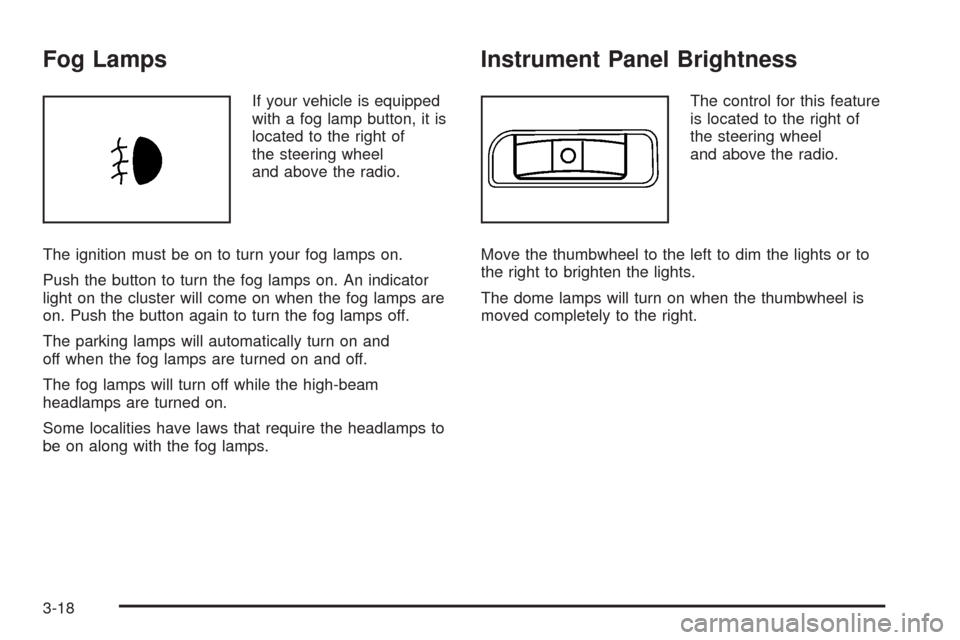
If your vehicle is equipped
with a fog lamp button, it is
located to the right of
the steering wheel
and above the radio.
The ignition must be on to turn your fog lamps on.
Push the button to turn the fog lamps on. An indicator
light on the cluster will come on when the fog lamps are
on. Push the button again to turn the fog lamps off.
The parking lamps will automatically turn on and
off when the fog lamps are turned on and off.
The fog lamps will turn off while the high-beam
headlamps are turned on.
Some localities have laws that require the headlamps to
be on along with the fog lamps.
Instrument Panel Brightness
The control for this feature
is located to the right of
the steering wheel
and above the radio.
Move the thumbwheel to the left to dim the lights or to
the right to brighten the lights.
The dome lamps will turn on when the thumbwheel is
moved completely to the right.
3-18
Page 151 of 430
Dome Lamp
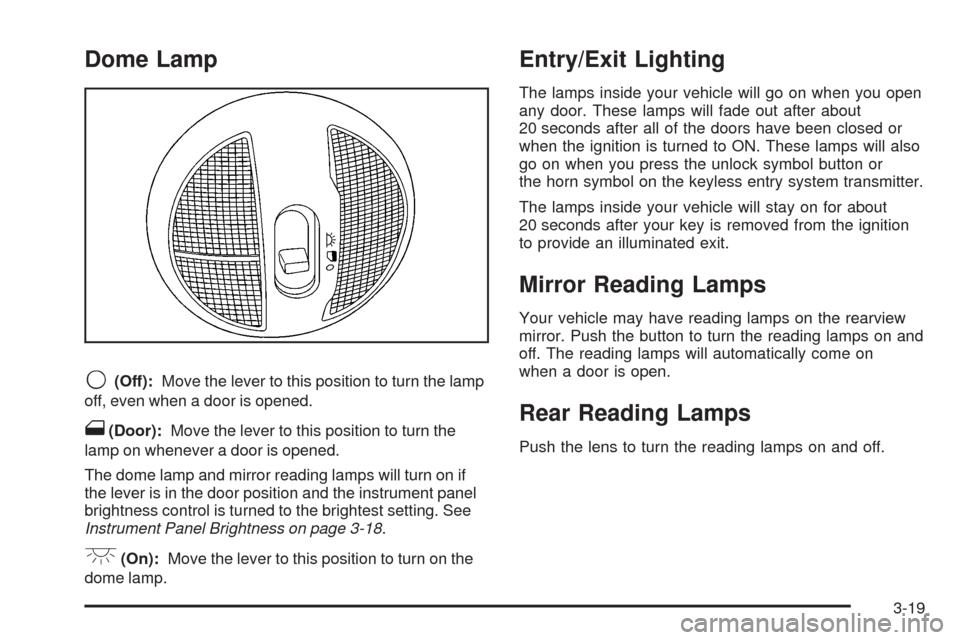
9(Off):Move the lever to this position to turn the lamp
off, even when a door is opened.
1(Door):Move the lever to this position to turn the
lamp on whenever a door is opened.
The dome lamp and mirror reading lamps will turn on if
the lever is in the door position and the instrument panel
brightness control is turned to the brightest setting. See
Instrument Panel Brightness on page 3-18.
+(On):Move the lever to this position to turn on the
dome lamp.
Entry/Exit Lighting
The lamps inside your vehicle will go on when you open
any door. These lamps will fade out after about
20 seconds after all of the doors have been closed or
when the ignition is turned to ON. These lamps will also
go on when you press the unlock symbol button or
the horn symbol on the keyless entry system transmitter.
The lamps inside your vehicle will stay on for about
20 seconds after your key is removed from the ignition
to provide an illuminated exit.
Mirror Reading Lamps
Your vehicle may have reading lamps on the rearview
mirror. Push the button to turn the reading lamps on and
off. The reading lamps will automatically come on
when a door is open.
Rear Reading Lamps
Push the lens to turn the reading lamps on and off.
3-19
Page 152 of 430
Electric Power Management
The vehicle has Electric Power Management (EPM) that
estimates the battery’s temperature and state of
charge. It then adjusts the voltage for best performance
and extended life of the battery.
When the battery’s state of charge is low, the voltage is
raised slightly to quickly put the charge back in. When
the state of charge is high, the voltage is lowered slightly
to prevent overcharging. If the vehicle has a voltmeter
gage or voltage display on the Driver Information Center
(DIC), you may see the voltage move up or down.
This is normal. If there is a problem, an alert will be
displayed.
The battery can be discharged at idle if the electrical
loads are very high. This is true for all vehicles. This is
because the generator (alternator) may not be
spinning fast enough at idle to produce all the power
that is needed for very high electrical loads.
A high electrical load occurs when several of the
following loads are on: headlamps, high beams, fog
lamps, rear window defogger, climate control fan at high
speed, heated seats, engine cooling fans, trailer
loads, and loads plugged into accessory power outlets.EPM works to prevent excessive discharge of the
battery. It does this by balancing the generator’s output
and the vehicle’s electrical needs. It can increase
engine idle speed to generate more power, whenever
needed.
Battery Run-Down Protection
Your vehicle has a battery saver feature designed to
protect the vehicle’s battery.
When any interior lamp is left on and the ignition is
turned off, the battery rundown protection system
automatically turns the lamp off after 20 minutes. This
prevents draining of the battery.
Accessory Power Outlet(s)
Accessory power outlets can be used to connect
electrical equipment such as a cellular phone or CB
radio.
The accessory power outlets are located on the
instrument panel below the climate controls and at the
rear of the center console. There may be an outlet in the
rear cargo area on the passenger side.
To use the outlet, remove the cover. While not in use,
always cover the outlet with the protective cap.
3-20
Page 154 of 430
This plug can be used to supply power to commercial
converters and contains four different circuits. The
functions of these circuits are as follows; a 40 Amp
battery service, a 10 Amp Accessory or Run service, a
15 Amp Delayed Accessory service and a Ground
circuit.
Notice:Adding any electrical equipment to your
vehicle may damage it or keep other components
from working as they should. The repairs would not
be covered by your warranty. Do not use equipment
exceeding maximum amperage rating of 40 amperes.
Check with your dealer/retailer before adding
electrical equipment.
When adding electrical equipment, be sure to follow the
installation instructions included with the equipment.
Notice:Improper use of the power outlet can cause
damage not covered by your warranty. Do not
hang any type of accessory or accessory bracket
from the plug because the power outlets are
designed for accessory power plugs only.
Notice:Leaving electrical equipment plugged in for
an extended period of time while the vehicle is off
will drain the battery. Power is always supplied
to the outlets. Always unplug electrical equipment
when not in use and do not plug in equipment
that exceeds the maximum 40 ampere rating.Ashtray(s) and Cigarette Lighter
Your vehicle may have an ashtray and cigarette lighter.
To use the lighter, located on the instrument panel
below the climate controls, push it in all the way and let
go. When it is ready, it will pop back out by itself.
Notice:Holding a cigarette lighter in while it is
heating will not allow the lighter to back away from
the heating element when it is hot. Damage from
overheating may occur to the lighter or heating
element, or a fuse could be blown. Do not hold a
cigarette lighter in while it is heating. Do not
use equipment exceeding maximum amperage rating
of 15 amperes.
To clean the center console ashtray, remove the entire
ashtray and empty it.
Notice:If you put papers, pins, or other ammable
items in the ashtray, hot cigarettes or other
smoking materials could ignite them and possibly
damage your vehicle. Never put ammable items in
the ashtray.
3-22
Page 155 of 430
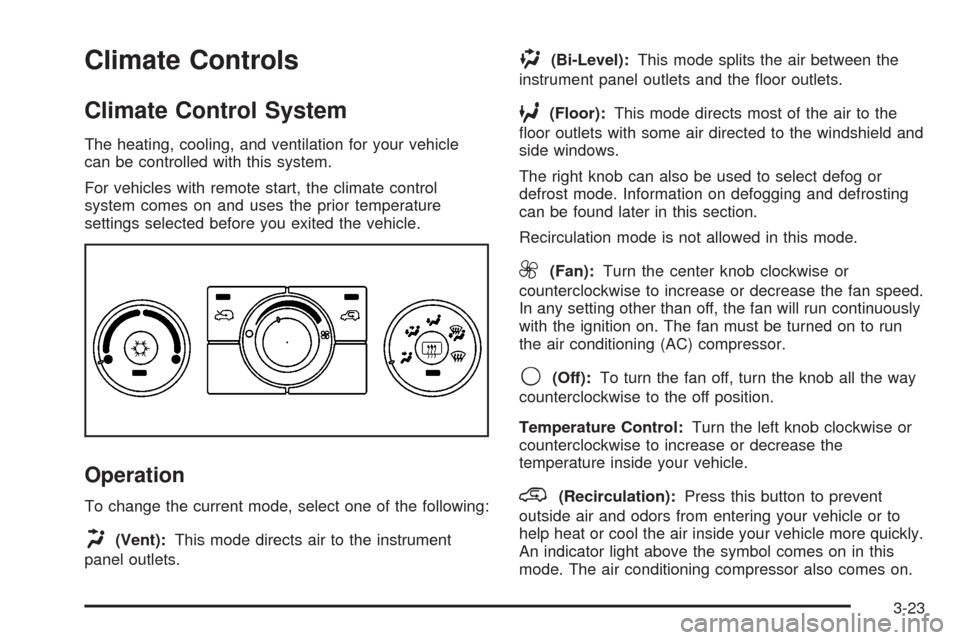
Climate Controls
Climate Control System
The heating, cooling, and ventilation for your vehicle
can be controlled with this system.
For vehicles with remote start, the climate control
system comes on and uses the prior temperature
settings selected before you exited the vehicle.
Operation
To change the current mode, select one of the following:
H(Vent):This mode directs air to the instrument
panel outlets.
)(Bi-Level):This mode splits the air between the
instrument panel outlets and the oor outlets.
6(Floor):This mode directs most of the air to the
oor outlets with some air directed to the windshield and
side windows.
The right knob can also be used to select defog or
defrost mode. Information on defogging and defrosting
can be found later in this section.
Recirculation mode is not allowed in this mode.
9(Fan):Turn the center knob clockwise or
counterclockwise to increase or decrease the fan speed.
In any setting other than off, the fan will run continuously
with the ignition on. The fan must be turned on to run
the air conditioning (AC) compressor.
9(Off):To turn the fan off, turn the knob all the way
counterclockwise to the off position.
Temperature Control:Turn the left knob clockwise or
counterclockwise to increase or decrease the
temperature inside your vehicle.
@(Recirculation):Press this button to prevent
outside air and odors from entering your vehicle or to
help heat or cool the air inside your vehicle more quickly.
An indicator light above the symbol comes on in this
mode. The air conditioning compressor also comes on.
3-23