light CHEVROLET HHR 2009 1.G Owner's Manual
[x] Cancel search | Manufacturer: CHEVROLET, Model Year: 2009, Model line: HHR, Model: CHEVROLET HHR 2009 1.GPages: 450, PDF Size: 2.49 MB
Page 114 of 450
Downshifting the transmission in slippery road conditions
could result in skidding, see “Skidding” underLoss of
Control on page 4-16.
I (Intermediate):This position is also used for normal
driving. However, it reduces vehicle speed without
using the brakes for slight downgrades where the vehicle
would otherwise accelerate due to steepness of grade.
If constant upshifting or downshifting occurs while
driving up steep hills, this position can be used to
prevent repetitive types of shifts. You might choose
I (Intermediate) instead of D (Drive) when driving on hilly,
winding roads and when towing a trailer, so that there is
less shifting between gears.
PERFORMANCE SHIFTING:If the vehicle has this
feature, it can detect a change in driving patterns
while in the Intermediate position. If you make an
aggressive driving maneuver, the vehicle’s transmission
automatically shifts to the lowest possible gear to
maximize vehicle performance. The vehicle will
automatically return to normal operation when you
return to normal driving patterns.
L (Low):This position reduces vehicle speed more than
I (Intermediate) without actually using the brakes. You
can use it on very steep hills, or in deep snow or mud. If
the shift lever is put in L (Low), the transmission will not
shift into L (Low) until the vehicle is going slowly enough.Notice:Spinning the tires or holding the vehicle in
one place on a hill using only the accelerator pedal
may damage the transmission. The repair will not be
covered by the vehicle warranty. If you are stuck, do
not spin the tires. When stopping on a hill, use the
brakes to hold the vehicle in place.
Manual Transmission Operation
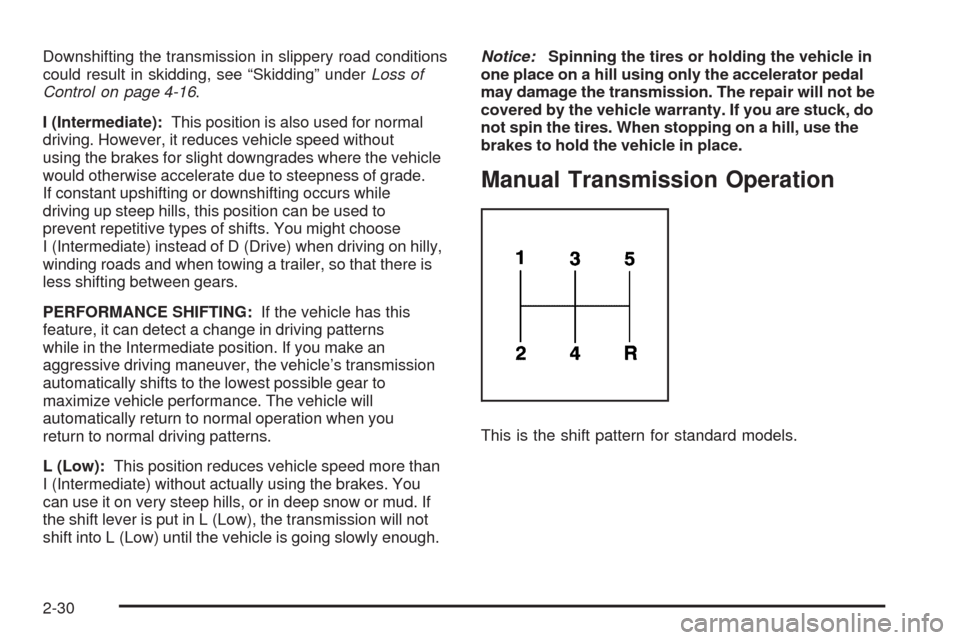
This is the shift pattern for standard models.
2-30
Page 116 of 450
Shift Speeds
{CAUTION:
If you skip a gear when you downshift, you could
lose control of the vehicle. You could injure
yourself or others. Do not shift down more than
one gear at a time when you downshift.
Up-Shift Light
If the vehicle has a manual
transmission, there may be
an up-shift light. This light
will show you when to shift
to the next higher gear for
the best fuel economy.
When this light comes on, you can shift to the next
higher gear if weather, road, and traffic conditions let
you. For the best fuel economy, accelerate slowly
and shift when the light comes on.
While accelerating, it is normal for the light to go on and
off if you quickly change the position of the accelerator.
Ignore the light when downshifting.
No-Lift Upshift (SS Models)
If the vehicle has the 2.0L turbo engine and manual
transmission, it has the capability of No-Lift Upshifts.
This feature maximizes vehicle acceleration by allowing
you to shift the transmission to a higher gear without
taking your foot off the accelerator. No-Lift Upshifting is
enabled in all Electronic Stability Control modes. See
Electronic Stability Control (ESC) on page 4-7for more
information. Use this feature only when the engine has
reached normal operating temperature. Correct shifting
allows the engine to maintain boost pressure during
shifts, while also keeping the engine from over-revving.
To utilize this feature:
1. Accelerate the vehicle by fully depressing the
accelerator pedal.
2. Just prior to reaching the maximum engine speed,
quickly complete the upshift utilizing the clutch while
keeping the accelerator pedal fully applied. A quicker
shift maneuver gives the best performance. If the
engine is operated at the maximum engine speed for
greater than one second, the engine exits the No-Lift
Upshift mode and resumes normal engine overspeed
protection.
2-32
Page 117 of 450
Parking Brake
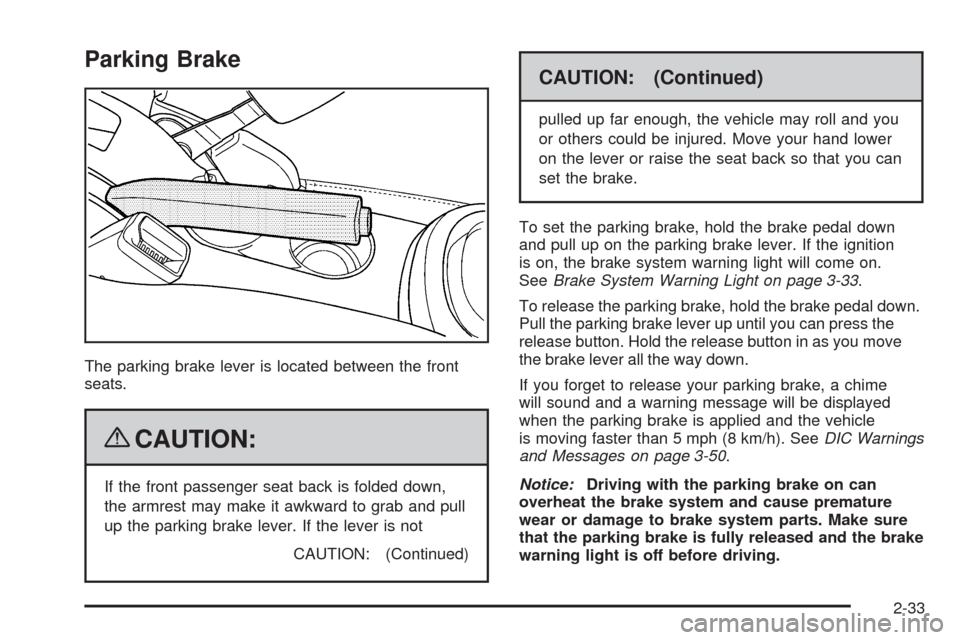
The parking brake lever is located between the front
seats.
{CAUTION:
If the front passenger seat back is folded down,
the armrest may make it awkward to grab and pull
up the parking brake lever. If the lever is not
CAUTION: (Continued)
CAUTION: (Continued)
pulled up far enough, the vehicle may roll and you
or others could be injured. Move your hand lower
on the lever or raise the seat back so that you can
set the brake.
To set the parking brake, hold the brake pedal down
and pull up on the parking brake lever. If the ignition
is on, the brake system warning light will come on.
SeeBrake System Warning Light on page 3-33.
To release the parking brake, hold the brake pedal down.
Pull the parking brake lever up until you can press the
release button. Hold the release button in as you move
the brake lever all the way down.
If you forget to release your parking brake, a chime
will sound and a warning message will be displayed
when the parking brake is applied and the vehicle
is moving faster than 5 mph (8 km/h). SeeDIC Warnings
and Messages on page 3-50.
Notice:Driving with the parking brake on can
overheat the brake system and cause premature
wear or damage to brake system parts. Make sure
that the parking brake is fully released and the brake
warning light is off before driving.
2-33
Page 123 of 450
Mirrors
Manual Rearview Mirror
Hold the inside rearview mirror in the center to move it for
a clearer view behind your vehicle. Adjust the mirror to
avoid glare from the headlamps behind you. Push the tab
forward for daytime use and pull it for nighttime use.
If the vehicle has map lamps, press the buttons located
at the bottom of the mirror to turn them on or off.
Automatic Dimming Rearview Mirror
The vehicle may have an automatic dimming inside
rearview mirror with a compass and map lights and/or
OnStar
®.
Vehicles with OnStar have three additional control
buttons located at the bottom of the mirror. See your
dealer/retailer for more information on the system
and how to subscribe to OnStar
®. SeeOnStar®System
on page 2-47for more information about the services
OnStar provides.
Press the buttons located at the bottom of the mirror to
turn the map lights on or off.
O(On/Off):Press to turn the dimming feature on
or off.Your vehicle may also have a Rear Vision Camera.
SeeRear Vision Camera (RVC) on page 2-44for more
information.
Automatic Dimming Mirror Operation
Automatic dimming reduces the glare of lights from
behind the vehicle. The dimming feature comes on and
the indicator light illuminates each time the vehicle is
started.
Cleaning the Mirror
Do not spray glass cleaner directly on the mirror.
Use a soft towel dampened with water.
Compass
Compass Operation
Y
/O(On/Off):If the vehicle has one of these
buttons, press to turn the compass on or off.
With the compass feature on, each time the vehicle is
started, the compass displays the current compass
direction after a few seconds.
2-39
Page 129 of 450
Turning the Rear Vision Camera System
OfforOn
To turn off the rear vision camera system, press and
hold
z, located on the inside rearview mirror, until the
left indicator light turns off. The rear vision camera
display is now disabled.
To turn the rear vision camera system on again, press
and hold
zuntil the left indicator light illuminates.
The rear vision camera system display is now enabled
and the display will appear in the mirror normally.
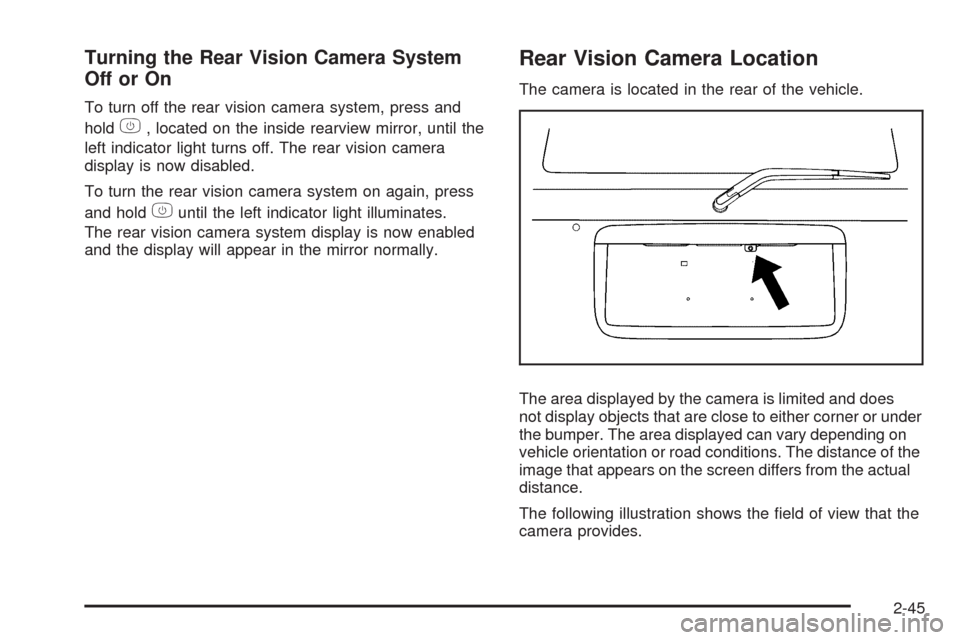
Rear Vision Camera Location
The camera is located in the rear of the vehicle.
The area displayed by the camera is limited and does
not display objects that are close to either corner or under
the bumper. The area displayed can vary depending on
vehicle orientation or road conditions. The distance of the
image that appears on the screen differs from the actual
distance.
The following illustration shows the eld of view that the
camera provides.
2-45
Page 130 of 450
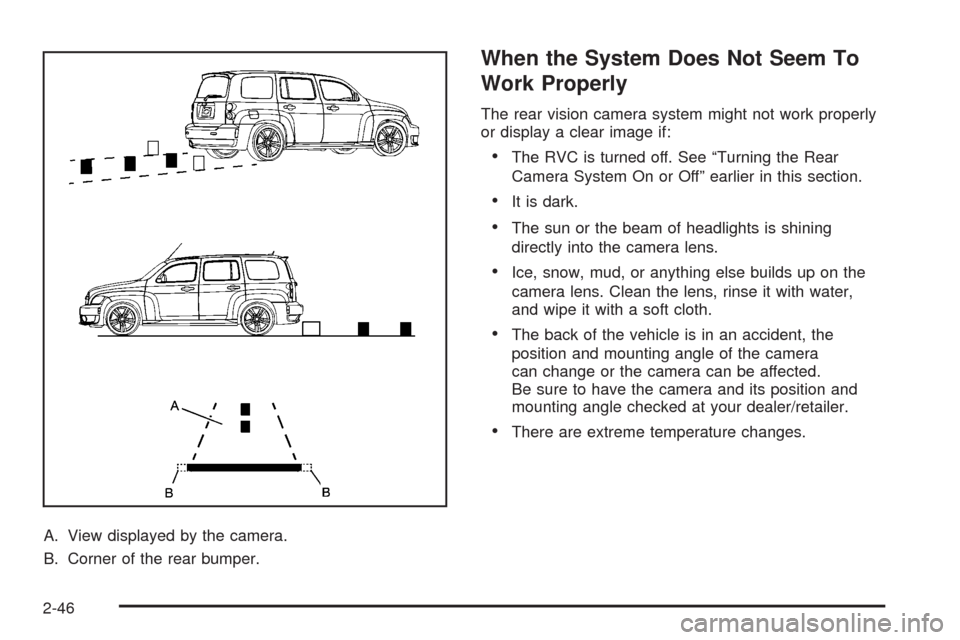
A. View displayed by the camera.
B. Corner of the rear bumper.
When the System Does Not Seem To
Work Properly
The rear vision camera system might not work properly
or display a clear image if:
The RVC is turned off. See “Turning the Rear
Camera System On or Off” earlier in this section.
It is dark.
The sun or the beam of headlights is shining
directly into the camera lens.
Ice, snow, mud, or anything else builds up on the
camera lens. Clean the lens, rinse it with water,
and wipe it with a soft cloth.
The back of the vehicle is in an accident, the
position and mounting angle of the camera
can change or the camera can be affected.
Be sure to have the camera and its position and
mounting angle checked at your dealer/retailer.
There are extreme temperature changes.
2-46
Page 131 of 450
The rear vision camera system display in the rearview
mirror may turn off or not appear as expected due to one
of the following conditions. If this occurs the left indicator
light on the mirror will ash.
A slow ash may indicate a loss of video signal, or no
video signal present during the reverse cycle.
A fast ash may indicate that the display has been on
for the maximum allowable time during a reverse
cycle, or the display has reached an Over
Temperature limit.
The fast ash conditions are used to protect the video
device from high temperature conditions. Once
conditions return to normal the device will reset and
the green indicator will stop ashing.
During any of these fault conditions, the display will be
blank and the indicator will continue to ash as long
as the vehicle is in R (Reverse) or until the conditions
return to normal.
Pressing and holding
zwhen the left indicator light is
ashing will turn off the video display along with the
left indicator light.
OnStar®System
OnStar uses several innovative technologies and live
advisors to provide a wide range of safety, security,
information, and convenience services. If the airbags
deploy, the system is designed to make an automatic
call to OnStar Emergency advisors who can request
emergency services be sent to your location. If the keys
are locked in the vehicle, call OnStar at 1-888-4-ONSTAR
to have a signal sent to unlock the doors. OnStar
Hands-Free Calling, including 30 trial minutes good
for 60 days, is available on most vehicles. OnStar
Turn-by-Turn Navigation service, with one trial route, is
available on most vehicles. Press the OnStar button to
have an OnStar advisor contact Roadside Service.
OnStar service is provided subject to the OnStar Terms
and Conditions included in the OnStar Subscriber
glove box literature.
2-47
Page 134 of 450
How OnStar Service Works
The OnStar system can record and transmit vehicle
information. This information is automatically sent to an
OnStar Call Center when the OnStar button is pressed,
the emergency button is pressed, or if the airbags or
AACN system deploy. This information usually includes
the vehicle’s GPS location and, in the event of a crash,
additional information regarding the crash that the vehicle
was involved in (e.g. the direction from which the vehicle
was hit). When the Virtual Advisor feature of OnStar
Hands-Free Calling is used, the vehicle also sends
OnStar the vehicle’s GPS location so they can provide
services where it is located.
OnStar service cannot work unless the vehicle is in a
place where OnStar has an agreement with a wireless
service provider for service in that area. OnStar service
also cannot work unless the vehicle is in a place where
the wireless service provider OnStar has hired for that
area has coverage, network capacity and reception when
the service is needed, and technology that is compatible
with the OnStar service. Not all services are available
everywhere, particularly in remote or enclosed areas,
or at all times.Location information about the vehicle is only available
if the GPS satellite signals are unobstructed and
available.
The vehicle must have a working electrical system,
including adequate battery power, for the OnStar
equipment to operate. There are other problems OnStar
cannot control that may prevent OnStar from providing
OnStar service at any particular time or place. Some
examples are damage to important parts of the vehicle
in a crash, hills, tall buildings, tunnels, weather or
wireless phone network congestion.
Your Responsibility
Increase the volume of the radio if the OnStar advisor
cannot be heard. If the light next to the OnStar buttons
is red, the system may not be functioning properly.
Press the OnStar button and request a vehicle
diagnostic. If the light appears clear (no light is
appearing), your OnStar subscription has expired and
all services have been deactivated. Press the OnStar
button to conrm that the OnStar equipment is active.
2-50
Page 141 of 450
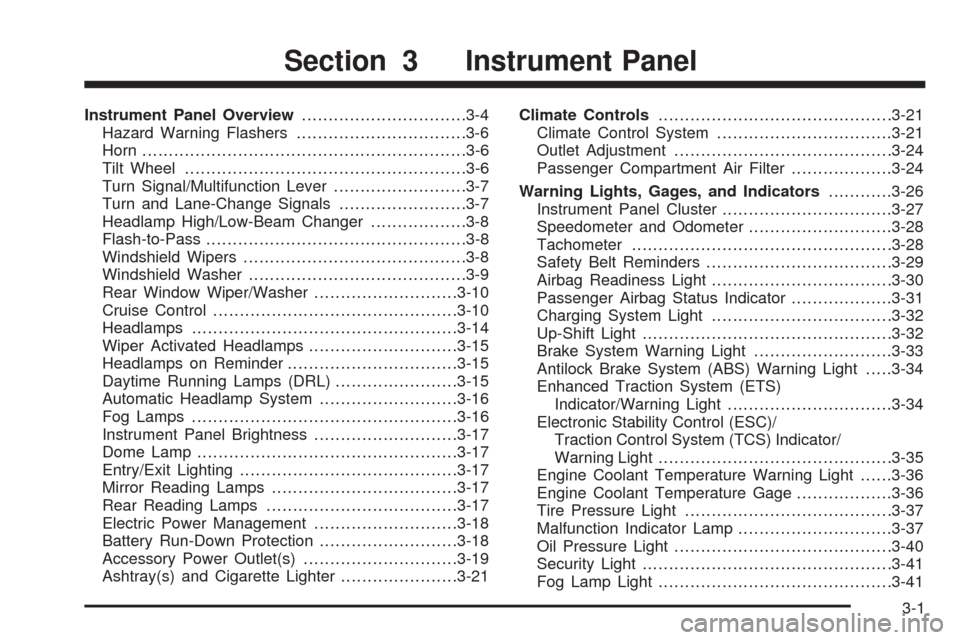
Instrument Panel Overview...............................3-4
Hazard Warning Flashers................................3-6
Horn .............................................................3-6
Tilt Wheel.....................................................3-6
Turn Signal/Multifunction Lever.........................3-7
Turn and Lane-Change Signals........................3-7
Headlamp High/Low-Beam Changer..................3-8
Flash-to-Pass.................................................3-8
Windshield Wipers..........................................3-8
Windshield Washer.........................................3-9
Rear Window Wiper/Washer...........................3-10
Cruise Control..............................................3-10
Headlamps..................................................3-14
Wiper Activated Headlamps............................3-15
Headlamps on Reminder................................3-15
Daytime Running Lamps (DRL).......................3-15
Automatic Headlamp System..........................3-16
Fog Lamps ..................................................3-16
Instrument Panel Brightness...........................3-17
Dome Lamp .................................................3-17
Entry/Exit Lighting.........................................3-17
Mirror Reading Lamps...................................3-17
Rear Reading Lamps....................................3-17
Electric Power Management...........................3-18
Battery Run-Down Protection..........................3-18
Accessory Power Outlet(s).............................3-19
Ashtray(s) and Cigarette Lighter......................3-21Climate Controls............................................3-21
Climate Control System.................................3-21
Outlet Adjustment.........................................3-24
Passenger Compartment Air Filter...................3-24
Warning Lights, Gages, and Indicators............3-26
Instrument Panel Cluster................................3-27
Speedometer and Odometer...........................3-28
Tachometer................................................
.3-28
Safety Belt Reminders...................................3-29
Airbag Readiness Light..................................3-30
Passenger Airbag Status Indicator...................3-31
Charging System Light..................................3-32
Up-Shift Light...............................................3-32
Brake System Warning Light..........................3-33
Antilock Brake System (ABS) Warning Light.....3-34
Enhanced Traction System (ETS)
Indicator/Warning Light...............................3-34
Electronic Stability Control (ESC)/
Traction Control System (TCS) Indicator/
Warning Light............................................3-35
Engine Coolant Temperature Warning Light......3-36
Engine Coolant Temperature Gage..................3-36
Tire Pressure Light.......................................3-37
Malfunction Indicator Lamp.............................3-37
Oil Pressure Light.........................................3-40
Security Light...............................................3-41
Fog Lamp Light............................................3-41
Section 3 Instrument Panel
3-1
Page 142 of 450
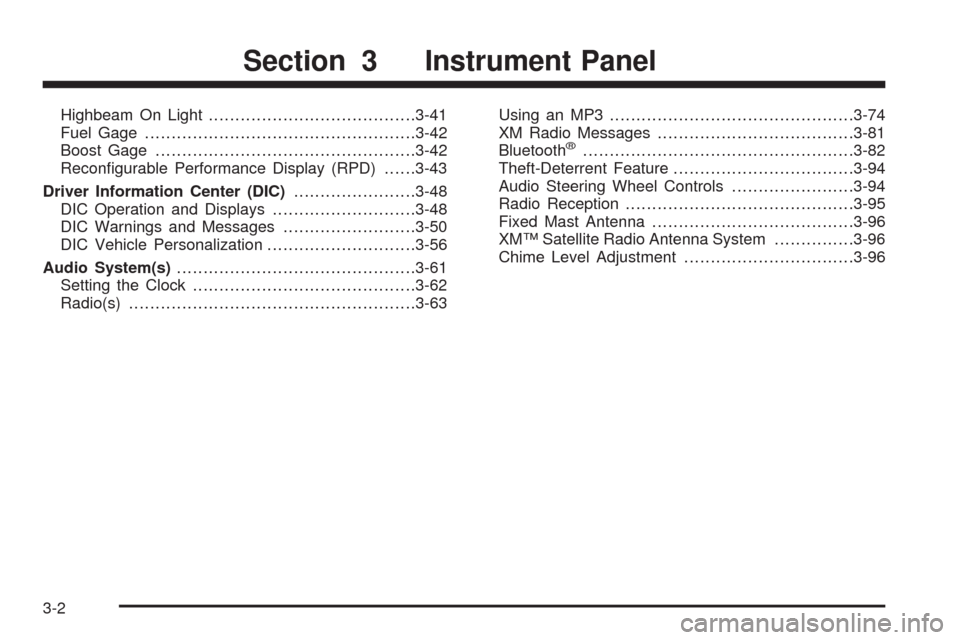
Highbeam On Light.......................................3-41
Fuel Gage...................................................3-42
Boost Gage.................................................3-42
Recongurable Performance Display (RPD)......3-43
Driver Information Center (DIC).......................3-48
DIC Operation and Displays...........................3-48
DIC Warnings and Messages.........................3-50
DIC Vehicle Personalization............................3-56
Audio System(s).............................................3-61
Setting the Clock..........................................3-62
Radio(s)......................................................3-63Using an MP3..............................................3-74
XM Radio Messages.....................................3-81
Bluetooth
®...................................................3-82
Theft-Deterrent Feature..................................3-94
Audio Steering Wheel Controls.......................3-94
Radio Reception...........................................3-95
Fixed Mast Antenna......................................3-96
XM™ Satellite Radio Antenna System...............3-96
Chime Level Adjustment................................3-96
Section 3 Instrument Panel
3-2