stop start CHEVROLET HHR 2010 1.G User Guide
[x] Cancel search | Manufacturer: CHEVROLET, Model Year: 2010, Model line: HHR, Model: CHEVROLET HHR 2010 1.GPages: 480, PDF Size: 5.25 MB
Page 197 of 480
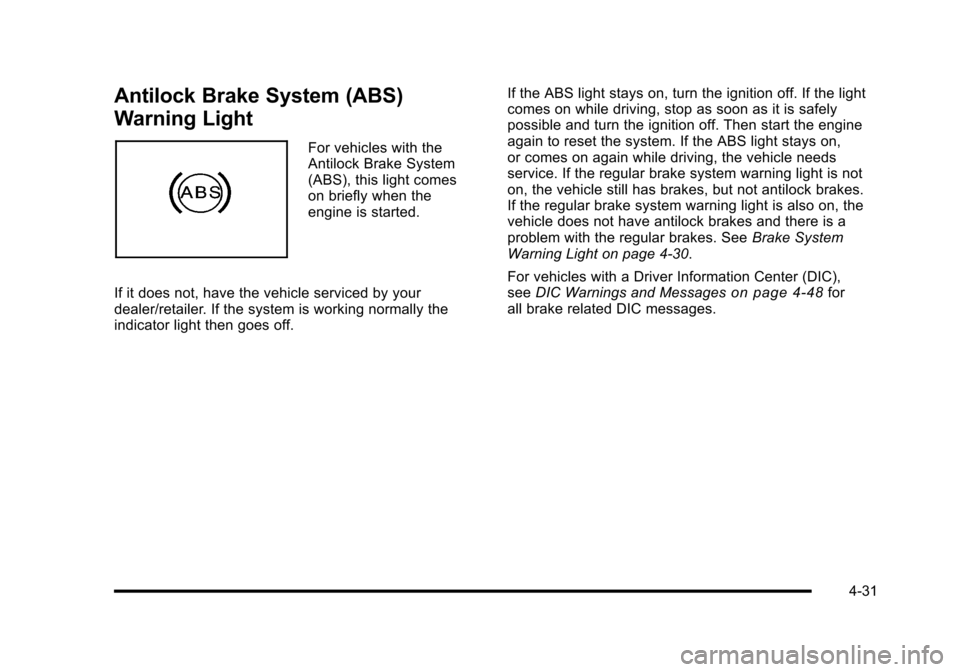
Antilock Brake System (ABS)
Warning Light
For vehicles with the
Antilock Brake System
(ABS), this light comes
on briefly when the
engine is started.
If it does not, have the vehicle serviced by your
dealer/retailer. If the system is working normally the
indicator light then goes off. If the ABS light stays on, turn the ignition off. If the light
comes on while driving, stop as soon as it is safely
possible and turn the ignition off. Then start the engine
again to reset the system. If the ABS light stays on,
or comes on again while driving, the vehicle needs
service. If the regular brake system warning light is not
on, the vehicle still has brakes, but not antilock brakes.
If the regular brake system warning light is also on, the
vehicle does not have antilock brakes and there is a
problem with the regular brakes. See
Brake System
Warning Light on page 4‑30.
For vehicles with a Driver Information Center (DIC),
see DIC Warnings and Messages
on page 4‑48for
all brake related DIC messages.
4-31
Page 200 of 480
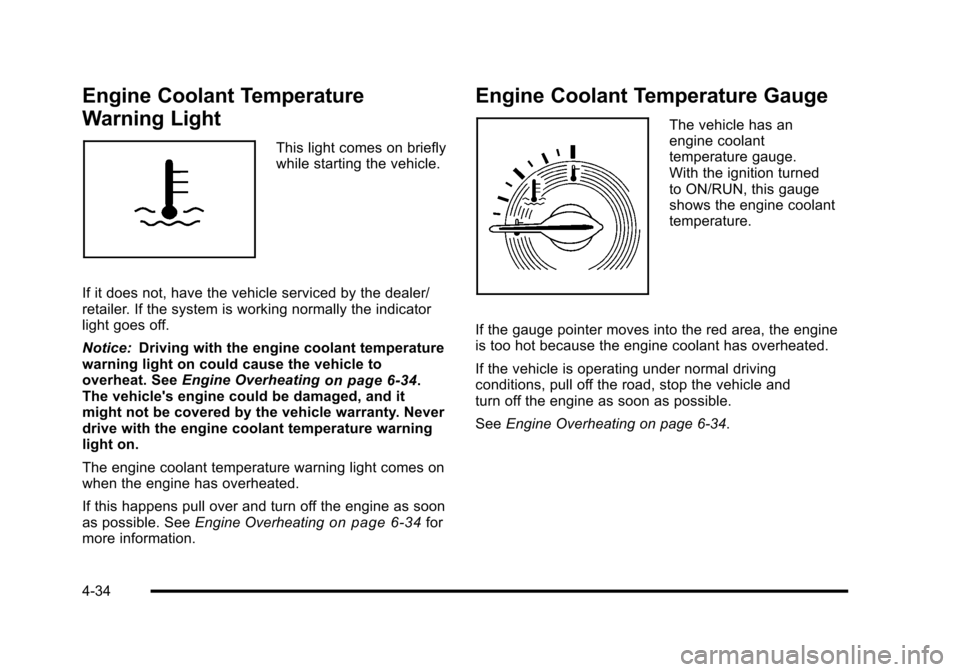
Engine Coolant Temperature
Warning Light
This light comes on briefly
while starting the vehicle.
If it does not, have the vehicle serviced by the dealer/
retailer. If the system is working normally the indicator
light goes off.
Notice: Driving with the engine coolant temperature
warning light on could cause the vehicle to
overheat. See Engine Overheating
on page 6‑34.
The vehicle's engine could be damaged, and it
might not be covered by the vehicle warranty. Never
drive with the engine coolant temperature warning
light on.
The engine coolant temperature warning light comes on
when the engine has overheated.
If this happens pull over and turn off the engine as soon
as possible. See Engine Overheating
on page 6‑34for
more information.
Engine Coolant Temperature Gauge
The vehicle has an
engine coolant
temperature gauge.
With the ignition turned
to ON/RUN, this gauge
shows the engine coolant
temperature.
If the gauge pointer moves into the red area, the engine
is too hot because the engine coolant has overheated.
If the vehicle is operating under normal driving
conditions, pull off the road, stop the vehicle and
turn off the engine as soon as possible.
See Engine Overheating on page 6‑34.
4-34
Page 201 of 480
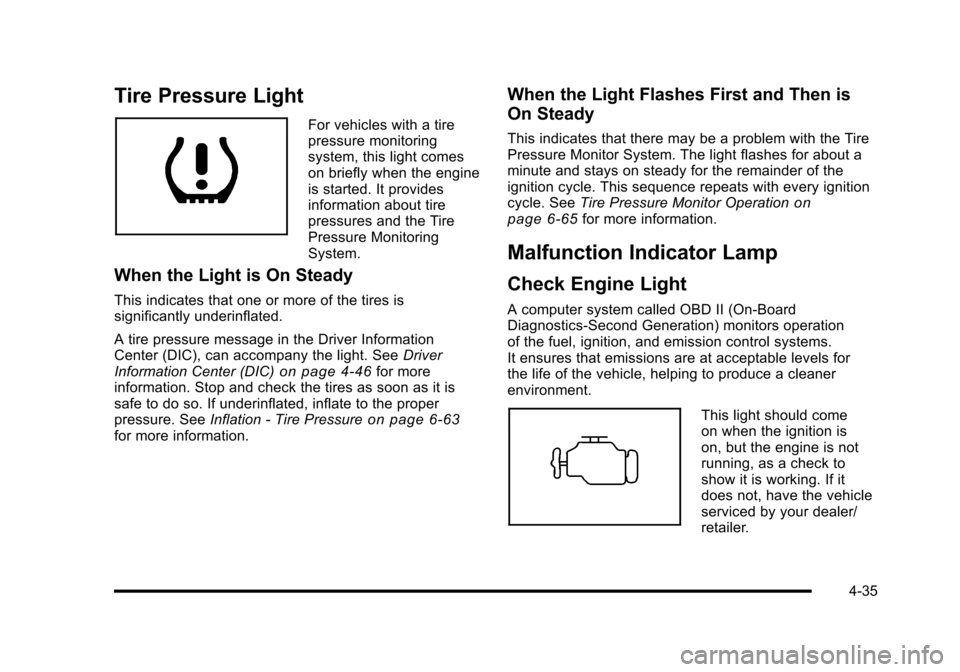
Tire Pressure Light
For vehicles with a tire
pressure monitoring
system, this light comes
on briefly when the engine
is started. It provides
information about tire
pressures and the Tire
Pressure Monitoring
System.
When the Light is On Steady
This indicates that one or more of the tires is
significantly underinflated.
A tire pressure message in the Driver Information
Center (DIC), can accompany the light. SeeDriver
Information Center (DIC)
on page 4‑46for more
information. Stop and check the tires as soon as it is
safe to do so. If underinflated, inflate to the proper
pressure. See Inflation - Tire Pressure
on page 6‑63for more information.
When the Light Flashes First and Then is
On Steady
This indicates that there may be a problem with the Tire
Pressure Monitor System. The light flashes for about a
minute and stays on steady for the remainder of the
ignition cycle. This sequence repeats with every ignition
cycle. SeeTire Pressure Monitor Operation
on
page 6‑65for more information.
Malfunction Indicator Lamp
Check Engine Light
A computer system called OBD II (On-Board
Diagnostics-Second Generation) monitors operation
of the fuel, ignition, and emission control systems.
It ensures that emissions are at acceptable levels for
the life of the vehicle, helping to produce a cleaner
environment.
This light should come
on when the ignition is
on, but the engine is not
running, as a check to
show it is working. If it
does not, have the vehicle
serviced by your dealer/
retailer.
4-35
Page 202 of 480
If the check engine light comes on and stays on, while
the engine is running, this indicates that there is an
OBD II problem and service is required.
Malfunctions often are indicated by the system before
any problem is apparent. Being aware of the light can
prevent more serious damage to the vehicle. This
system assists the service technician in correctly
diagnosing any malfunction.
Notice:If the vehicle is continually driven with this
light on, after a while, the emission controls might
not work as well, the vehicle's fuel economy might
not be as good, and the engine might not run as
smoothly. This could lead to costly repairs that
might not be covered by the vehicle warranty.
Notice: Modifications made to the engine,
transmission, exhaust, intake, or fuel system of
the vehicle or the replacement of the original tires
with other than those of the same Tire Performance
Criteria (TPC) can affect the vehicle's emission
controls and can cause this light to come on.
Modifications to these systems could lead to
costly repairs not covered by the vehicle warranty.
This could also result in a failure to pass a
required Emission Inspection/Maintenance test.
See Accessories and Modifications on page 6‑3. This light comes on during a malfunction in one of
two ways:
Light Flashing:
A misfire condition has been detected.
A misfire increases vehicle emissions and could
damage the emission control system on the vehicle.
Diagnosis and service might be required.
To prevent more serious damage to the vehicle:
.Reduce vehicle speed.
.Avoid hard accelerations.
.Avoid steep uphill grades.
.If towing a trailer, reduce the amount of cargo
being hauled as soon as it is possible.
If the light continues to flash, when it is safe to do so,
stop the vehicle. Find a safe place to park the vehicle.
Turn the key off, wait at least 10 seconds, and restart
the engine. If the light is still flashing, follow the
previous steps and see your dealer/retailer for
service as soon as possible.
4-36
Page 207 of 480
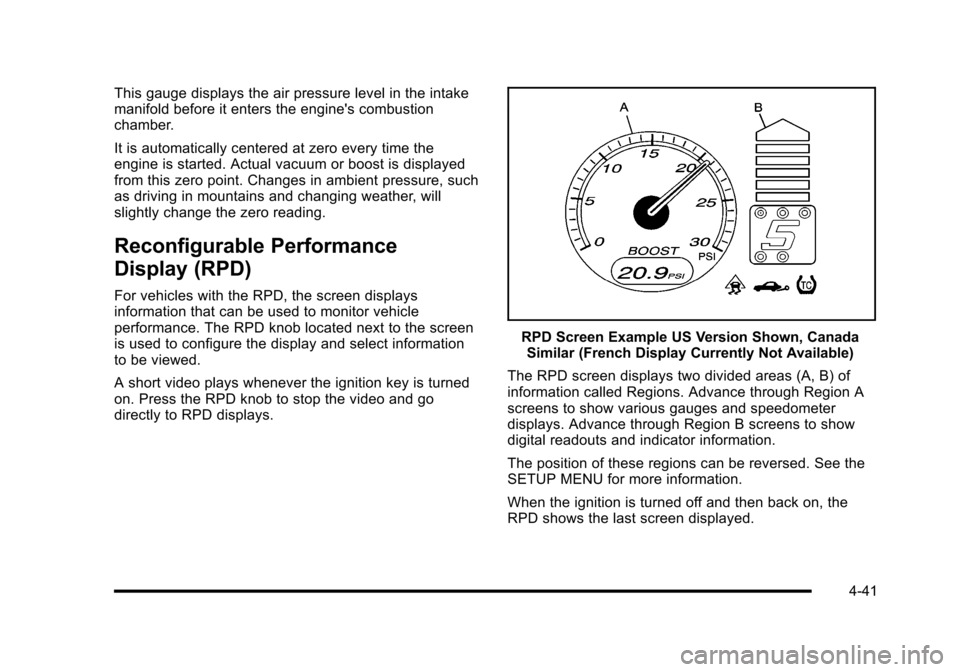
This gauge displays the air pressure level in the intake
manifold before it enters the engine's combustion
chamber.
It is automatically centered at zero every time the
engine is started. Actual vacuum or boost is displayed
from this zero point. Changes in ambient pressure, such
as driving in mountains and changing weather, will
slightly change the zero reading.
Reconfigurable Performance
Display (RPD)
For vehicles with the RPD, the screen displays
information that can be used to monitor vehicle
performance. The RPD knob located next to the screen
is used to configure the display and select information
to be viewed.
A short video plays whenever the ignition key is turned
on. Press the RPD knob to stop the video and go
directly to RPD displays.
RPD Screen Example US Version Shown, CanadaSimilar (French Display Currently Not Available)
The RPD screen displays two divided areas (A, B) of
information called Regions. Advance through Region A
screens to show various gauges and speedometer
displays. Advance through Region B screens to show
digital readouts and indicator information.
The position of these regions can be reversed. See the
SETUP MENU for more information.
When the ignition is turned off and then back on, the
RPD shows the last screen displayed.
4-41
Page 216 of 480
CRUISE ENGAGED
This message displays when the cruise control system
is active. SeeCruise Controlon page 4‑8for more
information.
DOOR AJAR
This message displays if one or more of the vehicle's
doors are open. Make sure that the door(s) are closed
completely.
ENGINE DISABLED
This message displays if the starting of the engine is
disabled. Have your vehicle serviced by your dealer/
retailer immediately.
ENG (Engine) PWR (Power) REDUCED
This message displays to inform you that the vehicle
has reduced engine power to avoid damaging the
engine. Reduced engine power can affect the vehicle's
ability to accelerate. If this message is on, but there
is no reduction in performance, proceed to your
destination. The performance may be reduced the
next time the vehicle is driven. The vehicle may be
driven at a reduced speed while this message is on,
but acceleration and speed may be reduced. Anytime
this message stays on, the vehicle should be taken to
your dealer/retailer for service as soon as possible.
ESC (Electronic Stability Control) ACTIVE
If your vehicle has Electronic Stability Control (ESC),
this message displays and the ESC/TCS light on the
instrument panel cluster flashes when ESC is assisting
you with directional control of the vehicle. You may
feel or hear the system working and see this message
displayed in the DIC. Slippery road conditions may exist
when this message is displayed, so adjust your driving
accordingly. This message may stay on for a few
seconds after ESC stops assisting you with directional
control of the vehicle. This is normal when the system
is operating. See Electronic Stability Control (ESC)
on
page 5‑6and Electronic Stability Control (ESC)/
Traction Control System (TCS) Indicator/Warning Light
on page 4‑33for more information.
ESC (Electronic Stability Control)
NOT READY
If your vehicle has Electronic Stability Control (ESC),
this message may display briefly after starting the
vehicle if the system's sensors are not yet calibrated.
The system is not functional until the message stops
displaying. Adjust your driving accordingly. When
the message is no longer displayed, the system is
functional. See Electronic Stability Control (ESC)
on
page 5‑6for more information.
4-50
Page 236 of 480
Radio Messages
Calibration Error:Displays if the radio is no longer
calibrated properly for the vehicle. The vehicle must be
returned to your dealer/retailer for service.
Loc or Locked: Displays when the THEFTLOCK
®
system has activated. Take the vehicle to your dealer/
retailer for service.
If any error occurs repeatedly or if an error cannot be
corrected, contact your dealer/retailer.
XM Satellite Radio Service
XM is a satellite radio service that is based in the
48 contiguous United States and 10 Canadian
provinces. XM Satellite Radio has a wide variety of
programming and commercial-free music,
coast-to-coast, and in digital-quality sound. A service
fee is required to receive the XM service. For more
information, contact XM at www.xmradio.com or call
1-800-929-2100 in the U.S. and www.xmradio.ca or call
1-877-438-9677 in Canada.
Radio Messages for XM Only
SeeXM Radio Messageson page 4‑80for more
information.
Loading a CD
Insert a CD partway into the slot, label side up. The
player pulls it in and the CD begins playing.
When the CD is inserted, the CD symbol displays. As
each new track starts to play, the track number displays.
The CD player can play the smaller 3 inch (8 cm) single
CDs with an adapter ring. Full-size CDs and the smaller
CDs are loaded in the same manner.
Ejecting a CD
Z
EJECT: Press to eject the CD. If the CD is not
removed, after several seconds, the CD automatically
pulls back into the player.
Playing a CD
If the ignition or radio is turned off with a CD in the
player it stays in the player. When the ignition or radio is
turned on, the CD starts to play where it stopped, if it
was the last selected audio source.
f(Tune): Turn to select tracks on the CD currently
playing.
©SEEK: Press to go to the start of the current track,
if more than ten seconds have played. Press and hold
or press multiple times to continue moving backward
through the tracks on the CD.
4-70
Page 266 of 480
Avoid needless heavy braking. Some people drive in
spurts, heavy acceleration followed by heavy braking,
rather than keeping pace with traffic. This is a mistake.
The brakes might not have time to cool between hard
stops. The brakes will wear out much faster with a
lot of heavy braking. Keeping pace with the traffic and
allowing realistic following distances eliminates a lot of
unnecessary braking. That means better braking and
longer brake life.
If the engine ever stops while the vehicle is being
driven, brake normally but do not pump the brakes.
If the brakes are pumped, the pedal could get harder
to push down. If the engine stops, there will still be
some power brake assist but it will be used when the
brake is applied. Once the power assist is used up, it
can take longer to stop and the brake pedal will be
harder to push.
If the vehicle has Electronic Stability Control (ESC) and
the 2.0L turbocharged engine, it also has a hydraulic
brake boost feature which supplements the power brake
system to maintain consistent brake performance under
conditions of low brake booster vacuum. Low brake
booster vacuum conditions can include initial start up
after the vehicle has been parked for several hours,
very frequent brake stops, or high altitude driving. When
hydraulic brake boost is active, minor brake pulsation or
movement might be felt but this is normal. If brake pedalfeel changes or the brake pedal feels hard to push, the
system might not be receiving the intended brake boost
and the SVC BRAKE SYSTEM DIC message may be
displayed.
Adding non‐dealer/non‐retailer accessories can affect
vehicle performance. See
Accessories and
Modifications on page 6‑3.
Antilock Brake System (ABS)
The vehicle might have the Antilock Brake System
(ABS), an advanced electronic braking system that
helps prevent a braking skid.
If the vehicle has ABS,
this warning light on the
instrument panel comes
on briefly when the
vehicle is started.
When the engine is started, or when the vehicle begins
to drive away, ABS checks itself. A momentary motor
or clicking noise might be heard while this test is going
on, and it might even be noticed that the brake pedal
moves or pulses a little. This is normal.
5-4
Page 268 of 480
Brake Assist
If this vehicle has ESC with ABS, it also has a Brake
Assist feature designed to assist the driver in stopping
or decreasing vehicle speed in emergency driving
conditions. This feature uses the stability system
hydraulic brake control module to supplement the power
brake system under conditions where the driver has
quickly and forcefully applied the brake pedal in an
attempt to quickly stop or slow down the vehicle. The
stability system hydraulic brake control module
increases brake pressure at each corner of the vehicle
until the ABS activates. Minor brake pedal pulsations or
pedal movement during this time is normal and the
driver should continue to apply the brake pedal as the
driving situation dictates The Brake Assist feature will
automatically disengage when the brake pedal is
released or brake pedal pressure is quickly decreased.
Electronic Stability Control (ESC)
The vehicle has an Electronic Stability Control (ESC)
system which combines antilock brake, and traction and
stability control systems that help the driver maintain
directional control of the vehicle in most driving
conditions.
When the vehicle is started and begins to move, the
system performs several diagnostic checks to ensure
there are no problems. The system may be heard or felt
while it is working. This is normal and does not mean
there is a problem with the vehicle. The system should
initialize before the vehicle reaches 20 mph (32 km/h).
If the system fails to turn on or activate, the ESC/TCS
light comes on, and the ESC OFF and/or SERVICE
ESC message displays.
For more information, seeDriver Information Center
(DIC)
on page 4‑46and Electronic Stability Control
(ESC)/Traction Control System (TCS) Indicator/Warning
Light on page 4‑33.
5-6
Page 278 of 480
Skidding
In a skid, a driver can lose control of the vehicle.
Defensive drivers avoid most skids by taking
reasonable care suited to existing conditions, and
by not overdriving those conditions. But skids are
always possible.
The three types of skids correspond to the vehicle's
three control systems. In the braking skid, the wheels
are not rolling. In the steering or cornering skid, too
much speed or steering in a curve causes tires to slip
and lose cornering force. And in the acceleration skid,
too much throttle causes the driving wheels to spin.
If the vehicle has the Traction Control System (TCS) or
the Enhanced Traction System (ETS), remember: It
helps to avoid only the acceleration skid. SeeTraction
Control System (TCS)
on page 5‑9or Enhanced
Traction System (ETS)on page 5‑11. If the vehicle
does not have TCS or ETS, or if the system is off, then
an acceleration skid is best handled by easing your foot
off the accelerator pedal.
If the vehicle starts to slide, ease your foot off the
accelerator pedal and quickly steer the way you want
the vehicle to go. If you start steering quickly enough,
the vehicle may straighten out. Always be ready for a
second skid if it occurs. If the vehicle has Electronic Stability Control (ESC), the
ESC might activate. See
Electronic Stability Control
(ESC) on page 5‑6.
Of course, traction is reduced when water, snow, ice,
gravel, or other material is on the road. For safety, slow
down and adjust your driving to these conditions. It is
important to slow down on slippery surfaces because
stopping distance will be longer and vehicle control
more limited.
While driving on a surface with reduced traction, try
your best to avoid sudden steering, acceleration,
or braking, including reducing vehicle speed by shifting
to a lower gear. Any sudden changes could cause the
tires to slide. You may not realize the surface is slippery
until the vehicle is skidding. Learn to recognize warning
clues —such as enough water, ice, or packed snow on
the road to make a mirrored surface —and slow down
when you have any doubt.
If the vehicle has the Antilock Brake System (ABS),
remember: It helps avoid only the braking skid. If the
vehicle does not have ABS, then in a braking skid,
where the wheels are no longer rolling, release enough
pressure on the brakes to get the wheels rolling again.
This restores steering control. Push the brake pedal
down steadily when you have to stop suddenly. As long
as the wheels are rolling, you will have steering control.
5-16