ABS CHEVROLET HHR 2011 1.G User Guide
[x] Cancel search | Manufacturer: CHEVROLET, Model Year: 2011, Model line: HHR, Model: CHEVROLET HHR 2011 1.GPages: 430, PDF Size: 4.57 MB
Page 215 of 430
Black plate (59,1)Chevrolet HHR Owner Manual - 2011
Finding a Category (CAT) Station
(XM Satellite Radio Service Only)
CAT (Category):The radio may have the CAT button
feature.
To select and find a desired category:
1. Press BAND until the XM frequency displays.
2. Press CAT to display the category tabs on the radio display. Continue pressing the CAT button
until the desired category name displays.
3. Press either of the two softkeys below the desired category tab to immediately tune to the
first XM station associated with that category.
4. To go to the previous or to the next XM station within the selected category, do one of the
following:
.Turnf.
.Press the softkeys below the right or left arrows
on the radio display.
.Press©SEEK or¨SEEK.
5. To exit the category search mode, press the FAV button or BAND button to display the favorites
again. Undesired XM categories can be removed through the
setup menu. To remove an undesired category:
1. Press MENU to display the radio setup menu.
2. Press the softkey below the XM CAT tab.
3. Turn
fto display the category to be removed.
4. Press the softkey below the Remove tab until the category name along with the word Removed
displays.
5. Repeat the steps to remove additional categories.
Removed categories can be restored by pressing the
softkey under the Add tab when a removed category
displays or by pressing the softkey below the Restore
All tab.
Categories cannot be removed or added while the
vehicle is moving faster than 5 mph (8 km/h).
Radio Messages
Calibration Error: Displays if the radio is no longer
calibrated properly for the vehicle. The vehicle must be
returned to your dealer for service.
Loc or Locked: Displays when the THEFTLOCK
®
system has activated. Take the vehicle to your dealer
for service.
If any error occurs repeatedly or if an error cannot be
corrected, contact your dealer.
4-59
Page 239 of 430
Black plate (1,1)Chevrolet HHR Owner Manual - 2011
Section 5 Driving Your Vehicle
Your Driving, the Road, and the Vehicle. . . . . . . . . .5-2
Defensive Driving . . . . . . . . . . . . . . . . . . . . . . . . . . . . . . . 5-2
Drunk Driving . . . . . . . . . . . . . . . . . . . . . . . . . . . . . . . . . . . 5-2
Control of a Vehicle . . . . . . . . . . . . . . . . . . . . . . . . . . . . . 5-3
Braking . . . . . . . . . . . . . . . . . . . . . . . . . . . . . . . . . . . . . . . . . 5-3
Antilock Brake System (ABS) . . . . . . . . . . . . . . . . . . . 5-4
Braking in Emergencies . . . . . . . . . . . . . . . . . . . . . . . . . 5-5
Electronic Stability Control (ESC) . . . . . . . . . . . . . . . 5-6
Traction Control System (TCS) . . . . . . . . . . . . . . . . . . 5-8
Enhanced Traction System (ETS) . . . . . . . . . . . . . . 5-10
Limited-Slip Differential . . . . . . . . . . . . . . . . . . . . . . . . 5-11
Steering . . . . . . . . . . . . . . . . . . . . . . . . . . . . . . . . . . . . . . . 5-12
Off-Road Recovery . . . . . . . . . . . . . . . . . . . . . . . . . . . . 5-13
Passing . . . . . . . . . . . . . . . . . . . . . . . . . . . . . . . . . . . . . . . . 5-14
Loss of Control . . . . . . . . . . . . . . . . . . . . . . . . . . . . . . . . 5-14
Racing or Other Competitive Driving . . . . . . . . . . . 5-15 Driving at Night . . . . . . . . . . . . . . . . . . . . . . . . . . . . . . . . 5-16
Driving in Rain and on Wet Roads . . . . . . . . . . . . . 5-16
Before Leaving on a Long Trip . . . . . . . . . . . . . . . . . 5-17
Highway Hypnosis . . . . . . . . . . . . . . . . . . . . . . . . . . . . . 5-18
Hill and Mountain Roads . . . . . . . . . . . . . . . . . . . . . . . 5-18
Winter Driving . . . . . . . . . . . . . . . . . . . . . . . . . . . . . . . . . 5-19
If Your Vehicle is Stuck in Sand, Mud, Ice,
or Snow . . . . . . . . . . . . . . . . . . . . . . . . . . . . . . . . . . . . . 5-21
Rocking Your Vehicle to Get It Out . . . . . . . . . . . . . 5-21
Loading the Vehicle . . . . . . . . . . . . . . . . . . . . . . . . . . . . 5-22
Towing . . . . . . . . . . . . . . . . . . . . . . . . . . . . . . . . . . . . . . . . . . . . 5-28
Towing Your Vehicle . . . . . . . . . . . . . . . . . . . . . . . . . . . 5-28
Recreational Vehicle Towing . . . . . . . . . . . . . . . . . . . 5-28
Towing a Trailer (Automatic Transmission) . . . . . 5-31
Towing a Trailer (Manual Transmission) . . . . . . . . 5-37
5-1
Page 242 of 430
Black plate (4,1)Chevrolet HHR Owner Manual - 2011
allowing realistic following distances eliminates a lot of
unnecessary braking. That means better braking and
longer brake life.
If the engine ever stops while the vehicle is being
driven, brake normally but do not pump the brakes.
If the brakes are pumped, the pedal could get harder to
push down. If the engine stops, there will still be some
power brake assist but it will be used when the brake is
applied. Once the power assist is used up, it can take
longer to stop and the brake pedal will be harder
to push.
If the vehicle has Electronic Stability Control (ESC) and
the 2.0L turbocharged engine, it also has a hydraulic
brake boost feature which supplements the power brake
system to maintain consistent brake performance under
conditions of low brake booster vacuum. Low brake
booster vacuum conditions can include initial start up
after the vehicle has been parked for several hours,
very frequent brake stops, or high altitude driving. When
hydraulic brake boost is active, minor brake pulsation or
movement might be felt but this is normal. If brake pedal
feel changes or the brake pedal feels hard to push, the
system might not be receiving the intended brake boost
and the SVC BRAKE SYSTEM DIC message may be
displayed.
Adding non‐dealer accessories can affect vehicle
performance. SeeAccessories and Modifications
on
page 6‑3.
Antilock Brake System (ABS)
The vehicle might have the Antilock Brake
System (ABS), an advanced electronic braking
system that helps prevent a braking skid.
If the vehicle has ABS,
this warning light on the
instrument panel comes
on briefly when the
vehicle is started.
When the engine is started, or when the vehicle begins
to drive away, ABS checks itself. A momentary motor or
clicking noise might be heard while this test is going on,
and it might even be noticed that the brake pedal
moves or pulses a little. This is normal.
Let us say the road is wet and you are driving safely.
Suddenly, an animal jumps out in front of you. You slam
on the brakes and continue braking. Here is what
happens with ABS:
A computer senses that the wheels are slowing down.
If one of the wheels is about to stop rolling, the
computer will separately work the brakes at each wheel.
5-4
Page 243 of 430
Black plate (5,1)Chevrolet HHR Owner Manual - 2011
ABS can change the brake pressure to each wheel, as
required, faster than any driver could. This can help the
driver steer around the obstacle while braking hard.
As the brakes are applied, the computer keeps
receiving updates on wheel speed and controls braking
pressure accordingly.
Remember: ABS does not change the time needed to
get a foot up to the brake pedal or always decrease
stopping distance. If you get too close to the vehicle in
front of you, there will not be enough time to apply the
brakes if that vehicle suddenly slows or stops. Always
leave enough room up ahead to stop, even with ABS.
Using ABS
Do not pump the brakes. Just hold the brake pedal
down firmly and let antilock work. A slight brake pedal
pulsation might be felt or some noise noticed, but this is
normal.
Braking in Emergencies
At some time, nearly every driver gets into a situation
that requires hard braking.
If the vehicle has Electronic Stability Control (ESC) with
Antilock Brake System (ABS), it allows the driver to
steer and brake at the same time. However, if the
vehicle does not have ESC with ABS, the first
reaction—to hit the brake pedal hard and hold it
down —might be the wrong thing to do. The wheels can stop rolling. Once they do, the vehicle cannot respond
to the driver's steering. Momentum will carry it in
whatever direction it was headed when the wheels
stopped rolling. That could be off the road, into the very
thing the driver was trying to avoid, or into traffic.
If the vehicle does not have ABS, use a
“squeeze”
braking technique. This gives maximum braking while
maintaining steering control. Do this by pushing on the
brake pedal with steadily increasing pressure.
In an emergency, you will probably want to squeeze the
brakes hard without locking the wheels. If you hear or
feel the wheels sliding, ease off the brake pedal. This
helps retain steering control. Without ABS, it is different.
See Antilock Brake System (ABS) on page 5‑4.
In many emergencies, steering can help more than
even the very best braking.
Brake Assist
If this vehicle has ESC with ABS, it also has a Brake
Assist feature designed to assist the driver in stopping
or decreasing vehicle speed in emergency driving
conditions. This feature uses the stability system
hydraulic brake control module to supplement the power
brake system under conditions where the driver has
quickly and forcefully applied the brake pedal in an
attempt to quickly stop or slow down the vehicle. The
stability system hydraulic brake control module
increases brake pressure at each corner of the vehicle
5-5
Page 244 of 430
Black plate (6,1)Chevrolet HHR Owner Manual - 2011
until the ABS activates. Minor brake pedal pulsations or
pedal movement during this time is normal and the
driver should continue to apply the brake pedal as the
driving situation dictates The Brake Assist feature will
automatically disengage when the brake pedal is
released or brake pedal pressure is quickly decreased.
Electronic Stability Control (ESC)
The vehicle has an Electronic Stability Control (ESC)
system which combines antilock brake, and traction and
stability control systems that help the driver maintain
directional control of the vehicle in most driving
conditions.
When the vehicle is started and begins to move, the
system performs several diagnostic checks to ensure
there are no problems. The system may be heard or felt
while it is working. This is normal and does not mean
there is a problem with the vehicle. The system should
initialize before the vehicle reaches 20 mph (32 km/h).
If the system fails to turn on or activate, the ESC/TCS
light comes on, and the ESC OFF and/or SERVICE
ESC message displays.
For more information, seeDriver Information Center
(DIC)
on page 4‑38and Electronic Stability Control
(ESC)/Traction Control System (TCS) Indicator/Warning
Light on page 4‑31.
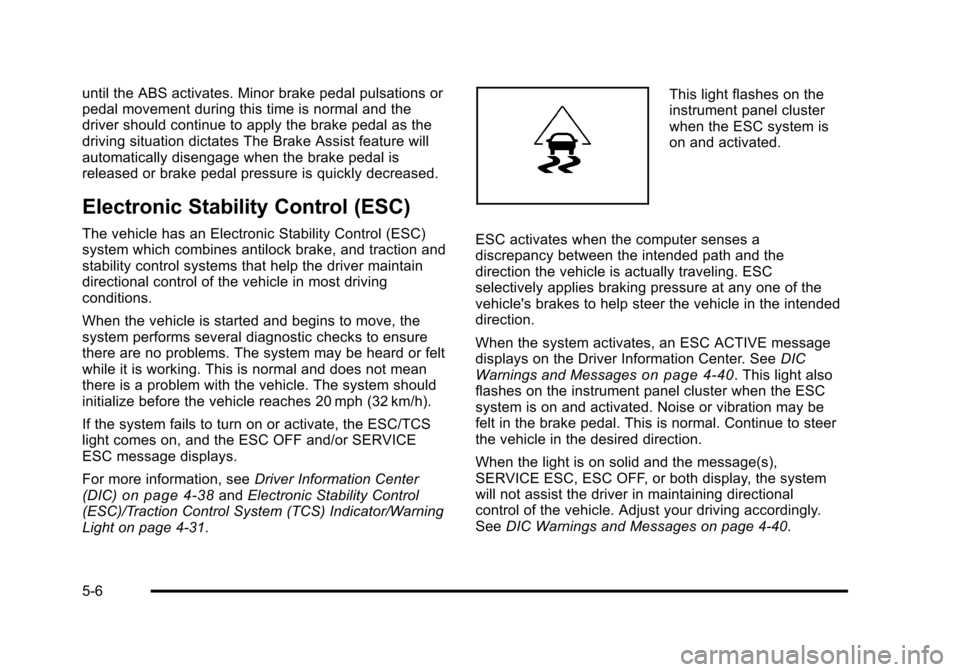
This light flashes on the
instrument panel cluster
when the ESC system is
on and activated.
ESC activates when the computer senses a
discrepancy between the intended path and the
direction the vehicle is actually traveling. ESC
selectively applies braking pressure at any one of the
vehicle's brakes to help steer the vehicle in the intended
direction.
When the system activates, an ESC ACTIVE message
displays on the Driver Information Center. See DIC
Warnings and Messages
on page 4‑40. This light also
flashes on the instrument panel cluster when the ESC
system is on and activated. Noise or vibration may be
felt in the brake pedal. This is normal. Continue to steer
the vehicle in the desired direction.
When the light is on solid and the message(s),
SERVICE ESC, ESC OFF, or both display, the system
will not assist the driver in maintaining directional
control of the vehicle. Adjust your driving accordingly.
See DIC Warnings and Messages on page 4‑40.
5-6
Page 247 of 430
Black plate (9,1)Chevrolet HHR Owner Manual - 2011
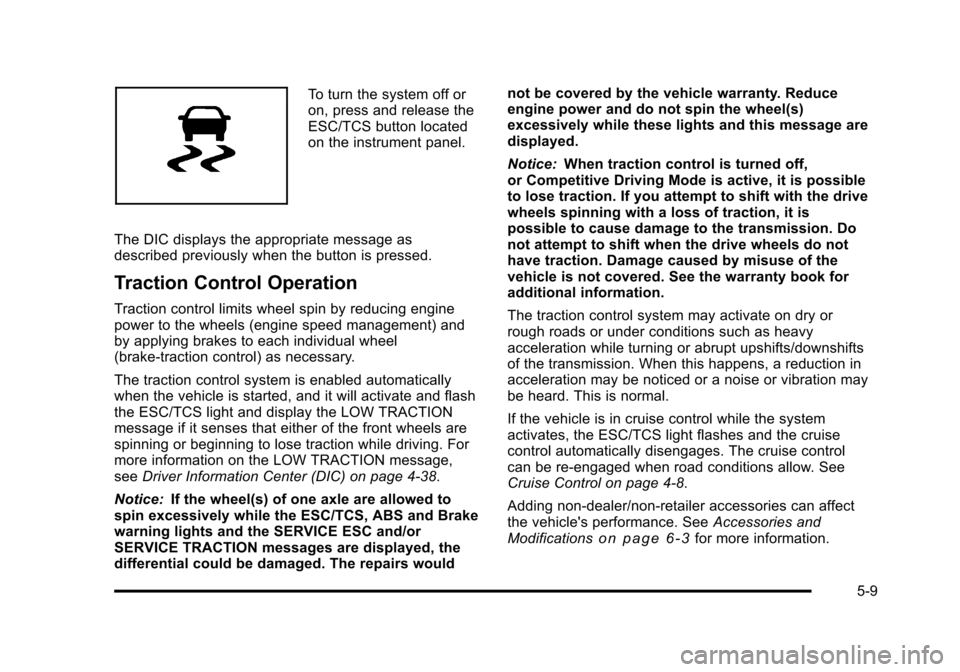
To turn the system off or
on, press and release the
ESC/TCS button located
on the instrument panel.
The DIC displays the appropriate message as
described previously when the button is pressed.
Traction Control Operation
Traction control limits wheel spin by reducing engine
power to the wheels (engine speed management) and
by applying brakes to each individual wheel
(brake-traction control) as necessary.
The traction control system is enabled automatically
when the vehicle is started, and it will activate and flash
the ESC/TCS light and display the LOW TRACTION
message if it senses that either of the front wheels are
spinning or beginning to lose traction while driving. For
more information on the LOW TRACTION message,
see Driver Information Center (DIC) on page 4‑38.
Notice: If the wheel(s) of one axle are allowed to
spin excessively while the ESC/TCS, ABS and Brake
warning lights and the SERVICE ESC and/or
SERVICE TRACTION messages are displayed, the
differential could be damaged. The repairs would not be covered by the vehicle warranty. Reduce
engine power and do not spin the wheel(s)
excessively while these lights and this message are
displayed.
Notice:
When traction control is turned off,
or Competitive Driving Mode is active, it is possible
to lose traction. If you attempt to shift with the drive
wheels spinning with a loss of traction, it is
possible to cause damage to the transmission. Do
not attempt to shift when the drive wheels do not
have traction. Damage caused by misuse of the
vehicle is not covered. See the warranty book for
additional information.
The traction control system may activate on dry or
rough roads or under conditions such as heavy
acceleration while turning or abrupt upshifts/downshifts
of the transmission. When this happens, a reduction in
acceleration may be noticed or a noise or vibration may
be heard. This is normal.
If the vehicle is in cruise control while the system
activates, the ESC/TCS light flashes and the cruise
control automatically disengages. The cruise control
can be re-engaged when road conditions allow. See
Cruise Control on page 4‑8.
Adding non‐dealer/non‐retailer accessories can affect
the vehicle's performance. See Accessories and
Modifications
on page 6‑3for more information.
5-9
Page 253 of 430
Black plate (15,1)Chevrolet HHR Owner Manual - 2011
If the vehicle has Electronic Stability Control (ESC), the
ESC might activate. SeeElectronic Stability Control
(ESC) on page 5‑6.
Of course, traction is reduced when water, snow, ice,
gravel, or other material is on the road. For safety, slow
down and adjust your driving to these conditions. It is
important to slow down on slippery surfaces because
stopping distance will be longer and vehicle control
more limited.
While driving on a surface with reduced traction, try
your best to avoid sudden steering, acceleration,
or braking, including reducing vehicle speed by shifting
to a lower gear. Any sudden changes could cause the
tires to slide. You may not realize the surface is slippery
until the vehicle is skidding. Learn to recognize warning
clues —such as enough water, ice, or packed snow on
the road to make a mirrored surface —and slow down
when you have any doubt.
If the vehicle has the Antilock Brake System (ABS),
remember: It helps avoid only the braking skid. If the
vehicle does not have ABS, then in a braking skid,
where the wheels are no longer rolling, release enough
pressure on the brakes to get the wheels rolling again.
This restores steering control. Push the brake pedal
down steadily when you have to stop suddenly. As long
as the wheels are rolling, you will have steering control.Racing or Other Competitive Driving
See your warranty book before using your vehicle for
racing or other competitive driving. After reviewing your
warranty book, please see the GM Performance Parts
website or catalog and contact the race sanctioning
bodies, for example Sports Car Club of America
(SCCA) or Grand American, for parts and equipment
required for racing or other competitive driving.
Notice: If you use your vehicle for competitive
driving, the engine may use more oil than it would
with normal use. Low oil levels can damage the
engine. Be sure to check the oil level often during
competitive driving and keep the level at or near the
upper mark that shows the proper operating range
on the engine oil dipstick. For information on how to
add oil, see Engine Oil on page 6‑16.
5-15
Page 257 of 430
Black plate (19,1)Chevrolet HHR Owner Manual - 2011
.Top of hills: Be alert—something could be in your
lane (stalled car, accident).
.Pay attention to special road signs (falling rocks
area, winding roads, long grades, passing or
no-passing zones) and take appropriate action.
Winter Driving
Driving on Snow or Ice
Drive carefully when there is snow or ice between the
tires and the road, creating less traction or grip. Wet ice
can occur at about 0°C (32°F) when freezing rain
begins to fall, resulting in even less traction. Avoid
driving on wet ice or in freezing rain until roads can be
treated with salt or sand.
Drive with caution, whatever the condition. Accelerate
gently so traction is not lost. Accelerating too quickly
causes the wheels to spin and makes the surface under
the tires slick, so there is even less traction.
Try not to break the fragile traction. If you accelerate too
fast, the drive wheels will spin and polish the surface
under the tires even more. If the vehicle has the
Traction Control System (TCS)
on
page 5‑8or Enhanced Traction System (ETS)on
page 5‑10, it improves the ability to accelerate on
slippery roads, but slow down and adjust your driving to
the road conditions. When driving through deep snow,
turn off the traction system to help maintain vehicle
motion at lower speeds.
The Antilock Brake System (ABS)
on page 5‑4improves vehicle stability during hard stops on a
slippery roads, but apply the brakes sooner than when
on dry pavement.
Allow greater following distance on any slippery road
and watch for slippery spots. Icy patches can occur on
otherwise clear roads in shaded areas. The surface of a
curve or an overpass can remain icy when the
surrounding roads are clear. Avoid sudden steering
maneuvers and braking while on ice.
Turn off cruise control, if equipped, on slippery surfaces.
5-19
Page 274 of 430
Black plate (36,1)Chevrolet HHR Owner Manual - 2011
Driving on Grades
Notice:Do not tow on steep continuous grades
exceeding 9.6 km (6 miles). Extended, higher than
normal engine and transmission temperatures may
result and damage the vehicle. Frequent stops are
very important to allow the engine and transmission
to cool.
When towing under severe conditions such as hot
ambient temperatures or steep grades, the vehicle may
experience more transmission shifting. A COOLING
MODE ON message may also appear in the DIC. This
alerts the driver that the shifting mode is in progress
and is aiding engine cooling. See DIC Warnings and
Messages
on page 4‑40DIC Warnings and Messages
for more information.
Reduce speed and shift to a lower gear beforestarting
down a long or steep downgrade. If the transmission is
not shifted down, the brakes might have to be used so
much that they would get hot and no longer work well.
Pay attention to the engine coolant gauge. If the
indicator is in the red area, turn off the air conditioning
to reduce engine load. See Engine Overheating
on
page 6‑28.
Parking on Hills
{WARNING:
Parking the vehicle on a hill with the trailer
attached can be dangerous. If something goes
wrong, the rig could start to move. People can be
injured, and both the vehicle and the trailer can be
damaged. When possible, always park the rig on
a flat surface.
If parking the rig on a hill: 1. Press the brake pedal, but do not shift into P (Park) yet. Turn the wheels into the curb if facing downhill
or into traffic if facing uphill.
2. Have someone place chocks under the trailer wheels.
3. When the wheel chocks are in place, release the brake pedal until the chocks absorb the load.
4. Reapply the brake pedal. Then apply the parking brake and shift into P (Park).
5. Release the brake pedal.
5-36
Page 320 of 430
Black plate (44,1)Chevrolet HHR Owner Manual - 2011
Taillamps, Turn Signal, Stoplamps
and Back-up Lamps
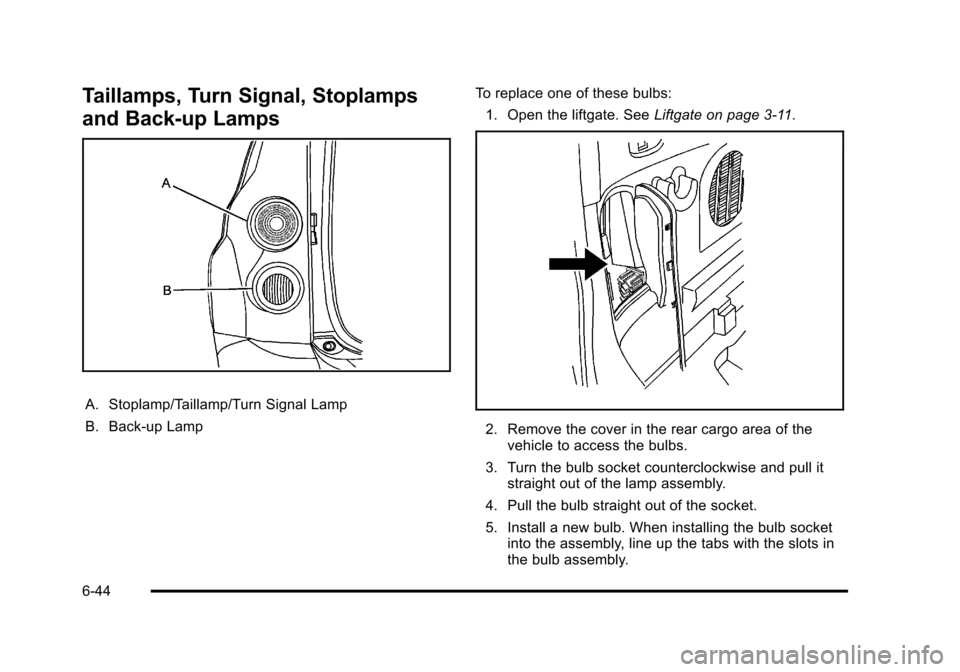
A. Stoplamp/Taillamp/Turn Signal Lamp
B. Back-up LampTo replace one of these bulbs:
1. Open the liftgate. See Liftgate on page 3‑11.
2. Remove the cover in the rear cargo area of the
vehicle to access the bulbs.
3. Turn the bulb socket counterclockwise and pull it straight out of the lamp assembly.
4. Pull the bulb straight out of the socket.
5. Install a new bulb. When installing the bulb socket into the assembly, line up the tabs with the slots in
the bulb assembly.
6-44