clock CHEVROLET HHR 2011 1.G User Guide
[x] Cancel search | Manufacturer: CHEVROLET, Model Year: 2011, Model line: HHR, Model: CHEVROLET HHR 2011 1.GPages: 430, PDF Size: 4.57 MB
Page 287 of 430
Black plate (11,1)Chevrolet HHR Owner Manual - 2011
When replacing the fuel cap, turn it clockwise until it
clicks. Make sure the cap is fully installed. The
diagnostic system can determine if the fuel cap has
been left off or improperly installed. This would allow
fuel to evaporate into the atmosphere. SeeMalfunction
Indicator Lamp on page 4‑33.
The CHECK GAS CAP message displays on the Driver
Information Center (DIC) if the fuel cap is not properly
installed. See DIC Warnings and Messages
on
page 4‑40for more information.
To close the fuel door securely, push the door to the
closed position.
{WARNING:
If a fire starts while you are refueling, do not
remove the nozzle. Shut off the flow of fuel by
shutting off the pump or by notifying the station
attendant. Leave the area immediately.
Notice: If you need a new fuel cap, be sure to get
the right type. Your dealer can get one for you.
If you get the wrong type, it may not fit properly.
This may cause the malfunction indicator lamp to
light and may damage the fuel tank and emissions
system. See Malfunction Indicator Lamp
on
page 4‑33.
6-11
Page 303 of 430
Black plate (27,1)Chevrolet HHR Owner Manual - 2011
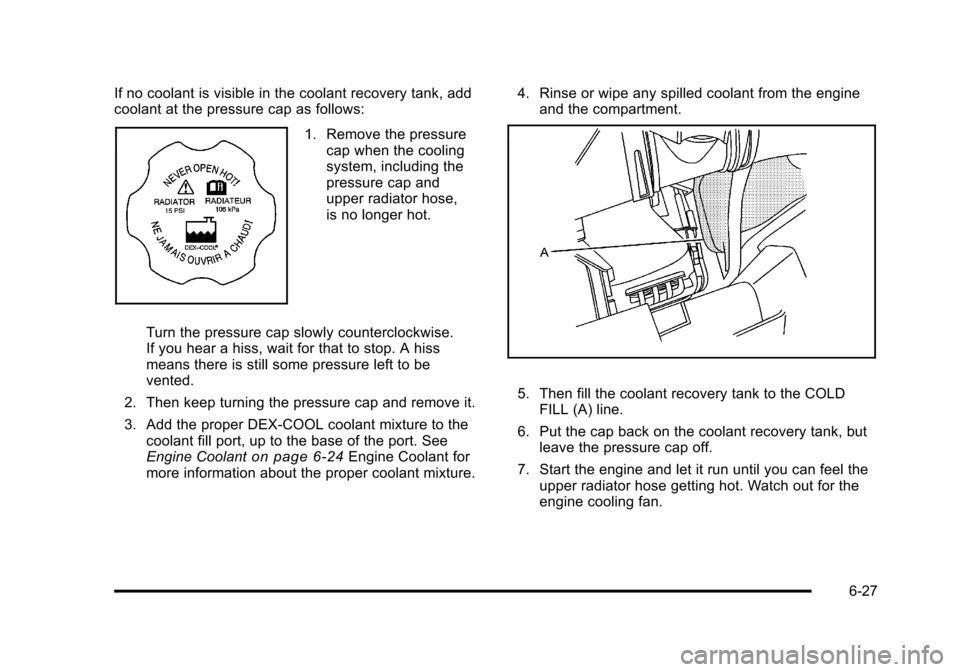
If no coolant is visible in the coolant recovery tank, add
coolant at the pressure cap as follows:
1. Remove the pressurecap when the cooling
system, including the
pressure cap and
upper radiator hose,
is no longer hot.
Turn the pressure cap slowly counterclockwise.
If you hear a hiss, wait for that to stop. A hiss
means there is still some pressure left to be
vented.
2. Then keep turning the pressure cap and remove it.
3. Add the proper DEX-COOL coolant mixture to the coolant fill port, up to the base of the port. See
Engine Coolant
on page 6‑24Engine Coolant for
more information about the proper coolant mixture. 4. Rinse or wipe any spilled coolant from the engine
and the compartment.
5. Then fill the coolant recovery tank to the COLDFILL (A) line.
6. Put the cap back on the coolant recovery tank, but leave the pressure cap off.
7. Start the engine and let it run until you can feel the upper radiator hose getting hot. Watch out for the
engine cooling fan.
6-27
Page 316 of 430
Black plate (40,1)Chevrolet HHR Owner Manual - 2011
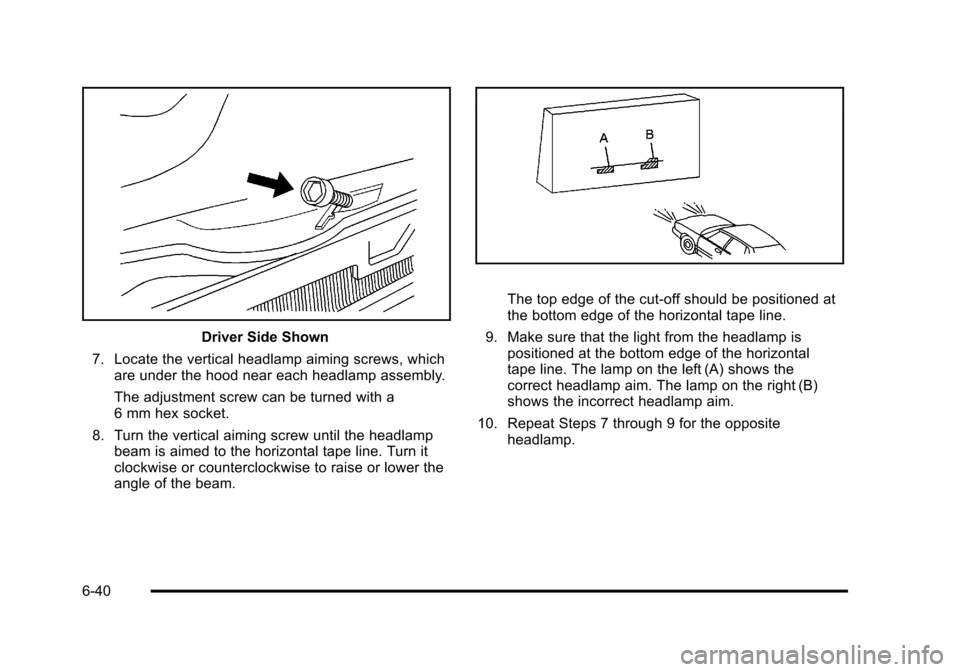
Driver Side Shown
7. Locate the vertical headlamp aiming screws, which are under the hood near each headlamp assembly.
The adjustment screw can be turned with a
6 mm hex socket.
8. Turn the vertical aiming screw until the headlamp beam is aimed to the horizontal tape line. Turn it
clockwise or counterclockwise to raise or lower the
angle of the beam.
The top edge of the cut-off should be positioned at
the bottom edge of the horizontal tape line.
9. Make sure that the light from the headlamp is positioned at the bottom edge of the horizontal
tape line. The lamp on the left (A) shows the
correct headlamp aim. The lamp on the right (B)
shows the incorrect headlamp aim.
10. Repeat Steps 7 through 9 for the opposite headlamp.
6-40
Page 318 of 430
Black plate (42,1)Chevrolet HHR Owner Manual - 2011
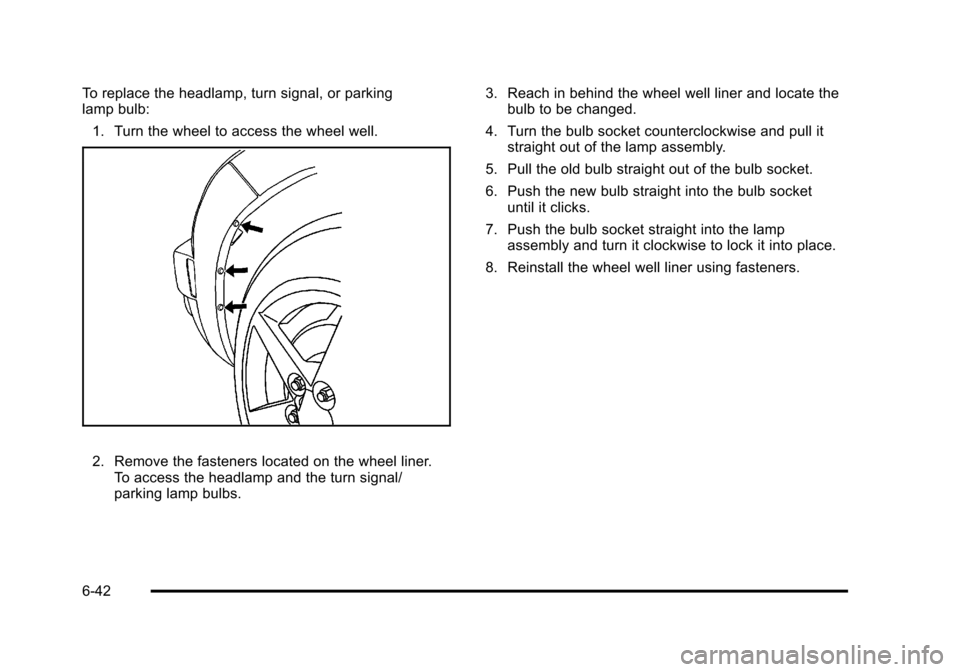
To replace the headlamp, turn signal, or parking
lamp bulb:1. Turn the wheel to access the wheel well.
2. Remove the fasteners located on the wheel liner. To access the headlamp and the turn signal/
parking lamp bulbs. 3. Reach in behind the wheel well liner and locate the
bulb to be changed.
4. Turn the bulb socket counterclockwise and pull it straight out of the lamp assembly.
5. Pull the old bulb straight out of the bulb socket.
6. Push the new bulb straight into the bulb socket until it clicks.
7. Push the bulb socket straight into the lamp assembly and turn it clockwise to lock it into place.
8. Reinstall the wheel well liner using fasteners.
6-42
Page 319 of 430
Black plate (43,1)Chevrolet HHR Owner Manual - 2011
Center High-Mounted Stoplamp
(CHMSL)
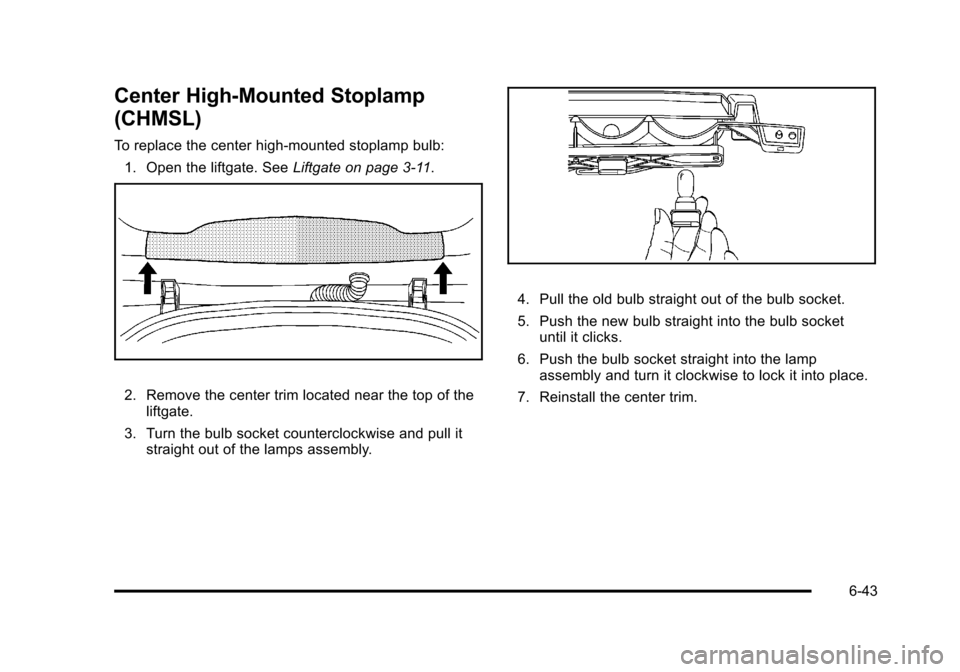
To replace the center high-mounted stoplamp bulb:1. Open the liftgate. See Liftgate on page 3‑11.
2. Remove the center trim located near the top of the
liftgate.
3. Turn the bulb socket counterclockwise and pull it straight out of the lamps assembly.
4. Pull the old bulb straight out of the bulb socket.
5. Push the new bulb straight into the bulb socketuntil it clicks.
6. Push the bulb socket straight into the lamp assembly and turn it clockwise to lock it into place.
7. Reinstall the center trim.
6-43
Page 320 of 430
Black plate (44,1)Chevrolet HHR Owner Manual - 2011
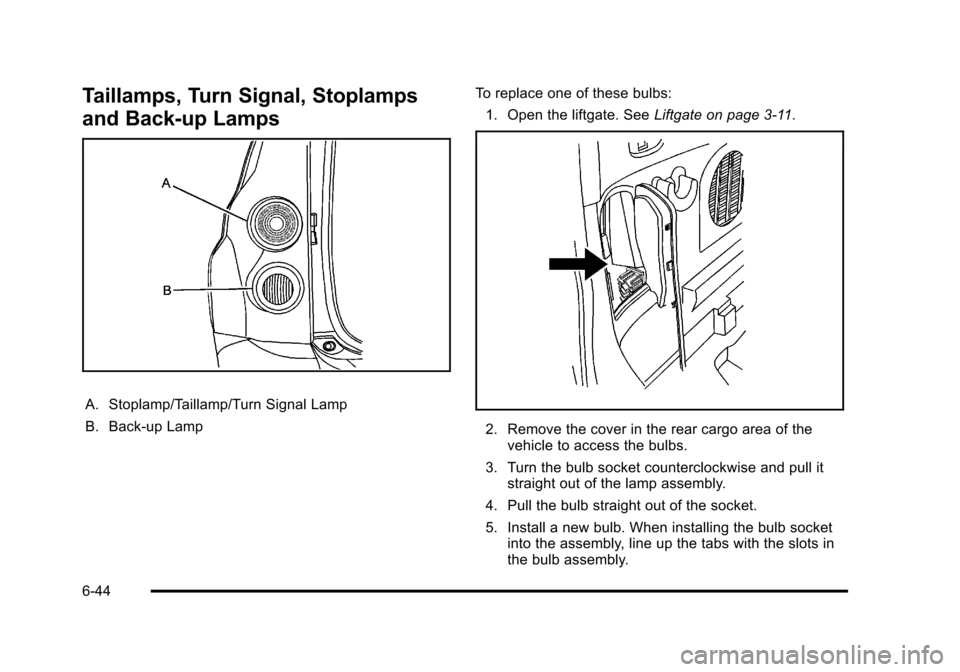
Taillamps, Turn Signal, Stoplamps
and Back-up Lamps
A. Stoplamp/Taillamp/Turn Signal Lamp
B. Back-up LampTo replace one of these bulbs:
1. Open the liftgate. See Liftgate on page 3‑11.
2. Remove the cover in the rear cargo area of the
vehicle to access the bulbs.
3. Turn the bulb socket counterclockwise and pull it straight out of the lamp assembly.
4. Pull the bulb straight out of the socket.
5. Install a new bulb. When installing the bulb socket into the assembly, line up the tabs with the slots in
the bulb assembly.
6-44
Page 321 of 430
Black plate (45,1)Chevrolet HHR Owner Manual - 2011
6. Push the bulb socket straight into the lampassembly and turn it clockwise to lock it into place.
7. Reinstall the cover.
License Plate Lamp
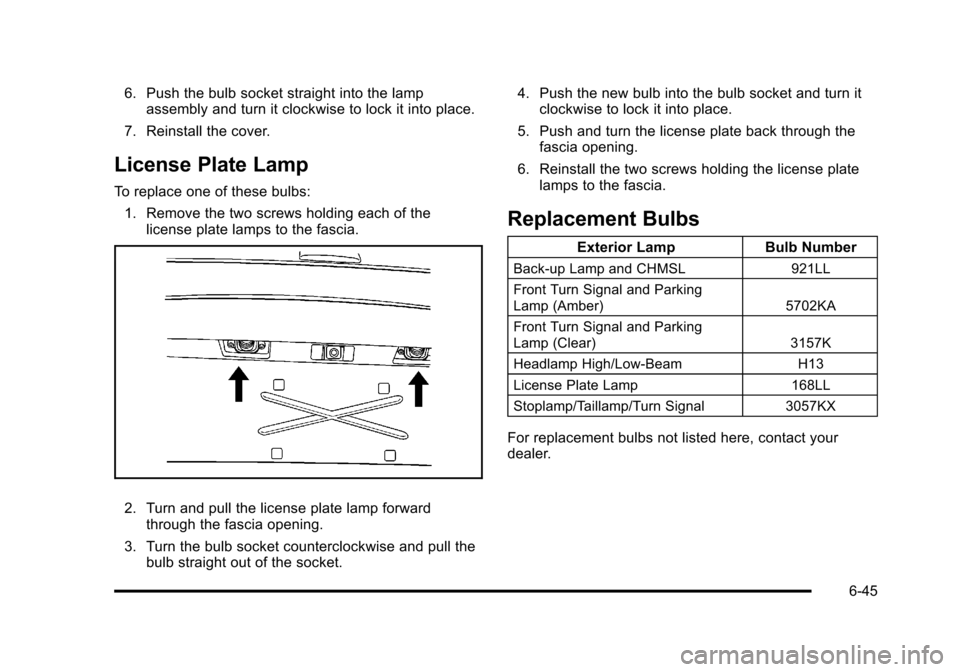
To replace one of these bulbs: 1. Remove the two screws holding each of the license plate lamps to the fascia.
2. Turn and pull the license plate lamp forwardthrough the fascia opening.
3. Turn the bulb socket counterclockwise and pull the bulb straight out of the socket. 4. Push the new bulb into the bulb socket and turn it
clockwise to lock it into place.
5. Push and turn the license plate back through the fascia opening.
6. Reinstall the two screws holding the license plate lamps to the fascia.
Replacement Bulbs
Exterior Lamp Bulb Number
Back-up Lamp and CHMSL 921LL
Front Turn Signal and Parking
Lamp (Amber) 5702KA
Front Turn Signal and Parking
Lamp (Clear) 3157K
Headlamp High/Low-Beam H13
License Plate Lamp 168LL
Stoplamp/Taillamp/Turn Signal 3057KX
For replacement bulbs not listed here, contact your
dealer.
6-45
Page 348 of 430
Black plate (72,1)Chevrolet HHR Owner Manual - 2011
Using the Tire Sealant and Compressor
Kit to Temporarily Seal and Inflate a
Punctured Tire
Follow the directions closely for correct sealant usage.
When using the tire sealant and compressor kit during
cold temperatures, warm the kit in a heated
environment for five minutes. This will help to inflate the
tire faster.If a tire goes flat, avoid further tire and wheel damage
by driving slowly to a level place. Turn on the hazard
warning flashers. See
Hazard Warning Flashers
on
page 4‑3.
See If a Tire Goes Flat
on page 6‑68for other
important safety warnings.
Do not remove any objects that have penetrated
the tire.
Always do a safety check first. See If a Tire Goes Flat
on page 6‑68. Do not remove any objects that have
penetrated the tire.
1. Remove the tire sealant and compressor kit from its storage location. See Tire Sealant and
Compressor Kit Storage on page 6‑78.
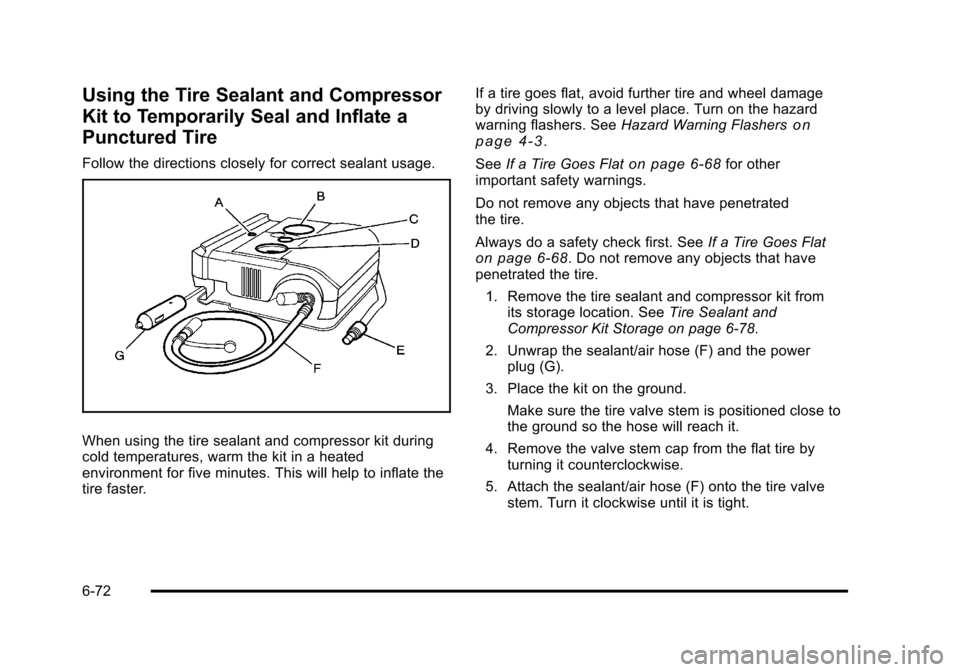
2. Unwrap the sealant/air hose (F) and the power plug (G).
3. Place the kit on the ground.
Make sure the tire valve stem is positioned close to
the ground so the hose will reach it.
4. Remove the valve stem cap from the flat tire by turning it counterclockwise.
5. Attach the sealant/air hose (F) onto the tire valve stem. Turn it clockwise until it is tight.
6-72
Page 349 of 430
Black plate (73,1)Chevrolet HHR Owner Manual - 2011
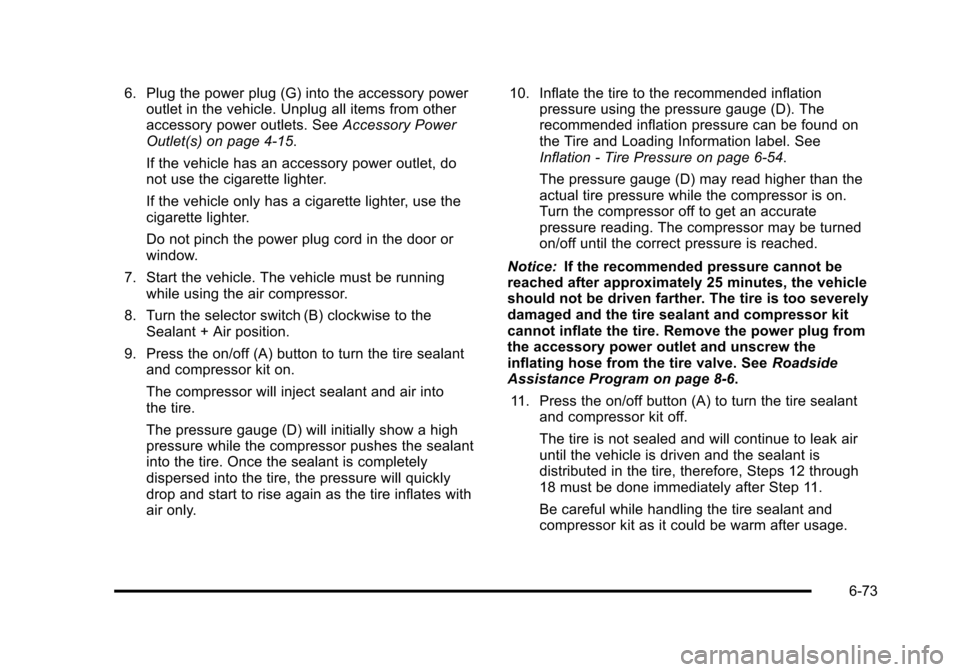
6. Plug the power plug (G) into the accessory poweroutlet in the vehicle. Unplug all items from other
accessory power outlets. See Accessory Power
Outlet(s) on page 4‑15.
If the vehicle has an accessory power outlet, do
not use the cigarette lighter.
If the vehicle only has a cigarette lighter, use the
cigarette lighter.
Do not pinch the power plug cord in the door or
window.
7. Start the vehicle. The vehicle must be running while using the air compressor.
8. Turn the selector switch (B) clockwise to the Sealant + Air position.
9. Press the on/off (A) button to turn the tire sealant and compressor kit on.
The compressor will inject sealant and air into
the tire.
The pressure gauge (D) will initially show a high
pressure while the compressor pushes the sealant
into the tire. Once the sealant is completely
dispersed into the tire, the pressure will quickly
drop and start to rise again as the tire inflates with
air only. 10. Inflate the tire to the recommended inflation
pressure using the pressure gauge (D). The
recommended inflation pressure can be found on
the Tire and Loading Information label. See
Inflation - Tire Pressure on page 6‑54.
The pressure gauge (D) may read higher than the
actual tire pressure while the compressor is on.
Turn the compressor off to get an accurate
pressure reading. The compressor may be turned
on/off until the correct pressure is reached.
Notice: If the recommended pressure cannot be
reached after approximately 25 minutes, the vehicle
should not be driven farther. The tire is too severely
damaged and the tire sealant and compressor kit
cannot inflate the tire. Remove the power plug from
the accessory power outlet and unscrew the
inflating hose from the tire valve. See Roadside
Assistance Program on page 8‑6.
11. Press the on/off button (A) to turn the tire sealant and compressor kit off.
The tire is not sealed and will continue to leak air
until the vehicle is driven and the sealant is
distributed in the tire, therefore, Steps 12 through
18 must be done immediately after Step 11.
Be careful while handling the tire sealant and
compressor kit as it could be warm after usage.
6-73
Page 350 of 430

Black plate (74,1)Chevrolet HHR Owner Manual - 2011
12. Unplug the power plug (G) from the accessorypower outlet in the vehicle.
13. Turn the sealant/air hose (F) counterclockwise to remove it from the tire valve stem.
14. Replace the tire valve stem cap.
15. Replace the sealant/air hose (F), and the power plug (G) back in their original location.
16. If the flat tire was ableto inflate to the
recommended inflation
pressure, remove the
maximum speed label
from the sealant
canister and place it in
a highly visible
location. Do not
exceed the speed on
this label until the
damaged tire is
repaired or replaced.
17. Return the equipment to its original storage location in the vehicle.
18. Immediately drive the vehicle 8 km (5 miles) to distribute the sealant in the tire. 19. Stop at a safe location and check the tire pressure.
Refer to Steps 1 through 11 under “Using the Tire
Sealant and Compressor Kit without Sealant to
Inflate a Tire (Not Punctured).”
If the tire pressure has fallen more than 68 kPa
(10 psi) below the recommended inflation
pressure, stop driving the vehicle. The tire is too
severely damaged and the tire sealant cannot seal
the tire. See Roadside Assistance Programon
page 8‑6.
If the tire pressure has not dropped more than
68 kPa (10 psi) from the recommended inflation
pressure, inflate the tire to the recommended
inflation pressure.
20. Wipe off any sealant from the wheel, tire, and vehicle.
21. Dispose of the used sealant canister and sealant/ air hose (F) assembly at a local dealer or in
accordance with local state codes and practices.
22. Replace it with a new canister available from your dealer.
23. After temporarily sealing a tire using the tire sealant and compressor kit, take the vehicle to an
authorized dealer within a 161 km (100 miles) of
driving to have the tire repaired or replaced.
6-74