traction control CHEVROLET HHR 2011 1.G User Guide
[x] Cancel search | Manufacturer: CHEVROLET, Model Year: 2011, Model line: HHR, Model: CHEVROLET HHR 2011 1.GPages: 430, PDF Size: 4.57 MB
Page 200 of 430
Black plate (44,1)Chevrolet HHR Owner Manual - 2011
SERVICE ESC (ELECTRONIC STABILITY
CONTROL)
If your vehicle has Electronic Stability Control (ESC),
this message displays and a chime sounds if there has
been a problem detected with ESC. The ESC/TCS light
also appears on the instrument panel cluster. This light
stays on solid as long as the detected problem remains
present. When this message displays, the system is not
working. Adjust your driving accordingly. SeeElectronic
Stability Control (ESC)
on page 5‑6and Electronic
Stability Control (ESC)/Traction Control System (TCS)
Indicator/Warning Light
on page 4‑31for more
information.
If this message turns on while you are driving, pull off
the road as soon as possible and stop carefully. Try
resetting the system by turning the ignition off and then
back on. If this message still stays on or turns back on
again while you are driving, your vehicle needs service.
Have the ESC inspected by your dealer as soon as
possible.
SERVICE TRACTION
If your vehicle has the Enhanced Traction System
(ETS) or Traction Control System (TCS), this message
displays and a chime sounds when the system is not
functioning properly. The ETS light or the ESC/TCS light
also appears on the instrument panel cluster. This light
stays on solid as long as the detected problem remains
present. When this message displays, the system is not
working. Adjust your driving accordingly. See Enhanced
Traction System (ETS)
on page 5‑10or Traction
Control System (TCS)on page 5‑8and Enhanced
Traction System (ETS) Indicator/Warning Lighton
page 4‑30or Electronic Stability Control (ESC)/Traction
Control System (TCS) Indicator/Warning Lighton
page 4‑31for more information. Have the system
serviced by your dealer as soon as possible.
SVC (Service) BRAKE SYSTEM
This message may display if you have a turbocharged
vehicle with Electronic Stability Control (ESC) and if the
hydraulic brake boost is not working or is working
improperly. Have the brake system serviced by your
dealer as soon as possible.
4-44
Page 201 of 430
Black plate (45,1)Chevrolet HHR Owner Manual - 2011
SVC (Service) TIRE MONITOR
If your vehicle has a Tire Pressure Monitor System
(TPMS), this message displays if a part on the TPMS is
not working properly. The tire pressure light also flashes
and then remains on during the same ignition cycle.
SeeTire Pressure Light
on page 4‑33. Several
conditions may cause this message to appear. See Tire
Pressure Monitor Operation
on page 6‑57for more
information. If the warning comes on and stays on,
there may be a problem with the TPMS. See your
dealer.
TIRE LOW ADD AIR
If your vehicle has a Tire Pressure Monitor System
(TPMS), this message displays when the pressure in
one or more of the vehicle's tires is low. The low tire
pressure warning light will also come on. See Tire
Pressure Light
on page 4‑33. If a tire pressure
message appears on the DIC, stop as soon as you can.
Have the tire pressures checked and set to those
shown on the Tire Loading Information label. See Tires
on page 6‑47,Loading the Vehicleon page 5‑22, and
Inflation - Tire Pressureon page 6‑54. The DIC also
shows the tire pressure values. See DIC Operation and
Displays
on page 4‑38.
TRACTION OFF
If your vehicle has the Enhanced Traction System
(ETS) or Traction Control System (TCS), this message
displays and the ETS light or the ESC/TCS light on the
instrument panel cluster comes on solid when the
system is turned off. Adjust your driving accordingly.
See Enhanced Traction System (ETS)
on page 5‑10or
Traction Control System (TCS)on page 5‑8and
Enhanced Traction System (ETS) Indicator/Warning
Light
on page 4‑30or Electronic Stability Control
(ESC)/Traction Control System (TCS) Indicator/Warning
Light
on page 4‑31for more information.
DIC Vehicle Personalization
Your vehicle has personalization capabilities that allow
you to program certain features to a preferred setting.
All of the features listed may not be available on your
vehicle. Only the features available will be displayed on
the DIC.
The default settings for the features were set when your
vehicle left the factory, but may have been changed
from their default state since that time.
4-45
Page 239 of 430
Black plate (1,1)Chevrolet HHR Owner Manual - 2011
Section 5 Driving Your Vehicle
Your Driving, the Road, and the Vehicle. . . . . . . . . .5-2
Defensive Driving . . . . . . . . . . . . . . . . . . . . . . . . . . . . . . . 5-2
Drunk Driving . . . . . . . . . . . . . . . . . . . . . . . . . . . . . . . . . . . 5-2
Control of a Vehicle . . . . . . . . . . . . . . . . . . . . . . . . . . . . . 5-3
Braking . . . . . . . . . . . . . . . . . . . . . . . . . . . . . . . . . . . . . . . . . 5-3
Antilock Brake System (ABS) . . . . . . . . . . . . . . . . . . . 5-4
Braking in Emergencies . . . . . . . . . . . . . . . . . . . . . . . . . 5-5
Electronic Stability Control (ESC) . . . . . . . . . . . . . . . 5-6
Traction Control System (TCS) . . . . . . . . . . . . . . . . . . 5-8
Enhanced Traction System (ETS) . . . . . . . . . . . . . . 5-10
Limited-Slip Differential . . . . . . . . . . . . . . . . . . . . . . . . 5-11
Steering . . . . . . . . . . . . . . . . . . . . . . . . . . . . . . . . . . . . . . . 5-12
Off-Road Recovery . . . . . . . . . . . . . . . . . . . . . . . . . . . . 5-13
Passing . . . . . . . . . . . . . . . . . . . . . . . . . . . . . . . . . . . . . . . . 5-14
Loss of Control . . . . . . . . . . . . . . . . . . . . . . . . . . . . . . . . 5-14
Racing or Other Competitive Driving . . . . . . . . . . . 5-15 Driving at Night . . . . . . . . . . . . . . . . . . . . . . . . . . . . . . . . 5-16
Driving in Rain and on Wet Roads . . . . . . . . . . . . . 5-16
Before Leaving on a Long Trip . . . . . . . . . . . . . . . . . 5-17
Highway Hypnosis . . . . . . . . . . . . . . . . . . . . . . . . . . . . . 5-18
Hill and Mountain Roads . . . . . . . . . . . . . . . . . . . . . . . 5-18
Winter Driving . . . . . . . . . . . . . . . . . . . . . . . . . . . . . . . . . 5-19
If Your Vehicle is Stuck in Sand, Mud, Ice,
or Snow . . . . . . . . . . . . . . . . . . . . . . . . . . . . . . . . . . . . . 5-21
Rocking Your Vehicle to Get It Out . . . . . . . . . . . . . 5-21
Loading the Vehicle . . . . . . . . . . . . . . . . . . . . . . . . . . . . 5-22
Towing . . . . . . . . . . . . . . . . . . . . . . . . . . . . . . . . . . . . . . . . . . . . 5-28
Towing Your Vehicle . . . . . . . . . . . . . . . . . . . . . . . . . . . 5-28
Recreational Vehicle Towing . . . . . . . . . . . . . . . . . . . 5-28
Towing a Trailer (Automatic Transmission) . . . . . 5-31
Towing a Trailer (Manual Transmission) . . . . . . . . 5-37
5-1
Page 241 of 430
Black plate (3,1)Chevrolet HHR Owner Manual - 2011
For persons under 21, it is against the law in every
U.S. state to drink alcohol. There are good medical,
psychological, and developmental reasons for
these laws.
The obvious way to eliminate the leading highway
safety problem is for people never to drink alcohol and
then drive.
Medical research shows that alcohol in a person's
system can make crash injuries worse, especially
injuries to the brain, spinal cord, or heart. This means
that when anyone who has been drinking—driver or
passenger —is in a crash, that person's chance of
being killed or permanently disabled is higher than if
the person had not been drinking.
Control of a Vehicle
The following three systems help to control the vehicle
while driving —brakes, steering, and accelerator. At
times, as when driving on snow or ice, it is easy to ask
more of those control systems than the tires and road
can provide. Meaning, you can lose control of the
vehicle. See Traction Control System (TCS)
on
page 5‑8, Enhanced Traction System (ETS)on
page 5‑10, and Electronic Stability Control (ESC)on
page 5‑6.
Adding non‐dealer/non‐retailer accessories can affect
vehicle performance. See Accessories and
Modifications on page 6‑3.
Braking
See Brake System Warning Light on page 4‑29.
Braking action involves perception time and reaction
time. Deciding to push the brake pedal is perception
time. Actually doing it is reaction time.
Average reaction time is about three‐fourths of a
second. But that is only an average. It might be less
with one driver and as long as two or three seconds or
more with another. Age, physical condition, alertness,
coordination, and eyesight all play a part. So do alcohol,
drugs, and frustration. But even in three‐fourths of a
second, a vehicle moving at 100 km/h (60 mph) travels
20 m (66 feet). That could be a lot of distance in an
emergency, so keeping enough space between the
vehicle and others is important.
And, of course, actual stopping distances vary greatly
with the surface of the road, whether it is pavement or
gravel; the condition of the road, whether it is wet, dry,
or icy; tire tread; the condition of the brakes; the weight
of the vehicle; and the amount of brake force applied.
Avoid needless heavy braking. Some people drive in
spurts, heavy acceleration followed by heavy braking,
rather than keeping pace with traffic. This is a mistake.
The brakes might not have time to cool between hard
stops. The brakes will wear out much faster with a lot of
heavy braking. Keeping pace with the traffic and
5-3
Page 244 of 430
Black plate (6,1)Chevrolet HHR Owner Manual - 2011
until the ABS activates. Minor brake pedal pulsations or
pedal movement during this time is normal and the
driver should continue to apply the brake pedal as the
driving situation dictates The Brake Assist feature will
automatically disengage when the brake pedal is
released or brake pedal pressure is quickly decreased.
Electronic Stability Control (ESC)
The vehicle has an Electronic Stability Control (ESC)
system which combines antilock brake, and traction and
stability control systems that help the driver maintain
directional control of the vehicle in most driving
conditions.
When the vehicle is started and begins to move, the
system performs several diagnostic checks to ensure
there are no problems. The system may be heard or felt
while it is working. This is normal and does not mean
there is a problem with the vehicle. The system should
initialize before the vehicle reaches 20 mph (32 km/h).
If the system fails to turn on or activate, the ESC/TCS
light comes on, and the ESC OFF and/or SERVICE
ESC message displays.
For more information, seeDriver Information Center
(DIC)
on page 4‑38and Electronic Stability Control
(ESC)/Traction Control System (TCS) Indicator/Warning
Light on page 4‑31.
This light flashes on the
instrument panel cluster
when the ESC system is
on and activated.
ESC activates when the computer senses a
discrepancy between the intended path and the
direction the vehicle is actually traveling. ESC
selectively applies braking pressure at any one of the
vehicle's brakes to help steer the vehicle in the intended
direction.
When the system activates, an ESC ACTIVE message
displays on the Driver Information Center. See DIC
Warnings and Messages
on page 4‑40. This light also
flashes on the instrument panel cluster when the ESC
system is on and activated. Noise or vibration may be
felt in the brake pedal. This is normal. Continue to steer
the vehicle in the desired direction.
When the light is on solid and the message(s),
SERVICE ESC, ESC OFF, or both display, the system
will not assist the driver in maintaining directional
control of the vehicle. Adjust your driving accordingly.
See DIC Warnings and Messages on page 4‑40.
5-6
Page 245 of 430
Black plate (7,1)Chevrolet HHR Owner Manual - 2011
The Electronic Stability Control (ESC) system is
automatically enabled whenever the vehicle is started.
To assist the driver with vehicle directional control,
especially in slippery road conditions, always leave the
system on. ESC can be turned off if needed.
If the vehicle is in cruise control when the system
begins to assist the driver maintain directional control of
the vehicle, the ESC/TCS light will flash and the cruise
control will automatically disengage. The cruise control
can be re-engaged when road conditions allow. See
Cruise Control on page 4‑8.
The ESC/TCS button is
located on the instrument
panel.
The traction control system can be turned off or back on
by pressing the ESC/TCS button. To disable both
traction control and ESC, press and hold the button
from five to ten seconds. When the ESC system is turned off, the TRACTION
OFF and ESC OFF messages appear, and the ESC/
TCS light comes on to warn the driver that both traction
control and ESC are disabled.
It is recommended that the system remain on for normal
driving conditions, but it may be necessary to turn the
system off if the vehicle is stuck in sand, mud, ice or
snow, and you want to
“rock”your vehicle to attempt to
free it. It may also be necessary to turn off the system
when driving in extreme off-road conditions where high
wheel spin is required. See If Your Vehicle is Stuck in
Sand, Mud, Ice, or Snowon page 5‑21.
ESC may also turn off automatically if it determines that
a problem exists with the system. The ESC OFF and
SERVICE ESC messages and the ESC/TCS light
comes on to warn the driver that ESC is disabled and
requires service. If the problem does not clear after
restarting the vehicle, see your dealer for service. See
DIC Warnings and Messages
on page 4‑40for more
information.
Adding non‐dealer/non‐retailer accessories can affect
the vehicle's performance. See Accessories and
Modifications
on page 6‑3for more information.
5-7
Page 246 of 430
Black plate (8,1)Chevrolet HHR Owner Manual - 2011
Traction Control System (TCS)
The vehicle has a Traction Control System (TCS) that
limits wheel spin. This is especially useful in slippery
road conditions. The system operates only if it senses
that the front wheels are spinning too much or are
beginning to lose traction. When this happens, the
system works the front brakes and reduces engine
power by closing the throttle and managing engine
spark to limit wheel spin.
This light flashes while
the traction control system
is limiting wheel spin.
The system may be heard or felt while it is working.
This is normal and does not mean there is a problem
with the vehicle.
See Electronic Stability Control (ESC)/Traction Control
System (TCS) Indicator/Warning Light
on page 4‑31for
more information. If the vehicle is in cruise control while TCS begins to
limit wheel spin, the cruise control will automatically
disengage. The cruise control can be re-engaged when
road conditions allow. See
Turn Signal/Multifunction
Lever on page 4‑4.
When this light is on and
either the SERVICE
TRACTION or TRACTION
OFF message is
displayed, the system will
not limit wheel spin.
Adjust your driving accordingly. See DIC Warnings and
Messages
on page 4‑40for more information.
The Traction Control System comes on automatically
whenever the vehicle is started. It is recommended to
leave the system on for normal driving conditions, but it
may be necessary to turn the system off if the vehicle is
stuck in sand, mud, ice or snow, and you want to “rock”
your vehicle to attempt to free it. It may also be
necessary to turn off the system when driving in off-road
conditions where high wheel spin is required. See If
Your Vehicle is Stuck in Sand, Mud, Ice, or Snow
on
page 5‑21.
5-8
Page 247 of 430
Black plate (9,1)Chevrolet HHR Owner Manual - 2011
To turn the system off or
on, press and release the
ESC/TCS button located
on the instrument panel.
The DIC displays the appropriate message as
described previously when the button is pressed.
Traction Control Operation
Traction control limits wheel spin by reducing engine
power to the wheels (engine speed management) and
by applying brakes to each individual wheel
(brake-traction control) as necessary.
The traction control system is enabled automatically
when the vehicle is started, and it will activate and flash
the ESC/TCS light and display the LOW TRACTION
message if it senses that either of the front wheels are
spinning or beginning to lose traction while driving. For
more information on the LOW TRACTION message,
see Driver Information Center (DIC) on page 4‑38.
Notice: If the wheel(s) of one axle are allowed to
spin excessively while the ESC/TCS, ABS and Brake
warning lights and the SERVICE ESC and/or
SERVICE TRACTION messages are displayed, the
differential could be damaged. The repairs would not be covered by the vehicle warranty. Reduce
engine power and do not spin the wheel(s)
excessively while these lights and this message are
displayed.
Notice:
When traction control is turned off,
or Competitive Driving Mode is active, it is possible
to lose traction. If you attempt to shift with the drive
wheels spinning with a loss of traction, it is
possible to cause damage to the transmission. Do
not attempt to shift when the drive wheels do not
have traction. Damage caused by misuse of the
vehicle is not covered. See the warranty book for
additional information.
The traction control system may activate on dry or
rough roads or under conditions such as heavy
acceleration while turning or abrupt upshifts/downshifts
of the transmission. When this happens, a reduction in
acceleration may be noticed or a noise or vibration may
be heard. This is normal.
If the vehicle is in cruise control while the system
activates, the ESC/TCS light flashes and the cruise
control automatically disengages. The cruise control
can be re-engaged when road conditions allow. See
Cruise Control on page 4‑8.
Adding non‐dealer/non‐retailer accessories can affect
the vehicle's performance. See Accessories and
Modifications
on page 6‑3for more information.
5-9
Page 248 of 430
Black plate (10,1)Chevrolet HHR Owner Manual - 2011
Enhanced Traction System (ETS)
The vehicle may have an Enhanced Traction System
(ETS) that limits wheel spin. This is especially useful in
slippery road conditions. The system operates only if it
senses that one or both of the front wheels are spinning
or beginning to lose traction. When this happens, the
system reduces engine power and may also upshift the
transmission to limit wheel spin.
If the vehicle has ETS, there is not an ESC/TCS button
on the instrument panel. To turn the system off, shift to
L (Low) or R (Reverse). There is more information about
how to turn the system off later in this section.
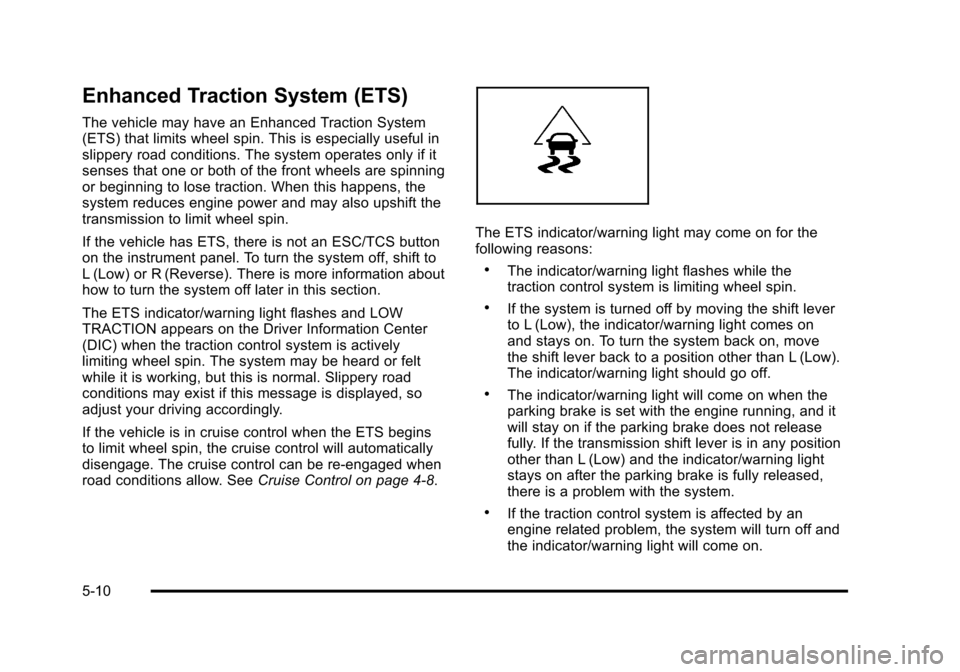
The ETS indicator/warning light flashes and LOW
TRACTION appears on the Driver Information Center
(DIC) when the traction control system is actively
limiting wheel spin. The system may be heard or felt
while it is working, but this is normal. Slippery road
conditions may exist if this message is displayed, so
adjust your driving accordingly.
If the vehicle is in cruise control when the ETS begins
to limit wheel spin, the cruise control will automatically
disengage. The cruise control can be re-engaged when
road conditions allow. SeeCruise Control on page 4‑8.
The ETS indicator/warning light may come on for the
following reasons:
.The indicator/warning light flashes while the
traction control system is limiting wheel spin.
.If the system is turned off by moving the shift lever
to L (Low), the indicator/warning light comes on
and stays on. To turn the system back on, move
the shift lever back to a position other than L (Low).
The indicator/warning light should go off.
.The indicator/warning light will come on when the
parking brake is set with the engine running, and it
will stay on if the parking brake does not release
fully. If the transmission shift lever is in any position
other than L (Low) and the indicator/warning light
stays on after the parking brake is fully released,
there is a problem with the system.
.If the traction control system is affected by an
engine related problem, the system will turn off and
the indicator/warning light will come on.
5-10
Page 250 of 430
Black plate (12,1)Chevrolet HHR Owner Manual - 2011
Steering
Electric Power Steering
If the engine stalls while driving, the power steering
assist system will continue to operate until you are able
to stop the vehicle. If power steering assist is lost
because the electric power steering system is not
functioning, the vehicle can be steered but it will take
more effort.
If you turn the steering wheel in either direction several
times until it stops, or hold the steering wheel in the
stopped position for an extended amount of time, you
may notice a reduced amount of power steering assist.
The normal amount of power steering assist should
return shortly after a few normal steering movements.
The electric power steering system does not require
regular maintenance. If you suspect steering system
problems and/or the POWER STEERING message
comes on, contact your dealer for service repairs. See
DIC Warnings and Messages on page 4‑40.
Steering Tips
It is important to take curves at a reasonable speed.
Traction in a curve depends on the condition of the tires
and the road surface, the angle at which the curve is
banked, and vehicle speed. While in a curve, speed is
the one factor that can be controlled.If there is a need to reduce speed, do it before entering
the curve, while the front wheels are straight.
Try to adjust the speed so you can drive through the
curve. Maintain a reasonable, steady speed. Wait to
accelerate until out of the curve, and then accelerate
gently into the straightaway.
Steering in Emergencies
There are times when steering can be more effective
than braking. For example, you come over a hill and
find a truck stopped in your lane, or a car suddenly pulls
out from nowhere, or a child darts out from between
parked cars and stops right in front of you. These
problems can be avoided by braking
—if you can stop
in time. But sometimes you cannot stop in time because
there is no room. That is the time for evasive
action —steering around the problem.
The vehicle can perform very well in emergencies like
these. First apply the brakes —but, unless the vehicle
has antilock brakes, not enough to lock the wheels. See
Braking
on page 5‑3. It is better to remove as much
speed as possible from a collision. Then steer around
the problem, to the left or right depending on the space
available.
5-12