steering CHEVROLET HHR 2011 1.G Owner's Manual
[x] Cancel search | Manufacturer: CHEVROLET, Model Year: 2011, Model line: HHR, Model: CHEVROLET HHR 2011 1.GPages: 430, PDF Size: 4.57 MB
Page 159 of 430
Black plate (3,1)Chevrolet HHR Owner Manual - 2011
Instrument Panel Overview
Hazard Warning Flashers
|(Hazard Warning Flasher):Press this button
located on the instrument panel, to make the front and
rear turn signal lamps flash on and off. This warns
others that you are having trouble.
Press
|again to turn the flashers off.
Horn
To sound the horn, press the horn symbols located on
the steering wheel.
Tilt Wheel
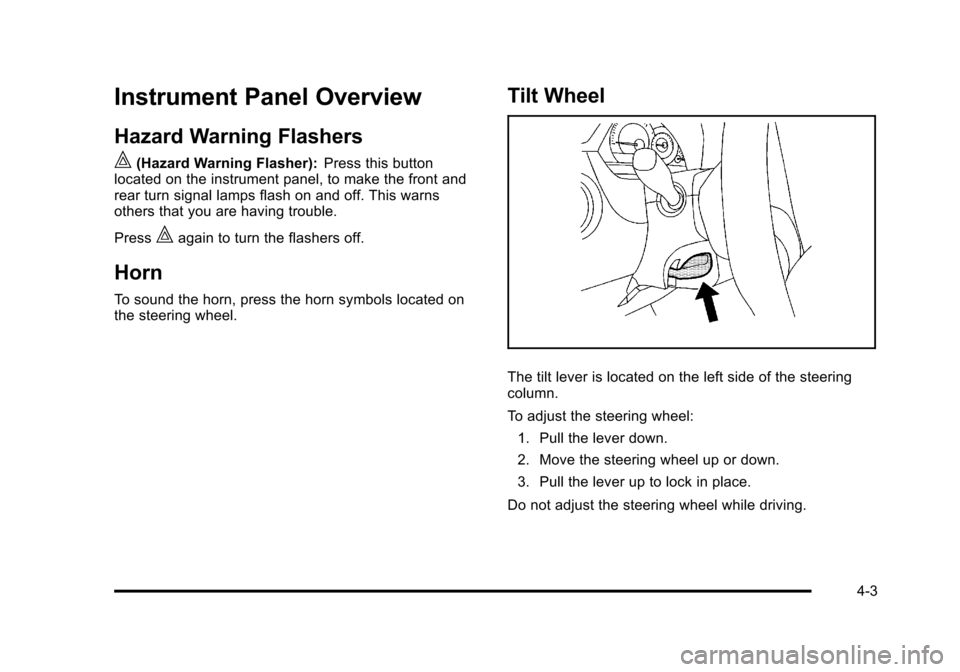
The tilt lever is located on the left side of the steering
column.
To adjust the steering wheel:
1. Pull the lever down.
2. Move the steering wheel up or down.
3. Pull the lever up to lock in place.
Do not adjust the steering wheel while driving.
4-3
Page 160 of 430
Black plate (4,1)Chevrolet HHR Owner Manual - 2011
Turn Signal/Multifunction Lever
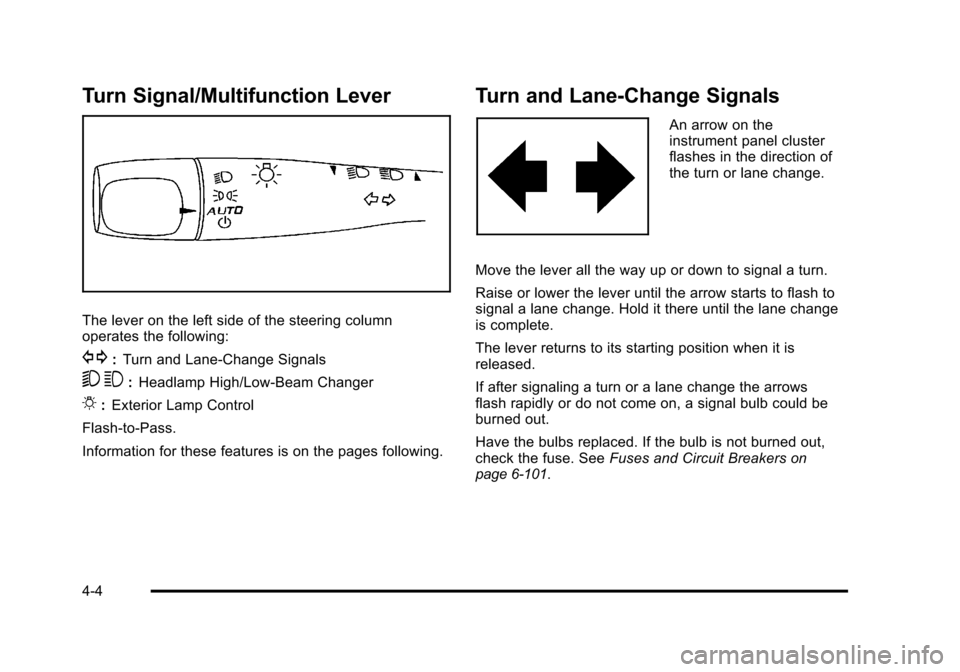
The lever on the left side of the steering column
operates the following:
G:Turn and Lane-Change Signals
5 3:Headlamp High/Low-Beam Changer
O:Exterior Lamp Control
Flash-to-Pass.
Information for these features is on the pages following.
Turn and Lane-Change Signals
An arrow on the
instrument panel cluster
flashes in the direction of
the turn or lane change.
Move the lever all the way up or down to signal a turn.
Raise or lower the lever until the arrow starts to flash to
signal a lane change. Hold it there until the lane change
is complete.
The lever returns to its starting position when it is
released.
If after signaling a turn or a lane change the arrows
flash rapidly or do not come on, a signal bulb could be
burned out.
Have the bulbs replaced. If the bulb is not burned out,
check the fuse. See Fuses and Circuit Breakers
on
page 6‑101.
4-4
Page 161 of 430
Black plate (5,1)Chevrolet HHR Owner Manual - 2011
Headlamp High/Low-Beam Changer
To change the headlamps from low beam to high beam,
push the turn signal lever away from you.
This indicator light
appears on the instrument
panel cluster when the
high beams are on.
To change the headlamps from high beam to low beam,
pull the turn signal lever toward you.
Flash-to-Pass
To signal to a driver in front of you that you want to
pass, pull the turn signal/multifunction lever until the
high-beam headlamps come on. Then release the lever
to turn them off.
Windshield Wipers
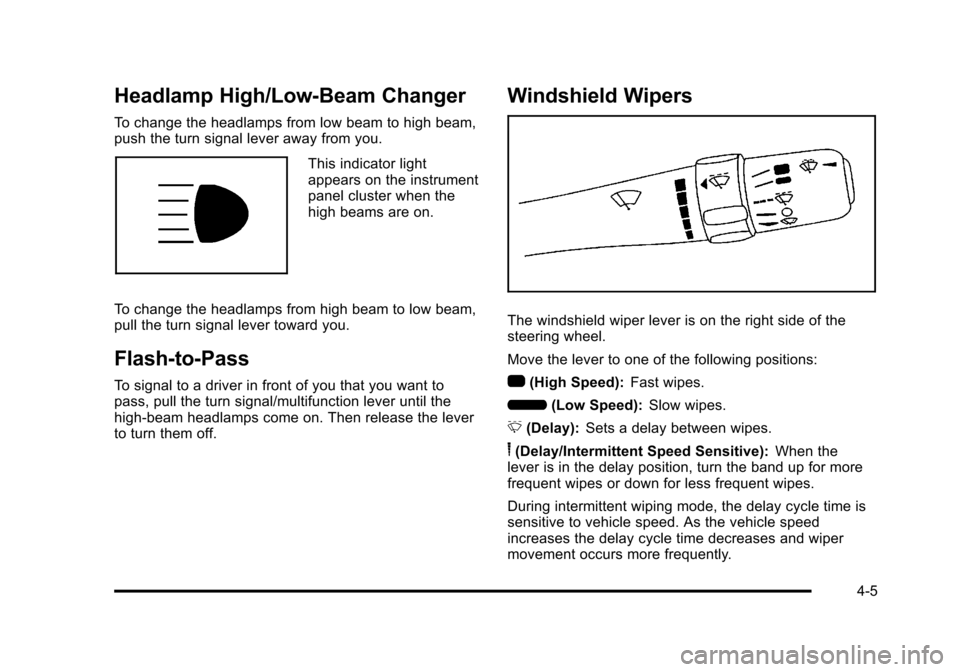
The windshield wiper lever is on the right side of the
steering wheel.
Move the lever to one of the following positions:
1 (High Speed): Fast wipes.
6 (Low Speed): Slow wipes.
& (Delay): Sets a delay between wipes.
6(Delay/Intermittent Speed Sensitive): When the
lever is in the delay position, turn the band up for more
frequent wipes or down for less frequent wipes.
During intermittent wiping mode, the delay cycle time is
sensitive to vehicle speed. As the vehicle speed
increases the delay cycle time decreases and wiper
movement occurs more frequently.
4-5
Page 164 of 430
Black plate (8,1)Chevrolet HHR Owner Manual - 2011
Cruise Control
With cruise control, a speed of about 40 km (25 mph) or
more can be maintained without keeping your foot on
the accelerator. Cruise control does not work at speeds
below 40 km (25 mph).
The brake must be applied at least one time, after the
vehicle has been started, before cruise control will
function.
{WARNING:
Cruise control can be dangerous where you
cannot drive safely at a steady speed. So, do not
use the cruise control on winding roads or in
heavy traffic.
Cruise control can be dangerous on slippery
roads. On such roads, fast changes in tire traction
can cause excessive wheel slip, and you could
lose control. Do not use cruise control on slippery
roads.
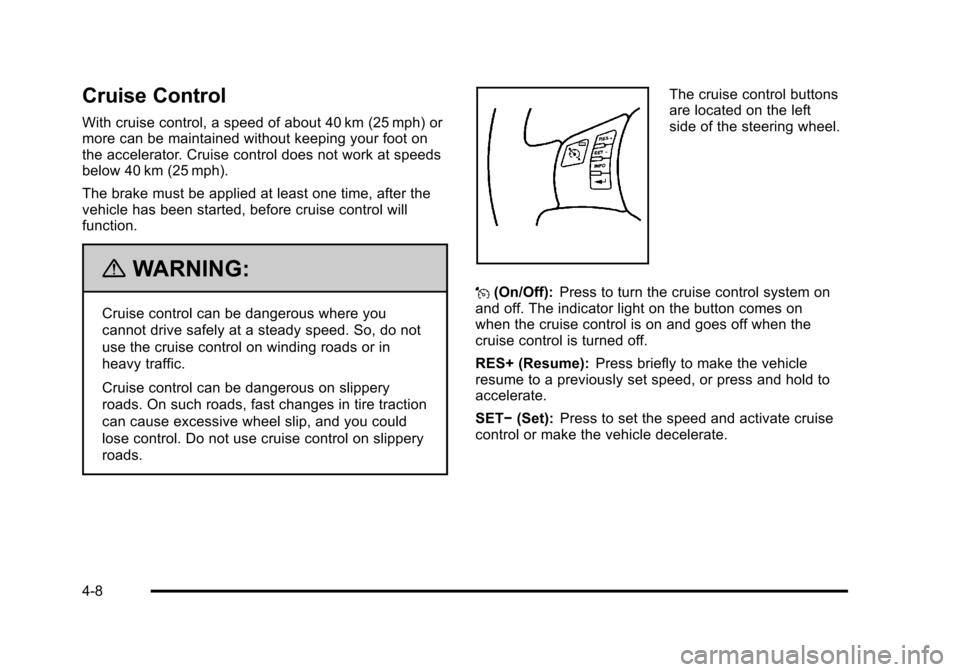
The cruise control buttons
are located on the left
side of the steering wheel.
J (On/Off): Press to turn the cruise control system on
and off. The indicator light on the button comes on
when the cruise control is on and goes off when the
cruise control is turned off.
RES+ (Resume): Press briefly to make the vehicle
resume to a previously set speed, or press and hold to
accelerate.
SET− (Set): Press to set the speed and activate cruise
control or make the vehicle decelerate.
4-8
Page 165 of 430
Black plate (9,1)Chevrolet HHR Owner Manual - 2011
Setting Cruise Control
If the cruise button is on when not in use, it could get
bumped and go into cruise when not desired. Keep the
cruise control switch off when cruise is not being used.1. Press
Ito turn cruise control on. The indicator
light on the button comes on.
2. Get to the desired speed.
3. Press the SET− control button and release it. The
CRUISE ENGAGED message appears on the
Driver Information Center (DIC) to show the system
is engaged.
4. Take your foot off the accelerator pedal.
When the brakes are applied or the clutch pedal is
used, the cruise control is disengaged.
If the vehicle is in cruise control and the Traction
Control System (TCS) begins to limit wheel spin, the
cruise control automatically disengages. See Traction
Control System (TCS)
on page 5‑8and Enhanced
Traction System (ETS)on page 5‑10. When road
conditions allow, the cruise control can be used again.
Resuming a Set Speed
If the cruise control is set at a desired speed and then
the brakes are applied, the cruise control is disengaged
without erasing the set speed from memory.
Once the vehicle speed reaches about 40 km/h
(25 mph) or more, press the +RES button on the
steering wheel. The vehicle returns to the previous set
speed and stays there.
Increasing Speed While Using Cruise
Control
If the cruise control system is already activated,
.Press and hold the +RES button on the steering
wheel until the desired speed is reached, then
release it.
.To increase vehicle speed in small amounts, press
the +RES button. Each time this is done, the
vehicle goes about 1.6 km/h (1 mph) faster.
4-9
Page 166 of 430
Black plate (10,1)Chevrolet HHR Owner Manual - 2011
Reducing Speed While Using Cruise
Control
If the cruise control system is already activated,
.Press and hold the SET–button on the steering
wheel until the desired lower speed is reached,
then release it.
.To slow down in small amounts, press the
SET– button on the steering wheel briefly.
Each time this is done, the vehicle goes about
1.6 km/h (1 mph) slower.
Passing Another Vehicle While Using
Cruise Control
Use the accelerator pedal to increase the vehicle
speed. When you take your foot off the pedal, the
vehicle will slow down to the previous set cruise speed.
Using Cruise Control on Hills
How well the cruise control works on hills depends upon
the vehicle speed, load and the steepness of the hills.
When going up steep hills, the accelerator pedal might
need to be applied to maintain the vehicle speed. When
going downhill, the brake might need to be applied or
the vehicle might have to be shifted to a lower gear to
keep the vehicle speed down. When the brakes are
applied the cruise control is disengaged.
Ending Cruise Control
There are two ways to end cruise control:
.To disengage cruise control; step lightly on the
brake pedal or the clutch pedal if the vehicle has a
manual transmission.
.To turn off the cruise control, pressIon the
steering wheel.
Erasing Speed Memory
The cruise control set speed is erased from memory by
pressing the
Ibutton or if the ignition is turned off.
4-10
Page 167 of 430
Black plate (11,1)Chevrolet HHR Owner Manual - 2011
Headlamps
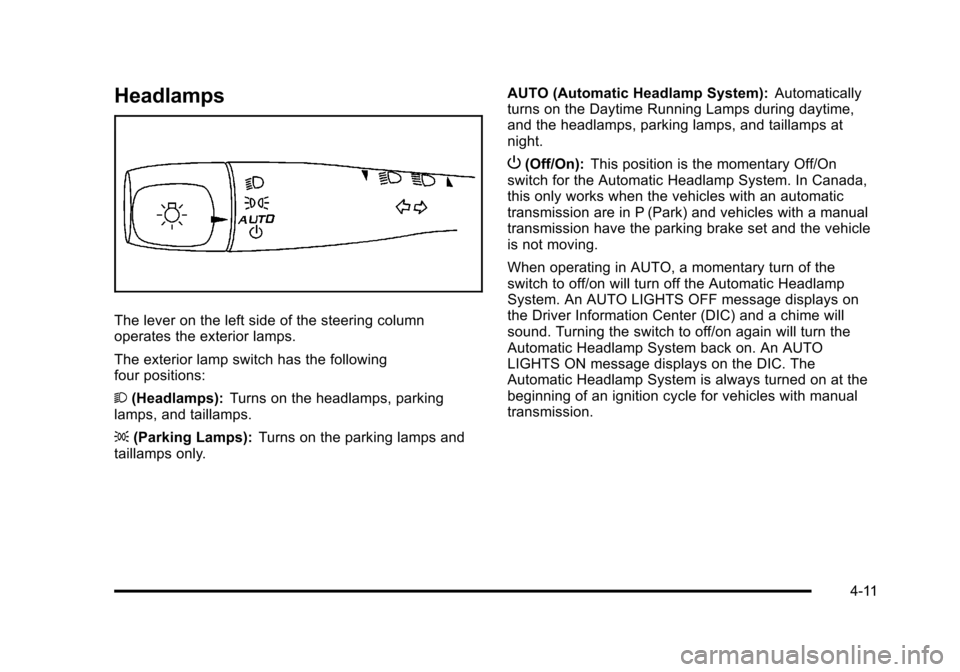
The lever on the left side of the steering column
operates the exterior lamps.
The exterior lamp switch has the following
four positions:
2(Headlamps): Turns on the headlamps, parking
lamps, and taillamps.
; (Parking Lamps): Turns on the parking lamps and
taillamps only. AUTO (Automatic Headlamp System):
Automatically
turns on the Daytime Running Lamps during daytime,
and the headlamps, parking lamps, and taillamps at
night.
P (Off/On): This position is the momentary Off/On
switch for the Automatic Headlamp System. In Canada,
this only works when the vehicles with an automatic
transmission are in P (Park) and vehicles with a manual
transmission have the parking brake set and the vehicle
is not moving.
When operating in AUTO, a momentary turn of the
switch to off/on will turn off the Automatic Headlamp
System. An AUTO LIGHTS OFF message displays on
the Driver Information Center (DIC) and a chime will
sound. Turning the switch to off/on again will turn the
Automatic Headlamp System back on. An AUTO
LIGHTS ON message displays on the DIC. The
Automatic Headlamp System is always turned on at the
beginning of an ignition cycle for vehicles with manual
transmission.
4-11
Page 169 of 430
Black plate (13,1)Chevrolet HHR Owner Manual - 2011
Automatic Headlamp System
When it is dark enough outside, the automatic system
turns on the headlamps at the normal brightness along
with other lamps such as the taillamps, sidemarker,
parking lamps, instrument panel lights, and interior
switch backlighting.
Do not cover the light sensor, located on top of the
instrument panel. If the sensor is covered the
headlamps may remain on when they are not needed.
If the vehicle is driven through a parking garage,
overcast weather or a tunnel, the automatic headlamp
system may turn on.
There is a delay in the transition between the daytime
and nighttime operation of the automatic lamp control
system so that driving under bridges or bright overhead
street lights does not affect the system. The automatic
lamp control system will only be affected when the light
sensor sees a change in lighting lasting longer than this
delay.
If the vehicle is started in a dark garage, the automatic
lamp system turns on immediately. Once the vehicle
exits the garage, it will take about 20 seconds for the
automatic lamp system to change to DRL if it is light
outside. During that delay, the instrument panel cluster
may not be as bright as usual. Make sure theinstrument panel brightness control is in the full bright
position. See
Instrument Panel Brightnesson
page 4‑14.
To idle the vehicle with the system off, turn the ignition
on and turn the exterior light switch to the off/on
position. For vehicles first sold in Canada, the
transmission must stay in P (Park) for this function or
the parking brake must be set for vehicles with manual
transmissions.
Turn on the regular headlamps when they are needed.
Fog Lamps
For vehicles with fog lamps, the button is located on the
instrument panel, to the right of the steering wheel.
The ignition must be on to use the fog lamps.
#: Press to turn the fog lamps on and off. An indicator
light on the button comes on when the fog lamps
are on.
The parking lamps automatically turn on and off when
the fog lamps are turned on and off.
The fog lamps will turn off while the high-beam
headlamps are turned on.
Some localities have laws that require the headlamps to
be on along with the fog lamps.
4-13
Page 170 of 430
Black plate (14,1)Chevrolet HHR Owner Manual - 2011
Instrument Panel Brightness
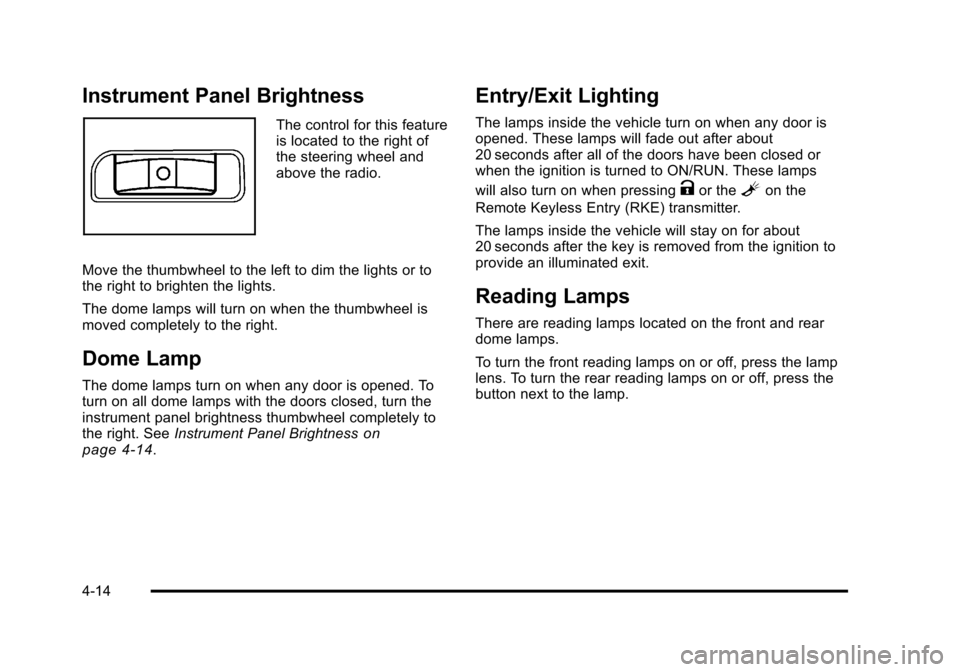
The control for this feature
is located to the right of
the steering wheel and
above the radio.
Move the thumbwheel to the left to dim the lights or to
the right to brighten the lights.
The dome lamps will turn on when the thumbwheel is
moved completely to the right.
Dome Lamp
The dome lamps turn on when any door is opened. To
turn on all dome lamps with the doors closed, turn the
instrument panel brightness thumbwheel completely to
the right. See Instrument Panel Brightness
on
page 4‑14.
Entry/Exit Lighting
The lamps inside the vehicle turn on when any door is
opened. These lamps will fade out after about
20 seconds after all of the doors have been closed or
when the ignition is turned to ON/RUN. These lamps
will also turn on when pressing
Kor theLon the
Remote Keyless Entry (RKE) transmitter.
The lamps inside the vehicle will stay on for about
20 seconds after the key is removed from the ignition to
provide an illuminated exit.
Reading Lamps
There are reading lamps located on the front and rear
dome lamps.
To turn the front reading lamps on or off, press the lamp
lens. To turn the rear reading lamps on or off, press the
button next to the lamp.
4-14
Page 191 of 430
Black plate (35,1)Chevrolet HHR Owner Manual - 2011
.Make sure to fuel the vehicle with quality fuel. Poor
fuel quality causes the engine not to run as
efficiently as designed and can cause: stalling after
start-up, stalling when the vehicle is changed into
gear, misfiring, hesitation on acceleration,
or stumbling on acceleration. These conditions
might go away once the engine is warmed up.
If one or more of these conditions occurs, change
the fuel brand used. It will require at least one full
tank of the proper fuel to turn the light off.
SeeGasoline Octane on page 6‑6.
If none of the above have made the light turn off, your
dealer can check the vehicle. The dealer has the proper
test equipment and diagnostic tools to fix any
mechanical or electrical problems that might have
developed.
Emissions Inspection and Maintenance
Programs
Some state/provincial and local governments may have
programs to inspect the on-vehicle emission control
equipment For the inspection, the emission system test
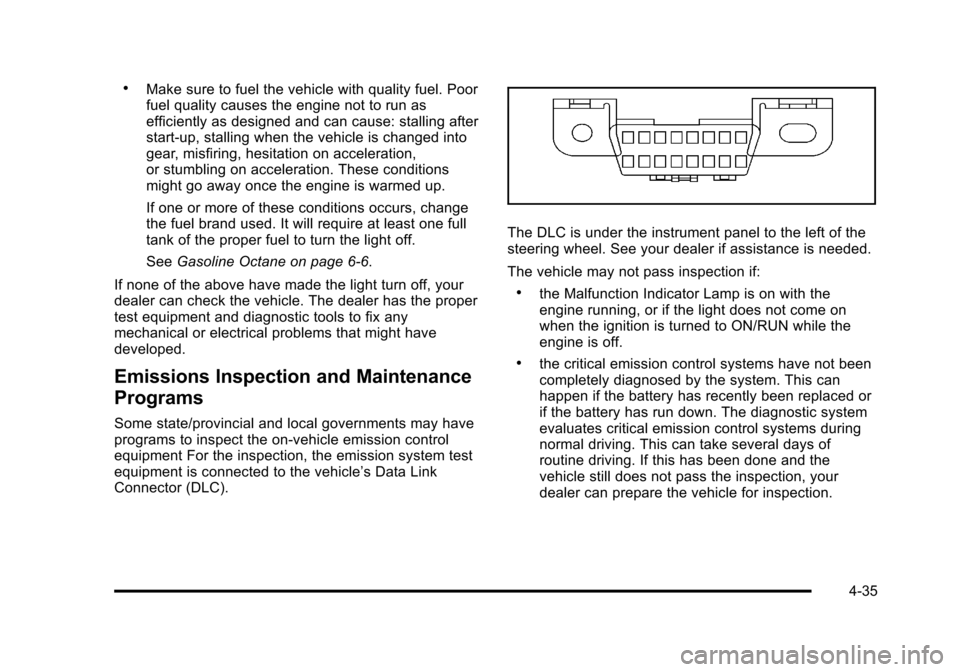
equipment is connected to the vehicle’s Data Link
Connector (DLC).
The DLC is under the instrument panel to the left of the
steering wheel. See your dealer if assistance is needed.
The vehicle may not pass inspection if:
.the Malfunction Indicator Lamp is on with the
engine running, or if the light does not come on
when the ignition is turned to ON/RUN while the
engine is off.
.the critical emission control systems have not been
completely diagnosed by the system. This can
happen if the battery has recently been replaced or
if the battery has run down. The diagnostic system
evaluates critical emission control systems during
normal driving. This can take several days of
routine driving. If this has been done and the
vehicle still does not pass the inspection, your
dealer can prepare the vehicle for inspection.
4-35